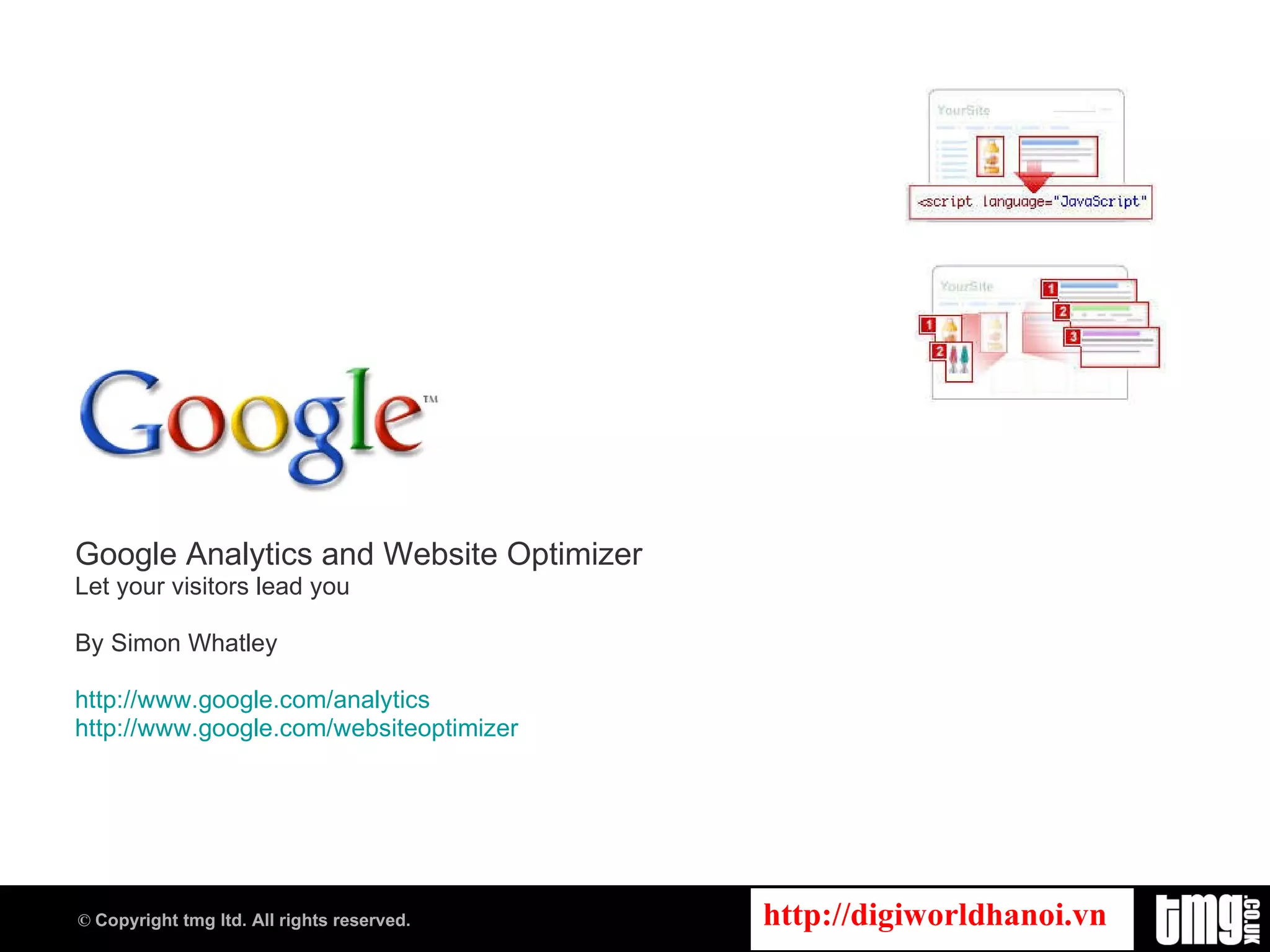
Google Analytics and Website Optimizer Let your visitors lead you By Simon Whatley http://www.google.com/analytics http:// www.google.com/websiteoptimizer
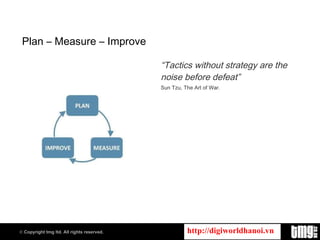
Plan – Measure – Improve “ Tactics without strategy are the noise before defeat” Sun Tzu, The Art of War.
Google Analytics http://www.google.com/analytics
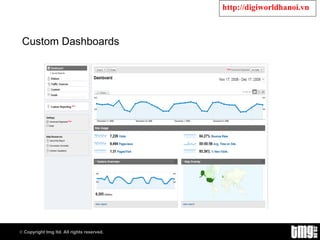
Custom Dashboards
Topics to Cover Profiles Filters Goals Funnels
Profiles and Filters The real strength of GA Segment data Deep analysis Filter data depending on needs Give access to data depending on needs Starts collecting data once filter is applied Best practice: Profile with all data Profile with segmented data
Profiles Website URL Profile Name Time Zone Default Page Exclude Parameters E-commerce Website Search
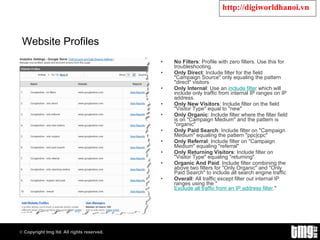
Website Profiles No Filters : Profile with zero filters. Use this for troubleshooting. Only Direct : Include filter for the field "Campaign Source" only equaling the pattern "direct" visitors Only Internal : Use an  include filter  which will include only traffic from internal IP ranges on IP address. Only New Visitors : Include filter on the field "Visitor Type" equal to "new" Only Organic : Include filter where the filter field is on "Campaign Medium" and the pattern is "organic" Only Paid Search : Include filter on "Campaign Medium" equaling the pattern "ppc|cpc" Only Referral : Include filter on "Campaign Medium" equaling "referral" Only Returning Visitors : Include filter on "Visitor Type" equaling "returning" Organic And Paid : Include filter combining the above two filters for "Only Organic" and "Only Paid Search" to include all search engine traffic Overall : All traffic except filter out internal IP ranges using the " Exclude all traffic from an IP address filter ."
Filters Applied to a Profile Data Destructive – change data forever! Segmentation Business rules 2 types Predefined Custom Filters data before submitting to GA database
Filters Multiple Filters allowed But, data output for filter 1 is data input for filter 2 Be careful! Filters are data destructive! Avoid wrong conclusions! Create multiple Profiles to prevent filter 1 impacting filter 2 Allows for customer segmentation Visitor to member to customer
Pre-Defined Filters Google Analytics provides you with three predefined filter types: Exclude all traffic from a domain Exclude all traffic from an IP address Include only traffic to a subdirectory
Custom Filters In addition, Google Analytics provides you with a number of custom options: Exclude Pattern Include Pattern Search & Replace Lookup Table Advanced Uppercase / Lowercase
Goals Conversions? Purchases Registration Send to a friend Review or comment Add to wish list Maximum of 4 per profile
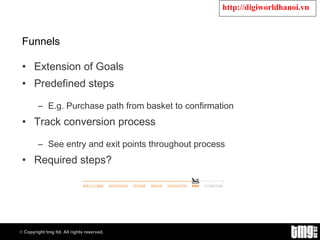
Funnels Extension of Goals Predefined steps E.g. Purchase path from basket to confirmation Track conversion process See entry and exit points throughout process Required steps?
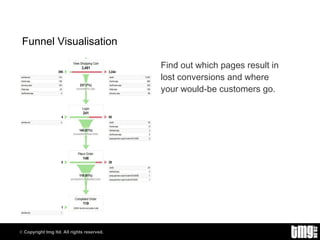
Funnel Visualisation Find out which pages result in lost conversions and where your would-be customers go.
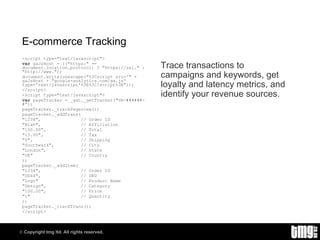
E-commerce Tracking <script type=&quot;text/javascript&quot;> var  gaJsHost = ((&quot;https:&quot; == document.location.protocol) ? &quot;https://ssl.&quot; : &quot;http://www.&quot;); document.write(unescape(&quot;%3Cscript src='&quot; + gaJsHost + &quot;google-analytics.com/ga.js' type='text/javascript'%3E%3C/script%3E&quot;)); </script> <script type=&quot;text/javascript&quot;> var  pageTracker = _gat._getTracker(&quot;UA-######-#&quot;); pageTracker._trackPageview(); pageTracker._addTrans( &quot;1234&quot;,  // Order ID &quot;Blah&quot;,  // Affiliation &quot;100.00&quot;,  // Total &quot;15.00&quot;,  // Tax &quot;5&quot;,  // Shipping &quot;Southwark&quot;,  // City &quot;London&quot;,  // State &quot;UK&quot;  // Country ); pageTracker._addItem( &quot;1234&quot;,  // Order ID &quot;DD44&quot;,  // SKU &quot;Logo&quot;  // Product Name  &quot;Design&quot;,  // Category &quot;100.00&quot;,  // Price &quot;1&quot;  // Quantity ); pageTracker._trackTrans(); </script> Trace transactions to campaigns and keywords, get loyalty and latency metrics, and identify your revenue sources.
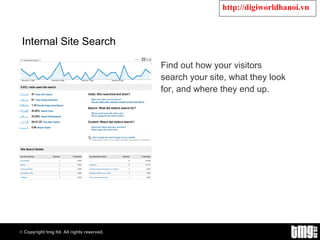
Internal Site Search Find out how your visitors search your site, what they look for, and where they end up.
Google Website Optimizer http:// www.google.com/websiteoptimizer
What to Test Calls to action Point of action assurances Typography and colour Product headlines, copy, images, descriptions… Category pages About us, contact us, delivery, terms and conditions Forms Shopping carts Offer incentives; etc
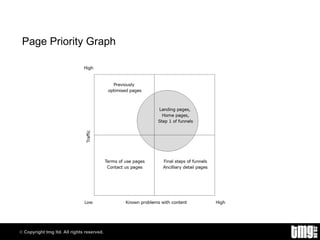
Page Priority Graph
Caveat “ Website Optimizer tests can be used to test  what  people do, but  not why  they do it. You need to infer from the variations and the analytics and a good piece of market understanding (‘know thy customer’).”
Designing the Test Before running the test, you must decide on these factors: A control A hypothesis A time frame A method of evaluating the results During the tests, you cannot change your test, whatsoever!
Example – Add to Cart Buttons Variables Shape, Size, Colour Variations Shape: Round, Square Size: Small, Medium and Large Colour: Red, Blue and Yellow Hypotheses Red buttons convert better than blue or yellow Large buttons convert better than small or medium Round buttons convert better than square
Website Optimizer Tests Google’s A/B test Google’s Multivariate test Split-path test Multipath Multivariate test Do Anything test Linger test Click test
Design an A/B Test Identify the metric.  What  are you going to compare and contrast? Describe the metric.  How  will you compare and contrast the differences? Optimise the system based on comparison of two or more tested solutions.
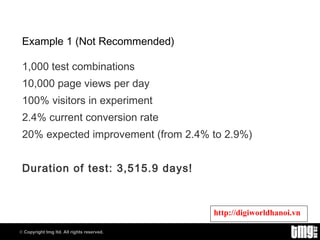
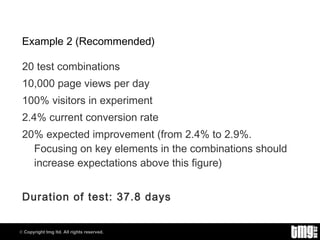
The Test Calculator The number of combinations will affect how long you need to run a test to return meaningful results. Factors: Test combinations Page views % Visitors Conversion rate Expected Improvement
Example 1 (Not Recommended) 1,000 test combinations 10,000 page views per day 100% visitors in experiment 2.4% current conversion rate 20% expected improvement (from 2.4% to 2.9%) Duration of test: 3,515.9 days!
Example 2 (Recommended) 20 test combinations 10,000 page views per day 100% visitors in experiment 2.4% current conversion rate 20% expected improvement (from 2.4% to 2.9%. Focusing on key elements in the combinations should increase expectations above this figure) Duration of test: 37.8 days
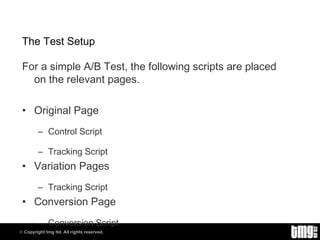
The Test Setup For a simple A/B Test, the following scripts are placed on the relevant pages. Original Page Control Script Tracking Script Variation Pages Tracking Script Conversion Page Conversion Script
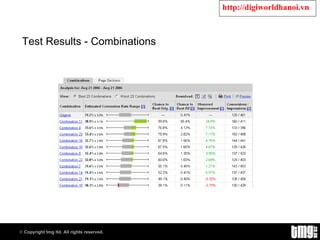
Test Results - Combinations
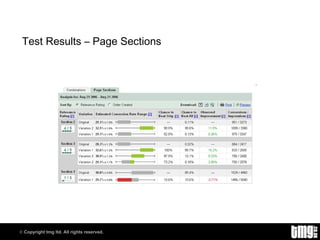
Test Results – Page Sections
What the Statistics Mean Chance to beat original Chance to beat all Observed improvement Conversions and visits
Case Studies  To discuss how we have optimised client sites and the results please get in touch: Wyndham Lewis  tmg Pentagon House 52 – 54 Southwark Street  London SE1 1UN  +44 (0) 20 7378 2263  [email_address]
Citations Information and images contained within this presentation were compiled from the following sources: Google Analytics Blog http://analytics.blogspot.com Google Website Optimizer Blog http://websiteoptimizer.blogspot.com Google AdWords Blog http://adwords.blogspot.com Future Now Inc. http://www.futurenowinc.com Always Be Testing: The Complete Guide to Google Website Optimizer.  Bryan Eisenberg & John Quarto-von Tividar ISBN 978-0-470-29063-7
Trademarks Google is a trademark of Google, Inc. All other trademarks are the property of their respective owners. tmg ltd is not associated with any product or vendor mentioned in this presentation.
End.

Google Analytics And Website Optimizer

  • 1.
    Google Analytics andWebsite Optimizer Let your visitors lead you By Simon Whatley http://www.google.com/analytics http:// www.google.com/websiteoptimizer
  • 2.
    Plan – Measure– Improve “ Tactics without strategy are the noise before defeat” Sun Tzu, The Art of War.
  • 3.
  • 4.
  • 5.
    Topics to CoverProfiles Filters Goals Funnels
  • 6.
    Profiles and FiltersThe real strength of GA Segment data Deep analysis Filter data depending on needs Give access to data depending on needs Starts collecting data once filter is applied Best practice: Profile with all data Profile with segmented data
  • 7.
    Profiles Website URLProfile Name Time Zone Default Page Exclude Parameters E-commerce Website Search
  • 8.
    Website Profiles NoFilters : Profile with zero filters. Use this for troubleshooting. Only Direct : Include filter for the field &quot;Campaign Source&quot; only equaling the pattern &quot;direct&quot; visitors Only Internal : Use an  include filter  which will include only traffic from internal IP ranges on IP address. Only New Visitors : Include filter on the field &quot;Visitor Type&quot; equal to &quot;new&quot; Only Organic : Include filter where the filter field is on &quot;Campaign Medium&quot; and the pattern is &quot;organic&quot; Only Paid Search : Include filter on &quot;Campaign Medium&quot; equaling the pattern &quot;ppc|cpc&quot; Only Referral : Include filter on &quot;Campaign Medium&quot; equaling &quot;referral&quot; Only Returning Visitors : Include filter on &quot;Visitor Type&quot; equaling &quot;returning&quot; Organic And Paid : Include filter combining the above two filters for &quot;Only Organic&quot; and &quot;Only Paid Search&quot; to include all search engine traffic Overall : All traffic except filter out internal IP ranges using the &quot; Exclude all traffic from an IP address filter .&quot;
  • 9.
    Filters Applied toa Profile Data Destructive – change data forever! Segmentation Business rules 2 types Predefined Custom Filters data before submitting to GA database
  • 10.
    Filters Multiple Filtersallowed But, data output for filter 1 is data input for filter 2 Be careful! Filters are data destructive! Avoid wrong conclusions! Create multiple Profiles to prevent filter 1 impacting filter 2 Allows for customer segmentation Visitor to member to customer
  • 11.
    Pre-Defined Filters GoogleAnalytics provides you with three predefined filter types: Exclude all traffic from a domain Exclude all traffic from an IP address Include only traffic to a subdirectory
  • 12.
    Custom Filters Inaddition, Google Analytics provides you with a number of custom options: Exclude Pattern Include Pattern Search & Replace Lookup Table Advanced Uppercase / Lowercase
  • 13.
    Goals Conversions? PurchasesRegistration Send to a friend Review or comment Add to wish list Maximum of 4 per profile
  • 14.
    Funnels Extension ofGoals Predefined steps E.g. Purchase path from basket to confirmation Track conversion process See entry and exit points throughout process Required steps?
  • 15.
    Funnel Visualisation Findout which pages result in lost conversions and where your would-be customers go.
  • 16.
    E-commerce Tracking <scripttype=&quot;text/javascript&quot;> var gaJsHost = ((&quot;https:&quot; == document.location.protocol) ? &quot;https://ssl.&quot; : &quot;http://www.&quot;); document.write(unescape(&quot;%3Cscript src='&quot; + gaJsHost + &quot;google-analytics.com/ga.js' type='text/javascript'%3E%3C/script%3E&quot;)); </script> <script type=&quot;text/javascript&quot;> var pageTracker = _gat._getTracker(&quot;UA-######-#&quot;); pageTracker._trackPageview(); pageTracker._addTrans( &quot;1234&quot;, // Order ID &quot;Blah&quot;, // Affiliation &quot;100.00&quot;, // Total &quot;15.00&quot;, // Tax &quot;5&quot;, // Shipping &quot;Southwark&quot;, // City &quot;London&quot;, // State &quot;UK&quot; // Country ); pageTracker._addItem( &quot;1234&quot;, // Order ID &quot;DD44&quot;, // SKU &quot;Logo&quot; // Product Name &quot;Design&quot;, // Category &quot;100.00&quot;, // Price &quot;1&quot; // Quantity ); pageTracker._trackTrans(); </script> Trace transactions to campaigns and keywords, get loyalty and latency metrics, and identify your revenue sources.
  • 17.
    Internal Site SearchFind out how your visitors search your site, what they look for, and where they end up.
  • 18.
    Google Website Optimizerhttp:// www.google.com/websiteoptimizer
  • 19.
    What to TestCalls to action Point of action assurances Typography and colour Product headlines, copy, images, descriptions… Category pages About us, contact us, delivery, terms and conditions Forms Shopping carts Offer incentives; etc
  • 20.
  • 21.
    Caveat “ WebsiteOptimizer tests can be used to test what people do, but not why they do it. You need to infer from the variations and the analytics and a good piece of market understanding (‘know thy customer’).”
  • 22.
    Designing the TestBefore running the test, you must decide on these factors: A control A hypothesis A time frame A method of evaluating the results During the tests, you cannot change your test, whatsoever!
  • 23.
    Example – Addto Cart Buttons Variables Shape, Size, Colour Variations Shape: Round, Square Size: Small, Medium and Large Colour: Red, Blue and Yellow Hypotheses Red buttons convert better than blue or yellow Large buttons convert better than small or medium Round buttons convert better than square
  • 24.
    Website Optimizer TestsGoogle’s A/B test Google’s Multivariate test Split-path test Multipath Multivariate test Do Anything test Linger test Click test
  • 25.
    Design an A/BTest Identify the metric. What are you going to compare and contrast? Describe the metric. How will you compare and contrast the differences? Optimise the system based on comparison of two or more tested solutions.
  • 26.
    The Test CalculatorThe number of combinations will affect how long you need to run a test to return meaningful results. Factors: Test combinations Page views % Visitors Conversion rate Expected Improvement
  • 27.
    Example 1 (NotRecommended) 1,000 test combinations 10,000 page views per day 100% visitors in experiment 2.4% current conversion rate 20% expected improvement (from 2.4% to 2.9%) Duration of test: 3,515.9 days!
  • 28.
    Example 2 (Recommended)20 test combinations 10,000 page views per day 100% visitors in experiment 2.4% current conversion rate 20% expected improvement (from 2.4% to 2.9%. Focusing on key elements in the combinations should increase expectations above this figure) Duration of test: 37.8 days
  • 29.
    The Test SetupFor a simple A/B Test, the following scripts are placed on the relevant pages. Original Page Control Script Tracking Script Variation Pages Tracking Script Conversion Page Conversion Script
  • 30.
    Test Results -Combinations
  • 31.
    Test Results –Page Sections
  • 32.
    What the StatisticsMean Chance to beat original Chance to beat all Observed improvement Conversions and visits
  • 33.
    Case Studies To discuss how we have optimised client sites and the results please get in touch: Wyndham Lewis tmg Pentagon House 52 – 54 Southwark Street London SE1 1UN +44 (0) 20 7378 2263 [email_address]
  • 34.
    Citations Information andimages contained within this presentation were compiled from the following sources: Google Analytics Blog http://analytics.blogspot.com Google Website Optimizer Blog http://websiteoptimizer.blogspot.com Google AdWords Blog http://adwords.blogspot.com Future Now Inc. http://www.futurenowinc.com Always Be Testing: The Complete Guide to Google Website Optimizer. Bryan Eisenberg & John Quarto-von Tividar ISBN 978-0-470-29063-7
  • 35.
    Trademarks Google isa trademark of Google, Inc. All other trademarks are the property of their respective owners. tmg ltd is not associated with any product or vendor mentioned in this presentation.
  • 36.