

Why the CLOUD for CMA’s 
archival repository?
Artwork Photography
Digital Assets
Benefits 
• no in-house hardware/maintenance 
expenses, no hardware replacement 
• proven expertise in administering 
enormous disk allocations 
• follows archival best practices 
for out-of-region redundancy
Performance 
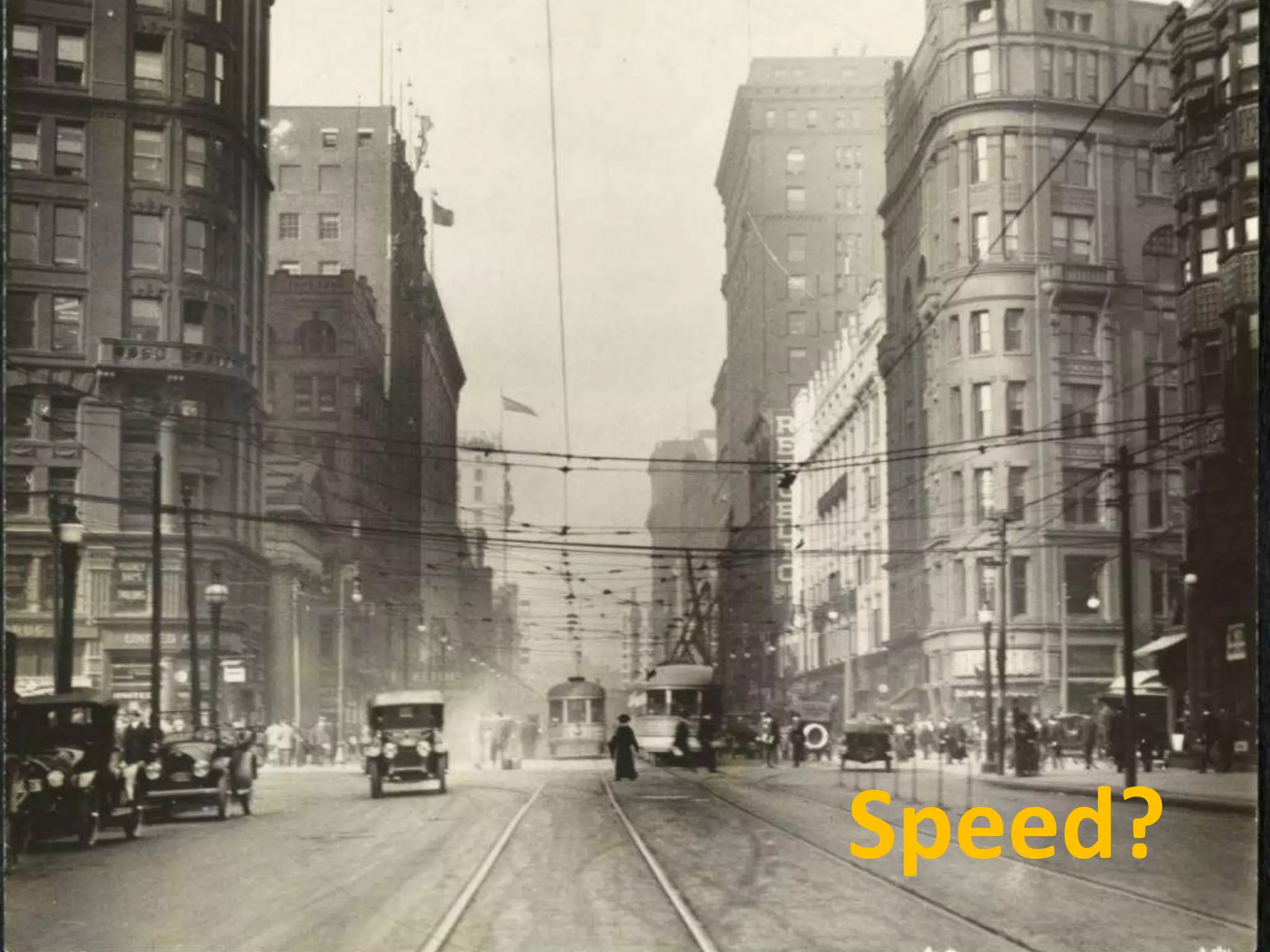
Speed?
Issues / Worries 
• viability / life span of virtual data center company 
• physical security of virtual data center 
• best practices / operational procedures 
of virtual data center 
• remote access speed / file transfer performance 
• possible effects of hardware compression 
on archival file integrity 
• long-term expense 
– virtual data center services 
– transport charges
Solutions
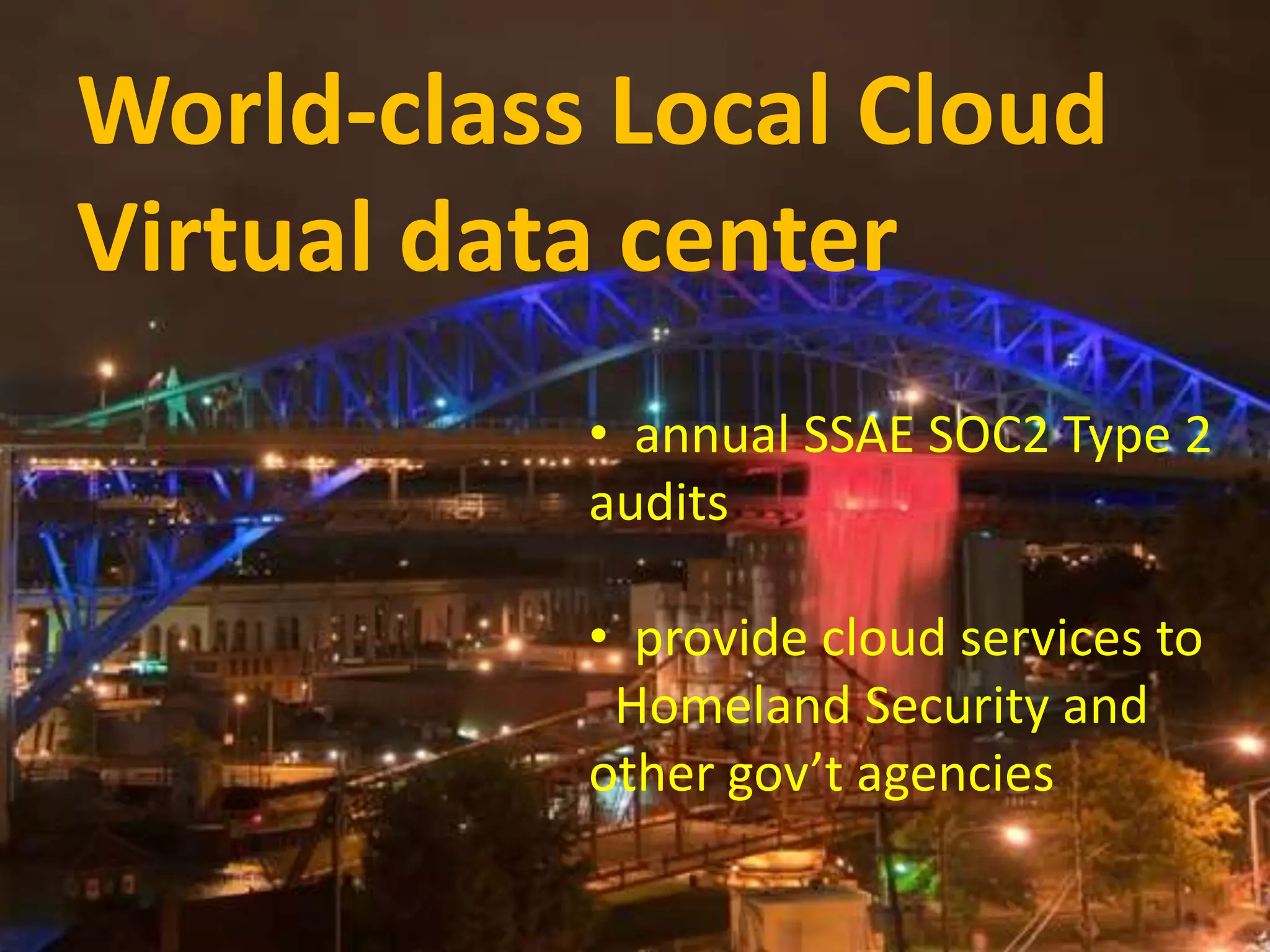
WViroturall dDa-tcal Caesnste Lr oonc saalm Ce lISoPu trdunk 
Virtual data center 
• annual SSAE SOC2 Type 2 
audits 
• provide cloud services to 
Homeland Security and 
other gov’t agencies
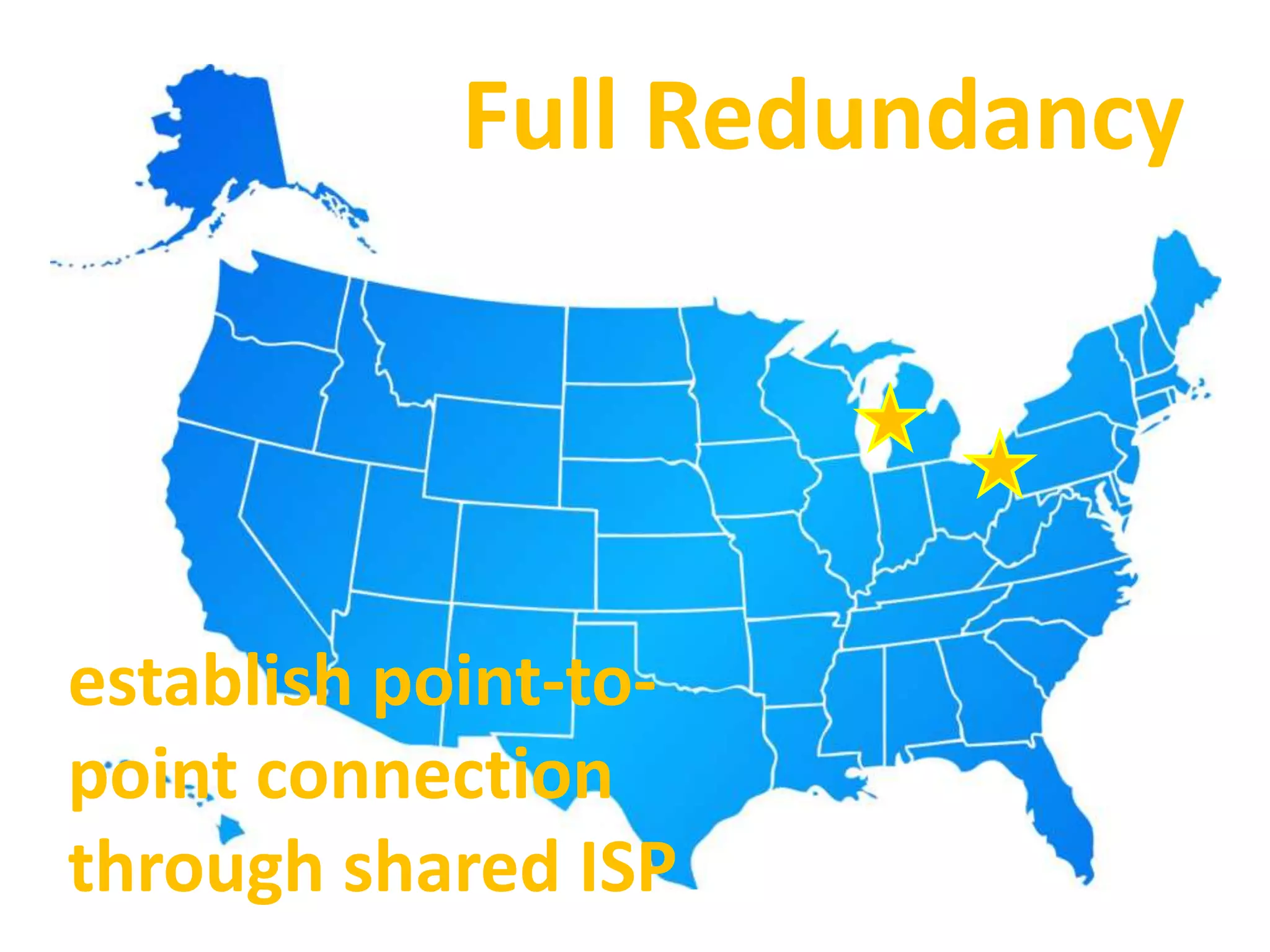
Full Redundancy 
establish point-to-point 
connection 
through shared ISP
$$$$$$$$
significant gift-in-kind donation 
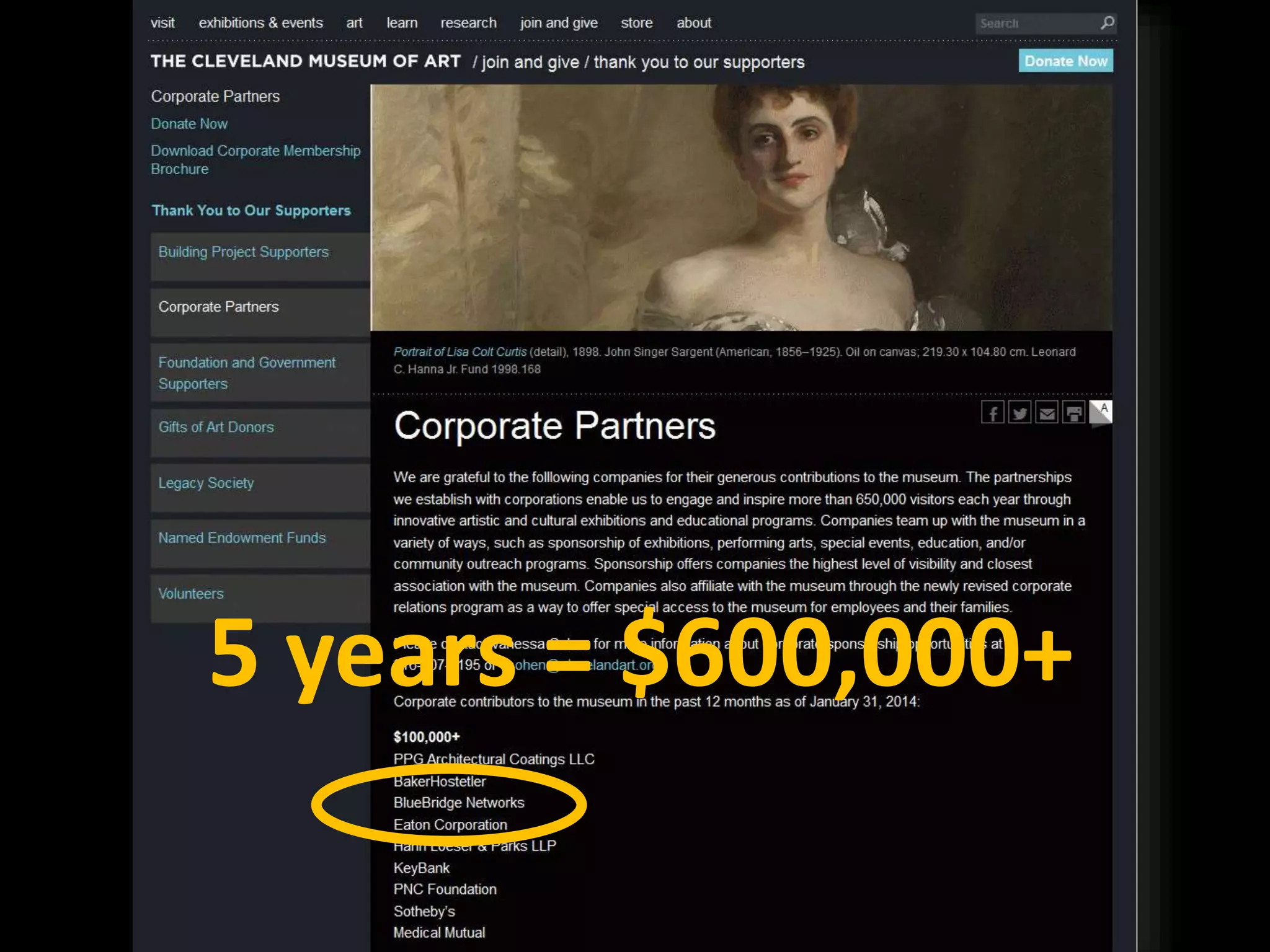
Partnership
5 years = $600,000+
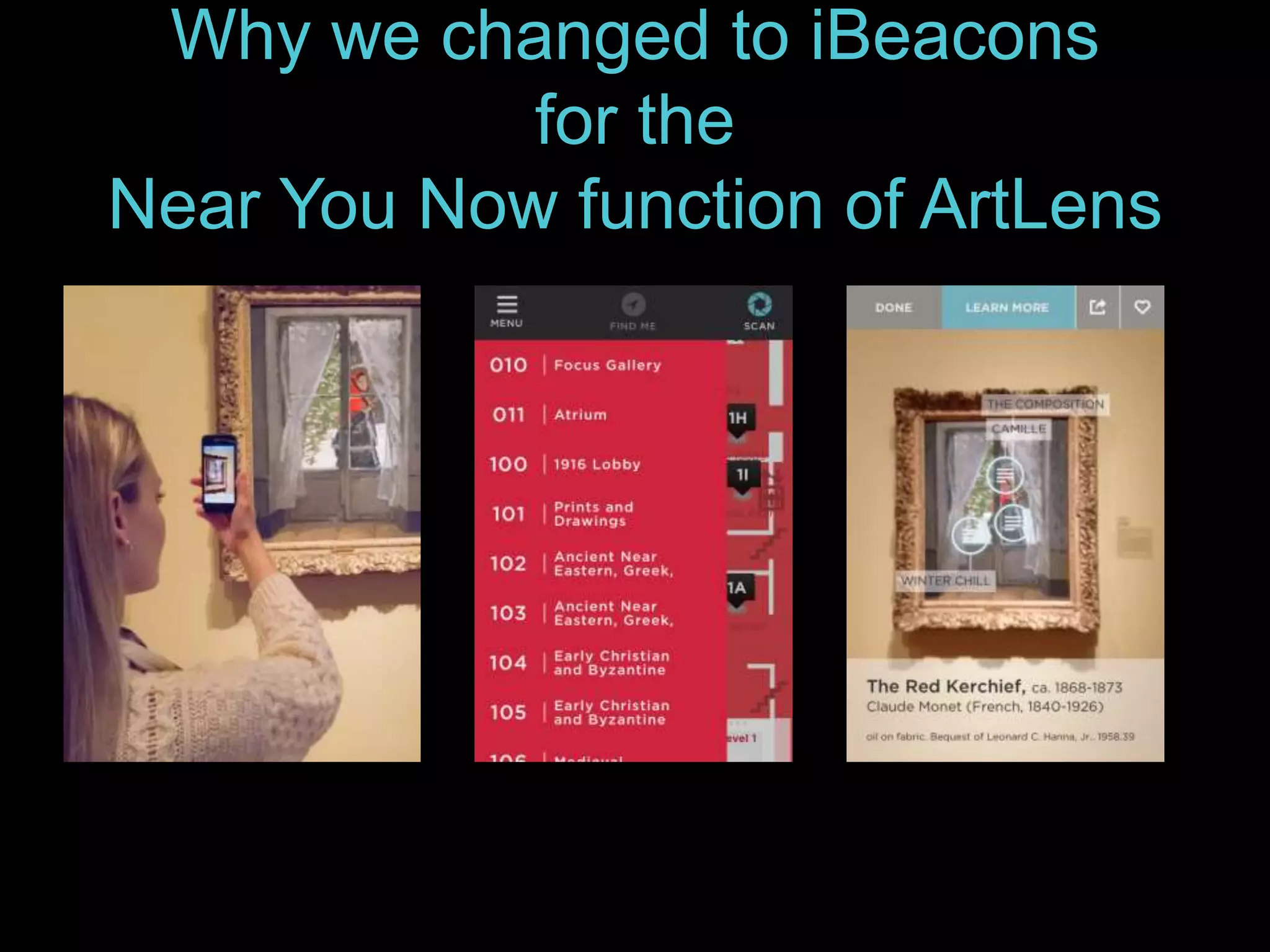
Why we changed to iBeacons 
for the 
Near You Now function of ArtLens
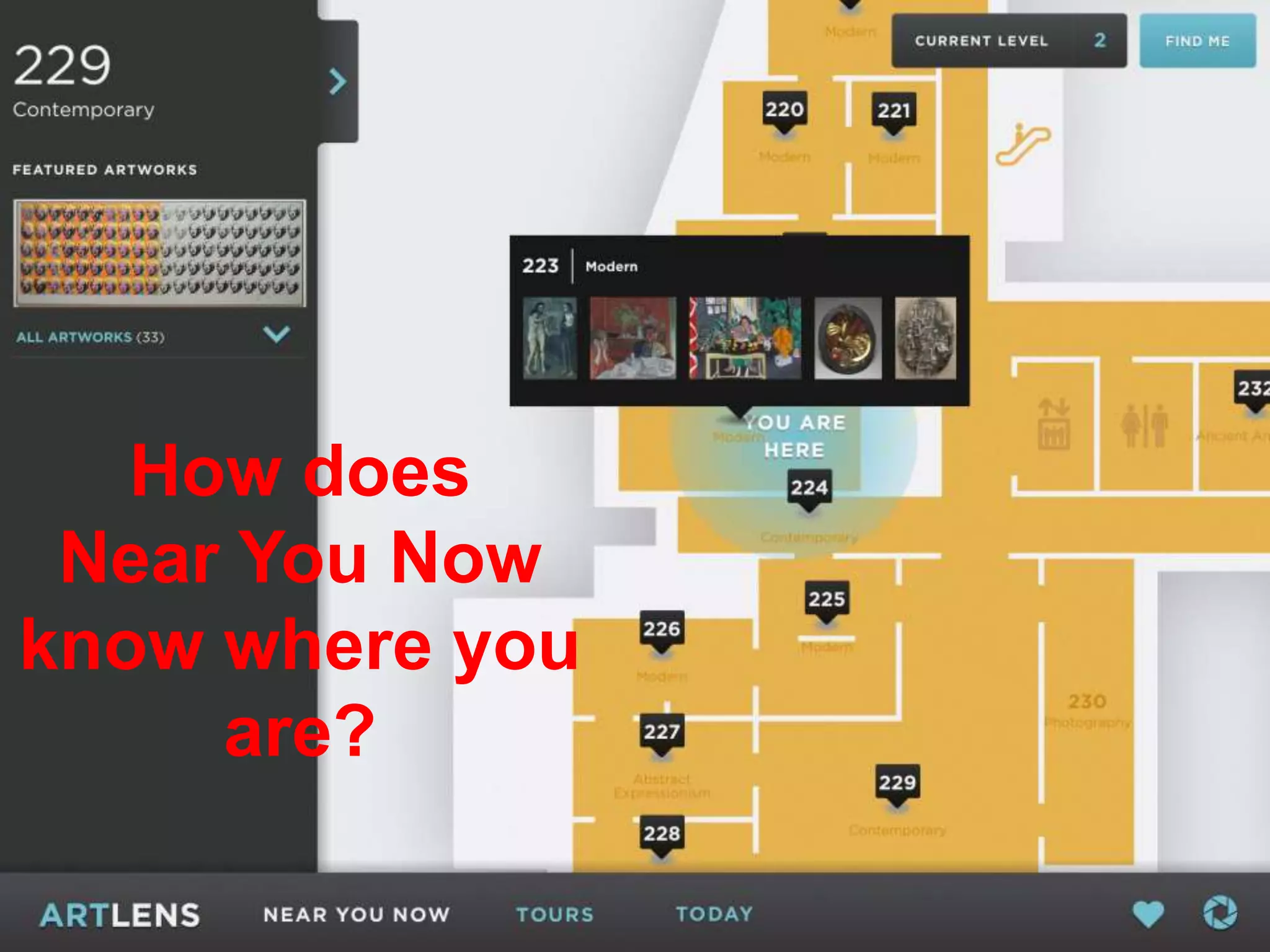
How does 
Near You Now 
know where you 
Why we are using iBeacons 
for are? 
Near You Now function 
of ArtLens
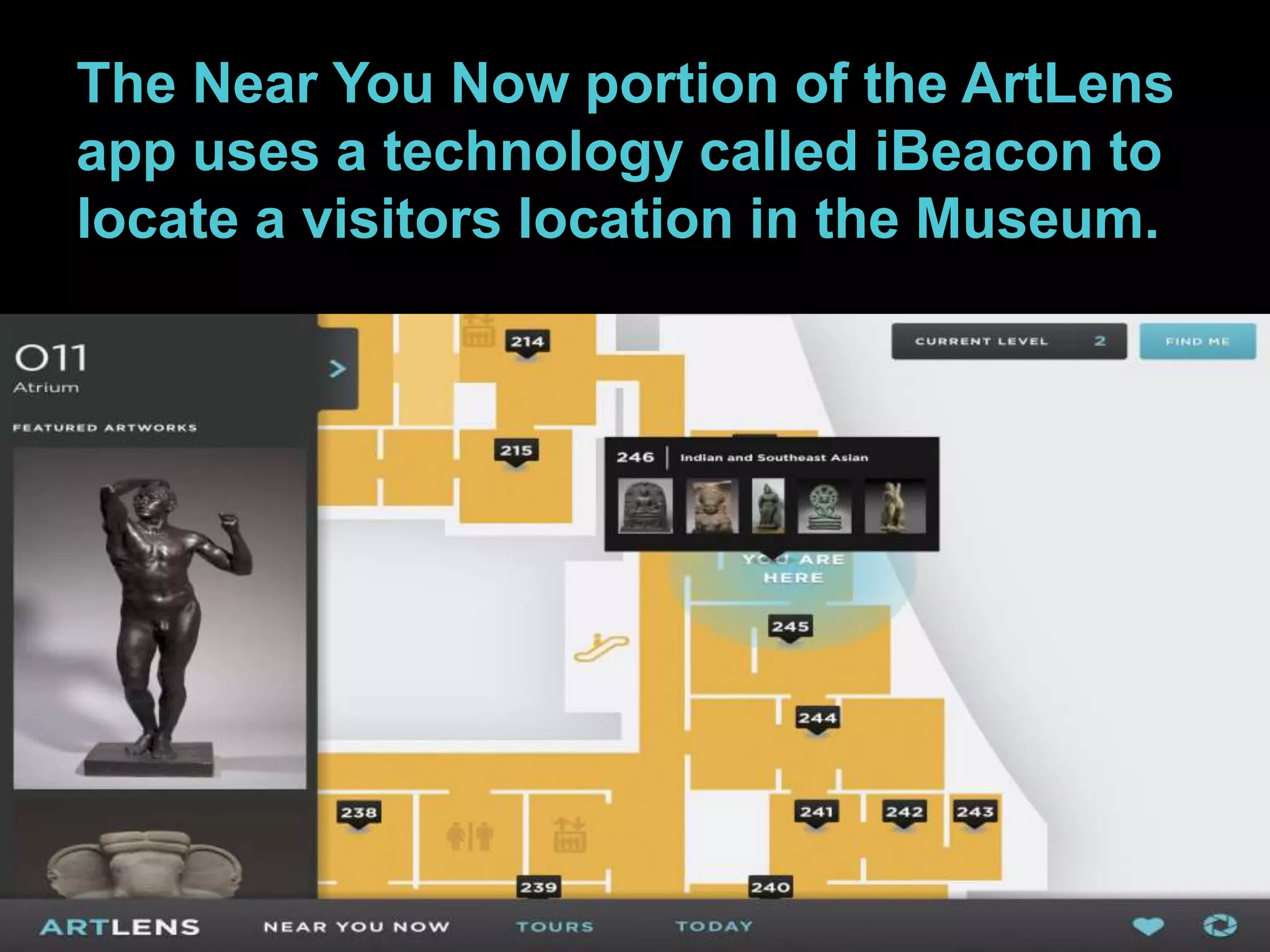
The Near You Now portion of the ArtLens 
app uses a technology called iBeacon to 
locate a visitors location in the Museum.
iBeacon uses Bluetooth low-energy (BLE) 
wireless technology that was developed by 
Apple. Using a series of small Bluetooth 
transmitters Apps installed on the mobile device 
listen out for the signal transmitted by these 
beacons and respond accordingly when the 
device comes into range. 
iBeacon technology is compatible with mobile 
devices from Apple running iOS7 and Android 
running 4.3 and above.
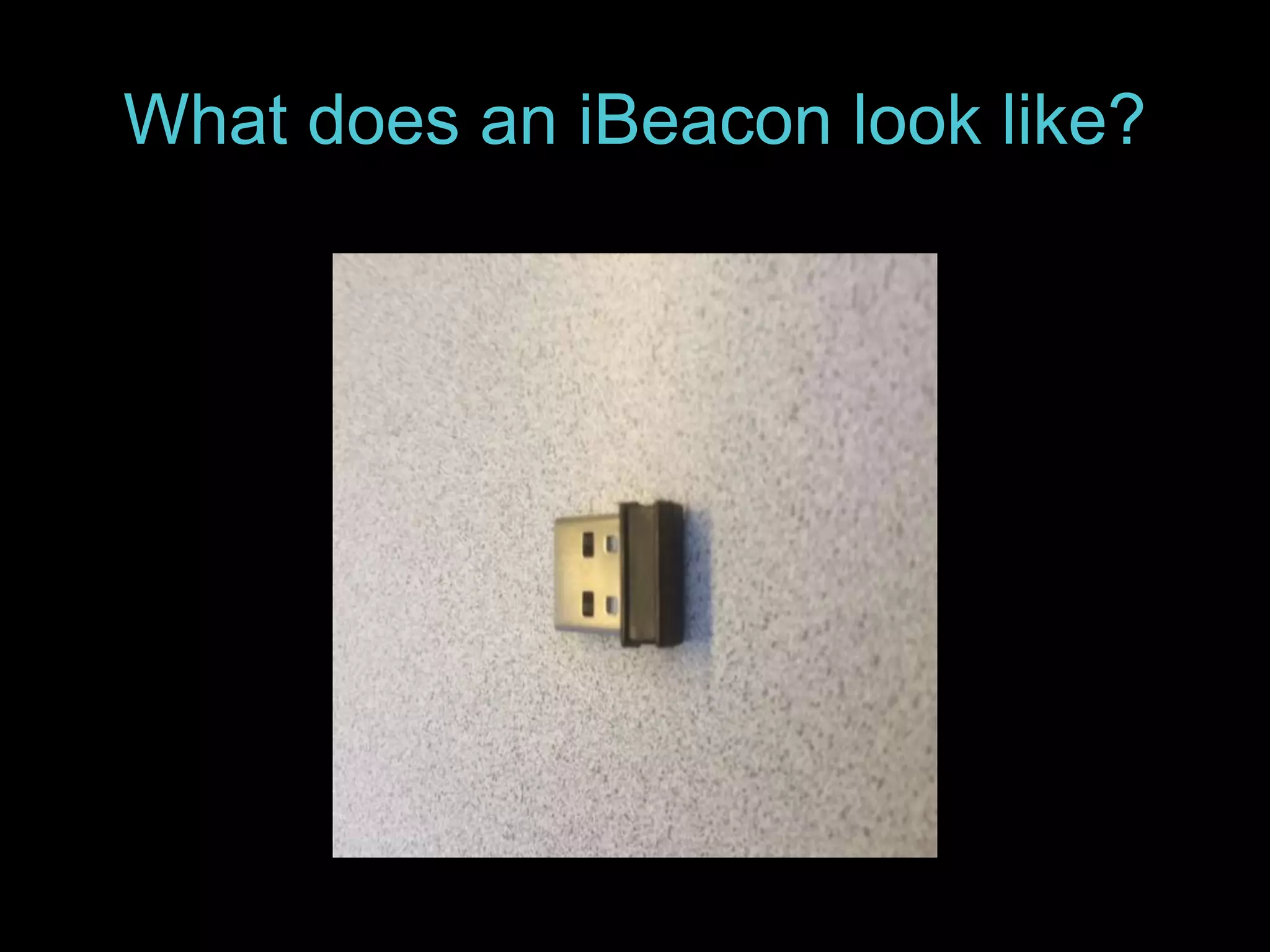
What does an iBeacon look like?
CMA’s implementation of iBeacon 
In addition to the iBeacon hardware nodes a backend 
software system is needed to manage and provide location 
data to apps running on the mobile device. 
CMA is using Navizon to power its backend portion of 
iBeacon. 
Navizon’ s location system supports multiple ways to locate 
a visitors location within the Museum. In addition to 
iBeacon Navizon can also determine a users location using 
the accelerometer within the mobile device along with Wi-Fi 
triangulation.
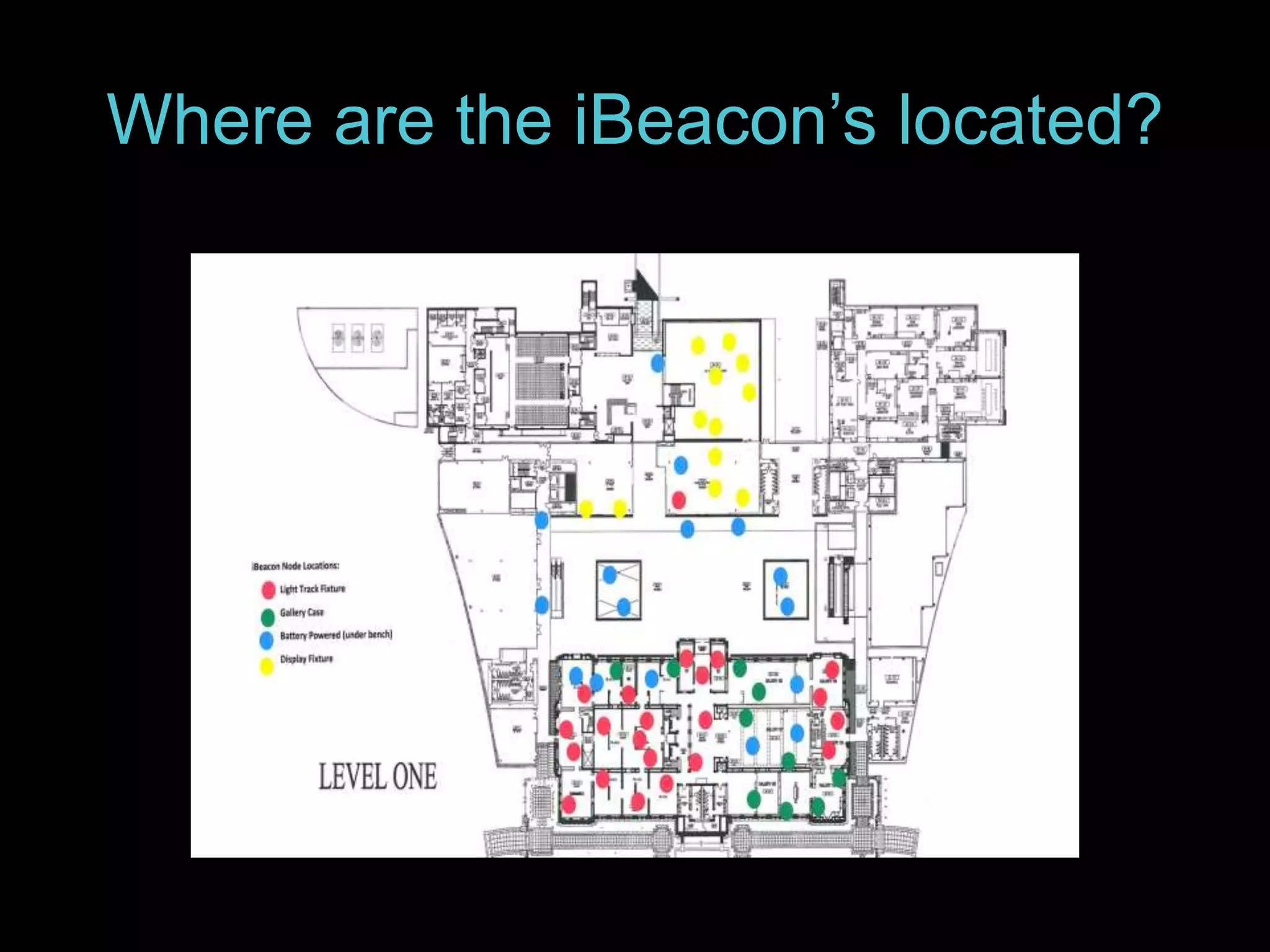
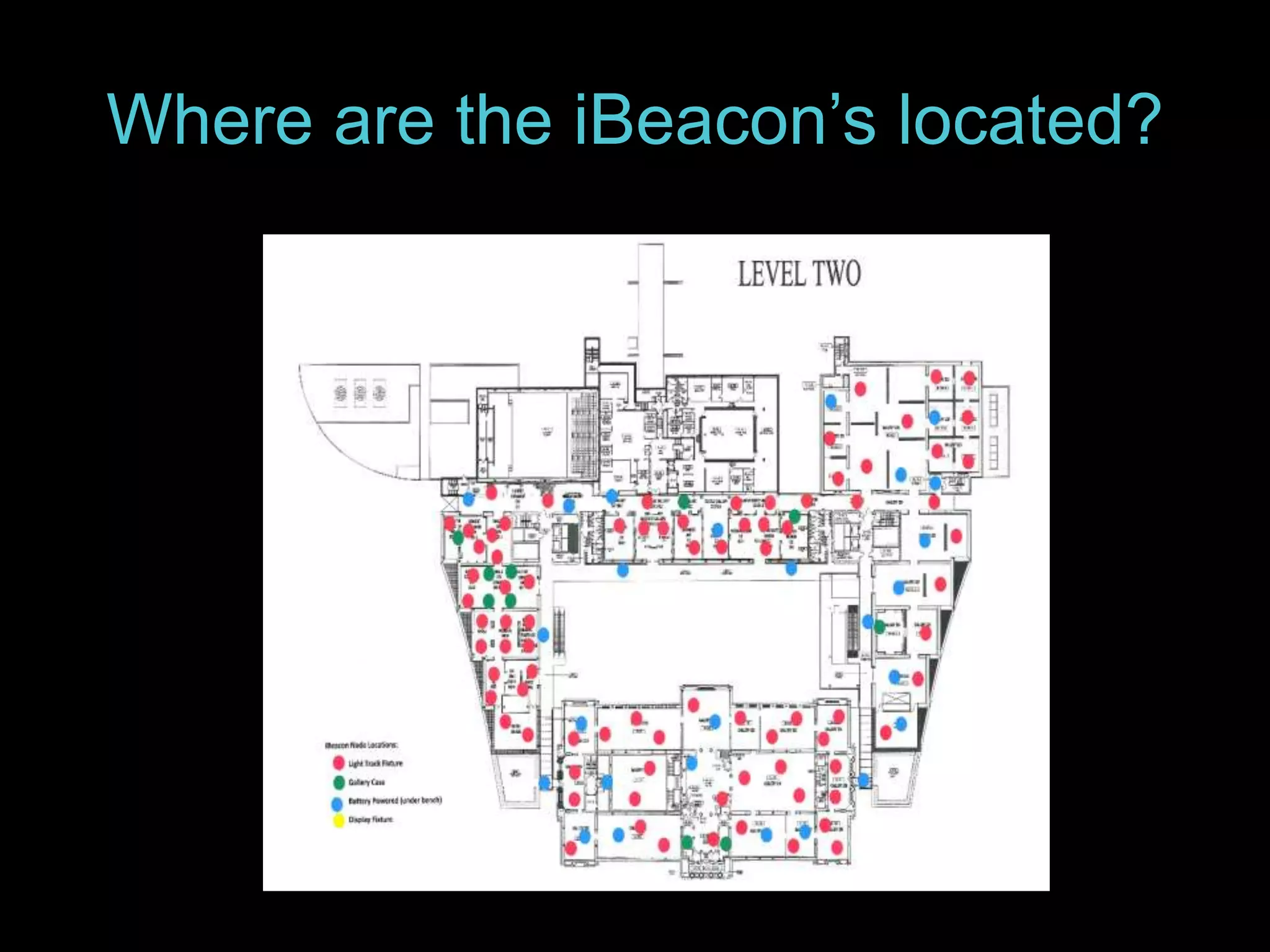
Where are the iBeacon’s located?
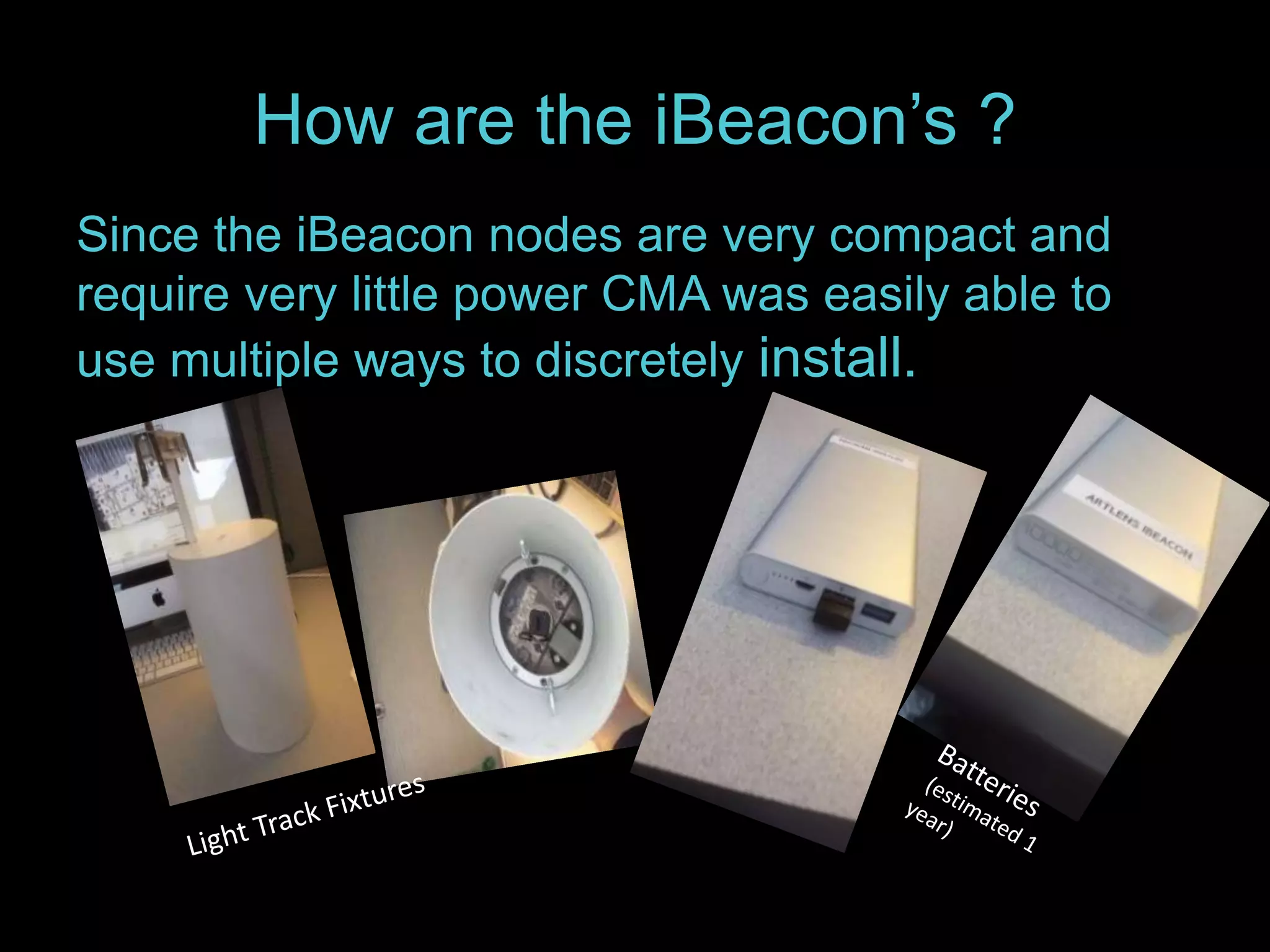
How are the iBeacon’s ? 
Since the iBeacon nodes are very compact and 
require very little power CMA was easily able to 
use multiple ways to discretely install.
How are the iBeacon’s configured? 
The iBeacon nodes arrived preconfigured. 
Once installed a training process was 
conducted through out the areas of the 
Museum where the nodes were installed. This 
training process collects what is know as the 
“Fingerprint”. This fingerprint contains the 
signal strength of the iBeacons in proximity to 
the mobile device being use to train the system. 
This data is then uploaded to the Navizon ITS 
server.
How where the fingerprints 
collected? 
When Navizon arrived onsite 
they had mapped out routes in 
advance throughout the 
Museum to ensure optimal 
accuracy.
What is involved to integrated 
Navizon into ArtLens App? 
Navizon provides a Software Developer Kit 
(SDK) for both iOS and Android based mobile 
devices. 
Using this SDK an App can query the Navizon 
server for the mobile devices current location 
within the Museum based on its current 
proximity to the iBeacon nodes.
What is involved … 
For the ArtLens app a database of location 
information based on the Museum floor plan 
was created. ArtLens then takes the 
information returned from the Navizon 
server and matches it to this database. 
ArtLens then provides the gallery content to 
the visitor based on the appropriate location 
match.
How do I managing ever-increasing 
challenge of IT risks?
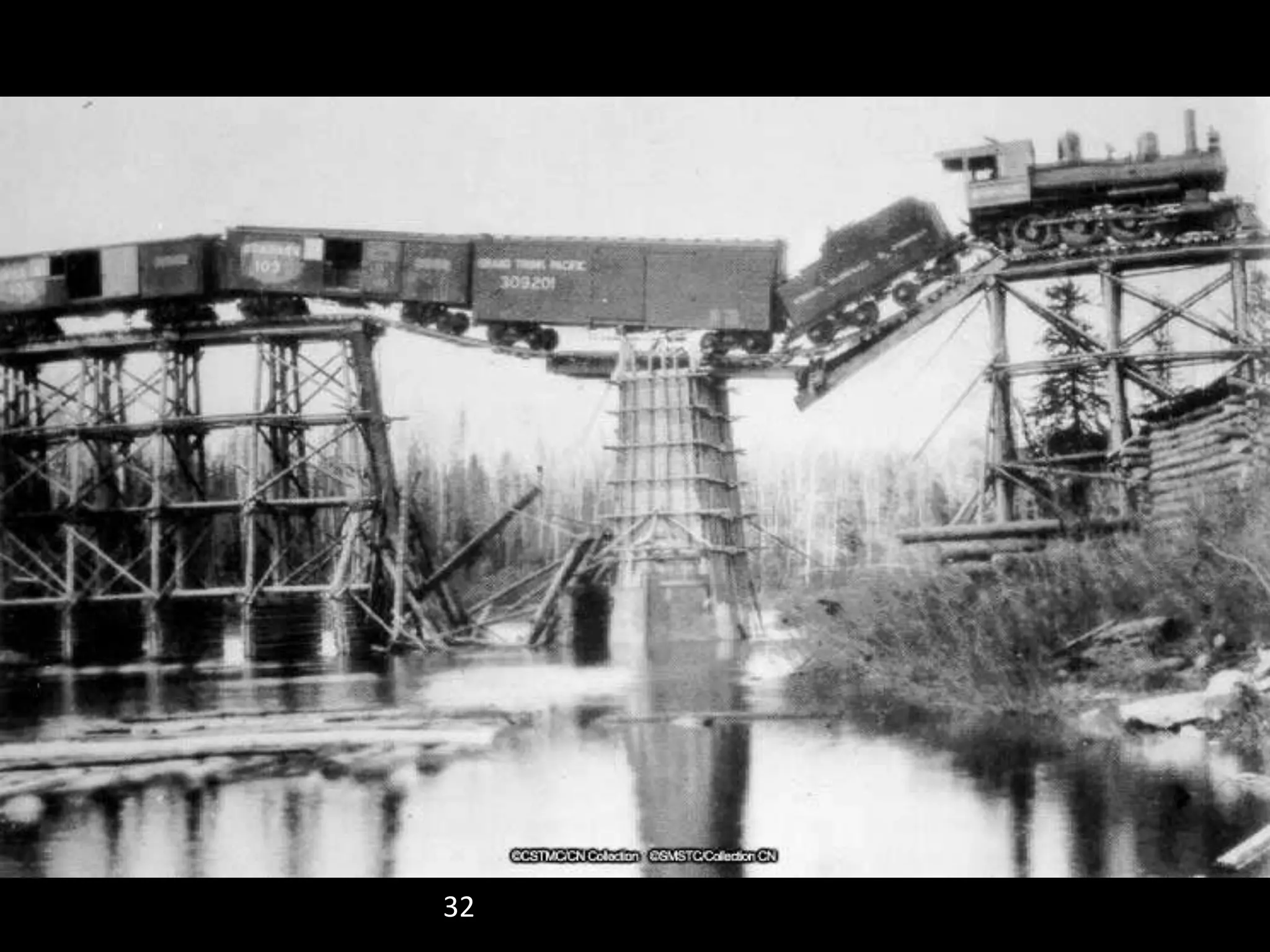
32 CSTMC CN Collection CN000994
33 
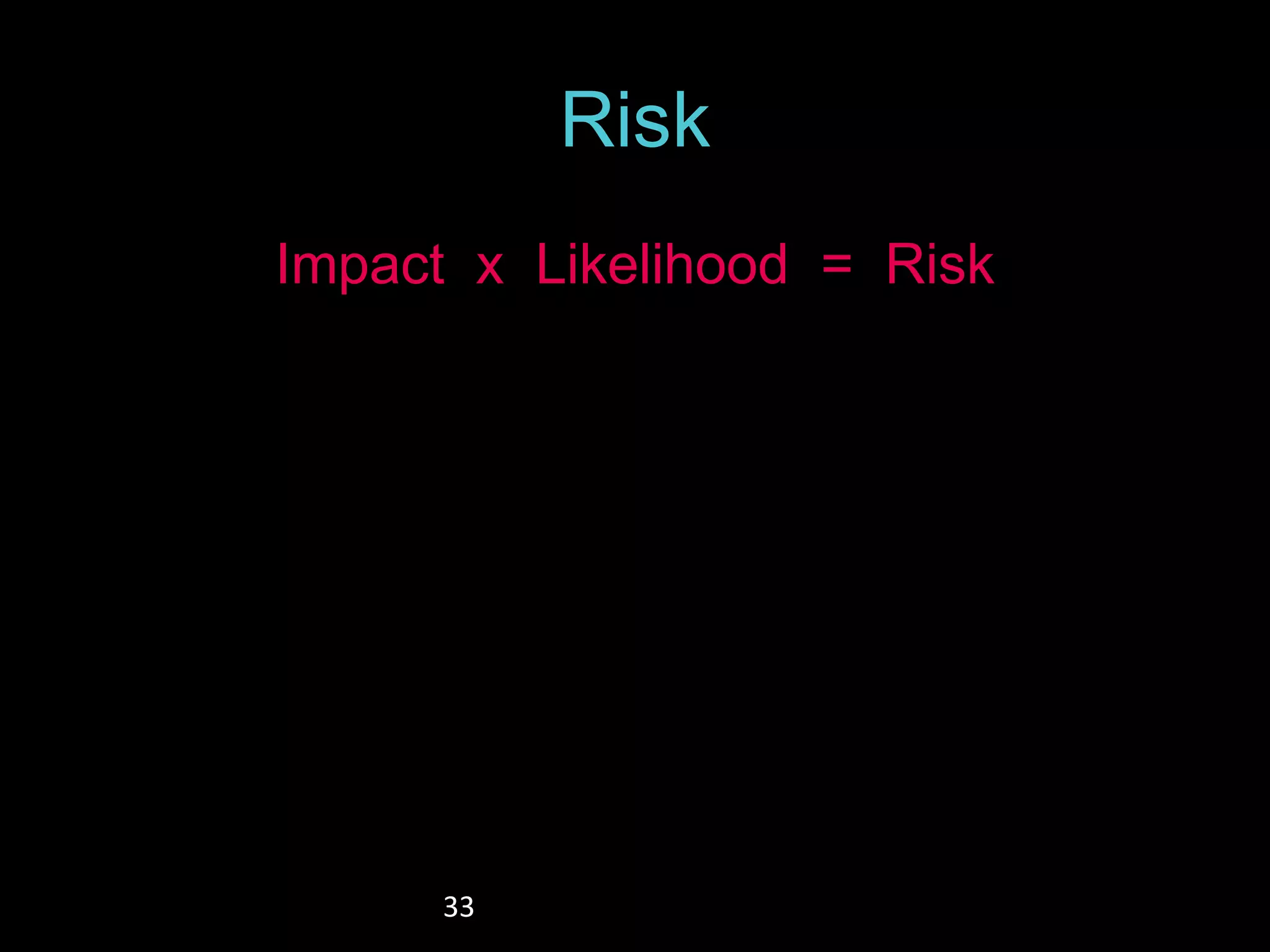
Risk 
Impact x Likelihood = Risk
34 
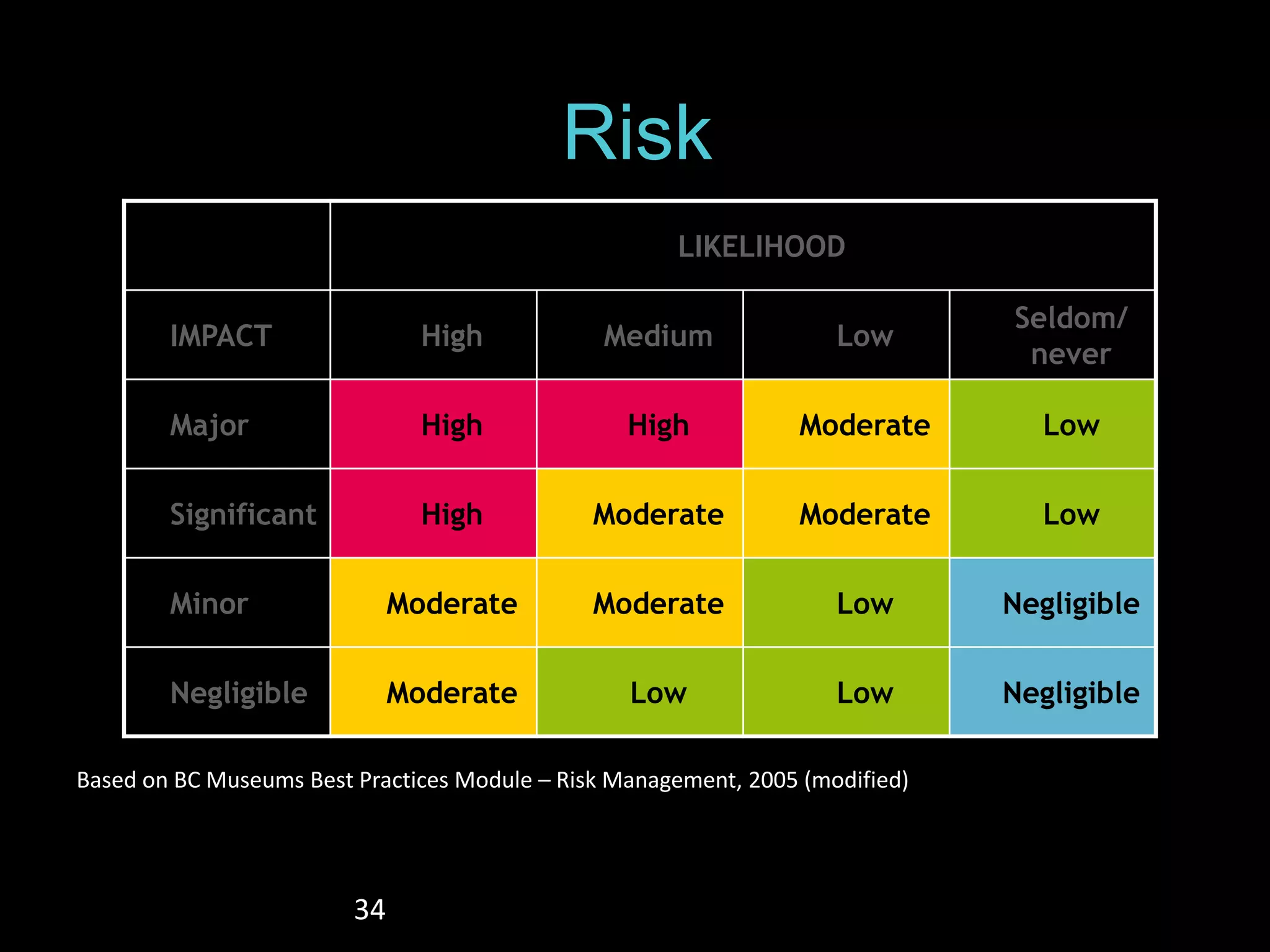
Risk 
LIKELIHOOD 
IMPACT High Medium Low 
Seldom/ 
never 
Major High High Moderate Low 
Significant High Moderate Moderate Low 
Minor Moderate Moderate Low Negligible 
Negligible Moderate Low Low Negligible 
Based on BC Museums Best Practices Module – Risk Management, 2005 (modified)
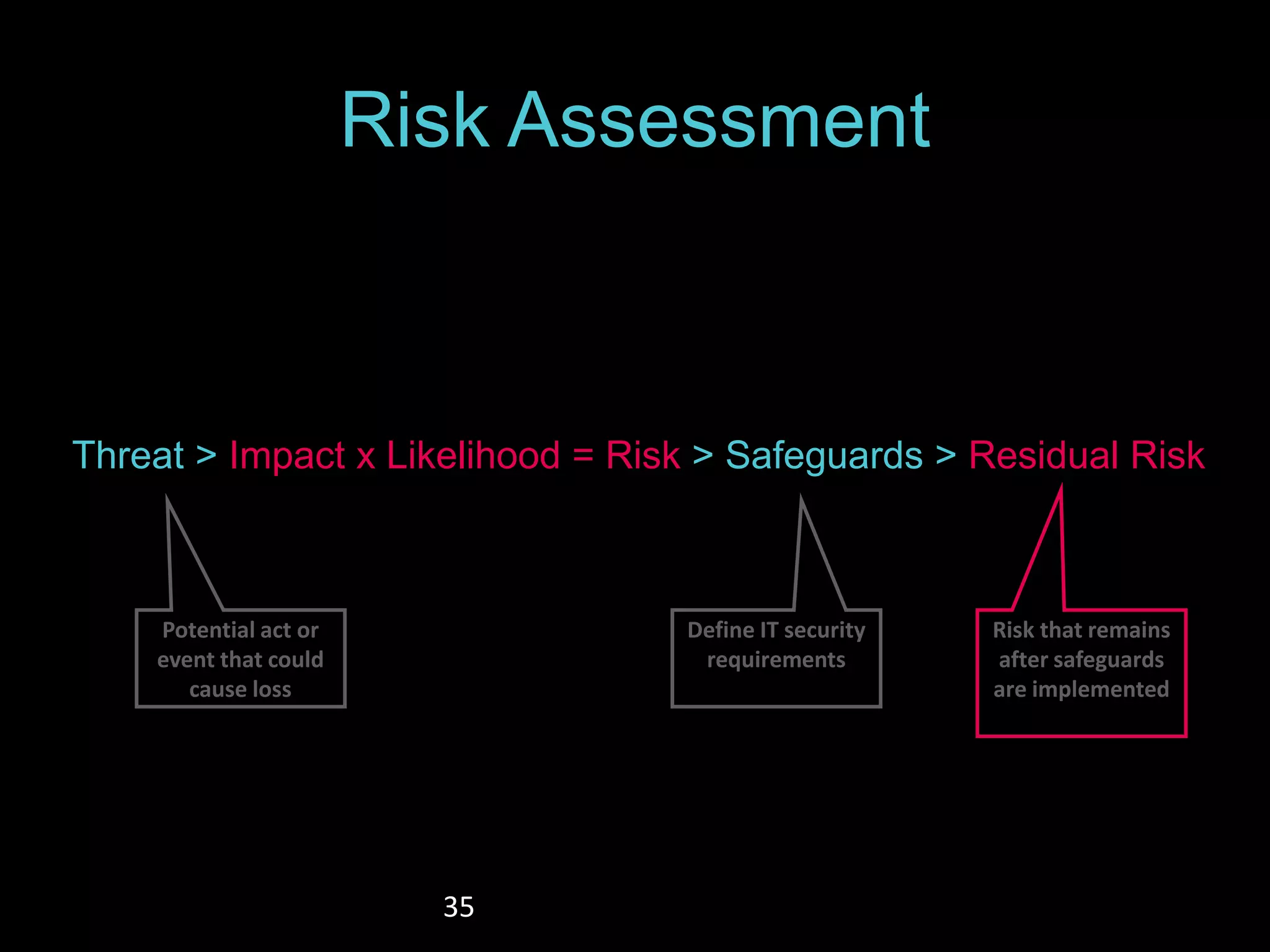
Risk Assessment 
Threat > Impact x Likelihood = Risk > Safeguards > Residual Risk 
35 
Define IT security 
requirements 
Risk that remains 
after safeguards 
are implemented 
Potential act or 
event that could 
cause loss
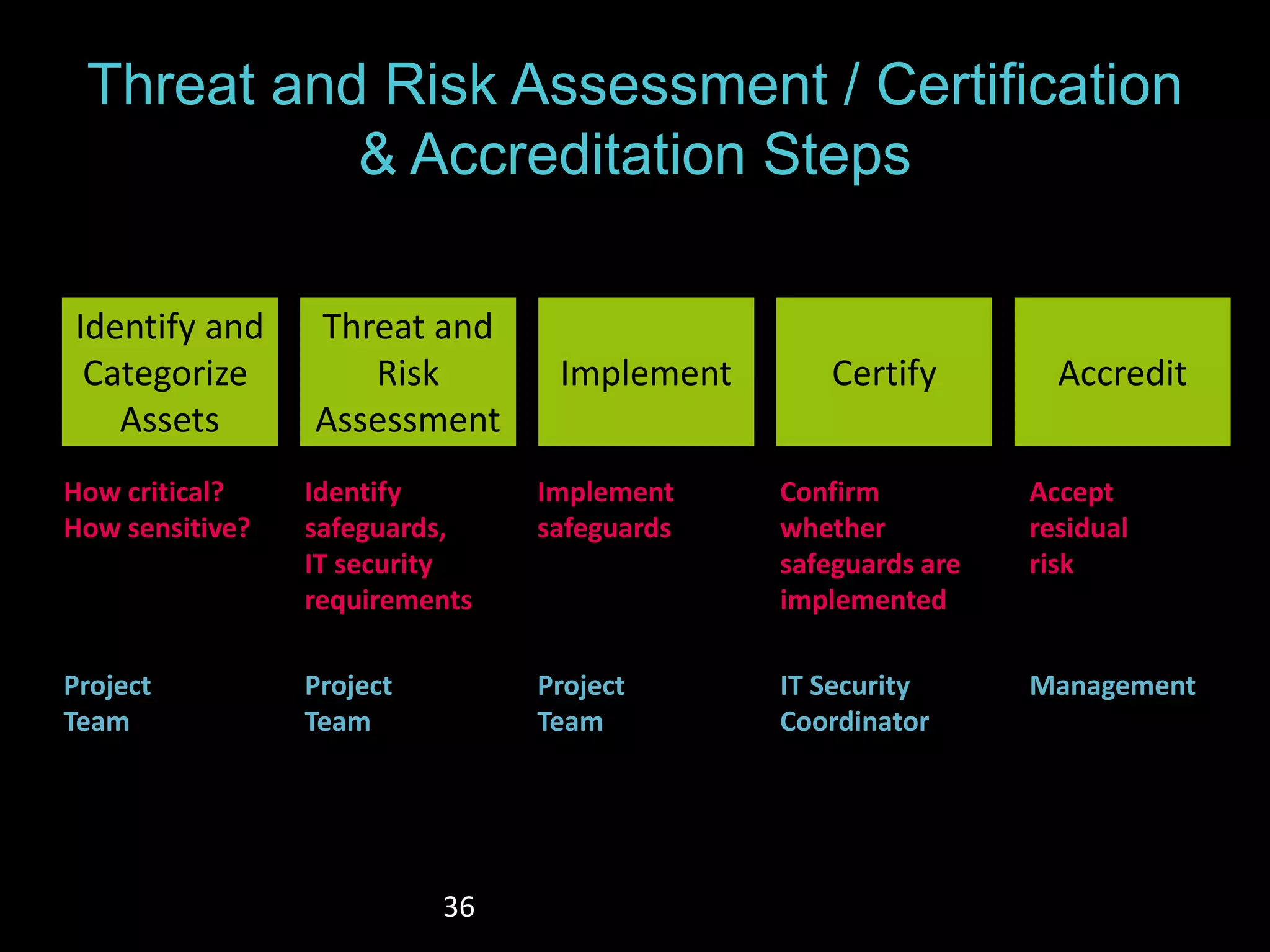
Threat and Risk Assessment / Certification 
& Accreditation Steps 
36 
Identify and 
Categorize 
Assets 
Threat and 
Risk 
Assessment 
Implement Certify Accredit 
How critical? 
How sensitive? 
Identify 
safeguards, 
IT security 
requirements 
Implement 
safeguards 
Confirm 
whether 
safeguards are 
implemented 
Accept 
residual 
risk 
Project 
Team 
Project 
Team 
Project 
Team 
IT Security 
Coordinator 
Management
37
What does PCI Compliance means 
for museums?
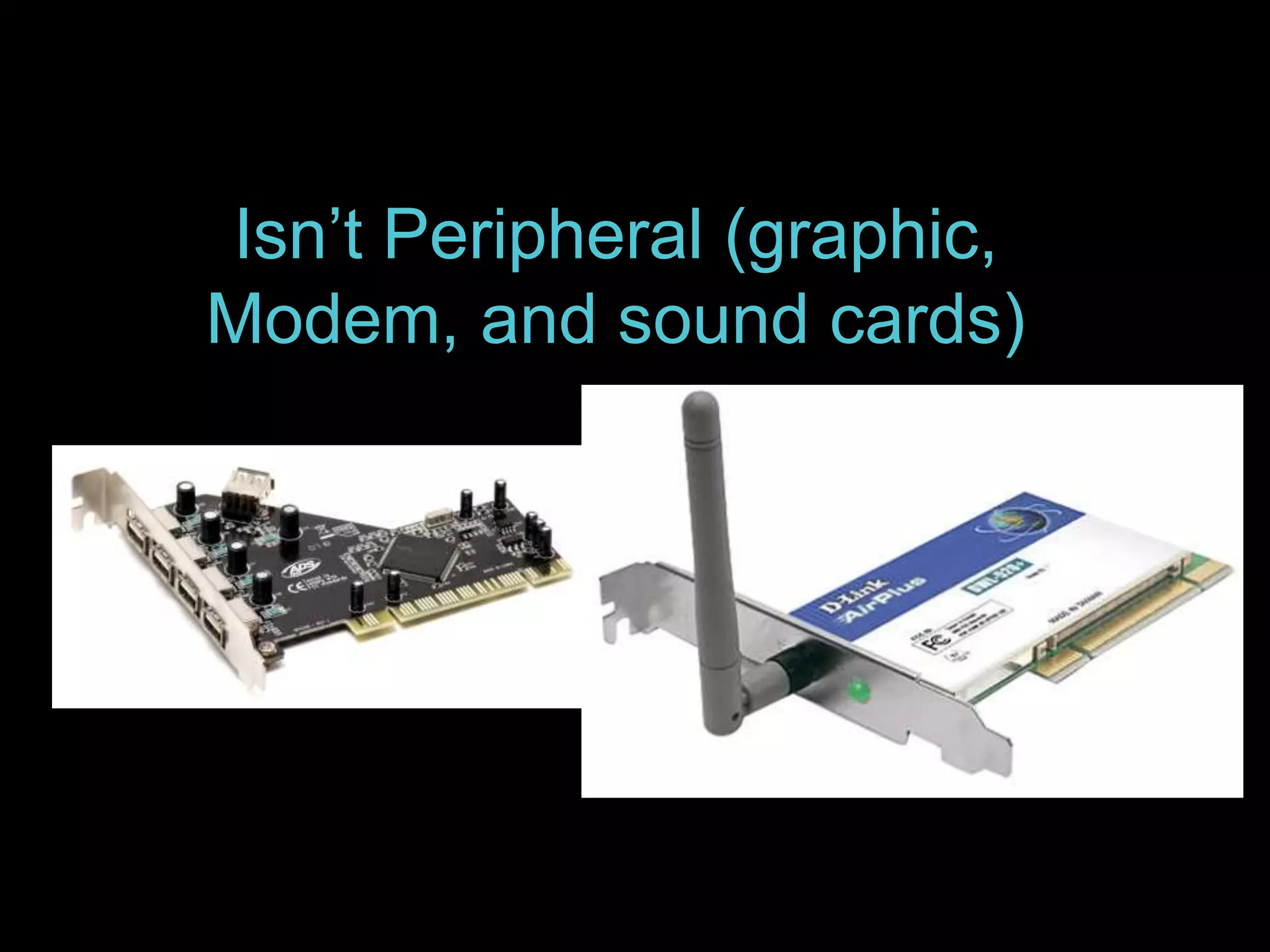
Isn’t Peripheral (graphic, 
Modem, and sound cards)
It means “Payment Card Industry” 
I'm a museum…who cares!
What is PCI? 
The Payment Card Industry Data Security Standard (PCI DSS) is a set of requirements 
designed to ensure that ALL companies that process, store or transmit credit card 
information maintain a secure environment. 
To whom does PCI apply? 
• PCI applies to ALL organizations or merchants (yes, museum), regardless of size or 
number of transactions, that accepts, transmits or stores any cardholder data. 
If I only accept credit cards over the phone, does PCI still apply to me? 
• Yes. All business that store, process or transmit payment cardholder data must be 
PCI Compliant. 
Do organizations using third-party processors have to be PCI compliant? 
• Yes. Merely using a third-party company does not exclude a company from PCI 
compliance.
DOs & DON’Ts 
DOs 
• Do regularly monitor and test networks/systems 
• Do implement and enforce a company Information Security 
Policy. 
• Do install and keep up-to-date, a firewall that protects 
cardholder data stored within company systems. 
• Do assign every employee with computer access a unique ID 
and use a robust password (e.g., mix of letters, numbers, and 
symbols), which is changed frequently (every 45-60 days). 
• Do restrict physical access to company systems and records 
with cardholder data to only those employees with a business 
“need-to-know.” 
• Do encrypt cardholder data if transmitting it over wireless or 
open, public networks. 
• Do use and regularly update anti-virus software. 
• Do have secure company systems and applications 
• Do ensure any e-commerce payment solutions are tested to 
prevent programming vulnerabilities like SQL injection. 
• Do use a Payment Application Data Security Standard (PA-DSS) 
compliant payment application listed on the PCI Security 
Standards Council website at 
https://www.pcisecuritystandards.org 
• Do verify that any third party service provider you use who 
handles cardholder data has validated PCI DSS compliance by 
visiting the PCI Security Standards Council website. 
DON’Ts 
Don't store magnetic stripe cardholder data or the CVV or CVC code 
(the additional security number on the back of credit cards) after 
authorization. 
Don't use vendor-supplied or default system passwords or 
common/weak passwords. 
Don't store cardholder data in any systems in clear text (i.e., 
unencrypted). 
Don't leave remote access applications in an "always on" mode.
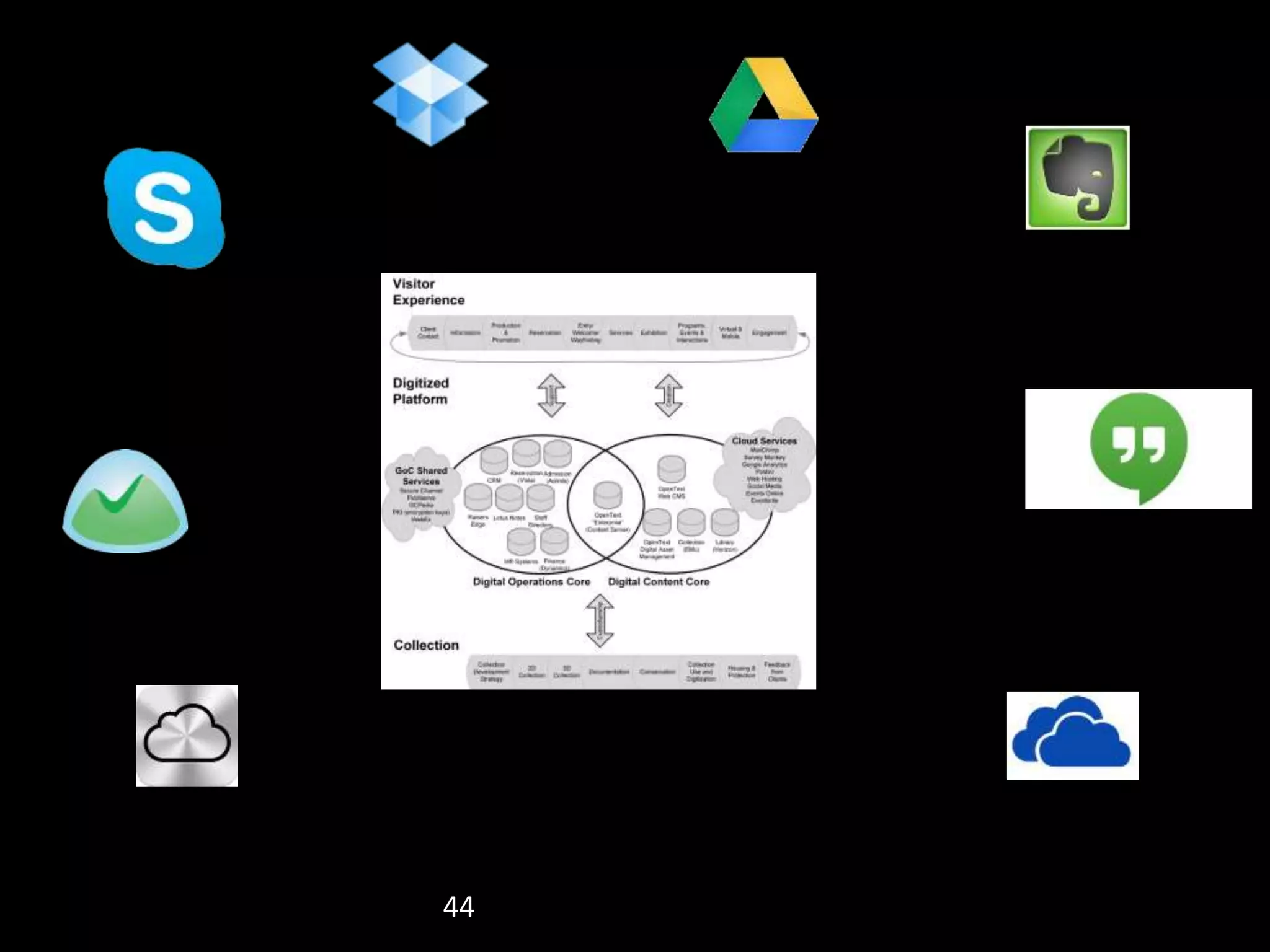
How do I control unauthorized 
IT systems and services
44
45 CSTMC CN Collection CN009587
46 
CSTMC CN Collection CN002603
What is the best password 
policy for museums?
Role of passwords 
• The role of a password is to prevent 
unauthorized access to data just as a key 
prevents unauthorized access to a house or 
apartment. 
• A password should be guarded with the same 
care as the key to a house or apartment. 
• The hardest part of choosing a password is 
making it difficult for others to guess but easy for 
you to remember. Writing down passwords your 
password should be avoided. 
• Because of its name, many assume that a 
password should be based off of a "word"
Passphrase 
What is a passphrase? 
• A passphrase is simply a different way of thinking about a much 
longer password. Dictionary words and names are no longer 
restricted. In fact, one of the very few restrictions is the length - 16 
characters 
Almost anything goes 
• The restrictions of numbers and/or symbols in certain places in your 
password are gone. 
Long and …Length is your friend 
• Passphrases can be simple short sentences of five or six words 
with spaces, using natural language. Since you type emails and 
such every day, typing in natural language shouldn't be anything 
new. 
A happy medium 
• Passphrases bring into balance the trade-off between hard to 
remember but much more secure passwords, and easy to 
remember but much less secure passwords.
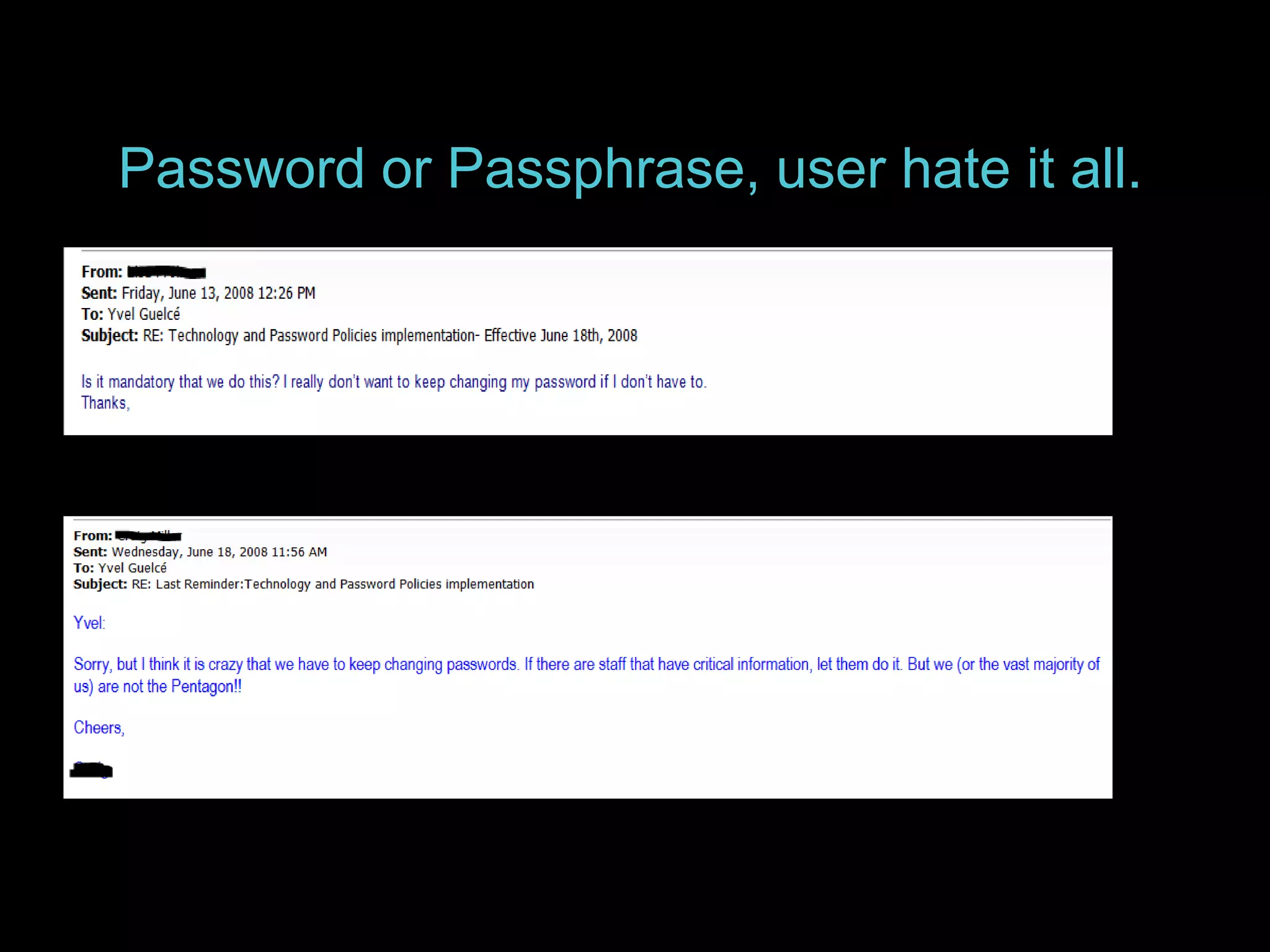
Password or Passphrase, user hate it all.
What are some passphrase examples? 
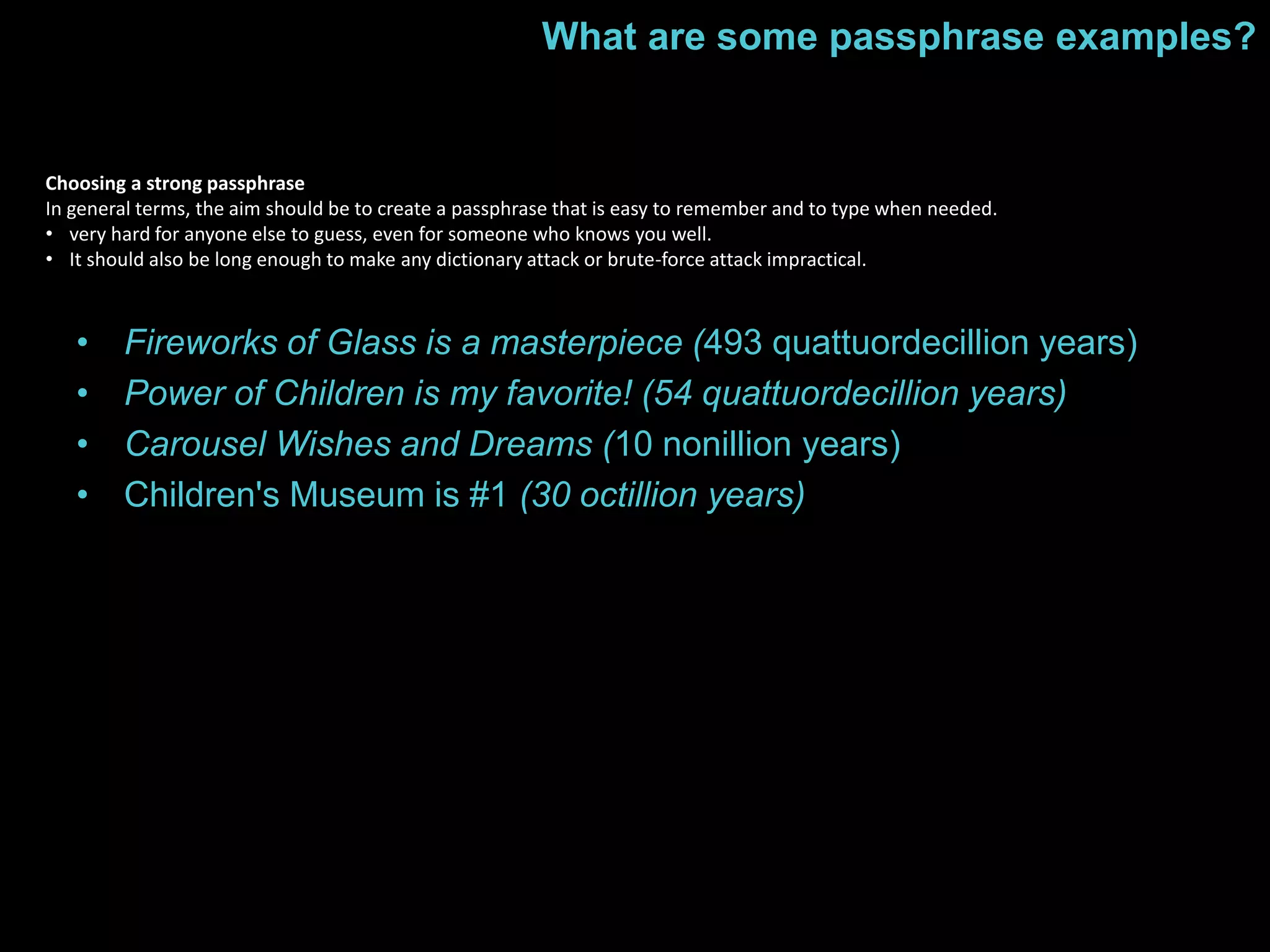
Choosing a strong passphrase 
In general terms, the aim should be to create a passphrase that is easy to remember and to type when needed. 
• very hard for anyone else to guess, even for someone who knows you well. 
• It should also be long enough to make any dictionary attack or brute-force attack impractical. 
• Fireworks of Glass is a masterpiece (493 quattuordecillion years) 
• Power of Children is my favorite! (54 quattuordecillion years) 
• Carousel Wishes and Dreams (10 nonillion years) 
• Children's Museum is #1 (30 octillion years)
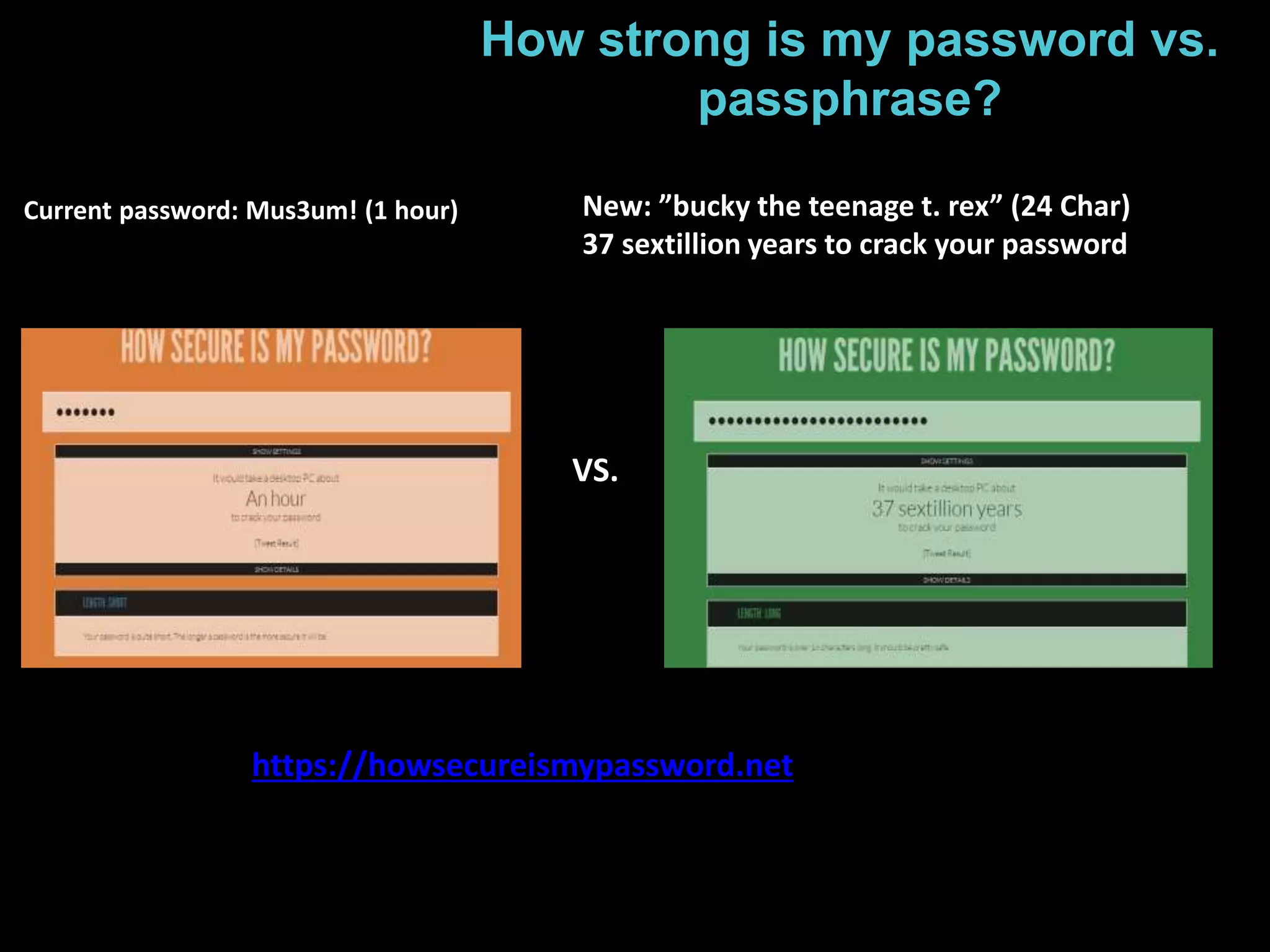
How strong is my password vs. 
passphrase? 
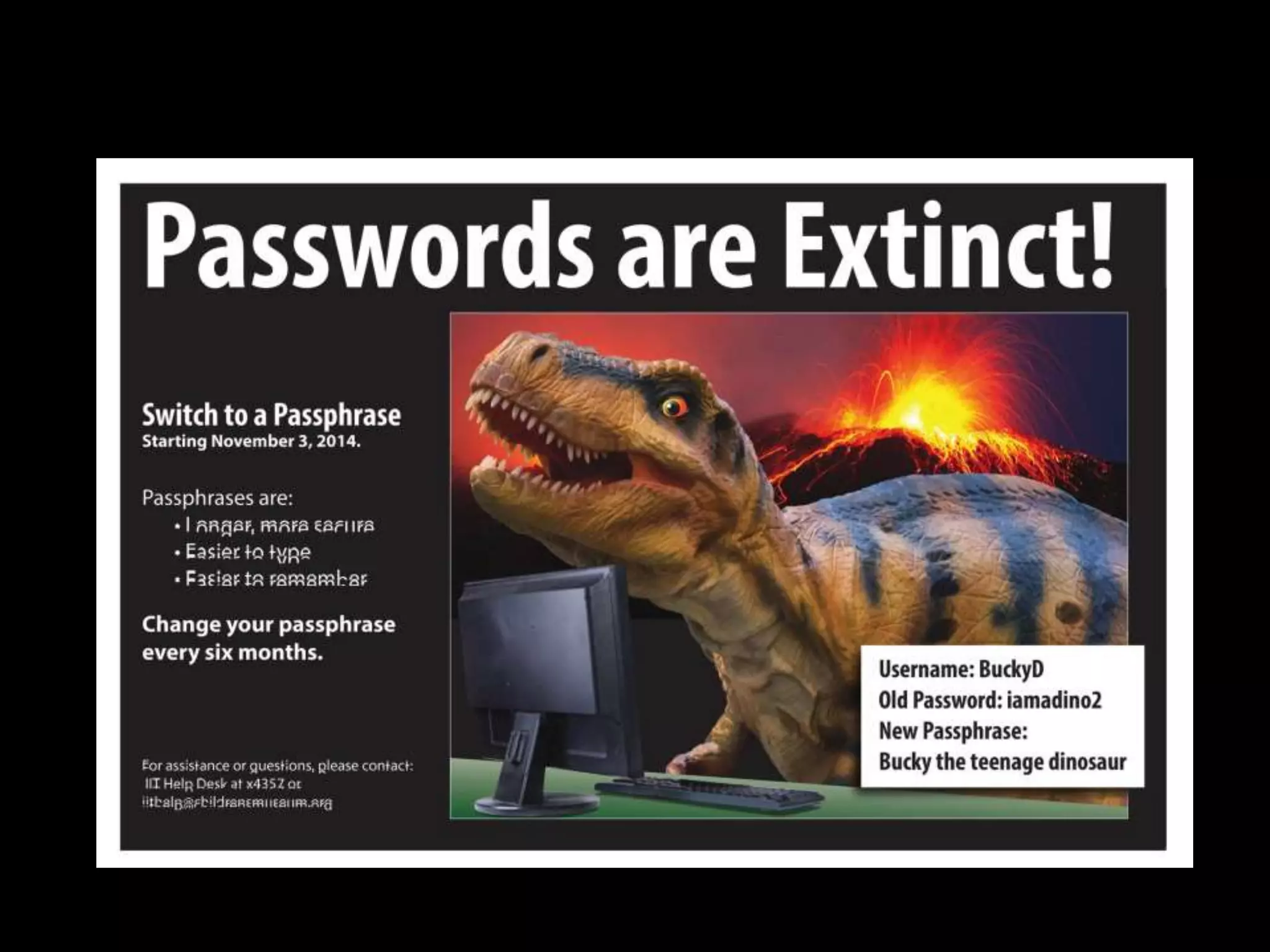
Current password: Mus3um! (1 hour) New: ”bucky the teenage t. rex” (24 Char) 
37 sextillion years to crack your password 
VS. 
https://howsecureismypassword.net
Thank You 
Jane Alexander @janecalexander 
Brian Dawson @braindawson 
Yvel Guelce @yguelce

#MCN2014 - Risk Management, Security, and Getting Things Done: Creating Win-Win Scenarios

  • 6.
    Why the CLOUDfor CMA’s archival repository?
  • 7.
  • 8.
  • 9.
    Benefits • noin-house hardware/maintenance expenses, no hardware replacement • proven expertise in administering enormous disk allocations • follows archival best practices for out-of-region redundancy
  • 10.
  • 11.
    Issues / Worries • viability / life span of virtual data center company • physical security of virtual data center • best practices / operational procedures of virtual data center • remote access speed / file transfer performance • possible effects of hardware compression on archival file integrity • long-term expense – virtual data center services – transport charges
  • 12.
  • 13.
    WViroturall dDa-tcal CaesnsteLr oonc saalm Ce lISoPu trdunk Virtual data center • annual SSAE SOC2 Type 2 audits • provide cloud services to Homeland Security and other gov’t agencies
  • 14.
    Full Redundancy establishpoint-to-point connection through shared ISP
  • 15.
  • 16.
  • 17.
    5 years =$600,000+
  • 18.
    Why we changedto iBeacons for the Near You Now function of ArtLens
  • 19.
    How does NearYou Now know where you Why we are using iBeacons for are? Near You Now function of ArtLens
  • 20.
    The Near YouNow portion of the ArtLens app uses a technology called iBeacon to locate a visitors location in the Museum.
  • 21.
    iBeacon uses Bluetoothlow-energy (BLE) wireless technology that was developed by Apple. Using a series of small Bluetooth transmitters Apps installed on the mobile device listen out for the signal transmitted by these beacons and respond accordingly when the device comes into range. iBeacon technology is compatible with mobile devices from Apple running iOS7 and Android running 4.3 and above.
  • 22.
    What does aniBeacon look like?
  • 23.
    CMA’s implementation ofiBeacon In addition to the iBeacon hardware nodes a backend software system is needed to manage and provide location data to apps running on the mobile device. CMA is using Navizon to power its backend portion of iBeacon. Navizon’ s location system supports multiple ways to locate a visitors location within the Museum. In addition to iBeacon Navizon can also determine a users location using the accelerometer within the mobile device along with Wi-Fi triangulation.
  • 24.
    Where are theiBeacon’s located?
  • 25.
    Where are theiBeacon’s located?
  • 26.
    How are theiBeacon’s ? Since the iBeacon nodes are very compact and require very little power CMA was easily able to use multiple ways to discretely install.
  • 27.
    How are theiBeacon’s configured? The iBeacon nodes arrived preconfigured. Once installed a training process was conducted through out the areas of the Museum where the nodes were installed. This training process collects what is know as the “Fingerprint”. This fingerprint contains the signal strength of the iBeacons in proximity to the mobile device being use to train the system. This data is then uploaded to the Navizon ITS server.
  • 28.
    How where thefingerprints collected? When Navizon arrived onsite they had mapped out routes in advance throughout the Museum to ensure optimal accuracy.
  • 29.
    What is involvedto integrated Navizon into ArtLens App? Navizon provides a Software Developer Kit (SDK) for both iOS and Android based mobile devices. Using this SDK an App can query the Navizon server for the mobile devices current location within the Museum based on its current proximity to the iBeacon nodes.
  • 30.
    What is involved… For the ArtLens app a database of location information based on the Museum floor plan was created. ArtLens then takes the information returned from the Navizon server and matches it to this database. ArtLens then provides the gallery content to the visitor based on the appropriate location match.
  • 31.
    How do Imanaging ever-increasing challenge of IT risks?
  • 32.
    32 CSTMC CNCollection CN000994
  • 33.
    33 Risk Impactx Likelihood = Risk
  • 34.
    34 Risk LIKELIHOOD IMPACT High Medium Low Seldom/ never Major High High Moderate Low Significant High Moderate Moderate Low Minor Moderate Moderate Low Negligible Negligible Moderate Low Low Negligible Based on BC Museums Best Practices Module – Risk Management, 2005 (modified)
  • 35.
    Risk Assessment Threat> Impact x Likelihood = Risk > Safeguards > Residual Risk 35 Define IT security requirements Risk that remains after safeguards are implemented Potential act or event that could cause loss
  • 36.
    Threat and RiskAssessment / Certification & Accreditation Steps 36 Identify and Categorize Assets Threat and Risk Assessment Implement Certify Accredit How critical? How sensitive? Identify safeguards, IT security requirements Implement safeguards Confirm whether safeguards are implemented Accept residual risk Project Team Project Team Project Team IT Security Coordinator Management
  • 37.
  • 38.
    What does PCICompliance means for museums?
  • 39.
    Isn’t Peripheral (graphic, Modem, and sound cards)
  • 40.
    It means “PaymentCard Industry” I'm a museum…who cares!
  • 41.
    What is PCI? The Payment Card Industry Data Security Standard (PCI DSS) is a set of requirements designed to ensure that ALL companies that process, store or transmit credit card information maintain a secure environment. To whom does PCI apply? • PCI applies to ALL organizations or merchants (yes, museum), regardless of size or number of transactions, that accepts, transmits or stores any cardholder data. If I only accept credit cards over the phone, does PCI still apply to me? • Yes. All business that store, process or transmit payment cardholder data must be PCI Compliant. Do organizations using third-party processors have to be PCI compliant? • Yes. Merely using a third-party company does not exclude a company from PCI compliance.
  • 42.
    DOs & DON’Ts DOs • Do regularly monitor and test networks/systems • Do implement and enforce a company Information Security Policy. • Do install and keep up-to-date, a firewall that protects cardholder data stored within company systems. • Do assign every employee with computer access a unique ID and use a robust password (e.g., mix of letters, numbers, and symbols), which is changed frequently (every 45-60 days). • Do restrict physical access to company systems and records with cardholder data to only those employees with a business “need-to-know.” • Do encrypt cardholder data if transmitting it over wireless or open, public networks. • Do use and regularly update anti-virus software. • Do have secure company systems and applications • Do ensure any e-commerce payment solutions are tested to prevent programming vulnerabilities like SQL injection. • Do use a Payment Application Data Security Standard (PA-DSS) compliant payment application listed on the PCI Security Standards Council website at https://www.pcisecuritystandards.org • Do verify that any third party service provider you use who handles cardholder data has validated PCI DSS compliance by visiting the PCI Security Standards Council website. DON’Ts Don't store magnetic stripe cardholder data or the CVV or CVC code (the additional security number on the back of credit cards) after authorization. Don't use vendor-supplied or default system passwords or common/weak passwords. Don't store cardholder data in any systems in clear text (i.e., unencrypted). Don't leave remote access applications in an "always on" mode.
  • 43.
    How do Icontrol unauthorized IT systems and services
  • 44.
  • 45.
    45 CSTMC CNCollection CN009587
  • 46.
    46 CSTMC CNCollection CN002603
  • 47.
    What is thebest password policy for museums?
  • 48.
    Role of passwords • The role of a password is to prevent unauthorized access to data just as a key prevents unauthorized access to a house or apartment. • A password should be guarded with the same care as the key to a house or apartment. • The hardest part of choosing a password is making it difficult for others to guess but easy for you to remember. Writing down passwords your password should be avoided. • Because of its name, many assume that a password should be based off of a "word"
  • 49.
    Passphrase What isa passphrase? • A passphrase is simply a different way of thinking about a much longer password. Dictionary words and names are no longer restricted. In fact, one of the very few restrictions is the length - 16 characters Almost anything goes • The restrictions of numbers and/or symbols in certain places in your password are gone. Long and …Length is your friend • Passphrases can be simple short sentences of five or six words with spaces, using natural language. Since you type emails and such every day, typing in natural language shouldn't be anything new. A happy medium • Passphrases bring into balance the trade-off between hard to remember but much more secure passwords, and easy to remember but much less secure passwords.
  • 50.
    Password or Passphrase,user hate it all.
  • 51.
    What are somepassphrase examples? Choosing a strong passphrase In general terms, the aim should be to create a passphrase that is easy to remember and to type when needed. • very hard for anyone else to guess, even for someone who knows you well. • It should also be long enough to make any dictionary attack or brute-force attack impractical. • Fireworks of Glass is a masterpiece (493 quattuordecillion years) • Power of Children is my favorite! (54 quattuordecillion years) • Carousel Wishes and Dreams (10 nonillion years) • Children's Museum is #1 (30 octillion years)
  • 52.
    How strong ismy password vs. passphrase? Current password: Mus3um! (1 hour) New: ”bucky the teenage t. rex” (24 Char) 37 sextillion years to crack your password VS. https://howsecureismypassword.net
  • 54.
    Thank You JaneAlexander @janecalexander Brian Dawson @braindawson Yvel Guelce @yguelce