Getting Started with Edublogs http://www.edublogs.org
5 Minute Intro http://edublogs.org/videos Check out this link for very good tutorials
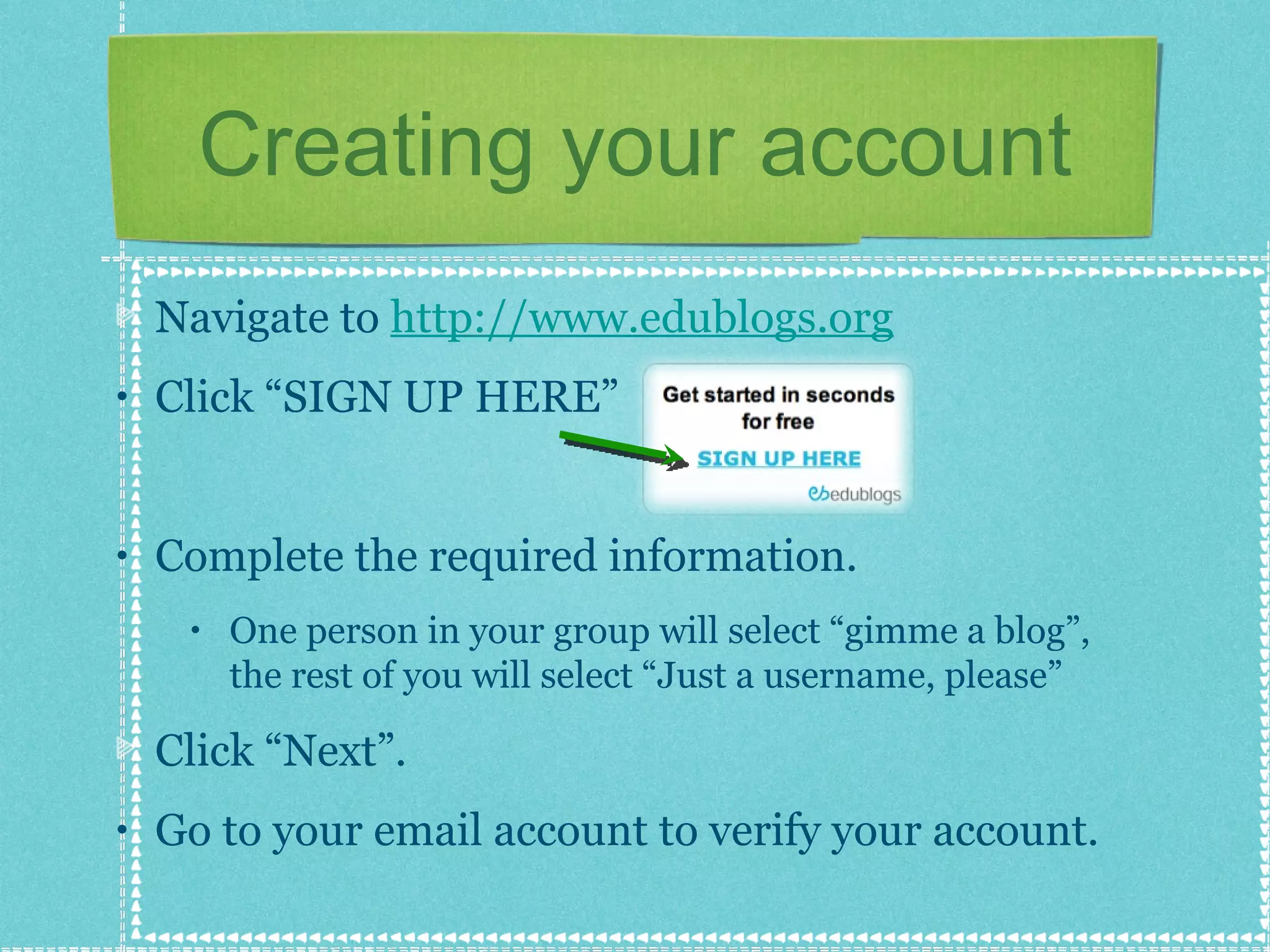
Creating your account Navigate to  http://www.edublogs.org   Click “SIGN UP HERE” Complete the required information. One person in your group will select “gimme a blog”, the rest of you will select “Just a username, please” Click “Next”. Go to your email account to verify your account.
Your Group’s Blog The person who selected “gimme a blog” will have to do the following... Create the blog’s address and type it in Create and type in the Blog Title Blog type = student Language = English Click “Signup”
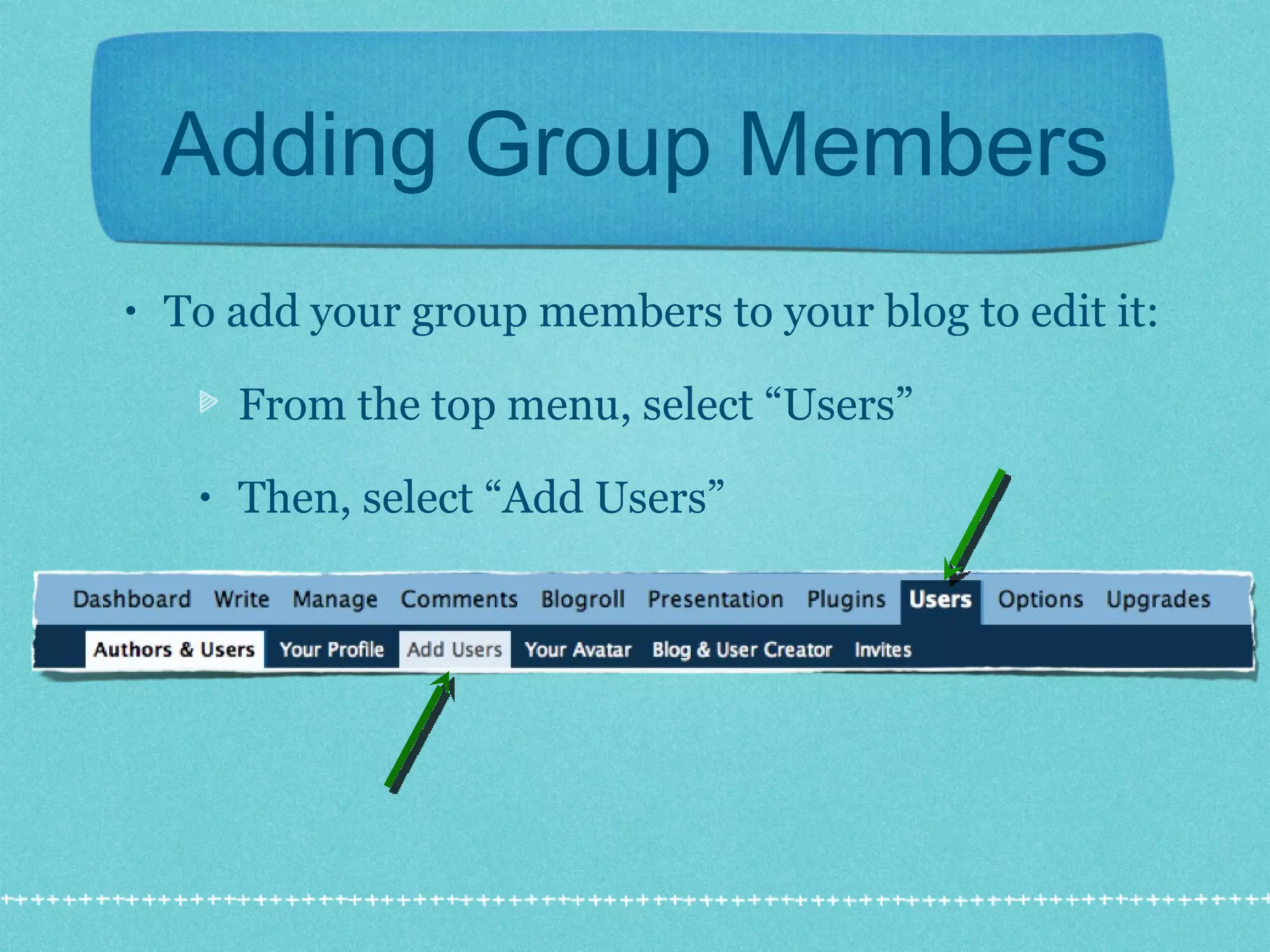
Adding Group Members To add your group members to your blog to edit it: From the top menu, select “Users” Then, select “Add Users”
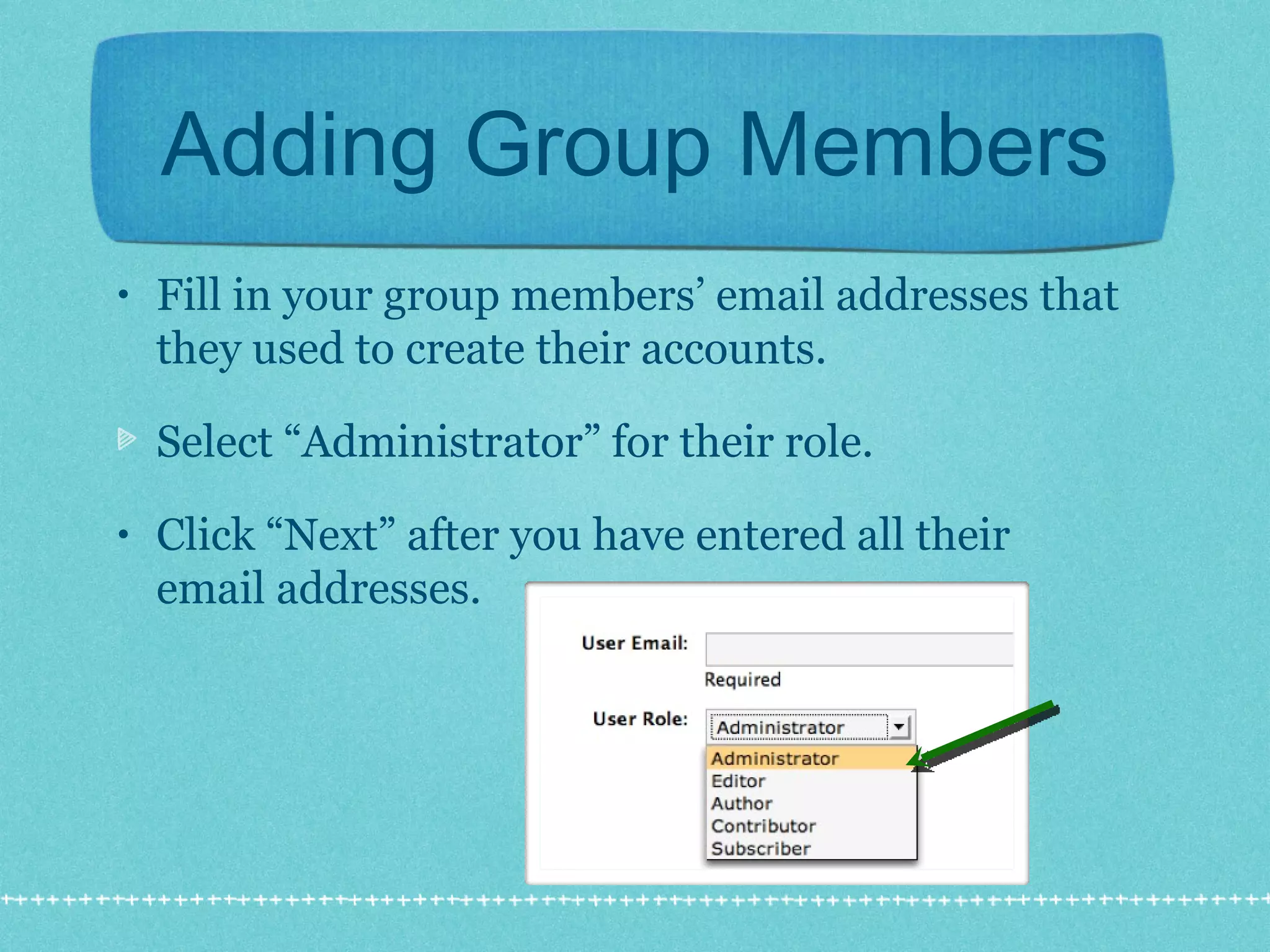
Adding Group Members Fill in your group members’ email addresses that they used to create their accounts. Select “Administrator” for their role. Click “Next” after you have entered all their email addresses.
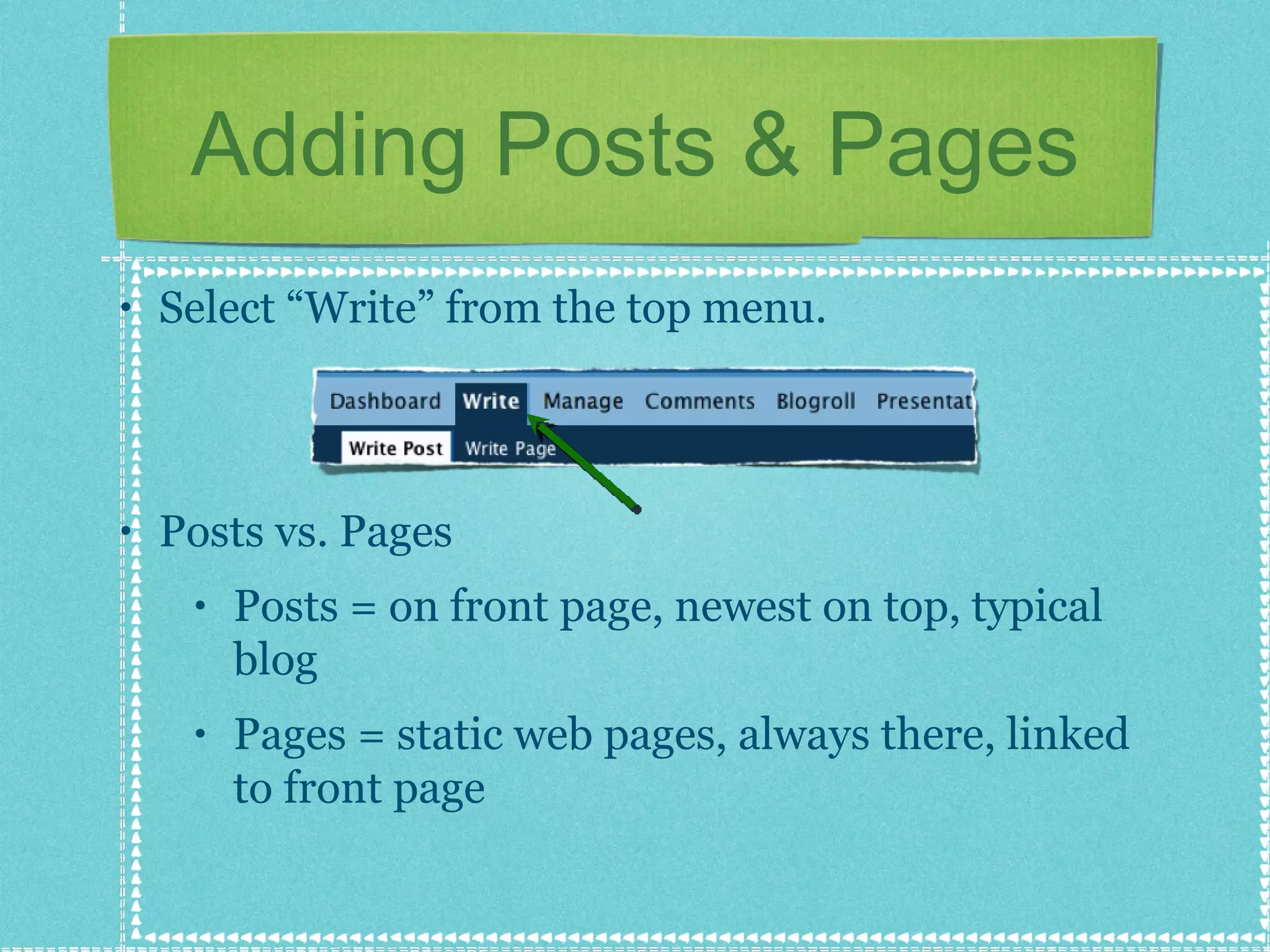
Adding Posts & Pages Select “Write” from the top menu. Posts vs. Pages Posts = on front page, newest on top, typical blog Pages = static web pages, always there, linked to front page
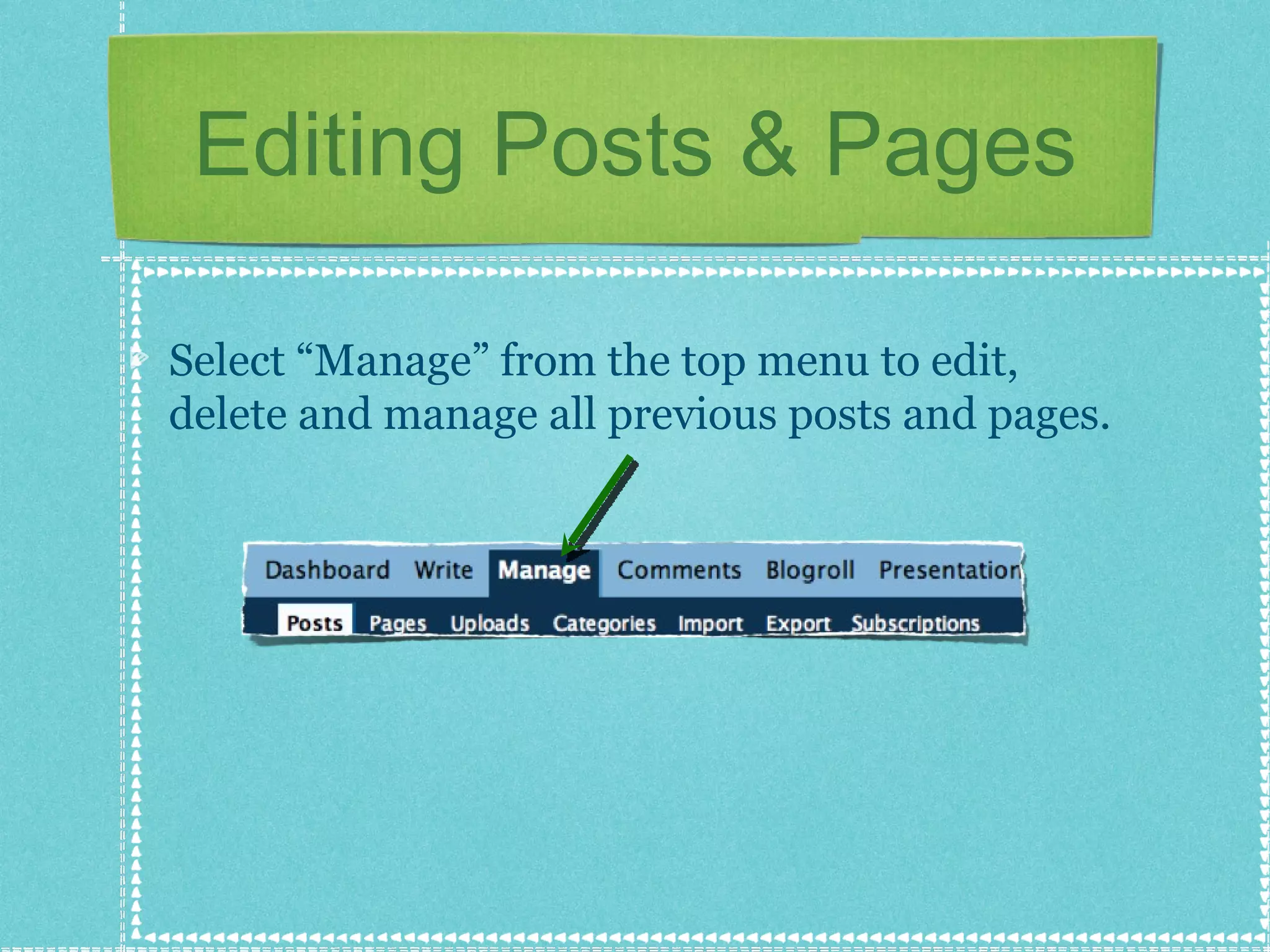
Editing Posts & Pages Select “Manage” from the top menu to edit, delete and manage all previous posts and pages.
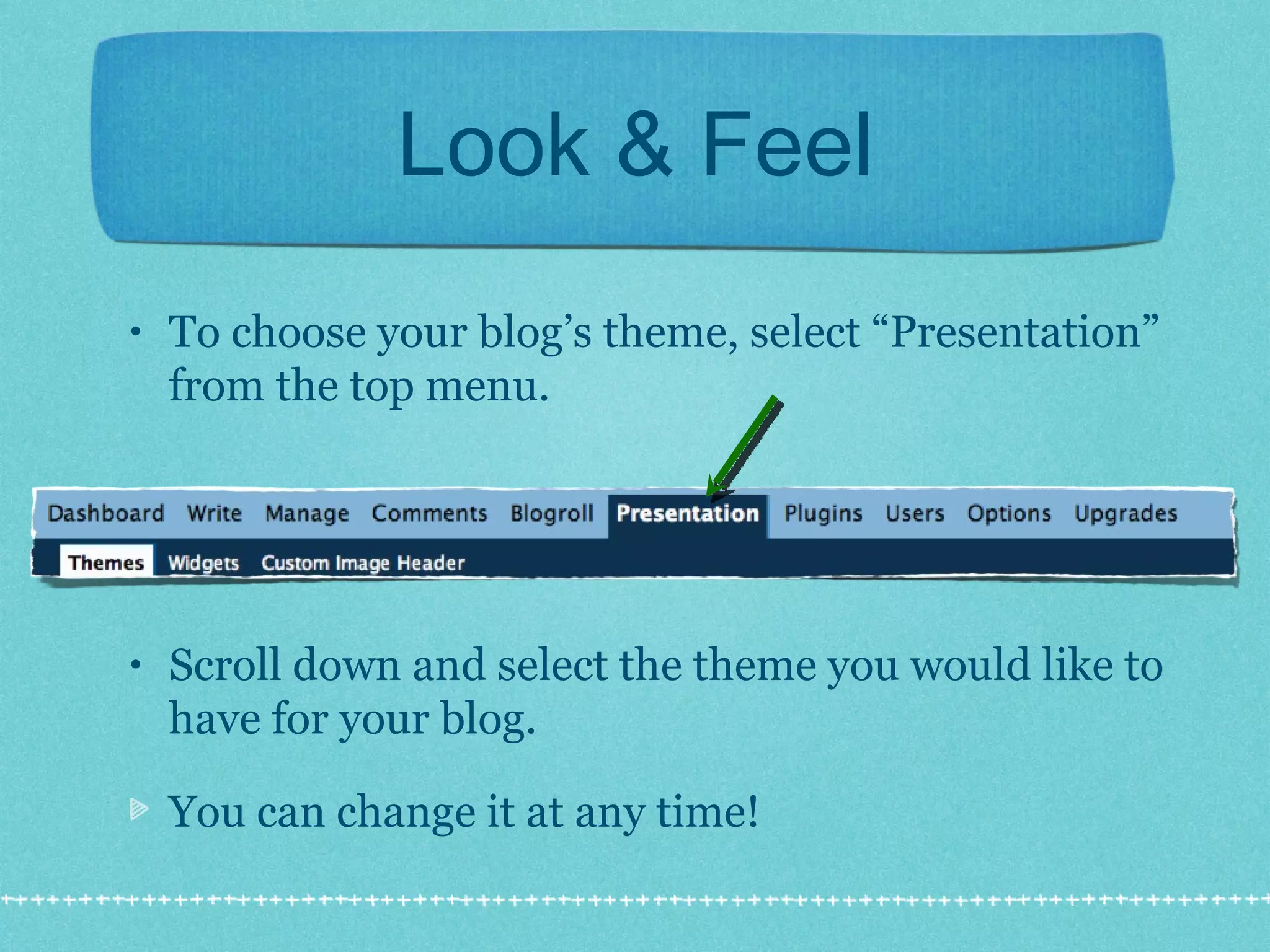
Look & Feel To choose your blog’s theme, select “Presentation” from the top menu. Scroll down and select the theme you would like to have for your blog.  You can change it at any time!
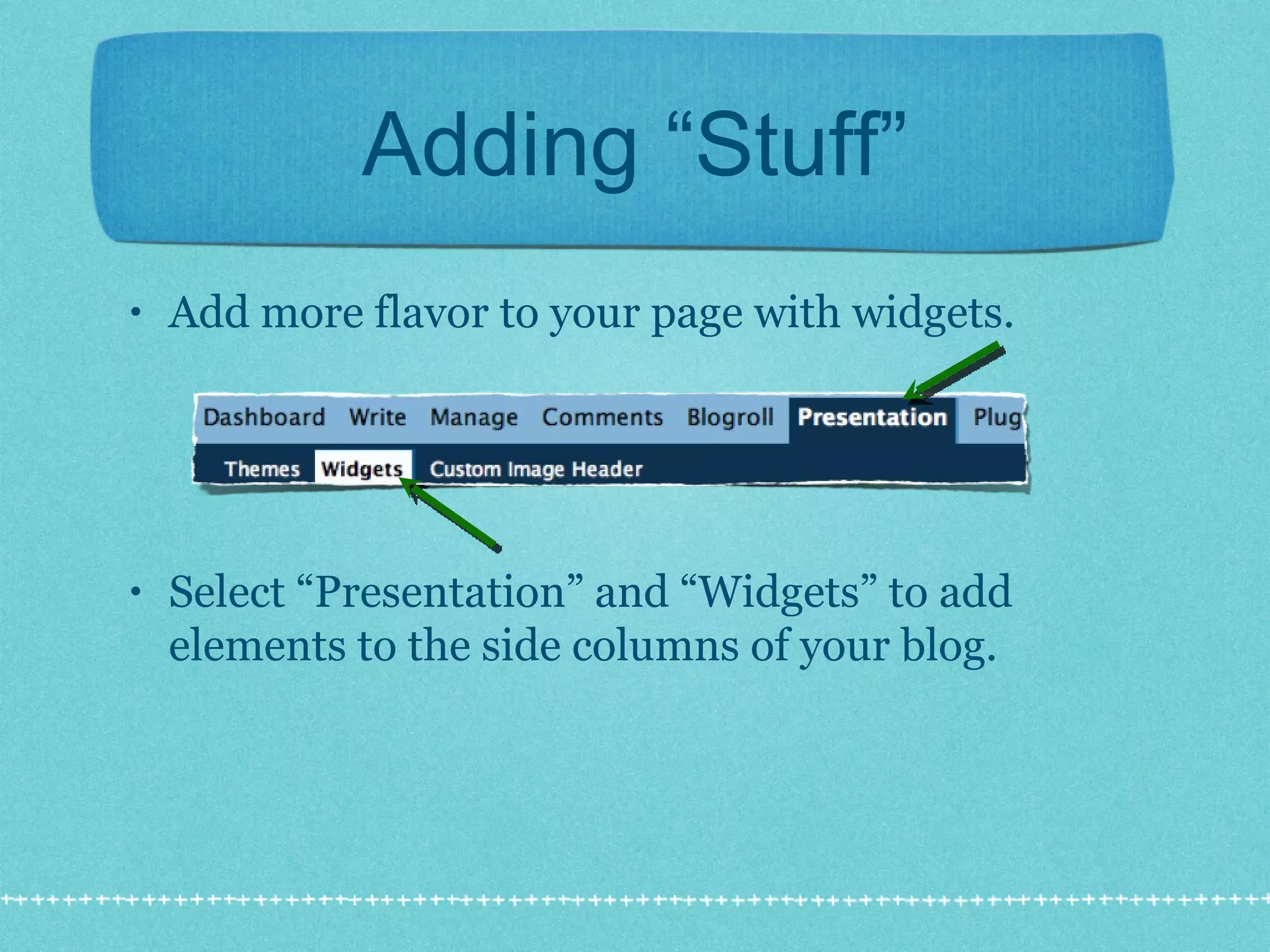
Adding “Stuff” Add more flavor to your page with widgets. Select “Presentation” and “Widgets” to add elements to the side columns of your blog.
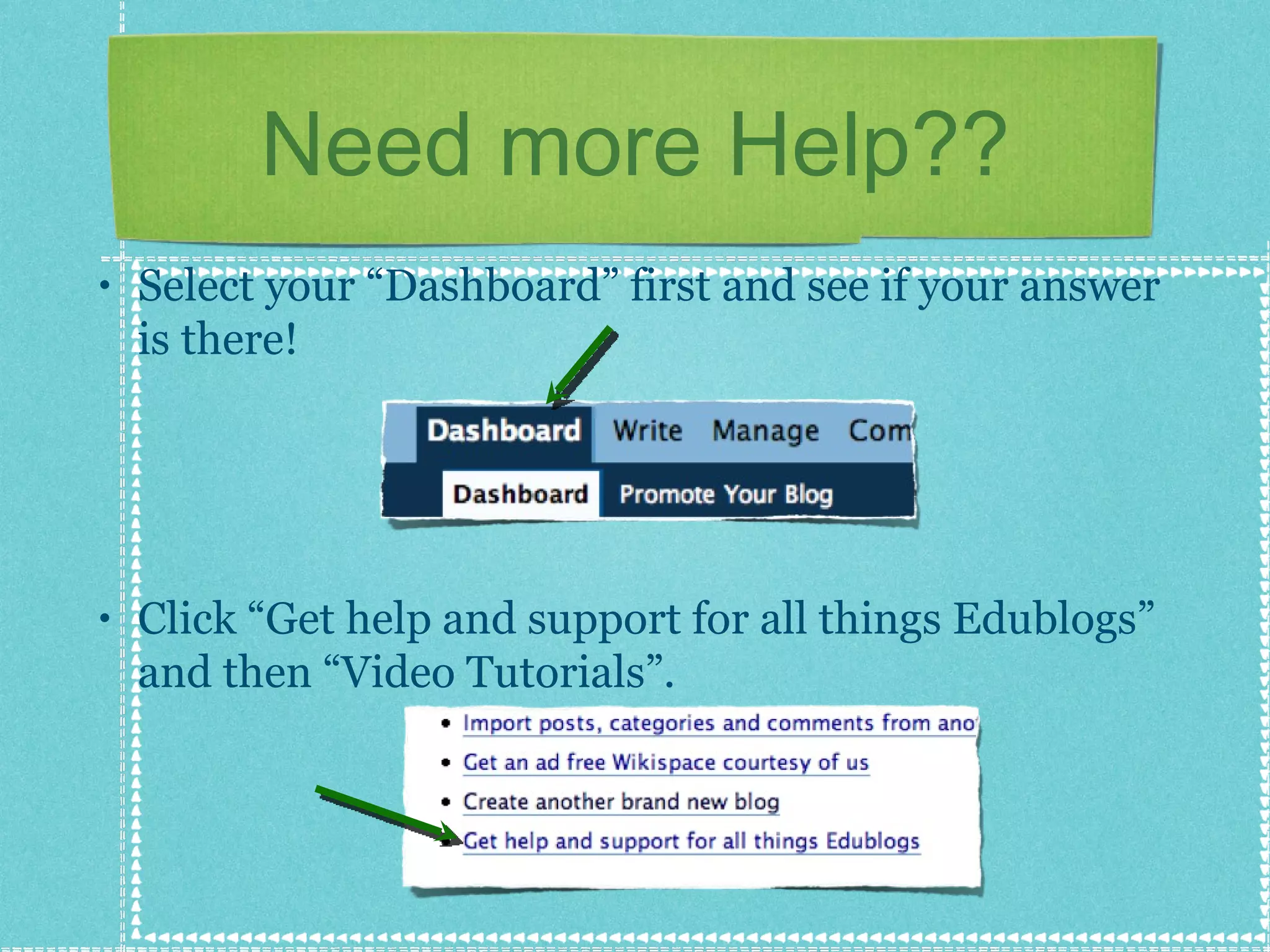
Need more Help?? Select your “Dashboard” first and see if your answer is there! Click “Get help and support for all things Edublogs” and then “Video Tutorials”.
Credits Created by Dianne Krause May 2008 All images taken from  http://edublogs.org

Getting Started with Edublogs

  • 1.
    Getting Started withEdublogs http://www.edublogs.org
  • 2.
    5 Minute Introhttp://edublogs.org/videos Check out this link for very good tutorials
  • 3.
    Creating your accountNavigate to http://www.edublogs.org Click “SIGN UP HERE” Complete the required information. One person in your group will select “gimme a blog”, the rest of you will select “Just a username, please” Click “Next”. Go to your email account to verify your account.
  • 4.
    Your Group’s BlogThe person who selected “gimme a blog” will have to do the following... Create the blog’s address and type it in Create and type in the Blog Title Blog type = student Language = English Click “Signup”
  • 5.
    Adding Group MembersTo add your group members to your blog to edit it: From the top menu, select “Users” Then, select “Add Users”
  • 6.
    Adding Group MembersFill in your group members’ email addresses that they used to create their accounts. Select “Administrator” for their role. Click “Next” after you have entered all their email addresses.
  • 7.
    Adding Posts &Pages Select “Write” from the top menu. Posts vs. Pages Posts = on front page, newest on top, typical blog Pages = static web pages, always there, linked to front page
  • 8.
    Editing Posts &Pages Select “Manage” from the top menu to edit, delete and manage all previous posts and pages.
  • 9.
    Look & FeelTo choose your blog’s theme, select “Presentation” from the top menu. Scroll down and select the theme you would like to have for your blog. You can change it at any time!
  • 10.
    Adding “Stuff” Addmore flavor to your page with widgets. Select “Presentation” and “Widgets” to add elements to the side columns of your blog.
  • 11.
    Need more Help??Select your “Dashboard” first and see if your answer is there! Click “Get help and support for all things Edublogs” and then “Video Tutorials”.
  • 12.
    Credits Created byDianne Krause May 2008 All images taken from http://edublogs.org