



http://bit.ly/perkupprojects

           Dianne P. Krause
         diannekrause@gmail.com
         http://diannekrause.com
Today’s Agenda:
Today’s Agenda:
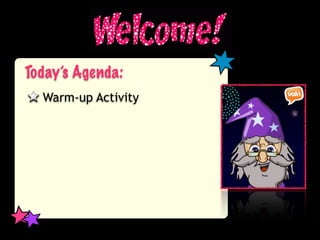
  Warm-up Activity
Today’s Agenda:
  Warm-up Activity
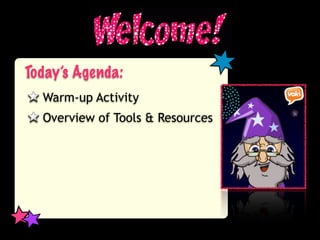
  Overview of Tools & Resources
Today’s Agenda:
  Warm-up Activity
  Overview of Tools & Resources
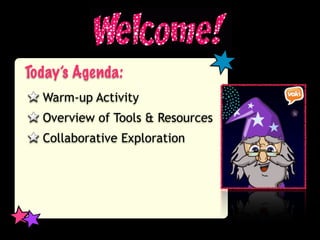
  Collaborative Exploration
Today’s Agenda:
  Warm-up Activity
  Overview of Tools & Resources
  Collaborative Exploration
  Report Back
Today’s Agenda:
  Warm-up Activity
  Overview of Tools & Resources
  Collaborative Exploration
  Report Back
  Whole Group Reflection
Today’s Agenda:
  Warm-up Activity
  Overview of Tools & Resources
  Collaborative Exploration
  Report Back
  Whole Group Reflection
  Wrap-up
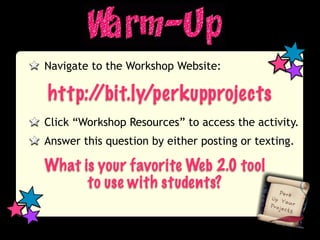
Navigate to the Workshop Website:

http://bit.ly/perkupprojects
Click “Workshop Resources” to access the activity.
Answer this question by either posting or texting.

What is your favorite Web 2.0 tool
      to use with students?
Let’s get an overview of the resources...
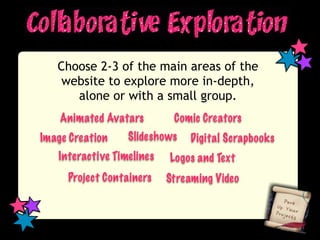
Choose 2-3 of the main areas of the
    website to explore more in-depth,
      alone or with a small group.
    Animated Avatars        Comic Creators
Image Creation    Slideshows    Digital Scrapbooks
   Interactive Timelines   Logos and Text
     Project Containers    Streaming Video
Explore the tools and resources on the pages you
chose. Try them, create things, learn how they
work.
Reflect on how these tools can be used to better
your teaching and your students’ learning.
Add your comments and reflections to the
discussion tab on your page.
Be prepared to share your ideas, comments and
questions.
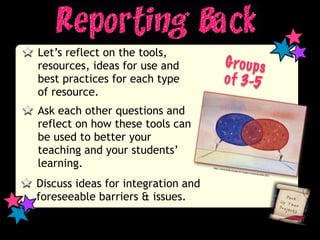
Let’s reflect on the tools,
resources, ideas for use and                  G ro u p s
best practices for each type                  o f 3-5
of resource.
Ask each other questions and
reflect on how these tools can
be used to better your
teaching and your students’
learning.                           http://w
                                            ww.totalc
                                                     overage.n
                                                               et/images/
                                                                         commun
                                                                                icat   ion.JPG


Discuss ideas for integration and
foreseeable barriers & issues.
Whole Group Reflection...

   What are your favorites?

   What can you use right away?

   What questions do you have?
Thank You! Feel free to
contact me at any time!

Session Evaluation:
Available via the Workshop
Resources link from the
wiki or the ISTE Mobile App

          diannekrause@gmail.com
diannekrause@gmail.com

Perk Up Your Projects with Web 2.0

  • 1.
    http://bit.ly/perkupprojects Dianne P. Krause diannekrause@gmail.com http://diannekrause.com
  • 2.
  • 3.
    Today’s Agenda: Warm-up Activity
  • 4.
    Today’s Agenda: Warm-up Activity Overview of Tools & Resources
  • 5.
    Today’s Agenda: Warm-up Activity Overview of Tools & Resources Collaborative Exploration
  • 6.
    Today’s Agenda: Warm-up Activity Overview of Tools & Resources Collaborative Exploration Report Back
  • 7.
    Today’s Agenda: Warm-up Activity Overview of Tools & Resources Collaborative Exploration Report Back Whole Group Reflection
  • 8.
    Today’s Agenda: Warm-up Activity Overview of Tools & Resources Collaborative Exploration Report Back Whole Group Reflection Wrap-up
  • 9.
    Navigate to theWorkshop Website: http://bit.ly/perkupprojects Click “Workshop Resources” to access the activity. Answer this question by either posting or texting. What is your favorite Web 2.0 tool to use with students?
  • 10.
    Let’s get anoverview of the resources...
  • 11.
    Choose 2-3 ofthe main areas of the website to explore more in-depth, alone or with a small group. Animated Avatars Comic Creators Image Creation Slideshows Digital Scrapbooks Interactive Timelines Logos and Text Project Containers Streaming Video
  • 12.
    Explore the toolsand resources on the pages you chose. Try them, create things, learn how they work. Reflect on how these tools can be used to better your teaching and your students’ learning. Add your comments and reflections to the discussion tab on your page. Be prepared to share your ideas, comments and questions.
  • 13.
    Let’s reflect onthe tools, resources, ideas for use and G ro u p s best practices for each type o f 3-5 of resource. Ask each other questions and reflect on how these tools can be used to better your teaching and your students’ learning. http://w ww.totalc overage.n et/images/ commun icat ion.JPG Discuss ideas for integration and foreseeable barriers & issues.
  • 14.
    Whole Group Reflection... What are your favorites? What can you use right away? What questions do you have?
  • 15.
    Thank You! Feelfree to contact me at any time! Session Evaluation: Available via the Workshop Resources link from the wiki or the ISTE Mobile App diannekrause@gmail.com
  • 16.

Editor's Notes

  • #2 Introduction - 2 minutes\nDianne Krause\nK-12 Instructional Technology Coach \n3.5 years in the job\nFormer French teacher\n\n
  • #3 Go through agenda \nExplain each one\n3-5 minutes\n
  • #4 Go through agenda \nExplain each one\n3-5 minutes\n
  • #5 Go through agenda \nExplain each one\n3-5 minutes\n
  • #6 Go through agenda \nExplain each one\n3-5 minutes\n
  • #7 Go through agenda \nExplain each one\n3-5 minutes\n
  • #8 Go through agenda \nExplain each one\n3-5 minutes\n
  • #9 Warmup Activity - 5-10 minutes\n\n
  • #10 Go through each page of the wiki, briefly outlining each thing\n10 minutes per page??\n- Try to keep to 60 minutes\n- 90 minutes max!\n
  • #11 \n
  • #12 60 minutes \nChoose 3 pages - 20 minutes per page\n
  • #13 15-20 minutes\n
  • #14 10 minutes\n
  • #15 5-10 minutes\n
  • #16 \n