Creating a Blog: Easy, Free, Connected The following steps will help you learn to create a blog and make your first post.
Step 1 :  Go to www.blogger.com
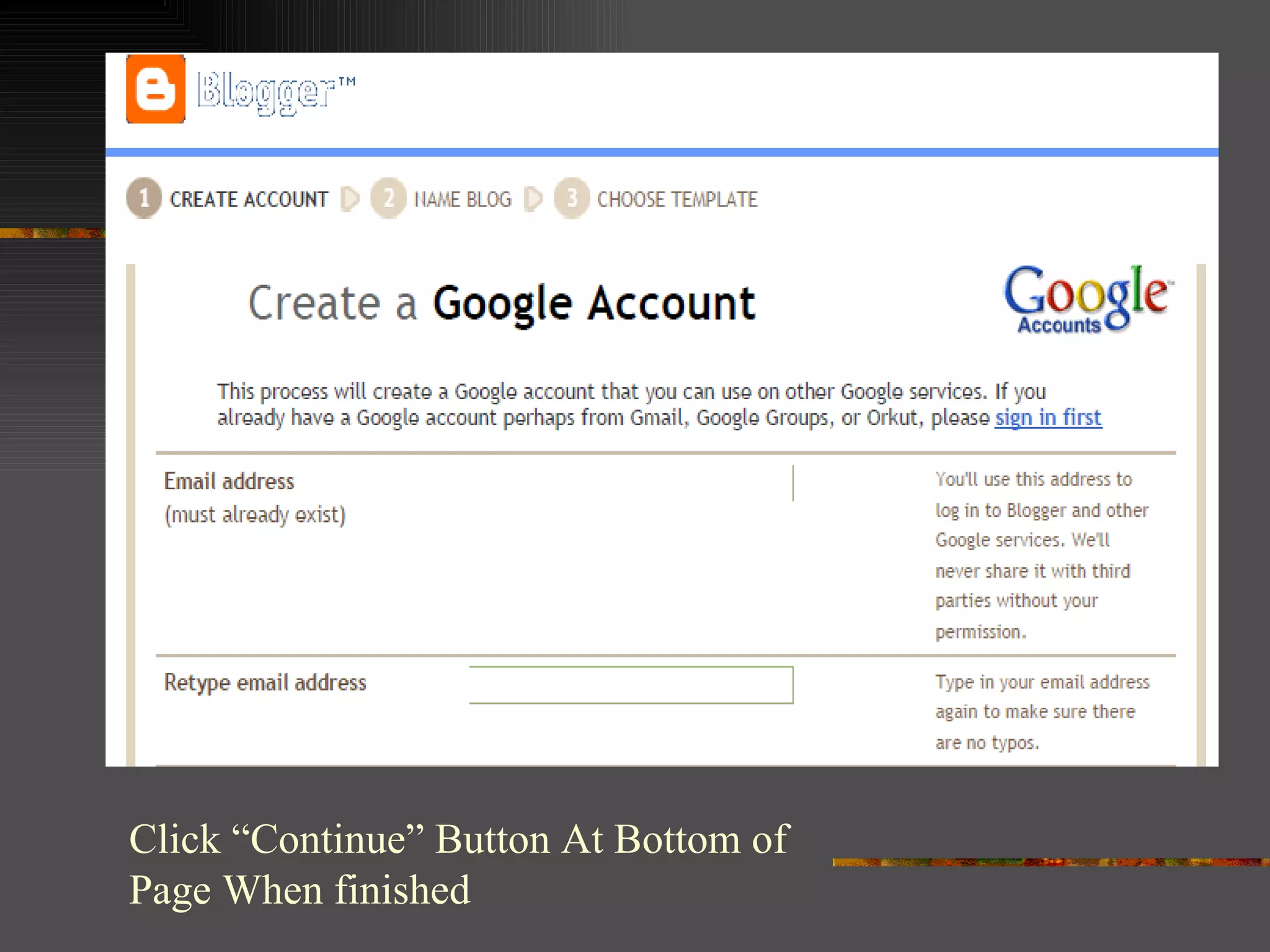
Step 2 :  Create an Account . If you already have a Google account, you may use that email address. Otherwise, create a gmail account to manage your blog.
Click “Continue” Button At Bottom of Page When finished
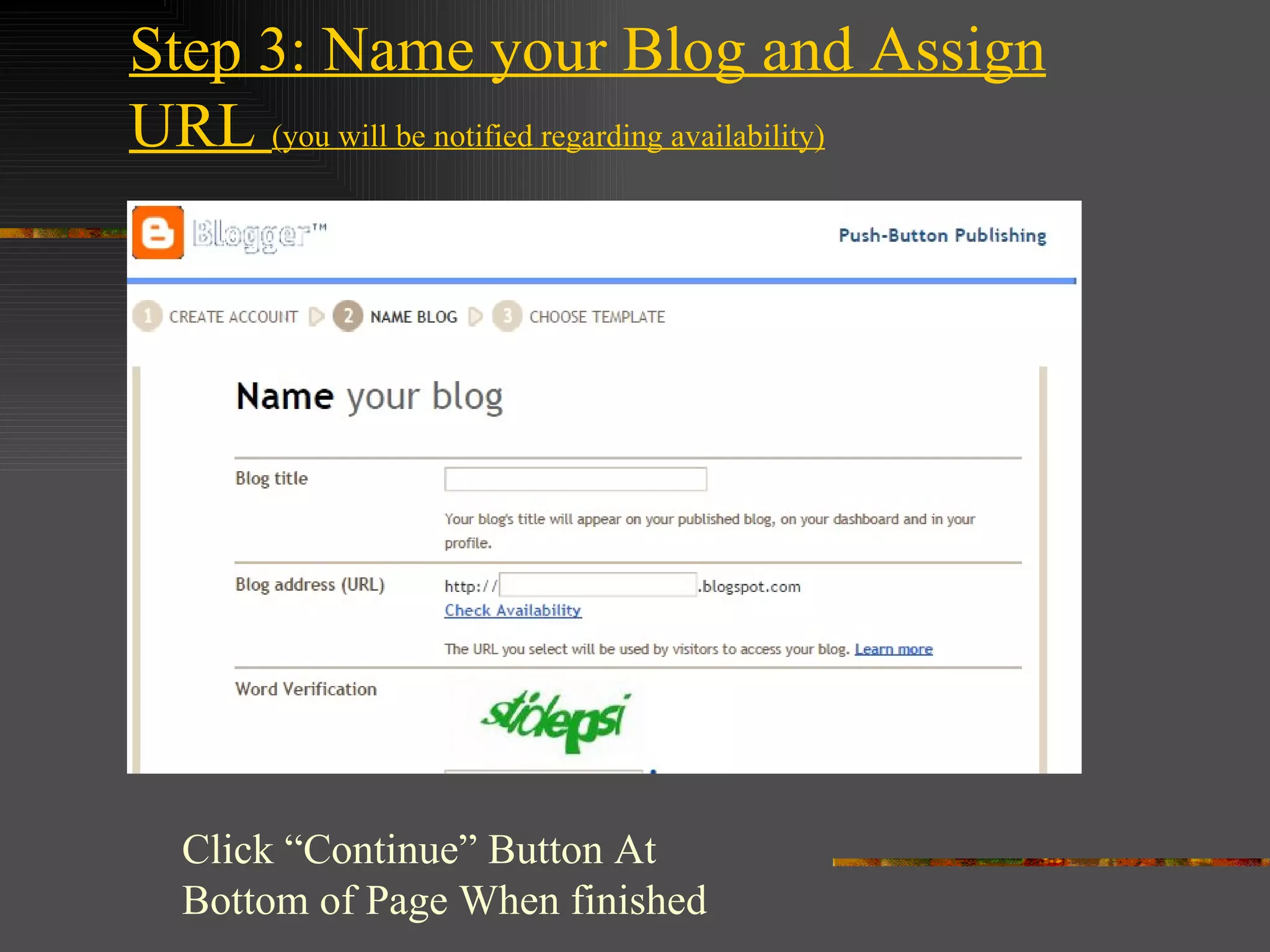
Step 3: Name your Blog and Assign URL  (you will be notified regarding availability) Click “Continue” Button At Bottom of Page When finished
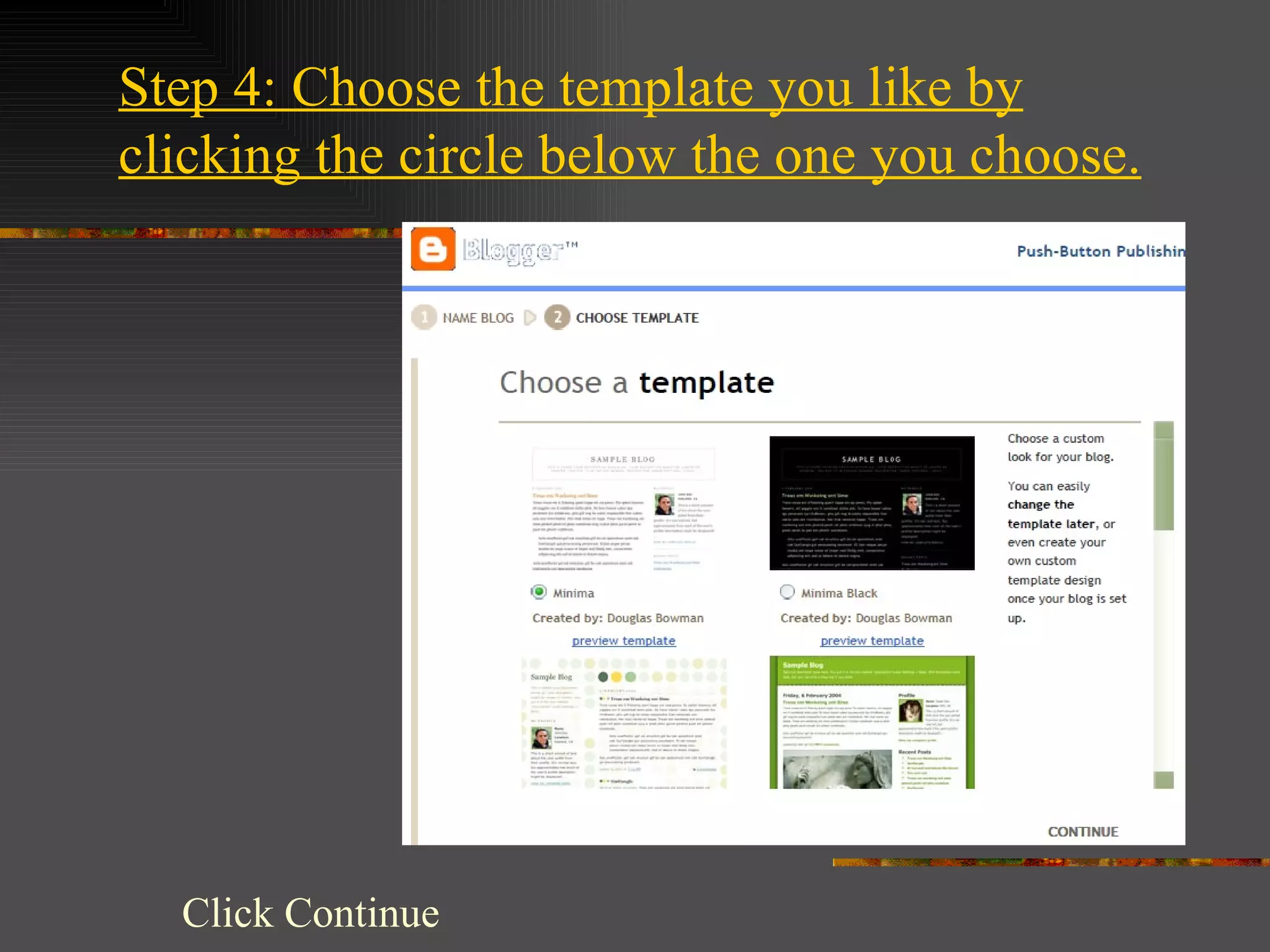
Step 4: Choose the template you like by clicking the circle below the one you choose. Click Continue
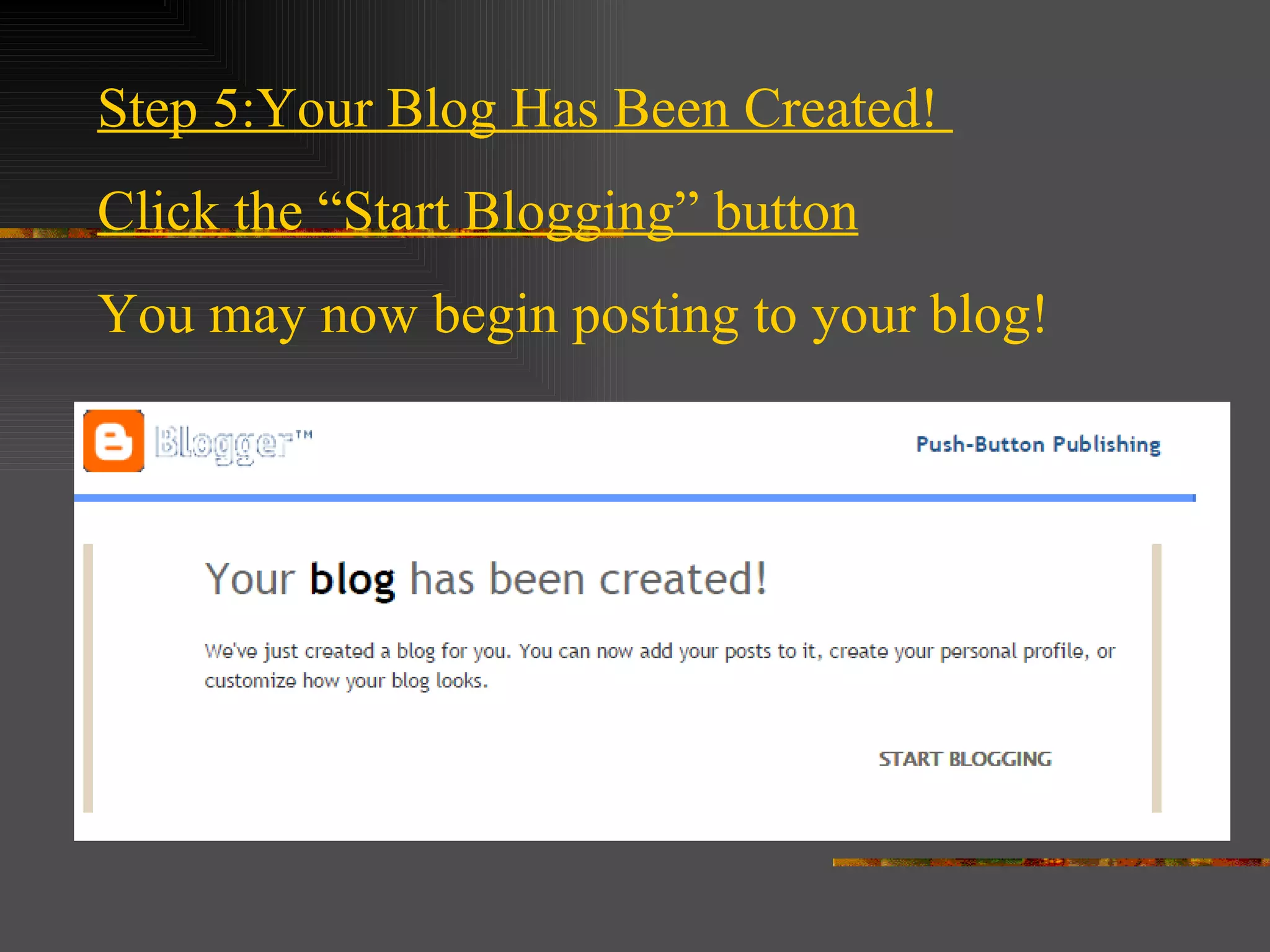
Step 5:Your Blog Has Been Created!  Click the “Start Blogging” button You may now begin posting to your blog!
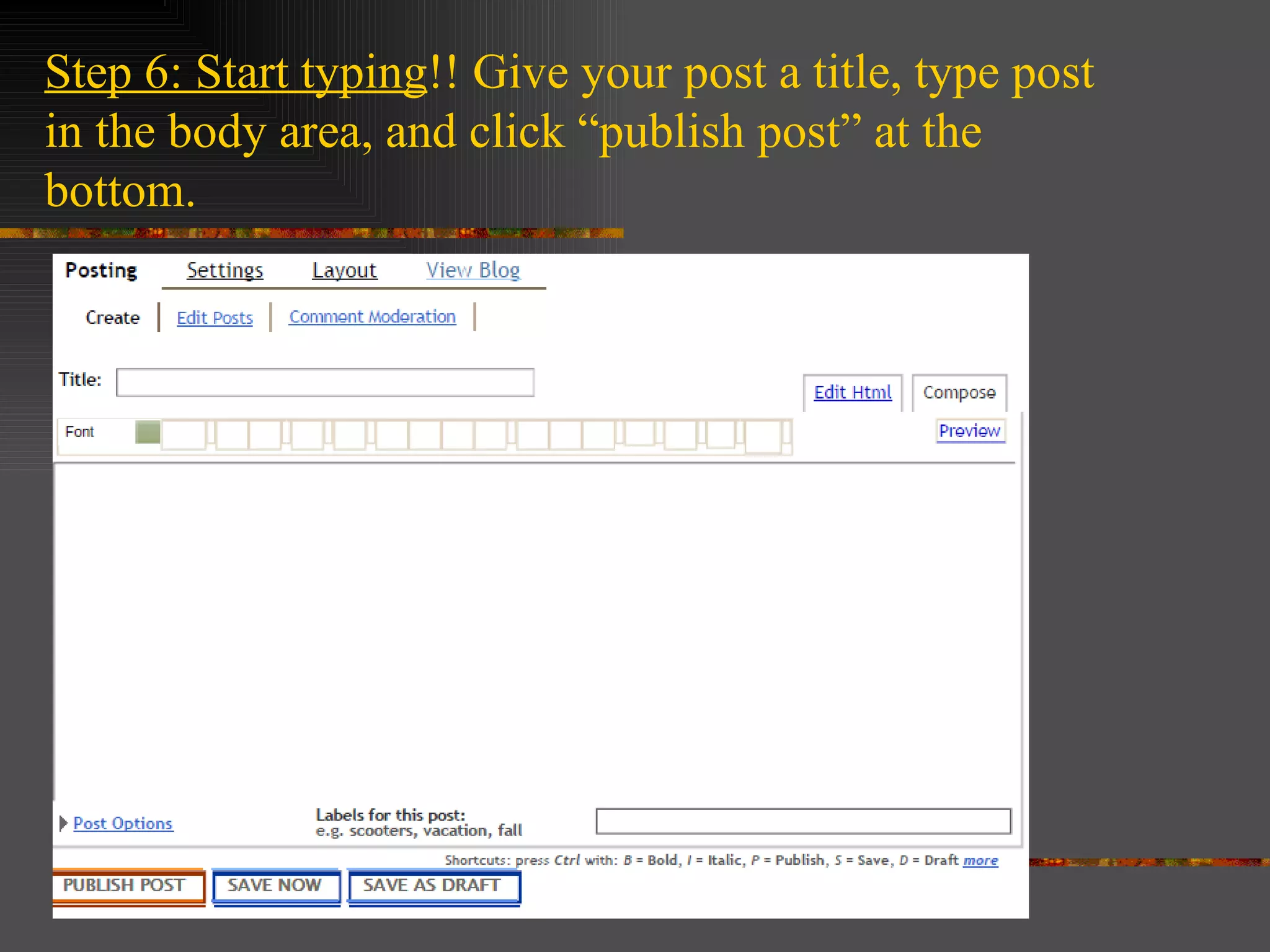
Step 6: Start typing !! Give your post a title, type post in the body area, and click “publish post” at the bottom.
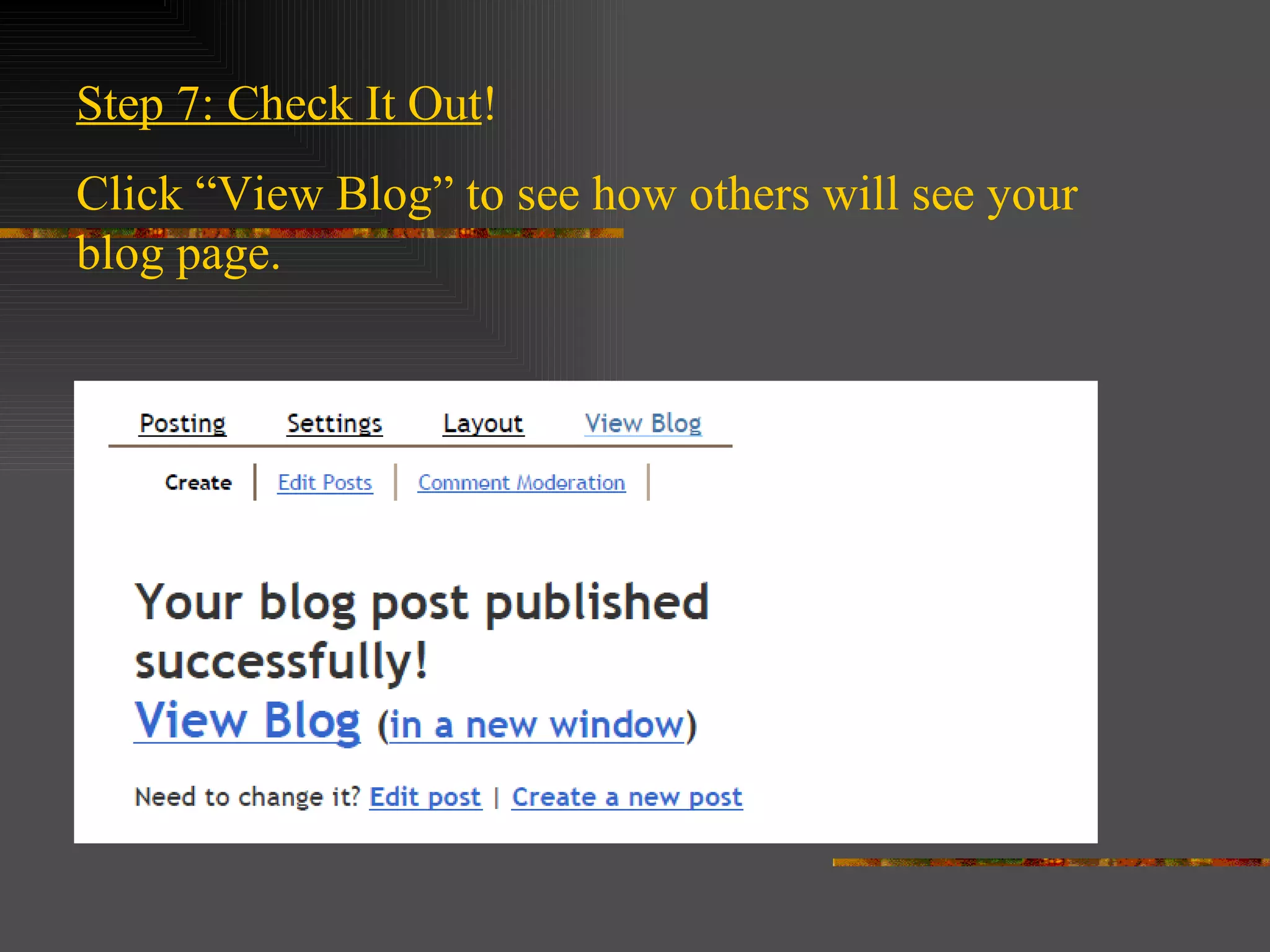
Step 7: Check It Out !  Click “View Blog” to see how others will see your blog page.
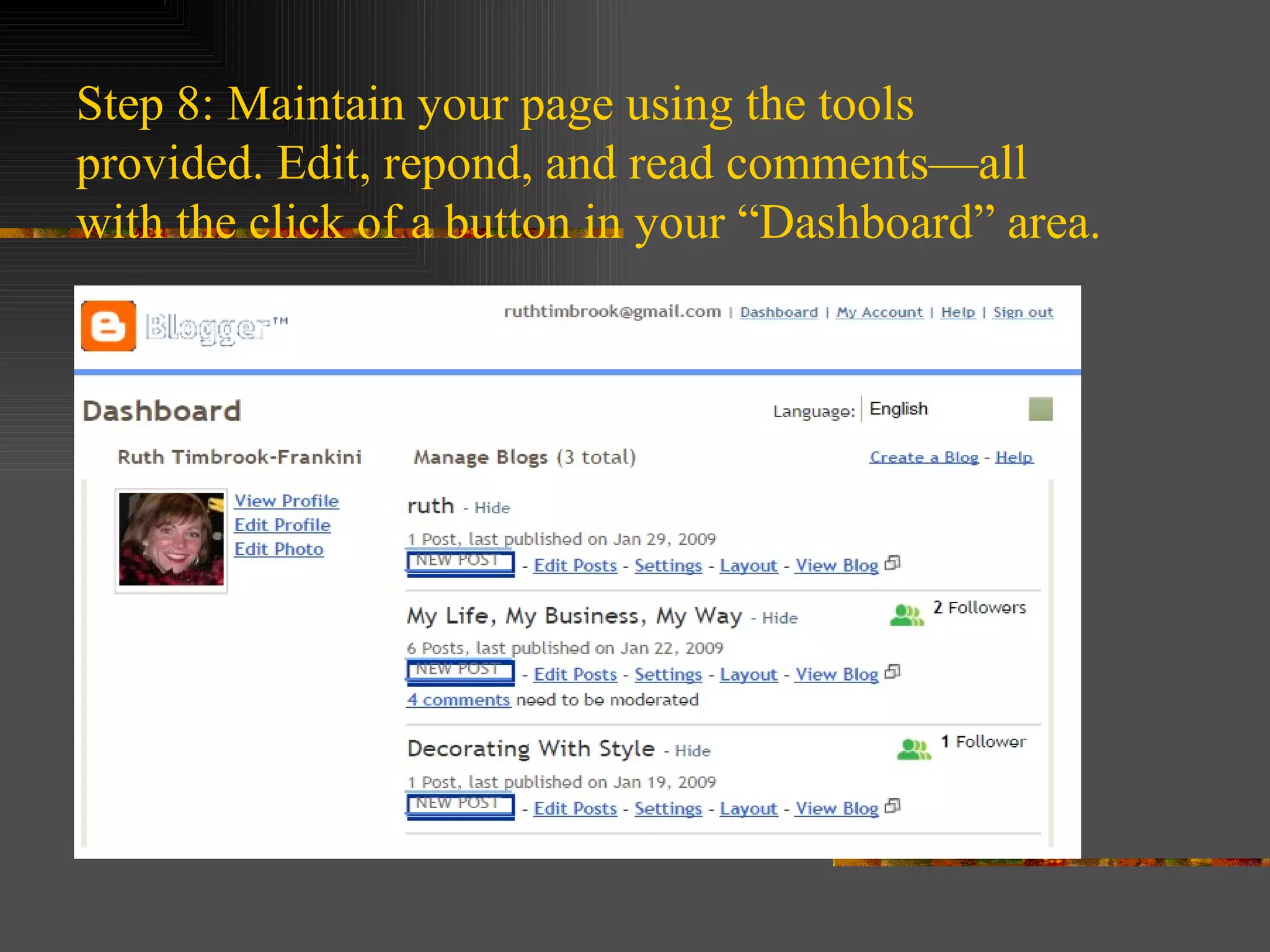
Step 8: Maintain your page using the tools provided. Edit, repond, and read comments—all with the click of a button in your “Dashboard” area.

Creating A Blog

  • 1.
    Creating a Blog:Easy, Free, Connected The following steps will help you learn to create a blog and make your first post.
  • 2.
    Step 1 : Go to www.blogger.com
  • 3.
    Step 2 : Create an Account . If you already have a Google account, you may use that email address. Otherwise, create a gmail account to manage your blog.
  • 4.
    Click “Continue” ButtonAt Bottom of Page When finished
  • 5.
    Step 3: Nameyour Blog and Assign URL (you will be notified regarding availability) Click “Continue” Button At Bottom of Page When finished
  • 6.
    Step 4: Choosethe template you like by clicking the circle below the one you choose. Click Continue
  • 7.
    Step 5:Your BlogHas Been Created! Click the “Start Blogging” button You may now begin posting to your blog!
  • 8.
    Step 6: Starttyping !! Give your post a title, type post in the body area, and click “publish post” at the bottom.
  • 9.
    Step 7: CheckIt Out ! Click “View Blog” to see how others will see your blog page.
  • 10.
    Step 8: Maintainyour page using the tools provided. Edit, repond, and read comments—all with the click of a button in your “Dashboard” area.

Editor's Notes

  • #2 We will: Go to blogger.com 2.Create a free account 3.Choose a template 4.Make a post