WHAT IS INTERNET SECURITY ?
Internaet Security is a branch of computer
security specifically related to not only Internet,
often involving browser security and the World
Wide Web (WWW) , but also network security as
it applies to other applications or operating
systems as a whole .
Its objective is to establish rules and measures
to use against attacks over the Internet . The
Internet represents an insecure channelfor
exchanging information , which leads to a high
risk of intrusion or fraud , such as phishing ,
Slow Connections:
The slow and sluggish behaviour of you computer network is
perhaps the most common sign that indicates that your IT system
is under attack.
Unexpected Popups:
Your computer is surely compromised when windows the user
clicking anything on the screen.
Mysterious Computer Behaviour :
Strange behaviour of the computer system must be taken as a red
flag and a sign of trouble.
Inability to download updates :
The presence of malicious programs in the computer also
prohibits users from downloading important updates that will
make their operating system more secure.
Unfamiliar programs running in Task Manager:
***************************************************************************
I) MALICIOUS SOFTWARE :
 An internet user can be tricked or forced into downloading software
that is of malicious intent onto a computer, such software comes in
many forms, such as viruses, trojan horses, spyware and worms.
 Malware, short for malicious software, is any software used to disrupt
computer operation, gather sensitive information, or gain access to
private computer systems.
 A botnet is a network of zombie computers that have been taken over
by a robot or bot that performs large-scale malicious acts for the
creator of botnet.
 Computer viruses are programs that can replicate
their structures or effects by infecting other
files or structures on a computer to steal data.
 Computer worms are programs that can replicate
themselves throughout a computer network,
performing a malicious tasks throughout.
 Ransomware is a type of malware which restricts access to the
computer system that it infects , and demands a ransom paid to the
creator(s) of the malware in order for restriction to be removed.
 Scareware is scam software of usually limited or no benefit, containing
malicious payloads, that is sold to consumers via certain unethical
marketing practices.
Spyware refers to programs that surreptitiously
monitor activity on a computer system and
report that information to others without
the user’s consent.
One particular kind of spyware is key logging
malware. Keystroke logging, often referred to
as key logging or keyboard capturing , is the
action of recording (logging) the keys struck on a keyboard.
A trojan horse, commonly known as a trojan, is a general term for
malicious software that pretends to be harmless, so that a user will be
convinced to download it onto the computer.
*************************************
******************************
II) Denial-of- Service (DoS) attacks :
 A denial-of-service attack (DoS attack) or distributed denial-of-service
attack (DDoS attack) is an attempt to make a computer resource unavailable to
its intended users.
 According to a business who participated in an international business security
survey, 25% of respondents experienced a DoS
attack in 2007 and 16.8% experienced one in 2010.
 Dos attacks often use bots (or a botnet) to carry
out the attack.
III) Phishing :
 Phishing is an attack which targets online users
for extraction of their sensitive information such
as username, password and credit card information.
 It occurs when the attacker pretends to be a
trustworthy entity, either via email or web page.
 Victims are directed to fake web pages, which are dressed to look legitimate,
via spoof emails, instant messenger/social media or other avenues.
 Insurance group RSA said that phishing accounted for worldwide losses of $
10.8 billion in 2016.
III) Application Vulnerabilities :
 Applications used to access Internet resources may contain
security vulnerabilities such as memory safety bugs or flawed
authentication checks.
 The most severe of these bugs can give network attackers
full control over the computer.
 Most security applications and suites are incapable of
adequate defence against these kinds of attacks.
 A very widespread web-browser application vulnerability is the so- called
CROSS-ORIGIN RESOURCE SHARING (CORS) vulnerability for maximum
security and privacy.
 Security Suites ;
They contain a suite of firewalls, anti-virus, anti-spyware
and more. They also offer protection, portable storage
device safety check, private internet browsing, cloud
anti-spam, a file shredder or make security-related
decisions and several are free of charge.
Network layer security ;
TCP/IP protocols may be secured with cryptographic
methods and security protocols. These include SECURE
SOCKETS LAYER (SSL), succeeded by TRANSPORT LAYER
SECURITY (TSL) for web traffic, PRETTY GOOD PRIVACY
(PGP) for email and IPsec for the network layer security.
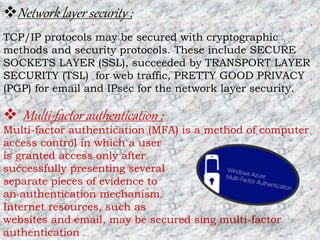
 Multi-factor authentication :
Multi-factor authentication (MFA) is a method of computer
access control in which a user
is granted access only after
successfully presenting several
separate pieces of evidence to
an authentication mechanism.
Internet resources, such as
websites and email, may be secured sing multi-factor
authentication .
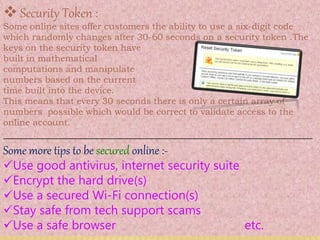
 Security Token :
Some online sites offer customers the ability to use a six-digit code
which randomly changes after 30-60 seconds on a security token .The
keys on the security token have
built in mathematical
computations and manipulate
numbers based on the current
time built into the device.
This means that every 30 seconds there is only a certain array of
numbers possible which would be correct to validate access to the
online account.
__________________________________________________________
Some more tips to be secured online :-
Use good antivirus, internet security suite
Encrypt the hard drive(s)
Use a secured Wi-Fi connection(s)
Stay safe from tech support scams
Use a safe browser etc.
INTERNET SECURITY.pptx

INTERNET SECURITY.pptx

  • 2.
    WHAT IS INTERNETSECURITY ? Internaet Security is a branch of computer security specifically related to not only Internet, often involving browser security and the World Wide Web (WWW) , but also network security as it applies to other applications or operating systems as a whole . Its objective is to establish rules and measures to use against attacks over the Internet . The Internet represents an insecure channelfor exchanging information , which leads to a high risk of intrusion or fraud , such as phishing ,
  • 3.
    Slow Connections: The slowand sluggish behaviour of you computer network is perhaps the most common sign that indicates that your IT system is under attack. Unexpected Popups: Your computer is surely compromised when windows the user clicking anything on the screen. Mysterious Computer Behaviour : Strange behaviour of the computer system must be taken as a red flag and a sign of trouble. Inability to download updates : The presence of malicious programs in the computer also prohibits users from downloading important updates that will make their operating system more secure. Unfamiliar programs running in Task Manager: ***************************************************************************
  • 4.
    I) MALICIOUS SOFTWARE:  An internet user can be tricked or forced into downloading software that is of malicious intent onto a computer, such software comes in many forms, such as viruses, trojan horses, spyware and worms.  Malware, short for malicious software, is any software used to disrupt computer operation, gather sensitive information, or gain access to private computer systems.  A botnet is a network of zombie computers that have been taken over by a robot or bot that performs large-scale malicious acts for the creator of botnet.  Computer viruses are programs that can replicate their structures or effects by infecting other files or structures on a computer to steal data.  Computer worms are programs that can replicate themselves throughout a computer network, performing a malicious tasks throughout.
  • 5.
     Ransomware isa type of malware which restricts access to the computer system that it infects , and demands a ransom paid to the creator(s) of the malware in order for restriction to be removed.  Scareware is scam software of usually limited or no benefit, containing malicious payloads, that is sold to consumers via certain unethical marketing practices. Spyware refers to programs that surreptitiously monitor activity on a computer system and report that information to others without the user’s consent. One particular kind of spyware is key logging malware. Keystroke logging, often referred to as key logging or keyboard capturing , is the action of recording (logging) the keys struck on a keyboard. A trojan horse, commonly known as a trojan, is a general term for malicious software that pretends to be harmless, so that a user will be convinced to download it onto the computer. ************************************* ******************************
  • 6.
    II) Denial-of- Service(DoS) attacks :  A denial-of-service attack (DoS attack) or distributed denial-of-service attack (DDoS attack) is an attempt to make a computer resource unavailable to its intended users.  According to a business who participated in an international business security survey, 25% of respondents experienced a DoS attack in 2007 and 16.8% experienced one in 2010.  Dos attacks often use bots (or a botnet) to carry out the attack. III) Phishing :  Phishing is an attack which targets online users for extraction of their sensitive information such as username, password and credit card information.  It occurs when the attacker pretends to be a trustworthy entity, either via email or web page.  Victims are directed to fake web pages, which are dressed to look legitimate, via spoof emails, instant messenger/social media or other avenues.  Insurance group RSA said that phishing accounted for worldwide losses of $ 10.8 billion in 2016.
  • 7.
    III) Application Vulnerabilities:  Applications used to access Internet resources may contain security vulnerabilities such as memory safety bugs or flawed authentication checks.  The most severe of these bugs can give network attackers full control over the computer.  Most security applications and suites are incapable of adequate defence against these kinds of attacks.  A very widespread web-browser application vulnerability is the so- called CROSS-ORIGIN RESOURCE SHARING (CORS) vulnerability for maximum security and privacy.  Security Suites ; They contain a suite of firewalls, anti-virus, anti-spyware and more. They also offer protection, portable storage device safety check, private internet browsing, cloud anti-spam, a file shredder or make security-related decisions and several are free of charge.
  • 8.
    Network layer security; TCP/IP protocols may be secured with cryptographic methods and security protocols. These include SECURE SOCKETS LAYER (SSL), succeeded by TRANSPORT LAYER SECURITY (TSL) for web traffic, PRETTY GOOD PRIVACY (PGP) for email and IPsec for the network layer security.  Multi-factor authentication : Multi-factor authentication (MFA) is a method of computer access control in which a user is granted access only after successfully presenting several separate pieces of evidence to an authentication mechanism. Internet resources, such as websites and email, may be secured sing multi-factor authentication .
  • 9.
     Security Token: Some online sites offer customers the ability to use a six-digit code which randomly changes after 30-60 seconds on a security token .The keys on the security token have built in mathematical computations and manipulate numbers based on the current time built into the device. This means that every 30 seconds there is only a certain array of numbers possible which would be correct to validate access to the online account. __________________________________________________________ Some more tips to be secured online :- Use good antivirus, internet security suite Encrypt the hard drive(s) Use a secured Wi-Fi connection(s) Stay safe from tech support scams Use a safe browser etc.