
What is Network Security?
Nutmeg Technologies
*Intro to Network Security
Network Security is no joke. Whether you have a website, online accounts•
or any cyber-based infrastructure, you are at risk of a network attack.
Even though the public only hears about cyber attacks against large•
companies, banks and government websites, small businesses make the
best targets for cyber criminals.
Due to the lack of resources of small businesses, they have the least•
protected websites, accounts and network systems, making cyber attacks
against them a relatively easy job.
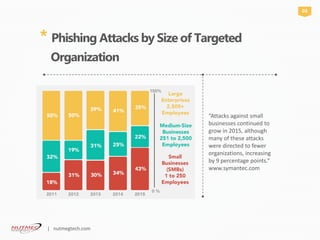
“Attacks against small
businesses continued to
grow in 2015, although
many of these attacks
were directed to fewer
organizations, increasing
by 9 percentage points.“
www.symantec.com
* Phishing Attacks by Size of Targeted
Organization
03
| nutmegtech.com
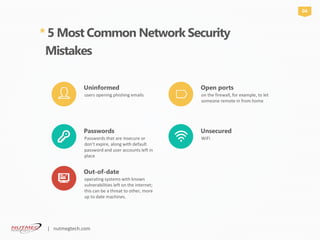
* 5 Most Common Network Security
Mistakes
Uninformed
users opening phishing emails
Passwords
Passwords that are insecure or
don’t expire, along with default
password and user accounts left in
place
Out-of-date
operating systems with known
vulnerabilities left on the internet;
this can be a threat to other, more
up to date machines.
Open ports
on the firewall, for example, to let
someone remote in from home
Unsecured
WiFi
04
| nutmegtech.com
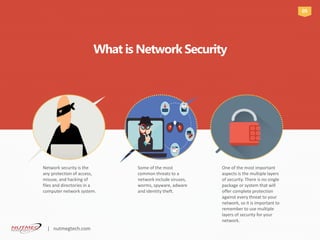
Network security is the
any protection of access,
misuse, and hacking of
files and directories in a
computer network system.
Some of the most
common threats to a
network include viruses,
worms, spyware, adware
and identity theft.
One of the most important
aspects is the multiple layers
of security. There is no single
package or system that will
offer complete protection
against every threat to your
network, so it is important to
remember to use multiple
layers of security for your
network.
What is Network Security
05
| nutmegtech.com
As the internet evolves and
computer networks become bigger
and bigger, network security has
become one of the most important
factors for companies to consider.
By increasing your network
security, you decrease your chance
of compromising your data.
As the complexity of the systems
and the networks are increasing,
vulnerabilities are also increasing
and the task of securing the
networks is becoming more
complex. This makes network
security an essential part of today’s
businesses.
“”We are the best app development
company in the market”
Why Do We
Need Security?
Data is the most precious factor of today’s businesses.
06
| nutmegtech.com
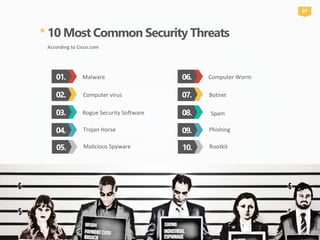
* 10 Most Common Security Threats
According to Cisco.com
01. Malware
03. Rogue Security Software
02. Computer virus
04.
07
Trojan Horse
06. Computer Worm
08. Spam
07. Botnet
09. Phishing
05. Malicious Spyware 10. Rootkit
*Malware
[mal-wair]
noun, Computers.
1. “malicious” software intended to damage a
computer, mobile device, computer
system, or computer network, or
to take partial control over its operation
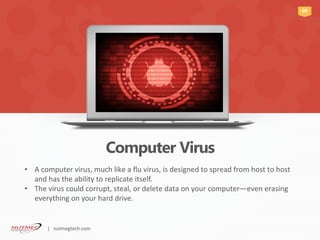
Computer Virus
09
A computer virus, much like a flu virus, is designed to spread from host to host•
and has the ability to replicate itself.
The virus could corrupt, steal, or delete data on your computer• —even erasing
everything on your hard drive.
| nutmegtech.com
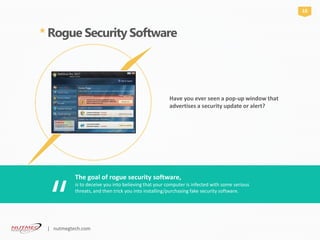
* Rogue Security Software
Have you ever seen a pop-up window that
advertises a security update or alert?
The goal of rogue security software,
“
is to deceive you into believing that your computer is infected with some serious
threats, and then trick you into installing/purchasing fake security software.
10
| nutmegtech.com
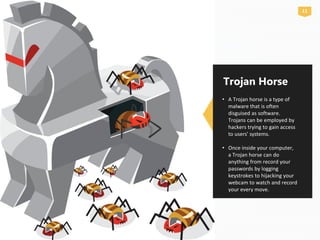
A Trojan horse is a type of•
malware that is often
disguised as software.
Trojans can be employed by
hackers trying to gain access
to users' systems.
Once inside your computer,•
a Trojan horse can do
anything from record your
passwords by logging
keystrokes to hijacking your
webcam to watch and record
your every move.
Trojan Horse
11
* Malicious Spyware
[spahy-wair]
Malicious spyware is used to describe the•
Trojan application that was created by cyber
criminals to spy on their victims.
An example would be key logger software that•
records a victim’s every keystroke on his or her
keyboard.
Spyware is used to conduct espionage.•
12
| nutmegtech.com
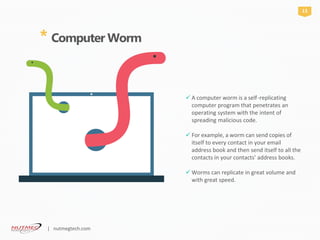
A computer worm is a self -replicating
computer program that penetrates an
operating system with the intent of
spreading malicious code.
For example, a worm can send copies of
itself to every contact in your email
address book and then send itself to all the
contacts in your contacts’ address books.
Worms can replicate in great volume and
with great speed.
* Computer Worm
13
| nutmegtech.com
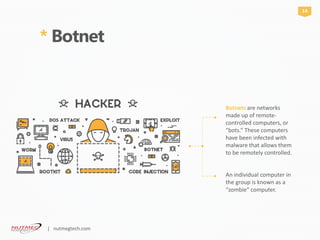
Botnets are networks
made up of remote-
controlled computers, or
“bots.” These computers
have been infected with
malware that allows them
to be remotely controlled.
An individual computer in
the group is known as a
“zombie“ computer.
* Botnet
14
| nutmegtech.com
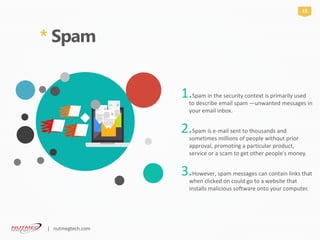
* Spam

Spam in the security context is primarily used1.
to describe email spam —unwanted messages in
your email inbox.
Spam is e2. -mail sent to thousands and
sometimes millions of people without prior
approval, promoting a particular product,
service or a scam to get other people's money.
However, spam messages can contain links that3.
when clicked on could go to a website that
installs malicious software onto your computer.
15
| nutmegtech.com
* Phishing
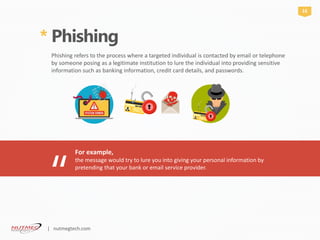
Phishing refers to the process where a targeted individual is contacted by email or telephone
by someone posing as a legitimate institution to lure the individual into providing sensitive
information such as banking information, credit card details, and passwords.
For example,
“
the message would try to lure you into giving your personal information by
pretending that your bank or email service provider.
16
| nutmegtech.com
Rootkit
A set of software tools that
enable an unauthorized user
to gain control of a computer
system without being
detected.
* A rootkit could be installed on
your computer by a
cybercriminal exploiting a
vulnerability or security hole in
a legitimate application on your
PC and may contain spyware
that monitors and records
keystrokes.
*
17
[ro͞otˌkit]
Noun, computing.
a set of software tools that enable an unauthorized user to gain control of a computer system
without being detected.
| nutmegtech.com
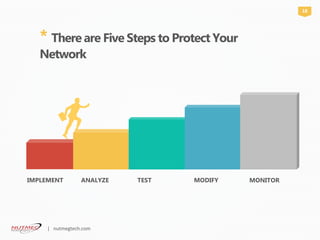
* There are Five Steps to Protect Your
Network
IMPLEMENT ANALYZE TEST MODIFY
18
MONITOR
| nutmegtech.com
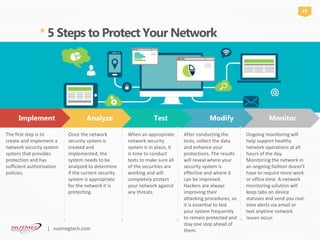
* 5 Steps to Protect Your Network
Implement Analyze Test Modify Monitor
The first step is to
create and implement a
network security system
system that provides
protection and has
sufficient authorization
policies.
Once the network
security system is
created and
implemented, the
system needs to be
analyzed to determine
if the current security
system is appropriate
for the network it is
protecting.
When an appropriate
network security
system is in place, it
is time to conduct
tests to make sure all
of the securities are
working and will
completely protect
your network against
any threats.
19
After conducting the
tests, collect the data
and enhance your
protections. The results
will reveal where your
security system is
effective and where it
can be improved.
Hackers are always
improving their
attacking procedures, so
it is essential to test
your system frequently
to remain protected and
stay one step ahead of
them.
Ongoing monitoring will
help support healthy
network operations at all
hours of the day.
Monitoring the network in
an ongoing fashion doesn’t
have to require more work
or office time. A network
monitoring solution will
keep tabs on device
statuses and send you real-
time alerts via email or
text anytime network
issues occur.
| nutmegtech.com
877-688-6344
info@nutmegtech.com
Wayne Lerario, VP of Sales
twitter.com/nutmegtech
facebook.com/nutmegtech
You can also find us at:
* Want to Protect Your Business?
20
Network security helps your company meet mandatory regulations.
Because network security helps protect your customers' data, it reduces the
risk of legal action from data theft.
*
By having network security in place, your company will experience business
benefits. Your company is protected against business disruption, this helps
keep employees productive.
*
Let’stalk
| nutmegtech.com

What is Network Security?

  • 1.
    What is NetworkSecurity? Nutmeg Technologies
  • 2.
    *Intro to NetworkSecurity Network Security is no joke. Whether you have a website, online accounts• or any cyber-based infrastructure, you are at risk of a network attack. Even though the public only hears about cyber attacks against large• companies, banks and government websites, small businesses make the best targets for cyber criminals. Due to the lack of resources of small businesses, they have the least• protected websites, accounts and network systems, making cyber attacks against them a relatively easy job.
  • 3.
    “Attacks against small businessescontinued to grow in 2015, although many of these attacks were directed to fewer organizations, increasing by 9 percentage points.“ www.symantec.com * Phishing Attacks by Size of Targeted Organization 03 | nutmegtech.com
  • 4.
    * 5 MostCommon Network Security Mistakes Uninformed users opening phishing emails Passwords Passwords that are insecure or don’t expire, along with default password and user accounts left in place Out-of-date operating systems with known vulnerabilities left on the internet; this can be a threat to other, more up to date machines. Open ports on the firewall, for example, to let someone remote in from home Unsecured WiFi 04 | nutmegtech.com
  • 5.
    Network security isthe any protection of access, misuse, and hacking of files and directories in a computer network system. Some of the most common threats to a network include viruses, worms, spyware, adware and identity theft. One of the most important aspects is the multiple layers of security. There is no single package or system that will offer complete protection against every threat to your network, so it is important to remember to use multiple layers of security for your network. What is Network Security 05 | nutmegtech.com
  • 6.
    As the internetevolves and computer networks become bigger and bigger, network security has become one of the most important factors for companies to consider. By increasing your network security, you decrease your chance of compromising your data. As the complexity of the systems and the networks are increasing, vulnerabilities are also increasing and the task of securing the networks is becoming more complex. This makes network security an essential part of today’s businesses. “”We are the best app development company in the market” Why Do We Need Security? Data is the most precious factor of today’s businesses. 06 | nutmegtech.com
  • 7.
    * 10 MostCommon Security Threats According to Cisco.com 01. Malware 03. Rogue Security Software 02. Computer virus 04. 07 Trojan Horse 06. Computer Worm 08. Spam 07. Botnet 09. Phishing 05. Malicious Spyware 10. Rootkit
  • 8.
    *Malware [mal-wair] noun, Computers. 1. “malicious”software intended to damage a computer, mobile device, computer system, or computer network, or to take partial control over its operation
  • 9.
    Computer Virus 09 A computervirus, much like a flu virus, is designed to spread from host to host• and has the ability to replicate itself. The virus could corrupt, steal, or delete data on your computer• —even erasing everything on your hard drive. | nutmegtech.com
  • 10.
    * Rogue SecuritySoftware Have you ever seen a pop-up window that advertises a security update or alert? The goal of rogue security software, “ is to deceive you into believing that your computer is infected with some serious threats, and then trick you into installing/purchasing fake security software. 10 | nutmegtech.com
  • 11.
    A Trojan horseis a type of• malware that is often disguised as software. Trojans can be employed by hackers trying to gain access to users' systems. Once inside your computer,• a Trojan horse can do anything from record your passwords by logging keystrokes to hijacking your webcam to watch and record your every move. Trojan Horse 11
  • 12.
    * Malicious Spyware [spahy-wair] Maliciousspyware is used to describe the• Trojan application that was created by cyber criminals to spy on their victims. An example would be key logger software that• records a victim’s every keystroke on his or her keyboard. Spyware is used to conduct espionage.• 12 | nutmegtech.com
  • 13.
    A computer wormis a self -replicating computer program that penetrates an operating system with the intent of spreading malicious code. For example, a worm can send copies of itself to every contact in your email address book and then send itself to all the contacts in your contacts’ address books. Worms can replicate in great volume and with great speed. * Computer Worm 13 | nutmegtech.com
  • 14.
    Botnets are networks madeup of remote- controlled computers, or “bots.” These computers have been infected with malware that allows them to be remotely controlled. An individual computer in the group is known as a “zombie“ computer. * Botnet 14 | nutmegtech.com
  • 15.
    * Spam  Spam inthe security context is primarily used1. to describe email spam —unwanted messages in your email inbox. Spam is e2. -mail sent to thousands and sometimes millions of people without prior approval, promoting a particular product, service or a scam to get other people's money. However, spam messages can contain links that3. when clicked on could go to a website that installs malicious software onto your computer. 15 | nutmegtech.com
  • 16.
    * Phishing Phishing refersto the process where a targeted individual is contacted by email or telephone by someone posing as a legitimate institution to lure the individual into providing sensitive information such as banking information, credit card details, and passwords. For example, “ the message would try to lure you into giving your personal information by pretending that your bank or email service provider. 16 | nutmegtech.com
  • 17.
    Rootkit A set ofsoftware tools that enable an unauthorized user to gain control of a computer system without being detected. * A rootkit could be installed on your computer by a cybercriminal exploiting a vulnerability or security hole in a legitimate application on your PC and may contain spyware that monitors and records keystrokes. * 17 [ro͞otˌkit] Noun, computing. a set of software tools that enable an unauthorized user to gain control of a computer system without being detected. | nutmegtech.com
  • 18.
    * There areFive Steps to Protect Your Network IMPLEMENT ANALYZE TEST MODIFY 18 MONITOR | nutmegtech.com
  • 19.
    * 5 Stepsto Protect Your Network Implement Analyze Test Modify Monitor The first step is to create and implement a network security system system that provides protection and has sufficient authorization policies. Once the network security system is created and implemented, the system needs to be analyzed to determine if the current security system is appropriate for the network it is protecting. When an appropriate network security system is in place, it is time to conduct tests to make sure all of the securities are working and will completely protect your network against any threats. 19 After conducting the tests, collect the data and enhance your protections. The results will reveal where your security system is effective and where it can be improved. Hackers are always improving their attacking procedures, so it is essential to test your system frequently to remain protected and stay one step ahead of them. Ongoing monitoring will help support healthy network operations at all hours of the day. Monitoring the network in an ongoing fashion doesn’t have to require more work or office time. A network monitoring solution will keep tabs on device statuses and send you real- time alerts via email or text anytime network issues occur. | nutmegtech.com
  • 20.
    877-688-6344 info@nutmegtech.com Wayne Lerario, VPof Sales twitter.com/nutmegtech facebook.com/nutmegtech You can also find us at: * Want to Protect Your Business? 20 Network security helps your company meet mandatory regulations. Because network security helps protect your customers' data, it reduces the risk of legal action from data theft. * By having network security in place, your company will experience business benefits. Your company is protected against business disruption, this helps keep employees productive. * Let’stalk | nutmegtech.com