By:
AmmAr mobark
first stage Software department
Babylon university
Information Technology collage
Apr. 2016
File System Security
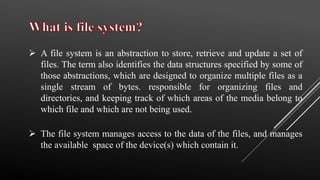
 A file system is an abstraction to store, retrieve and update a set of
files. The term also identifies the data structures specified by some of
those abstractions, which are designed to organize multiple files as a
single stream of bytes. responsible for organizing files and
directories, and keeping track of which areas of the media belong to
which file and which are not being used.
 The file system manages access to the data of the files, and manages
the available space of the device(s) which contain it.
 File system is a system for organizing data in an efficient manner,
directories and files, generally in terms of how it is implemented in
the disk operating system, collection of files and directories stored on
a given drive (floppy drive, hard drive, RAM drive, etc.).
 File systems allocate space, multiple physical units on the device.
 A file system can be thought of as an index or database containing the
physical location of every piece of data on a hard drive. A file system
is setup on a drive during a format.
 FS is the method for storing and retrieving files on a disk. It is system
software that takes commands from the operating system to read and
write the disk clusters (groups of sectors).
 FS is a data processing application that manages individual files. It
opens, closes, reads and writes the file as a single entity.
 Some file systems store files in packages as small as 512 bytes, while
others store files in larger chunks called allocation units or clusters.
Some are very simple file systems with few features and little
overhead (such as the FAT file system used in DOS and Windows
9x), and others have many features but comparatively higher
overhead (NTFS used in NT).
 HFS is a file system type developed by Apple Inc. for use on
computers running Mac OS. Two main variants of HFS exist: Mac
OS Standard (“HFS Standard” or “HFS”) and Mac OS extended
(“HFS extended” or “HFS+”). If you are running Mac OS X, your
bootable drive is almost certainly using HFS+, not standard HFS.
HFS+ allows for larger files with longer file names to be stored on the
disk.
 FAT is a brief for File Allocation Table, which dates back to the
beginnings of DOS programming. The File Allocation Table (FAT)
file system was the primary file system in Microsoft's older operating
systems, it is a file system that was created by Microsoft in 1977. FAT
was the primary file system used in all of Microsoft's consumer
operating systems from MS-DOS through Windows ME
 The version of this type is:
 FAT 12  FAT 16  FAT 32
 NTFS is a file system type that is commonly used for Microsoft
Windows. It is the standard file system for Windows NT, Windows
2000, Windows XP, Windows Vista and Windows 7. It provides
numerous improvements over the FAT file system, including better
security and better disk utilization. NTFS is a proprietary file system
developed by Microsoft Corporation for its Windows line of
operating systems, beginning with Windows NT 3.1 and Windows
2000, including Windows XP, Windows Server 2003, and all their
successors to date
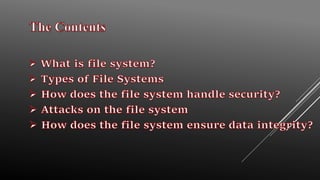
 The file system is crucial to data integrity.
 Main method of protection is through access control
 Accessing file system operations (ex. modifying or deleting a file) are
controlled through access control lists or capabilities
 Capabilities are more secure so they tend to be used by operating
systems on file systems like NTFS or ext3.
 Secondary method of protection is through the use of backup and
recovery systems
 Race Condition Attacks
 Using ADS to hide files
 Directory traversal
There are three most common methods
 Occurs when a process performs a sequence of operations on a file,
under the assumption that they are executed atomically.
 Can be used by the attacker to change the characteristics of that file
between two successive operations on it resulting in the victim
process to operate on the modified file.
 Alternate Data Streams(ADS) allows multiple data streams to be
attached to a single file.
 A file can be hidden behind a file as an attached stream that could be
hundreds of megabytes in size, however a directory listing will only
display the file’s normal size.
 An exploit caused by lack of insufficient security validation of user
supplied input file names
 For example the attacker would pass this as input.
../../../../../../../../../etc/password to retrieve the password file from the
server.
 Access Controls
 Encryption
 RAID
 Recovery when data is corrupted
There are various methods of protecting the files on a file system.
 Access Control plays a huge part in file system security
 The system should only allow access to files that the user is permitted
to access
 Almost all major file systems support ACL’s or capabilities in order
to prevent malicious activity on the file system
 Depending on the users rights they can be allowed to read, write
and/or execute and object. In some file systems schemes only certain
users are allowed to alter the ACL on a file or see if a file even exists.
 Ultimately the less the user has access to the less that can go wrong
and the integrity of the disk can be more guaranteed.
 Encryption is also a method used by file systems to secure data,
NTFS for example offers file encryption using DESX
 Two method of disk encryption
• Full Disk Encryption
• File System Encryption
 File system encryption has a few advantages over full disk encryption
for example
• File based key management
• Individual management of encrypted files
• Access control can be further strengthened through the use of public key
cryptography
• Keys are only held in memory while the file is being used
 Provides security beyond user authentication and access control lists.
For example when the attacker has physical access to the computer.
 EFS uses public key cryptography however it is susceptible to brute-
force attacks against the user account passwords.
 EFS works by encrypting a file with a bulk symmetric key, aka File
Encryption Key or FEK.
 The FEK is encrypted with a public key that is associated with the
user that encrypted the file.
 The EFS uses the private key that matches the EFS digital certificate
(that was used to encrypt the file) to decrypt the symmetric key.
 The resulting symmetric key is then used to decrypt the file.
 RAID stands for Redundant Array of Independent Disks
 Offers drawbacks and advantages over a single disk, each with
different applications
 Types of RAID
• RAID 0 “Striping set without parity”
• RAID 1 “Mirrored set without parity”
• RAID 3 “Striped set with byte level parity”
• RAID 4 “Striped set with block level parity”
• RAID 5 “Striped set with distributed parity”
• RAID 6 “Striped set with dual distributed parity”
 Checksum codes
 Reed Soloman Codes (cd’s to fix errors caused by scratches)
 Given the right type of RAID, the system can recover easily.
• Parity Schemes
• Protection against individual drive failure
What happens when something is corrupted?

File system security

  • 1.
    By: AmmAr mobark first stageSoftware department Babylon university Information Technology collage Apr. 2016 File System Security
  • 3.
     A filesystem is an abstraction to store, retrieve and update a set of files. The term also identifies the data structures specified by some of those abstractions, which are designed to organize multiple files as a single stream of bytes. responsible for organizing files and directories, and keeping track of which areas of the media belong to which file and which are not being used.  The file system manages access to the data of the files, and manages the available space of the device(s) which contain it.
  • 4.
     File systemis a system for organizing data in an efficient manner, directories and files, generally in terms of how it is implemented in the disk operating system, collection of files and directories stored on a given drive (floppy drive, hard drive, RAM drive, etc.).  File systems allocate space, multiple physical units on the device.  A file system can be thought of as an index or database containing the physical location of every piece of data on a hard drive. A file system is setup on a drive during a format.
  • 5.
     FS isthe method for storing and retrieving files on a disk. It is system software that takes commands from the operating system to read and write the disk clusters (groups of sectors).  FS is a data processing application that manages individual files. It opens, closes, reads and writes the file as a single entity.  Some file systems store files in packages as small as 512 bytes, while others store files in larger chunks called allocation units or clusters. Some are very simple file systems with few features and little overhead (such as the FAT file system used in DOS and Windows 9x), and others have many features but comparatively higher overhead (NTFS used in NT).
  • 6.
     HFS isa file system type developed by Apple Inc. for use on computers running Mac OS. Two main variants of HFS exist: Mac OS Standard (“HFS Standard” or “HFS”) and Mac OS extended (“HFS extended” or “HFS+”). If you are running Mac OS X, your bootable drive is almost certainly using HFS+, not standard HFS. HFS+ allows for larger files with longer file names to be stored on the disk.
  • 7.
     FAT isa brief for File Allocation Table, which dates back to the beginnings of DOS programming. The File Allocation Table (FAT) file system was the primary file system in Microsoft's older operating systems, it is a file system that was created by Microsoft in 1977. FAT was the primary file system used in all of Microsoft's consumer operating systems from MS-DOS through Windows ME  The version of this type is:  FAT 12  FAT 16  FAT 32
  • 8.
     NTFS isa file system type that is commonly used for Microsoft Windows. It is the standard file system for Windows NT, Windows 2000, Windows XP, Windows Vista and Windows 7. It provides numerous improvements over the FAT file system, including better security and better disk utilization. NTFS is a proprietary file system developed by Microsoft Corporation for its Windows line of operating systems, beginning with Windows NT 3.1 and Windows 2000, including Windows XP, Windows Server 2003, and all their successors to date
  • 9.
     The filesystem is crucial to data integrity.  Main method of protection is through access control  Accessing file system operations (ex. modifying or deleting a file) are controlled through access control lists or capabilities  Capabilities are more secure so they tend to be used by operating systems on file systems like NTFS or ext3.  Secondary method of protection is through the use of backup and recovery systems
  • 10.
     Race ConditionAttacks  Using ADS to hide files  Directory traversal There are three most common methods
  • 11.
     Occurs whena process performs a sequence of operations on a file, under the assumption that they are executed atomically.  Can be used by the attacker to change the characteristics of that file between two successive operations on it resulting in the victim process to operate on the modified file.
  • 12.
     Alternate DataStreams(ADS) allows multiple data streams to be attached to a single file.  A file can be hidden behind a file as an attached stream that could be hundreds of megabytes in size, however a directory listing will only display the file’s normal size.
  • 13.
     An exploitcaused by lack of insufficient security validation of user supplied input file names  For example the attacker would pass this as input. ../../../../../../../../../etc/password to retrieve the password file from the server.
  • 14.
     Access Controls Encryption  RAID  Recovery when data is corrupted There are various methods of protecting the files on a file system.
  • 15.
     Access Controlplays a huge part in file system security  The system should only allow access to files that the user is permitted to access  Almost all major file systems support ACL’s or capabilities in order to prevent malicious activity on the file system  Depending on the users rights they can be allowed to read, write and/or execute and object. In some file systems schemes only certain users are allowed to alter the ACL on a file or see if a file even exists.  Ultimately the less the user has access to the less that can go wrong and the integrity of the disk can be more guaranteed.
  • 16.
     Encryption isalso a method used by file systems to secure data, NTFS for example offers file encryption using DESX  Two method of disk encryption • Full Disk Encryption • File System Encryption  File system encryption has a few advantages over full disk encryption for example • File based key management • Individual management of encrypted files • Access control can be further strengthened through the use of public key cryptography • Keys are only held in memory while the file is being used
  • 17.
     Provides securitybeyond user authentication and access control lists. For example when the attacker has physical access to the computer.  EFS uses public key cryptography however it is susceptible to brute- force attacks against the user account passwords.
  • 18.
     EFS worksby encrypting a file with a bulk symmetric key, aka File Encryption Key or FEK.  The FEK is encrypted with a public key that is associated with the user that encrypted the file.
  • 19.
     The EFSuses the private key that matches the EFS digital certificate (that was used to encrypt the file) to decrypt the symmetric key.  The resulting symmetric key is then used to decrypt the file.
  • 20.
     RAID standsfor Redundant Array of Independent Disks  Offers drawbacks and advantages over a single disk, each with different applications  Types of RAID • RAID 0 “Striping set without parity” • RAID 1 “Mirrored set without parity” • RAID 3 “Striped set with byte level parity” • RAID 4 “Striped set with block level parity” • RAID 5 “Striped set with distributed parity” • RAID 6 “Striped set with dual distributed parity”
  • 21.
     Checksum codes Reed Soloman Codes (cd’s to fix errors caused by scratches)  Given the right type of RAID, the system can recover easily. • Parity Schemes • Protection against individual drive failure What happens when something is corrupted?