File Processing
System and
Database Systems
Overview of traditional file processing and
database systems with their problems and
objectives
File Processing System
‱ Used by different organizations
to store and manage data
‱ Different set of files for each
department
‱ Records in one file may not be
related to records in other files
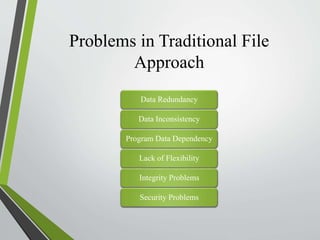
Problems in Traditional File
Approach
Data Redundancy
Data Inconsistency
Program Data Dependency
Lack of Flexibility
Integrity Problems
Security Problems
1. Data
Redundancy
Duplication of data in
multiple files
Causes wastage of
storage
Same data may be
duplicated in several
files
Example
‱ Students file contains RollNo,
Name, Address, Phone
‱ Library file contains same data of
students who borrow books
‱ Data of one student appears in two
files
2. Data Inconsistency
‱ Results from data redundancy
‱ Two files may contain different data of the
same entity
For example: Address of a student must be
updated in all files if any change occurs
‱ Data becomes inconsistent if changed in
one file but not in the other
3. Program
Data
Dependency
‱ Relationship between data in files
and program required to update
and maintain the files
‱ Application programs are
developed according to a particular
file format
‱ If the format of file is changed, the
application program also needs to
be changed
‱ Changes may be costly to
implement
4. Lack of Flexibility
‱ Not very flexible
‱ Takes a lot of time to collect data
from different files
‱ Writing programs to produce the
desired information is time-
consuming
5.
Integrity
Problems
Integrity means reliability
and accuracy of data
Stored data must satisfy
certain types of consistency
constraints
Difficult to apply these
constraints on files in file
processing system
6. Security
Problems
‱ Does not provide adequate security
on data
‱ Required to provide different types
of access to data for different users
‱ Data entry operator should only be
allowed to enter data
‱ Chairman of the organization
should be able to access or delete
the data completely
‱ Such types of security options are
not possible in file processing
system
What is a
Database?
A collection of logically related
data sets or files
Each file may contain different
types of information
Files are used for specific
purposes
Organized to meet different
processing and retrieval needs
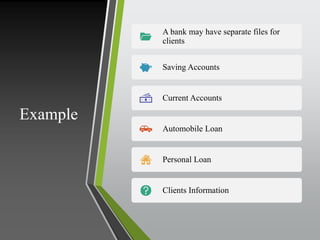
Example
A bank may have separate files for
clients
Saving Accounts
Current Accounts
Automobile Loan
Personal Loan
Clients Information
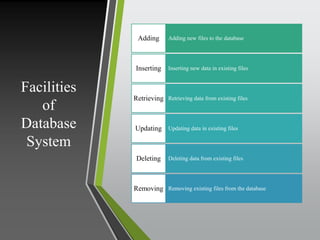
Facilities
of
Database
System
Adding new files to the database
Adding
Inserting new data in existing files
Inserting
Retrieving data from existing files
Retrieving
Updating data in existing files
Updating
Deleting data from existing files
Deleting
Removing existing files from the database
Removing
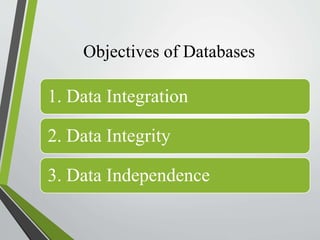
Objectives of Databases
1. Data Integration
2. Data Integrity
3. Data Independence
1. Data Integration
‱ Data in file system is stored in
separate files
‱ Difficult to access data stored in
separate and independent files
‱ Databases solve this problem
‱ Data in database can be at different
computers but appears centralized
logically
2. Data
Integrity
‱ Reliability and accuracy of data
‱ Ensures data is consistent and
correct
‱ Integrity rules act as a check on
incoming data
‱ DBMS provides methods to enforce
data integrity
‱ Example: Ensuring the same
Employee ID is not assigned to
multiple employees
3. Data Independence
‱ Data and application programs are separate
‱ Change data storage without changing
application programs
‱ Reorganize data without affecting
programs
Conclusion
‱ The traditional file processing system has several
drawbacks including data redundancy, inconsistency, and
security issues.
‱ Databases offer solutions with integrated, accurate, and
independent data management.
‱ Understanding both systems helps in selecting the
appropriate approach for data management needs.

File Processing System and Database Systems

  • 1.
    File Processing System and DatabaseSystems Overview of traditional file processing and database systems with their problems and objectives
  • 2.
    File Processing System ‱Used by different organizations to store and manage data ‱ Different set of files for each department ‱ Records in one file may not be related to records in other files
  • 3.
    Problems in TraditionalFile Approach Data Redundancy Data Inconsistency Program Data Dependency Lack of Flexibility Integrity Problems Security Problems
  • 4.
    1. Data Redundancy Duplication ofdata in multiple files Causes wastage of storage Same data may be duplicated in several files
  • 5.
    Example ‱ Students filecontains RollNo, Name, Address, Phone ‱ Library file contains same data of students who borrow books ‱ Data of one student appears in two files
  • 6.
    2. Data Inconsistency ‱Results from data redundancy ‱ Two files may contain different data of the same entity For example: Address of a student must be updated in all files if any change occurs ‱ Data becomes inconsistent if changed in one file but not in the other
  • 7.
    3. Program Data Dependency ‱ Relationshipbetween data in files and program required to update and maintain the files ‱ Application programs are developed according to a particular file format ‱ If the format of file is changed, the application program also needs to be changed ‱ Changes may be costly to implement
  • 8.
    4. Lack ofFlexibility ‱ Not very flexible ‱ Takes a lot of time to collect data from different files ‱ Writing programs to produce the desired information is time- consuming
  • 9.
    5. Integrity Problems Integrity means reliability andaccuracy of data Stored data must satisfy certain types of consistency constraints Difficult to apply these constraints on files in file processing system
  • 10.
    6. Security Problems ‱ Doesnot provide adequate security on data ‱ Required to provide different types of access to data for different users ‱ Data entry operator should only be allowed to enter data ‱ Chairman of the organization should be able to access or delete the data completely ‱ Such types of security options are not possible in file processing system
  • 11.
    What is a Database? Acollection of logically related data sets or files Each file may contain different types of information Files are used for specific purposes Organized to meet different processing and retrieval needs
  • 12.
    Example A bank mayhave separate files for clients Saving Accounts Current Accounts Automobile Loan Personal Loan Clients Information
  • 13.
    Facilities of Database System Adding new filesto the database Adding Inserting new data in existing files Inserting Retrieving data from existing files Retrieving Updating data in existing files Updating Deleting data from existing files Deleting Removing existing files from the database Removing
  • 14.
    Objectives of Databases 1.Data Integration 2. Data Integrity 3. Data Independence
  • 15.
    1. Data Integration ‱Data in file system is stored in separate files ‱ Difficult to access data stored in separate and independent files ‱ Databases solve this problem ‱ Data in database can be at different computers but appears centralized logically
  • 16.
    2. Data Integrity ‱ Reliabilityand accuracy of data ‱ Ensures data is consistent and correct ‱ Integrity rules act as a check on incoming data ‱ DBMS provides methods to enforce data integrity ‱ Example: Ensuring the same Employee ID is not assigned to multiple employees
  • 17.
    3. Data Independence ‱Data and application programs are separate ‱ Change data storage without changing application programs ‱ Reorganize data without affecting programs
  • 18.
    Conclusion ‱ The traditionalfile processing system has several drawbacks including data redundancy, inconsistency, and security issues. ‱ Databases offer solutions with integrated, accurate, and independent data management. ‱ Understanding both systems helps in selecting the appropriate approach for data management needs.