Creating a table,
populating data, adding
integrity constraints
Prepared by,
Mr. K.Vignesh Saravanan
Assistant Professor
Department of Computer Science and Engineering
Ramco Institute of Technology
Rajapalayam
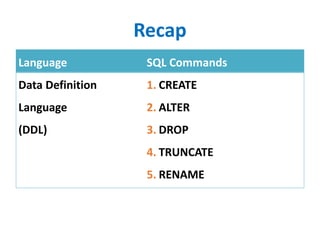
Recap
Language SQL Commands
Data Definition
Language
(DDL)
1. CREATE
2. ALTER
3. DROP
4. TRUNCATE
5. RENAME
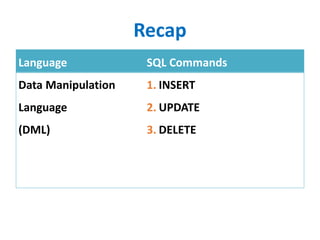
Recap
Language SQL Commands
Data Manipulation
Language
(DML)
1. INSERT
2. UPDATE
3. DELETE
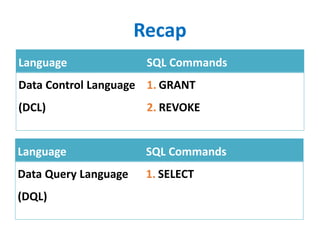
Recap
Language SQL Commands
Data Control Language
(DCL)
1. GRANT
2. REVOKE
Language SQL Commands
Data Query Language
(DQL)
1. SELECT
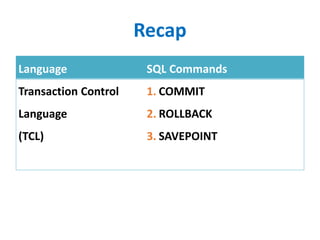
Recap
Language SQL Commands
Transaction Control
Language
(TCL)
1. COMMIT
2. ROLLBACK
3. SAVEPOINT
Data Control Language
• DCL – to give privilege / to revoke privilege to the
users to perform DDL, DML operations
• User are given the rights (or restricted) to execute the
select, insert, update, alter, create… etc
Syntax:
GRANT(REVOKE) [privilege] on [tablename] from [users];
• > GRANT select, update on employee to 17ee001;
• > REVOKE alter, delete on employee from 17ee001;
Data Control Language
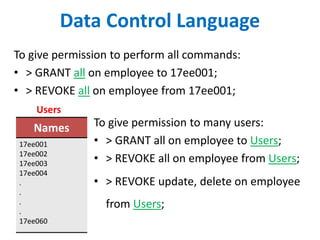
To give permission to perform all commands:
• > GRANT all on employee to 17ee001;
• > REVOKE all on employee from 17ee001;
Names
17ee001
17ee002
17ee003
17ee004
.
.
.
.
17ee060
To give permission to many users:
• > GRANT all on employee to Users;
• > REVOKE all on employee from Users;
• > REVOKE update, delete on employee
from Users;
Users
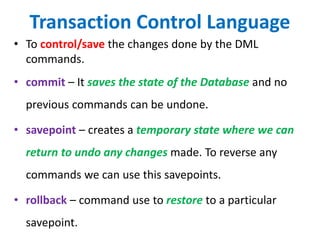
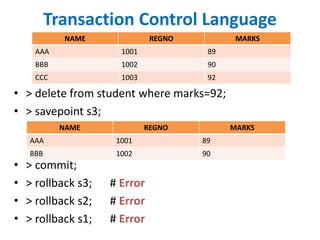
Transaction Control Language
• To control/save the changes done by the DML
commands.
• commit – It saves the state of the Database and no
previous commands can be undone.
• savepoint – creates a temporary state where we can
return to undo any changes made. To reverse any
commands we can use this savepoints.
• rollback – command use to restore to a particular
savepoint.
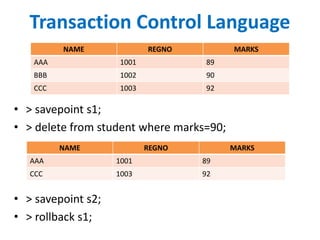
Transaction Control Language
NAME REGNO MARKS
AAA 1001 89
BBB 1002 90
CCC 1003 92
• > savepoint s1;
• > delete from student where marks=90;
• > savepoint s2;
• > rollback s1;
NAME REGNO MARKS
AAA 1001 89
CCC 1003 92
Transaction Control Language
NAME REGNO MARKS
AAA 1001 89
BBB 1002 90
CCC 1003 92
• > delete from student where marks=92;
• > savepoint s3;
• > commit;
• > rollback s3; # Error
• > rollback s2; # Error
• > rollback s1; # Error
NAME REGNO MARKS
AAA 1001 89
BBB 1002 90
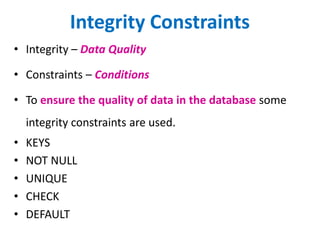
Integrity Constraints
• Integrity – Data Quality
• Constraints – Conditions
• To ensure the quality of data in the database some
integrity constraints are used.
• KEYS
• NOT NULL
• UNIQUE
• CHECK
• DEFAULT
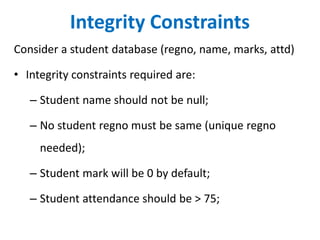
Integrity Constraints
Consider a student database (regno, name, marks, attd)
• Integrity constraints required are:
– Student name should not be null;
– No student regno must be same (unique regno
needed);
– Student mark will be 0 by default;
– Student attendance should be > 75;
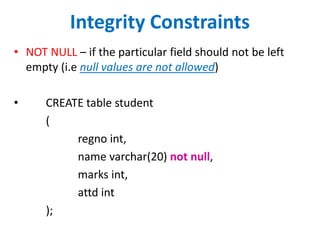
Integrity Constraints
• NOT NULL – if the particular field should not be left
empty (i.e null values are not allowed)
• CREATE table student
(
regno int,
name varchar(20) not null,
marks int,
attd int
);
Integrity Constraints
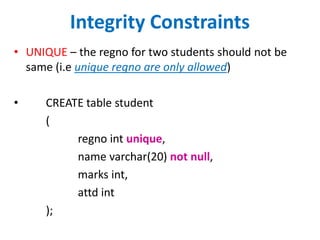
• UNIQUE – the regno for two students should not be
same (i.e unique regno are only allowed)
• CREATE table student
(
regno int unique,
name varchar(20) not null,
marks int,
attd int
);
Integrity Constraints
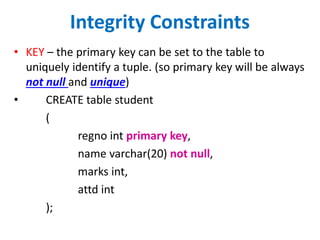
• KEY – the primary key can be set to the table to
uniquely identify a tuple. (so primary key will be always
not null and unique)
• CREATE table student
(
regno int primary key,
name varchar(20) not null,
marks int,
attd int
);
Integrity Constraints
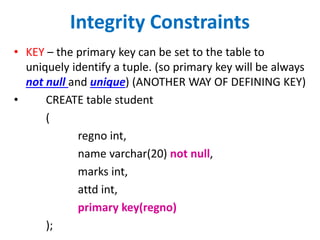
• KEY – the primary key can be set to the table to
uniquely identify a tuple. (so primary key will be always
not null and unique) (ANOTHER WAY OF DEFINING KEY)
• CREATE table student
(
regno int,
name varchar(20) not null,
marks int,
attd int,
primary key(regno)
);
Integrity Constraints
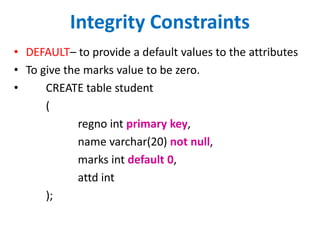
• DEFAULT– to provide a default values to the attributes
• To give the marks value to be zero.
• CREATE table student
(
regno int primary key,
name varchar(20) not null,
marks int default 0,
attd int
);
Integrity Constraints
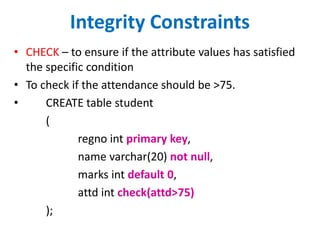
• CHECK – to ensure if the attribute values has satisfied
the specific condition
• To check if the attendance should be >75.
• CREATE table student
(
regno int primary key,
name varchar(20) not null,
marks int default 0,
attd int check(attd>75)
);
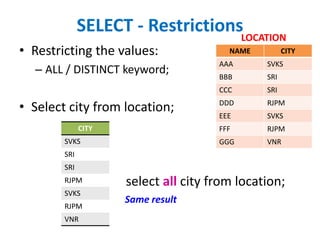
SELECT - Restrictions
• Restricting the values:
– ALL / DISTINCT keyword;
• Select city from location;
NAME CITY
AAA SVKS
BBB SRI
CCC SRI
DDD RJPM
EEE SVKS
FFF RJPM
GGG VNR
LOCATION
CITY
SVKS
SRI
SRI
RJPM
SVKS
RJPM
VNR
select all city from location;
Same result
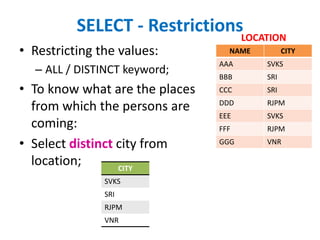
SELECT - Restrictions
• Restricting the values:
– ALL / DISTINCT keyword;
• To know what are the places
from which the persons are
coming:
• Select distinct city from
location;
NAME CITY
AAA SVKS
BBB SRI
CCC SRI
DDD RJPM
EEE SVKS
FFF RJPM
GGG VNR
LOCATION
CITY
SVKS
SRI
RJPM
VNR
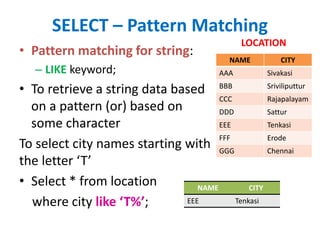
SELECT – Pattern Matching
• Pattern matching for string:
– LIKE keyword;
• To retrieve a string data based
on a pattern (or) based on
some character
To select city names starting with
the letter ‘T’
• Select * from location
where city like ‘T%’;
NAME CITY
AAA Sivakasi
BBB Sriviliputtur
CCC Rajapalayam
DDD Sattur
EEE Tenkasi
FFF Erode
GGG Chennai
LOCATION
NAME CITY
EEE Tenkasi
SELECT – Pattern Matching
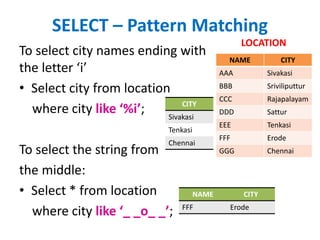
To select city names ending with
the letter ‘i’
• Select city from location
where city like ‘%i’;
To select the string from
the middle:
• Select * from location
where city like ‘_ _o_ _’;
NAME CITY
AAA Sivakasi
BBB Sriviliputtur
CCC Rajapalayam
DDD Sattur
EEE Tenkasi
FFF Erode
GGG Chennai
LOCATION
CITY
Sivakasi
Tenkasi
Chennai
NAME CITY
FFF Erode
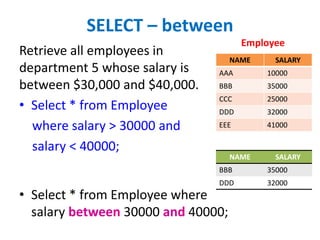
SELECT – between
Retrieve all employees in
department 5 whose salary is
between $30,000 and $40,000.
• Select * from Employee
where salary > 30000 and
salary < 40000;
• Select * from Employee where
salary between 30000 and 40000;
NAME SALARY
AAA 10000
BBB 35000
CCC 25000
DDD 32000
EEE 41000
Employee
NAME SALARY
BBB 35000
DDD 32000
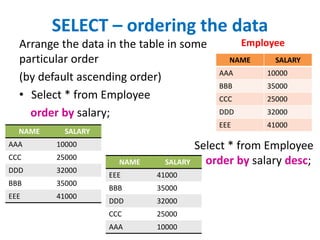
SELECT – ordering the data
Arrange the data in the table in some
particular order
(by default ascending order)
• Select * from Employee
order by salary;
NAME SALARY
AAA 10000
BBB 35000
CCC 25000
DDD 32000
EEE 41000
Employee
NAME SALARY
AAA 10000
CCC 25000
DDD 32000
BBB 35000
EEE 41000
NAME SALARY
EEE 41000
BBB 35000
DDD 32000
CCC 25000
AAA 10000
Select * from Employee
order by salary desc;
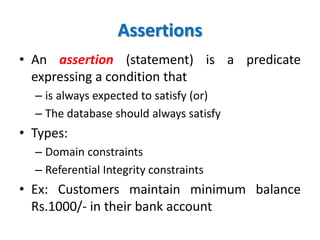
Assertions
• An assertion (statement) is a predicate
expressing a condition that
– is always expected to satisfy (or)
– The database should always satisfy
• Types:
– Domain constraints
– Referential Integrity constraints
• Ex: Customers maintain minimum balance
Rs.1000/- in their bank account
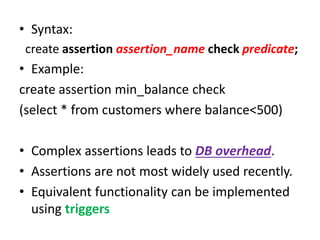
• Syntax:
create assertion assertion_name check predicate;
• Example:
create assertion min_balance check
(select * from customers where balance<500)
• Complex assertions leads to DB overhead.
• Assertions are not most widely used recently.
• Equivalent functionality can be implemented
using triggers
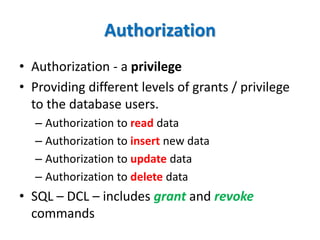
Authorization
• Authorization - a privilege
• Providing different levels of grants / privilege
to the database users.
– Authorization to read data
– Authorization to insert new data
– Authorization to update data
– Authorization to delete data
• SQL – DCL – includes grant and revoke
commands
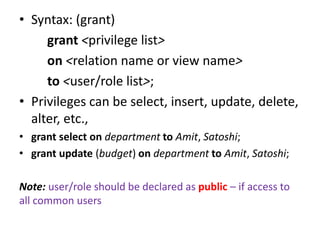
• Syntax: (grant)
grant <privilege list>
on <relation name or view name>
to <user/role list>;
• Privileges can be select, insert, update, delete,
alter, etc.,
• grant select on department to Amit, Satoshi;
• grant update (budget) on department to Amit, Satoshi;
Note: user/role should be declared as public – if access to
all common users
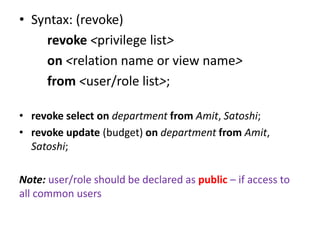
• Syntax: (revoke)
revoke <privilege list>
on <relation name or view name>
from <user/role list>;
• revoke select on department from Amit, Satoshi;
• revoke update (budget) on department from Amit,
Satoshi;
Note: user/role should be declared as public – if access to
all common users
End of Chapter

Integrity constraints in dbms

  • 1.
    Creating a table, populatingdata, adding integrity constraints Prepared by, Mr. K.Vignesh Saravanan Assistant Professor Department of Computer Science and Engineering Ramco Institute of Technology Rajapalayam
  • 2.
    Recap Language SQL Commands DataDefinition Language (DDL) 1. CREATE 2. ALTER 3. DROP 4. TRUNCATE 5. RENAME
  • 3.
    Recap Language SQL Commands DataManipulation Language (DML) 1. INSERT 2. UPDATE 3. DELETE
  • 4.
    Recap Language SQL Commands DataControl Language (DCL) 1. GRANT 2. REVOKE Language SQL Commands Data Query Language (DQL) 1. SELECT
  • 5.
    Recap Language SQL Commands TransactionControl Language (TCL) 1. COMMIT 2. ROLLBACK 3. SAVEPOINT
  • 6.
    Data Control Language •DCL – to give privilege / to revoke privilege to the users to perform DDL, DML operations • User are given the rights (or restricted) to execute the select, insert, update, alter, create… etc Syntax: GRANT(REVOKE) [privilege] on [tablename] from [users]; • > GRANT select, update on employee to 17ee001; • > REVOKE alter, delete on employee from 17ee001;
  • 7.
    Data Control Language Togive permission to perform all commands: • > GRANT all on employee to 17ee001; • > REVOKE all on employee from 17ee001; Names 17ee001 17ee002 17ee003 17ee004 . . . . 17ee060 To give permission to many users: • > GRANT all on employee to Users; • > REVOKE all on employee from Users; • > REVOKE update, delete on employee from Users; Users
  • 8.
    Transaction Control Language •To control/save the changes done by the DML commands. • commit – It saves the state of the Database and no previous commands can be undone. • savepoint – creates a temporary state where we can return to undo any changes made. To reverse any commands we can use this savepoints. • rollback – command use to restore to a particular savepoint.
  • 9.
    Transaction Control Language NAMEREGNO MARKS AAA 1001 89 BBB 1002 90 CCC 1003 92 • > savepoint s1; • > delete from student where marks=90; • > savepoint s2; • > rollback s1; NAME REGNO MARKS AAA 1001 89 CCC 1003 92
  • 10.
    Transaction Control Language NAMEREGNO MARKS AAA 1001 89 BBB 1002 90 CCC 1003 92 • > delete from student where marks=92; • > savepoint s3; • > commit; • > rollback s3; # Error • > rollback s2; # Error • > rollback s1; # Error NAME REGNO MARKS AAA 1001 89 BBB 1002 90
  • 11.
    Integrity Constraints • Integrity– Data Quality • Constraints – Conditions • To ensure the quality of data in the database some integrity constraints are used. • KEYS • NOT NULL • UNIQUE • CHECK • DEFAULT
  • 12.
    Integrity Constraints Consider astudent database (regno, name, marks, attd) • Integrity constraints required are: – Student name should not be null; – No student regno must be same (unique regno needed); – Student mark will be 0 by default; – Student attendance should be > 75;
  • 13.
    Integrity Constraints • NOTNULL – if the particular field should not be left empty (i.e null values are not allowed) • CREATE table student ( regno int, name varchar(20) not null, marks int, attd int );
  • 14.
    Integrity Constraints • UNIQUE– the regno for two students should not be same (i.e unique regno are only allowed) • CREATE table student ( regno int unique, name varchar(20) not null, marks int, attd int );
  • 15.
    Integrity Constraints • KEY– the primary key can be set to the table to uniquely identify a tuple. (so primary key will be always not null and unique) • CREATE table student ( regno int primary key, name varchar(20) not null, marks int, attd int );
  • 16.
    Integrity Constraints • KEY– the primary key can be set to the table to uniquely identify a tuple. (so primary key will be always not null and unique) (ANOTHER WAY OF DEFINING KEY) • CREATE table student ( regno int, name varchar(20) not null, marks int, attd int, primary key(regno) );
  • 17.
    Integrity Constraints • DEFAULT–to provide a default values to the attributes • To give the marks value to be zero. • CREATE table student ( regno int primary key, name varchar(20) not null, marks int default 0, attd int );
  • 18.
    Integrity Constraints • CHECK– to ensure if the attribute values has satisfied the specific condition • To check if the attendance should be >75. • CREATE table student ( regno int primary key, name varchar(20) not null, marks int default 0, attd int check(attd>75) );
  • 19.
    SELECT - Restrictions •Restricting the values: – ALL / DISTINCT keyword; • Select city from location; NAME CITY AAA SVKS BBB SRI CCC SRI DDD RJPM EEE SVKS FFF RJPM GGG VNR LOCATION CITY SVKS SRI SRI RJPM SVKS RJPM VNR select all city from location; Same result
  • 20.
    SELECT - Restrictions •Restricting the values: – ALL / DISTINCT keyword; • To know what are the places from which the persons are coming: • Select distinct city from location; NAME CITY AAA SVKS BBB SRI CCC SRI DDD RJPM EEE SVKS FFF RJPM GGG VNR LOCATION CITY SVKS SRI RJPM VNR
  • 21.
    SELECT – PatternMatching • Pattern matching for string: – LIKE keyword; • To retrieve a string data based on a pattern (or) based on some character To select city names starting with the letter ‘T’ • Select * from location where city like ‘T%’; NAME CITY AAA Sivakasi BBB Sriviliputtur CCC Rajapalayam DDD Sattur EEE Tenkasi FFF Erode GGG Chennai LOCATION NAME CITY EEE Tenkasi
  • 22.
    SELECT – PatternMatching To select city names ending with the letter ‘i’ • Select city from location where city like ‘%i’; To select the string from the middle: • Select * from location where city like ‘_ _o_ _’; NAME CITY AAA Sivakasi BBB Sriviliputtur CCC Rajapalayam DDD Sattur EEE Tenkasi FFF Erode GGG Chennai LOCATION CITY Sivakasi Tenkasi Chennai NAME CITY FFF Erode
  • 23.
    SELECT – between Retrieveall employees in department 5 whose salary is between $30,000 and $40,000. • Select * from Employee where salary > 30000 and salary < 40000; • Select * from Employee where salary between 30000 and 40000; NAME SALARY AAA 10000 BBB 35000 CCC 25000 DDD 32000 EEE 41000 Employee NAME SALARY BBB 35000 DDD 32000
  • 24.
    SELECT – orderingthe data Arrange the data in the table in some particular order (by default ascending order) • Select * from Employee order by salary; NAME SALARY AAA 10000 BBB 35000 CCC 25000 DDD 32000 EEE 41000 Employee NAME SALARY AAA 10000 CCC 25000 DDD 32000 BBB 35000 EEE 41000 NAME SALARY EEE 41000 BBB 35000 DDD 32000 CCC 25000 AAA 10000 Select * from Employee order by salary desc;
  • 25.
    Assertions • An assertion(statement) is a predicate expressing a condition that – is always expected to satisfy (or) – The database should always satisfy • Types: – Domain constraints – Referential Integrity constraints • Ex: Customers maintain minimum balance Rs.1000/- in their bank account
  • 26.
    • Syntax: create assertionassertion_name check predicate; • Example: create assertion min_balance check (select * from customers where balance<500) • Complex assertions leads to DB overhead. • Assertions are not most widely used recently. • Equivalent functionality can be implemented using triggers
  • 27.
    Authorization • Authorization -a privilege • Providing different levels of grants / privilege to the database users. – Authorization to read data – Authorization to insert new data – Authorization to update data – Authorization to delete data • SQL – DCL – includes grant and revoke commands
  • 28.
    • Syntax: (grant) grant<privilege list> on <relation name or view name> to <user/role list>; • Privileges can be select, insert, update, delete, alter, etc., • grant select on department to Amit, Satoshi; • grant update (budget) on department to Amit, Satoshi; Note: user/role should be declared as public – if access to all common users
  • 29.
    • Syntax: (revoke) revoke<privilege list> on <relation name or view name> from <user/role list>; • revoke select on department from Amit, Satoshi; • revoke update (budget) on department from Amit, Satoshi; Note: user/role should be declared as public – if access to all common users
  • 30.