1
Lecture # 1
By
Maria Gul
CSC241 Database Systems
• Database Systems: A Practical Approach to
Design, Implementation, and Management, 6
th Edition by Thomas Connolly, Carolyn Begg
• Modeern Database Management by Jeffrey
A.Hoffer, V. Ramesh and Heikki Topi 12 Edition
• MYSQL /Xampp Server
• Every think discussed in class is part of
material
2
Textbook
Course Description
3
• This course is concerned with the basic concepts of
databases, Design, Modeling, Creation,
administration, maintenance of databases.
• Entity Relationship Model
• Data Models
• Normalization
• Database Design (Conceptual and Physical Design)
Course Description
4
• Database Administration
• Database Integrity
• Database Security
• Database Recovery
• Database Concurrency
• and many more ……………………………….
5
Database
• A shared collection of logical related data which is
design to meet the need of multiple users in an
organization.
• A collection of information usually kept in a list to
manipulate information so that it can sorted and
access records fast and efficient.
• Database may be of any size and complexity.
6
Data
• A collection of raw facts and figures is called data.
• Data is collected from different sources and for
different purposes.
• Fact concerning objects and events that could be
recorded or stored on computer media.
• A stored representation of objects and events that
have meaning and importance in the user’s
environment.
Database
7
Data
• Example: when students get admission in colleges
or universities, they have to fill out admission
form. The form consists of raw facts about the
students. These raw facts are student’s name,
father name, address etc.
• Purpose of collecting data is to maintain students
record during his/her period in college or
university.
Database
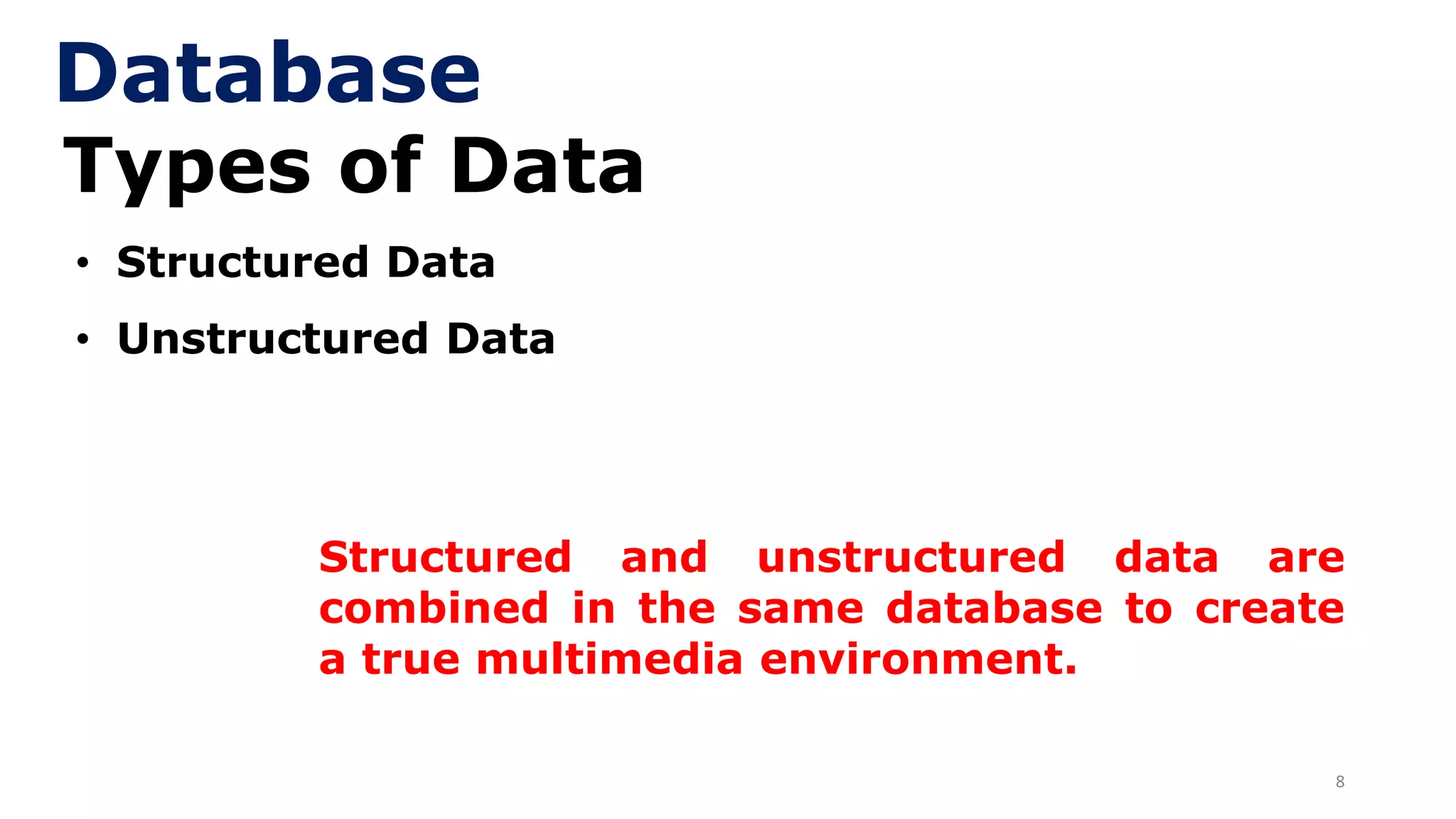
8
Types of Data
• Structured Data
• Unstructured Data
Database
Structured and unstructured data are
combined in the same database to create
a true multimedia environment.
9
Types of Data
• Structured Data:
➢ Data stored in tabular form (in tables,
relations, arrays, spreadsheets, etc.) and
are most commonly found in traditional
databases.
➢For example, in a salesperson’s database,
the data would include facts such as
customer name, address, and telephone
number
Database
10
Types of Data
• Unstructured Data:
➢ Data in the form of documents, maps,
photographic images, video segment and
multimedia data.
Database
11
Information
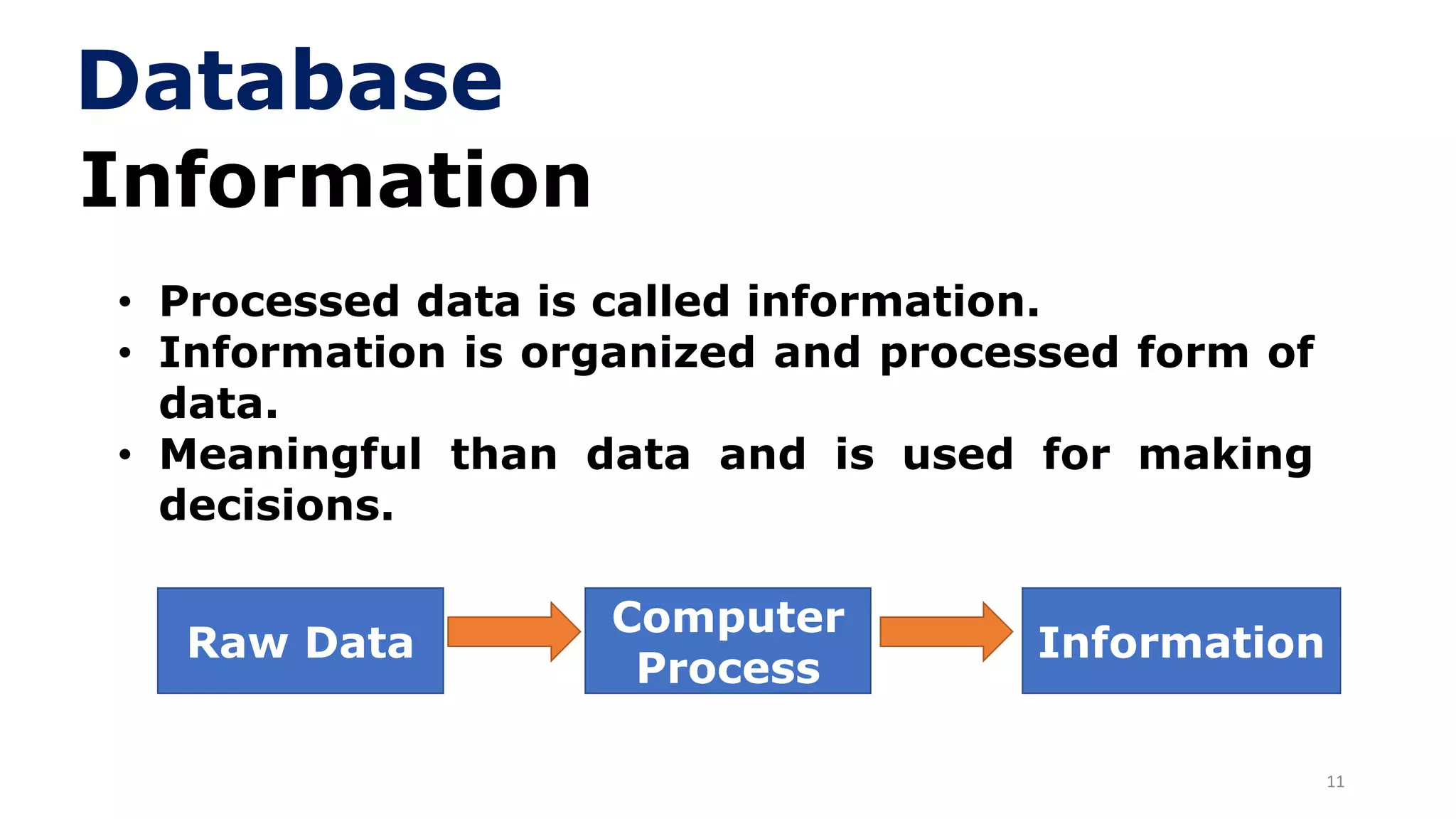
• Processed data is called information.
• Information is organized and processed form of
data.
• Meaningful than data and is used for making
decisions.
Raw Data
Computer
Process
Information
Database
12
Information
• Example: data stored in census is used to
generate different type of information. E,g.,
government can use it to find total number of
graduates or literacy rate in country etc. this
information can be obtained by processing
stored data.
• Computer is one of the information system that
convert the raw data into information.
Database
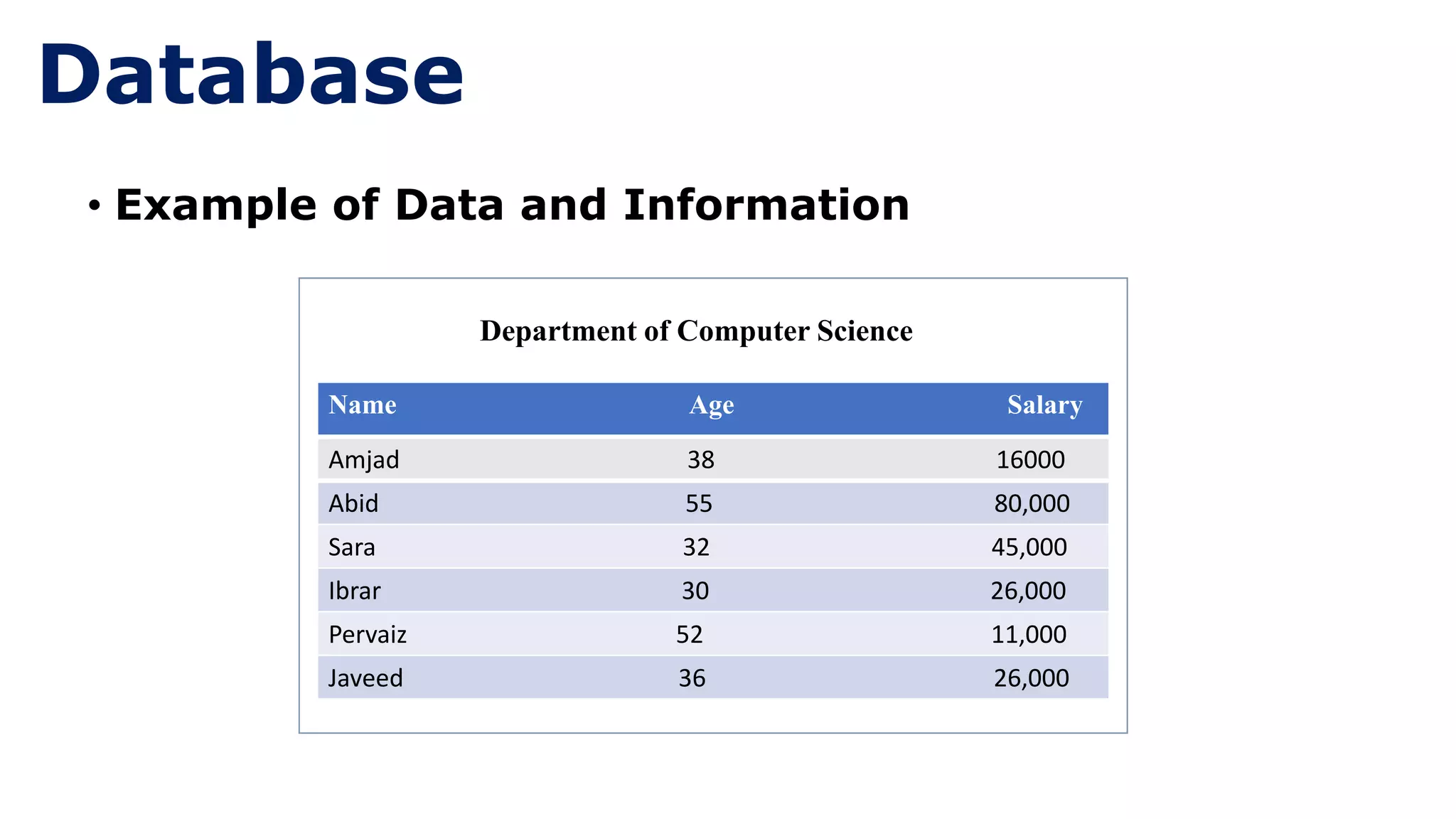
• Example of Data and Information
Department of Computer Science
Amjad 38 16000
Abid 55 80,000
Sara 32 45,000
Ibrar 30 26,000
Pervaiz 52 11,000
Javeed 36 26,000
Name Age Salary
Database
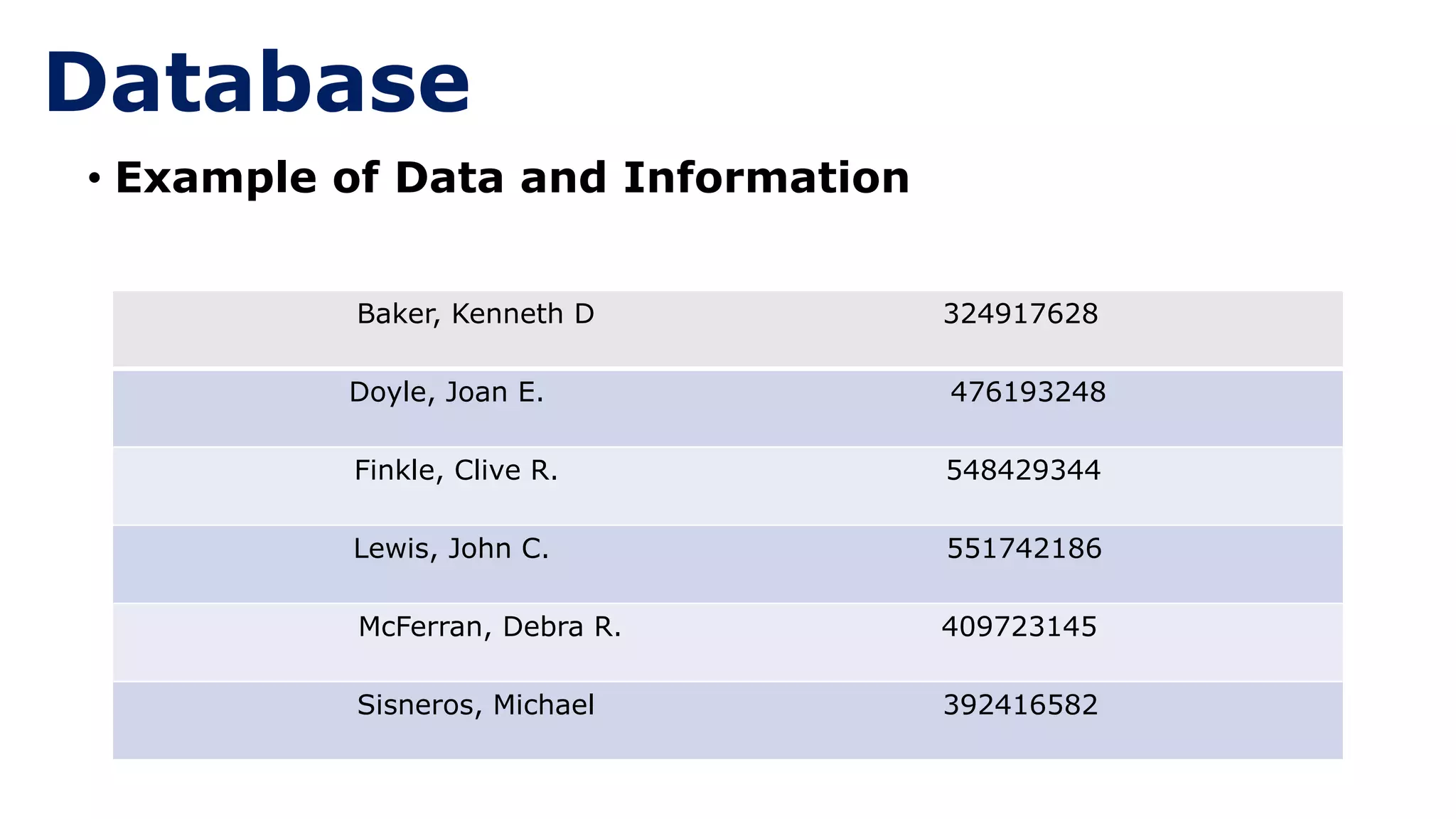
• Example of Data and Information
Baker, Kenneth D 324917628
Doyle, Joan E. 476193248
Finkle, Clive R. 548429344
Lewis, John C. 551742186
McFerran, Debra R. 409723145
Sisneros, Michael 392416582
Database
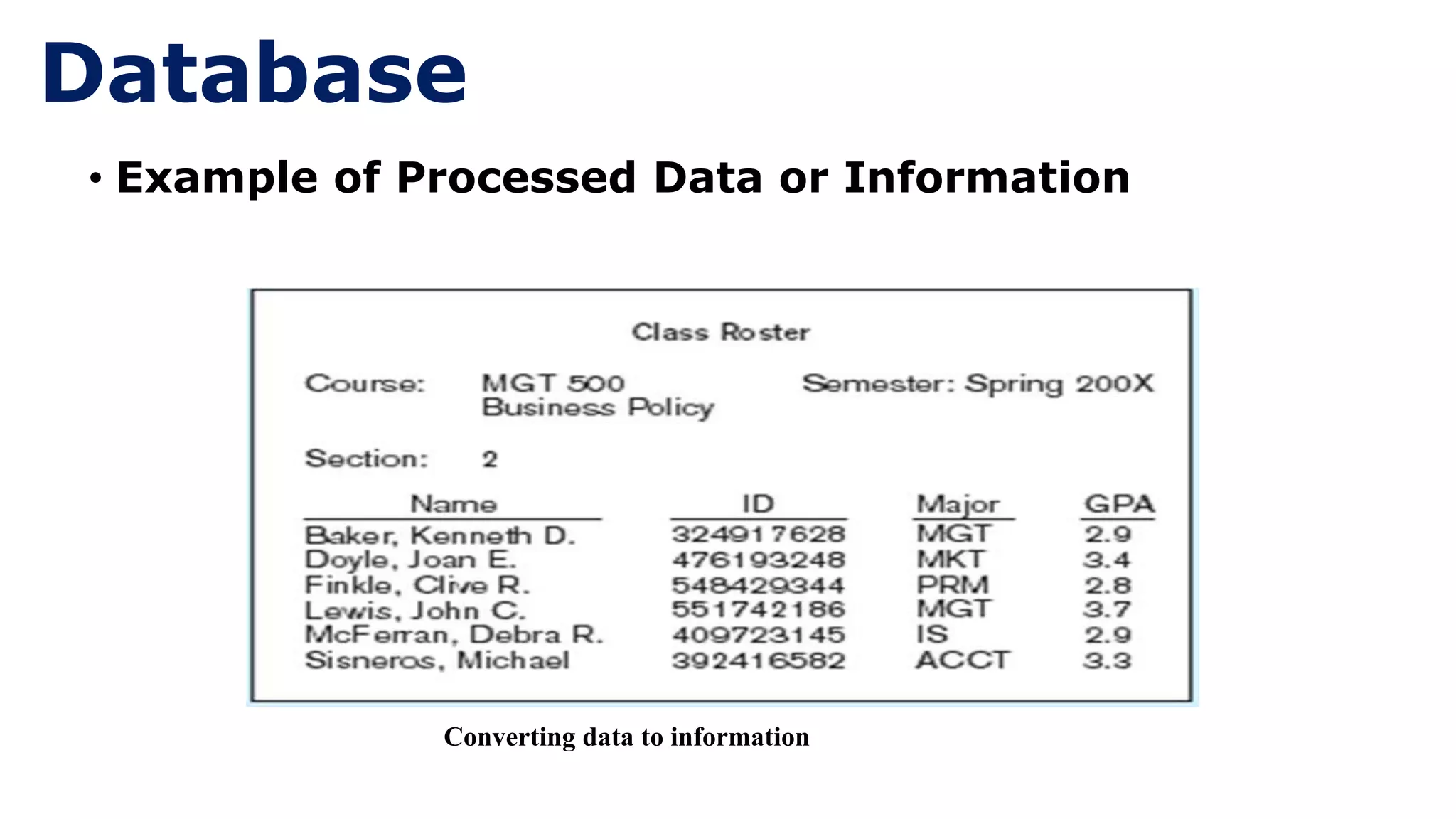
• Example of Processed Data or Information
Converting data to information
Database
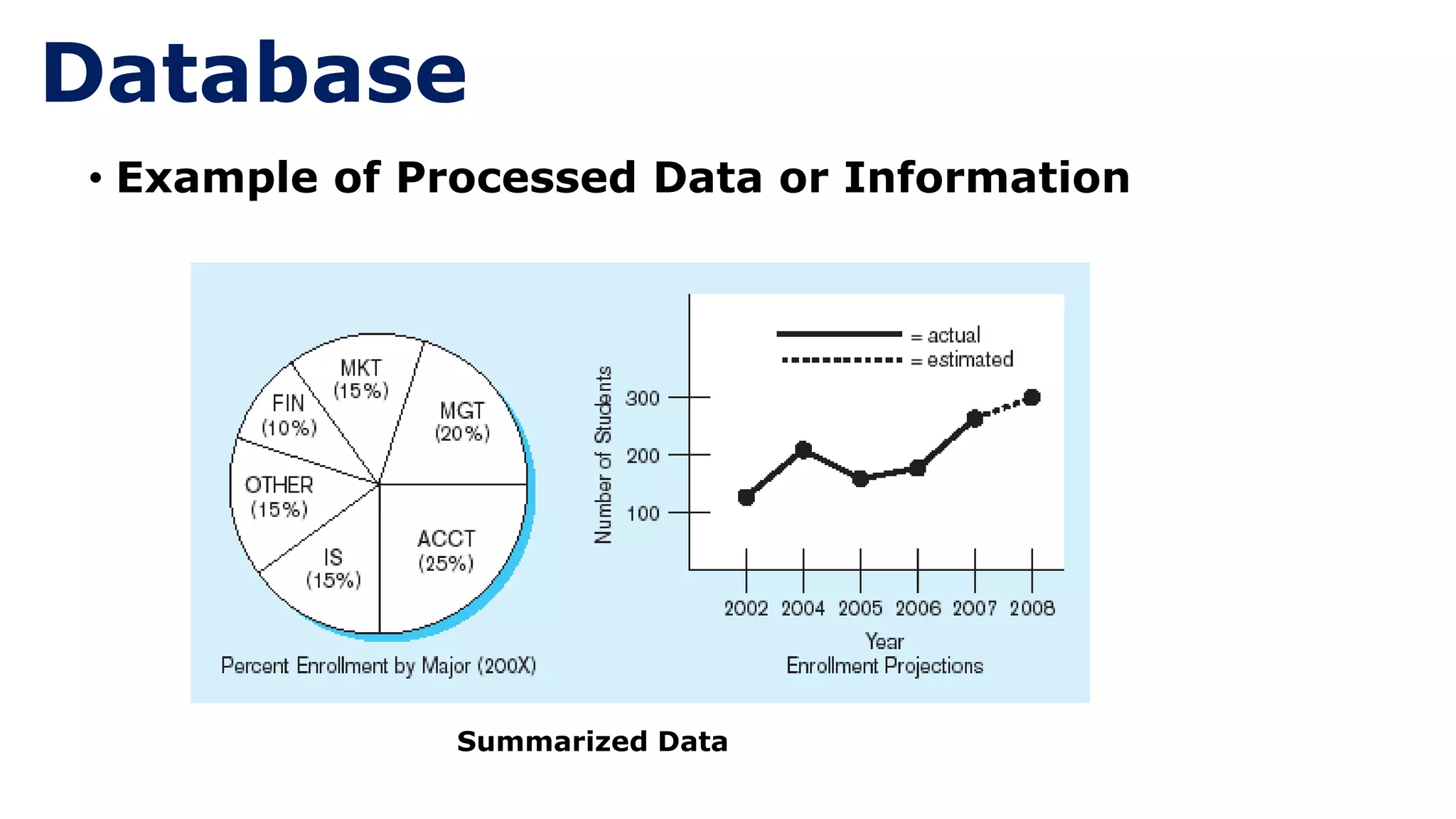
• Example of Processed Data or Information
Database
Summarized Data
17
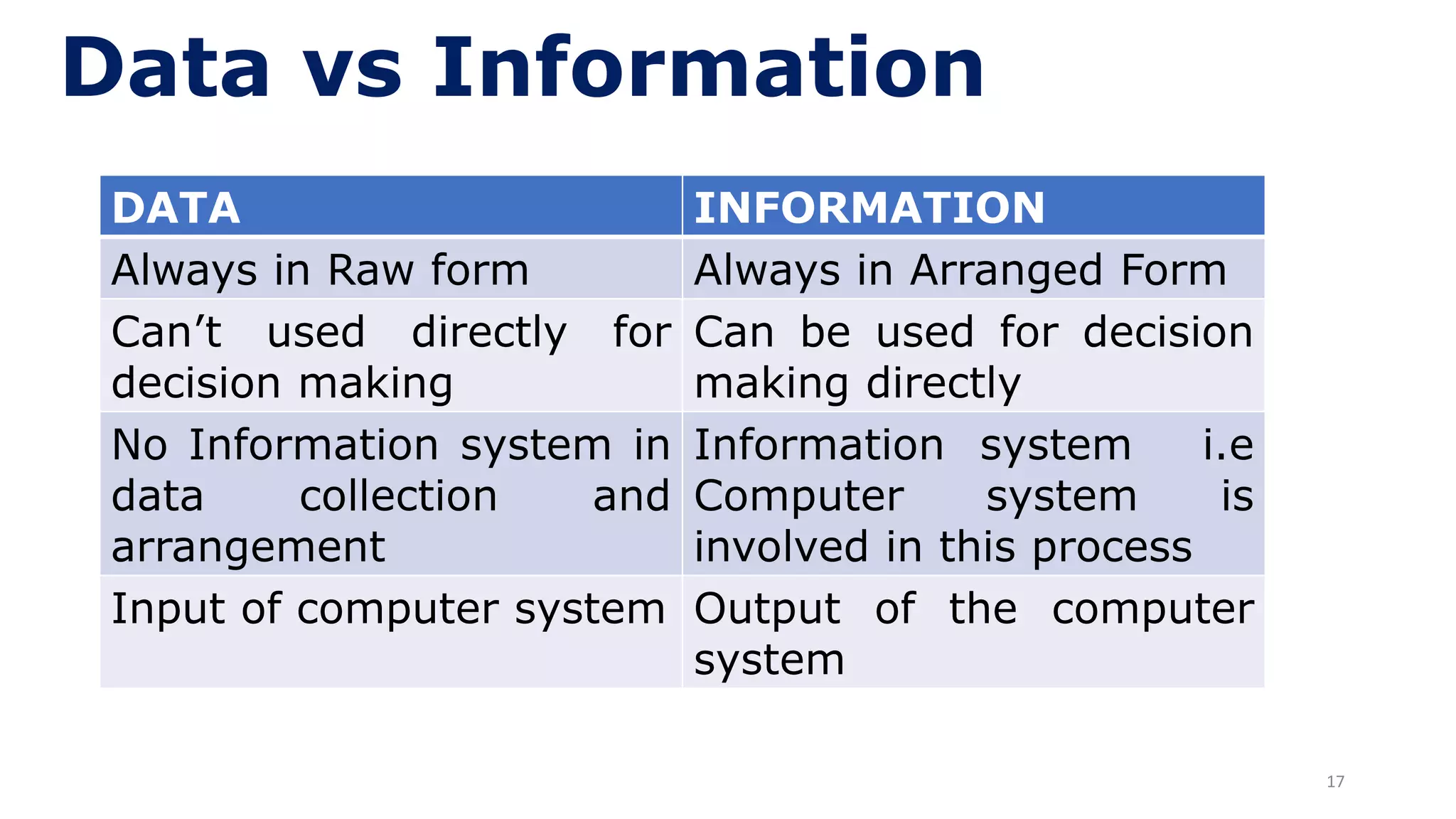
Data vs Information
DATA INFORMATION
Always in Raw form Always in Arranged Form
Can’t used directly for
decision making
Can be used for decision
making directly
No Information system in
data collection and
arrangement
Information system i.e
Computer system is
involved in this process
Input of computer system Output of the computer
system
18
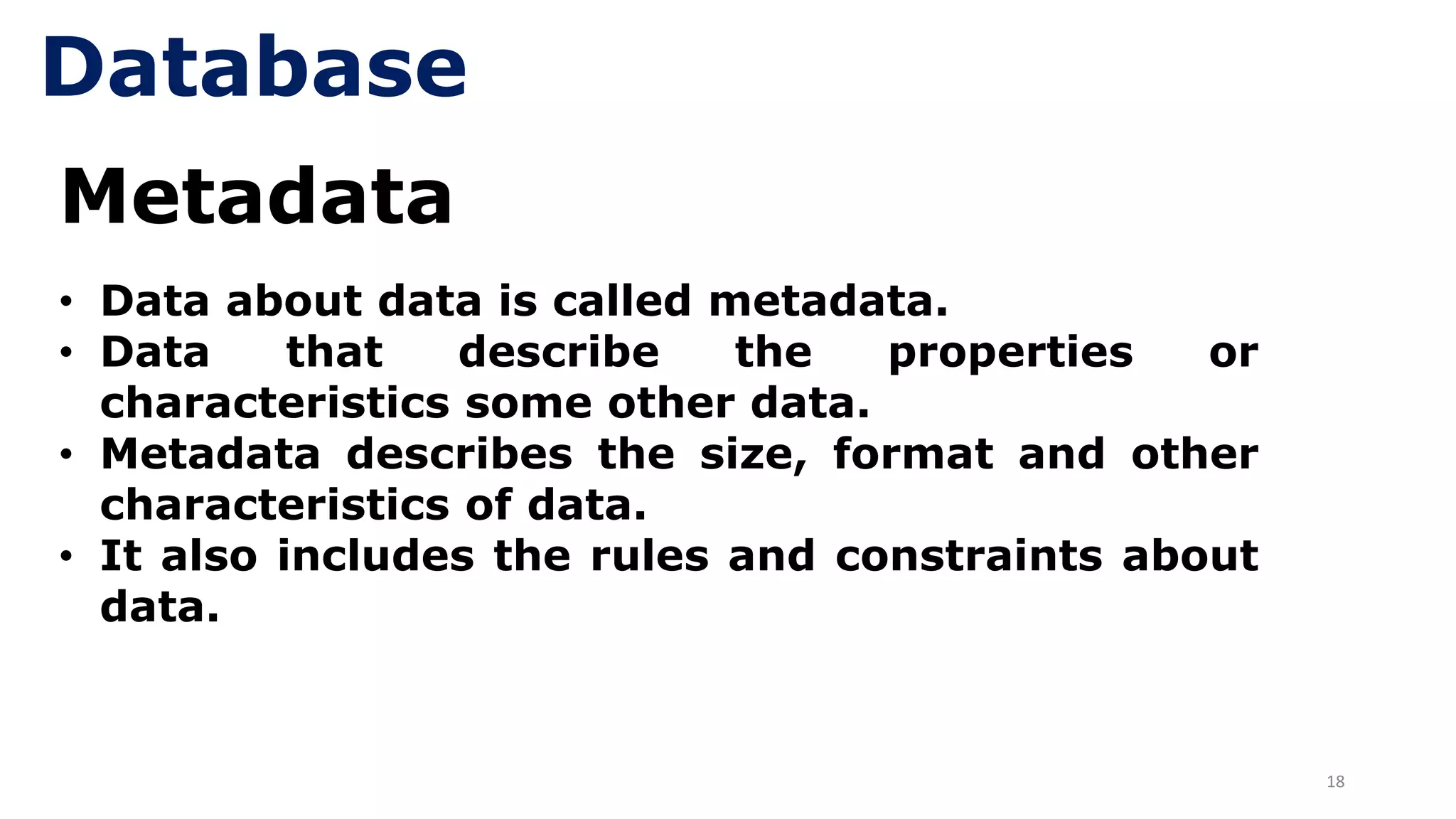
Metadata
• Data about data is called metadata.
• Data that describe the properties or
characteristics some other data.
• Metadata describes the size, format and other
characteristics of data.
• It also includes the rules and constraints about
data.
Database
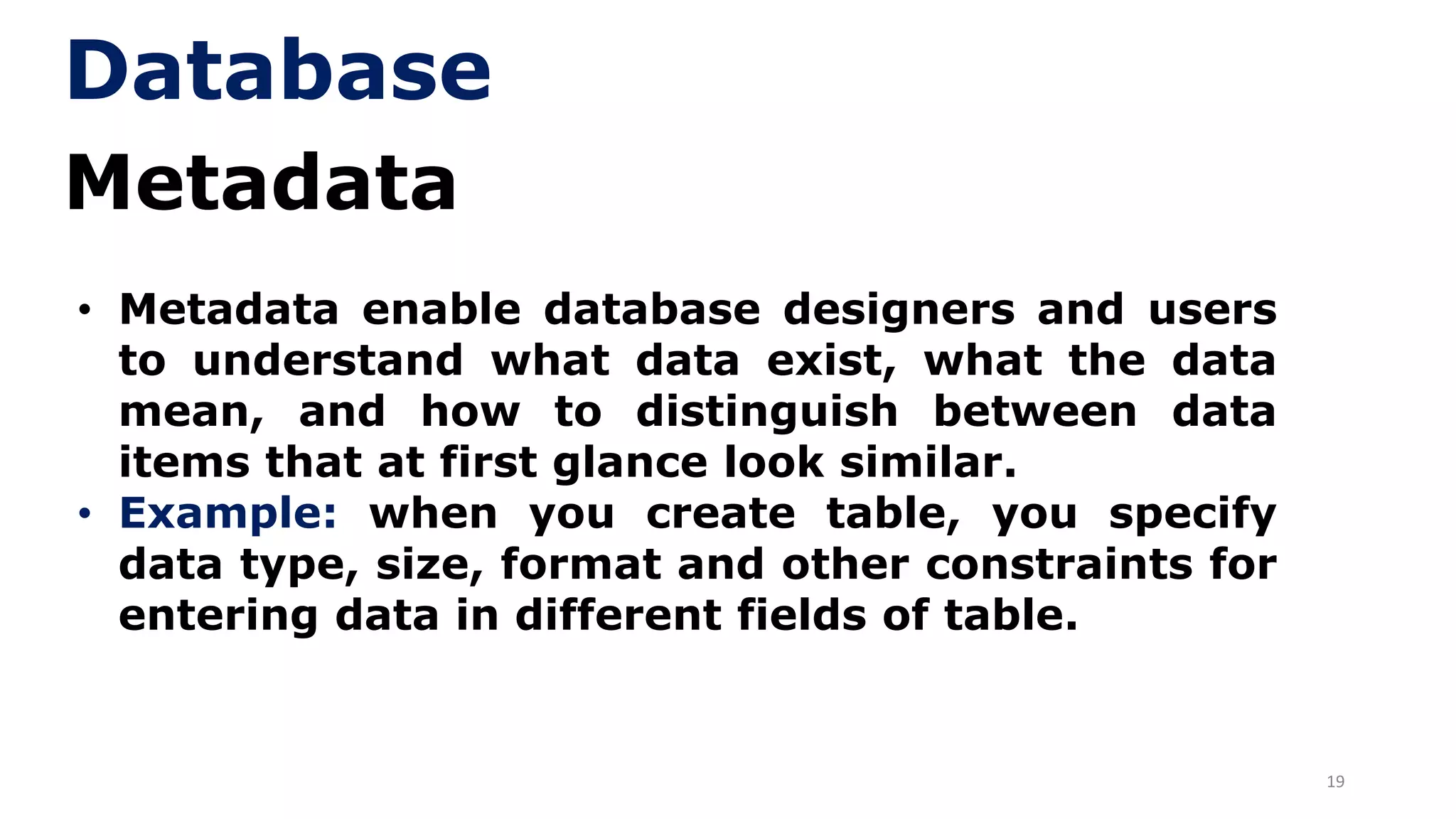
19
Metadata
• Metadata enable database designers and users
to understand what data exist, what the data
mean, and how to distinguish between data
items that at first glance look similar.
• Example: when you create table, you specify
data type, size, format and other constraints for
entering data in different fields of table.
Database
20
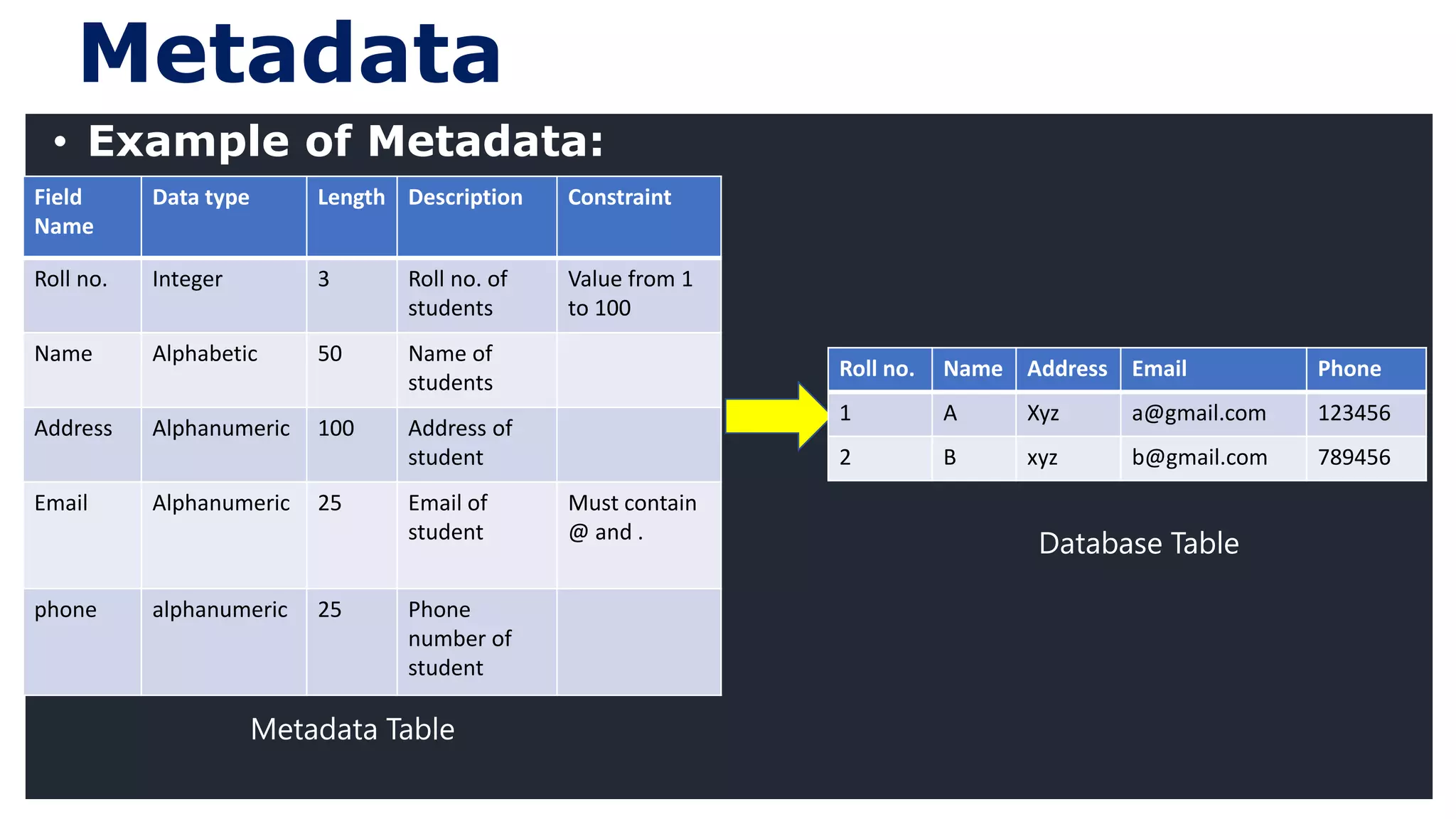
Metadata
Field
Name
Data type Length Description Constraint
Roll no. Integer 3 Roll no. of
students
Value from 1
to 100
Name Alphabetic 50 Name of
students
Address Alphanumeric 100 Address of
student
Email Alphanumeric 25 Email of
student
Must contain
@ and .
phone alphanumeric 25 Phone
number of
student
• Example of Metadata:
Roll no. Name Address Email Phone
1 A Xyz a@gmail.com 123456
2 B xyz b@gmail.com 789456
Database Table
Metadata Table
21
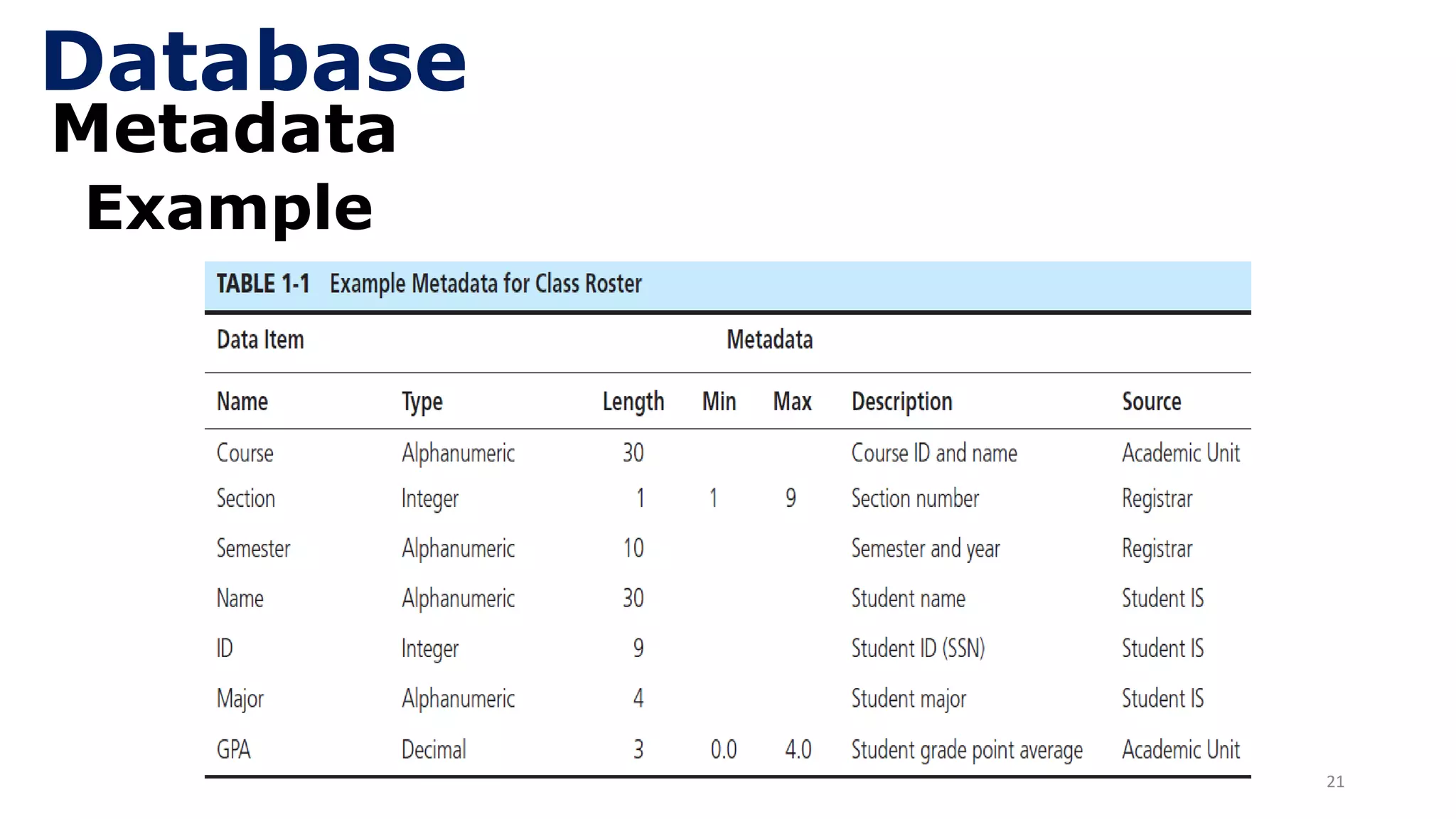
Metadata
Example
Database
22
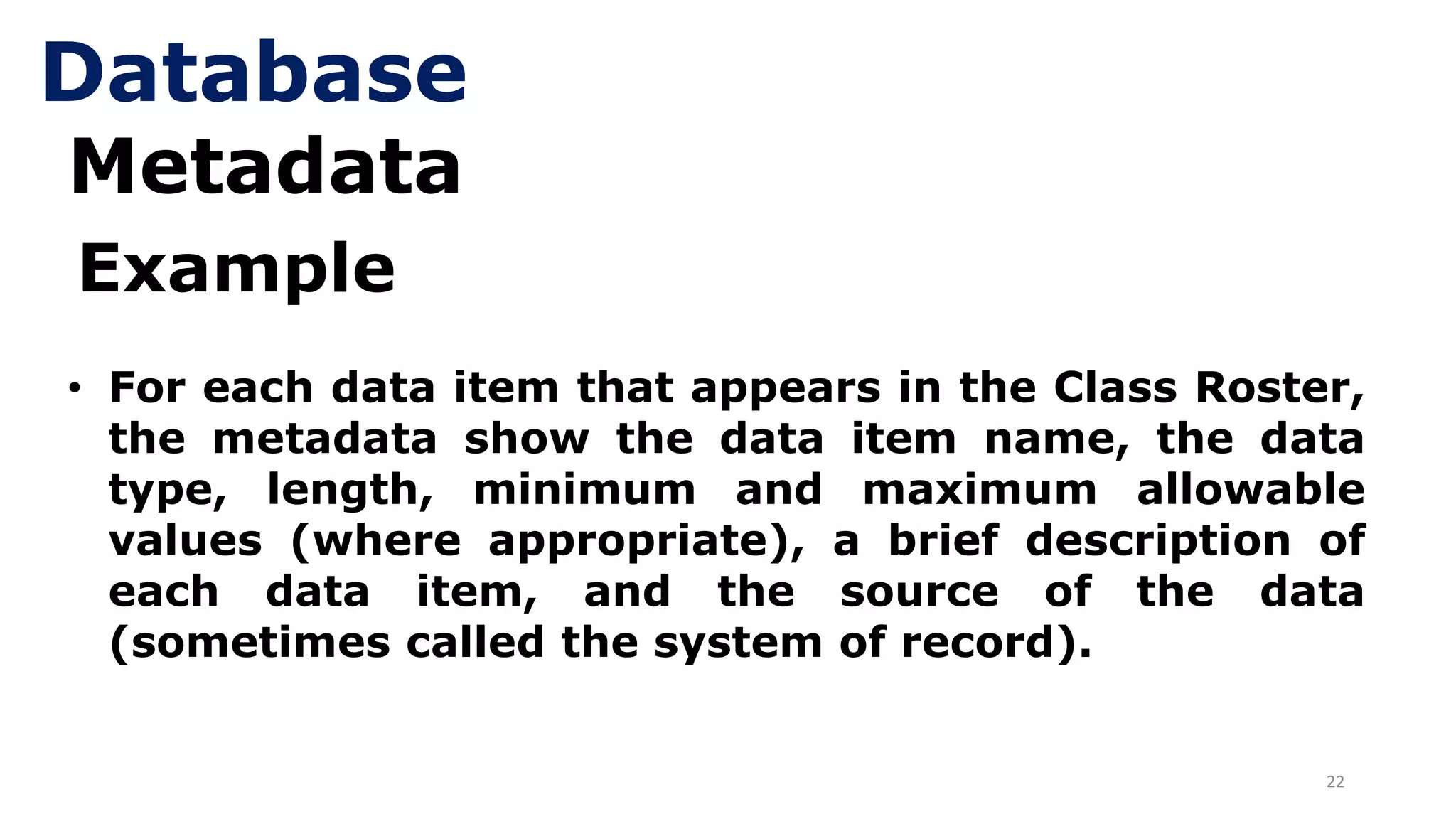
Metadata
• For each data item that appears in the Class Roster,
the metadata show the data item name, the data
type, length, minimum and maximum allowable
values (where appropriate), a brief description of
each data item, and the source of the data
(sometimes called the system of record).
Example
Database
23
Data Management
• How to perform DML operations
• How to perform DDL operations
• Different systems are used for data management.
• Traditional file processing system.
• Database system
24
File Processing System
• Why traditional file processing systems (TFPS)
were developed?
• A collection of programs that perform services
for the end user such as production of reports.
• Use to store, manipulate and retrieve the data .
• File processing system is an old method, but it
is still widely used today, especially for database
backup.
25
File Processing System
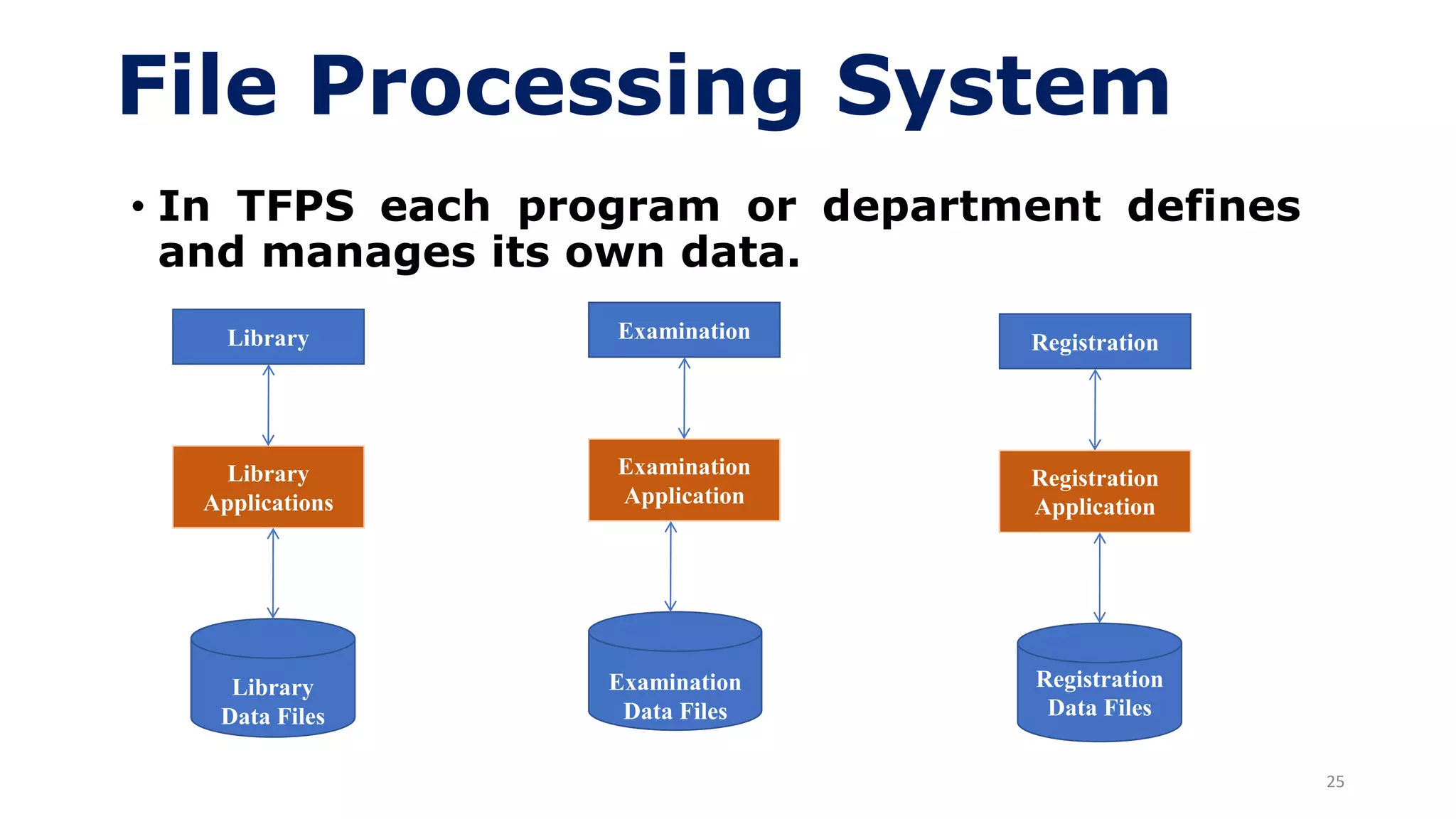
• In TFPS each program or department defines
and manages its own data.
Library
Library
Applications
Library
Data Files
Examination
Examination
Application
Examination
Data Files
Registration
Registration
Application
Registration
Data Files
26
File Processing System
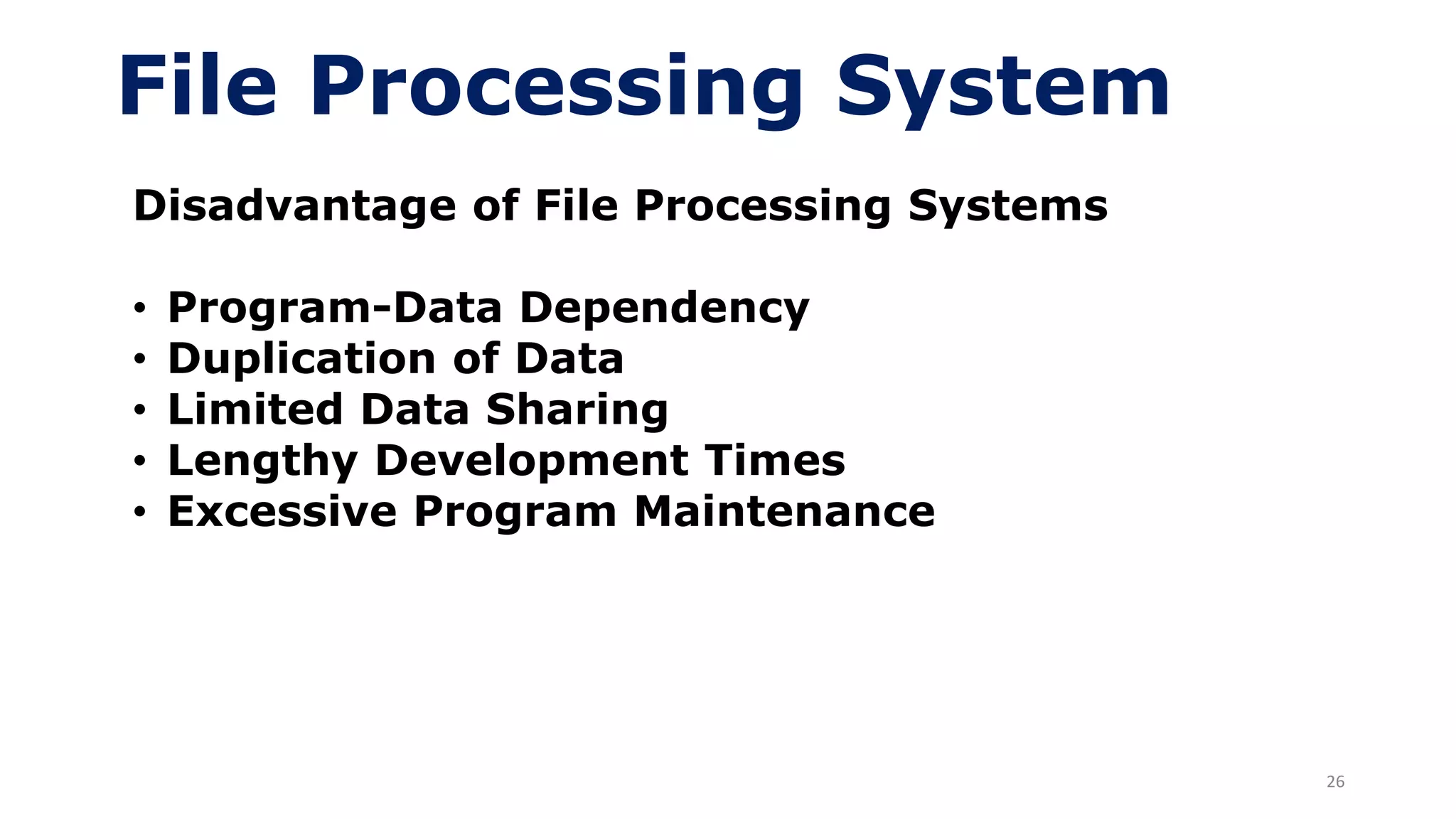
Disadvantage of File Processing Systems
• Program-Data Dependency
• Duplication of Data
• Limited Data Sharing
• Lengthy Development Times
• Excessive Program Maintenance
27
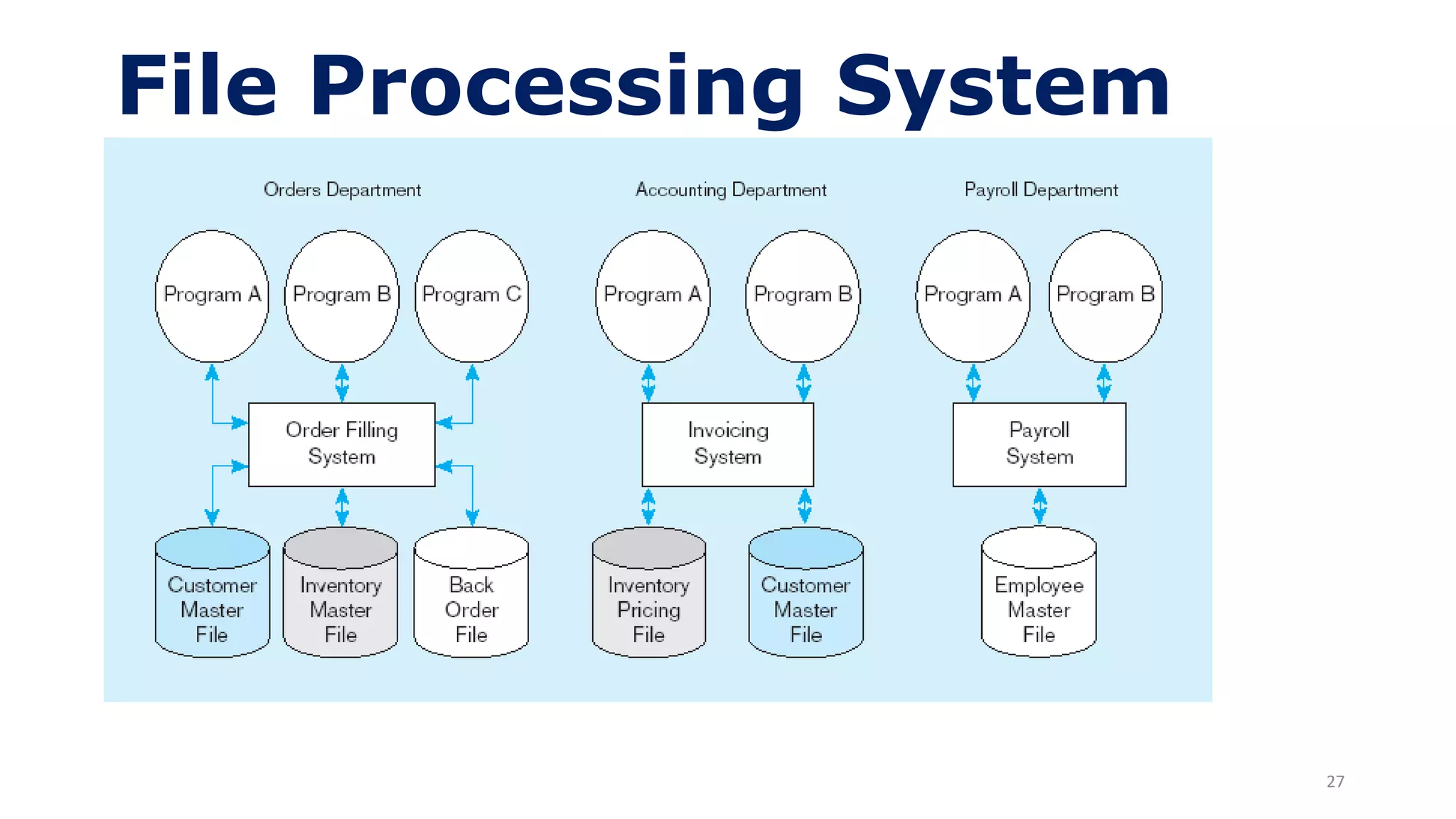
File Processing System
28
File Processing System
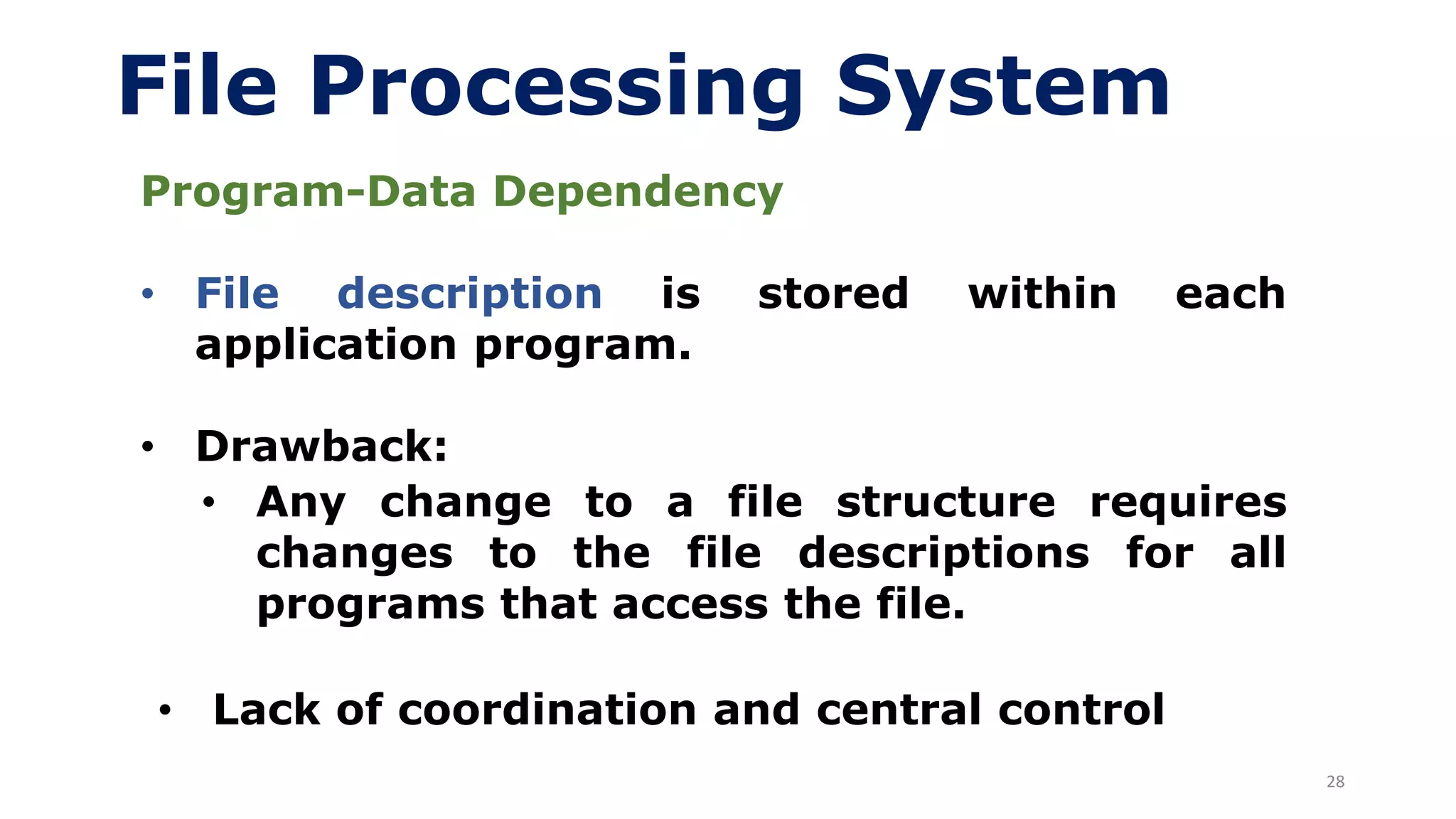
Program-Data Dependency
• File description is stored within each
application program.
• Drawback:
• Any change to a file structure requires
changes to the file descriptions for all
programs that access the file.
• Lack of coordination and central control
29
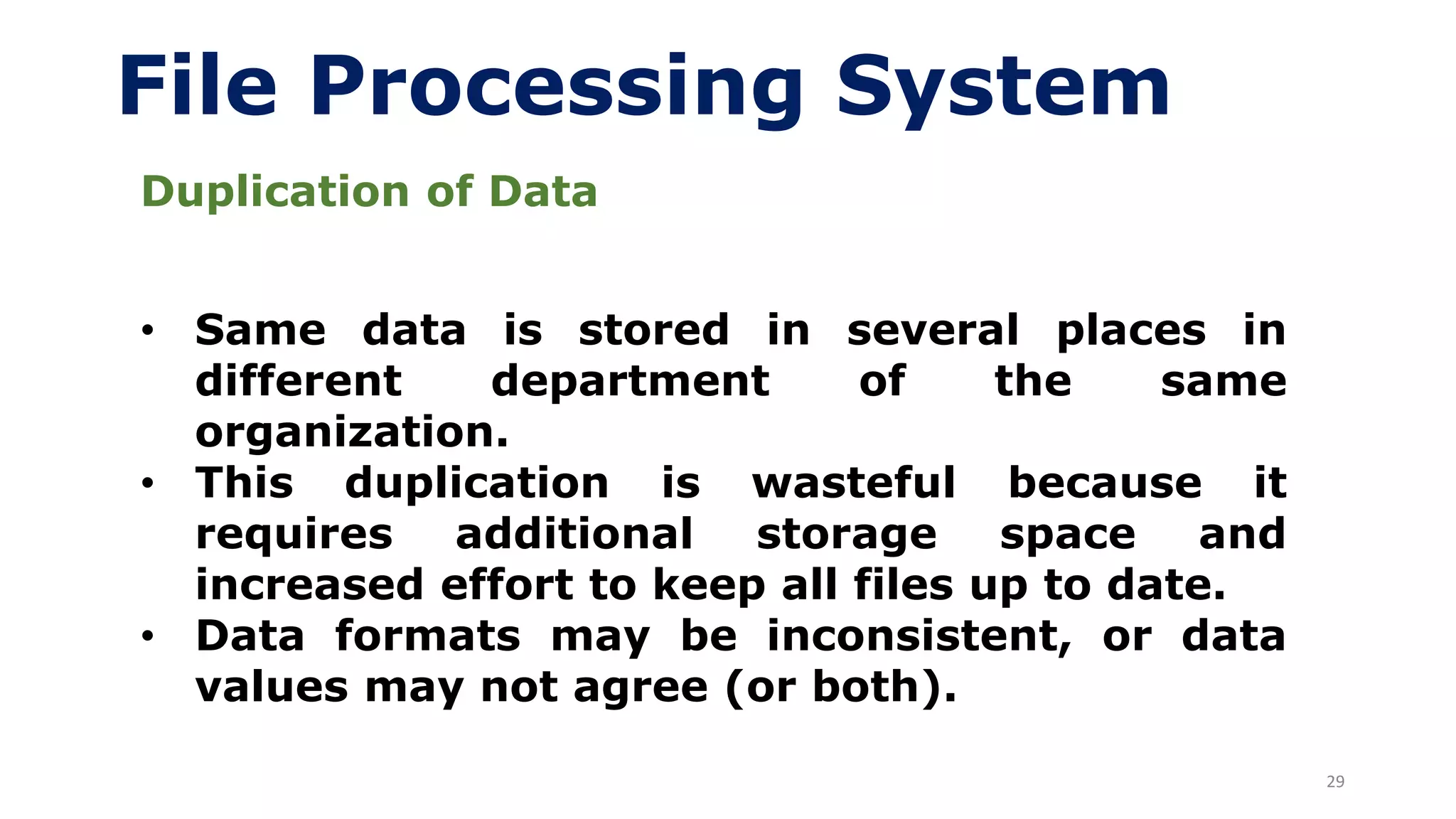
File Processing System
Duplication of Data
• Same data is stored in several places in
different department of the same
organization.
• This duplication is wasteful because it
requires additional storage space and
increased effort to keep all files up to date.
• Data formats may be inconsistent, or data
values may not agree (or both).
30
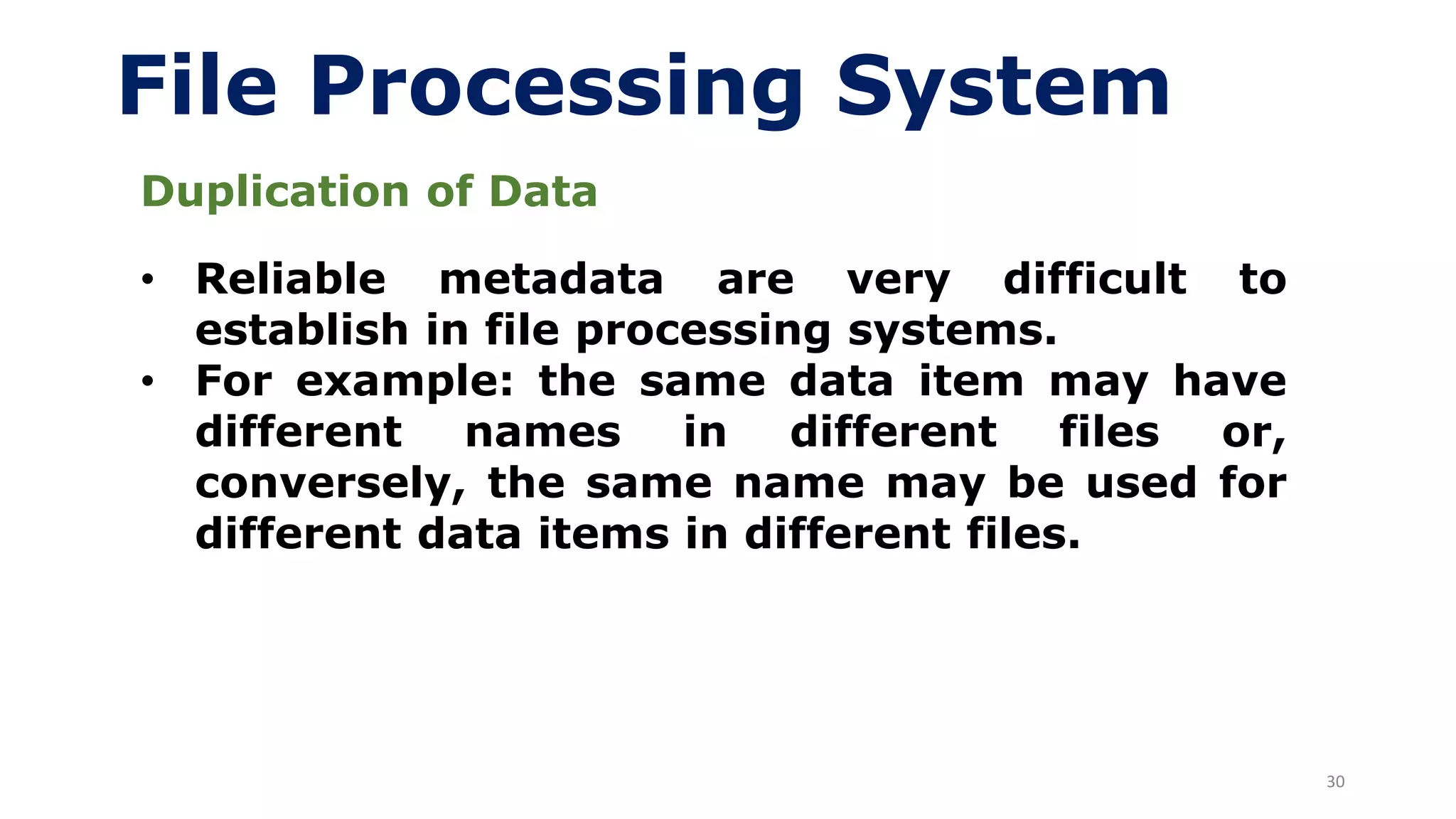
File Processing System
Duplication of Data
• Reliable metadata are very difficult to
establish in file processing systems.
• For example: the same data item may have
different names in different files or,
conversely, the same name may be used for
different data items in different files.
31
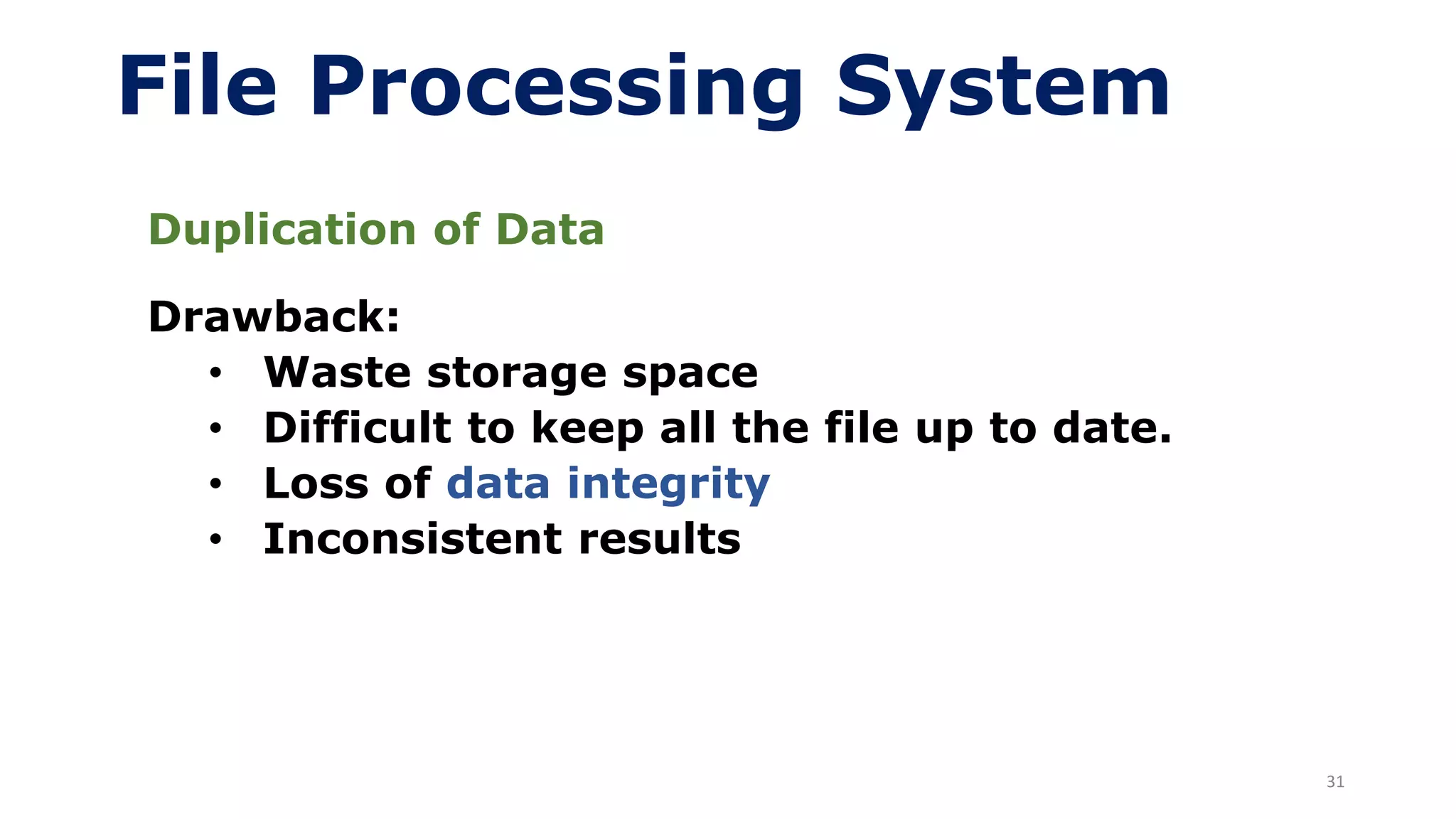
File Processing System
Duplication of Data
Drawback:
• Waste storage space
• Difficult to keep all the file up to date.
• Loss of data integrity
• Inconsistent results
32
File Processing System
Limited Data Sharing
• In TFPS, no centralized control of data.
• Each application has its own files and users
have little opportunity to share the data
outside their own applications.
33
File Processing System
Lengthy Development Times
• Programmers must design each application
from scratch in their own file formats
• Drawback:
• Long time require to develop
34
File Processing System
Excessive Program Maintenance
• The preceding factors all combined to create
• processing systems.
• In fact, as much as 80 percent of the total
information system’s development budget
might be devoted to program maintenance in
such organizations.
35
File Processing System
Other Disadvantages
• Difficulty in accessing data
• Need to write a new program to carry out
each new task
• Data isolation — multiple files and formats
• Hard to add new constraints or change
existing ones
36
Database Approach
• Why database approach?
• Two main factor
➢ In TFPS the definition of data is embedded
in the application programs rather than
being stored separately and
independently.
➢ There is no control over the access and
manipulation of data in TFPS.
• To overcome above problems database
approach was developed
37
Database Approach
• Database approach emphasizes the
integration and sharing of data throughout
the organization.
• Single centralized database is used for all
department of organization.
• Self describing collection of integrated
records.
• Remove nearly all the drawback of file
processing system.
38
Database Approach
Advantages of Database Approach
• Program-data independence
• Planned data redundancy
• Improved data consistency
• Improved data sharing
• Increased productivity of application
development
• Improved data quality
• Improved data accessibility and
responsiveness
• Reduced program maintenance
• Improved decision support
39
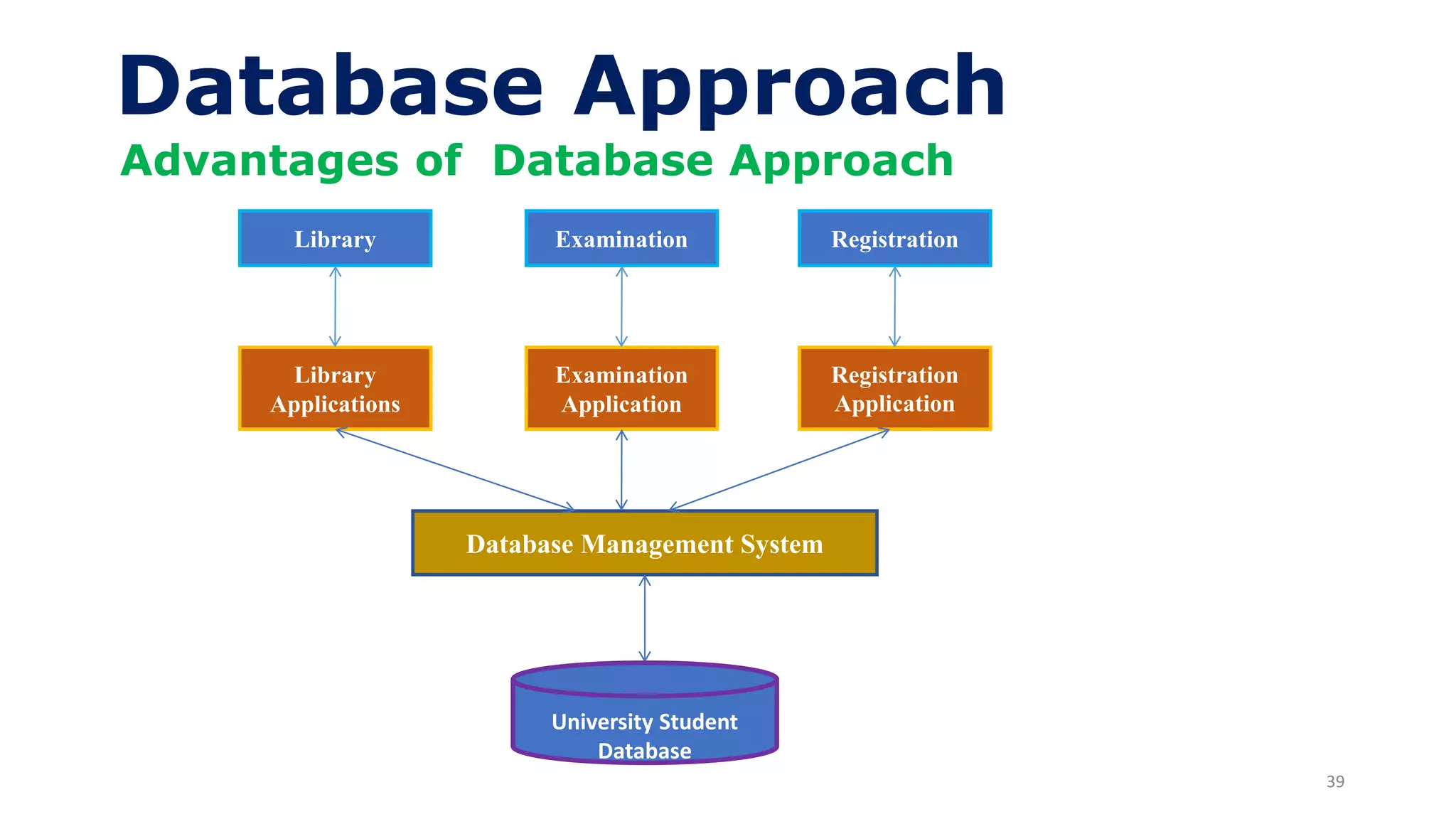
Database Approach
Advantages of Database Approach
Library
Library
Applications
Examination
Examination
Application
Registration
Registration
Application
Database Management System
University Student
Database
40
Database Approach
Advantages of Database Approach
 Program-data independence
➢ The separation of data description from
the application program is called data
independence.
➢ Data descriptions are store in a central
location called repository.
41
Database Approach
Advantages of Database Approach
 Planned Data Redundancy
➢ Single centralized database is used for all
department of organization. So, there is no
need to store the data in several places.
 Improved Data Consistency
➢ Eliminating or controlling data redundancy
improve data consistency.
42
Database Approach
Advantages of Database Approach
 Improved Data Sharing
• Data is stored in central location, so it is
accessible to all users of the organization.
• Authorized users are granted permission
to use the database.
• User view is provided to one or more user
to use data.
 Increased Productivity of Application
Development
• Reduces the time and cost for developing
new business applications.
43
Database Approach
Advantages of Database Approach
 Improved Data Quality
• Database designer specify the constraints
to improve the quality of data.
• Database approach provide number of
tools and process to improve the quality of
data.
 Improved Data Accessibility and
Responsiveness
• Accessing and retrieving of data is very
easy because DBMS uses SQL through
which data can be accessed fastly.
44
Database Approach
Advantages of Database Approach
 Reduced Program Maintenance
• Program maintenance includes: add new
data item and types, change the formats of
data etc.
• In database approach changes either in
application program or data done without
affecting other factors.
 Improved Decision Support
• Data warehouse is used for decision
making process.
45
Cost and Risk of the Database
Approach
• New, specialized personnel
• Installation and management cost and
complexity
• Conversion costs
• Need for explicit backup and recovery
• Organizational conflict
46
Database Management System
• A database management is a software that is
used to create, maintain, and provide
controlled access to user databases.
• DBMS provides an environment that is both
convenient and efficient to use.
• Example of DBMS: MS Access, SQL Server,
Oracle……

lecture 1.pdf

  • 1.
    1 Lecture # 1 By MariaGul CSC241 Database Systems
  • 2.
    • Database Systems:A Practical Approach to Design, Implementation, and Management, 6 th Edition by Thomas Connolly, Carolyn Begg • Modeern Database Management by Jeffrey A.Hoffer, V. Ramesh and Heikki Topi 12 Edition • MYSQL /Xampp Server • Every think discussed in class is part of material 2 Textbook
  • 3.
    Course Description 3 • Thiscourse is concerned with the basic concepts of databases, Design, Modeling, Creation, administration, maintenance of databases. • Entity Relationship Model • Data Models • Normalization • Database Design (Conceptual and Physical Design)
  • 4.
    Course Description 4 • DatabaseAdministration • Database Integrity • Database Security • Database Recovery • Database Concurrency • and many more ……………………………….
  • 5.
    5 Database • A sharedcollection of logical related data which is design to meet the need of multiple users in an organization. • A collection of information usually kept in a list to manipulate information so that it can sorted and access records fast and efficient. • Database may be of any size and complexity.
  • 6.
    6 Data • A collectionof raw facts and figures is called data. • Data is collected from different sources and for different purposes. • Fact concerning objects and events that could be recorded or stored on computer media. • A stored representation of objects and events that have meaning and importance in the user’s environment. Database
  • 7.
    7 Data • Example: whenstudents get admission in colleges or universities, they have to fill out admission form. The form consists of raw facts about the students. These raw facts are student’s name, father name, address etc. • Purpose of collecting data is to maintain students record during his/her period in college or university. Database
  • 8.
    8 Types of Data •Structured Data • Unstructured Data Database Structured and unstructured data are combined in the same database to create a true multimedia environment.
  • 9.
    9 Types of Data •Structured Data: ➢ Data stored in tabular form (in tables, relations, arrays, spreadsheets, etc.) and are most commonly found in traditional databases. ➢For example, in a salesperson’s database, the data would include facts such as customer name, address, and telephone number Database
  • 10.
    10 Types of Data •Unstructured Data: ➢ Data in the form of documents, maps, photographic images, video segment and multimedia data. Database
  • 11.
    11 Information • Processed datais called information. • Information is organized and processed form of data. • Meaningful than data and is used for making decisions. Raw Data Computer Process Information Database
  • 12.
    12 Information • Example: datastored in census is used to generate different type of information. E,g., government can use it to find total number of graduates or literacy rate in country etc. this information can be obtained by processing stored data. • Computer is one of the information system that convert the raw data into information. Database
  • 13.
    • Example ofData and Information Department of Computer Science Amjad 38 16000 Abid 55 80,000 Sara 32 45,000 Ibrar 30 26,000 Pervaiz 52 11,000 Javeed 36 26,000 Name Age Salary Database
  • 14.
    • Example ofData and Information Baker, Kenneth D 324917628 Doyle, Joan E. 476193248 Finkle, Clive R. 548429344 Lewis, John C. 551742186 McFerran, Debra R. 409723145 Sisneros, Michael 392416582 Database
  • 15.
    • Example ofProcessed Data or Information Converting data to information Database
  • 16.
    • Example ofProcessed Data or Information Database Summarized Data
  • 17.
    17 Data vs Information DATAINFORMATION Always in Raw form Always in Arranged Form Can’t used directly for decision making Can be used for decision making directly No Information system in data collection and arrangement Information system i.e Computer system is involved in this process Input of computer system Output of the computer system
  • 18.
    18 Metadata • Data aboutdata is called metadata. • Data that describe the properties or characteristics some other data. • Metadata describes the size, format and other characteristics of data. • It also includes the rules and constraints about data. Database
  • 19.
    19 Metadata • Metadata enabledatabase designers and users to understand what data exist, what the data mean, and how to distinguish between data items that at first glance look similar. • Example: when you create table, you specify data type, size, format and other constraints for entering data in different fields of table. Database
  • 20.
    20 Metadata Field Name Data type LengthDescription Constraint Roll no. Integer 3 Roll no. of students Value from 1 to 100 Name Alphabetic 50 Name of students Address Alphanumeric 100 Address of student Email Alphanumeric 25 Email of student Must contain @ and . phone alphanumeric 25 Phone number of student • Example of Metadata: Roll no. Name Address Email Phone 1 A Xyz a@gmail.com 123456 2 B xyz b@gmail.com 789456 Database Table Metadata Table
  • 21.
  • 22.
    22 Metadata • For eachdata item that appears in the Class Roster, the metadata show the data item name, the data type, length, minimum and maximum allowable values (where appropriate), a brief description of each data item, and the source of the data (sometimes called the system of record). Example Database
  • 23.
    23 Data Management • Howto perform DML operations • How to perform DDL operations • Different systems are used for data management. • Traditional file processing system. • Database system
  • 24.
    24 File Processing System •Why traditional file processing systems (TFPS) were developed? • A collection of programs that perform services for the end user such as production of reports. • Use to store, manipulate and retrieve the data . • File processing system is an old method, but it is still widely used today, especially for database backup.
  • 25.
    25 File Processing System •In TFPS each program or department defines and manages its own data. Library Library Applications Library Data Files Examination Examination Application Examination Data Files Registration Registration Application Registration Data Files
  • 26.
    26 File Processing System Disadvantageof File Processing Systems • Program-Data Dependency • Duplication of Data • Limited Data Sharing • Lengthy Development Times • Excessive Program Maintenance
  • 27.
  • 28.
    28 File Processing System Program-DataDependency • File description is stored within each application program. • Drawback: • Any change to a file structure requires changes to the file descriptions for all programs that access the file. • Lack of coordination and central control
  • 29.
    29 File Processing System Duplicationof Data • Same data is stored in several places in different department of the same organization. • This duplication is wasteful because it requires additional storage space and increased effort to keep all files up to date. • Data formats may be inconsistent, or data values may not agree (or both).
  • 30.
    30 File Processing System Duplicationof Data • Reliable metadata are very difficult to establish in file processing systems. • For example: the same data item may have different names in different files or, conversely, the same name may be used for different data items in different files.
  • 31.
    31 File Processing System Duplicationof Data Drawback: • Waste storage space • Difficult to keep all the file up to date. • Loss of data integrity • Inconsistent results
  • 32.
    32 File Processing System LimitedData Sharing • In TFPS, no centralized control of data. • Each application has its own files and users have little opportunity to share the data outside their own applications.
  • 33.
    33 File Processing System LengthyDevelopment Times • Programmers must design each application from scratch in their own file formats • Drawback: • Long time require to develop
  • 34.
    34 File Processing System ExcessiveProgram Maintenance • The preceding factors all combined to create • processing systems. • In fact, as much as 80 percent of the total information system’s development budget might be devoted to program maintenance in such organizations.
  • 35.
    35 File Processing System OtherDisadvantages • Difficulty in accessing data • Need to write a new program to carry out each new task • Data isolation — multiple files and formats • Hard to add new constraints or change existing ones
  • 36.
    36 Database Approach • Whydatabase approach? • Two main factor ➢ In TFPS the definition of data is embedded in the application programs rather than being stored separately and independently. ➢ There is no control over the access and manipulation of data in TFPS. • To overcome above problems database approach was developed
  • 37.
    37 Database Approach • Databaseapproach emphasizes the integration and sharing of data throughout the organization. • Single centralized database is used for all department of organization. • Self describing collection of integrated records. • Remove nearly all the drawback of file processing system.
  • 38.
    38 Database Approach Advantages ofDatabase Approach • Program-data independence • Planned data redundancy • Improved data consistency • Improved data sharing • Increased productivity of application development • Improved data quality • Improved data accessibility and responsiveness • Reduced program maintenance • Improved decision support
  • 39.
    39 Database Approach Advantages ofDatabase Approach Library Library Applications Examination Examination Application Registration Registration Application Database Management System University Student Database
  • 40.
    40 Database Approach Advantages ofDatabase Approach  Program-data independence ➢ The separation of data description from the application program is called data independence. ➢ Data descriptions are store in a central location called repository.
  • 41.
    41 Database Approach Advantages ofDatabase Approach  Planned Data Redundancy ➢ Single centralized database is used for all department of organization. So, there is no need to store the data in several places.  Improved Data Consistency ➢ Eliminating or controlling data redundancy improve data consistency.
  • 42.
    42 Database Approach Advantages ofDatabase Approach  Improved Data Sharing • Data is stored in central location, so it is accessible to all users of the organization. • Authorized users are granted permission to use the database. • User view is provided to one or more user to use data.  Increased Productivity of Application Development • Reduces the time and cost for developing new business applications.
  • 43.
    43 Database Approach Advantages ofDatabase Approach  Improved Data Quality • Database designer specify the constraints to improve the quality of data. • Database approach provide number of tools and process to improve the quality of data.  Improved Data Accessibility and Responsiveness • Accessing and retrieving of data is very easy because DBMS uses SQL through which data can be accessed fastly.
  • 44.
    44 Database Approach Advantages ofDatabase Approach  Reduced Program Maintenance • Program maintenance includes: add new data item and types, change the formats of data etc. • In database approach changes either in application program or data done without affecting other factors.  Improved Decision Support • Data warehouse is used for decision making process.
  • 45.
    45 Cost and Riskof the Database Approach • New, specialized personnel • Installation and management cost and complexity • Conversion costs • Need for explicit backup and recovery • Organizational conflict
  • 46.
    46 Database Management System •A database management is a software that is used to create, maintain, and provide controlled access to user databases. • DBMS provides an environment that is both convenient and efficient to use. • Example of DBMS: MS Access, SQL Server, Oracle……