Facebook AnalyticsHow to track and analyze your data; What matters & why it mattersAdam CovatiFounder, CTO ArgyleSocial@covati
Adam @CovatiArgyleSocialEnterprise, Email &Social Media Marketing
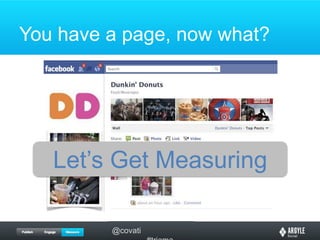
You have a page, now what?Let’s Get Measuring
Measure what?What the heck are we doing?Are we measuring or analyzing?
Data points are pointlessData isn’t as important as informationYour data needs to tell a storyWhat story do you want to tell?
Is Facebook ‘working’ for me?Define ‘working’Lots of fansActive communityDriving trafficBuying / ConvertingWe measure to prove a point
What data can we use?Facebook InsightsInteraction dataDemographic dataWeb AnalyticsThird party sourcesClick trackingCollateral Metrics
Let’s work throughsome examples
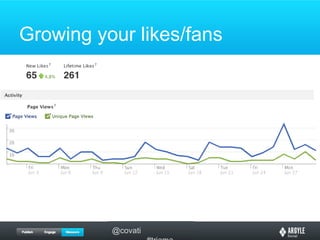
Growing your likes/fans
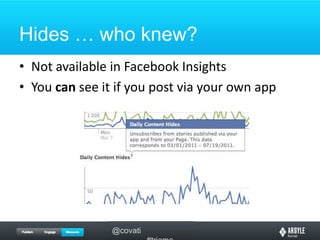
Hides … who knew?Not available in Facebook InsightsYou can see it if you post via your own app
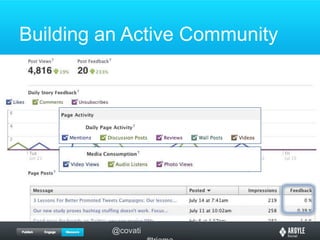
Building an Active Community
Driving More TrafficWeb AnalyticsReferrers are your friendsThird Party SourcesYoutubeClick tracking tools
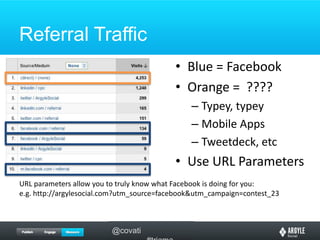
Referral TrafficBlue = FacebookOrange =  ????Typey, typeyMobile AppsTweetdeck, etcUse URL ParametersURL parameters allow you to truly know what Facebook is doing for you:e.g. http://argylesocial.com?utm_source=facebook&utm_campaign=contest_23
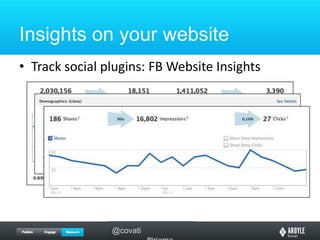
Insights on your websiteTrack social plugins: FB Website Insights
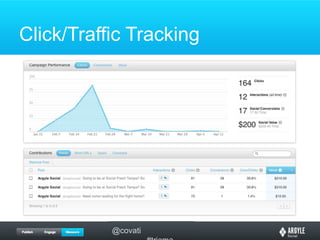
Third Party SourcesCollateral Inferred TrafficYoutube viewsLanding pages just for FB linksClick/Traffic Tracking toolsar.gy, bit.ly, ow.ly
Click/Traffic Tracking
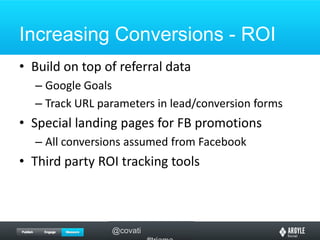
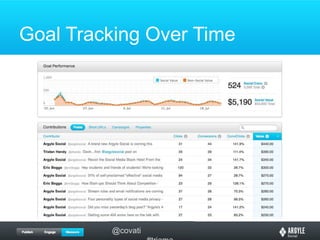
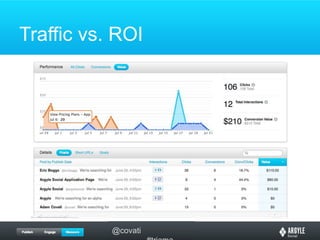
Increasing Conversions - ROIBuild on top of referral dataGoogle GoalsTrack URL parameters in lead/conversion formsSpecial landing pages for FB promotionsAll conversions assumed from FacebookThird party ROI tracking tools
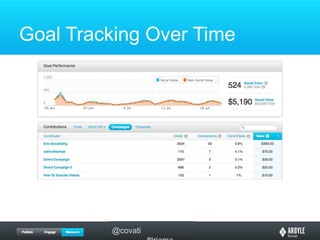
Goal Tracking Over Time
Traffic vs. ROI
But how can I do better?Deeper understanding from data comparisons
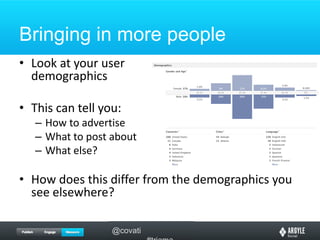
Bringing in more peopleLook at your userdemographicsThis can tell you:How to advertiseWhat to post aboutWhat else?How does this differ from the demographics you see elsewhere?
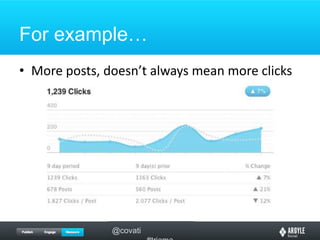
# Posts vs. % FeedbackIf you increase post do you see:More feedback (comments, post likes)Less feedbackIncrease in Likes (new fans)More unsubscribes (fatigue setting in)Where are optimal posting levels?
For example…More posts, doesn’t always mean more clicks
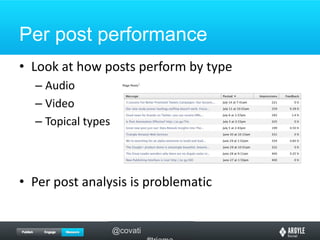
Per post performanceLook at how posts perform by typeAudioVideoTopical typesPer post analysis is problematic
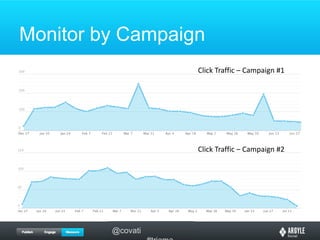
Monitor by CampaignClick Traffic – Campaign #1Click Traffic – Campaign #2
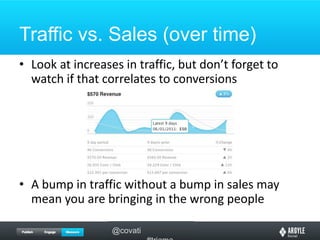
Traffic vs. Sales (over time)Look at increases in traffic, but don’t forget to watch if that correlates to conversionsA bump in traffic without a bump in sales may mean you are bringing in the wrong people
Test, Test, TestWith a base of data, you can try new thingsChange one thing, measure, repeatThink about why you are testing
Thanks!Adam CovatiFounder, CTO ArgyleSocial@covatihttp://argylesocial.com

Facebook Analytics: How to track and analyze your data; What matters & Why it matters

Editor's Notes

  • #10 So the first thing we look at is likes (# of fans) – I’m not a big believer in this as metrics to track, but it’s a starting point.That is a poor proxy for Active users, luckily that’s right thereIt’s also good to look at actual page views
  • #12 Much more valuable than fan counts; an active community is something you can more often leverage