Demystifying Social Media
Analytics
Presented by Debra Askanase, Engagement Strategist
April 8, 2013
City of Cambridge
About Debra Askanase
debra@communityorganizer20.com
http://communityorganizer20.com
Digital Engagement Strategist
Former business consultant,
executive director, program
manager, and community
organizer
Today’s Working Agenda
• Overview: Defining specific goals
• A tour of important analytics: Facebook,
YouTube, Google Insights
• Key metrics for Facebook, YouTube, and
Google Analytics
• Setting up your own metrics dashboards
Who’s in the Room?
• Introduce yourself: name, type of business,
what social media channels you use
• How would measurement change what you
are doing with social media?
Goals and Questions
Knowing what you want to measure is most of the
work!
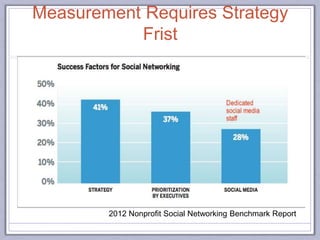
2012 Nonprofit Social Networking Benchmark Report
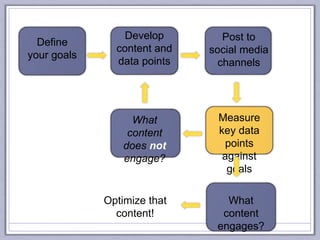
Measurement Requires Strategy
Frist
Define
your goals
Develop
content and
data points
Post to
social media
channels
What
content
engages?
What
content
does not
engage?
Measure
key data
points
against
goals
Optimize that
content!
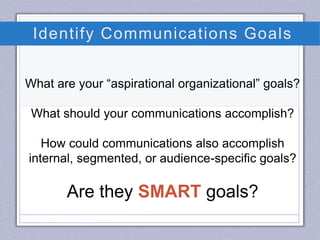
Identify Communications Goals
What are your “aspirational organizational” goals?
What should your communications accomplish?
How could communications also accomplish
internal, segmented, or audience-specific goals?
Are they SMART goals?
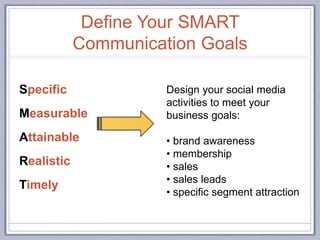
Specific
Measurable
Attainable
Realistic
Timely
Design your social media
activities to meet your
business goals:
• brand awareness
• membership
• sales
• sales leads
• specific segment attraction
Define Your SMART
Communication Goals
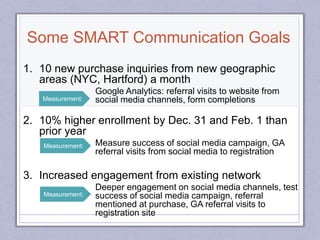
1. 10 new purchase inquiries from new geographic
areas (NYC, Hartford) a month
Google Analytics: referral visits to website from
social media channels, form completions
2. 10% higher enrollment by Dec. 31 and Feb. 1 than
prior year
Measure success of social media campaign, GA
referral visits from social media to registration
3. Increased engagement from existing network
Deeper engagement on social media channels, test
success of social media campaign, referral
mentioned at purchase, GA referral visits to
registration site
Measurement:
Measurement:
Measurement:
Some SMART Communication Goals
Share Pair Exercise
1. What are your aspirational goals?
2. Develop two SMART social media goals.*
*Remember that SMART goals:
• Include a target number or percentage
• Are time-specific
• Are realistic!
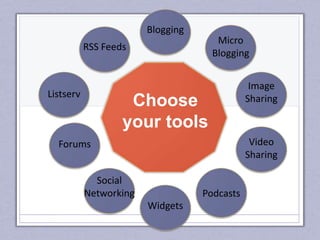
Choose
your tools
Blogging
Micro
Blogging
Image
Sharing
Video
Sharing
Podcasts
Widgets
Social
Networking
Forums
Listserv
RSS Feeds
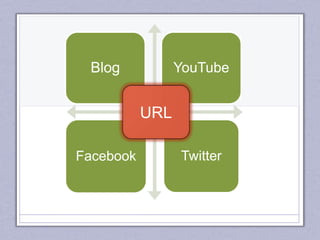
Blog YouTube
Facebook Twitter
URL
2. Is social content sending people to where I want them to go?
*view in Google Analytics
3. What content do social fans care about? And why?
*view in Google Analytics
*view in Facebook Insights
*view in YouTube Insights
*view in bit.ly clicks and RTs
1. Are my social activities referring visitors to the site?
*view in Google Analytics
4. Who are my biggest fans…and what do I know about them?
*Crowdbooster (Twitter, paid), FB posts, YouTube Insights
Four Key Questions To Ask
(and the tools to get you there)
In the end, it’s all about
content & engagement
Facebook Page* Insights:
A Tour
6 metrics you want to keep your eye on
*only Pages have Insights, Facebook Groups do not
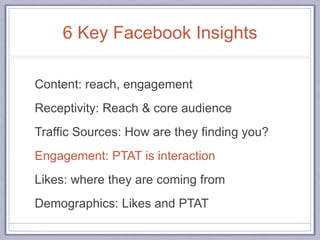
6 Key Facebook Insights
Content: reach, engagement
Receptivity: Reach & core audience
Traffic Sources: How are they finding you?
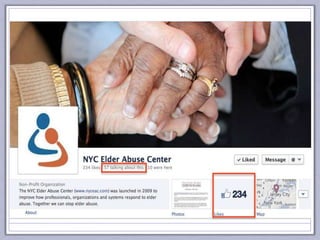
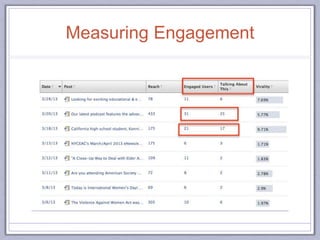
Engagement: PTAT is interaction
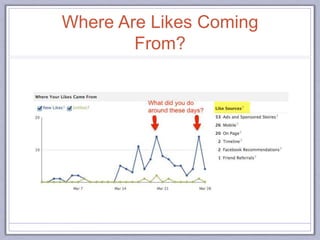
Likes: where they are coming from
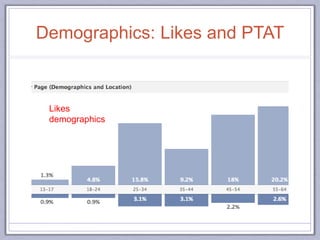
Demographics: Likes and PTAT
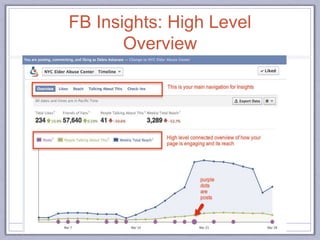
FB Insights: High Level
Overview
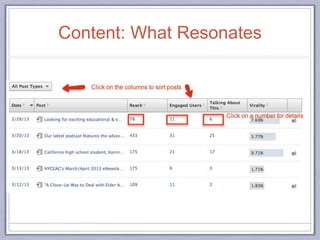
Content: What Resonates
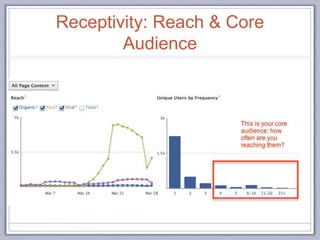
Receptivity: Reach & Core
Audience
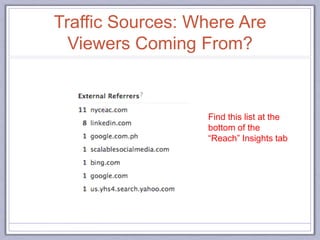
Traffic Sources: Where Are
Viewers Coming From?
Find this list at the
bottom of the
“Reach” Insights tab
Where Are Likes Coming
From?
Measuring Engagement
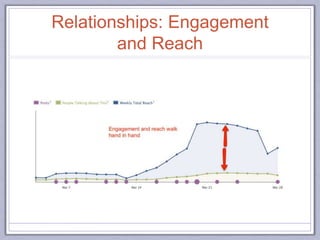
Relationships: Engagement
and Reach
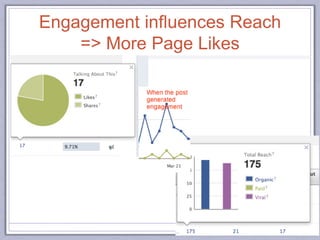
Engagement influences Reach
=> More Page Likes
Demographics: Likes and PTAT
Likes
demographics
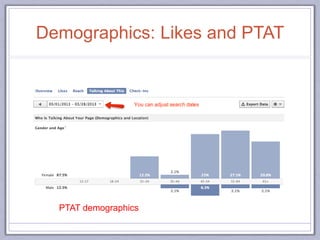
Demographics: Likes and PTAT
PTAT demographics
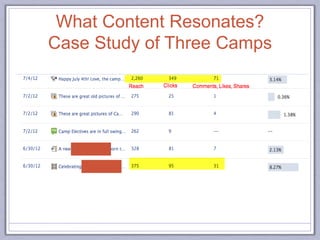
What Content Resonates?
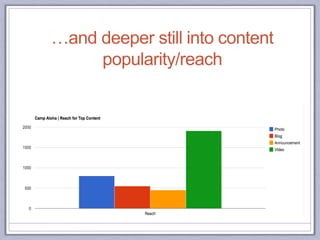
Case Study of Three Camps
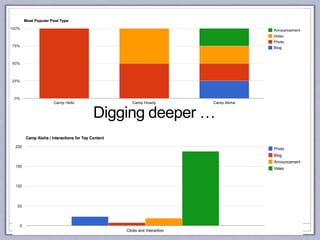
Digging deeper …
…and deeper still into content
popularity/reach
Share Pairs: FB Thoughts,
Takeaways
Facebook Insights for content
and engagement
Post
reach
& PTAT
YouTube Insights: A Tour
6 metrics you want to keep your eye on
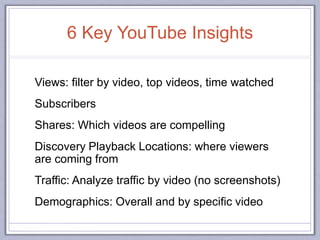
6 Key YouTube Insights
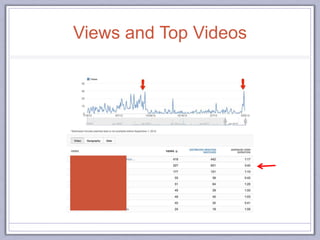
Views: filter by video, top videos, time watched
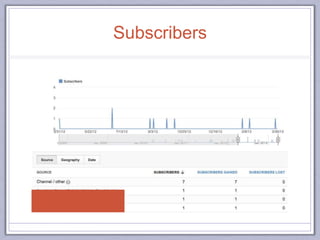
Subscribers
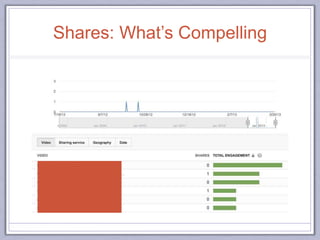
Shares: Which videos are compelling
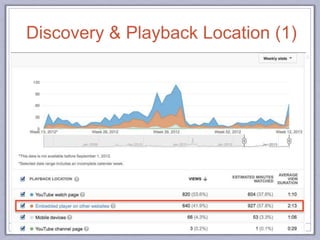
Discovery Playback Locations: where viewers
are coming from
Traffic: Analyze traffic by video (no screenshots)
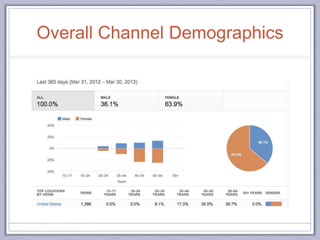
Demographics: Overall and by specific video
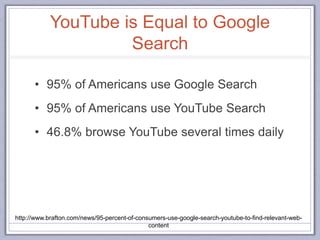
YouTube is Equal to Google
Search
• 95% of Americans use Google Search
• 95% of Americans use YouTube Search
• 46.8% browse YouTube several times daily
http://www.brafton.com/news/95-percent-of-consumers-use-google-search-youtube-to-find-relevant-web-
content
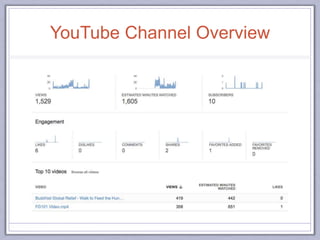
YouTube Channel Overview
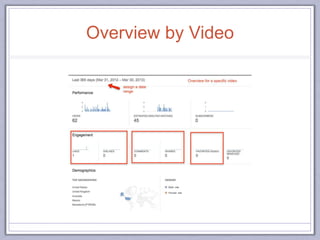
Overview by Video
Views and Top Videos
Subscribers
Shares: What’s Compelling
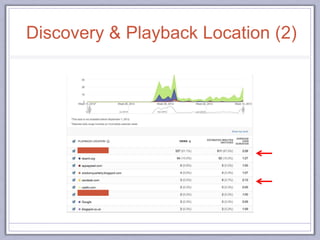
Discovery & Playback Location (1)
Discovery & Playback Location (2)
Overall Channel Demographics
Share Pairs: YT Thoughts,
Takeaways
YouTube Insights for content
and engagement
Views,
shares
& subscribers
Google Analytics: A Tour
6 metrics you want to keep your eye on
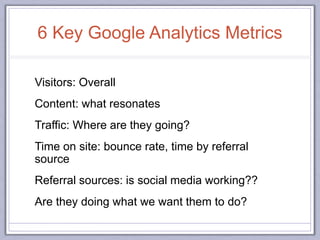
6 Key Google Analytics Metrics
Visitors: Overall
Content: what resonates
Traffic: Where are they going?
Time on site: bounce rate, time by referral
source
Referral sources: is social media working??
Are they doing what we want them to do?
Google Analytics is Free
BUT
Employee Time Is Not
51
…invest in training or external
guidance!
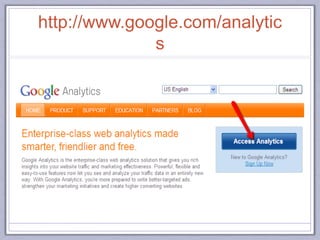
http://www.google.com/analytic
s
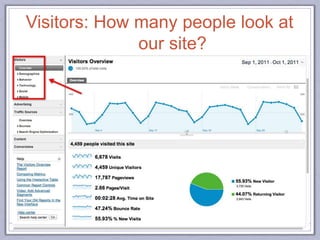
Visitors: How many people look at
our site?
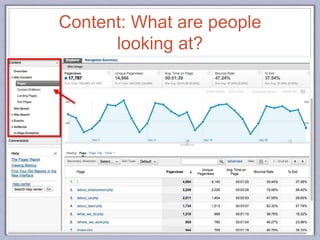
Content: What are people
looking at?
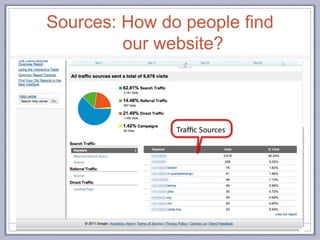
Sources: How do people find
our website?
55
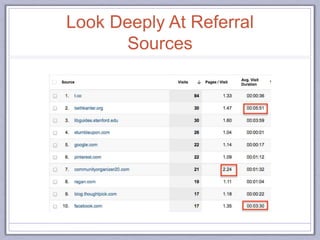
Look Deeply At Referral
Sources
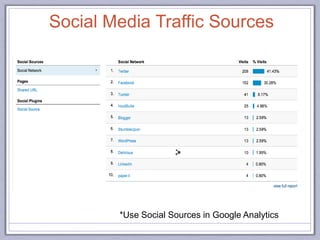
*Use Social Sources in Google Analytics
Social Media Traffic Sources
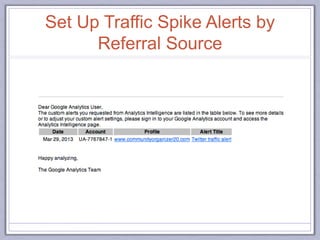
Set Up Traffic Spike Alerts by
Referral Source
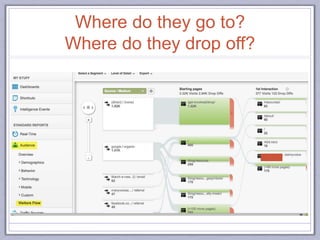
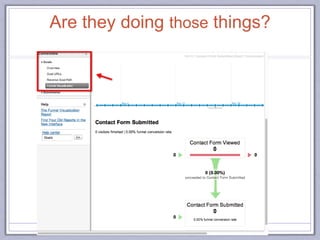
Where do they go to?
Where do they drop off?
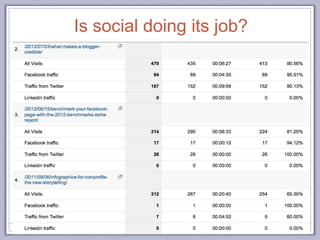
Is social doing its job?
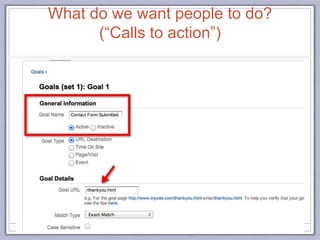
What do we want people to do?
(“Calls to action”)
Are they doing those things?
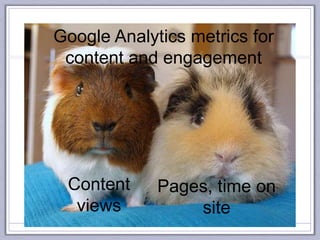
Google Analytics metrics for
content and engagement
Content
views
Pages, time on
site
This Is Just the Beginning!
Geography/Language Targeting
AdWords
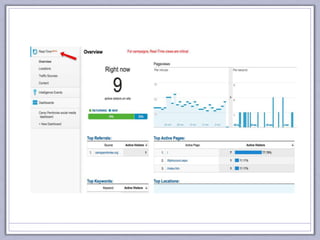
Real-time statistics
Benchmarking
Google Traffic Alerts
In-page analytics
…and so much more!
64
Putting It All Together:
DIY Dashboards
Pay attention to what really matters
Facebook Insights (PTAT)
YouTube Insights (shares)
Bit.ly clicks
AddThis
Pinterest repins
Rowfeeder
Google Analytics
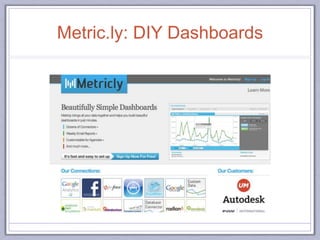
Metric.ly
http://www.flickr.com/photos/70099148@N00/145269819/
Free DIY Metrics Resources
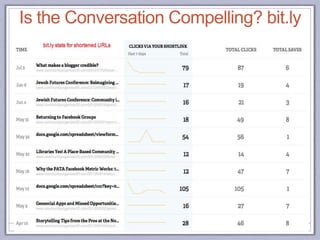
Is the Conversation Compelling? bit.ly
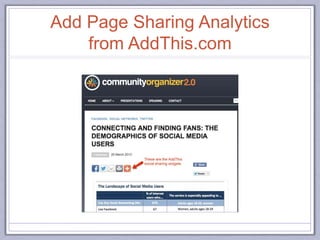
Add Page Sharing Analytics
from AddThis.com
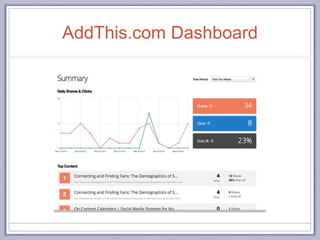
AddThis.com Dashboard
Metric.ly: DIY Dashboards
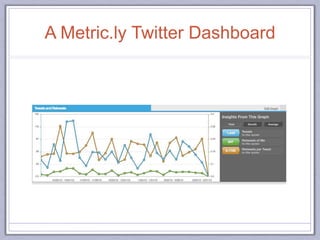
A Metric.ly Twitter Dashboard
http://www.flickr.com/photos/maistora/483238384/in/photostream/
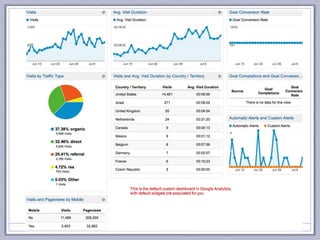
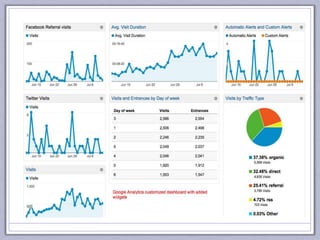
Set up your own DIY Google Analytics
dashboards in less than 5 minutes!
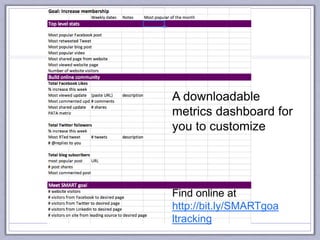
Find online at
http://bit.ly/SMARTgoa
ltracking
A downloadable
metrics dashboard for
you to customize
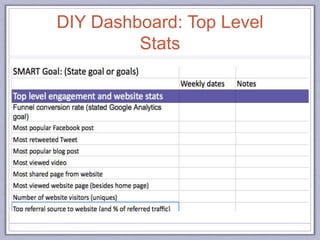
DIY Dashboard: Top Level
Stats
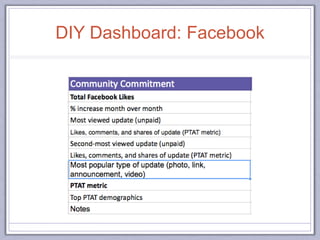
DIY Dashboard: Facebook
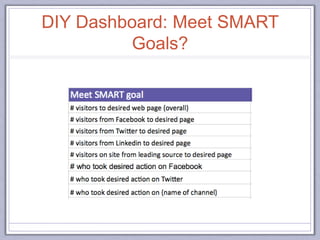
DIY Dashboard: Meet SMART
Goals?
Wrapping Up: Where to Start
Know what you want to know before digging into the
data
Be a data nerd: tracking is learning
Plan to have integrated tools
Demystify “data” for your company
FREE is not FREE - invest in training or get help!!!!
80
What Will You Begin To Measure Today?
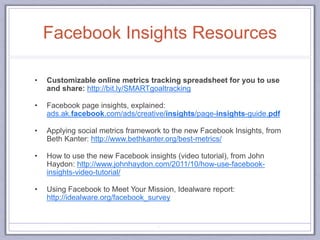
Facebook Insights Resources
• Customizable online metrics tracking spreadsheet for you to use
and share: http://bit.ly/SMARTgoaltracking
• Facebook page insights, explained:
ads.ak.facebook.com/ads/creative/insights/page-insights-guide.pdf
• Applying social metrics framework to the new Facebook Insights, from
Beth Kanter: http://www.bethkanter.org/best-metrics/
• How to use the new Facebook insights (video tutorial), from John
Haydon: http://www.johnhaydon.com/2011/10/how-use-facebook-
insights-video-tutorial/
• Using Facebook to Meet Your Mission, Idealware report:
http://idealware.org/facebook_survey
82
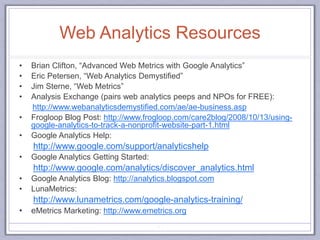
Web Analytics Resources
• Brian Clifton, “Advanced Web Metrics with Google Analytics”
• Eric Petersen, “Web Analytics Demystified”
• Jim Sterne, “Web Metrics”
• Analysis Exchange (pairs web analytics peeps and NPOs for FREE):
http://www.webanalyticsdemystified.com/ae/ae-business.asp
• Frogloop Blog Post: http://www.frogloop.com/care2blog/2008/10/13/using-
google-analytics-to-track-a-nonprofit-website-part-1.html
• Google Analytics Help:
http://www.google.com/support/analyticshelp
• Google Analytics Getting Started:
http://www.google.com/analytics/discover_analytics.html
• Google Analytics Blog: http://analytics.blogspot.com
• LunaMetrics:
http://www.lunametrics.com/google-analytics-training/
• eMetrics Marketing: http://www.emetrics.org
83
Resources via Scoop.it
• Engagement metrics: http://www.scoop.it/t/engagement-metrics
• http://www.scoop.it/t/social-media-and-nonprofits-measurement
• YouTube tips and tutorials: http://www.scoop.it/t/youtube-tips-and-
tutorials
• Facebook best practices and research:
http://www.scoop.it/t/facebook-best-practices-and-research
84
I’m always available to answer
follow-up questions!
Email: debra@communityorganizer20.com
Website: communityorganizer20.com
Blog: http://communityorganizer20.com
Linkedin: linked.com/in/debraaskanase
Twitter: @askDebra
Other slides: slideshare.net/debask
Telephone: (617) 682-2977

Social Media Analytics Demystified

Editor's Notes

  • #8 http://www.web-strategist.com/blog/category/social-media-measurement/
  • #9 http://www.flickr.com/photos/urbanwoodswalker/3262603051/in/photostream/
  • #14 Channels: email/enewsletter, facebook, twitter, photo site (Instagram, Flickr, Picasa), Pinterest, YouTube, location-based channels (4sq, Yelp, etc.), Vimeo, blog…etc.
  • #15 A is the org goals.  B is what the audience is interested in (or their goals, needs, etc.)  What's in the middle is generally where THE conversation topic is going to be.
  • #20 Resource: http://www.briansolis.com/2013/01/what-your-business-needs-to-know-about-facebooks-edgerank/
  • #52 Training providers: FREE: Google Analytics Help, LunaMetrics
  • #81 In today’s world, data is not something else.