Enterprise System
Implementation Strategies
             and Phases
             July 27, 2012
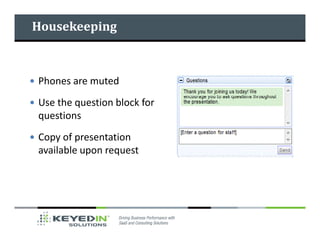
Housekeeping


Phones are muted
Use the question block for
questions
Copy of presentation
available upon request
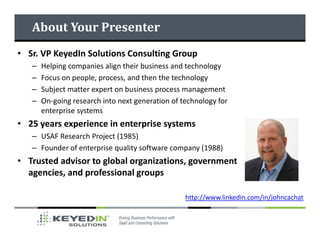
About Your Presenter
• Sr. VP KeyedIn Solutions Consulting Group
   –   Helping companies align their business and technology
   –   Focus on people, process, and then the technology
   –   Subject matter expert on business process management
   –   On-going research into next generation of technology for
       enterprise systems
• 25 years experience in enterprise systems
   – USAF Research Project (1985)
   – Founder of enterprise quality software company (1988)
• Trusted advisor to global organizations, government
  agencies, and professional groups

                                                  http://www.linkedin.com/in/johncachat
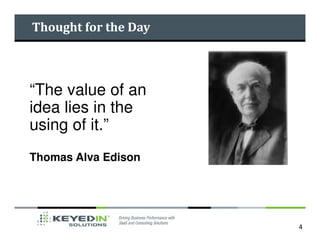
Thought for the Day


“The value of an
idea lies in the
using of it.”
Thomas Alva Edison


                      4
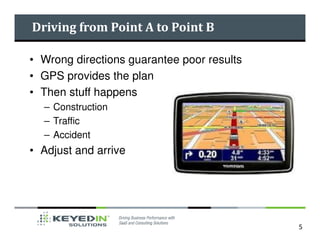
Driving from Point A to Point B

• Wrong directions guarantee poor results
• GPS provides the plan
• Then stuff happens
  – Construction
  – Traffic
  – Accident
• Adjust and arrive


                                            5
Today’s Discussion

• Implementation Strategies
  – Full blown
  – Staggered or Phased
• Implementation Phases
  –   Project planning
  –   Application exploration
  –   System design
  –   System testing
  –   System activation – “go live”
Full Blown Approach

       Everything, everywhere, at the same time

Pros                                   Cons
Less integrations with legacy system   Lesson learned can not be transferred
need to be developed                   to other sites

Can eliminate legacy system            Short term, more intensive consultant
maintenance fees faster                support and therefore more expensive

                                       More room for failure – too many
                                       moving parts

                                       Requires strong project management


                                                                               7
Staggered or Phased Approach

Different stuff, at different sites (departments), at
different times

 Pros                                  Cons
 Less consultant intensive             Temporary interfaces may have to be
                                       built
 Problem areas can be separated out
                                        Have to pay maintenance on legacy
 Internal employees may be able to take systems for a long period of time
 over in later phases

 Less room for failure


                                                                             8
Implementation Strategies

• Which approach is best?

• It is probably better to win a
  series of battles then risk losing
  the war!

• Which has the highest probability
  of success?

• How much can your company
  absorb at one time?


                                       9
Implementation Phases

• Transition from legacy to new system
  –   Project planning
  –   Application exploration
  –   System design
  –   System testing
  –   System activation – “go live”


                                         10
Project Planning

• First we have to figure out
  what we are going to do
  before we figure out how we
  are going to do it
• Magnitude, duration, and cost
• Resources
• Risk Management
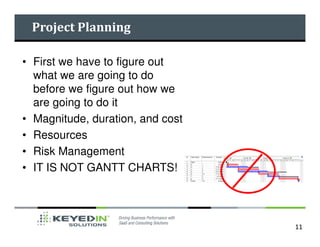
• IT IS NOT GANTT CHARTS!


                                  11
Project Planning

• Living documents
• Communication tools
   – Issue Management
   – Status Reporting
• Take the time to do it right


                                 12
Application Exploration

• Users and consultants sit down in front of the
  app and explore the functionality
• Use training or demo data – do not use an
  empty version
• Goal is to get end users familiar with the system,
  how to navigate, and understand the options
  available
• Objective is to get the end users more
  knowledgeable so that they can ask better
  questions


                                                       13
Application Exploration Objectives

• Begin the process of
  knowledge transfer from
  consultant to end user
• Identify gaps
• Explore different
  configurations / set up options
• Discuss in and out of scope
  concerns


                                     14
System Design

•   Configure the system
•   Organizational structure
•   Reporting
•   Security
•   Key files (customer, employee, supplier, etc)
•   Avoid overthinking and cumbersome setups
•   Use best practices
•   Avoid customizations


                                                    15
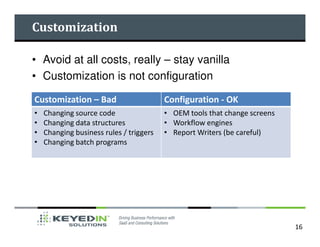
Customization

• Avoid at all costs, really – stay vanilla
• Customization is not configuration

Customization – Bad                      Configuration - OK
•   Changing source code                 • OEM tools that change screens
•   Changing data structures             • Workflow engines
•   Changing business rules / triggers   • Report Writers (be careful)
•   Changing batch programs


                                                                           16
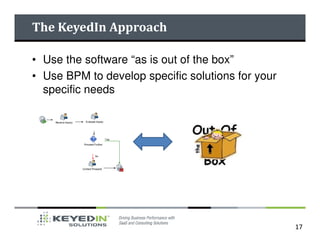
The KeyedIn Approach

• Use the software “as is out of the box”
• Use BPM to develop specific solutions for your
  specific needs


                                                   17
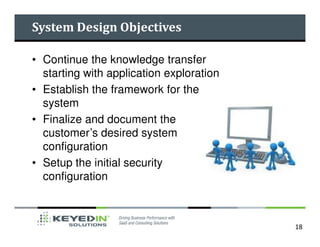
System Design Objectives

• Continue the knowledge transfer
  starting with application exploration
• Establish the framework for the
  system
• Finalize and document the
  customer’s desired system
  configuration
• Setup the initial security
  configuration


                                          18
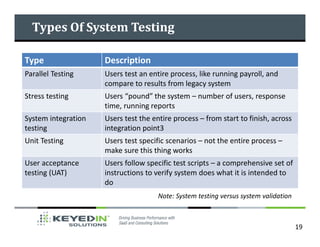
Types Of System Testing

Type                 Description
Parallel Testing     Users test an entire process, like running payroll, and
                     compare to results from legacy system
Stress testing       Users “pound” the system – number of users, response
                     time, running reports
System integration   Users test the entire process – from start to finish, across
testing              integration point3
Unit Testing         Users test specific scenarios – not the entire process –
                     make sure this thing works
User acceptance      Users follow specific test scripts – a comprehensive set of
testing (UAT)        instructions to verify system does what it is intended to
                     do
                                      Note: System testing versus system validation


                                                                                      19
System Testing Objectives

• Discover, document, and resolve any design,
  data, processing or application issues
• Refine system configuration as required
• Test customizations
• Continue knowledge transfer and make end
  users comfortable with their roles
• Identify and resolve resource issues
• Clarify go-live training needs
• Refine the initial security matrix


                                                20
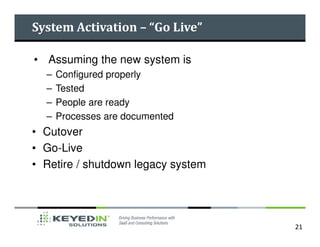
System Activation – “Go Live”

• Assuming the new system is
  –   Configured properly
  –   Tested
  –   People are ready
  –   Processes are documented
• Cutover
• Go-Live
• Retire / shutdown legacy system


                                    21
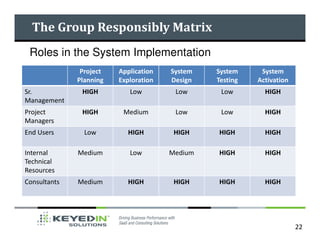
The Group Responsibly Matrix
 Roles in the System Implementation
               Project   Application   System   System     System
              Planning   Exploration   Design   Testing   Activation
Sr.            HIGH         Low         Low      Low        HIGH
Management
Project        HIGH       Medium        Low      Low        HIGH
Managers
End Users       Low        HIGH         HIGH    HIGH        HIGH

Internal      Medium        Low        Medium   HIGH        HIGH
Technical
Resources
Consultants   Medium       HIGH         HIGH    HIGH        HIGH


                                                                       22
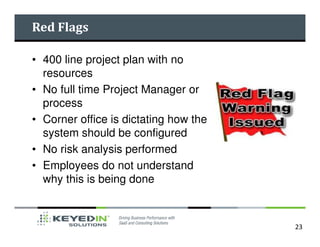
Red Flags

• 400 line project plan with no
  resources
• No full time Project Manager or
  process
• Corner office is dictating how the
  system should be configured
• No risk analysis performed
• Employees do not understand
  why this is being done


                                       23
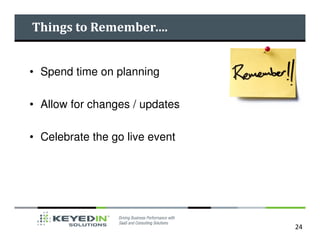
Things to Remember….


• Spend time on planning

• Allow for changes / updates

• Celebrate the go live event


                                24
About KeyedIn Consulting Group


Experts providing solutions to specific problems
   – Business and IT Alignment
   – People and Process Alignment
   – Enterprise Software Selection
   – Project Rescue
   – Project Management & PMO Managed Services


                                                   25
Follow KeyedIn


       Corporate Website: www.keyedin.com


       www.twitter.com/keyedinsolution


       www.linkedin.com/company/2434133?trk=tyah


                                                   26
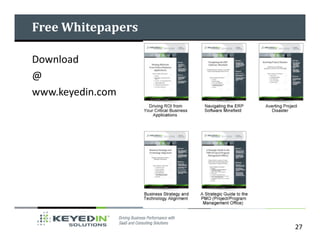
Free Whitepapers

Download
@
www.keyedin.com


                   27
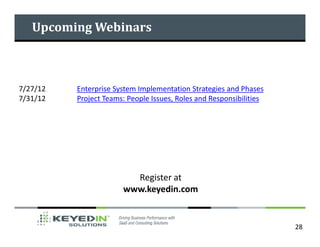
Upcoming Webinars


7/27/12   Enterprise System Implementation Strategies and Phases
7/31/12   Project Teams: People Issues, Roles and Responsibilities


                         Register at
                       www.keyedin.com


                                                                     28
Questions & Answers


Q A       &
   Copy of Presentation   Future Webinars

          Contact:
         Shelly Bird           Visit:
    sbird@keyedin.com     www.keyedin.com
   952-835-1041 ext.163

Enterprise system implementation strategies and phases

  • 1.
  • 2.
    Housekeeping Phones are muted Usethe question block for questions Copy of presentation available upon request
  • 3.
    About Your Presenter •Sr. VP KeyedIn Solutions Consulting Group – Helping companies align their business and technology – Focus on people, process, and then the technology – Subject matter expert on business process management – On-going research into next generation of technology for enterprise systems • 25 years experience in enterprise systems – USAF Research Project (1985) – Founder of enterprise quality software company (1988) • Trusted advisor to global organizations, government agencies, and professional groups http://www.linkedin.com/in/johncachat
  • 4.
    Thought for theDay “The value of an idea lies in the using of it.” Thomas Alva Edison 4
  • 5.
    Driving from PointA to Point B • Wrong directions guarantee poor results • GPS provides the plan • Then stuff happens – Construction – Traffic – Accident • Adjust and arrive 5
  • 6.
    Today’s Discussion • ImplementationStrategies – Full blown – Staggered or Phased • Implementation Phases – Project planning – Application exploration – System design – System testing – System activation – “go live”
  • 7.
    Full Blown Approach Everything, everywhere, at the same time Pros Cons Less integrations with legacy system Lesson learned can not be transferred need to be developed to other sites Can eliminate legacy system Short term, more intensive consultant maintenance fees faster support and therefore more expensive More room for failure – too many moving parts Requires strong project management 7
  • 8.
    Staggered or PhasedApproach Different stuff, at different sites (departments), at different times Pros Cons Less consultant intensive Temporary interfaces may have to be built Problem areas can be separated out Have to pay maintenance on legacy Internal employees may be able to take systems for a long period of time over in later phases Less room for failure 8
  • 9.
    Implementation Strategies • Whichapproach is best? • It is probably better to win a series of battles then risk losing the war! • Which has the highest probability of success? • How much can your company absorb at one time? 9
  • 10.
    Implementation Phases • Transitionfrom legacy to new system – Project planning – Application exploration – System design – System testing – System activation – “go live” 10
  • 11.
    Project Planning • Firstwe have to figure out what we are going to do before we figure out how we are going to do it • Magnitude, duration, and cost • Resources • Risk Management • IT IS NOT GANTT CHARTS! 11
  • 12.
    Project Planning • Livingdocuments • Communication tools – Issue Management – Status Reporting • Take the time to do it right 12
  • 13.
    Application Exploration • Usersand consultants sit down in front of the app and explore the functionality • Use training or demo data – do not use an empty version • Goal is to get end users familiar with the system, how to navigate, and understand the options available • Objective is to get the end users more knowledgeable so that they can ask better questions 13
  • 14.
    Application Exploration Objectives •Begin the process of knowledge transfer from consultant to end user • Identify gaps • Explore different configurations / set up options • Discuss in and out of scope concerns 14
  • 15.
    System Design • Configure the system • Organizational structure • Reporting • Security • Key files (customer, employee, supplier, etc) • Avoid overthinking and cumbersome setups • Use best practices • Avoid customizations 15
  • 16.
    Customization • Avoid atall costs, really – stay vanilla • Customization is not configuration Customization – Bad Configuration - OK • Changing source code • OEM tools that change screens • Changing data structures • Workflow engines • Changing business rules / triggers • Report Writers (be careful) • Changing batch programs 16
  • 17.
    The KeyedIn Approach •Use the software “as is out of the box” • Use BPM to develop specific solutions for your specific needs 17
  • 18.
    System Design Objectives •Continue the knowledge transfer starting with application exploration • Establish the framework for the system • Finalize and document the customer’s desired system configuration • Setup the initial security configuration 18
  • 19.
    Types Of SystemTesting Type Description Parallel Testing Users test an entire process, like running payroll, and compare to results from legacy system Stress testing Users “pound” the system – number of users, response time, running reports System integration Users test the entire process – from start to finish, across testing integration point3 Unit Testing Users test specific scenarios – not the entire process – make sure this thing works User acceptance Users follow specific test scripts – a comprehensive set of testing (UAT) instructions to verify system does what it is intended to do Note: System testing versus system validation 19
  • 20.
    System Testing Objectives •Discover, document, and resolve any design, data, processing or application issues • Refine system configuration as required • Test customizations • Continue knowledge transfer and make end users comfortable with their roles • Identify and resolve resource issues • Clarify go-live training needs • Refine the initial security matrix 20
  • 21.
    System Activation –“Go Live” • Assuming the new system is – Configured properly – Tested – People are ready – Processes are documented • Cutover • Go-Live • Retire / shutdown legacy system 21
  • 22.
    The Group ResponsiblyMatrix Roles in the System Implementation Project Application System System System Planning Exploration Design Testing Activation Sr. HIGH Low Low Low HIGH Management Project HIGH Medium Low Low HIGH Managers End Users Low HIGH HIGH HIGH HIGH Internal Medium Low Medium HIGH HIGH Technical Resources Consultants Medium HIGH HIGH HIGH HIGH 22
  • 23.
    Red Flags • 400line project plan with no resources • No full time Project Manager or process • Corner office is dictating how the system should be configured • No risk analysis performed • Employees do not understand why this is being done 23
  • 24.
    Things to Remember…. •Spend time on planning • Allow for changes / updates • Celebrate the go live event 24
  • 25.
    About KeyedIn ConsultingGroup Experts providing solutions to specific problems – Business and IT Alignment – People and Process Alignment – Enterprise Software Selection – Project Rescue – Project Management & PMO Managed Services 25
  • 26.
    Follow KeyedIn Corporate Website: www.keyedin.com www.twitter.com/keyedinsolution www.linkedin.com/company/2434133?trk=tyah 26
  • 27.
  • 28.
    Upcoming Webinars 7/27/12 Enterprise System Implementation Strategies and Phases 7/31/12 Project Teams: People Issues, Roles and Responsibilities Register at www.keyedin.com 28
  • 29.
    Questions & Answers QA & Copy of Presentation Future Webinars Contact: Shelly Bird Visit: sbird@keyedin.com www.keyedin.com 952-835-1041 ext.163