WELCOME to the Wonderful World of Wires
What is Electronics? Power and control system of the robot Includes the battery, computer, circuit breakers, various power controllers, and wires Computer sends signals to power controllers, which allow or restrict power to their assigned robot component
Electronic System Components Computer Circuit Breaker(s) Victors Spikes Batteries Main Power Switch Grounding Stud Power Distribution block Sensors
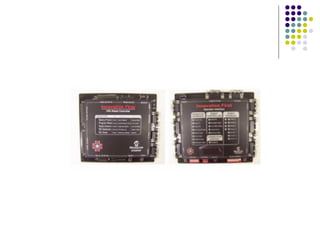
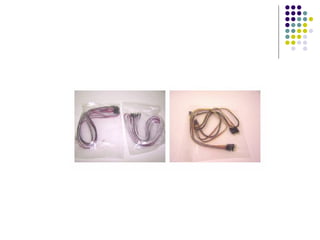
Computer Brain of the robot Relays information from programming or sensors with either PWM or relay cables Has backup power source-little blue battery
 
 
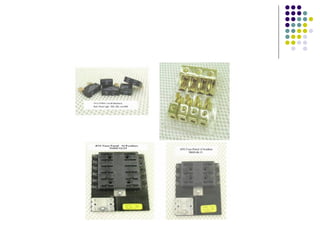
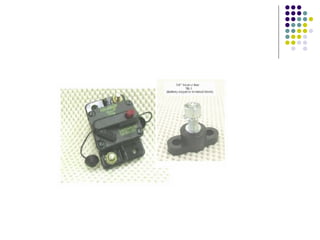
Circuit Breakers Prevent power surges by limiting amount of power flow Amount of flow allowed based on fuses Come in 20, 30, and 40 amp 40 amp always used for drive motors Otherwise depends on specific power needs of system
 
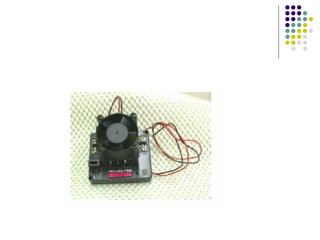
Victors Used for motors mostly 1 victor per motor Variable settings Require 40 amp fuse in circuit breaker
 
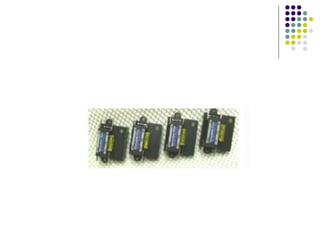
Spikes Used for compressor, pistons, and some motors 1 per compressor 1 or 2 per piston Act through solenoids in pneumatics system Motors must have at most 30 amp load and no intermediate positions-not often used Breaker fuse is 20 or 30 amp depending on power needed for each system
 
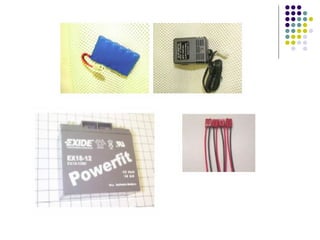
Batteries Contain all power for the robot Are removable for charging Connected to rest of power system with a power coupling 1 big battery for main power 1 small battery for computer
 
Main Power Switch Controls all power from battery to robot Top button-off Side button-on Connected only to (+) wires
Grounding Stud Final destination of all (-) wires Makes sure no power goes into the metal robot
 
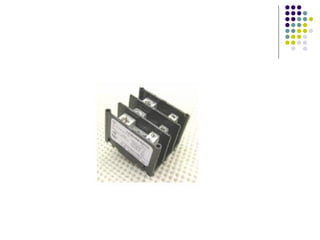
Power Distribution Block Only way to make big wires smaller besides breakers Splits power from one big wire into many smaller wires Not always used on robot
 
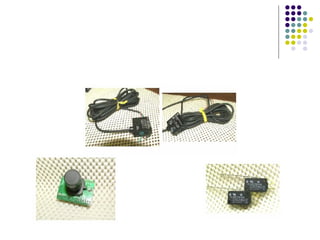
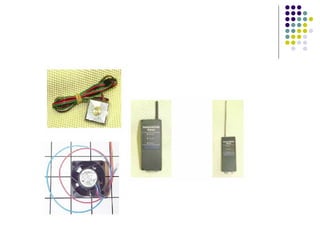
Sensors Gets information from surroundings and delivers messages to computers Connects only to the computer and is there dealt with by the programming Examples: camera, touch sensors, IR sensors, line sensors We have not used them often
 
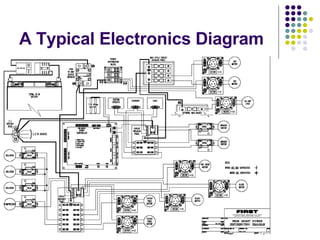
A Typical Electronics Diagram
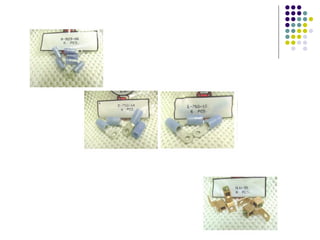
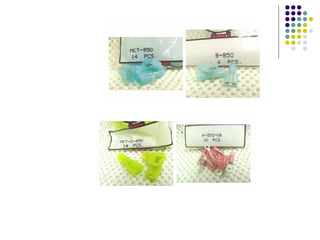
Wiring parts Wires have different sizes (gauges) Connectors Different colors show different sizes Blue <Red <Yellow (others are relatively obvious by sight) We generally work with 3 different shapes Many types depending on way of attachment Crimp and solder are two main kinds


Wiring Process Attach all electronic components to a board-for us plastic Know where wires go Measure length of wires-checking on the electronics board multiple times-then cut Attach appropriate connectors-those that fit with the components and wire size Attach wires to components If have time, organize wires and zip tie together to look less jumbled
Rules for Wiring (+) is usually a red wire (sometimes white) (-) is usually black wire (sometimes blue) Never directly connect a bigger wire to a smaller wire Can always go through something like a power distribution block or circuit breaker Always surround connections with electrical tape When in doubt, look at the diagram or ask someone-DO NOT TAKE CHANCES Chances can lead to electrical fires
 

Electronics Presentation 06

  • 1.
    WELCOME to theWonderful World of Wires
  • 2.
    What is Electronics?Power and control system of the robot Includes the battery, computer, circuit breakers, various power controllers, and wires Computer sends signals to power controllers, which allow or restrict power to their assigned robot component
  • 3.
    Electronic System ComponentsComputer Circuit Breaker(s) Victors Spikes Batteries Main Power Switch Grounding Stud Power Distribution block Sensors
  • 4.
    Computer Brain ofthe robot Relays information from programming or sensors with either PWM or relay cables Has backup power source-little blue battery
  • 5.
  • 6.
  • 7.
    Circuit Breakers Preventpower surges by limiting amount of power flow Amount of flow allowed based on fuses Come in 20, 30, and 40 amp 40 amp always used for drive motors Otherwise depends on specific power needs of system
  • 8.
  • 9.
    Victors Used formotors mostly 1 victor per motor Variable settings Require 40 amp fuse in circuit breaker
  • 10.
  • 11.
    Spikes Used forcompressor, pistons, and some motors 1 per compressor 1 or 2 per piston Act through solenoids in pneumatics system Motors must have at most 30 amp load and no intermediate positions-not often used Breaker fuse is 20 or 30 amp depending on power needed for each system
  • 12.
  • 13.
    Batteries Contain allpower for the robot Are removable for charging Connected to rest of power system with a power coupling 1 big battery for main power 1 small battery for computer
  • 14.
  • 15.
    Main Power SwitchControls all power from battery to robot Top button-off Side button-on Connected only to (+) wires
  • 16.
    Grounding Stud Finaldestination of all (-) wires Makes sure no power goes into the metal robot
  • 17.
  • 18.
    Power Distribution BlockOnly way to make big wires smaller besides breakers Splits power from one big wire into many smaller wires Not always used on robot
  • 19.
  • 20.
    Sensors Gets informationfrom surroundings and delivers messages to computers Connects only to the computer and is there dealt with by the programming Examples: camera, touch sensors, IR sensors, line sensors We have not used them often
  • 21.
  • 22.
  • 23.
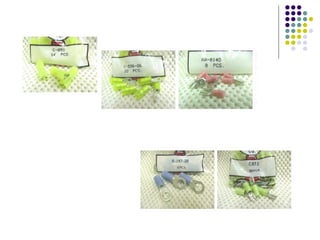
    Wiring parts Wireshave different sizes (gauges) Connectors Different colors show different sizes Blue <Red <Yellow (others are relatively obvious by sight) We generally work with 3 different shapes Many types depending on way of attachment Crimp and solder are two main kinds
  • 24.
  • 25.
  • 26.
  • 27.
    Wiring Process Attachall electronic components to a board-for us plastic Know where wires go Measure length of wires-checking on the electronics board multiple times-then cut Attach appropriate connectors-those that fit with the components and wire size Attach wires to components If have time, organize wires and zip tie together to look less jumbled
  • 28.
    Rules for Wiring(+) is usually a red wire (sometimes white) (-) is usually black wire (sometimes blue) Never directly connect a bigger wire to a smaller wire Can always go through something like a power distribution block or circuit breaker Always surround connections with electrical tape When in doubt, look at the diagram or ask someone-DO NOT TAKE CHANCES Chances can lead to electrical fires
  • 29.