




zekeLabs
Learning made Simpler !
www.zekeLabs.com
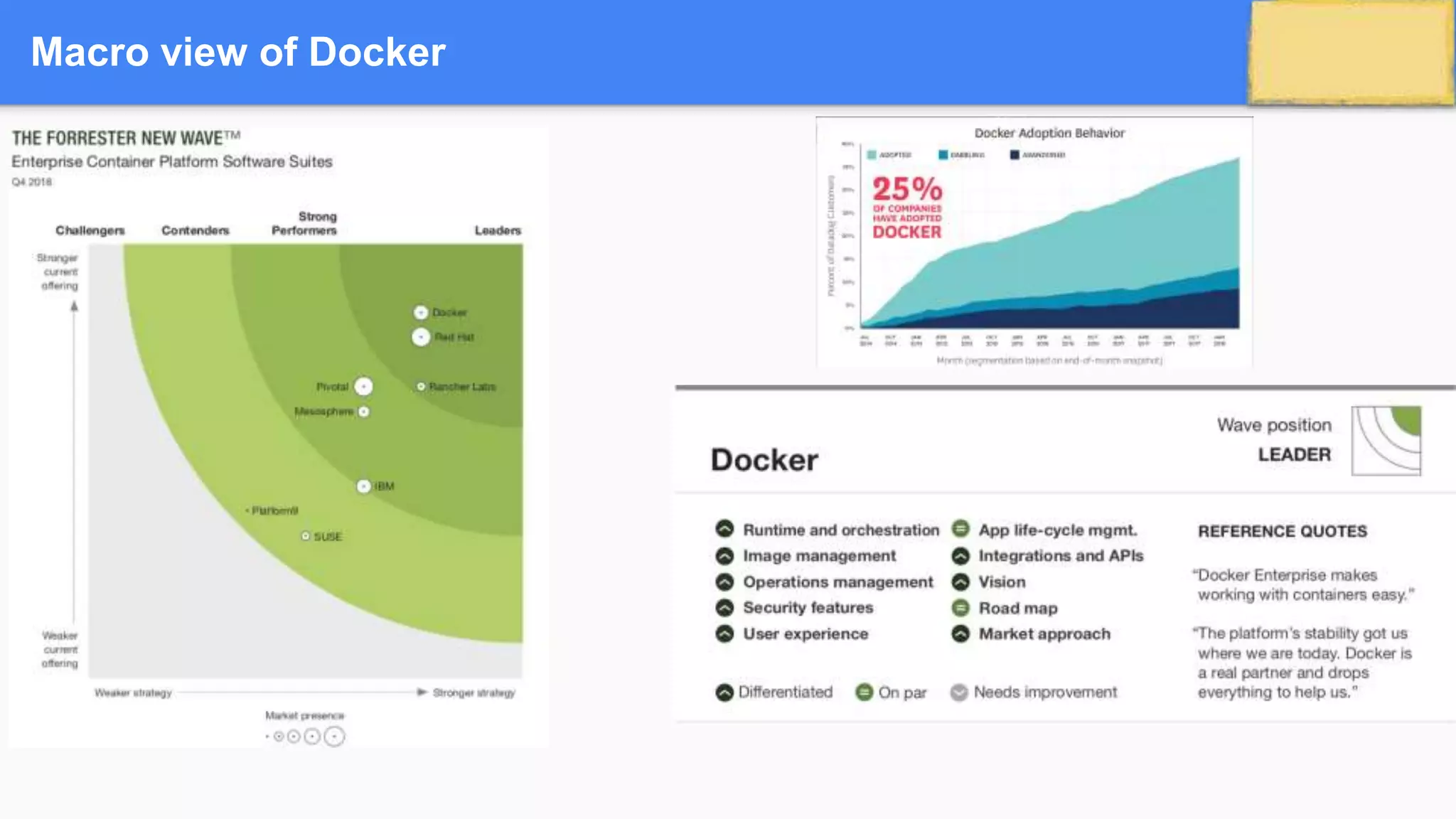
Macro view of Docker
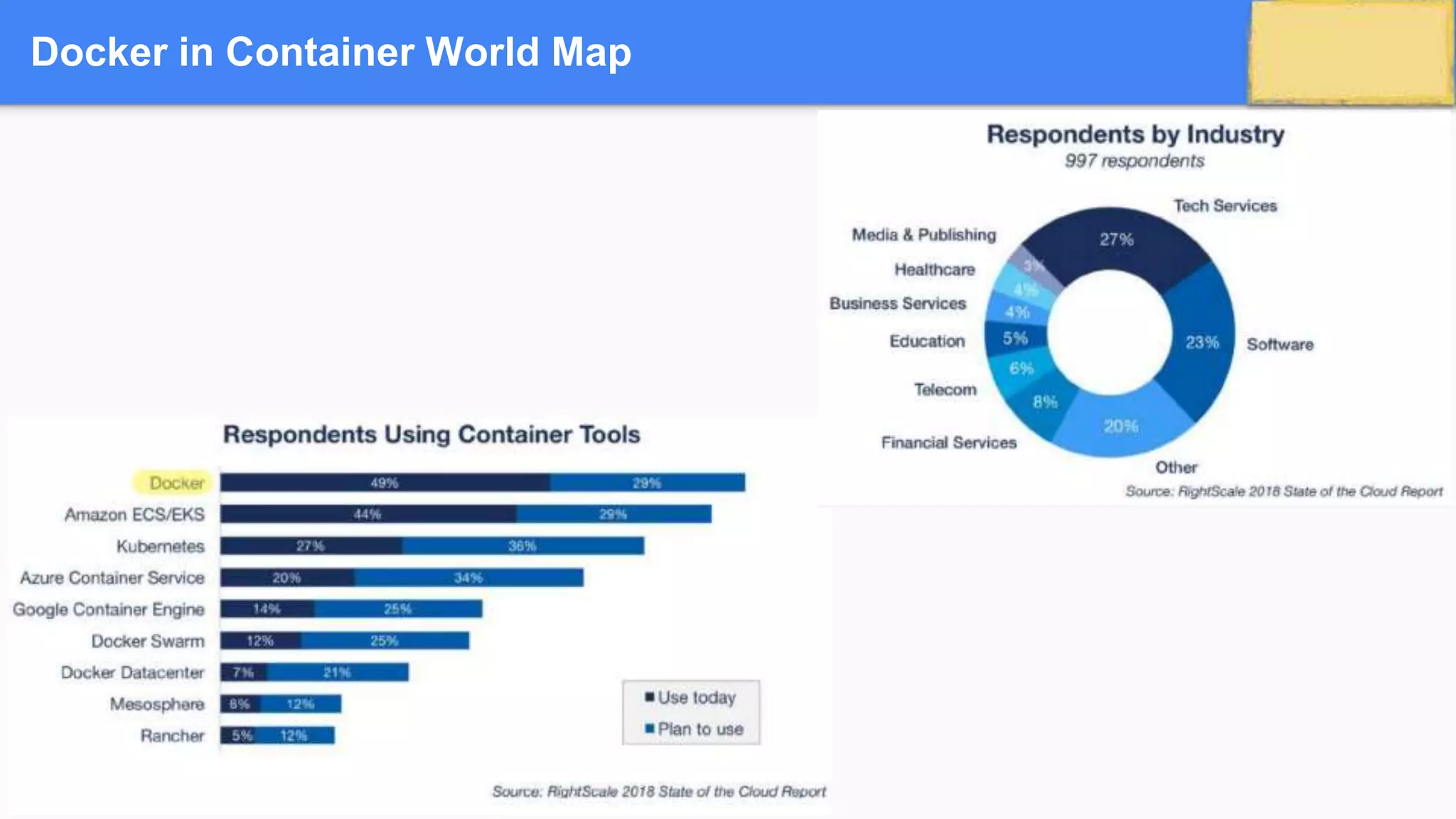
Docker in Container World Map
COMPETITORS
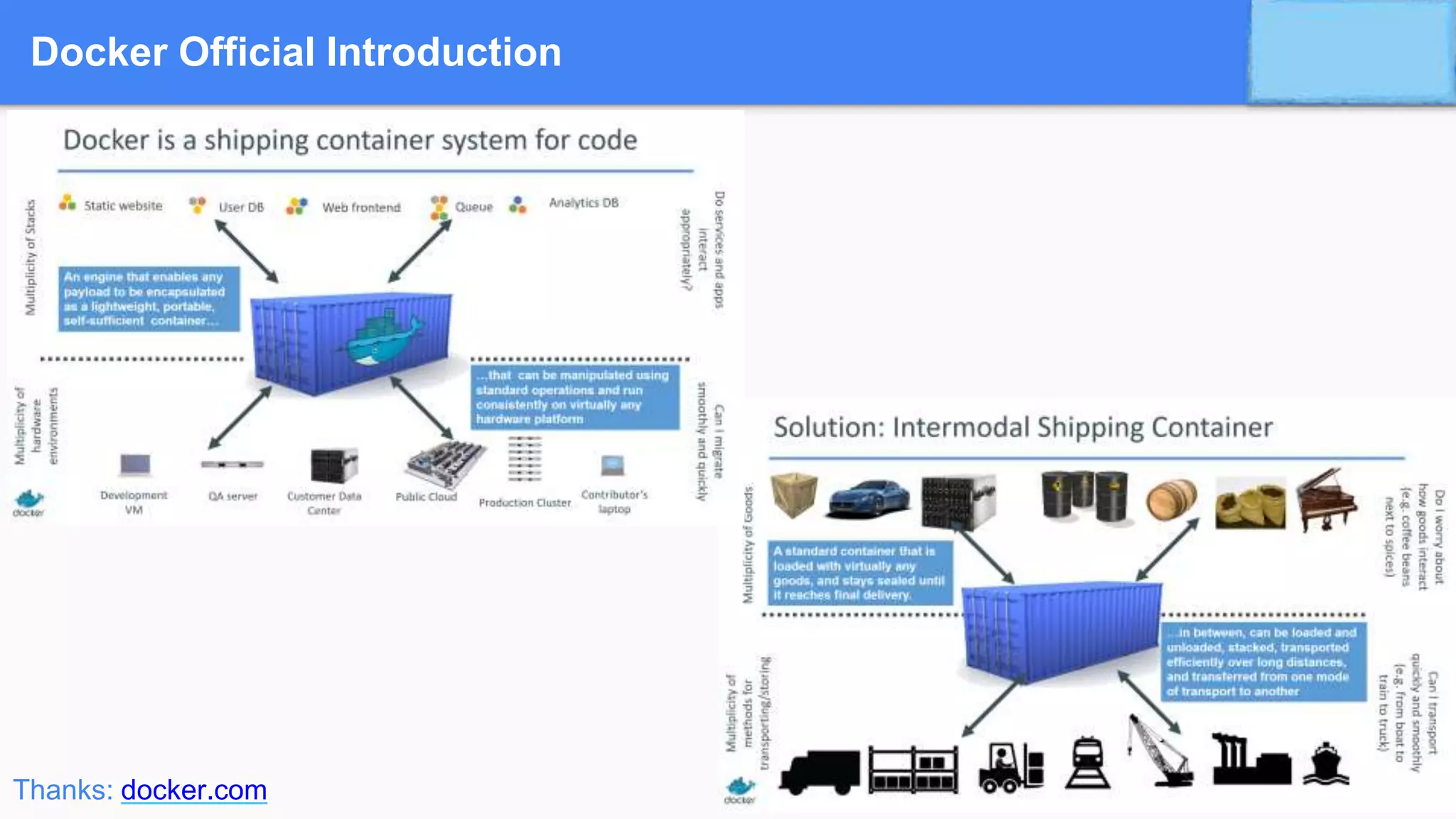
Docker Official Introduction
Credits: www.docker.com
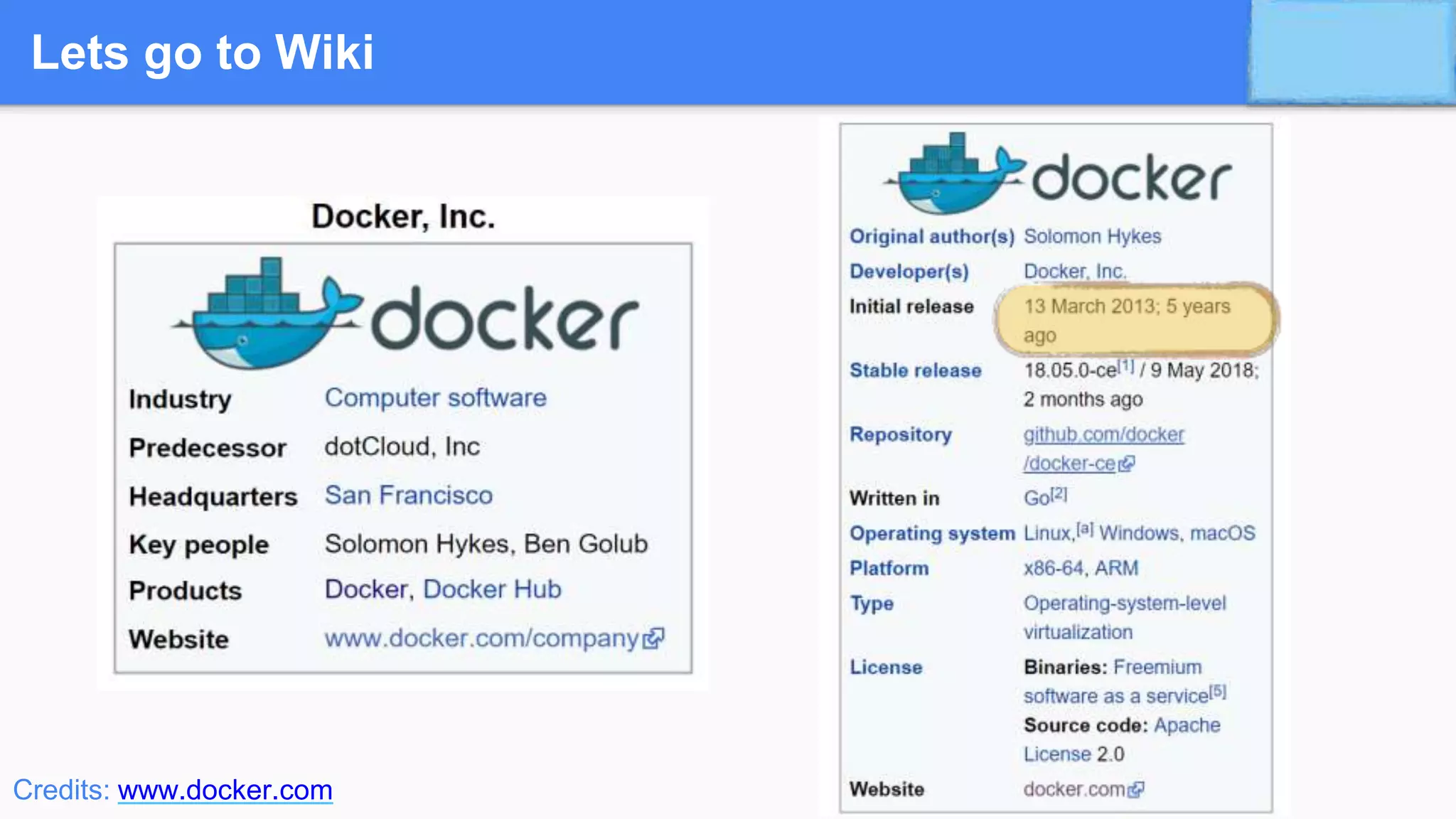
Lets go to Wiki
Credits: www.docker.com
Various Issues in Software Industry
• Dependency Hell
• Digital Transformation V/s Legacy Paralysis
• Infrastructure Costs
• Resource Productivity
• Operational Efficiency
• The WysiWyg gap -Unexpected changes from sandbox to production
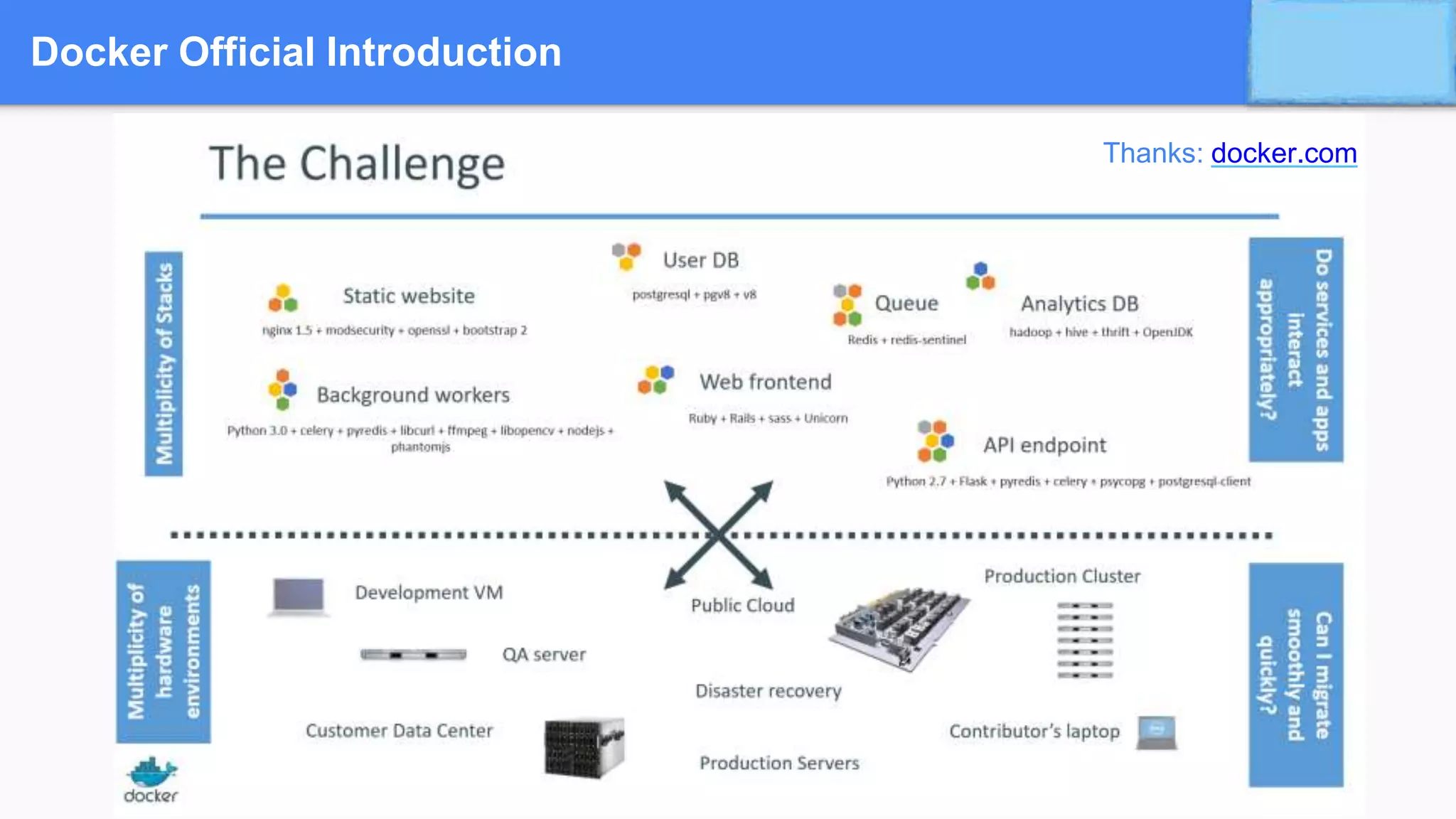
Docker Official Introduction
Thanks: docker.com
Docker Official Introduction
Thanks: docker.com
Why Developers ?
Build once…run anywhere
• A clean, safe, hygienic and portable runtime environment for your app.
• No worries about missing dependencies, packages and other pain points during subsequent deployments.
• Run each app in its own isolated container, so you can run various versions of libraries and other
dependencies for each app without worrying
• Automate testing, integration, packaging…anything you can script
• Reduce/eliminate concerns about compatibility on different platforms, either your own or your customers.
• Cheap, zero-penalty containers to deploy services. A VM without the overhead of a VM. Instant replay and
reset of image snapshots.
Why Ops ?
Configure once…run anything
• Make the entire lifecycle more efficient, consistent, and repeatable
• Increase the quality of code produced by developers.
• Eliminate inconsistencies between development, test, production, and customer environments
• Support segregation of duties
• Significantly improves the speed and reliability of continuous deployment and continuous integration
systems
• Because the containers are so lightweight, address significant performance, costs, deployment, and
portability issues normally associated with VMs
Why DevOps ?
• Oscar the Ops Guy
• Worries about what’s “outside” the
container
• Logging
• Remote access
• Monitoring
• Network config
• All containers start, stop, copy, attach,
migrate, etc. the same way
• Dan the Developer
• Worries about what’s “inside” the container
• His code
• His Libraries
• His Package Manager
• His Apps
• His Data
• All Linux servers look the same
How ?
Containers
Containers
➔ A container an entirely isolated set of packages, libraries and/or applications that are completely independent from
its surroundings.
➔ In the simplest example, you place your leftovers in a plastic container and then set it on the table. Although the
table lends the platform on which the leftovers are resting upon, they are independent of the table itself. What you
do to one does not necessarily affect the other (although in certain instances it can).
Containers
Containerisation
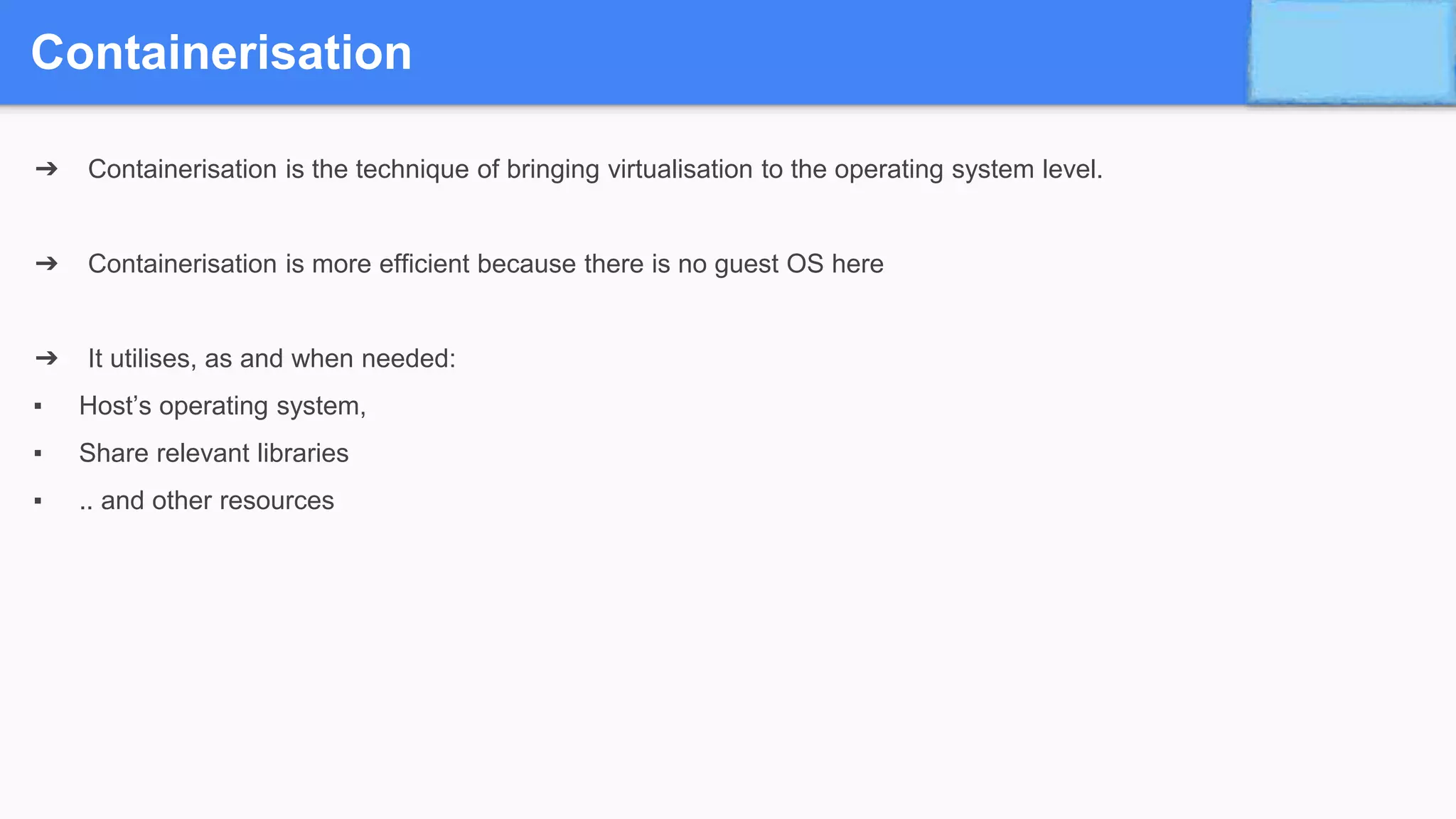
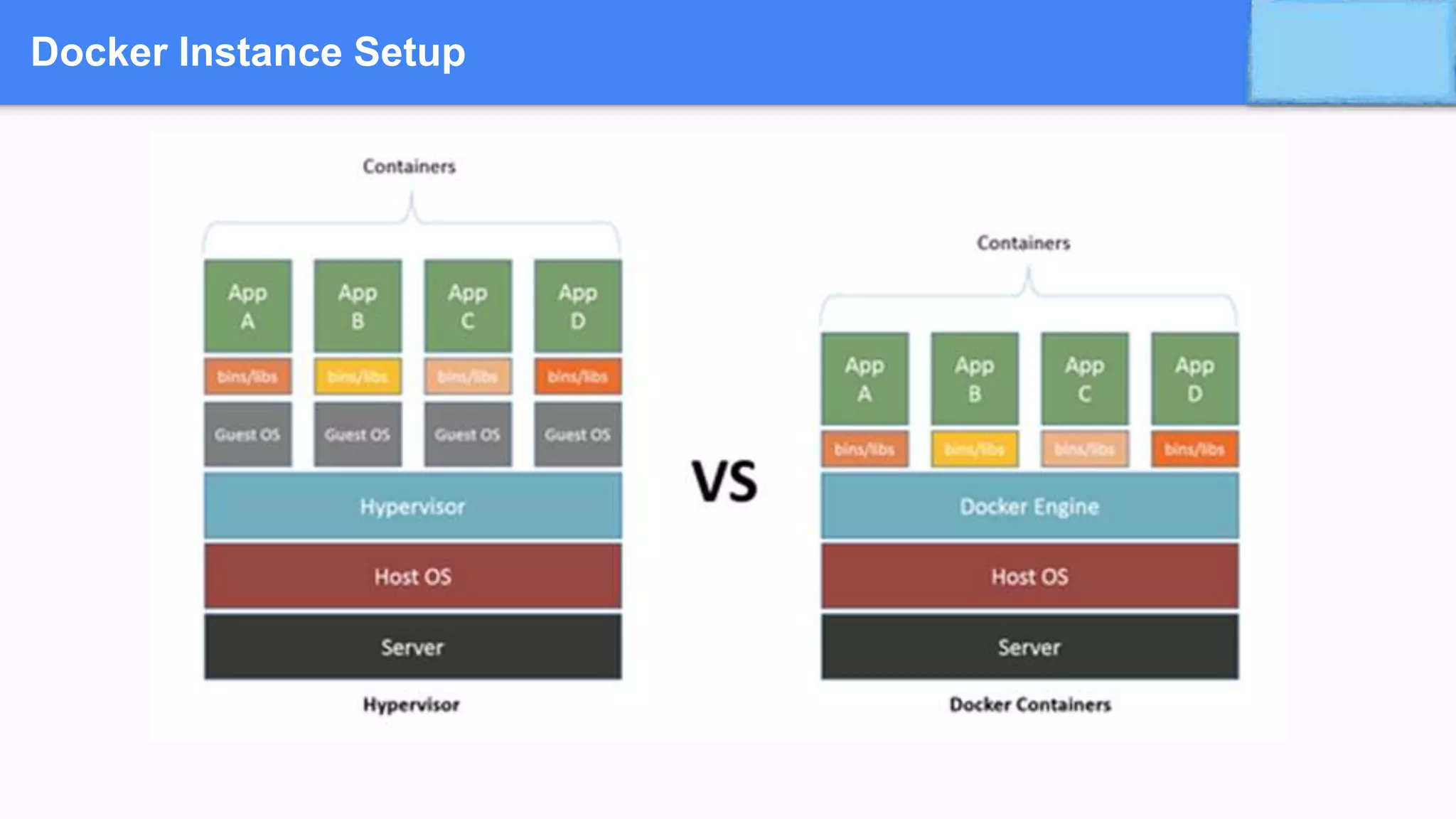
➔ Containerisation is the technique of bringing virtualisation to the operating system level.
➔ Containerisation is more efficient because there is no guest OS here
➔ It utilises, as and when needed:
▪ Host’s operating system,
▪ Share relevant libraries
▪ .. and other resources
Containerisation
➔ Advantages of Containerisation
◆ Containers on the same OS kernel are lighter and smaller
◆ Better resource utilisation compared to VMs
◆ Boot-up process is short and takes few seconds
Challenges in Containerisation
Adds complexity to the existing architecture initially
Docker Instance Setup
Poll Questionnaire
3 mins Break
Docker
Docker
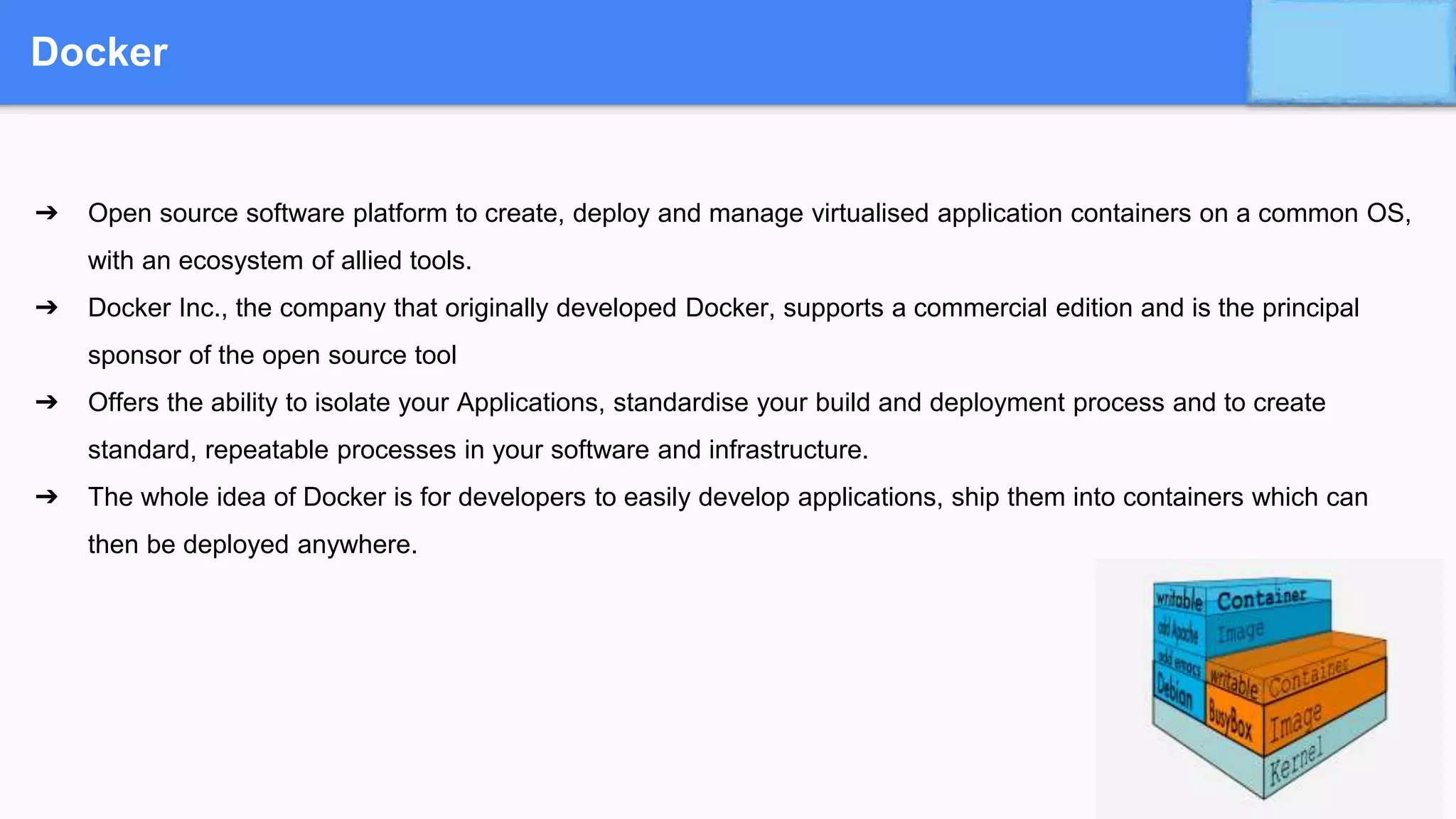
➔ Open source software platform to create, deploy and manage virtualised application containers on a common OS,
with an ecosystem of allied tools.
➔ Docker Inc., the company that originally developed Docker, supports a commercial edition and is the principal
sponsor of the open source tool
➔ Offers the ability to isolate your Applications, standardise your build and deployment process and to create
standard, repeatable processes in your software and infrastructure.
➔ The whole idea of Docker is for developers to easily develop applications, ship them into containers which can
then be deployed anywhere.
Docker Containers
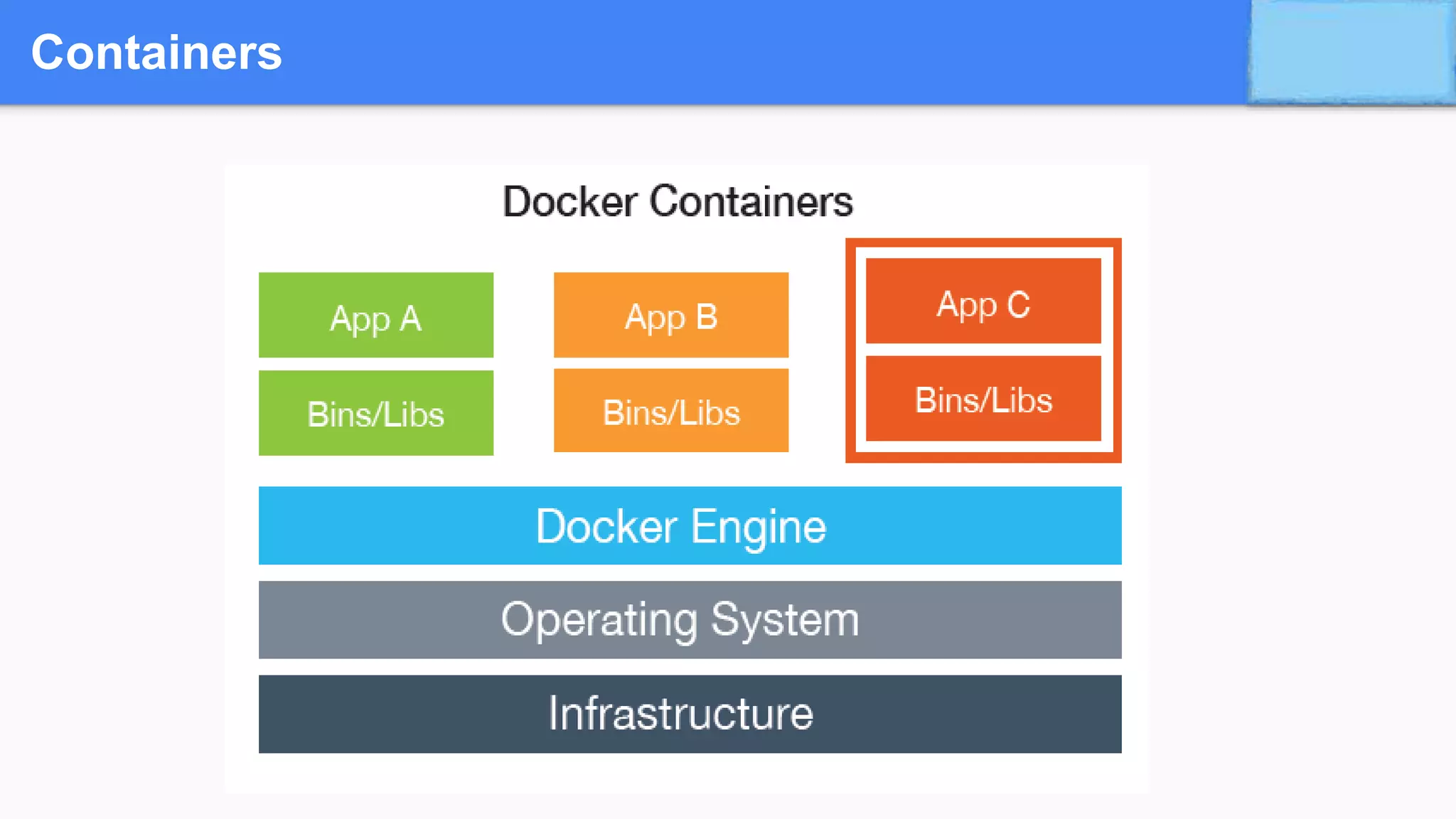
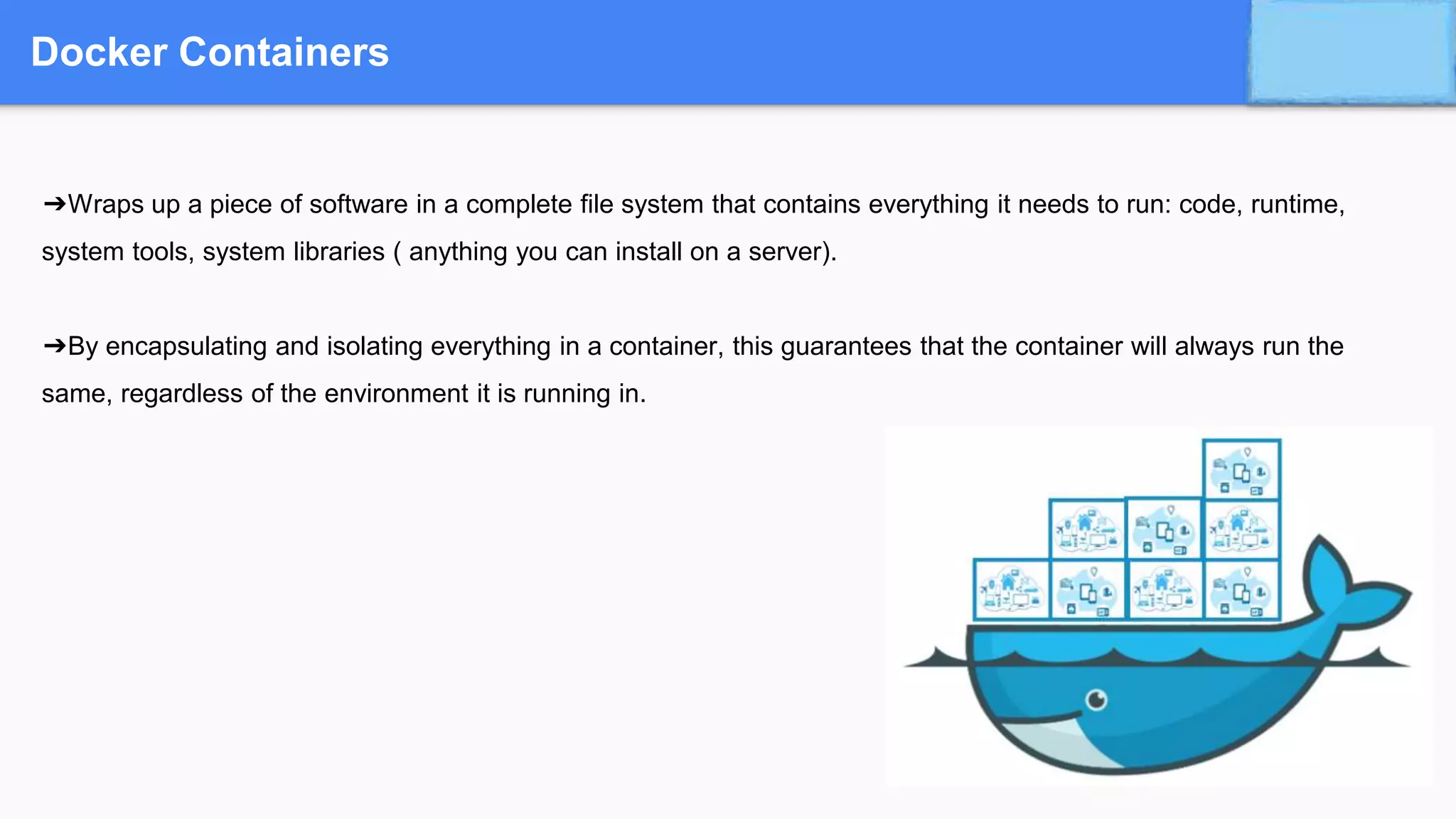
➔Wraps up a piece of software in a complete file system that contains everything it needs to run: code, runtime,
system tools, system libraries ( anything you can install on a server).
➔By encapsulating and isolating everything in a container, this guarantees that the container will always run the
same, regardless of the environment it is running in.
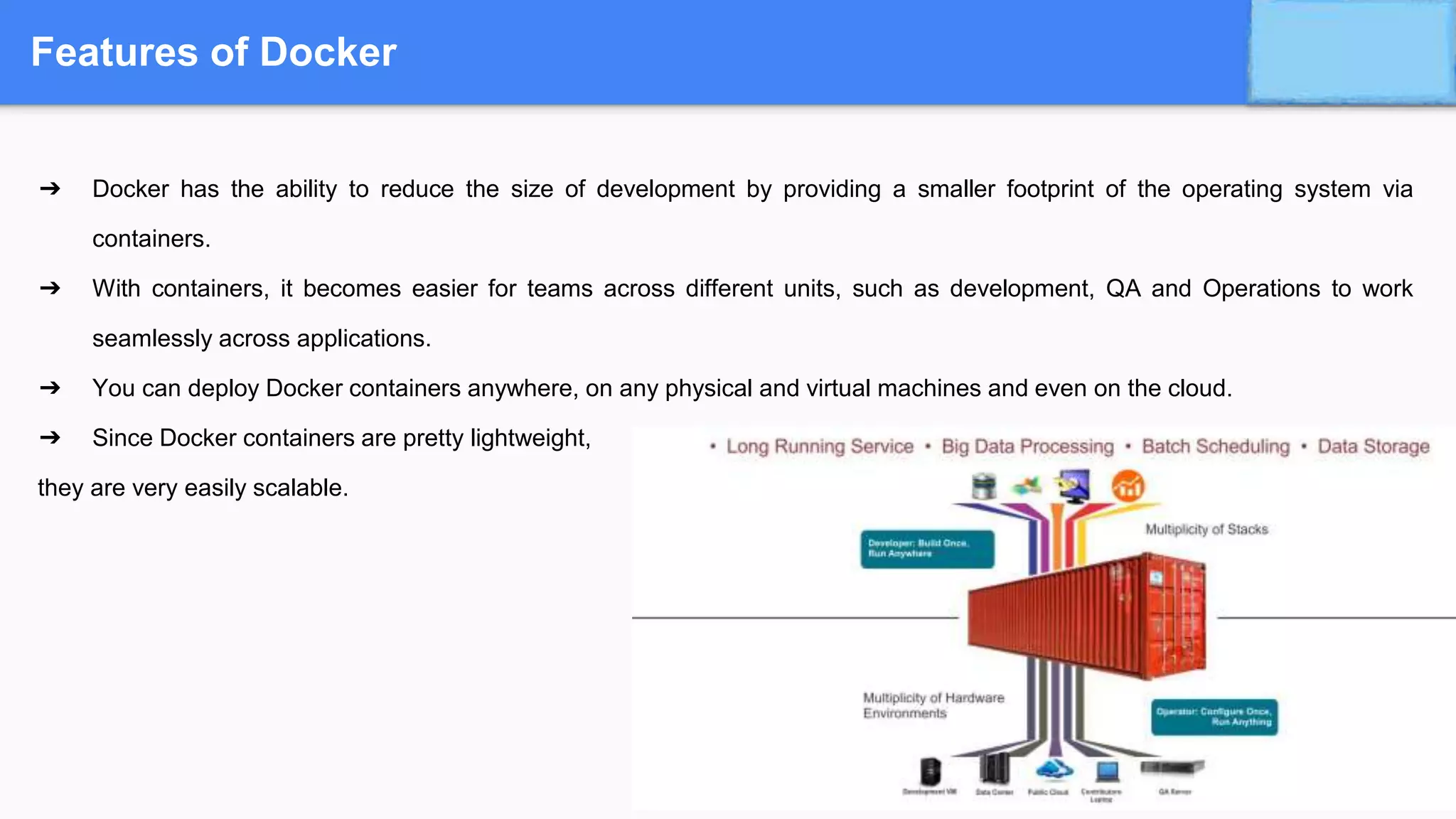
Features of Docker
➔ Docker has the ability to reduce the size of development by providing a smaller footprint of the operating system via
containers.
➔ With containers, it becomes easier for teams across different units, such as development, QA and Operations to work
seamlessly across applications.
➔ You can deploy Docker containers anywhere, on any physical and virtual machines and even on the cloud.
➔ Since Docker containers are pretty lightweight,
they are very easily scalable.
When to use Docker
➔ Configuration Simplification
➔ Enhance Developer Productivity
➔ Server Consolidation and Management
➔ Application Isolation
➔ Rapid Deployment
➔ Build Management (maven, Jenkins)
Docker ecosystem
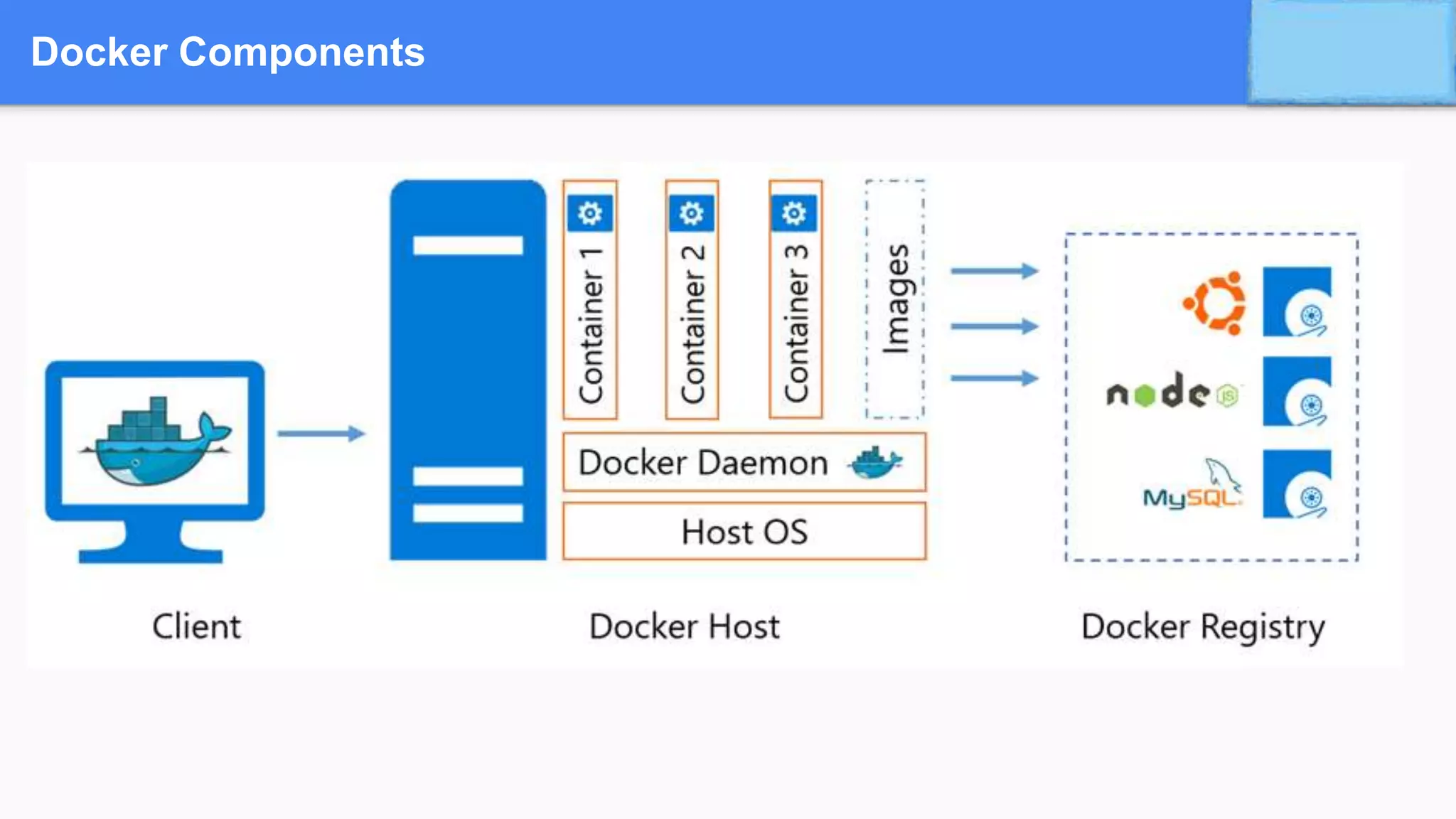
Docker Components
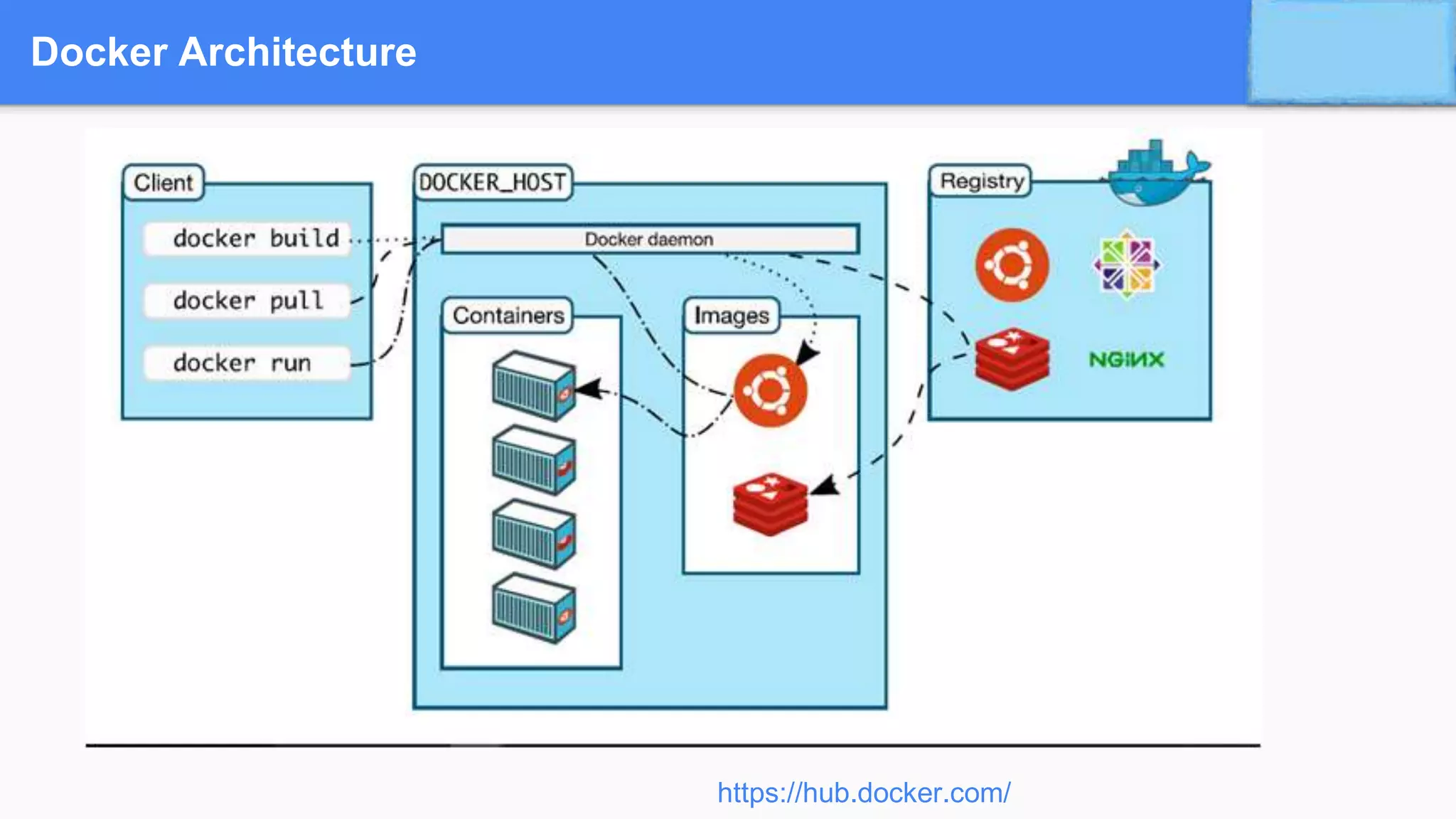
Docker Architecture
https://hub.docker.com/
Docker Terminology
➔ Docker Daemon
◆ Runs on Host machine,
◆ Creates and manages docker objects such as
● Images,
● Containers,
● Network,
● Volume,
● Data etc
➔ Docker Client
◆ User Interface for docker which accepts commands from user and communicates with docker host
Docker Terminology
➔ Docker Images
◆ Used to create docker containers, provides way to build new images or update existing images
◆ Build component of docker
➔ Docker Containers
◆ Created from docker images
◆ Hold everything that is needed for an application to run
◆ Isolated and secure application platform
◆ Run component of docker
Docker Terminology
➔ Dockerfile
◆ Starting point of the dockerization process.
◆ Details the configuration of an application and specifies resources needed
◆ Tells the image builder (eg. Jenkins) what the image should look like.
➔ Docker Registries
◆ Public or private stores from which you upload/download images
◆ Can be done on docker hub which is docker’s version of github
◆ Distribution component of docker
Docker Terminology
➔ Docker Engine
◆ The container runtime with built in orchestration, networking and security that installs on any physical, virtual
(VM) or cloud host (AWS, Azure, Google Cloud Enterprise etc).
◆ The lightweight runtime installs directly on the host OS i.e Windows Server 2016, Ubuntu, CentOS, RHEL
OpenSUSE.
Docker Terminology …
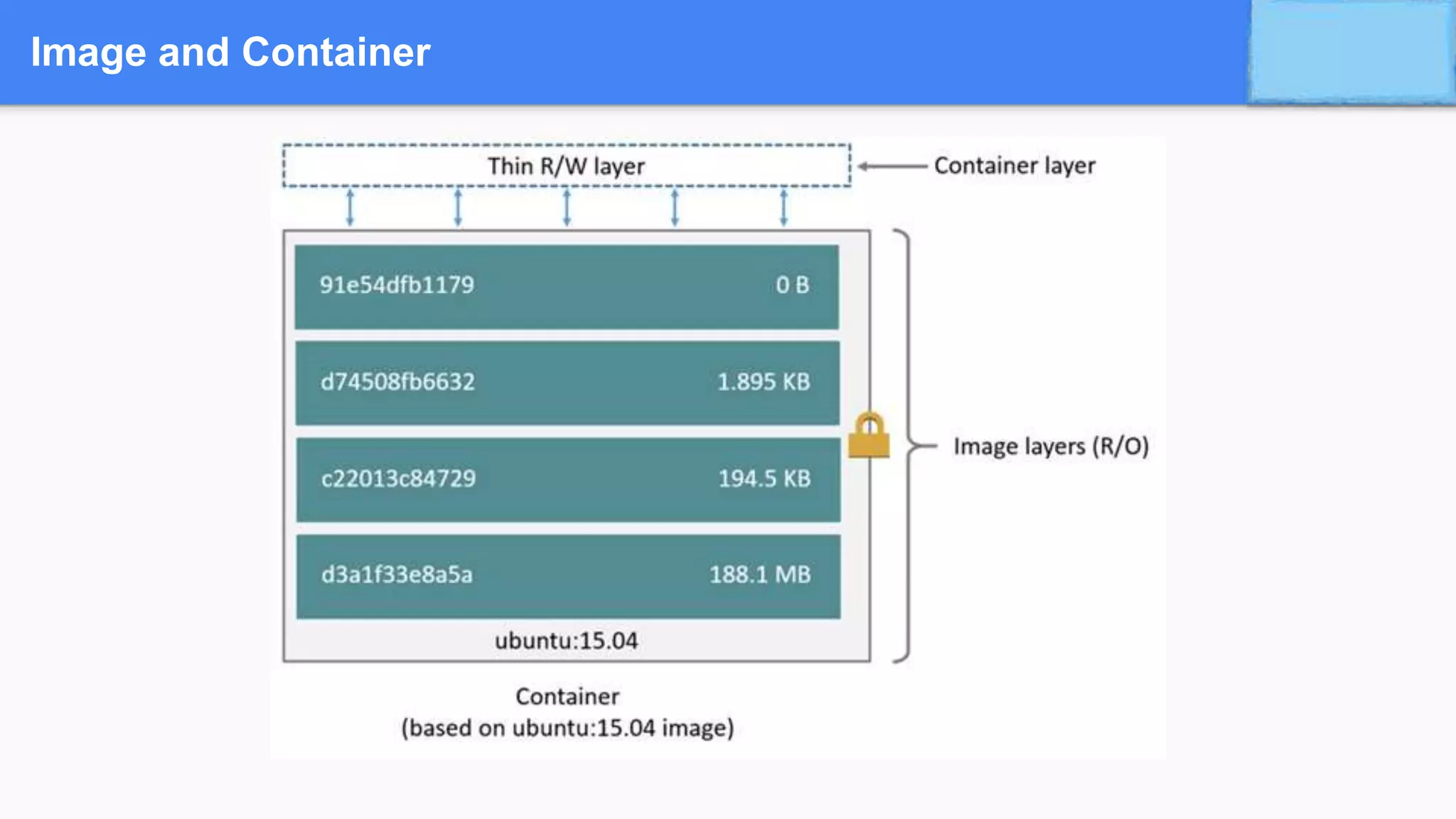
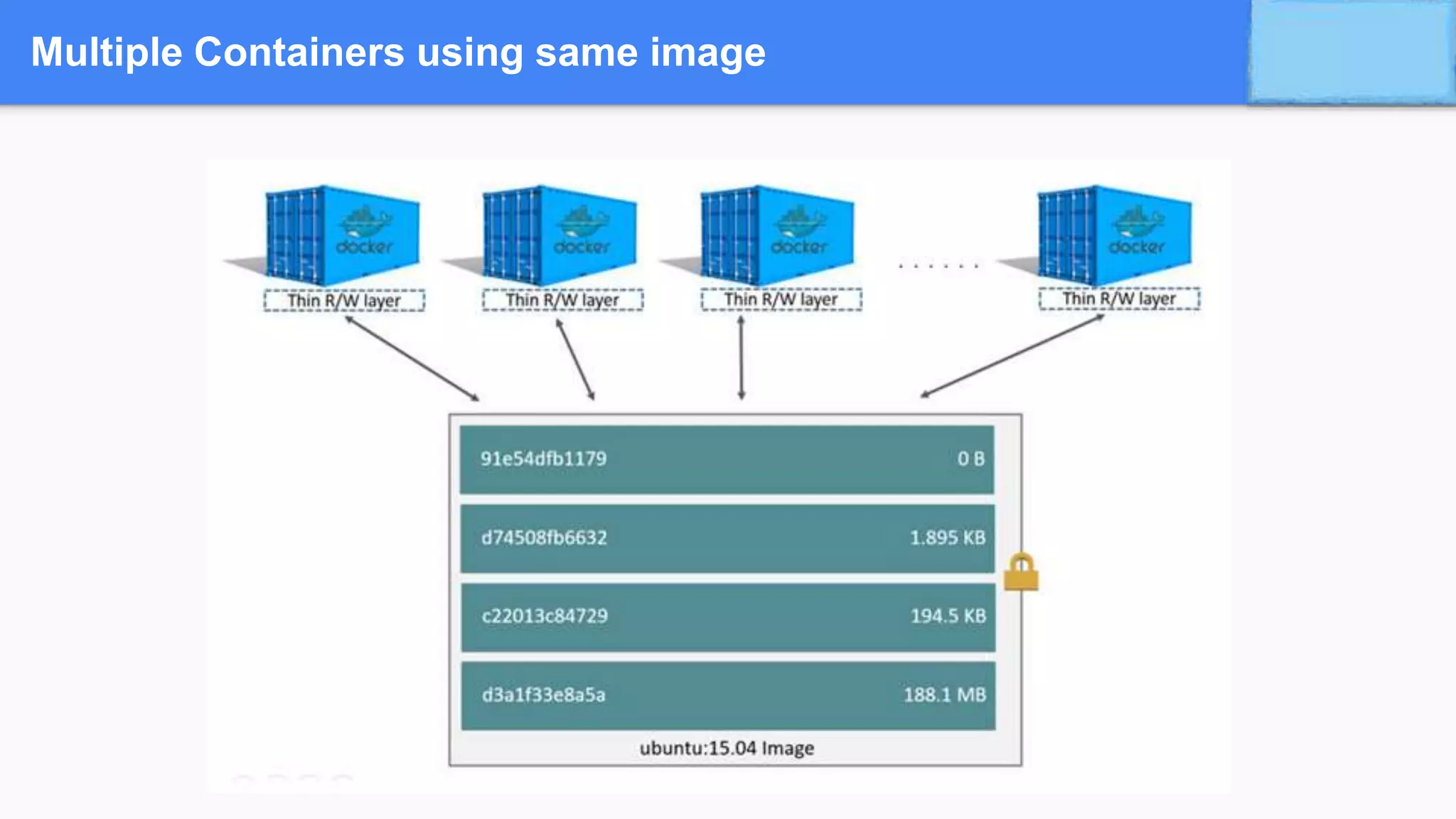
➔Containers are built from a Docker image.
➔The Docker image uses union filesystems and is comprised of multiple layers.
➔ “docker run” command spins up a container from the defined image
➔Commands include creating new containers, scaling existing containers, stopping, removing
Image and Container
Multiple Containers using same image
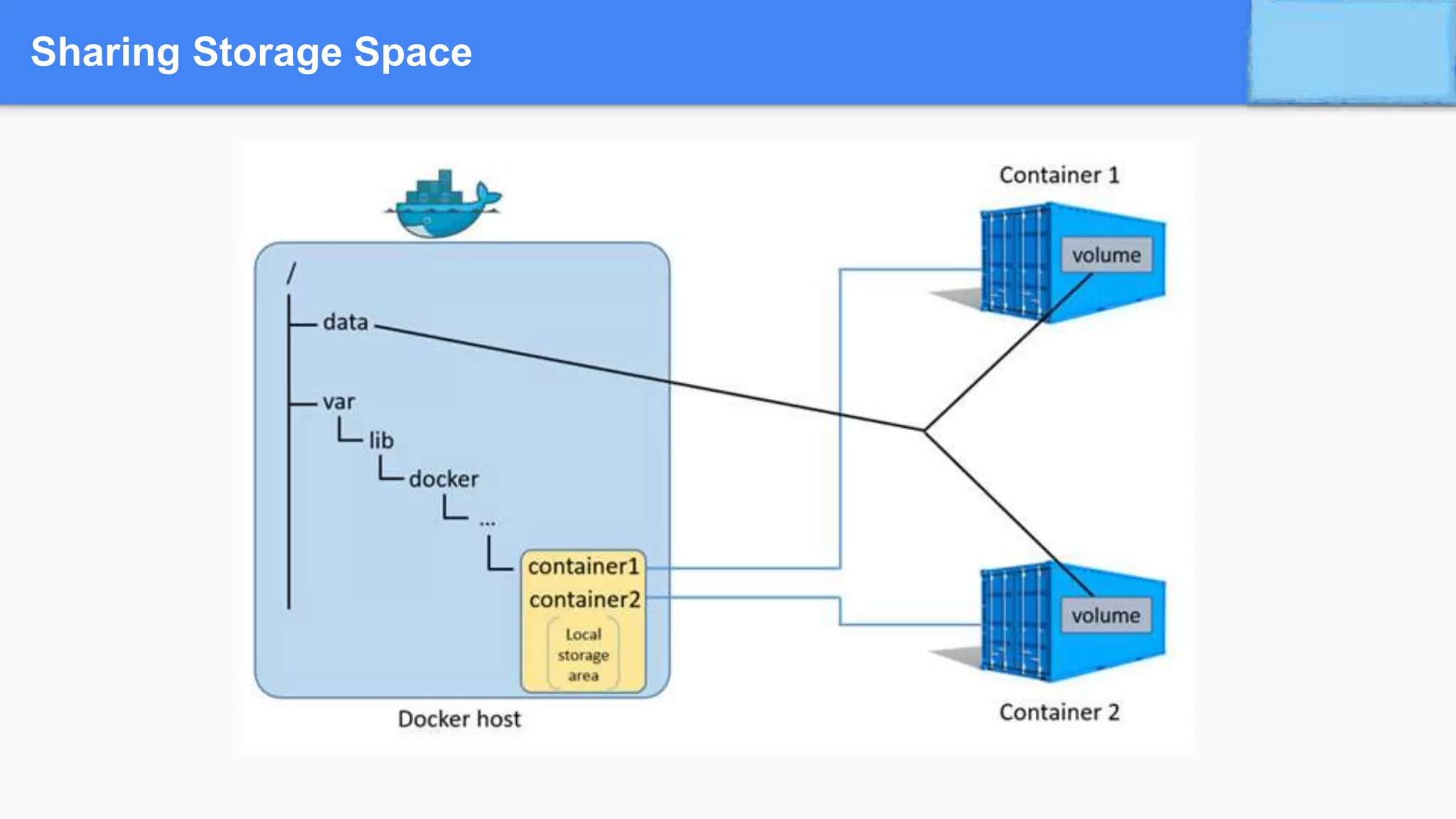
Sharing Storage Space
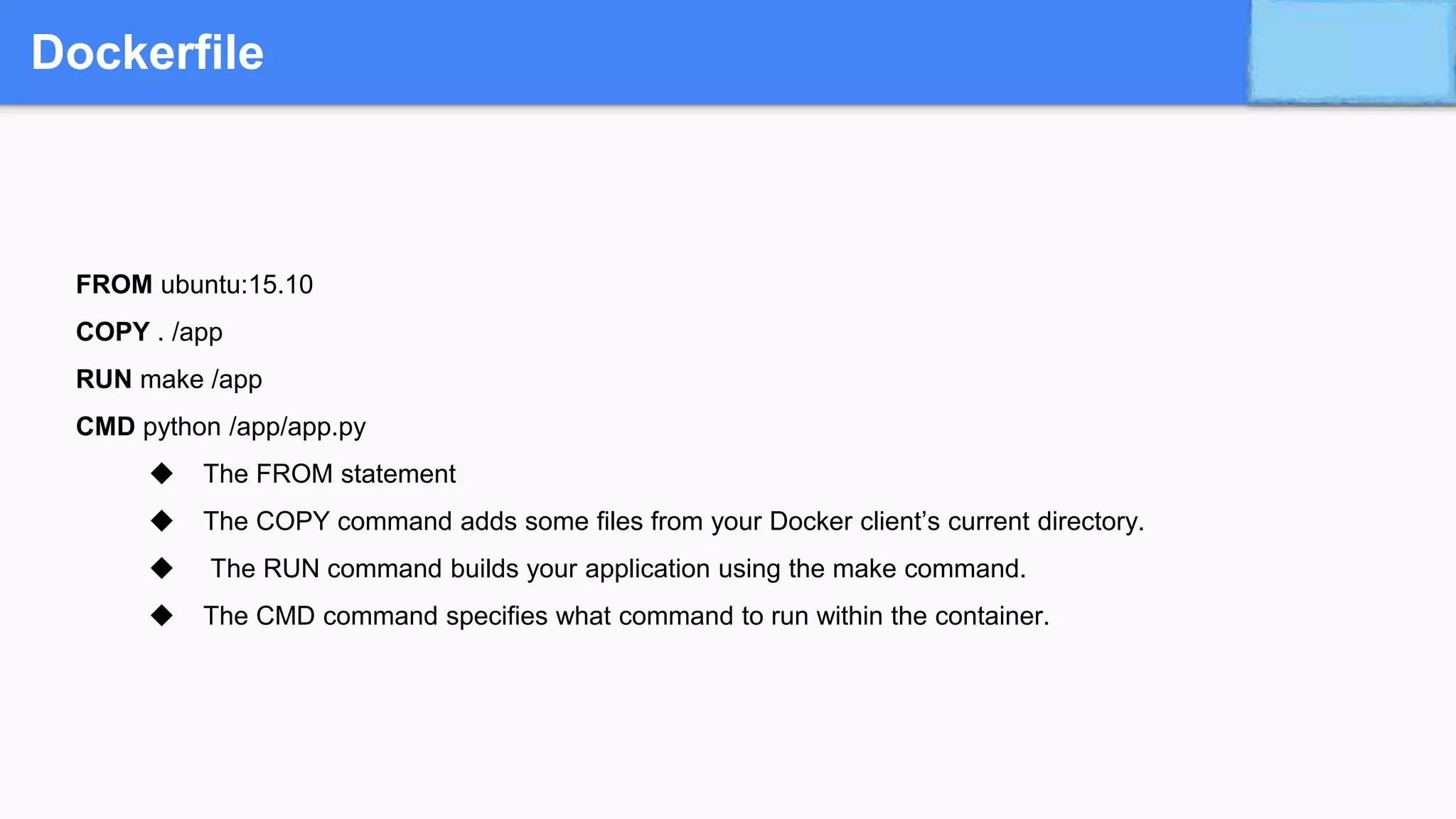
Dockerfile
Dockerfile
FROM ubuntu:15.10
COPY . /app
RUN make /app
CMD python /app/app.py
◆ The FROM statement
◆ The COPY command adds some files from your Docker client’s current directory.
◆ The RUN command builds your application using the make command.
◆ The CMD command specifies what command to run within the container.
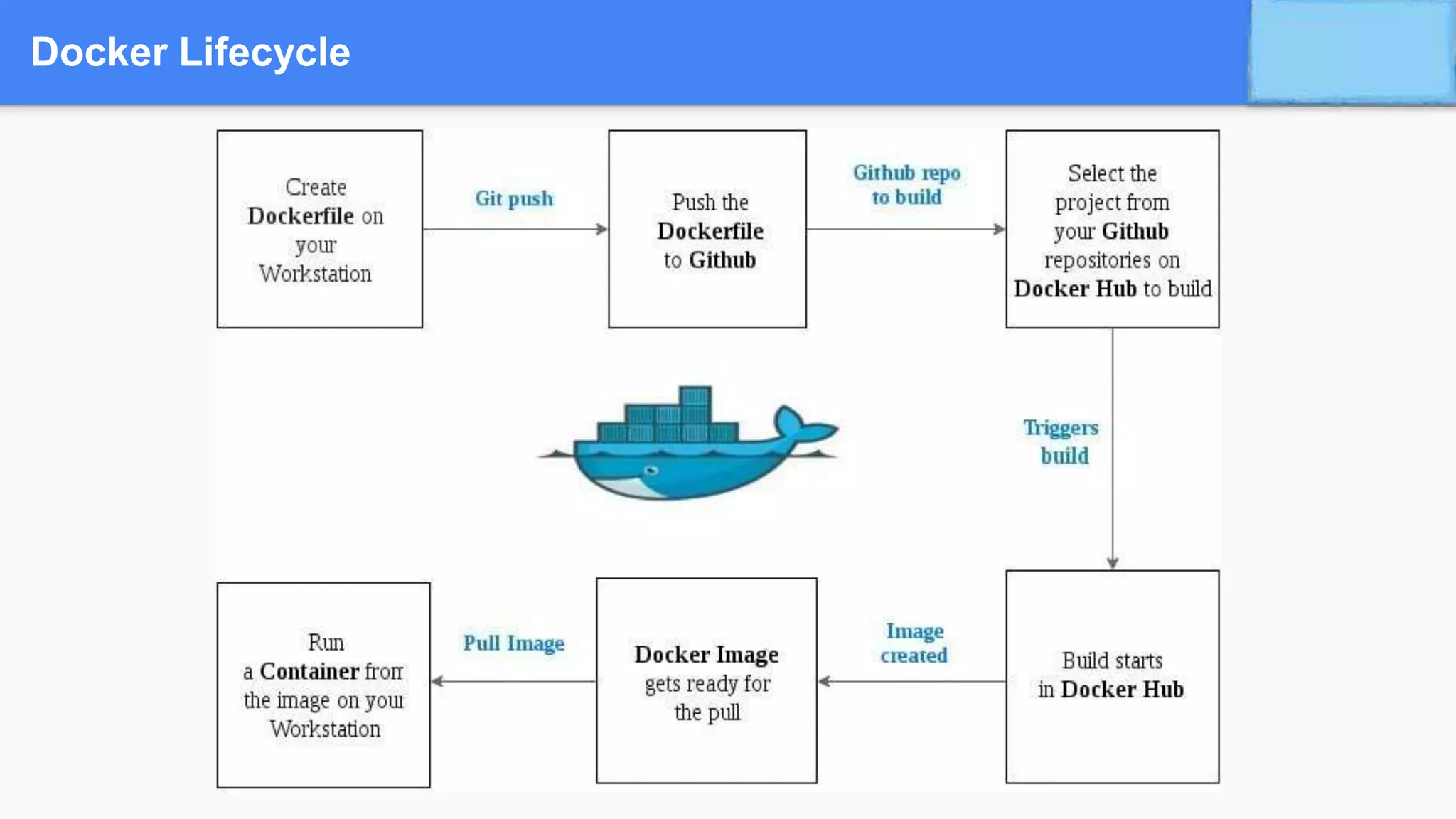
Docker Lifecycle
Container Orchestration
• Docker Swarm
• Kubernetes
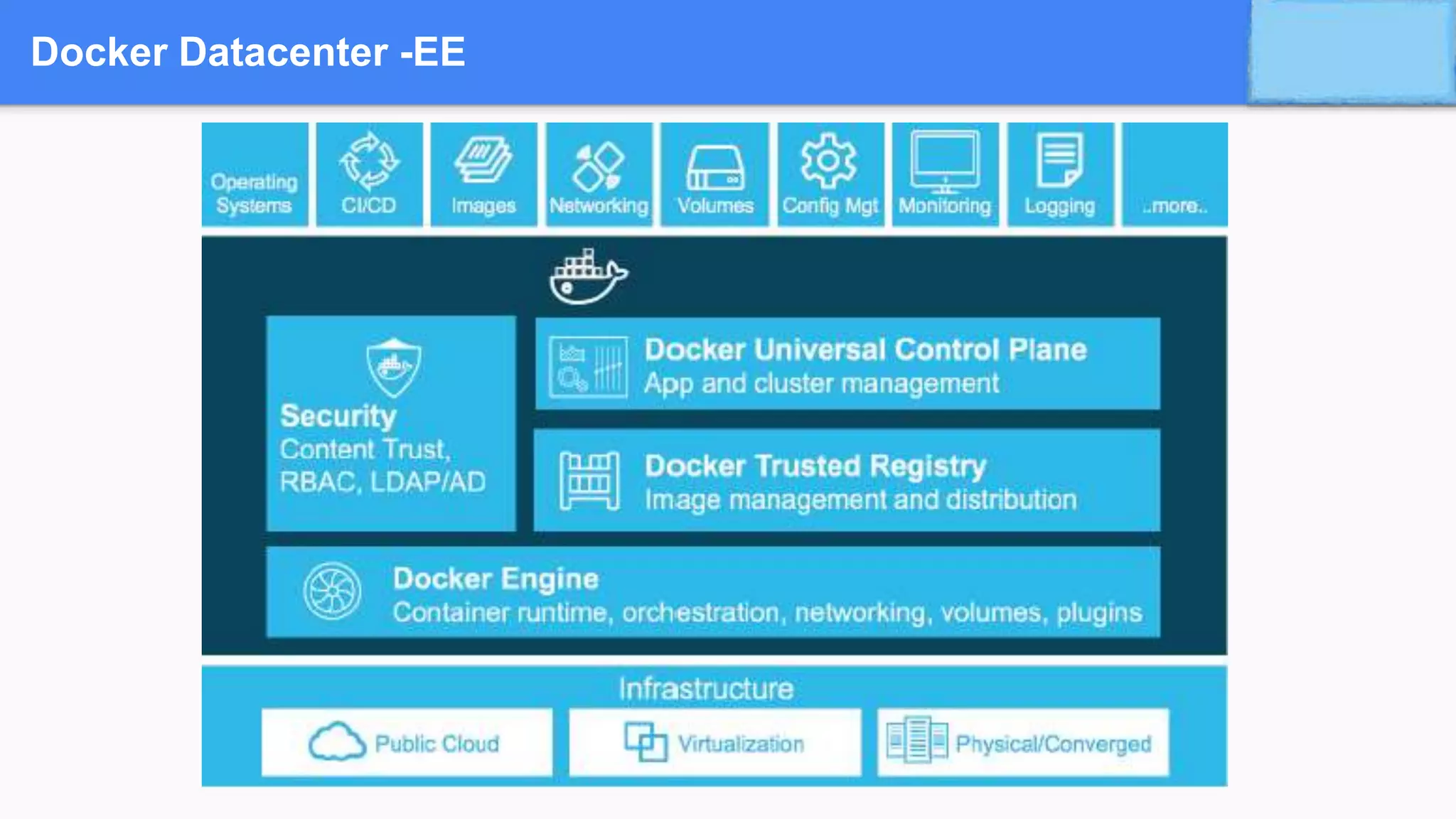
Docker Datacenter -EE
Visit : www.zekeLabs.com for more details
THANK YOU
Let us know how can we help your organisation to Up skill the
employees to stay updated in the ever-evolving IT Industry.
Get in touch:
www.zekeLabs.com | +91-8095465880 | info@zekeLabs.com

Docker - A curtain raiser to the Container world

  • 1.
  • 2.
  • 3.
  • 4.
  • 5.
  • 6.
    Lets go toWiki Credits: www.docker.com
  • 7.
    Various Issues inSoftware Industry • Dependency Hell • Digital Transformation V/s Legacy Paralysis • Infrastructure Costs • Resource Productivity • Operational Efficiency • The WysiWyg gap -Unexpected changes from sandbox to production
  • 8.
  • 9.
  • 10.
    Why Developers ? Buildonce…run anywhere • A clean, safe, hygienic and portable runtime environment for your app. • No worries about missing dependencies, packages and other pain points during subsequent deployments. • Run each app in its own isolated container, so you can run various versions of libraries and other dependencies for each app without worrying • Automate testing, integration, packaging…anything you can script • Reduce/eliminate concerns about compatibility on different platforms, either your own or your customers. • Cheap, zero-penalty containers to deploy services. A VM without the overhead of a VM. Instant replay and reset of image snapshots.
  • 11.
    Why Ops ? Configureonce…run anything • Make the entire lifecycle more efficient, consistent, and repeatable • Increase the quality of code produced by developers. • Eliminate inconsistencies between development, test, production, and customer environments • Support segregation of duties • Significantly improves the speed and reliability of continuous deployment and continuous integration systems • Because the containers are so lightweight, address significant performance, costs, deployment, and portability issues normally associated with VMs
  • 12.
    Why DevOps ? •Oscar the Ops Guy • Worries about what’s “outside” the container • Logging • Remote access • Monitoring • Network config • All containers start, stop, copy, attach, migrate, etc. the same way • Dan the Developer • Worries about what’s “inside” the container • His code • His Libraries • His Package Manager • His Apps • His Data • All Linux servers look the same
  • 13.
  • 14.
  • 15.
    Containers ➔ A containeran entirely isolated set of packages, libraries and/or applications that are completely independent from its surroundings. ➔ In the simplest example, you place your leftovers in a plastic container and then set it on the table. Although the table lends the platform on which the leftovers are resting upon, they are independent of the table itself. What you do to one does not necessarily affect the other (although in certain instances it can).
  • 16.
  • 17.
    Containerisation ➔ Containerisation isthe technique of bringing virtualisation to the operating system level. ➔ Containerisation is more efficient because there is no guest OS here ➔ It utilises, as and when needed: ▪ Host’s operating system, ▪ Share relevant libraries ▪ .. and other resources
  • 18.
    Containerisation ➔ Advantages ofContainerisation ◆ Containers on the same OS kernel are lighter and smaller ◆ Better resource utilisation compared to VMs ◆ Boot-up process is short and takes few seconds Challenges in Containerisation Adds complexity to the existing architecture initially
  • 19.
  • 20.
  • 21.
  • 22.
  • 23.
    Docker ➔ Open sourcesoftware platform to create, deploy and manage virtualised application containers on a common OS, with an ecosystem of allied tools. ➔ Docker Inc., the company that originally developed Docker, supports a commercial edition and is the principal sponsor of the open source tool ➔ Offers the ability to isolate your Applications, standardise your build and deployment process and to create standard, repeatable processes in your software and infrastructure. ➔ The whole idea of Docker is for developers to easily develop applications, ship them into containers which can then be deployed anywhere.
  • 24.
    Docker Containers ➔Wraps upa piece of software in a complete file system that contains everything it needs to run: code, runtime, system tools, system libraries ( anything you can install on a server). ➔By encapsulating and isolating everything in a container, this guarantees that the container will always run the same, regardless of the environment it is running in.
  • 25.
    Features of Docker ➔Docker has the ability to reduce the size of development by providing a smaller footprint of the operating system via containers. ➔ With containers, it becomes easier for teams across different units, such as development, QA and Operations to work seamlessly across applications. ➔ You can deploy Docker containers anywhere, on any physical and virtual machines and even on the cloud. ➔ Since Docker containers are pretty lightweight, they are very easily scalable.
  • 26.
    When to useDocker ➔ Configuration Simplification ➔ Enhance Developer Productivity ➔ Server Consolidation and Management ➔ Application Isolation ➔ Rapid Deployment ➔ Build Management (maven, Jenkins)
  • 27.
  • 28.
  • 29.
  • 30.
    Docker Terminology ➔ DockerDaemon ◆ Runs on Host machine, ◆ Creates and manages docker objects such as ● Images, ● Containers, ● Network, ● Volume, ● Data etc ➔ Docker Client ◆ User Interface for docker which accepts commands from user and communicates with docker host
  • 31.
    Docker Terminology ➔ DockerImages ◆ Used to create docker containers, provides way to build new images or update existing images ◆ Build component of docker ➔ Docker Containers ◆ Created from docker images ◆ Hold everything that is needed for an application to run ◆ Isolated and secure application platform ◆ Run component of docker
  • 32.
    Docker Terminology ➔ Dockerfile ◆Starting point of the dockerization process. ◆ Details the configuration of an application and specifies resources needed ◆ Tells the image builder (eg. Jenkins) what the image should look like. ➔ Docker Registries ◆ Public or private stores from which you upload/download images ◆ Can be done on docker hub which is docker’s version of github ◆ Distribution component of docker
  • 33.
    Docker Terminology ➔ DockerEngine ◆ The container runtime with built in orchestration, networking and security that installs on any physical, virtual (VM) or cloud host (AWS, Azure, Google Cloud Enterprise etc). ◆ The lightweight runtime installs directly on the host OS i.e Windows Server 2016, Ubuntu, CentOS, RHEL OpenSUSE.
  • 34.
    Docker Terminology … ➔Containersare built from a Docker image. ➔The Docker image uses union filesystems and is comprised of multiple layers. ➔ “docker run” command spins up a container from the defined image ➔Commands include creating new containers, scaling existing containers, stopping, removing
  • 35.
  • 36.
  • 37.
  • 38.
  • 39.
    Dockerfile FROM ubuntu:15.10 COPY ./app RUN make /app CMD python /app/app.py ◆ The FROM statement ◆ The COPY command adds some files from your Docker client’s current directory. ◆ The RUN command builds your application using the make command. ◆ The CMD command specifies what command to run within the container.
  • 40.
  • 41.
  • 42.
  • 43.
    Visit : www.zekeLabs.comfor more details THANK YOU Let us know how can we help your organisation to Up skill the employees to stay updated in the ever-evolving IT Industry. Get in touch: www.zekeLabs.com | +91-8095465880 | info@zekeLabs.com