zekeLabs
Learning made Simpler !
www.zekeLabs.com
Introduction
System Development Life Cycle
● Strategy and Analysis
● Design
● Build and Document
● Transition
● Production
Keywords
● Data
● Database : collection of data
● DBMS : To manage databases, you need database management systems
(DBMS). A DBMS is a program that stores, retrieves, and modifies data in
the database on request.
Data model
Entity Relationship Model : Create an entity relationship diagram from business
specifications or narratives
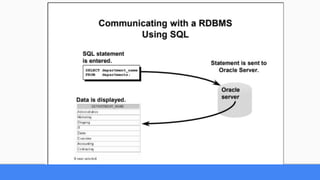
RDBMS
Relational Database Management System
- Based on Relational model
- Data is represented in the form of tuples (rows)
Definitions
Tables
Column
Row/Record
Field
Creating & Managing Tables
Creating Tables
Naming Rules
Table names and column names:
• Must begin with a letter
• Must be 1–30 characters long
• Must contain only A–Z, a–z, 0–9, _, $, and #
• Must not duplicate the name of another object
owned by the same user
• Must not be an Oracle server reserved word
Creating Tables
CREATE TABLE table
(column datatype [DEFAULT expr][, ...]);
CREATE TABLE dept
(deptno NUMBER(2) DEFAULT 1,
dname VARCHAR2(14),
loc VARCHAR2(13));
Creating Tables
Tables in the Oracle Database
• User Tables:
– Are a collection of tables created and maintained by the user
– Contain user information
• Data Dictionary:
– Is a collection of tables created and maintained by the Oracle Server
– Contain database information
Querying the data dictionary
• See the names of tables owned by the user.
SELECT table_name FROM user_tables;
• View distinct object types owned by the user.
SELECT DISTINCT object_type FROM user_objects;
• View tables, views, synonyms, and sequences owned by the user.
SELECT * FROM user_catalog;
Data Types
VARCHAR2(size) ⇒ Variable-length character data
CHAR(size) ⇒ Fixed-length character data
NUMBER(p,s) ⇒ Variable-length numeric data
DATE ⇒ Date and time values
LONG ⇒ Variable-length character data up to 2 gigabytes
CLOB ⇒ Character data up to 4 gigabytes
RAW and LONG RAW ⇒ Raw binary data
Data Types
BLOB ⇒ Binary data up to 4 gigabytes
BFILE ⇒ Binary data stored in an external file; up to 4 gigabytes
ROWID ⇒ A 64 base number system representing the unique address of a row in its table.
TIMESTAMP ⇒ Date with fractional seconds
INTERVAL YEAR TO MONTH ⇒ Stored as an interval of years and months
INTERVAL DAY TO SECOND ⇒ Stored as an interval of days to hours minutes and seconds
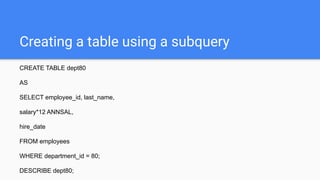
Creating a table using a subquery
CREATE TABLE dept80
AS
SELECT employee_id, last_name,
salary*12 ANNSAL,
hire_date
FROM employees
WHERE department_id = 80;
DESCRIBE dept80;
Alter table
Use the ALTER TABLE statement to:
• Add a new column
• Modify an existing column
• Define a default value for the new column
• Drop a column
Alter table
To add a column:
ALTER TABLE table
ADD (column datatype [DEFAULT expr]
[, column datatype]...);
ALTER TABLE dept80
ADD (job_id VARCHAR2(9));
Alter table
To modify a column:
ALTER TABLE table
MODIFY (column datatype [DEFAULT expr]
[, column datatype]...);
ALTER TABLE dept80
MODIFY (last_name VARCHAR2(30));
Alter table
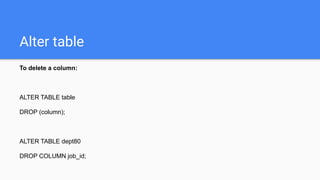
To delete a column:
ALTER TABLE table
DROP (column);
ALTER TABLE dept80
DROP COLUMN job_id;
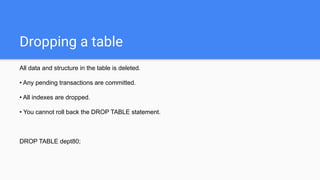
Dropping a table
All data and structure in the table is deleted.
• Any pending transactions are committed.
• All indexes are dropped.
• You cannot roll back the DROP TABLE statement.
DROP TABLE dept80;
Changing the name of an object
To change the name of a table, view, sequence, or synonym, you execute the RENAME statement.
RENAME dept TO detail_dept;
Truncating a table
The TRUNCATE TABLE statement:
– Removes all rows from a table
– Releases the storage space used by that table
• You cannot roll back row removal when using TRUNCATE.
• Alternatively, you can remove rows by using the DELETE statement.
TRUNCATE TABLE detail_dept;
Adding a comment
The comment is stored in the data dictionary and can be viewed in one of the following data dictionary
views in the COMMENTS column:
• ALL_COL_COMMENTS
• USER_COL_COMMENTS
• ALL_TAB_COMMENTS
• USER_TAB_COMMENTS
COMMENT ON TABLE table | COLUMN table.column
IS 'text';
Including Constraints
What are constraints
● Constraints enforce rules at the table level.
● Constraints prevent the deletion of a table if there are dependencies.
● The following constraint types are valid:
– NOT NULL
– UNIQUE
– PRIMARY KEY
– FOREIGN KEY
– CHECK
What are constraints
The Oracle Server uses constraints to prevent invalid data entry into tables.
You can use constraints to do the following:
• Enforce rules on the data in a table whenever a row is inserted, updated, or deleted from that table.
The constraint must be satisfied for the operation to succeed.
• Prevent the deletion of a table if there are dependencies from other tables
• Provide rules for Oracle tools, such as Oracle Developer
What are constraints
NOT NULL ⇒ Specifies that the column cannot contain a null value
UNIQUE ⇒ Specifies a column or combination of columns whose values must be unique for all rows
in the table
PRIMARY KEY ⇒ Uniquely identifies each row of the table
FOREIGN KEY ⇒ Establishes and enforces a foreign key relationship between the column and a
column of the referenced table
CHECK ⇒ Specifies a condition that must be true
Defining constraints
CREATE TABLE [schema.]table
(column datatype [DEFAULT expr]
[column_constraint],
...
[table_constraint][,...]);
Defining constraints
CREATE TABLE employees(
employee_id NUMBER(6),
first_name VARCHAR2(20),
...
job_id VARCHAR2(10) NOT NULL,
CONSTRAINT emp_emp_id_pk
PRIMARY KEY (EMPLOYEE_ID));
Defining constraints
NOT NULL :
● Makes sure none of the value for the column is null.
● Applicable only on columns, not on tables
UNIQUE :
● Makes sure duplicate values are not present.
● Null values can be allowed
● Composite unique columns can be there.
● Applicable on both columns and tables
Defining constraints
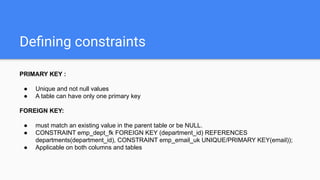
PRIMARY KEY :
● Unique and not null values
● A table can have only one primary key
FOREIGN KEY:
● must match an existing value in the parent table or be NULL.
● CONSTRAINT emp_dept_fk FOREIGN KEY (department_id) REFERENCES
departments(department_id), CONSTRAINT emp_email_uk UNIQUE/PRIMARY KEY(email));
● Applicable on both columns and tables
Defining constraints
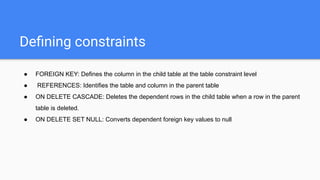
● FOREIGN KEY: Defines the column in the child table at the table constraint level
● REFERENCES: Identifies the table and column in the parent table
● ON DELETE CASCADE: Deletes the dependent rows in the child table when a row in the parent
table is deleted.
● ON DELETE SET NULL: Converts dependent foreign key values to null
Defining constraints
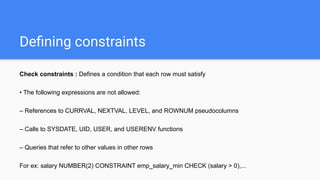
Check constraints : Defines a condition that each row must satisfy
• The following expressions are not allowed:
– References to CURRVAL, NEXTVAL, LEVEL, and ROWNUM pseudocolumns
– Calls to SYSDATE, UID, USER, and USERENV functions
– Queries that refer to other values in other rows
For ex: salary NUMBER(2) CONSTRAINT emp_salary_min CHECK (salary > 0),...
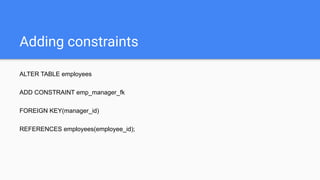
Adding constraints
ALTER TABLE employees
ADD CONSTRAINT emp_manager_fk
FOREIGN KEY(manager_id)
REFERENCES employees(employee_id);
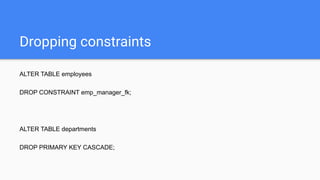
Dropping constraints
ALTER TABLE employees
DROP CONSTRAINT emp_manager_fk;
ALTER TABLE departments
DROP PRIMARY KEY CASCADE;
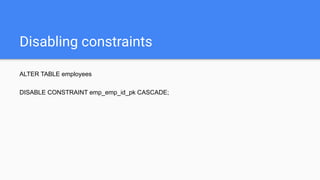
Disabling constraints
ALTER TABLE employees
DISABLE CONSTRAINT emp_emp_id_pk CASCADE;
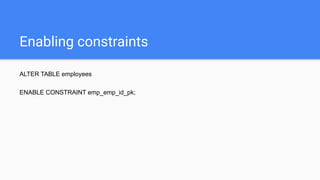
Enabling constraints
ALTER TABLE employees
ENABLE CONSTRAINT emp_emp_id_pk;
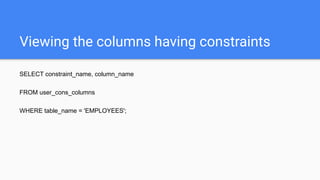
Viewing the columns having constraints
SELECT constraint_name, column_name
FROM user_cons_columns
WHERE table_name = 'EMPLOYEES';
Cascading constraints
ALTER TABLE test1
DROP (pk) CASCADE CONSTRAINTS;
ALTER TABLE test1
DROP (pk, fk, col1) CASCADE CONSTRAINTS;
1. Create the EMPLOYEES2 table based on the structure of the EMPLOYEES table. Include only the
EMPLOYEE_ID, FIRST_NAME, LAST_NAME, SALARY, and DEPARTMENT_ID columns. Name
the columns in your new table ID, FIRST_NAME, LAST_NAME, SALARY , and DEPT_ID,
Respectively.
2. Rename the EMPLOYEES2 table as EMP.
3. Add a comment to the DEPT and EMP table definitions describing the tables. Confirm your
additions in the data dictionary.
4. Drop the FIRST_NAME column from the EMP table. Confirm your modification by checking the
description of the table.
1. Add a table-level PRIMARY KEY constraint to the EMP table on the ID column. The constraint
should be named at creation. Name the constraint my_emp_id_pk.
2. Create a PRIMARY KEY constraint to the DEPT table using the ID column. The constraint should
be named at creation. Name the constraint my_dept_id_pk.
3. Add a column DEPT_ID to the EMP table. Add a foreign key reference on the EMP table that
ensures that the employee is not assigned to a nonexistent department. Name the constraint
My_emp_dept_id_fk.
4. Confirm that the constraints were added by querying the USER_CONSTRAINTS view. Note the
types and names of the constraints.
5. Modify the EMP table. Add a COMMISSION column of NUMBER data type, precision 2, scale 2.
Add a constraint to the commission column that ensures that a commission value is greater than
zero.
CREATING VIEWS
View
● You can present logical subsets or combinations of data by creating views of tables.
● A view is a logical table based on a table or another view.
● A view contains no data of its own but is like a window through which data from tables can be
viewed or changed.
● The tables on which a view is based are called base tables.
Why View
● To restrict data access
● To make complex queries easy
● To provide data independence
● To present different views of the same data
Create View
CREATE [OR REPLACE] [FORCE|NOFORCE] VIEW view
[(alias[, alias]...)]
AS subquery
[WITH CHECK OPTION [CONSTRAINT constraint]]
[WITH READ ONLY [CONSTRAINT constraint]];
Create View
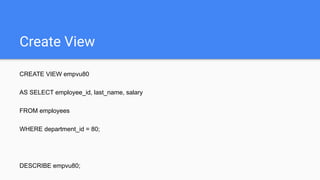
CREATE VIEW empvu80
AS SELECT employee_id, last_name, salary
FROM employees
WHERE department_id = 80;
DESCRIBE empvu80;
Create View
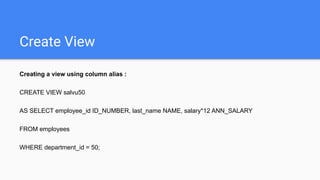
Creating a view using column alias :
CREATE VIEW salvu50
AS SELECT employee_id ID_NUMBER, last_name NAME, salary*12 ANN_SALARY
FROM employees
WHERE department_id = 50;
Retrieving data from a View
SELECT *
FROM salvu50;
Retrieving data from a View
When you access data using a view, the Oracle server performs the following operations:
1. It retrieves the view definition from the data dictionary table USER_VIEWS.
2. It checks access privileges for the view base table.
3. It converts the view query into an equivalent operation on the underlying base table or tables. In
other words, data is retrieved from, or an update is made to, the base tables.
Modifying a View
CREATE OR REPLACE VIEW empvu80
(id_number, name, sal, department_id)
AS SELECT employee_id, first_name || ' ' || last_name, salary, department_id
FROM employees
WHERE department_id = 80;
Creating a Complex View
CREATE VIEW dept_sum_vu
(name, minsal, maxsal, avgsal)
AS SELECT d.department_name, MIN(e.salary), MAX(e.salary),AVG(e.salary)
FROM employees e, departments d
WHERE e.department_id = d.department_id
GROUP BY d.department_name;
DML Operation on View
You can perform DML operations on simple views.
• You cannot remove a row if the view contains the following:
– Group functions
– A GROUP BY clause
– The DISTINCT keyword
– The pseudocolumn ROWNUM keyword
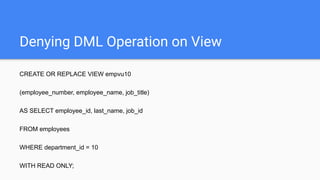
Denying DML Operation on View
CREATE OR REPLACE VIEW empvu10
(employee_number, employee_name, job_title)
AS SELECT employee_id, last_name, job_id
FROM employees
WHERE department_id = 10
WITH READ ONLY;
Removing View
You can remove a view without losing data because a view is based on underlying tables in the
database.
DROP VIEW empvu80;
Inline View
An inline view is a subquery with an alias (or correlation name) that you can use within a SQL
statement.
• A named subquery in the FROM clause of the main query is an example of an inline view.
• An inline view is not a schema object.
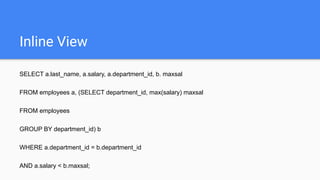
Inline View
SELECT a.last_name, a.salary, a.department_id, b. maxsal
FROM employees a, (SELECT department_id, max(salary) maxsal
FROM employees
GROUP BY department_id) b
WHERE a.department_id = b.department_id
AND a.salary < b.maxsal;
Manipulating Data
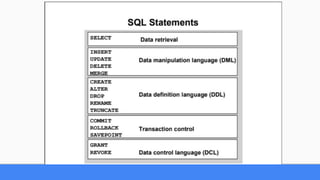
Data Manipulation Language
• A DML statement is executed when you:
– Add new rows to a table
– Modify existing rows in a table
– Remove existing rows from a table
Data Manipulation Language
The INSERT Statement Syntax
● Add new rows to a table by using the INSERT statement.
● Only one row is inserted at a time with this syntax.
INSERT INTO table [(column [, column...])]
VALUES (value [, value...]);
Data Manipulation Language
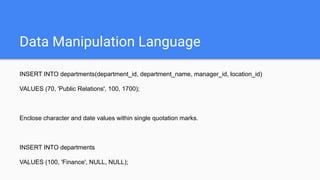
INSERT INTO departments(department_id, department_name, manager_id, location_id)
VALUES (70, 'Public Relations', 100, 1700);
Enclose character and date values within single quotation marks.
INSERT INTO departments
VALUES (100, 'Finance', NULL, NULL);
Data Manipulation Language
Common errors that can occur during user input:
• Mandatory value missing for a NOT NULL column
• Duplicate value violates uniqueness constraint
• Foreign key constraint violated
• CHECK constraint violated
• Data type mismatch
• Value too wide to fit in column
Data Manipulation Language
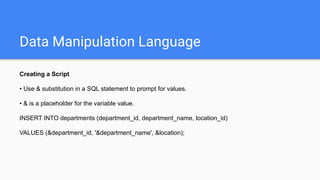
Creating a Script
• Use & substitution in a SQL statement to prompt for values.
• & is a placeholder for the variable value.
INSERT INTO departments (department_id, department_name, location_id)
VALUES (&department_id, '&department_name', &location);
Data Manipulation Language
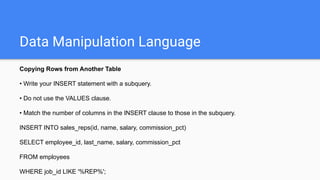
Copying Rows from Another Table
• Write your INSERT statement with a subquery.
• Do not use the VALUES clause.
• Match the number of columns in the INSERT clause to those in the subquery.
INSERT INTO sales_reps(id, name, salary, commission_pct)
SELECT employee_id, last_name, salary, commission_pct
FROM employees
WHERE job_id LIKE '%REP%';
Data Manipulation Language
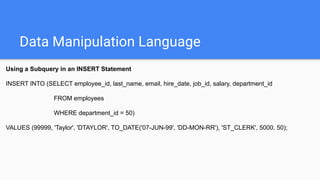
Using a Subquery in an INSERT Statement
INSERT INTO (SELECT employee_id, last_name, email, hire_date, job_id, salary, department_id
FROM employees
WHERE department_id = 50)
VALUES (99999, 'Taylor', 'DTAYLOR', TO_DATE('07-JUN-99', 'DD-MON-RR'), 'ST_CLERK', 5000, 50);
Data Manipulation Language
The UPDATE Statement Syntax
• Modify existing rows with the UPDATE statement.
• Update more than one row at a time, if required.
UPDATE table
SET column = value [, column = value, ...]
[WHERE condition];
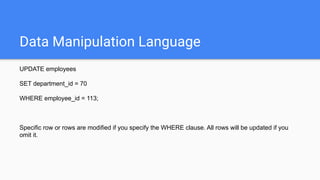
Data Manipulation Language
UPDATE employees
SET department_id = 70
WHERE employee_id = 113;
Specific row or rows are modified if you specify the WHERE clause. All rows will be updated if you
omit it.
Data Manipulation Language
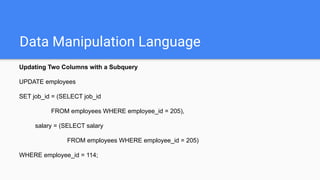
Updating Two Columns with a Subquery
UPDATE employees
SET job_id = (SELECT job_id
FROM employees WHERE employee_id = 205),
salary = (SELECT salary
FROM employees WHERE employee_id = 205)
WHERE employee_id = 114;
Data Manipulation Language
The DELETE Statement
● You can remove existing rows from a table by using the DELETE statement.
DELETE [FROM] table
[WHERE condition];
DELETE FROM departments
WHERE department_name = 'Finance';
● Specific row or rows are deleted if you specify the WHERE clause. All rows will be updated if you omit it.
Data Manipulation Language
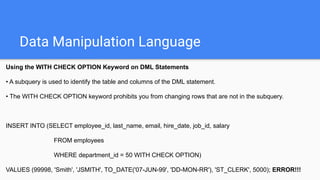
Using the WITH CHECK OPTION Keyword on DML Statements
• A subquery is used to identify the table and columns of the DML statement.
• The WITH CHECK OPTION keyword prohibits you from changing rows that are not in the subquery.
INSERT INTO (SELECT employee_id, last_name, email, hire_date, job_id, salary
FROM employees
WHERE department_id = 50 WITH CHECK OPTION)
VALUES (99998, 'Smith', 'JSMITH', TO_DATE('07-JUN-99', 'DD-MON-RR'), 'ST_CLERK', 5000); ERROR!!!
Data Manipulation Language
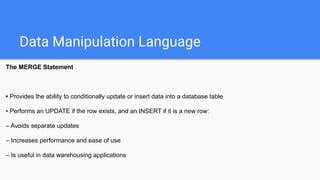
The MERGE Statement
• Provides the ability to conditionally update or insert data into a database table
• Performs an UPDATE if the row exists, and an INSERT if it is a new row:
– Avoids separate updates
– Increases performance and ease of use
– Is useful in data warehousing applications
Data Manipulation Language
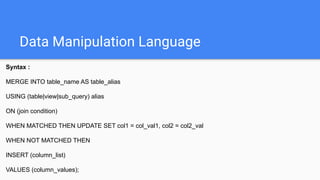
Syntax :
MERGE INTO table_name AS table_alias
USING (table|view|sub_query) alias
ON (join condition)
WHEN MATCHED THEN UPDATE SET col1 = col_val1, col2 = col2_val
WHEN NOT MATCHED THEN
INSERT (column_list)
VALUES (column_values);
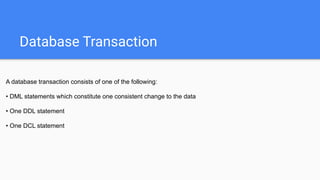
Database Transaction
A database transaction consists of one of the following:
• DML statements which constitute one consistent change to the data
• One DDL statement
• One DCL statement
Database Transaction
Advantages of COMMIT and ROLLBACK Statements
With COMMIT and ROLLBACK statements, you can:
• Ensure data consistency
• Preview data changes before making changes permanent
• Group logically related operations
Database Transaction Controls
Statement
● COMMIT
● SAVEPOINT name
Description
● Ends the current transaction by making all
pending data changes permanent
● Marks a savepoint within the current
transaction
Database Transaction Controls
Statement
● ROLLBACK
● ROLLBACK TO SAVEPOINT name
Description
● ROLLBACK ends the current transaction
by discarding all pending data changes
● ROLLBACK TO SAVEPOINT rolls back
the current transaction to the specified
savepoint, thereby discarding any changes
and or savepoints created after the
savepoint to which you are rolling back. If
you omit the TO SAVEPOINT clause, the
ROLLBACK statement rolls back the entire
transaction. As savepoints are logical,
there is no way to list the savepoints you
have created.
Database Transaction Controls
State of the Data Before COMMIT or ROLLBACK
• The previous state of the data can be recovered.
• The current user can review the results of the DML operations by using the SELECT statement.
• Other users cannot view the results of the DML statements by the current user.
• The affected rows are locked; other users cannot change the data within the affected rows.
Database Transaction Controls
State of the Data after COMMIT
• Data changes are made permanent in the database.
• The previous state of the data is permanently lost.
• All users can view the results.
• Locks on the affected rows are released; those rows are available for other users to manipulate.
• All savepoints are erased.
Database Transaction Controls
State of the Data After ROLLBACK
Discard all pending changes by using the ROLLBACK statement:
• Data changes are undone.
• Previous state of the data is restored.
• Locks on the affected rows are released.
1. Change the last name of employee 3 to Shaktiman.
2. Change the salary to 1000 for all employees with a salary less than 900.
3. Delete Shaktiman from the EMPLOYEE table.
4. Commit all pending changes.
5. Empty the entire table.
6. Confirm that the table is empty.
7. Add Shaktiman and his details again.
8. Discard the most recent DELETE operation without discarding the earlier INSERT operation.
9. Make the data addition permanent.
Retrieving Data
Selecting columns
Selecting all columns:
SELECT *
FROM user_catalog;
Selecting specific columns :
SELECT department_id, location_id
FROM departments;
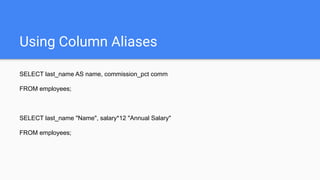
Using Column Aliases
SELECT last_name AS name, commission_pct comm
FROM employees;
SELECT last_name "Name", salary*12 "Annual Salary"
FROM employees;
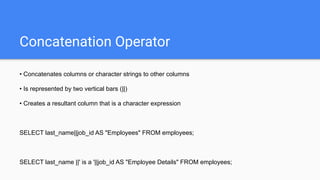
Concatenation Operator
• Concatenates columns or character strings to other columns
• Is represented by two vertical bars (||)
• Creates a resultant column that is a character expression
SELECT last_name||job_id AS "Employees" FROM employees;
SELECT last_name ||' is a '||job_id AS "Employee Details" FROM employees;
Eliminating Duplicates
SELECT DISTINCT department_id
FROM employees;
Restricting & Sorting Data
Using the WHERE clause
SELECT employee_id, last_name, job_id, department_id
FROM employees
WHERE department_id = 90;
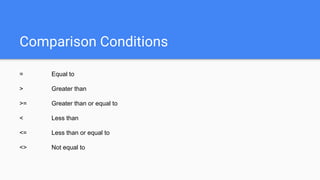
Comparison Conditions
= Equal to
> Greater than
>= Greater than or equal to
< Less than
<= Less than or equal to
<> Not equal to
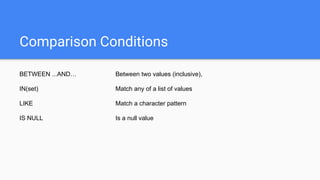
Comparison Conditions
BETWEEN ...AND… Between two values (inclusive),
IN(set) Match any of a list of values
LIKE Match a character pattern
IS NULL Is a null value
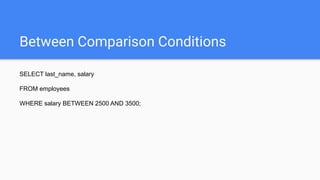
Between Comparison Conditions
SELECT last_name, salary
FROM employees
WHERE salary BETWEEN 2500 AND 3500;
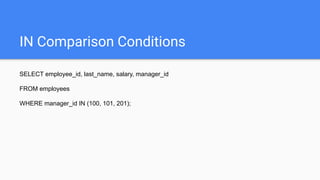
IN Comparison Conditions
SELECT employee_id, last_name, salary, manager_id
FROM employees
WHERE manager_id IN (100, 101, 201);
LIKE Comparison Conditions
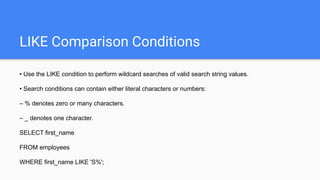
• Use the LIKE condition to perform wildcard searches of valid search string values.
• Search conditions can contain either literal characters or numbers:
– % denotes zero or many characters.
– _ denotes one character.
SELECT first_name
FROM employees
WHERE first_name LIKE 'S%';
LIKE Comparison Conditions
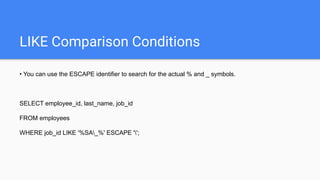
• You can use the ESCAPE identifier to search for the actual % and _ symbols.
SELECT employee_id, last_name, job_id
FROM employees
WHERE job_id LIKE '%SA_%' ESCAPE '';
Using NULL condition
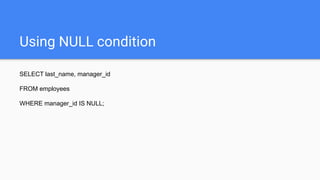
SELECT last_name, manager_id
FROM employees
WHERE manager_id IS NULL;
Logical condition
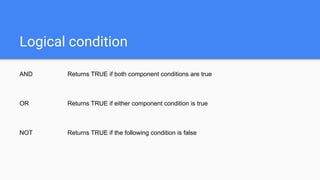
AND Returns TRUE if both component conditions are true
OR Returns TRUE if either component condition is true
NOT Returns TRUE if the following condition is false
Order of Precedence
1 Arithmetic operators
2 Concatenation operator
3 Comparison conditions
4 IS [NOT] NULL, LIKE, [NOT] IN
5 [NOT] BETWEEN
6 NOT logical condition
7 AND logical condition
8 OR logical condition
Order By Clause
• Sort rows with the ORDER BY clause
– ASC: ascending order, default
– DESC: descending order
• The ORDER BY clause comes last in the SELECT statement.
SELECT last_name, job_id, department_id, hire_date
FROM employees
ORDER BY hire_date;
Order By Clause
• Sort rows with the ORDER BY clause using multiple columns:
SELECT last_name, department_id, salary
FROM employees
ORDER BY department_id, salary DESC;
1. Create a query to display the last name and salary of employees earning more than $12,000.
2. Create a query to display the employee last name and department number for employee number 176.
3. display the last name and salary for all employees whose salary is not in
the range of $5,000 and $12,000.
4. Display the employee last name, job ID, and start date of employees hired between February 20,
1998, and May 1, 1998. Order the query in ascending order by start date.
5. Display the last name and department number of all employees in departments 20 and 50 in
alphabetical order by name.
6. Display the last name and salary of employees who earn between $5,000 and
$12,000, and are in department 20 or 50.
7. Display the last name and hire date of every employee who was hired in 1994.
8. Display the last name and job title of all employees who do not have a manager.
9. Display the last name of all employees who have an a and an e in their last name.
Single Row Functions
• Manipulate data items
• Accept arguments and return one value
• Act on each row returned
• Return one result per row
• Can be nested
• Accept arguments which can be a column or an expression
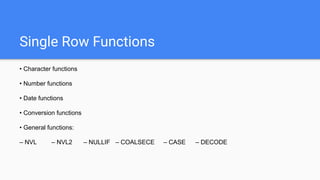
Single Row Functions
• Character functions
• Number functions
• Date functions
• Conversion functions
• General functions:
– NVL – NVL2 – NULLIF – COALSECE – CASE – DECODE
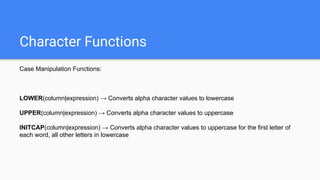
Character Functions
Case Manipulation Functions:
LOWER(column|expression) → Converts alpha character values to lowercase
UPPER(column|expression) → Converts alpha character values to uppercase
INITCAP(column|expression) → Converts alpha character values to uppercase for the first letter of
each word, all other letters in lowercase
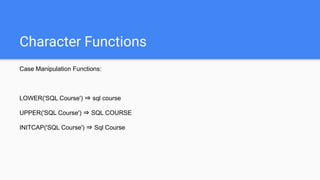
Character Functions
Case Manipulation Functions:
LOWER('SQL Course') ⇒ sql course
UPPER('SQL Course') ⇒ SQL COURSE
INITCAP('SQL Course') ⇒ Sql Course
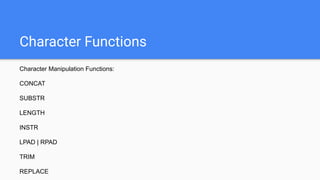
Character Functions
Character Manipulation Functions:
CONCAT
SUBSTR
LENGTH
INSTR
LPAD | RPAD
TRIM
REPLACE
Character Functions
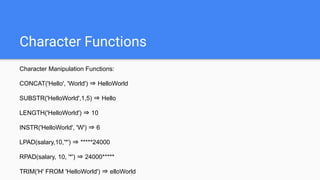
Character Manipulation Functions:
CONCAT('Hello', 'World') ⇒ HelloWorld
SUBSTR('HelloWorld',1,5) ⇒ Hello
LENGTH('HelloWorld') ⇒ 10
INSTR('HelloWorld', 'W') ⇒ 6
LPAD(salary,10,'*') ⇒ *****24000
RPAD(salary, 10, '*') ⇒ 24000*****
TRIM('H' FROM 'HelloWorld') ⇒ elloWorld
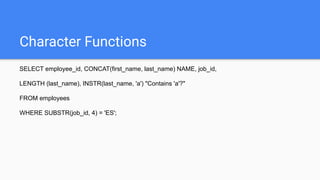
Character Functions
SELECT employee_id, CONCAT(first_name, last_name) NAME, job_id,
LENGTH (last_name), INSTR(last_name, 'a') "Contains 'a'?"
FROM employees
WHERE SUBSTR(job_id, 4) = 'ES';
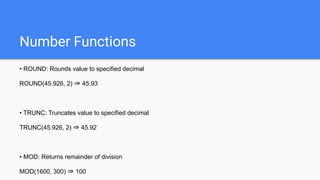
Number Functions
• ROUND: Rounds value to specified decimal
ROUND(45.926, 2) ⇒ 45.93
• TRUNC: Truncates value to specified decimal
TRUNC(45.926, 2) ⇒ 45.92
• MOD: Returns remainder of division
MOD(1600, 300) ⇒ 100
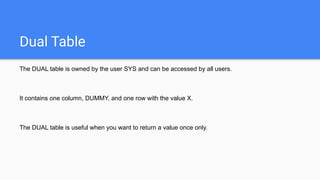
Dual Table
The DUAL table is owned by the user SYS and can be accessed by all users.
It contains one column, DUMMY, and one row with the value X.
The DUAL table is useful when you want to return a value once only.
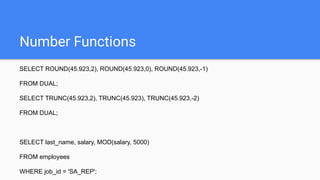
Number Functions
SELECT ROUND(45.923,2), ROUND(45.923,0), ROUND(45.923,-1)
FROM DUAL;
SELECT TRUNC(45.923,2), TRUNC(45.923), TRUNC(45.923,-2)
FROM DUAL;
SELECT last_name, salary, MOD(salary, 5000)
FROM employees
WHERE job_id = 'SA_REP';
Date Functions
• Oracle database stores dates in an internal numeric format: century, year, month, day, hours,
minutes, seconds.
• The default date display format is DD-MON-RR.
SYSDATE is a function that returns:
• Date
• Time
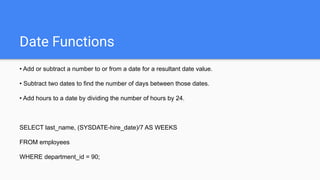
Date Functions
• Add or subtract a number to or from a date for a resultant date value.
• Subtract two dates to find the number of days between those dates.
• Add hours to a date by dividing the number of hours by 24.
SELECT last_name, (SYSDATE-hire_date)/7 AS WEEKS
FROM employees
WHERE department_id = 90;
Date Functions
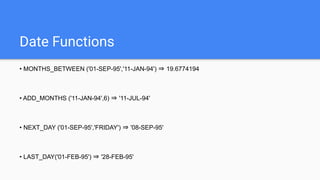
MONTHS_BETWEEN ⇒ Number of months between two dates
ADD_MONTHS ⇒ Add calendar months to date
NEXT_DAY ⇒ Next day of the date specified
LAST_DAY ⇒ Last day of the month
ROUND ⇒ Round date
TRUNC ⇒ Truncate date
Date Functions
• MONTHS_BETWEEN ('01-SEP-95','11-JAN-94') ⇒ 19.6774194
• ADD_MONTHS ('11-JAN-94',6) ⇒ '11-JUL-94'
• NEXT_DAY ('01-SEP-95','FRIDAY') ⇒ '08-SEP-95'
• LAST_DAY('01-FEB-95') ⇒ '28-FEB-95'
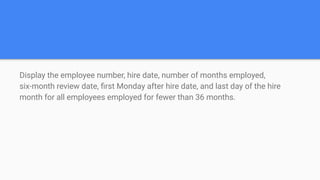
Display the employee number, hire date, number of months employed,
six-month review date, first Monday after hire date, and last day of the hire
month for all employees employed for fewer than 36 months.
Date Functions
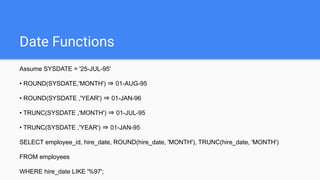
Assume SYSDATE = '25-JUL-95'
• ROUND(SYSDATE,'MONTH') ⇒ 01-AUG-95
• ROUND(SYSDATE ,'YEAR') ⇒ 01-JAN-96
• TRUNC(SYSDATE ,'MONTH') ⇒ 01-JUL-95
• TRUNC(SYSDATE ,'YEAR') ⇒ 01-JAN-95
SELECT employee_id, hire_date, ROUND(hire_date, 'MONTH'), TRUNC(hire_date, 'MONTH')
FROM employees
WHERE hire_date LIKE '%97';
Conversion Functions
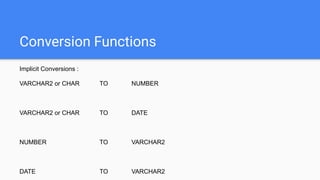
Implicit Conversions :
VARCHAR2 or CHAR TO NUMBER
VARCHAR2 or CHAR TO DATE
NUMBER TO VARCHAR2
DATE TO VARCHAR2
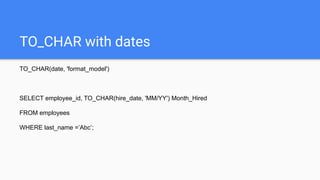
TO_CHAR with dates
TO_CHAR(date, 'format_model')
SELECT employee_id, TO_CHAR(hire_date, 'MM/YY') Month_Hired
FROM employees
WHERE last_name =’Abc’;
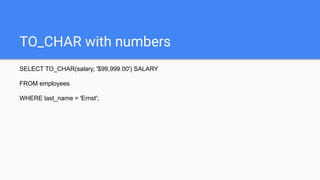
TO_CHAR with numbers
SELECT TO_CHAR(salary, '$99,999.00') SALARY
FROM employees
WHERE last_name = 'Ernst';
TO_DATE
• Convert a character string to a date format using the TO_DATE function:
TO_DATE(char[, 'format_model'])
SELECT last_name, TO_CHAR(hire_date, 'DD-Mon-YYYY')
FROM employees
WHERE hire_date < TO_DATE('01-Jan-90', 'DD-Mon-RR');
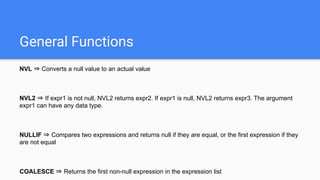
General Functions
NVL ⇒ Converts a null value to an actual value
NVL2 ⇒ If expr1 is not null, NVL2 returns expr2. If expr1 is null, NVL2 returns expr3. The argument
expr1 can have any data type.
NULLIF ⇒ Compares two expressions and returns null if they are equal, or the first expression if they
are not equal
COALESCE ⇒ Returns the first non-null expression in the expression list
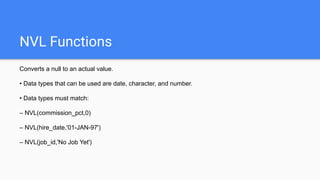
NVL Functions
Converts a null to an actual value.
• Data types that can be used are date, character, and number.
• Data types must match:
– NVL(commission_pct,0)
– NVL(hire_date,'01-JAN-97')
– NVL(job_id,'No Job Yet')
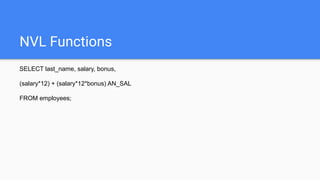
NVL Functions
SELECT last_name, salary, bonus,
(salary*12) + (salary*12*bonus) AN_SAL
FROM employees;
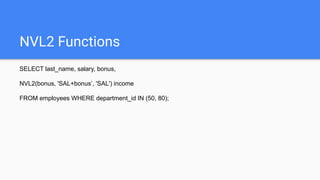
NVL2 Functions
SELECT last_name, salary, bonus,
NVL2(bonus, 'SAL+bonus’, 'SAL') income
FROM employees WHERE department_id IN (50, 80);
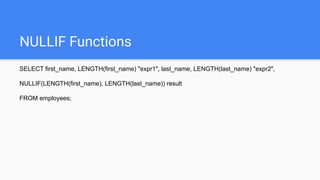
NULLIF Functions
SELECT first_name, LENGTH(first_name) "expr1", last_name, LENGTH(last_name) "expr2",
NULLIF(LENGTH(first_name), LENGTH(last_name)) result
FROM employees;
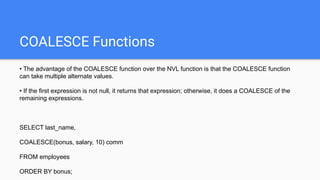
COALESCE Functions
• The advantage of the COALESCE function over the NVL function is that the COALESCE function
can take multiple alternate values.
• If the first expression is not null, it returns that expression; otherwise, it does a COALESCE of the
remaining expressions.
SELECT last_name,
COALESCE(bonus, salary, 10) comm
FROM employees
ORDER BY bonus;
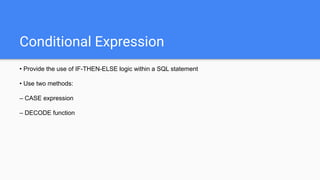
Conditional Expression
• Provide the use of IF-THEN-ELSE logic within a SQL statement
• Use two methods:
– CASE expression
– DECODE function
CASE Expression
Facilitates conditional inquiries by doing the work of an IF-THEN-ELSE statement:
CASE expr WHEN comparison_expr1 THEN return_expr1
[WHEN comparison_expr2 THEN return_expr2
WHEN comparison_exprn THEN return_exprn
ELSE else_expr]
END
CASE Expression
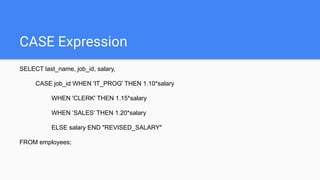
SELECT last_name, job_id, salary,
CASE job_id WHEN 'IT_PROG' THEN 1.10*salary
WHEN 'CLERK' THEN 1.15*salary
WHEN ‘SALES’ THEN 1.20*salary
ELSE salary END "REVISED_SALARY"
FROM employees;
DECODE Expression
Facilitates conditional inquiries by doing the work of a CASE or IF-THEN-ELSE statement:
DECODE(col|expression, search1, result1
[, search2, result2,...,]
[, default])
DECODE Expression
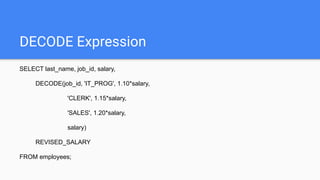
SELECT last_name, job_id, salary,
DECODE(job_id, 'IT_PROG', 1.10*salary,
'CLERK', 1.15*salary,
'SALES', 1.20*salary,
salary)
REVISED_SALARY
FROM employees;
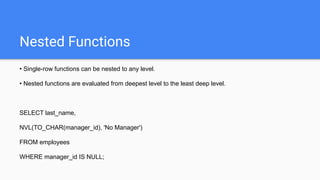
Nested Functions
• Single-row functions can be nested to any level.
• Nested functions are evaluated from deepest level to the least deep level.
SELECT last_name,
NVL(TO_CHAR(manager_id), 'No Manager')
FROM employees
WHERE manager_id IS NULL;
1. For each employee, display the employee number, last_name, salary, and salary increased by 15%
and expressed as a whole number. Label the column New Salary.
2. Write a query that displays the employee’s last names with the first letter capitalized and all other
letters lowercase, and the length of the names, for all employees whose name starts with J, A, or M.
Give each column an appropriate label. Sort the results by the employees’ last names.
3. Create a query to display the last name and salary for all employees. Format the salary to be 15
characters long, left-padded with $. Label the column SALARY.
4. Display the last name, hire date, and day of the week on which the employee started. Label
the column DAY. Order the results by the day of the week starting with Monday.
5. Create a query that displays the employees’ last names and commission amounts. If an employee
does not earn commission, put “No Commission.” Label the column COMM.
Joins
JOINS
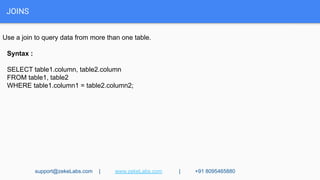
Use a join to query data from more than one table.
Syntax :
SELECT table1.column, table2.column
FROM table1, table2
WHERE table1.column1 = table2.column2;
support@zekeLabs.com | www.zekeLabs.com | +91 8095465880
JOINS
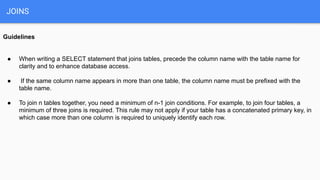
Guidelines
● When writing a SELECT statement that joins tables, precede the column name with the table name for
clarity and to enhance database access.
● If the same column name appears in more than one table, the column name must be prefixed with the
table name.
● To join n tables together, you need a minimum of n-1 join conditions. For example, to join four tables, a
minimum of three joins is required. This rule may not apply if your table has a concatenated primary key, in
which case more than one column is required to uniquely identify each row.
JOINS
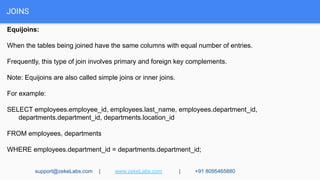
Equijoins:
When the tables being joined have the same columns with equal number of entries.
Frequently, this type of join involves primary and foreign key complements.
Note: Equijoins are also called simple joins or inner joins.
For example:
SELECT employees.employee_id, employees.last_name, employees.department_id,
departments.department_id, departments.location_id
FROM employees, departments
WHERE employees.department_id = departments.department_id;
support@zekeLabs.com | www.zekeLabs.com | +91 8095465880
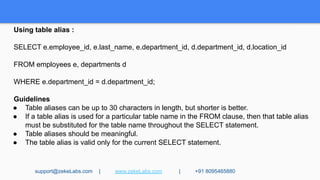
Using table alias :
SELECT e.employee_id, e.last_name, e.department_id, d.department_id, d.location_id
FROM employees e, departments d
WHERE e.department_id = d.department_id;
Guidelines
● Table aliases can be up to 30 characters in length, but shorter is better.
● If a table alias is used for a particular table name in the FROM clause, then that table alias
must be substituted for the table name throughout the SELECT statement.
● Table aliases should be meaningful.
● The table alias is valid only for the current SELECT statement.
support@zekeLabs.com | www.zekeLabs.com | +91 8095465880
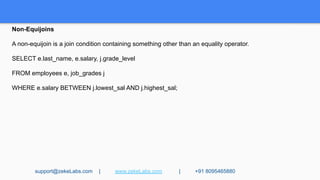
Non-Equijoins
A non-equijoin is a join condition containing something other than an equality operator.
SELECT e.last_name, e.salary, j.grade_level
FROM employees e, job_grades j
WHERE e.salary BETWEEN j.lowest_sal AND j.highest_sal;
support@zekeLabs.com | www.zekeLabs.com | +91 8095465880
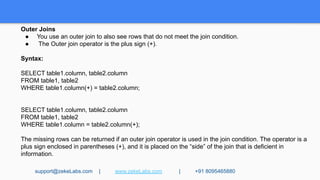
Outer Joins
● You use an outer join to also see rows that do not meet the join condition.
● The Outer join operator is the plus sign (+).
Syntax:
SELECT table1.column, table2.column
FROM table1, table2
WHERE table1.column(+) = table2.column;
SELECT table1.column, table2.column
FROM table1, table2
WHERE table1.column = table2.column(+);
The missing rows can be returned if an outer join operator is used in the join condition. The operator is a
plus sign enclosed in parentheses (+), and it is placed on the “side” of the join that is deficient in
information.
support@zekeLabs.com | www.zekeLabs.com | +91 8095465880
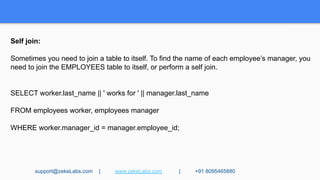
Self join:
Sometimes you need to join a table to itself. To find the name of each employee’s manager, you
need to join the EMPLOYEES table to itself, or perform a self join.
SELECT worker.last_name || ' works for ' || manager.last_name
FROM employees worker, employees manager
WHERE worker.manager_id = manager.employee_id;
support@zekeLabs.com | www.zekeLabs.com | +91 8095465880
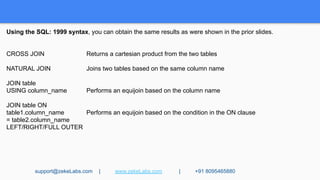
Using the SQL: 1999 syntax, you can obtain the same results as were shown in the prior slides.
CROSS JOIN Returns a cartesian product from the two tables
NATURAL JOIN Joins two tables based on the same column name
JOIN table
USING column_name Performs an equijoin based on the column name
JOIN table ON
table1.column_name Performs an equijoin based on the condition in the ON clause
= table2.column_name
LEFT/RIGHT/FULL OUTER
support@zekeLabs.com | www.zekeLabs.com | +91 8095465880
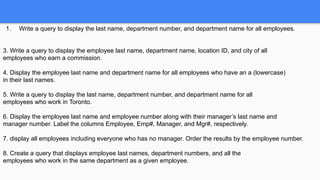
1. Write a query to display the last name, department number, and department name for all employees.
3. Write a query to display the employee last name, department name, location ID, and city of all
employees who earn a commission.
4. Display the employee last name and department name for all employees who have an a (lowercase)
in their last names.
5. Write a query to display the last name, department number, and department name for all
employees who work in Toronto.
6. Display the employee last name and employee number along with their manager’s last name and
manager number. Label the columns Employee, Emp#, Manager, and Mgr#, respectively.
7. display all employees including everyone who has no manager. Order the results by the employee number.
8. Create a query that displays employee last names, department numbers, and all the
employees who work in the same department as a given employee.
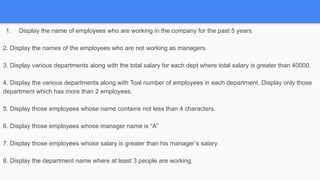
1. Display the name of employees who are working in the company for the past 5 years.
2. Display the names of the employees who are not working as managers.
3. Display various departments along with the total salary for each dept where total salary is greater than 40000.
4. Display the various departments along with Toal number of employees in each department. Display only those
department which has more than 2 employees.
5. Display those employees whose name contains not less than 4 characters.
6. Display those employees whose manager name is “A”
7. Display those employees whose salary is greater than his manager’s salary
8. Display the department name where at least 3 people are working.
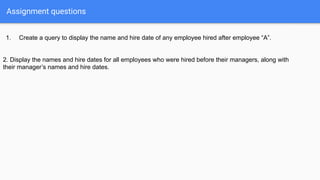
Assignment questions
1. Create a query to display the name and hire date of any employee hired after employee “A”.
2. Display the names and hire dates for all employees who were hired before their managers, along with
their manager’s names and hire dates.
Group Functions
GROUP FUNCTIONS
Group functions operate on sets of rows to give one result per group.
Each of the functions accepts an argument.
Types of Group Functions
Function Description
a) AVG([DISTINCT|ALL]n) Average value of n, ignoring null values
b) COUNT({*|[DISTINCT|ALL]expr}) Number of rows, where expr evaluates to something
other than null (count all selected rows using *,
including duplicates and rows with nulls)
c) MAX([DISTINCT|ALL]expr) Maximum value of expr, ignoring null values
d) MIN([DISTINCT|ALL]expr) Minimum value of expr, ignoring null values
e) STDDEV([DISTINCT|ALL]x) Standard deviation of n, ignoring null values
f) SUM([DISTINCT|ALL]n) Sum values of n, ignoring null values
g) VARIANCE([DISTINCT|ALL]x) Variance of n, ignoring null values
support@zekeLabs.com | www.zekeLabs.com | +91 8095465880
Group Functions Syntax
SELECT [column,] group_function(column), ...
FROM table
[WHERE condition]
[GROUP BY column]
[ORDER BY column];
Using the AVG and SUM Functions
You can use AVG and SUM for numeric data.
SELECT AVG(salary), MAX(salary),
MIN(salary), SUM(salary)
FROM employees
WHERE job_id LIKE '%REP%';
You can use the MAX and MIN functions for any data type.
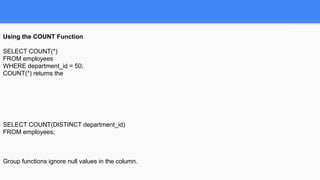
Using the COUNT Function
SELECT COUNT(*)
FROM employees
WHERE department_id = 50;
COUNT(*) returns the
SELECT COUNT(DISTINCT department_id)
FROM employees;
Group functions ignore null values in the column.
Using the NVL Function with Group Functions
The NVL function forces group functions to include null values.
SELECT AVG(NVL(commission_pct, 0))
FROM employees;
Creating Groups of Data:
The GROUP BY Clause Syntax
Syntax:
SELECT column, group_function(column)
FROM table
[WHERE condition]
[GROUP BY group_by_expression]
[ORDER BY column];
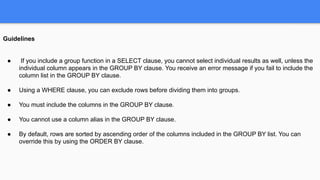
Guidelines
● If you include a group function in a SELECT clause, you cannot select individual results as well, unless the
individual column appears in the GROUP BY clause. You receive an error message if you fail to include the
column list in the GROUP BY clause.
● Using a WHERE clause, you can exclude rows before dividing them into groups.
● You must include the columns in the GROUP BY clause.
● You cannot use a column alias in the GROUP BY clause.
● By default, rows are sorted by ascending order of the columns included in the GROUP BY list. You can
override this by using the ORDER BY clause.
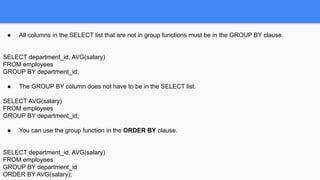
● All columns in the SELECT list that are not in group functions must be in the GROUP BY clause.
SELECT department_id, AVG(salary)
FROM employees
GROUP BY department_id;
● The GROUP BY column does not have to be in the SELECT list.
SELECT AVG(salary)
FROM employees
GROUP BY department_id;
● You can use the group function in the ORDER BY clause.
SELECT department_id, AVG(salary)
FROM employees
GROUP BY department_id
ORDER BY AVG(salary);
Using the GROUP BY Clause on Multiple Columns
SELECT department_id dept_id, job_id, SUM(salary)
FROM employees
GROUP BY department_id, job_id;
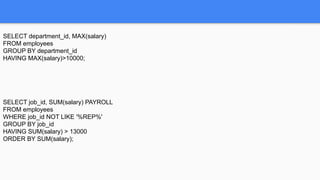
Excluding Group Results: The HAVING Clause
Syntax :
SELECT column, group_function
FROM table
[WHERE condition]
[GROUP BY group_by_expression]
[HAVING group_condition]
[ORDER BY column];
SELECT department_id, MAX(salary)
FROM employees
GROUP BY department_id
HAVING MAX(salary)>10000;
SELECT job_id, SUM(salary) PAYROLL
FROM employees
WHERE job_id NOT LIKE '%REP%'
GROUP BY job_id
HAVING SUM(salary) > 13000
ORDER BY SUM(salary);
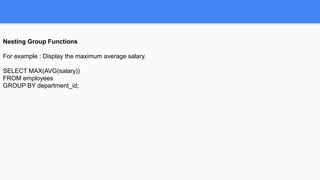
Nesting Group Functions
For example : Display the maximum average salary.
SELECT MAX(AVG(salary))
FROM employees
GROUP BY department_id;
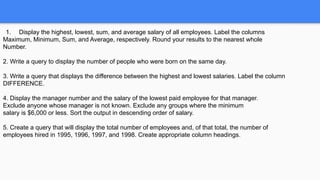
1. Display the highest, lowest, sum, and average salary of all employees. Label the columns
Maximum, Minimum, Sum, and Average, respectively. Round your results to the nearest whole
Number.
2. Write a query to display the number of people who were born on the same day.
3. Write a query that displays the difference between the highest and lowest salaries. Label the column
DIFFERENCE.
4. Display the manager number and the salary of the lowest paid employee for that manager.
Exclude anyone whose manager is not known. Exclude any groups where the minimum
salary is $6,000 or less. Sort the output in descending order of salary.
5. Create a query that will display the total number of employees and, of that total, the number of
employees hired in 1995, 1996, 1997, and 1998. Create appropriate column headings.
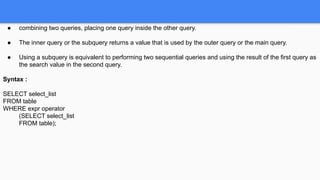
Subqueries
● combining two queries, placing one query inside the other query.
● The inner query or the subquery returns a value that is used by the outer query or the main query.
● Using a subquery is equivalent to performing two sequential queries and using the result of the first query as
the search value in the second query.
Syntax :
SELECT select_list
FROM table
WHERE expr operator
(SELECT select_list
FROM table);
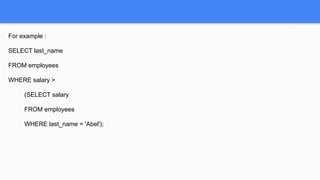
For example :
SELECT last_name
FROM employees
WHERE salary >
(SELECT salary
FROM employees
WHERE last_name = 'Abel');
Guidelines for Using Subqueries
● Enclose subqueries in parentheses.
● Place subqueries on the right side of the comparison condition.
● Use single-row operators with single-row subqueries and use multiple-row operators with multiple-row
subqueries.
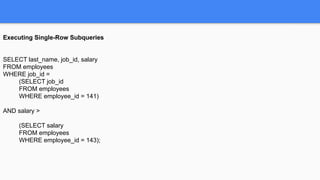
Executing Single-Row Subqueries
SELECT last_name, job_id, salary
FROM employees
WHERE job_id =
(SELECT job_id
FROM employees
WHERE employee_id = 141)
AND salary >
(SELECT salary
FROM employees
WHERE employee_id = 143);
Multiple-Row Subqueries
• Return more than one row
• Use multiple-row comparison operators
IN ⇒ Equal to any member in the list
ANY ⇒ Compare value to each value returned by the subquery
ALL ⇒ Compare value to every value returned by the subquery
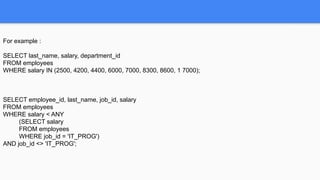
For example :
SELECT last_name, salary, department_id
FROM employees
WHERE salary IN (2500, 4200, 4400, 6000, 7000, 8300, 8600, 1 7000);
SELECT employee_id, last_name, job_id, salary
FROM employees
WHERE salary < ANY
(SELECT salary
FROM employees
WHERE job_id = 'IT_PROG')
AND job_id <> 'IT_PROG';
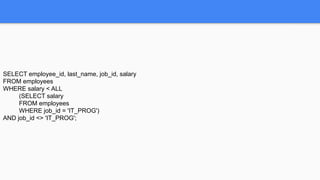
SELECT employee_id, last_name, job_id, salary
FROM employees
WHERE salary < ALL
(SELECT salary
FROM employees
WHERE job_id = 'IT_PROG')
AND job_id <> 'IT_PROG';
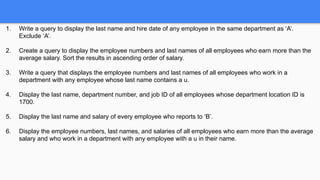
1. Write a query to display the last name and hire date of any employee in the same department as ‘A’.
Exclude ‘A’.
2. Create a query to display the employee numbers and last names of all employees who earn more than the
average salary. Sort the results in ascending order of salary.
3. Write a query that displays the employee numbers and last names of all employees who work in a
department with any employee whose last name contains a u.
4. Display the last name, department number, and job ID of all employees whose department location ID is
1700.
5. Display the last name and salary of every employee who reports to ‘B’.
6. Display the employee numbers, last names, and salaries of all employees who earn more than the average
salary and who work in a department with any employee with a u in their name.
Visit : www.zekeLabs.com for more details
THANK YOU
Let us know how can we help your organization to Upskill the
employees to stay updated in the ever-evolving IT Industry.
Get in touch:
www.zekeLabs.com | +91-8095465880 | info@zekeLabs.com

SQL

  • 1.
  • 2.
  • 3.
    System Development LifeCycle ● Strategy and Analysis ● Design ● Build and Document ● Transition ● Production
  • 4.
    Keywords ● Data ● Database: collection of data ● DBMS : To manage databases, you need database management systems (DBMS). A DBMS is a program that stores, retrieves, and modifies data in the database on request.
  • 5.
    Data model Entity RelationshipModel : Create an entity relationship diagram from business specifications or narratives
  • 6.
    RDBMS Relational Database ManagementSystem - Based on Relational model - Data is represented in the form of tuples (rows)
  • 7.
  • 10.
  • 11.
    Creating Tables Naming Rules Tablenames and column names: • Must begin with a letter • Must be 1–30 characters long • Must contain only A–Z, a–z, 0–9, _, $, and # • Must not duplicate the name of another object owned by the same user • Must not be an Oracle server reserved word
  • 12.
    Creating Tables CREATE TABLEtable (column datatype [DEFAULT expr][, ...]); CREATE TABLE dept (deptno NUMBER(2) DEFAULT 1, dname VARCHAR2(14), loc VARCHAR2(13));
  • 13.
    Creating Tables Tables inthe Oracle Database • User Tables: – Are a collection of tables created and maintained by the user – Contain user information • Data Dictionary: – Is a collection of tables created and maintained by the Oracle Server – Contain database information
  • 14.
    Querying the datadictionary • See the names of tables owned by the user. SELECT table_name FROM user_tables; • View distinct object types owned by the user. SELECT DISTINCT object_type FROM user_objects; • View tables, views, synonyms, and sequences owned by the user. SELECT * FROM user_catalog;
  • 15.
    Data Types VARCHAR2(size) ⇒Variable-length character data CHAR(size) ⇒ Fixed-length character data NUMBER(p,s) ⇒ Variable-length numeric data DATE ⇒ Date and time values LONG ⇒ Variable-length character data up to 2 gigabytes CLOB ⇒ Character data up to 4 gigabytes RAW and LONG RAW ⇒ Raw binary data
  • 16.
    Data Types BLOB ⇒Binary data up to 4 gigabytes BFILE ⇒ Binary data stored in an external file; up to 4 gigabytes ROWID ⇒ A 64 base number system representing the unique address of a row in its table. TIMESTAMP ⇒ Date with fractional seconds INTERVAL YEAR TO MONTH ⇒ Stored as an interval of years and months INTERVAL DAY TO SECOND ⇒ Stored as an interval of days to hours minutes and seconds
  • 17.
    Creating a tableusing a subquery CREATE TABLE dept80 AS SELECT employee_id, last_name, salary*12 ANNSAL, hire_date FROM employees WHERE department_id = 80; DESCRIBE dept80;
  • 18.
    Alter table Use theALTER TABLE statement to: • Add a new column • Modify an existing column • Define a default value for the new column • Drop a column
  • 19.
    Alter table To adda column: ALTER TABLE table ADD (column datatype [DEFAULT expr] [, column datatype]...); ALTER TABLE dept80 ADD (job_id VARCHAR2(9));
  • 20.
    Alter table To modifya column: ALTER TABLE table MODIFY (column datatype [DEFAULT expr] [, column datatype]...); ALTER TABLE dept80 MODIFY (last_name VARCHAR2(30));
  • 21.
    Alter table To deletea column: ALTER TABLE table DROP (column); ALTER TABLE dept80 DROP COLUMN job_id;
  • 22.
    Dropping a table Alldata and structure in the table is deleted. • Any pending transactions are committed. • All indexes are dropped. • You cannot roll back the DROP TABLE statement. DROP TABLE dept80;
  • 23.
    Changing the nameof an object To change the name of a table, view, sequence, or synonym, you execute the RENAME statement. RENAME dept TO detail_dept;
  • 24.
    Truncating a table TheTRUNCATE TABLE statement: – Removes all rows from a table – Releases the storage space used by that table • You cannot roll back row removal when using TRUNCATE. • Alternatively, you can remove rows by using the DELETE statement. TRUNCATE TABLE detail_dept;
  • 25.
    Adding a comment Thecomment is stored in the data dictionary and can be viewed in one of the following data dictionary views in the COMMENTS column: • ALL_COL_COMMENTS • USER_COL_COMMENTS • ALL_TAB_COMMENTS • USER_TAB_COMMENTS COMMENT ON TABLE table | COLUMN table.column IS 'text';
  • 26.
  • 27.
    What are constraints ●Constraints enforce rules at the table level. ● Constraints prevent the deletion of a table if there are dependencies. ● The following constraint types are valid: – NOT NULL – UNIQUE – PRIMARY KEY – FOREIGN KEY – CHECK
  • 28.
    What are constraints TheOracle Server uses constraints to prevent invalid data entry into tables. You can use constraints to do the following: • Enforce rules on the data in a table whenever a row is inserted, updated, or deleted from that table. The constraint must be satisfied for the operation to succeed. • Prevent the deletion of a table if there are dependencies from other tables • Provide rules for Oracle tools, such as Oracle Developer
  • 29.
    What are constraints NOTNULL ⇒ Specifies that the column cannot contain a null value UNIQUE ⇒ Specifies a column or combination of columns whose values must be unique for all rows in the table PRIMARY KEY ⇒ Uniquely identifies each row of the table FOREIGN KEY ⇒ Establishes and enforces a foreign key relationship between the column and a column of the referenced table CHECK ⇒ Specifies a condition that must be true
  • 30.
    Defining constraints CREATE TABLE[schema.]table (column datatype [DEFAULT expr] [column_constraint], ... [table_constraint][,...]);
  • 31.
    Defining constraints CREATE TABLEemployees( employee_id NUMBER(6), first_name VARCHAR2(20), ... job_id VARCHAR2(10) NOT NULL, CONSTRAINT emp_emp_id_pk PRIMARY KEY (EMPLOYEE_ID));
  • 32.
    Defining constraints NOT NULL: ● Makes sure none of the value for the column is null. ● Applicable only on columns, not on tables UNIQUE : ● Makes sure duplicate values are not present. ● Null values can be allowed ● Composite unique columns can be there. ● Applicable on both columns and tables
  • 33.
    Defining constraints PRIMARY KEY: ● Unique and not null values ● A table can have only one primary key FOREIGN KEY: ● must match an existing value in the parent table or be NULL. ● CONSTRAINT emp_dept_fk FOREIGN KEY (department_id) REFERENCES departments(department_id), CONSTRAINT emp_email_uk UNIQUE/PRIMARY KEY(email)); ● Applicable on both columns and tables
  • 34.
    Defining constraints ● FOREIGNKEY: Defines the column in the child table at the table constraint level ● REFERENCES: Identifies the table and column in the parent table ● ON DELETE CASCADE: Deletes the dependent rows in the child table when a row in the parent table is deleted. ● ON DELETE SET NULL: Converts dependent foreign key values to null
  • 35.
    Defining constraints Check constraints: Defines a condition that each row must satisfy • The following expressions are not allowed: – References to CURRVAL, NEXTVAL, LEVEL, and ROWNUM pseudocolumns – Calls to SYSDATE, UID, USER, and USERENV functions – Queries that refer to other values in other rows For ex: salary NUMBER(2) CONSTRAINT emp_salary_min CHECK (salary > 0),...
  • 36.
    Adding constraints ALTER TABLEemployees ADD CONSTRAINT emp_manager_fk FOREIGN KEY(manager_id) REFERENCES employees(employee_id);
  • 37.
    Dropping constraints ALTER TABLEemployees DROP CONSTRAINT emp_manager_fk; ALTER TABLE departments DROP PRIMARY KEY CASCADE;
  • 38.
    Disabling constraints ALTER TABLEemployees DISABLE CONSTRAINT emp_emp_id_pk CASCADE;
  • 39.
    Enabling constraints ALTER TABLEemployees ENABLE CONSTRAINT emp_emp_id_pk;
  • 40.
    Viewing the columnshaving constraints SELECT constraint_name, column_name FROM user_cons_columns WHERE table_name = 'EMPLOYEES';
  • 41.
    Cascading constraints ALTER TABLEtest1 DROP (pk) CASCADE CONSTRAINTS; ALTER TABLE test1 DROP (pk, fk, col1) CASCADE CONSTRAINTS;
  • 42.
    1. Create theEMPLOYEES2 table based on the structure of the EMPLOYEES table. Include only the EMPLOYEE_ID, FIRST_NAME, LAST_NAME, SALARY, and DEPARTMENT_ID columns. Name the columns in your new table ID, FIRST_NAME, LAST_NAME, SALARY , and DEPT_ID, Respectively. 2. Rename the EMPLOYEES2 table as EMP. 3. Add a comment to the DEPT and EMP table definitions describing the tables. Confirm your additions in the data dictionary. 4. Drop the FIRST_NAME column from the EMP table. Confirm your modification by checking the description of the table.
  • 43.
    1. Add atable-level PRIMARY KEY constraint to the EMP table on the ID column. The constraint should be named at creation. Name the constraint my_emp_id_pk. 2. Create a PRIMARY KEY constraint to the DEPT table using the ID column. The constraint should be named at creation. Name the constraint my_dept_id_pk. 3. Add a column DEPT_ID to the EMP table. Add a foreign key reference on the EMP table that ensures that the employee is not assigned to a nonexistent department. Name the constraint My_emp_dept_id_fk. 4. Confirm that the constraints were added by querying the USER_CONSTRAINTS view. Note the types and names of the constraints. 5. Modify the EMP table. Add a COMMISSION column of NUMBER data type, precision 2, scale 2. Add a constraint to the commission column that ensures that a commission value is greater than zero.
  • 44.
  • 45.
    View ● You canpresent logical subsets or combinations of data by creating views of tables. ● A view is a logical table based on a table or another view. ● A view contains no data of its own but is like a window through which data from tables can be viewed or changed. ● The tables on which a view is based are called base tables.
  • 46.
    Why View ● Torestrict data access ● To make complex queries easy ● To provide data independence ● To present different views of the same data
  • 47.
    Create View CREATE [ORREPLACE] [FORCE|NOFORCE] VIEW view [(alias[, alias]...)] AS subquery [WITH CHECK OPTION [CONSTRAINT constraint]] [WITH READ ONLY [CONSTRAINT constraint]];
  • 48.
    Create View CREATE VIEWempvu80 AS SELECT employee_id, last_name, salary FROM employees WHERE department_id = 80; DESCRIBE empvu80;
  • 49.
    Create View Creating aview using column alias : CREATE VIEW salvu50 AS SELECT employee_id ID_NUMBER, last_name NAME, salary*12 ANN_SALARY FROM employees WHERE department_id = 50;
  • 50.
    Retrieving data froma View SELECT * FROM salvu50;
  • 51.
    Retrieving data froma View When you access data using a view, the Oracle server performs the following operations: 1. It retrieves the view definition from the data dictionary table USER_VIEWS. 2. It checks access privileges for the view base table. 3. It converts the view query into an equivalent operation on the underlying base table or tables. In other words, data is retrieved from, or an update is made to, the base tables.
  • 52.
    Modifying a View CREATEOR REPLACE VIEW empvu80 (id_number, name, sal, department_id) AS SELECT employee_id, first_name || ' ' || last_name, salary, department_id FROM employees WHERE department_id = 80;
  • 53.
    Creating a ComplexView CREATE VIEW dept_sum_vu (name, minsal, maxsal, avgsal) AS SELECT d.department_name, MIN(e.salary), MAX(e.salary),AVG(e.salary) FROM employees e, departments d WHERE e.department_id = d.department_id GROUP BY d.department_name;
  • 54.
    DML Operation onView You can perform DML operations on simple views. • You cannot remove a row if the view contains the following: – Group functions – A GROUP BY clause – The DISTINCT keyword – The pseudocolumn ROWNUM keyword
  • 55.
    Denying DML Operationon View CREATE OR REPLACE VIEW empvu10 (employee_number, employee_name, job_title) AS SELECT employee_id, last_name, job_id FROM employees WHERE department_id = 10 WITH READ ONLY;
  • 56.
    Removing View You canremove a view without losing data because a view is based on underlying tables in the database. DROP VIEW empvu80;
  • 57.
    Inline View An inlineview is a subquery with an alias (or correlation name) that you can use within a SQL statement. • A named subquery in the FROM clause of the main query is an example of an inline view. • An inline view is not a schema object.
  • 58.
    Inline View SELECT a.last_name,a.salary, a.department_id, b. maxsal FROM employees a, (SELECT department_id, max(salary) maxsal FROM employees GROUP BY department_id) b WHERE a.department_id = b.department_id AND a.salary < b.maxsal;
  • 59.
  • 60.
    Data Manipulation Language •A DML statement is executed when you: – Add new rows to a table – Modify existing rows in a table – Remove existing rows from a table
  • 61.
    Data Manipulation Language TheINSERT Statement Syntax ● Add new rows to a table by using the INSERT statement. ● Only one row is inserted at a time with this syntax. INSERT INTO table [(column [, column...])] VALUES (value [, value...]);
  • 62.
    Data Manipulation Language INSERTINTO departments(department_id, department_name, manager_id, location_id) VALUES (70, 'Public Relations', 100, 1700); Enclose character and date values within single quotation marks. INSERT INTO departments VALUES (100, 'Finance', NULL, NULL);
  • 63.
    Data Manipulation Language Commonerrors that can occur during user input: • Mandatory value missing for a NOT NULL column • Duplicate value violates uniqueness constraint • Foreign key constraint violated • CHECK constraint violated • Data type mismatch • Value too wide to fit in column
  • 64.
    Data Manipulation Language Creatinga Script • Use & substitution in a SQL statement to prompt for values. • & is a placeholder for the variable value. INSERT INTO departments (department_id, department_name, location_id) VALUES (&department_id, '&department_name', &location);
  • 65.
    Data Manipulation Language CopyingRows from Another Table • Write your INSERT statement with a subquery. • Do not use the VALUES clause. • Match the number of columns in the INSERT clause to those in the subquery. INSERT INTO sales_reps(id, name, salary, commission_pct) SELECT employee_id, last_name, salary, commission_pct FROM employees WHERE job_id LIKE '%REP%';
  • 66.
    Data Manipulation Language Usinga Subquery in an INSERT Statement INSERT INTO (SELECT employee_id, last_name, email, hire_date, job_id, salary, department_id FROM employees WHERE department_id = 50) VALUES (99999, 'Taylor', 'DTAYLOR', TO_DATE('07-JUN-99', 'DD-MON-RR'), 'ST_CLERK', 5000, 50);
  • 67.
    Data Manipulation Language TheUPDATE Statement Syntax • Modify existing rows with the UPDATE statement. • Update more than one row at a time, if required. UPDATE table SET column = value [, column = value, ...] [WHERE condition];
  • 68.
    Data Manipulation Language UPDATEemployees SET department_id = 70 WHERE employee_id = 113; Specific row or rows are modified if you specify the WHERE clause. All rows will be updated if you omit it.
  • 69.
    Data Manipulation Language UpdatingTwo Columns with a Subquery UPDATE employees SET job_id = (SELECT job_id FROM employees WHERE employee_id = 205), salary = (SELECT salary FROM employees WHERE employee_id = 205) WHERE employee_id = 114;
  • 70.
    Data Manipulation Language TheDELETE Statement ● You can remove existing rows from a table by using the DELETE statement. DELETE [FROM] table [WHERE condition]; DELETE FROM departments WHERE department_name = 'Finance'; ● Specific row or rows are deleted if you specify the WHERE clause. All rows will be updated if you omit it.
  • 71.
    Data Manipulation Language Usingthe WITH CHECK OPTION Keyword on DML Statements • A subquery is used to identify the table and columns of the DML statement. • The WITH CHECK OPTION keyword prohibits you from changing rows that are not in the subquery. INSERT INTO (SELECT employee_id, last_name, email, hire_date, job_id, salary FROM employees WHERE department_id = 50 WITH CHECK OPTION) VALUES (99998, 'Smith', 'JSMITH', TO_DATE('07-JUN-99', 'DD-MON-RR'), 'ST_CLERK', 5000); ERROR!!!
  • 72.
    Data Manipulation Language TheMERGE Statement • Provides the ability to conditionally update or insert data into a database table • Performs an UPDATE if the row exists, and an INSERT if it is a new row: – Avoids separate updates – Increases performance and ease of use – Is useful in data warehousing applications
  • 73.
    Data Manipulation Language Syntax: MERGE INTO table_name AS table_alias USING (table|view|sub_query) alias ON (join condition) WHEN MATCHED THEN UPDATE SET col1 = col_val1, col2 = col2_val WHEN NOT MATCHED THEN INSERT (column_list) VALUES (column_values);
  • 74.
    Database Transaction A databasetransaction consists of one of the following: • DML statements which constitute one consistent change to the data • One DDL statement • One DCL statement
  • 75.
    Database Transaction Advantages ofCOMMIT and ROLLBACK Statements With COMMIT and ROLLBACK statements, you can: • Ensure data consistency • Preview data changes before making changes permanent • Group logically related operations
  • 76.
    Database Transaction Controls Statement ●COMMIT ● SAVEPOINT name Description ● Ends the current transaction by making all pending data changes permanent ● Marks a savepoint within the current transaction
  • 77.
    Database Transaction Controls Statement ●ROLLBACK ● ROLLBACK TO SAVEPOINT name Description ● ROLLBACK ends the current transaction by discarding all pending data changes ● ROLLBACK TO SAVEPOINT rolls back the current transaction to the specified savepoint, thereby discarding any changes and or savepoints created after the savepoint to which you are rolling back. If you omit the TO SAVEPOINT clause, the ROLLBACK statement rolls back the entire transaction. As savepoints are logical, there is no way to list the savepoints you have created.
  • 78.
    Database Transaction Controls Stateof the Data Before COMMIT or ROLLBACK • The previous state of the data can be recovered. • The current user can review the results of the DML operations by using the SELECT statement. • Other users cannot view the results of the DML statements by the current user. • The affected rows are locked; other users cannot change the data within the affected rows.
  • 79.
    Database Transaction Controls Stateof the Data after COMMIT • Data changes are made permanent in the database. • The previous state of the data is permanently lost. • All users can view the results. • Locks on the affected rows are released; those rows are available for other users to manipulate. • All savepoints are erased.
  • 80.
    Database Transaction Controls Stateof the Data After ROLLBACK Discard all pending changes by using the ROLLBACK statement: • Data changes are undone. • Previous state of the data is restored. • Locks on the affected rows are released.
  • 81.
    1. Change thelast name of employee 3 to Shaktiman. 2. Change the salary to 1000 for all employees with a salary less than 900. 3. Delete Shaktiman from the EMPLOYEE table. 4. Commit all pending changes. 5. Empty the entire table. 6. Confirm that the table is empty. 7. Add Shaktiman and his details again. 8. Discard the most recent DELETE operation without discarding the earlier INSERT operation. 9. Make the data addition permanent.
  • 82.
  • 83.
    Selecting columns Selecting allcolumns: SELECT * FROM user_catalog; Selecting specific columns : SELECT department_id, location_id FROM departments;
  • 84.
    Using Column Aliases SELECTlast_name AS name, commission_pct comm FROM employees; SELECT last_name "Name", salary*12 "Annual Salary" FROM employees;
  • 85.
    Concatenation Operator • Concatenatescolumns or character strings to other columns • Is represented by two vertical bars (||) • Creates a resultant column that is a character expression SELECT last_name||job_id AS "Employees" FROM employees; SELECT last_name ||' is a '||job_id AS "Employee Details" FROM employees;
  • 86.
    Eliminating Duplicates SELECT DISTINCTdepartment_id FROM employees;
  • 87.
  • 88.
    Using the WHEREclause SELECT employee_id, last_name, job_id, department_id FROM employees WHERE department_id = 90;
  • 89.
    Comparison Conditions = Equalto > Greater than >= Greater than or equal to < Less than <= Less than or equal to <> Not equal to
  • 90.
    Comparison Conditions BETWEEN ...AND…Between two values (inclusive), IN(set) Match any of a list of values LIKE Match a character pattern IS NULL Is a null value
  • 91.
    Between Comparison Conditions SELECTlast_name, salary FROM employees WHERE salary BETWEEN 2500 AND 3500;
  • 92.
    IN Comparison Conditions SELECTemployee_id, last_name, salary, manager_id FROM employees WHERE manager_id IN (100, 101, 201);
  • 93.
    LIKE Comparison Conditions •Use the LIKE condition to perform wildcard searches of valid search string values. • Search conditions can contain either literal characters or numbers: – % denotes zero or many characters. – _ denotes one character. SELECT first_name FROM employees WHERE first_name LIKE 'S%';
  • 94.
    LIKE Comparison Conditions •You can use the ESCAPE identifier to search for the actual % and _ symbols. SELECT employee_id, last_name, job_id FROM employees WHERE job_id LIKE '%SA_%' ESCAPE '';
  • 95.
    Using NULL condition SELECTlast_name, manager_id FROM employees WHERE manager_id IS NULL;
  • 96.
    Logical condition AND ReturnsTRUE if both component conditions are true OR Returns TRUE if either component condition is true NOT Returns TRUE if the following condition is false
  • 97.
    Order of Precedence 1Arithmetic operators 2 Concatenation operator 3 Comparison conditions 4 IS [NOT] NULL, LIKE, [NOT] IN 5 [NOT] BETWEEN 6 NOT logical condition 7 AND logical condition 8 OR logical condition
  • 98.
    Order By Clause •Sort rows with the ORDER BY clause – ASC: ascending order, default – DESC: descending order • The ORDER BY clause comes last in the SELECT statement. SELECT last_name, job_id, department_id, hire_date FROM employees ORDER BY hire_date;
  • 99.
    Order By Clause •Sort rows with the ORDER BY clause using multiple columns: SELECT last_name, department_id, salary FROM employees ORDER BY department_id, salary DESC;
  • 100.
    1. Create aquery to display the last name and salary of employees earning more than $12,000. 2. Create a query to display the employee last name and department number for employee number 176. 3. display the last name and salary for all employees whose salary is not in the range of $5,000 and $12,000. 4. Display the employee last name, job ID, and start date of employees hired between February 20, 1998, and May 1, 1998. Order the query in ascending order by start date. 5. Display the last name and department number of all employees in departments 20 and 50 in alphabetical order by name. 6. Display the last name and salary of employees who earn between $5,000 and $12,000, and are in department 20 or 50. 7. Display the last name and hire date of every employee who was hired in 1994. 8. Display the last name and job title of all employees who do not have a manager. 9. Display the last name of all employees who have an a and an e in their last name.
  • 101.
  • 102.
    Single Row Functions •Manipulate data items • Accept arguments and return one value • Act on each row returned • Return one result per row • Can be nested • Accept arguments which can be a column or an expression
  • 103.
    Single Row Functions •Character functions • Number functions • Date functions • Conversion functions • General functions: – NVL – NVL2 – NULLIF – COALSECE – CASE – DECODE
  • 104.
    Character Functions Case ManipulationFunctions: LOWER(column|expression) → Converts alpha character values to lowercase UPPER(column|expression) → Converts alpha character values to uppercase INITCAP(column|expression) → Converts alpha character values to uppercase for the first letter of each word, all other letters in lowercase
  • 105.
    Character Functions Case ManipulationFunctions: LOWER('SQL Course') ⇒ sql course UPPER('SQL Course') ⇒ SQL COURSE INITCAP('SQL Course') ⇒ Sql Course
  • 106.
    Character Functions Character ManipulationFunctions: CONCAT SUBSTR LENGTH INSTR LPAD | RPAD TRIM REPLACE
  • 107.
    Character Functions Character ManipulationFunctions: CONCAT('Hello', 'World') ⇒ HelloWorld SUBSTR('HelloWorld',1,5) ⇒ Hello LENGTH('HelloWorld') ⇒ 10 INSTR('HelloWorld', 'W') ⇒ 6 LPAD(salary,10,'*') ⇒ *****24000 RPAD(salary, 10, '*') ⇒ 24000***** TRIM('H' FROM 'HelloWorld') ⇒ elloWorld
  • 108.
    Character Functions SELECT employee_id,CONCAT(first_name, last_name) NAME, job_id, LENGTH (last_name), INSTR(last_name, 'a') "Contains 'a'?" FROM employees WHERE SUBSTR(job_id, 4) = 'ES';
  • 109.
    Number Functions • ROUND:Rounds value to specified decimal ROUND(45.926, 2) ⇒ 45.93 • TRUNC: Truncates value to specified decimal TRUNC(45.926, 2) ⇒ 45.92 • MOD: Returns remainder of division MOD(1600, 300) ⇒ 100
  • 110.
    Dual Table The DUALtable is owned by the user SYS and can be accessed by all users. It contains one column, DUMMY, and one row with the value X. The DUAL table is useful when you want to return a value once only.
  • 111.
    Number Functions SELECT ROUND(45.923,2),ROUND(45.923,0), ROUND(45.923,-1) FROM DUAL; SELECT TRUNC(45.923,2), TRUNC(45.923), TRUNC(45.923,-2) FROM DUAL; SELECT last_name, salary, MOD(salary, 5000) FROM employees WHERE job_id = 'SA_REP';
  • 112.
    Date Functions • Oracledatabase stores dates in an internal numeric format: century, year, month, day, hours, minutes, seconds. • The default date display format is DD-MON-RR. SYSDATE is a function that returns: • Date • Time
  • 113.
    Date Functions • Addor subtract a number to or from a date for a resultant date value. • Subtract two dates to find the number of days between those dates. • Add hours to a date by dividing the number of hours by 24. SELECT last_name, (SYSDATE-hire_date)/7 AS WEEKS FROM employees WHERE department_id = 90;
  • 114.
    Date Functions MONTHS_BETWEEN ⇒Number of months between two dates ADD_MONTHS ⇒ Add calendar months to date NEXT_DAY ⇒ Next day of the date specified LAST_DAY ⇒ Last day of the month ROUND ⇒ Round date TRUNC ⇒ Truncate date
  • 115.
    Date Functions • MONTHS_BETWEEN('01-SEP-95','11-JAN-94') ⇒ 19.6774194 • ADD_MONTHS ('11-JAN-94',6) ⇒ '11-JUL-94' • NEXT_DAY ('01-SEP-95','FRIDAY') ⇒ '08-SEP-95' • LAST_DAY('01-FEB-95') ⇒ '28-FEB-95'
  • 116.
    Display the employeenumber, hire date, number of months employed, six-month review date, first Monday after hire date, and last day of the hire month for all employees employed for fewer than 36 months.
  • 117.
    Date Functions Assume SYSDATE= '25-JUL-95' • ROUND(SYSDATE,'MONTH') ⇒ 01-AUG-95 • ROUND(SYSDATE ,'YEAR') ⇒ 01-JAN-96 • TRUNC(SYSDATE ,'MONTH') ⇒ 01-JUL-95 • TRUNC(SYSDATE ,'YEAR') ⇒ 01-JAN-95 SELECT employee_id, hire_date, ROUND(hire_date, 'MONTH'), TRUNC(hire_date, 'MONTH') FROM employees WHERE hire_date LIKE '%97';
  • 118.
    Conversion Functions Implicit Conversions: VARCHAR2 or CHAR TO NUMBER VARCHAR2 or CHAR TO DATE NUMBER TO VARCHAR2 DATE TO VARCHAR2
  • 119.
    TO_CHAR with dates TO_CHAR(date,'format_model') SELECT employee_id, TO_CHAR(hire_date, 'MM/YY') Month_Hired FROM employees WHERE last_name =’Abc’;
  • 120.
    TO_CHAR with numbers SELECTTO_CHAR(salary, '$99,999.00') SALARY FROM employees WHERE last_name = 'Ernst';
  • 121.
    TO_DATE • Convert acharacter string to a date format using the TO_DATE function: TO_DATE(char[, 'format_model']) SELECT last_name, TO_CHAR(hire_date, 'DD-Mon-YYYY') FROM employees WHERE hire_date < TO_DATE('01-Jan-90', 'DD-Mon-RR');
  • 122.
    General Functions NVL ⇒Converts a null value to an actual value NVL2 ⇒ If expr1 is not null, NVL2 returns expr2. If expr1 is null, NVL2 returns expr3. The argument expr1 can have any data type. NULLIF ⇒ Compares two expressions and returns null if they are equal, or the first expression if they are not equal COALESCE ⇒ Returns the first non-null expression in the expression list
  • 123.
    NVL Functions Converts anull to an actual value. • Data types that can be used are date, character, and number. • Data types must match: – NVL(commission_pct,0) – NVL(hire_date,'01-JAN-97') – NVL(job_id,'No Job Yet')
  • 124.
    NVL Functions SELECT last_name,salary, bonus, (salary*12) + (salary*12*bonus) AN_SAL FROM employees;
  • 125.
    NVL2 Functions SELECT last_name,salary, bonus, NVL2(bonus, 'SAL+bonus’, 'SAL') income FROM employees WHERE department_id IN (50, 80);
  • 126.
    NULLIF Functions SELECT first_name,LENGTH(first_name) "expr1", last_name, LENGTH(last_name) "expr2", NULLIF(LENGTH(first_name), LENGTH(last_name)) result FROM employees;
  • 127.
    COALESCE Functions • Theadvantage of the COALESCE function over the NVL function is that the COALESCE function can take multiple alternate values. • If the first expression is not null, it returns that expression; otherwise, it does a COALESCE of the remaining expressions. SELECT last_name, COALESCE(bonus, salary, 10) comm FROM employees ORDER BY bonus;
  • 128.
    Conditional Expression • Providethe use of IF-THEN-ELSE logic within a SQL statement • Use two methods: – CASE expression – DECODE function
  • 129.
    CASE Expression Facilitates conditionalinquiries by doing the work of an IF-THEN-ELSE statement: CASE expr WHEN comparison_expr1 THEN return_expr1 [WHEN comparison_expr2 THEN return_expr2 WHEN comparison_exprn THEN return_exprn ELSE else_expr] END
  • 130.
    CASE Expression SELECT last_name,job_id, salary, CASE job_id WHEN 'IT_PROG' THEN 1.10*salary WHEN 'CLERK' THEN 1.15*salary WHEN ‘SALES’ THEN 1.20*salary ELSE salary END "REVISED_SALARY" FROM employees;
  • 131.
    DECODE Expression Facilitates conditionalinquiries by doing the work of a CASE or IF-THEN-ELSE statement: DECODE(col|expression, search1, result1 [, search2, result2,...,] [, default])
  • 132.
    DECODE Expression SELECT last_name,job_id, salary, DECODE(job_id, 'IT_PROG', 1.10*salary, 'CLERK', 1.15*salary, 'SALES', 1.20*salary, salary) REVISED_SALARY FROM employees;
  • 133.
    Nested Functions • Single-rowfunctions can be nested to any level. • Nested functions are evaluated from deepest level to the least deep level. SELECT last_name, NVL(TO_CHAR(manager_id), 'No Manager') FROM employees WHERE manager_id IS NULL;
  • 134.
    1. For eachemployee, display the employee number, last_name, salary, and salary increased by 15% and expressed as a whole number. Label the column New Salary. 2. Write a query that displays the employee’s last names with the first letter capitalized and all other letters lowercase, and the length of the names, for all employees whose name starts with J, A, or M. Give each column an appropriate label. Sort the results by the employees’ last names. 3. Create a query to display the last name and salary for all employees. Format the salary to be 15 characters long, left-padded with $. Label the column SALARY. 4. Display the last name, hire date, and day of the week on which the employee started. Label the column DAY. Order the results by the day of the week starting with Monday. 5. Create a query that displays the employees’ last names and commission amounts. If an employee does not earn commission, put “No Commission.” Label the column COMM.
  • 135.
  • 136.
    JOINS Use a jointo query data from more than one table. Syntax : SELECT table1.column, table2.column FROM table1, table2 WHERE table1.column1 = table2.column2; support@zekeLabs.com | www.zekeLabs.com | +91 8095465880
  • 137.
    JOINS Guidelines ● When writinga SELECT statement that joins tables, precede the column name with the table name for clarity and to enhance database access. ● If the same column name appears in more than one table, the column name must be prefixed with the table name. ● To join n tables together, you need a minimum of n-1 join conditions. For example, to join four tables, a minimum of three joins is required. This rule may not apply if your table has a concatenated primary key, in which case more than one column is required to uniquely identify each row.
  • 138.
    JOINS Equijoins: When the tablesbeing joined have the same columns with equal number of entries. Frequently, this type of join involves primary and foreign key complements. Note: Equijoins are also called simple joins or inner joins. For example: SELECT employees.employee_id, employees.last_name, employees.department_id, departments.department_id, departments.location_id FROM employees, departments WHERE employees.department_id = departments.department_id; support@zekeLabs.com | www.zekeLabs.com | +91 8095465880
  • 139.
    Using table alias: SELECT e.employee_id, e.last_name, e.department_id, d.department_id, d.location_id FROM employees e, departments d WHERE e.department_id = d.department_id; Guidelines ● Table aliases can be up to 30 characters in length, but shorter is better. ● If a table alias is used for a particular table name in the FROM clause, then that table alias must be substituted for the table name throughout the SELECT statement. ● Table aliases should be meaningful. ● The table alias is valid only for the current SELECT statement. support@zekeLabs.com | www.zekeLabs.com | +91 8095465880
  • 140.
    Non-Equijoins A non-equijoin isa join condition containing something other than an equality operator. SELECT e.last_name, e.salary, j.grade_level FROM employees e, job_grades j WHERE e.salary BETWEEN j.lowest_sal AND j.highest_sal; support@zekeLabs.com | www.zekeLabs.com | +91 8095465880
  • 141.
    Outer Joins ● Youuse an outer join to also see rows that do not meet the join condition. ● The Outer join operator is the plus sign (+). Syntax: SELECT table1.column, table2.column FROM table1, table2 WHERE table1.column(+) = table2.column; SELECT table1.column, table2.column FROM table1, table2 WHERE table1.column = table2.column(+); The missing rows can be returned if an outer join operator is used in the join condition. The operator is a plus sign enclosed in parentheses (+), and it is placed on the “side” of the join that is deficient in information. support@zekeLabs.com | www.zekeLabs.com | +91 8095465880
  • 142.
    Self join: Sometimes youneed to join a table to itself. To find the name of each employee’s manager, you need to join the EMPLOYEES table to itself, or perform a self join. SELECT worker.last_name || ' works for ' || manager.last_name FROM employees worker, employees manager WHERE worker.manager_id = manager.employee_id; support@zekeLabs.com | www.zekeLabs.com | +91 8095465880
  • 143.
    Using the SQL:1999 syntax, you can obtain the same results as were shown in the prior slides. CROSS JOIN Returns a cartesian product from the two tables NATURAL JOIN Joins two tables based on the same column name JOIN table USING column_name Performs an equijoin based on the column name JOIN table ON table1.column_name Performs an equijoin based on the condition in the ON clause = table2.column_name LEFT/RIGHT/FULL OUTER support@zekeLabs.com | www.zekeLabs.com | +91 8095465880
  • 144.
    1. Write aquery to display the last name, department number, and department name for all employees. 3. Write a query to display the employee last name, department name, location ID, and city of all employees who earn a commission. 4. Display the employee last name and department name for all employees who have an a (lowercase) in their last names. 5. Write a query to display the last name, department number, and department name for all employees who work in Toronto. 6. Display the employee last name and employee number along with their manager’s last name and manager number. Label the columns Employee, Emp#, Manager, and Mgr#, respectively. 7. display all employees including everyone who has no manager. Order the results by the employee number. 8. Create a query that displays employee last names, department numbers, and all the employees who work in the same department as a given employee.
  • 145.
    1. Display thename of employees who are working in the company for the past 5 years. 2. Display the names of the employees who are not working as managers. 3. Display various departments along with the total salary for each dept where total salary is greater than 40000. 4. Display the various departments along with Toal number of employees in each department. Display only those department which has more than 2 employees. 5. Display those employees whose name contains not less than 4 characters. 6. Display those employees whose manager name is “A” 7. Display those employees whose salary is greater than his manager’s salary 8. Display the department name where at least 3 people are working.
  • 146.
    Assignment questions 1. Createa query to display the name and hire date of any employee hired after employee “A”. 2. Display the names and hire dates for all employees who were hired before their managers, along with their manager’s names and hire dates.
  • 147.
  • 148.
    GROUP FUNCTIONS Group functionsoperate on sets of rows to give one result per group. Each of the functions accepts an argument. Types of Group Functions Function Description a) AVG([DISTINCT|ALL]n) Average value of n, ignoring null values b) COUNT({*|[DISTINCT|ALL]expr}) Number of rows, where expr evaluates to something other than null (count all selected rows using *, including duplicates and rows with nulls) c) MAX([DISTINCT|ALL]expr) Maximum value of expr, ignoring null values d) MIN([DISTINCT|ALL]expr) Minimum value of expr, ignoring null values e) STDDEV([DISTINCT|ALL]x) Standard deviation of n, ignoring null values f) SUM([DISTINCT|ALL]n) Sum values of n, ignoring null values g) VARIANCE([DISTINCT|ALL]x) Variance of n, ignoring null values support@zekeLabs.com | www.zekeLabs.com | +91 8095465880
  • 149.
    Group Functions Syntax SELECT[column,] group_function(column), ... FROM table [WHERE condition] [GROUP BY column] [ORDER BY column]; Using the AVG and SUM Functions You can use AVG and SUM for numeric data. SELECT AVG(salary), MAX(salary), MIN(salary), SUM(salary) FROM employees WHERE job_id LIKE '%REP%'; You can use the MAX and MIN functions for any data type.
  • 150.
    Using the COUNTFunction SELECT COUNT(*) FROM employees WHERE department_id = 50; COUNT(*) returns the SELECT COUNT(DISTINCT department_id) FROM employees; Group functions ignore null values in the column.
  • 151.
    Using the NVLFunction with Group Functions The NVL function forces group functions to include null values. SELECT AVG(NVL(commission_pct, 0)) FROM employees; Creating Groups of Data: The GROUP BY Clause Syntax Syntax: SELECT column, group_function(column) FROM table [WHERE condition] [GROUP BY group_by_expression] [ORDER BY column];
  • 152.
    Guidelines ● If youinclude a group function in a SELECT clause, you cannot select individual results as well, unless the individual column appears in the GROUP BY clause. You receive an error message if you fail to include the column list in the GROUP BY clause. ● Using a WHERE clause, you can exclude rows before dividing them into groups. ● You must include the columns in the GROUP BY clause. ● You cannot use a column alias in the GROUP BY clause. ● By default, rows are sorted by ascending order of the columns included in the GROUP BY list. You can override this by using the ORDER BY clause.
  • 153.
    ● All columnsin the SELECT list that are not in group functions must be in the GROUP BY clause. SELECT department_id, AVG(salary) FROM employees GROUP BY department_id; ● The GROUP BY column does not have to be in the SELECT list. SELECT AVG(salary) FROM employees GROUP BY department_id; ● You can use the group function in the ORDER BY clause. SELECT department_id, AVG(salary) FROM employees GROUP BY department_id ORDER BY AVG(salary);
  • 154.
    Using the GROUPBY Clause on Multiple Columns SELECT department_id dept_id, job_id, SUM(salary) FROM employees GROUP BY department_id, job_id; Excluding Group Results: The HAVING Clause Syntax : SELECT column, group_function FROM table [WHERE condition] [GROUP BY group_by_expression] [HAVING group_condition] [ORDER BY column];
  • 155.
    SELECT department_id, MAX(salary) FROMemployees GROUP BY department_id HAVING MAX(salary)>10000; SELECT job_id, SUM(salary) PAYROLL FROM employees WHERE job_id NOT LIKE '%REP%' GROUP BY job_id HAVING SUM(salary) > 13000 ORDER BY SUM(salary);
  • 156.
    Nesting Group Functions Forexample : Display the maximum average salary. SELECT MAX(AVG(salary)) FROM employees GROUP BY department_id;
  • 157.
    1. Display thehighest, lowest, sum, and average salary of all employees. Label the columns Maximum, Minimum, Sum, and Average, respectively. Round your results to the nearest whole Number. 2. Write a query to display the number of people who were born on the same day. 3. Write a query that displays the difference between the highest and lowest salaries. Label the column DIFFERENCE. 4. Display the manager number and the salary of the lowest paid employee for that manager. Exclude anyone whose manager is not known. Exclude any groups where the minimum salary is $6,000 or less. Sort the output in descending order of salary. 5. Create a query that will display the total number of employees and, of that total, the number of employees hired in 1995, 1996, 1997, and 1998. Create appropriate column headings.
  • 158.
  • 159.
    ● combining twoqueries, placing one query inside the other query. ● The inner query or the subquery returns a value that is used by the outer query or the main query. ● Using a subquery is equivalent to performing two sequential queries and using the result of the first query as the search value in the second query. Syntax : SELECT select_list FROM table WHERE expr operator (SELECT select_list FROM table);
  • 160.
    For example : SELECTlast_name FROM employees WHERE salary > (SELECT salary FROM employees WHERE last_name = 'Abel');
  • 161.
    Guidelines for UsingSubqueries ● Enclose subqueries in parentheses. ● Place subqueries on the right side of the comparison condition. ● Use single-row operators with single-row subqueries and use multiple-row operators with multiple-row subqueries.
  • 162.
    Executing Single-Row Subqueries SELECTlast_name, job_id, salary FROM employees WHERE job_id = (SELECT job_id FROM employees WHERE employee_id = 141) AND salary > (SELECT salary FROM employees WHERE employee_id = 143);
  • 163.
    Multiple-Row Subqueries • Returnmore than one row • Use multiple-row comparison operators IN ⇒ Equal to any member in the list ANY ⇒ Compare value to each value returned by the subquery ALL ⇒ Compare value to every value returned by the subquery
  • 164.
    For example : SELECTlast_name, salary, department_id FROM employees WHERE salary IN (2500, 4200, 4400, 6000, 7000, 8300, 8600, 1 7000); SELECT employee_id, last_name, job_id, salary FROM employees WHERE salary < ANY (SELECT salary FROM employees WHERE job_id = 'IT_PROG') AND job_id <> 'IT_PROG';
  • 165.
    SELECT employee_id, last_name,job_id, salary FROM employees WHERE salary < ALL (SELECT salary FROM employees WHERE job_id = 'IT_PROG') AND job_id <> 'IT_PROG';
  • 166.
    1. Write aquery to display the last name and hire date of any employee in the same department as ‘A’. Exclude ‘A’. 2. Create a query to display the employee numbers and last names of all employees who earn more than the average salary. Sort the results in ascending order of salary. 3. Write a query that displays the employee numbers and last names of all employees who work in a department with any employee whose last name contains a u. 4. Display the last name, department number, and job ID of all employees whose department location ID is 1700. 5. Display the last name and salary of every employee who reports to ‘B’. 6. Display the employee numbers, last names, and salaries of all employees who earn more than the average salary and who work in a department with any employee with a u in their name.
  • 167.
    Visit : www.zekeLabs.comfor more details THANK YOU Let us know how can we help your organization to Upskill the employees to stay updated in the ever-evolving IT Industry. Get in touch: www.zekeLabs.com | +91-8095465880 | info@zekeLabs.com