Digital Story Telling By Su Liu
What is Digital Storytelling? Digital storytelling  is a way to enhance the written word by using a variety of multimedia tools.  Digital storytellers are able to provide unique experiences for their audiences by intensifying the written story.  Digital storytelling  can be used to create products that provide information about historical events, explain mathematical concepts, or demonstrate scientific principals. Digital natives vs. digital immigrants (Creation vs. consumption)
Why Choose Digital Storytelling? One of the true values of digital media in education is its ability to empower teachers and students to develop stories using various forms of self expression. (Gunter, 308)
Kinds of Digital Stories Character Stories – explore how we love, who we are inspired by, our relationships Memorial Stories – memories of people who are no longer with us.  Stories about an events in or lives …adventure and accomplishment stories Stories about places in our lives Stories about what we do Other personal stories…recovery, love, discovery stories
Personal stories…creating living memories Kinship stories…family stories of who we are Hyper-interactive stories…groups, diverse Personal expression…thoughts, feelings… Myths, legends, tales…past, present, future Expository stories…info beyond words… Persuasive stories…influencing others… Itza wrap…stories of lessons learned… Future vision stories…imagining the future now… .
Types of Communications Digital Storytelling Supports Narrative Personal Expression Myths/ Folk Tales Short Story Information/Expository Summary Reports Book Reports How-to Directions Biographies
Persuasive Advertisements Describe/Conclude Analyze/Conclude Analyze/Persuade Compare/Contrast Cause/Effect Participatory Environment – user content contribution
Positive Outcome for Students Helps students communicate messages effectively, concisely, and with a specific purpose and audience in mind.  Challenges students to strengthen their messages with media to increase the impact on their audience.  Helps students develop multimedia literacy and  technology skills. Encourages students to discover, develop, intensify, apply, and extend their creativity.  Gives students the opportunity to find and use a new and compelling voice.  Empowers students to create in a medium that is meaningful to them.
Student Becomes Organizer Concept Mapping Ideas. to generate ideas (brain storming, etc.);  to design a complex structure (Movie structure.);  to communicate complex ideas;  to aid learning by explicitly integrating new and old knowledge;  to assess understanding or diagnose misunderstanding. Sequencing of movie.
Student Becomes Finder, Constructor, Creator, and Evaluator of Knowledge Finder & consumer of information. Curriculum Content Achievement. Craftsmanship of communication by students beyond existing knowledge. Technologist. Finder & consumer of information. Curriculum Content Achievement. Craftsmanship of communication by students beyond existing knowledge. Technologist.
Student Becomes Designer of Communication Components of Image, Voice/Sound, Text, Format/Structure, Color, Content. Presentation of Communication – Eye contact, voice, visual /auditory aides body/gestures,  poise/style, engagement in reflection. Interactivity of Communication .
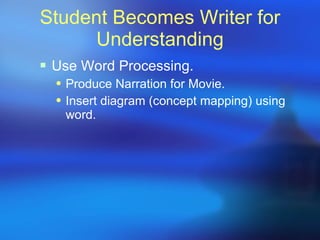
Student Becomes Writer for Understanding Use Word Processing. Produce Narration for Movie. Insert diagram (concept mapping) using word.
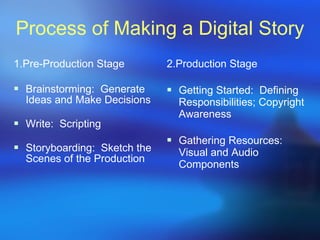
Process of Making a Digital Story 1.Pre-Production Stage Brainstorming:  Generate Ideas and Make Decisions Write:  Scripting Storyboarding:  Sketch the Scenes of the Production 2.Production Stage  Getting Started:  Defining Responsibilities; Copyright Awareness Gathering Resources:  Visual and Audio Components
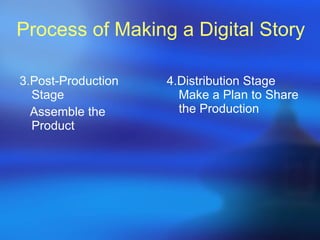
Process of Making a Digital Story 3.Post-Production Stage  Assemble the Product  4.Distribution Stage Make a Plan to Share the Production
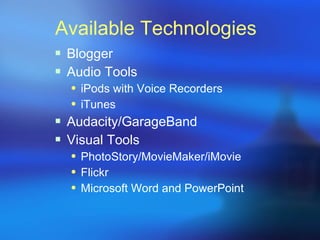
Available Technologies Blogger  Audio Tools iPods with Voice Recorders iTunes Audacity/GarageBand Visual Tools PhotoStory/MovieMaker/iMovie Flickr Microsoft Word and PowerPoint
References Shelly, G. B., Gunter, G. A., & Gunter, R. E. (2010). Teachers discovering computers Integrating Technology and Digital Media in the Classroom, sixth edition.Boston: Cengage Learning.

Digital Storytelling

  • 1.
  • 2.
    What is DigitalStorytelling? Digital storytelling is a way to enhance the written word by using a variety of multimedia tools.  Digital storytellers are able to provide unique experiences for their audiences by intensifying the written story.  Digital storytelling can be used to create products that provide information about historical events, explain mathematical concepts, or demonstrate scientific principals. Digital natives vs. digital immigrants (Creation vs. consumption)
  • 3.
    Why Choose DigitalStorytelling? One of the true values of digital media in education is its ability to empower teachers and students to develop stories using various forms of self expression. (Gunter, 308)
  • 4.
    Kinds of DigitalStories Character Stories – explore how we love, who we are inspired by, our relationships Memorial Stories – memories of people who are no longer with us. Stories about an events in or lives …adventure and accomplishment stories Stories about places in our lives Stories about what we do Other personal stories…recovery, love, discovery stories
  • 5.
    Personal stories…creating livingmemories Kinship stories…family stories of who we are Hyper-interactive stories…groups, diverse Personal expression…thoughts, feelings… Myths, legends, tales…past, present, future Expository stories…info beyond words… Persuasive stories…influencing others… Itza wrap…stories of lessons learned… Future vision stories…imagining the future now… .
  • 6.
    Types of CommunicationsDigital Storytelling Supports Narrative Personal Expression Myths/ Folk Tales Short Story Information/Expository Summary Reports Book Reports How-to Directions Biographies
  • 7.
    Persuasive Advertisements Describe/ConcludeAnalyze/Conclude Analyze/Persuade Compare/Contrast Cause/Effect Participatory Environment – user content contribution
  • 8.
    Positive Outcome forStudents Helps students communicate messages effectively, concisely, and with a specific purpose and audience in mind. Challenges students to strengthen their messages with media to increase the impact on their audience. Helps students develop multimedia literacy and  technology skills. Encourages students to discover, develop, intensify, apply, and extend their creativity. Gives students the opportunity to find and use a new and compelling voice. Empowers students to create in a medium that is meaningful to them.
  • 9.
    Student Becomes OrganizerConcept Mapping Ideas. to generate ideas (brain storming, etc.); to design a complex structure (Movie structure.); to communicate complex ideas; to aid learning by explicitly integrating new and old knowledge; to assess understanding or diagnose misunderstanding. Sequencing of movie.
  • 10.
    Student Becomes Finder,Constructor, Creator, and Evaluator of Knowledge Finder & consumer of information. Curriculum Content Achievement. Craftsmanship of communication by students beyond existing knowledge. Technologist. Finder & consumer of information. Curriculum Content Achievement. Craftsmanship of communication by students beyond existing knowledge. Technologist.
  • 11.
    Student Becomes Designerof Communication Components of Image, Voice/Sound, Text, Format/Structure, Color, Content. Presentation of Communication – Eye contact, voice, visual /auditory aides body/gestures, poise/style, engagement in reflection. Interactivity of Communication .
  • 12.
    Student Becomes Writerfor Understanding Use Word Processing. Produce Narration for Movie. Insert diagram (concept mapping) using word.
  • 13.
    Process of Makinga Digital Story 1.Pre-Production Stage Brainstorming:  Generate Ideas and Make Decisions Write:  Scripting Storyboarding:  Sketch the Scenes of the Production 2.Production Stage Getting Started:  Defining Responsibilities; Copyright Awareness Gathering Resources:  Visual and Audio Components
  • 14.
    Process of Makinga Digital Story 3.Post-Production Stage Assemble the Product 4.Distribution Stage Make a Plan to Share the Production
  • 15.
    Available Technologies Blogger Audio Tools iPods with Voice Recorders iTunes Audacity/GarageBand Visual Tools PhotoStory/MovieMaker/iMovie Flickr Microsoft Word and PowerPoint
  • 16.
    References Shelly, G.B., Gunter, G. A., & Gunter, R. E. (2010). Teachers discovering computers Integrating Technology and Digital Media in the Classroom, sixth edition.Boston: Cengage Learning.