Easy Technology Tools
You Can Use All Year
Rachel Grover
Librarian, Rocky Run MS
Fairfax County Public Schools
AGENDA
• Tech & Today’s Students
• Why’s and Ways to Use Tech
• Looking at Some Sites & a Bonus!
• Independent Investigation/Planning
• Sharing
Tech & Today’s Students
• Next Year’s 6th graders: Born in 2006/2007
• 2006: “Year of the Social Network” – readwrite.com
• Kindergarteners in 2011
• How do we use tech in education for meaning, and
not just for the sake of tech?
Why’s and Ways to Use Tech
• Need to use the medium they are most
familiar with in order to:
• Collaborate with each other
• Provide feedback to you & their classmates
• Demonstrate mastery of concepts taught
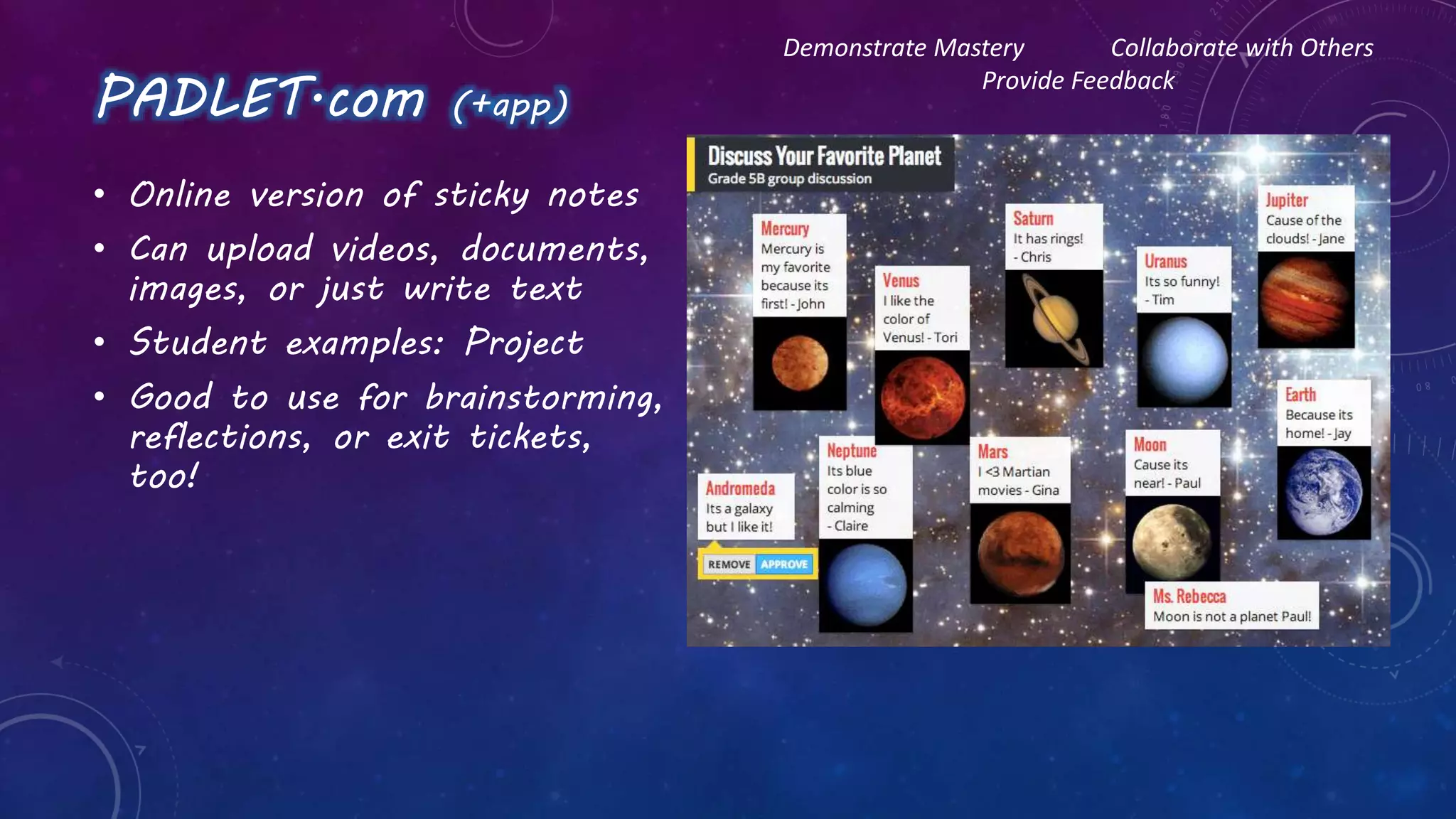
PADLET.com (+app)
• Online version of sticky notes
• Can upload videos, documents,
images, or just write text
• Student examples: Project
• Good to use for brainstorming,
reflections, or exit tickets,
too!
Demonstrate Mastery Collaborate with Others
Provide Feedback
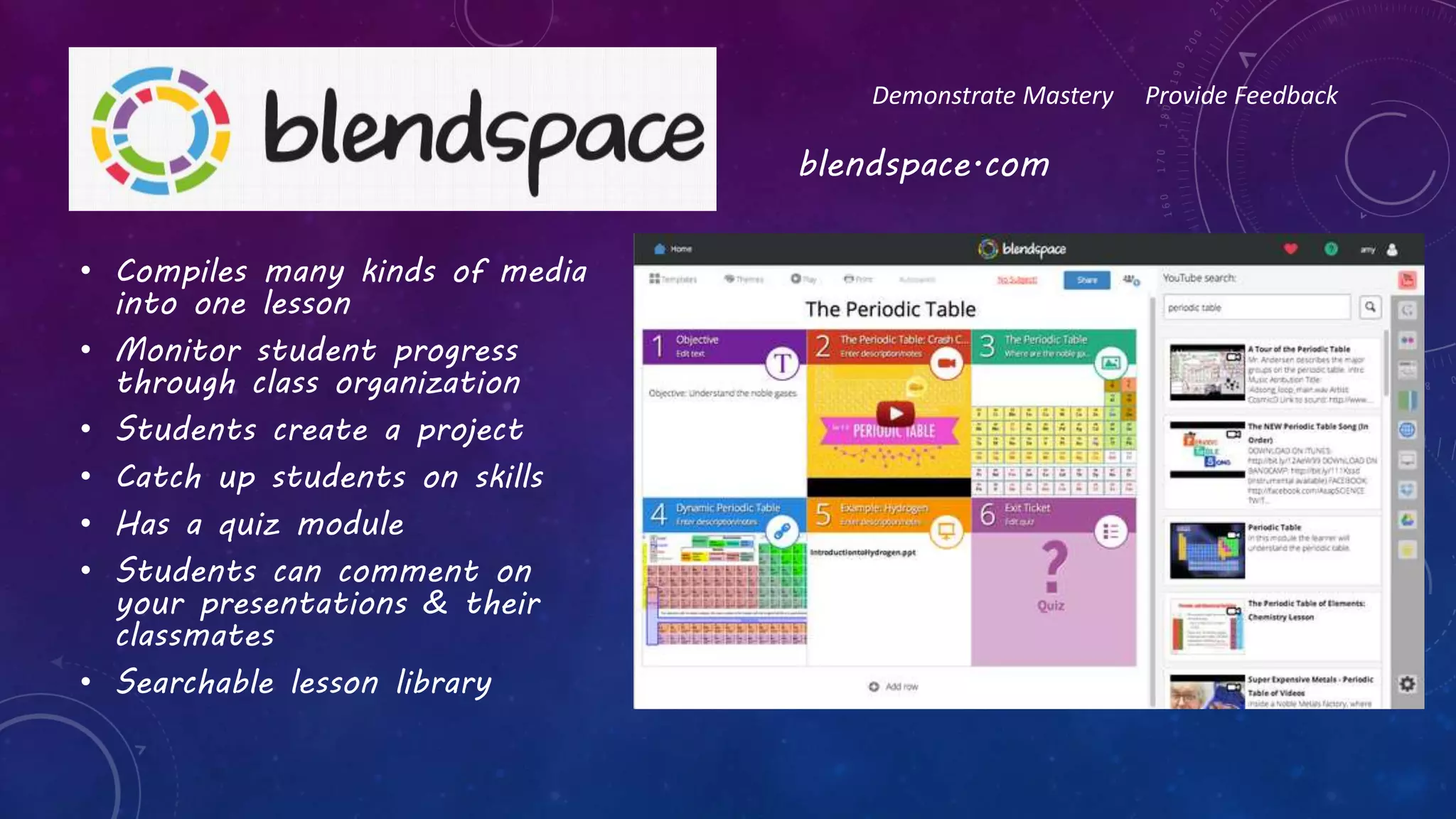
• Compiles many kinds of media
into one lesson
• Monitor student progress
through class organization
• Students create a project
• Catch up students on skills
• Has a quiz module
• Students can comment on
your presentations & their
classmates
• Searchable lesson library
Demonstrate Mastery Provide Feedback
blendspace.com
TAGXEDO.com & TAGUL.com
• Word Cloud Creators
• Alternate to Wordle
• Choice of color & shape
• Easy to save & share work
• Tagxedo: No login
• Tagul: Login
• TT : Use to activate
knowledge, asking questions,
review
• Only works on desktops and
laptops
Demonstrate Mastery
SOCRATIVE.com (+app)
• Interactive quizzing site
• Teacher facilitated
• Create quizzes in advance or
spontaneously
• Multiple Choice, True/False,
Short Answer
• Connect to standards & view
reports
• Can use ALL devices!
• TT : Use for brainstorming, exit
tickets, and quick checks of info
you just taught
Demonstrate Mastery
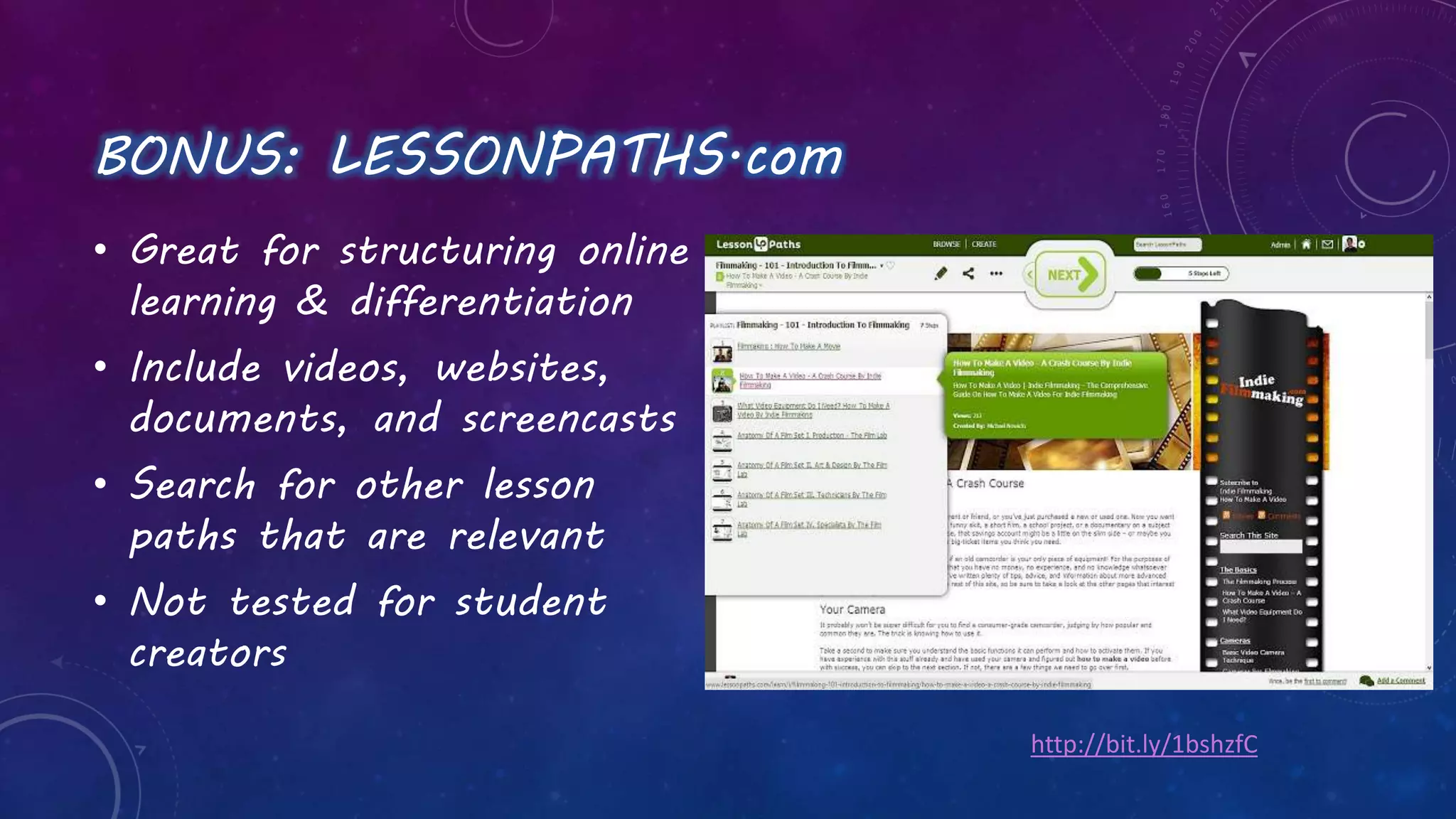
BONUS: LESSONPATHS.com
• Great for structuring online
learning & differentiation
• Include videos, websites,
documents, and screencasts
• Search for other lesson
paths that are relevant
• Not tested for student
creators
http://bit.ly/1bshzfC
With the Remaining Time:
• Investigate at least 3 of these sites
• Create something that you could use with your
classes as a project example or at the beginning
of the year.
• Post at least 1 idea on our Padlet
• Be prepared to share!

JOSTI Easy Tech Tools Presentation 2016

  • 1.
    Easy Technology Tools YouCan Use All Year Rachel Grover Librarian, Rocky Run MS Fairfax County Public Schools
  • 2.
    AGENDA • Tech &Today’s Students • Why’s and Ways to Use Tech • Looking at Some Sites & a Bonus! • Independent Investigation/Planning • Sharing
  • 3.
    Tech & Today’sStudents • Next Year’s 6th graders: Born in 2006/2007 • 2006: “Year of the Social Network” – readwrite.com • Kindergarteners in 2011 • How do we use tech in education for meaning, and not just for the sake of tech?
  • 4.
    Why’s and Waysto Use Tech • Need to use the medium they are most familiar with in order to: • Collaborate with each other • Provide feedback to you & their classmates • Demonstrate mastery of concepts taught
  • 5.
    PADLET.com (+app) • Onlineversion of sticky notes • Can upload videos, documents, images, or just write text • Student examples: Project • Good to use for brainstorming, reflections, or exit tickets, too! Demonstrate Mastery Collaborate with Others Provide Feedback
  • 6.
    • Compiles manykinds of media into one lesson • Monitor student progress through class organization • Students create a project • Catch up students on skills • Has a quiz module • Students can comment on your presentations & their classmates • Searchable lesson library Demonstrate Mastery Provide Feedback blendspace.com
  • 7.
    TAGXEDO.com & TAGUL.com •Word Cloud Creators • Alternate to Wordle • Choice of color & shape • Easy to save & share work • Tagxedo: No login • Tagul: Login • TT : Use to activate knowledge, asking questions, review • Only works on desktops and laptops Demonstrate Mastery
  • 8.
    SOCRATIVE.com (+app) • Interactivequizzing site • Teacher facilitated • Create quizzes in advance or spontaneously • Multiple Choice, True/False, Short Answer • Connect to standards & view reports • Can use ALL devices! • TT : Use for brainstorming, exit tickets, and quick checks of info you just taught Demonstrate Mastery
  • 9.
    BONUS: LESSONPATHS.com • Greatfor structuring online learning & differentiation • Include videos, websites, documents, and screencasts • Search for other lesson paths that are relevant • Not tested for student creators http://bit.ly/1bshzfC
  • 10.
    With the RemainingTime: • Investigate at least 3 of these sites • Create something that you could use with your classes as a project example or at the beginning of the year. • Post at least 1 idea on our Padlet • Be prepared to share!