Different cover lines


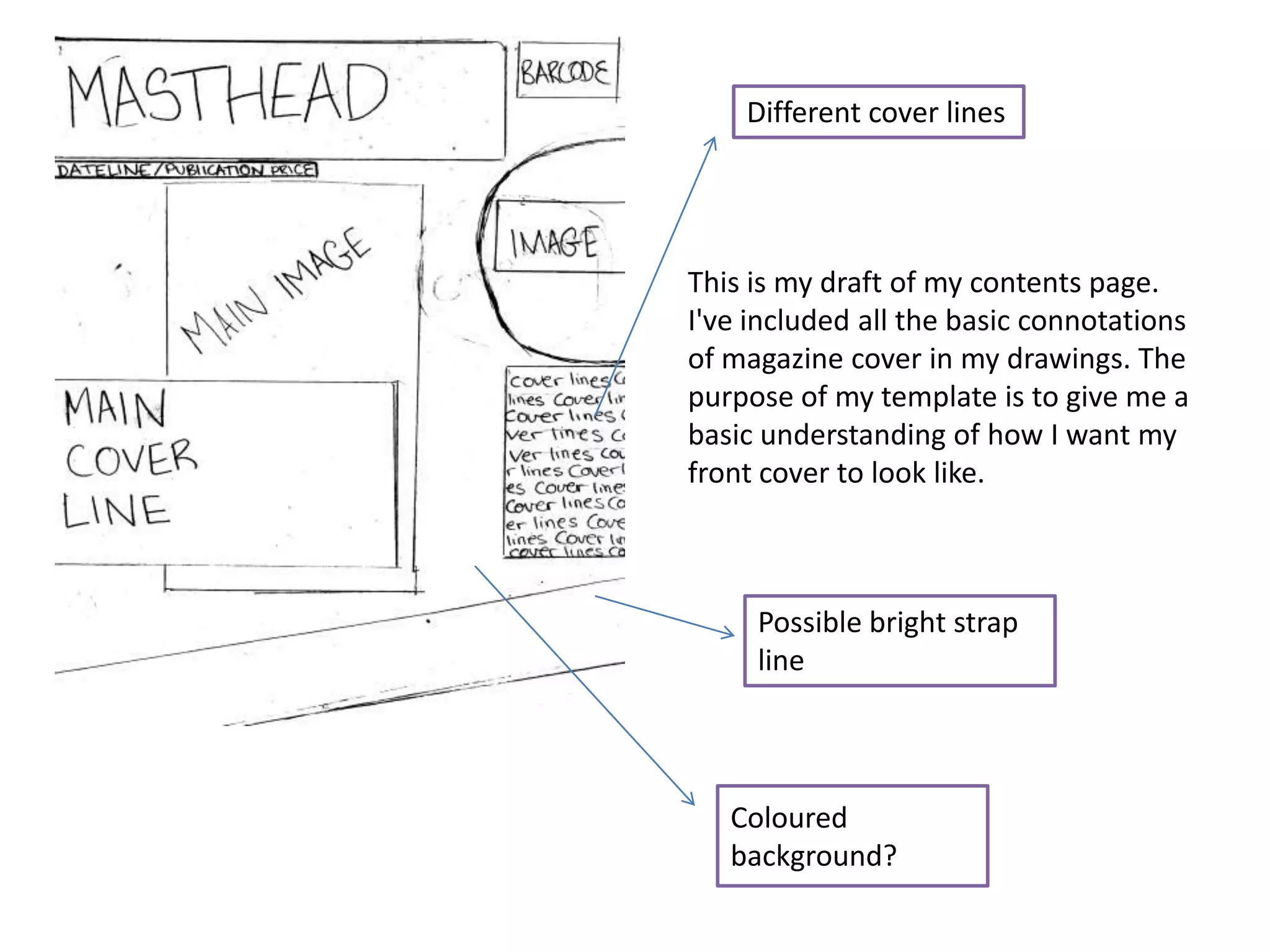
This is my draft of my contents page.
I've included all the basic connotations
of magazine cover in my drawings. The
purpose of my template is to give me a
basic understanding of how I want my
front cover to look like.


     Possible bright strap
     line


   Coloured
   background?
Gradient
tool was
used to
create the
background


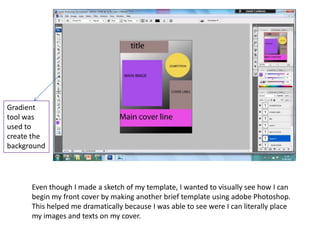
      Even though I made a sketch of my template, I wanted to visually see how I can
      begin my front cover by making another brief template using adobe Photoshop.
      This helped me dramatically because I was able to see were I can literally place
      my images and texts on my cover.
AFTER


BEFORE


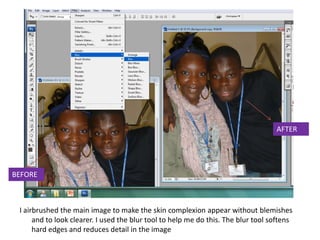
 I airbrushed the main image to make the skin complexion appear without blemishes
      and to look clearer. I used the blur tool to help me do this. The blur tool softens
      hard edges and reduces detail in the image
Dafont.com
                                                                           helped supply me
                                                                           with the correct
                                                                           font I needed. This
                                                                           is because it is
                                                                           “high school”
                                                                           related. The
                                                                           graffiti


                                                                               The main
                                                                               image covered
                                                                               the whole
                                                                               page. No input
                                                                               of background
                                                                               was needed.


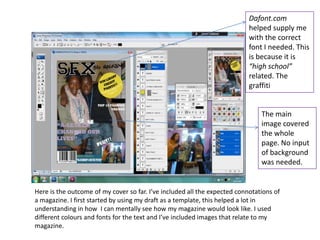
Here is the outcome of my cover so far. I’ve included all the expected connotations of
a magazine. I first started by using my draft as a template, this helped a lot in
understanding in how I can mentally see how my magazine would look like. I used
different colours and fonts for the text and I’ve included images that relate to my
magazine.
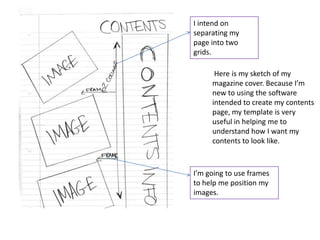
I intend on
separating my
page into two
grids.

      Here is my sketch of my
     magazine cover. Because I’m
     new to using the software
     intended to create my contents
     page, my template is very
     useful in helping me to
     understand how I want my
     contents to look like.


I’m going to use frames
to help me position my
images.
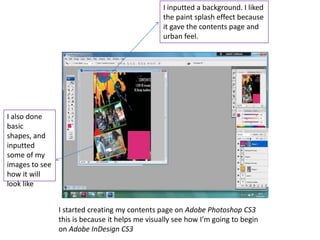
I inputted a background. I liked
                                                 the paint splash effect because
                                                 it gave the contents page and
                                                 urban feel.


I also done
basic
shapes, and
inputted
some of my
images to see
how it will
look like


                I started creating my contents page on Adobe Photoshop CS3
                this is because it helps me visually see how I’m going to begin
                on Adobe InDesign CS3
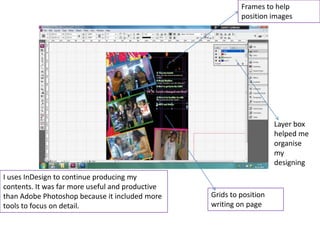
Frames to help
                                                           position images


                                                                      Layer box
                                                                      helped me
                                                                      organise
                                                                      my
                                                                      designing
I uses InDesign to continue producing my
contents. It was far more useful and productive
than Adobe Photoshop because it included more     Grids to position
tools to focus on detail.                         writing on page
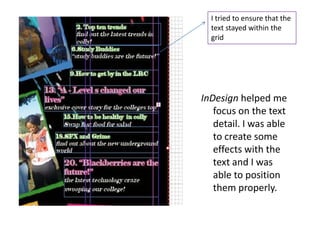
I tried to ensure that the
  text stayed within the
  grid


InDesign helped me
   focus on the text
   detail. I was able
   to create some
   effects with the
   text and I was
   able to position
   them properly.

diary of make

  • 1.
    Different cover lines Thisis my draft of my contents page. I've included all the basic connotations of magazine cover in my drawings. The purpose of my template is to give me a basic understanding of how I want my front cover to look like. Possible bright strap line Coloured background?
  • 2.
    Gradient tool was used to createthe background Even though I made a sketch of my template, I wanted to visually see how I can begin my front cover by making another brief template using adobe Photoshop. This helped me dramatically because I was able to see were I can literally place my images and texts on my cover.
  • 3.
    AFTER BEFORE I airbrushedthe main image to make the skin complexion appear without blemishes and to look clearer. I used the blur tool to help me do this. The blur tool softens hard edges and reduces detail in the image
  • 4.
    Dafont.com helped supply me with the correct font I needed. This is because it is “high school” related. The graffiti The main image covered the whole page. No input of background was needed. Here is the outcome of my cover so far. I’ve included all the expected connotations of a magazine. I first started by using my draft as a template, this helped a lot in understanding in how I can mentally see how my magazine would look like. I used different colours and fonts for the text and I’ve included images that relate to my magazine.
  • 5.
    I intend on separatingmy page into two grids. Here is my sketch of my magazine cover. Because I’m new to using the software intended to create my contents page, my template is very useful in helping me to understand how I want my contents to look like. I’m going to use frames to help me position my images.
  • 6.
    I inputted abackground. I liked the paint splash effect because it gave the contents page and urban feel. I also done basic shapes, and inputted some of my images to see how it will look like I started creating my contents page on Adobe Photoshop CS3 this is because it helps me visually see how I’m going to begin on Adobe InDesign CS3
  • 7.
    Frames to help position images Layer box helped me organise my designing I uses InDesign to continue producing my contents. It was far more useful and productive than Adobe Photoshop because it included more Grids to position tools to focus on detail. writing on page
  • 8.
    I tried toensure that the text stayed within the grid InDesign helped me focus on the text detail. I was able to create some effects with the text and I was able to position them properly.