





Designing Interfaces
   (and wireframes)

   General Assembly
      11/14/12
SKETCHING
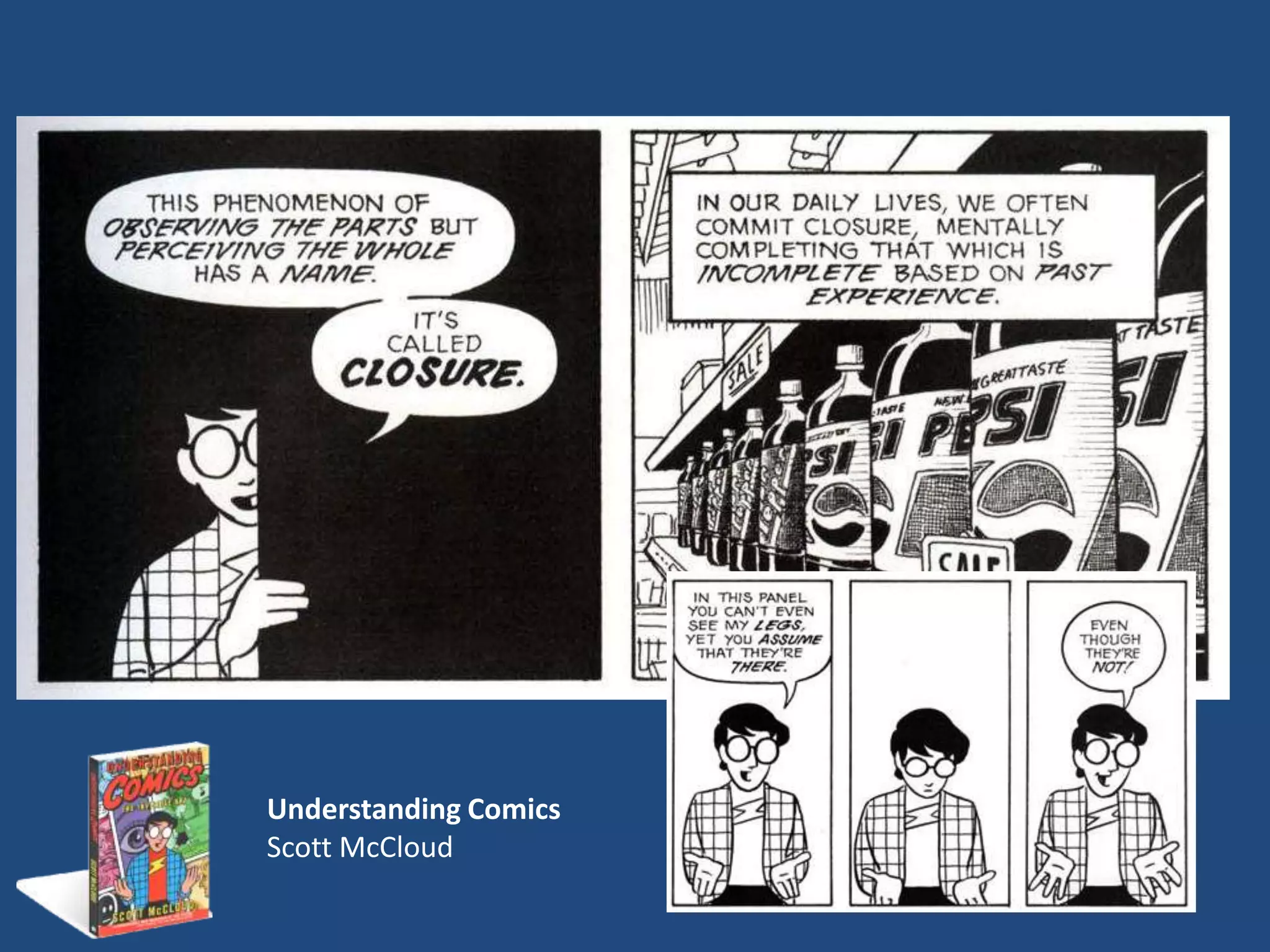
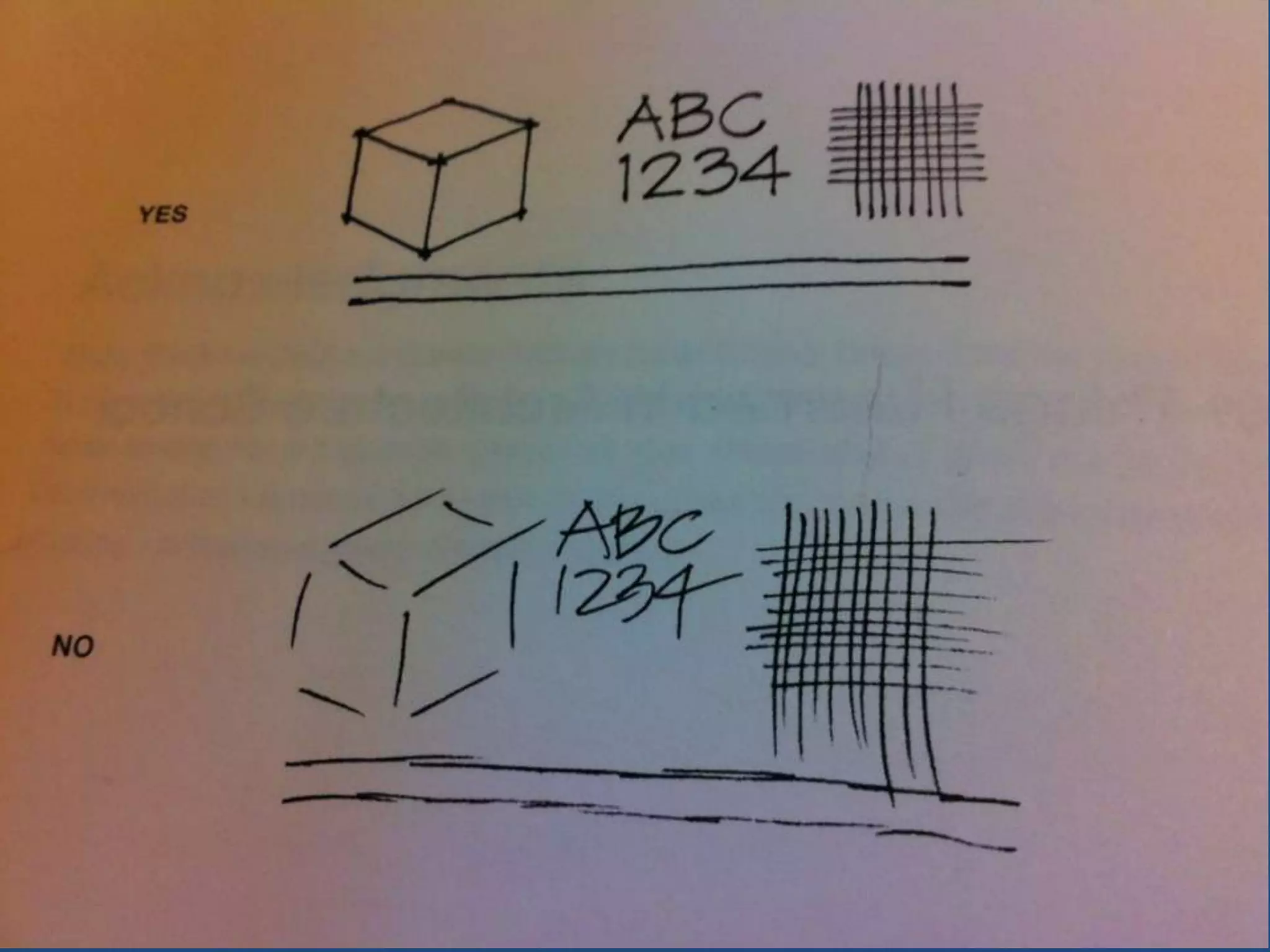
Understanding Comics
Scott McCloud
First to ourselves, then to others

WE DRAW TO COMMUNICATE
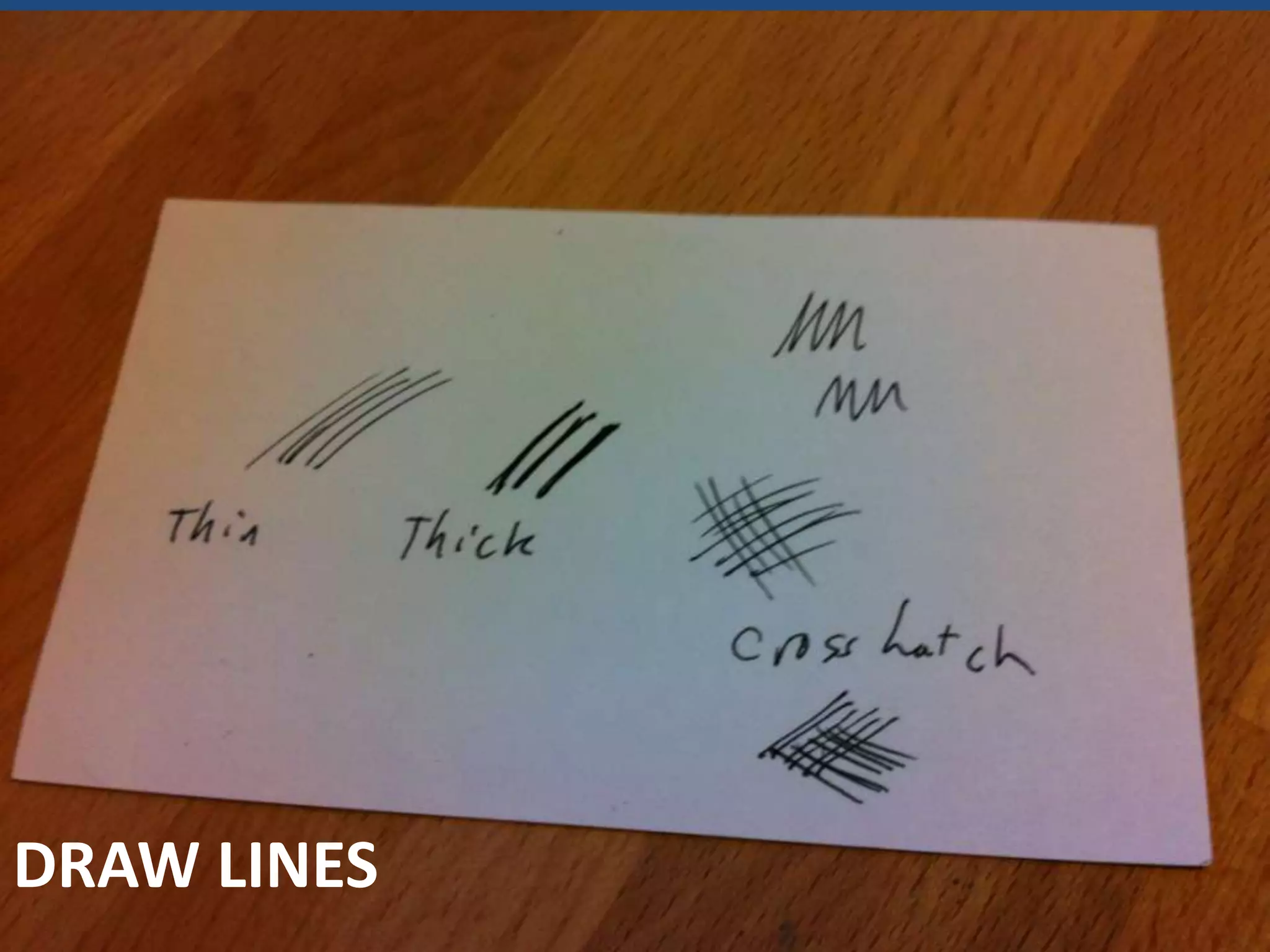
DRAW LINES
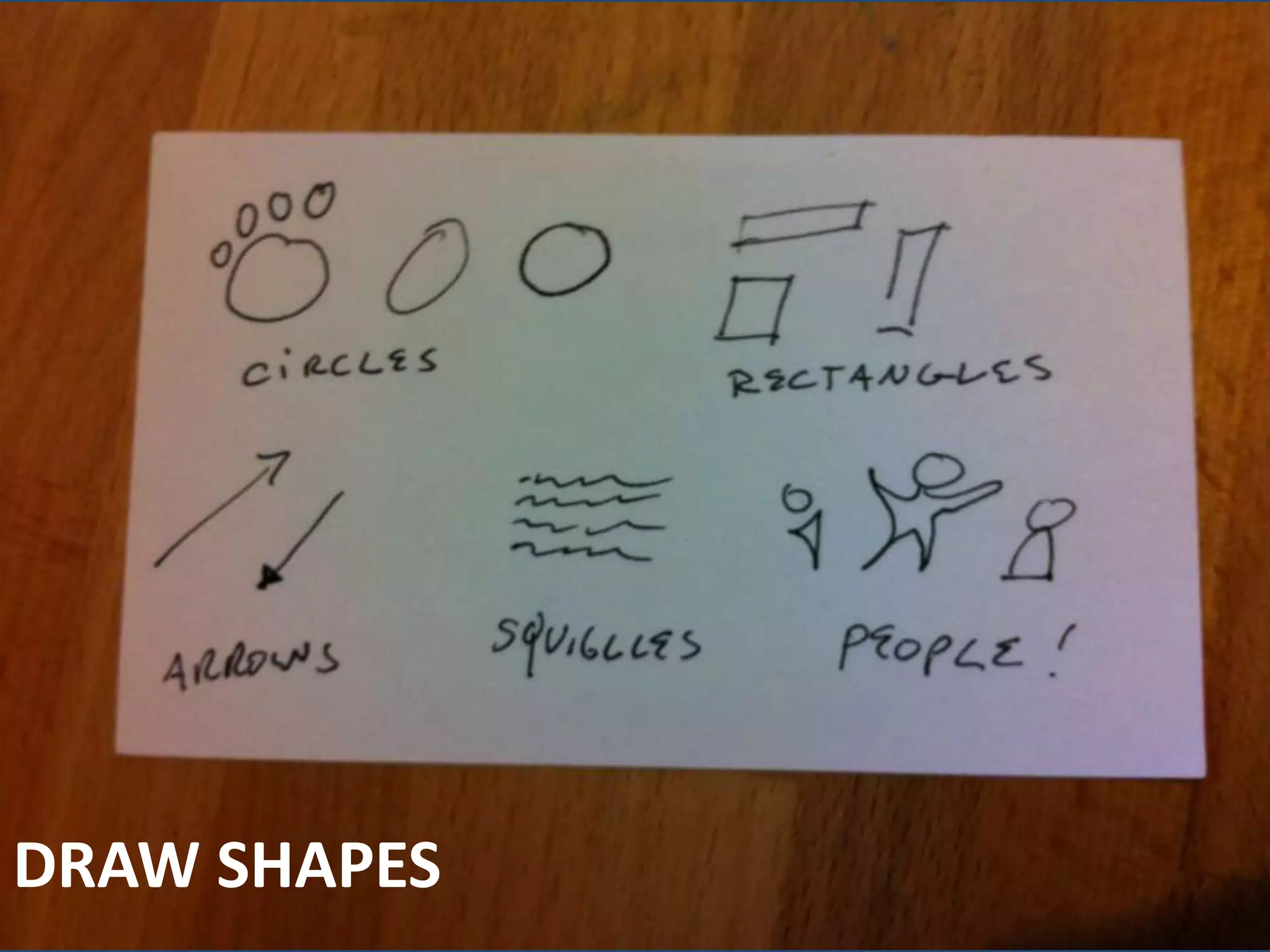
DRAW SHAPES
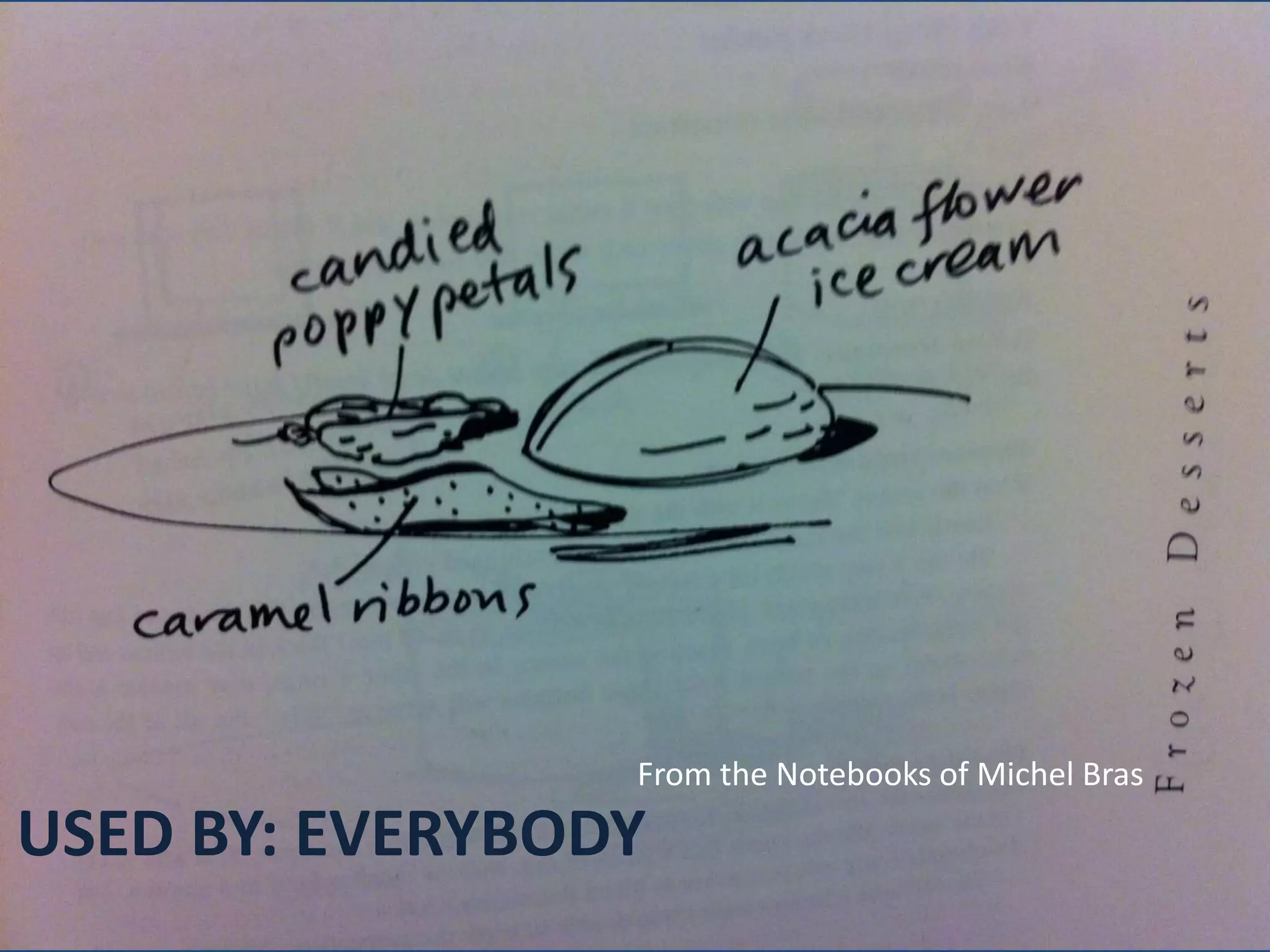
From the Notebooks of Michel Bras
USED BY: EVERYBODY
How sketch for attention and understanding

TOOLS FOR EXPRSSION
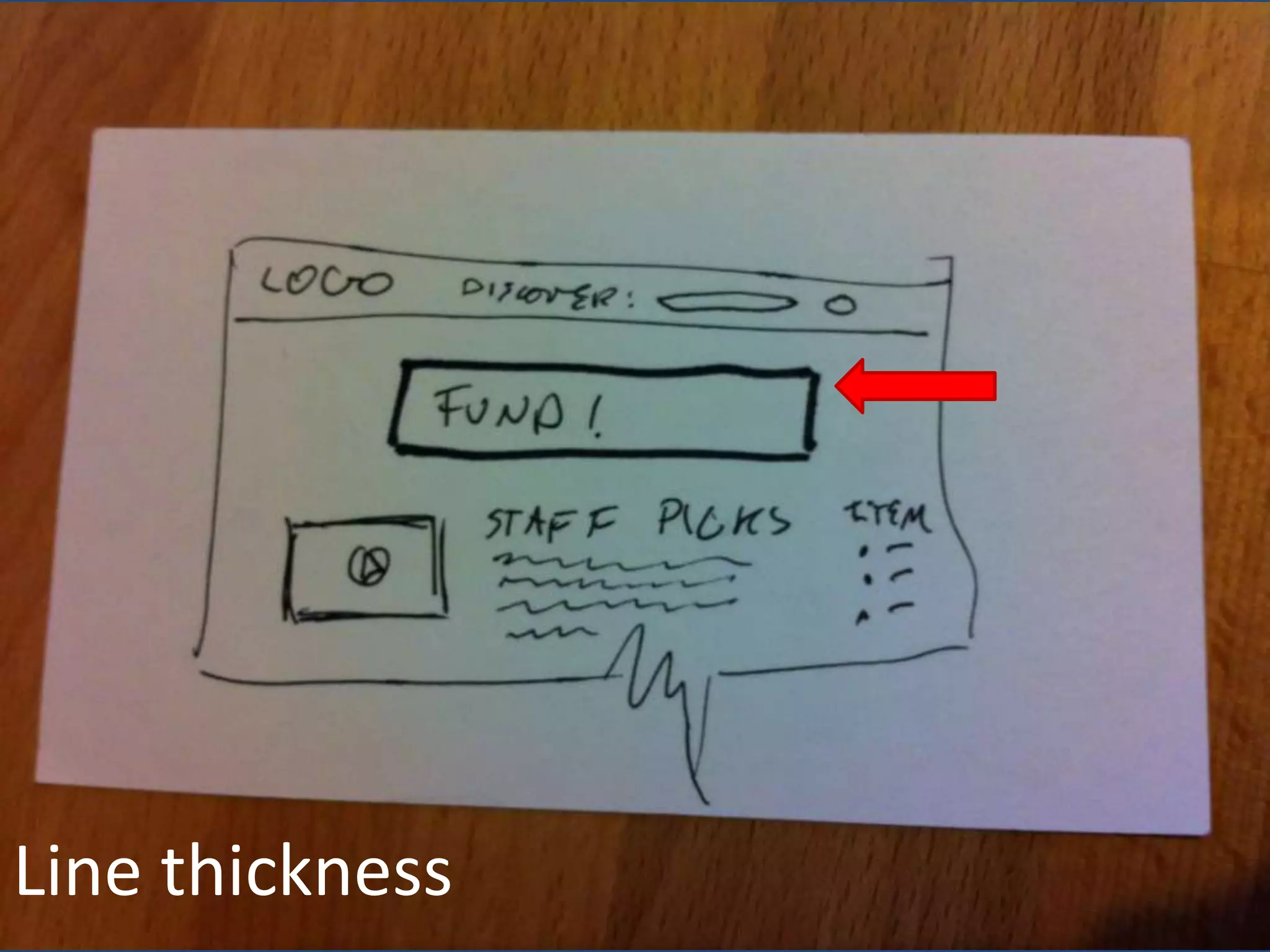
Line thickness
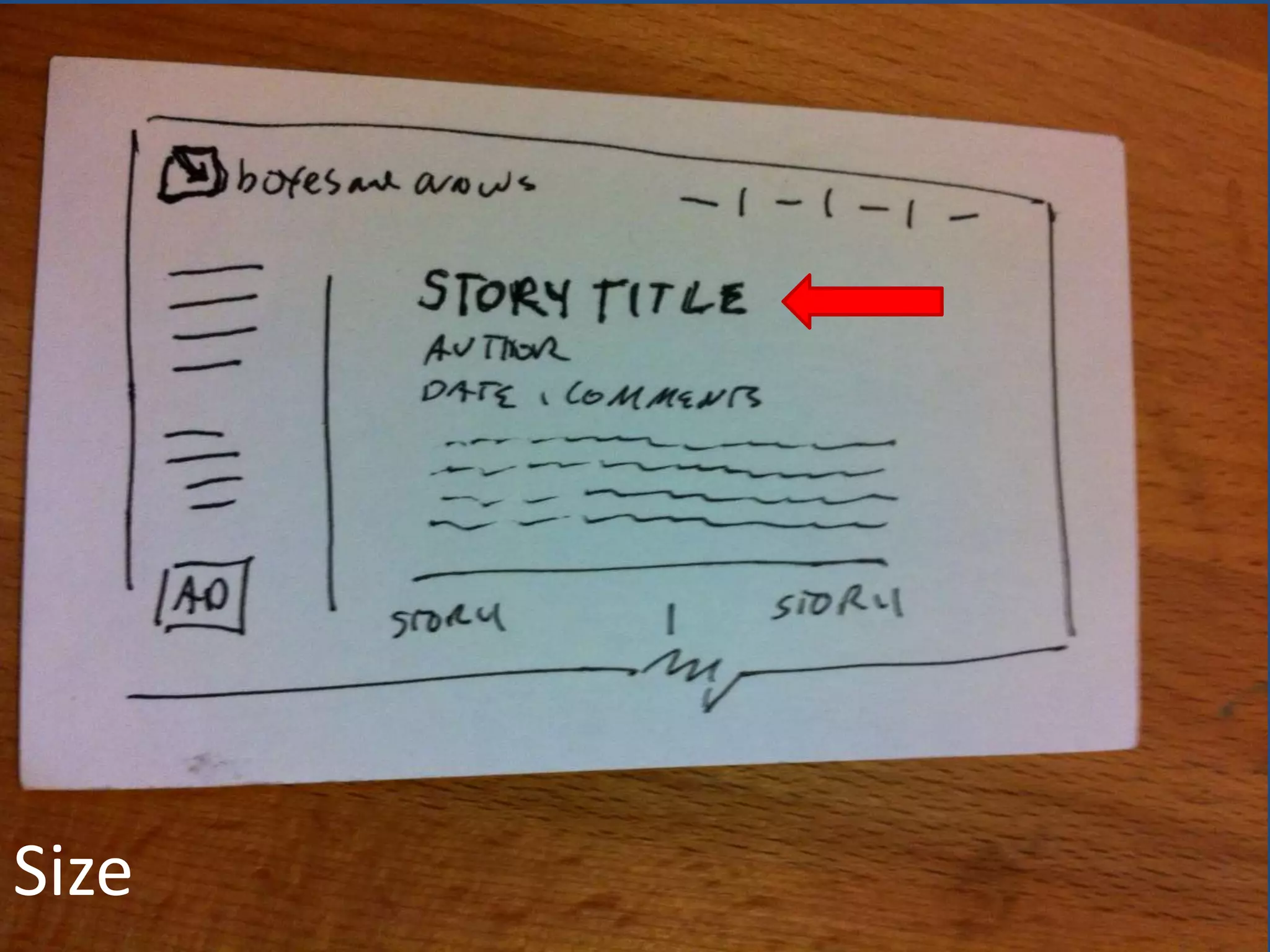
Size
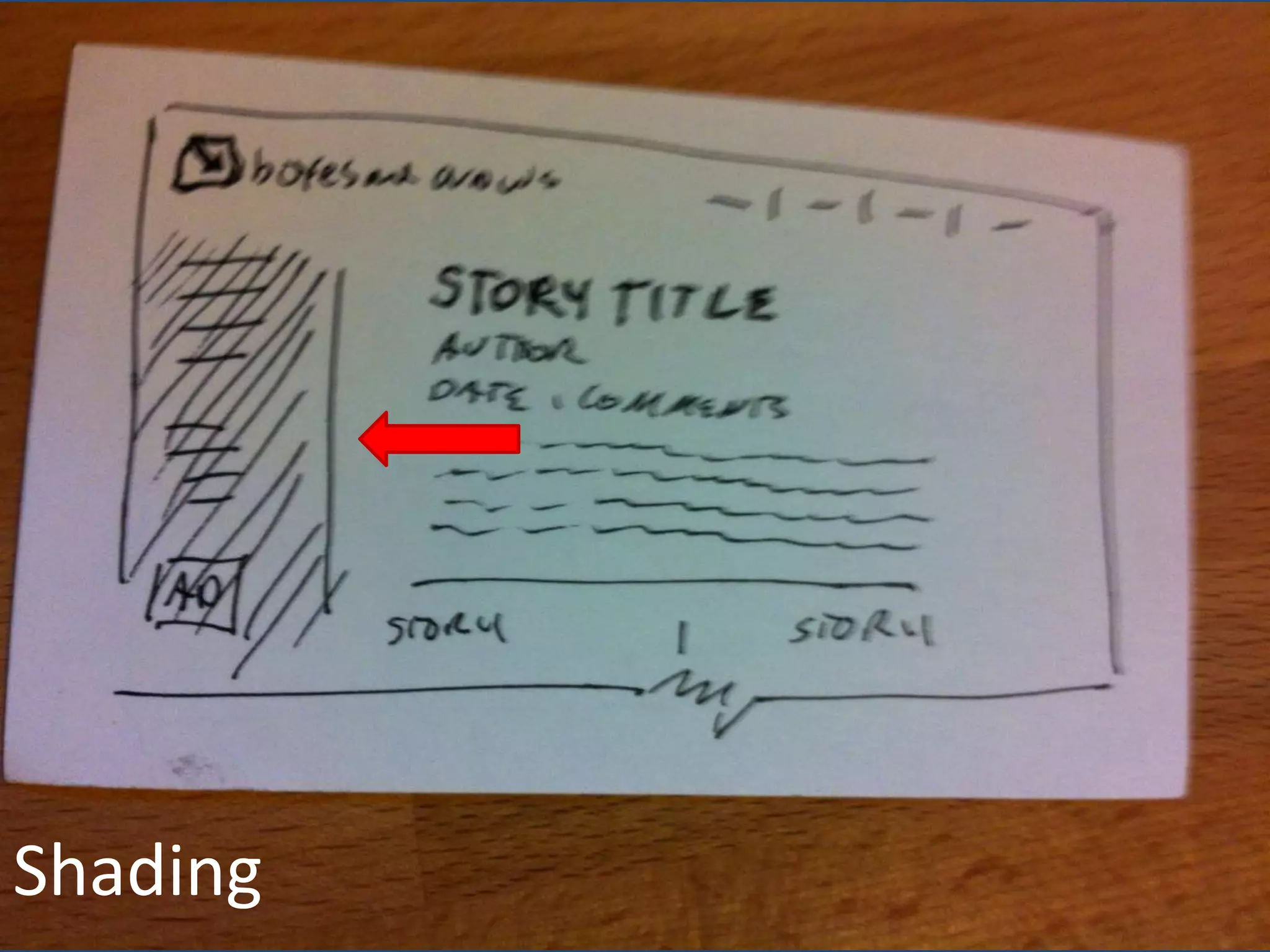
Shading
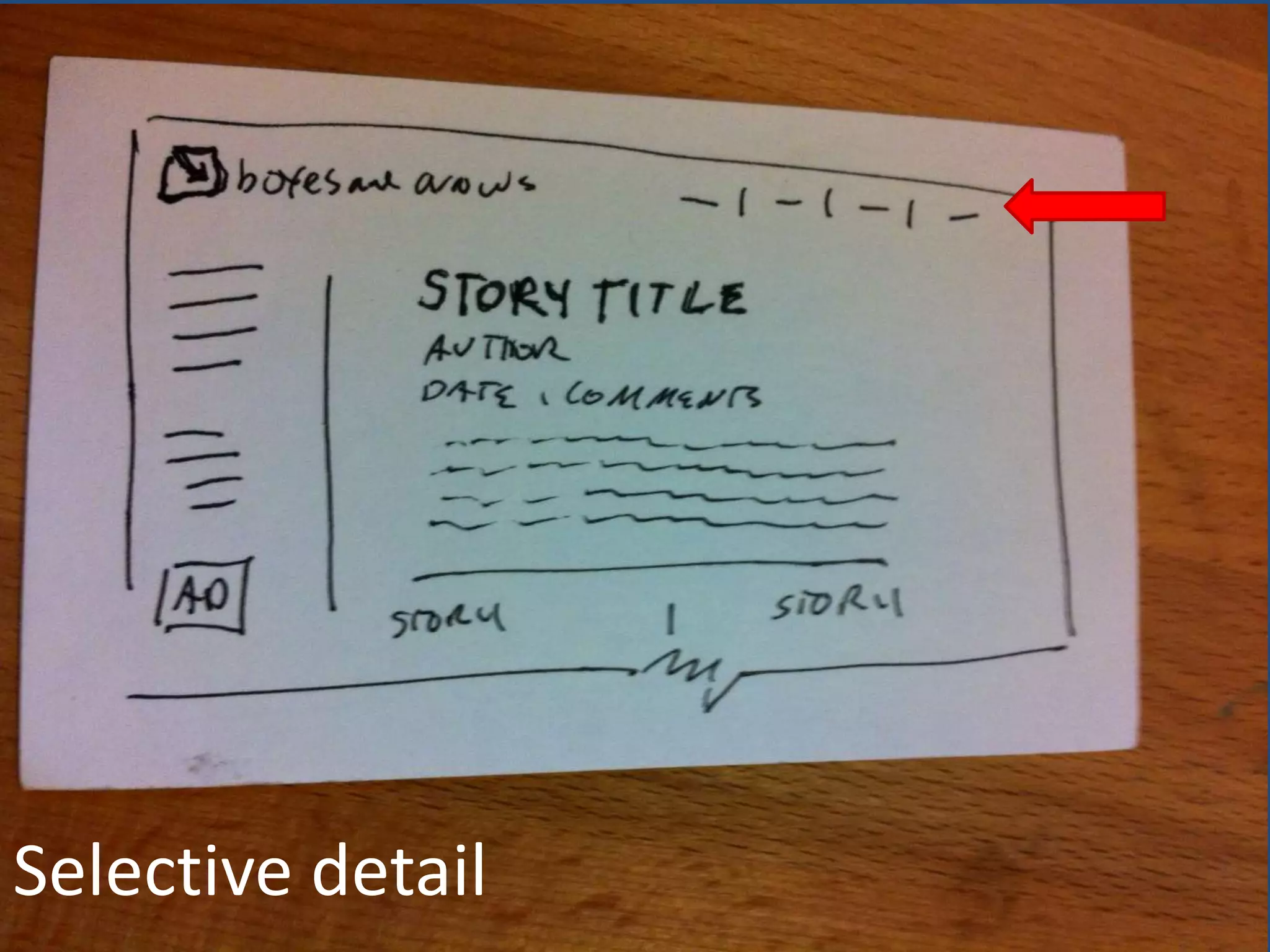
Selective detail
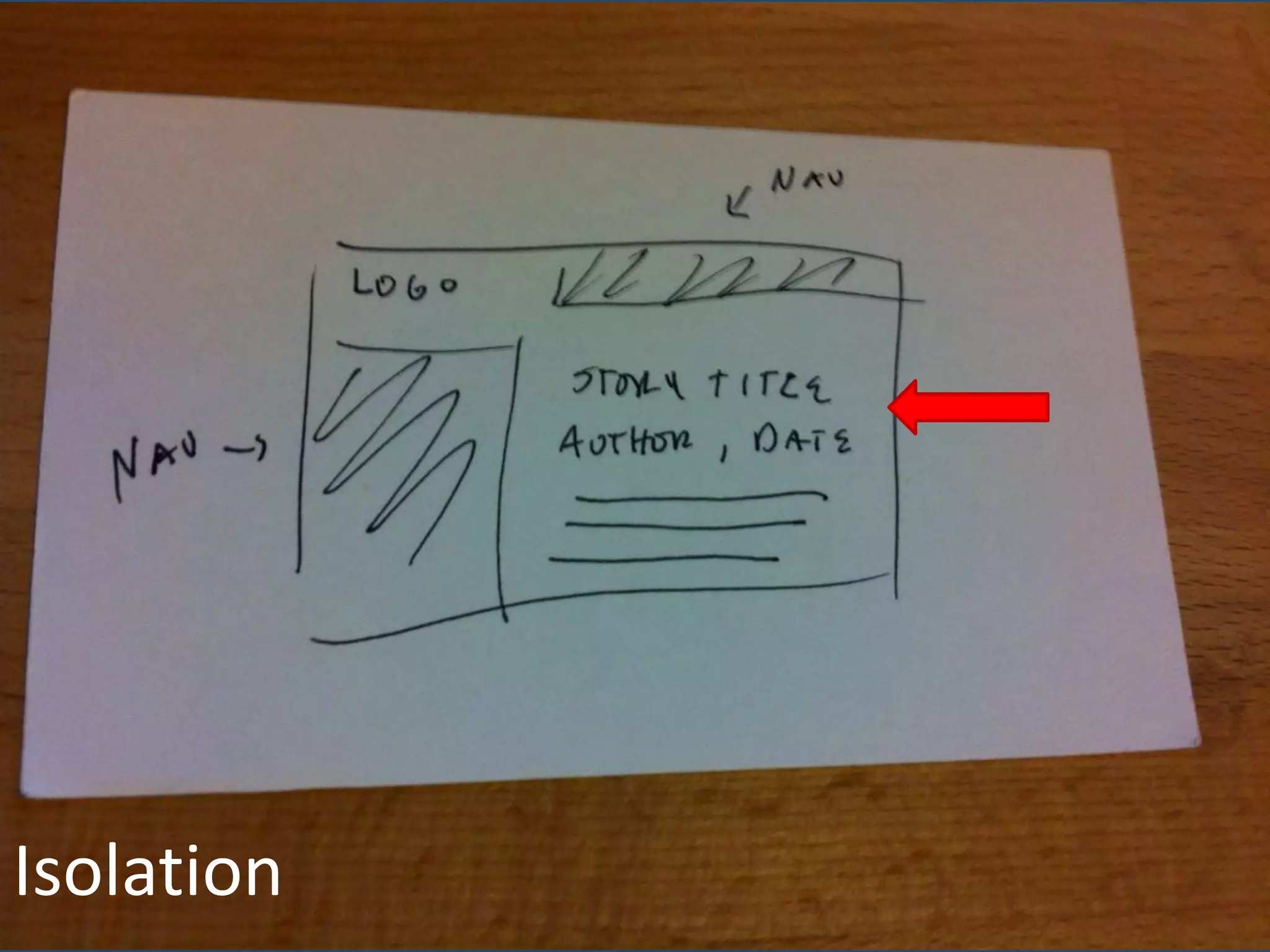
Isolation
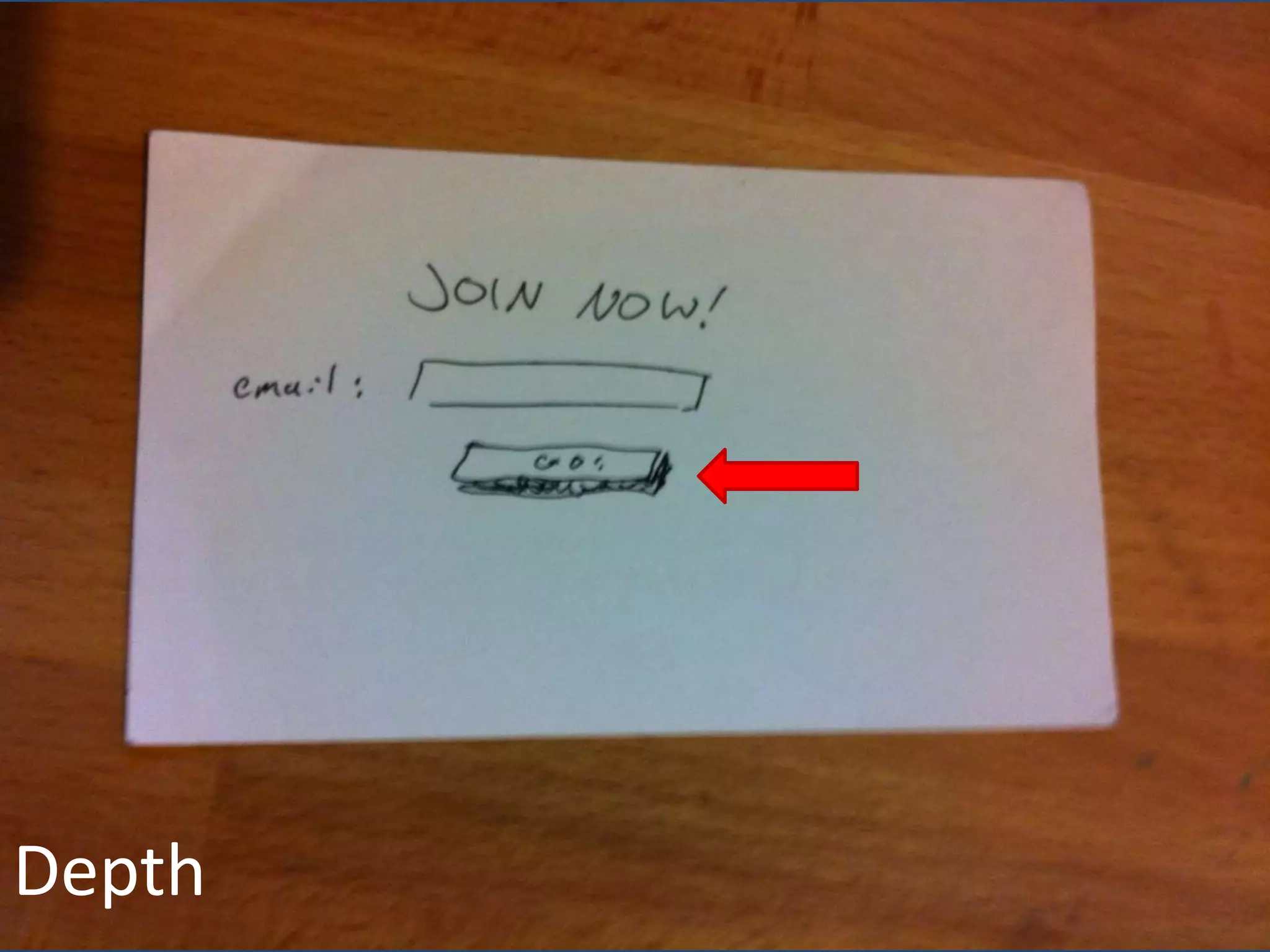
Depth
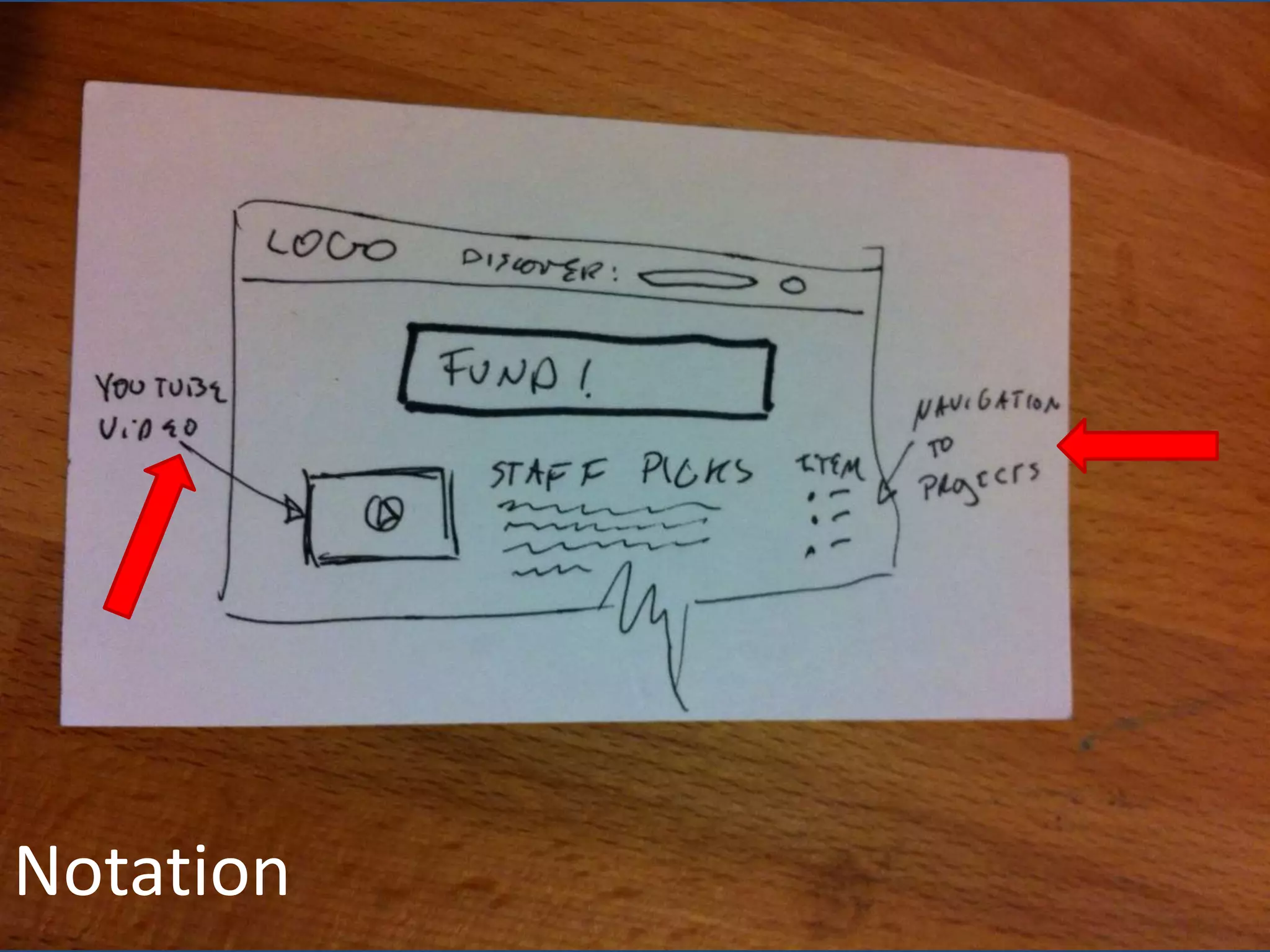
Notation
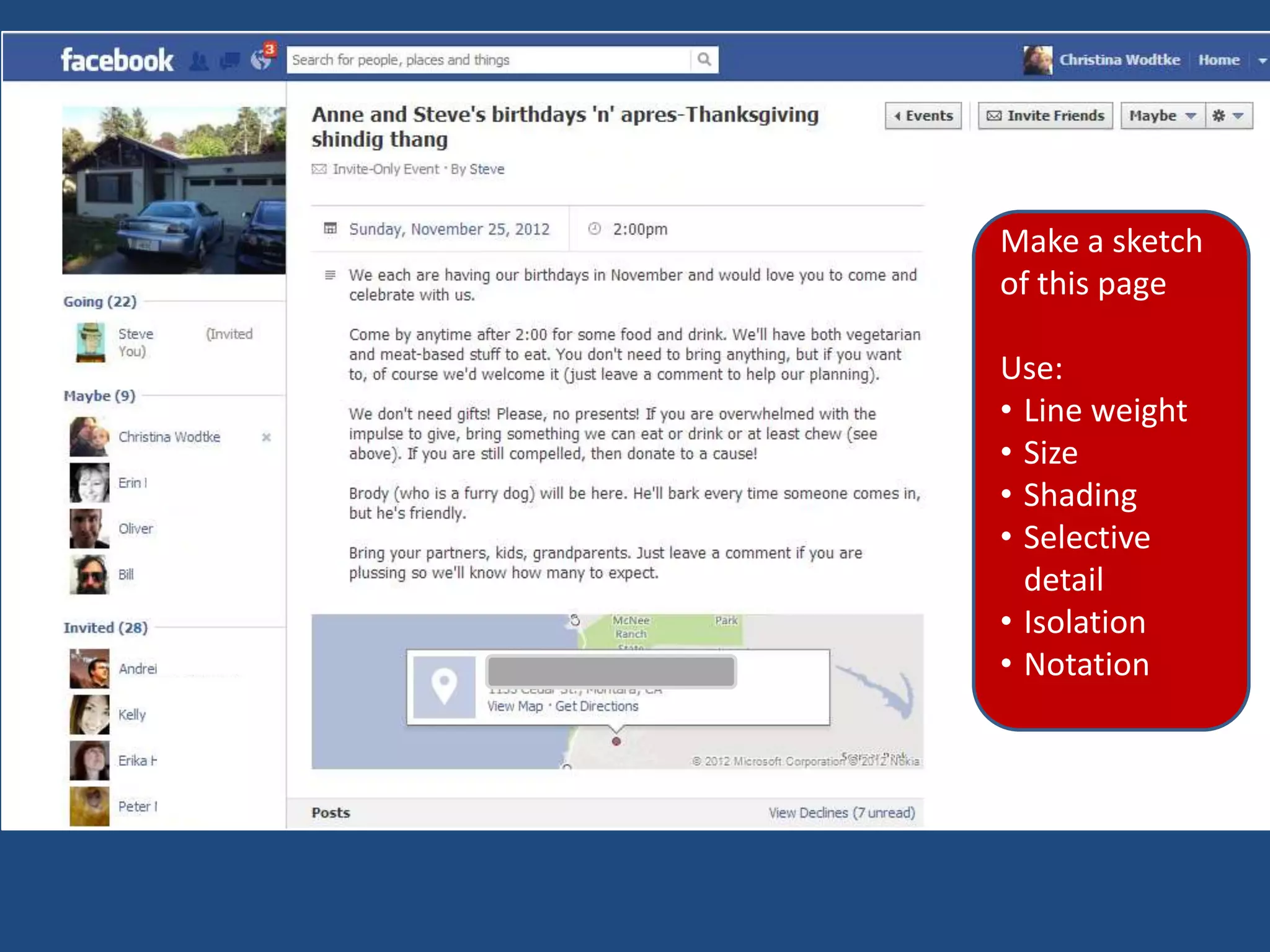
Make a sketch
of this page

Use:
β€’ Line weight
β€’ Size
β€’ Shading
β€’ Selective
  detail
β€’ Isolation
β€’ Notation
Making pages out of boxes and arrows

TRANSFORM YOUR FLOWS
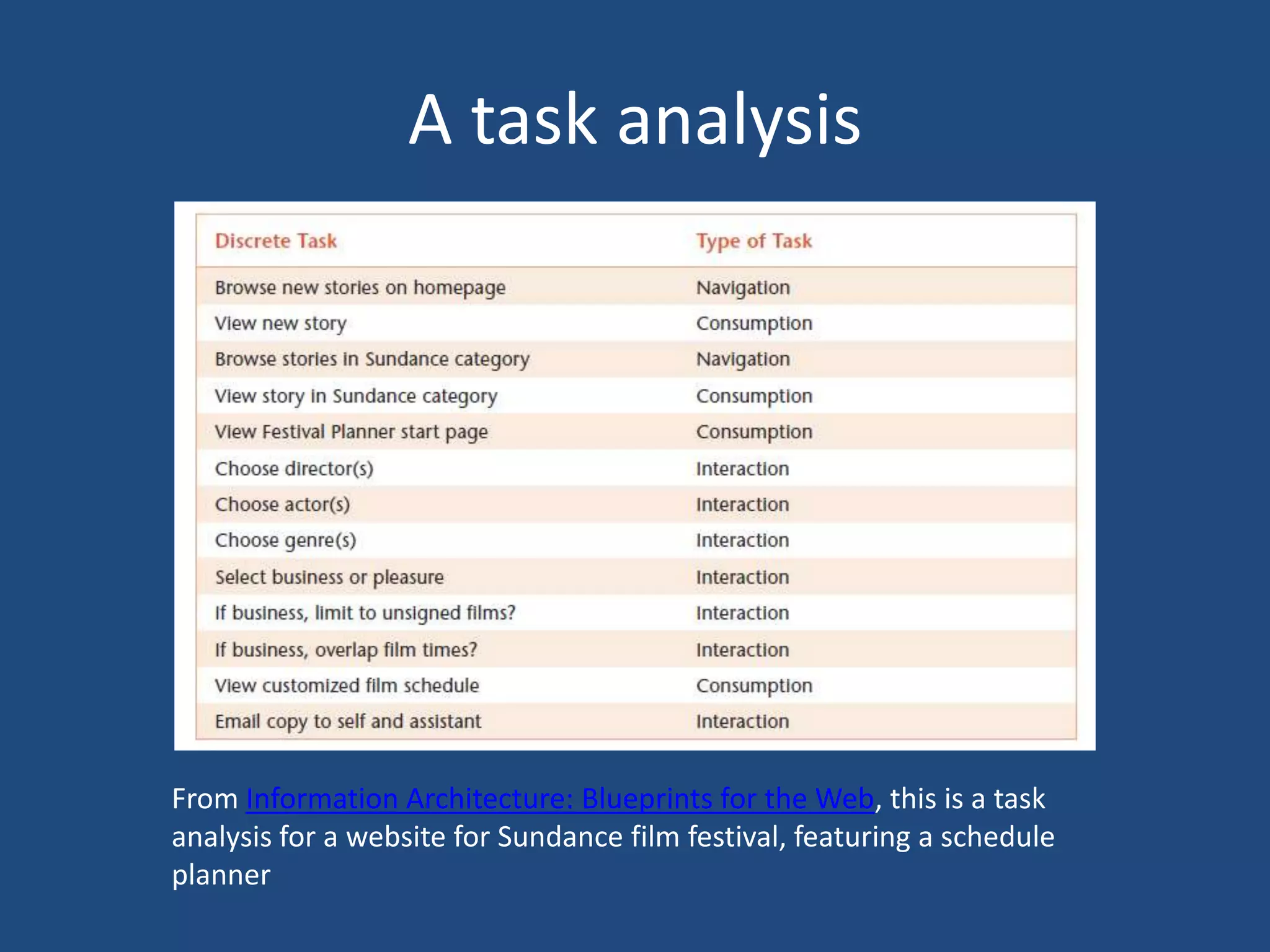
A task analysis


From Information Architecture: Blueprints for the Web, this is a task
analysis for a website for Sundance film festival, featuring a schedule
planner
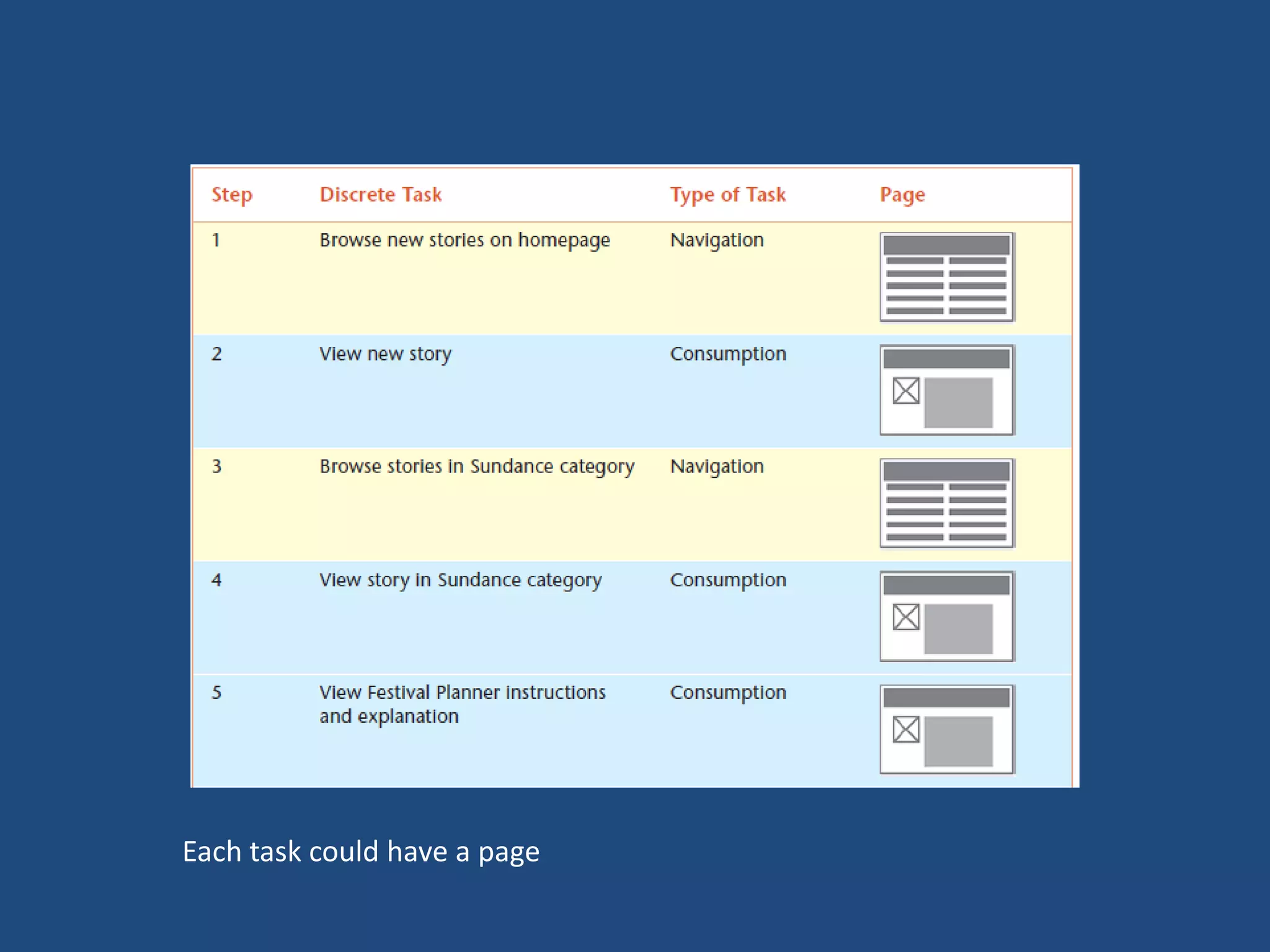
Each task could have a page
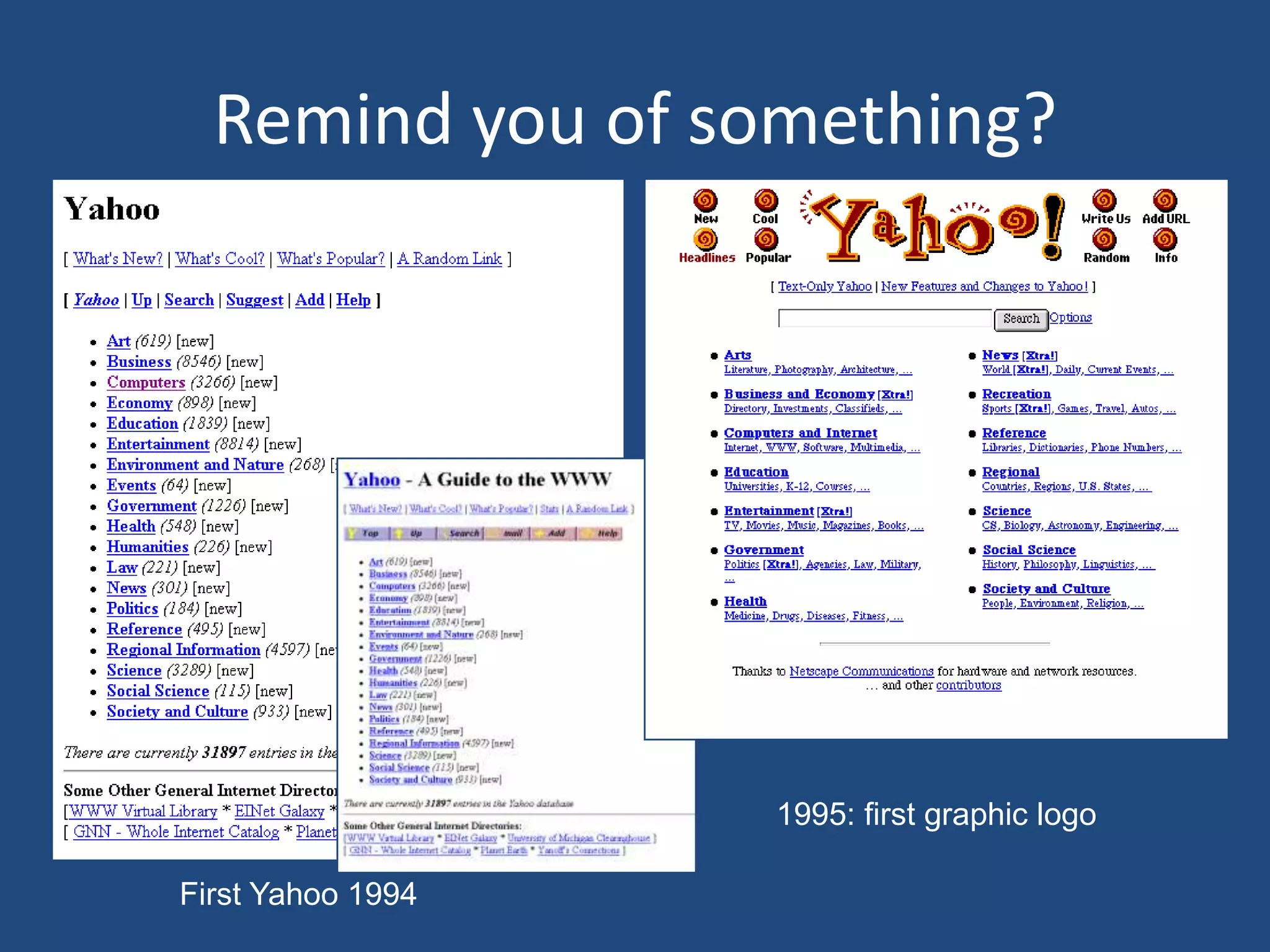
Remind you of something?


                   1995: first graphic logo

First Yahoo 1994
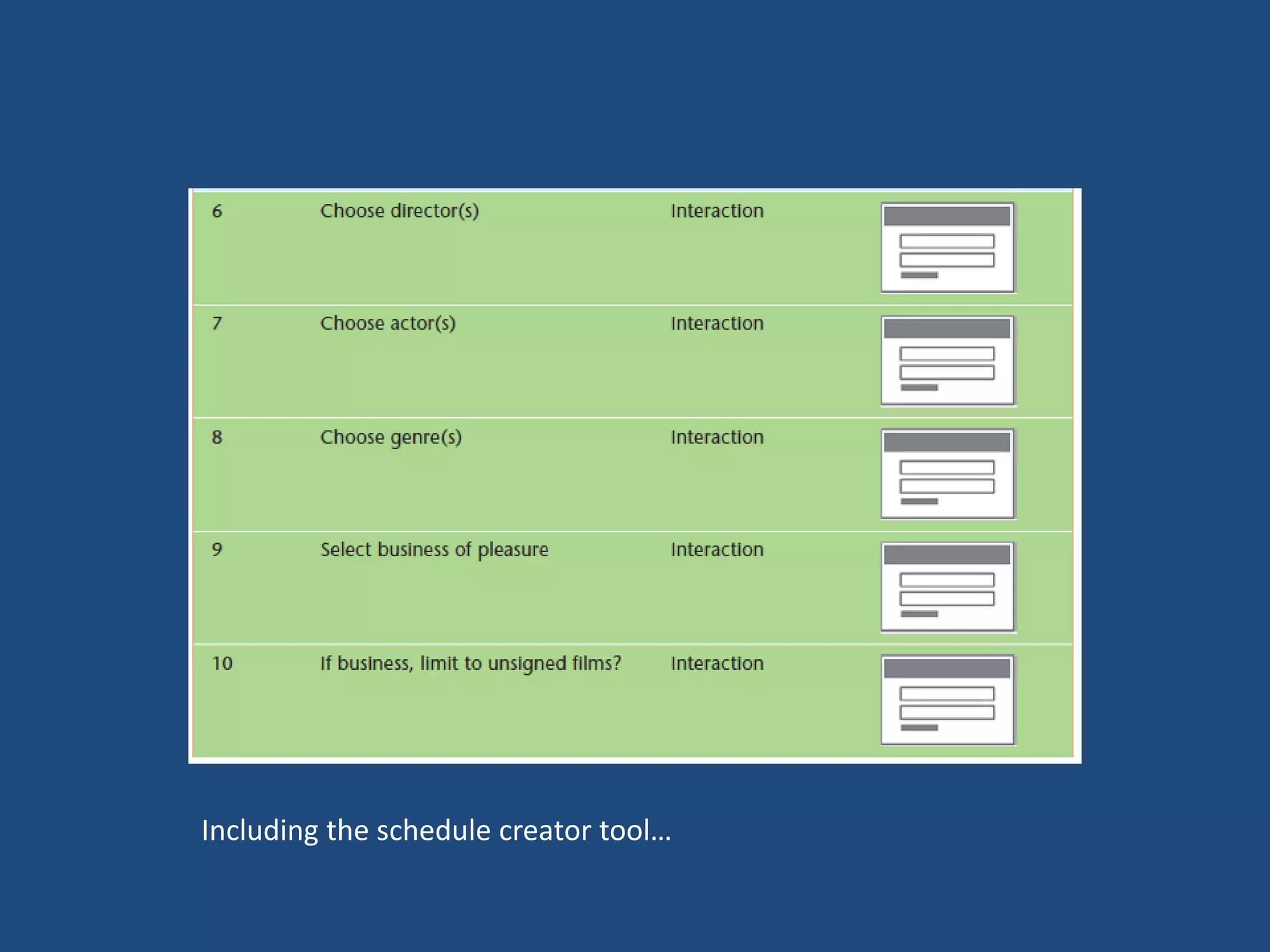
Including the schedule creator tool…
Wizards: Many boxes,
    many pages
Use Wizards:
β€’ When users want to                  β€’ The audience is not technically
  accomplish a goal that has            savvy and is likely to be
  many steps. Wizards are good          confused by a page with a lot
  at making sure you don’t miss         of choices on it. A Web site
  a step.                               can have novice users, and a
β€’ When the steps must be                wizard makes complex tasks
  completed in order. Wizards           seem easy.
  are linear, so it’s impossible to   β€’ Bandwidth is low and
  complete them any other way.          downloading a single big page
β€’ When the task is seldom               could take forever, or the tasks
  performed. Wizards can seem           require several server calls,
  slow and plodding, so they are        which would also slow the
  best used in tasks you do only        page’s load.
  once in a while, like setting up    β€’ The task has several steps in it,
  a printer.                            performed only once a visit,
                                        such as checkout.
Task:

DESIGN A WIZARD
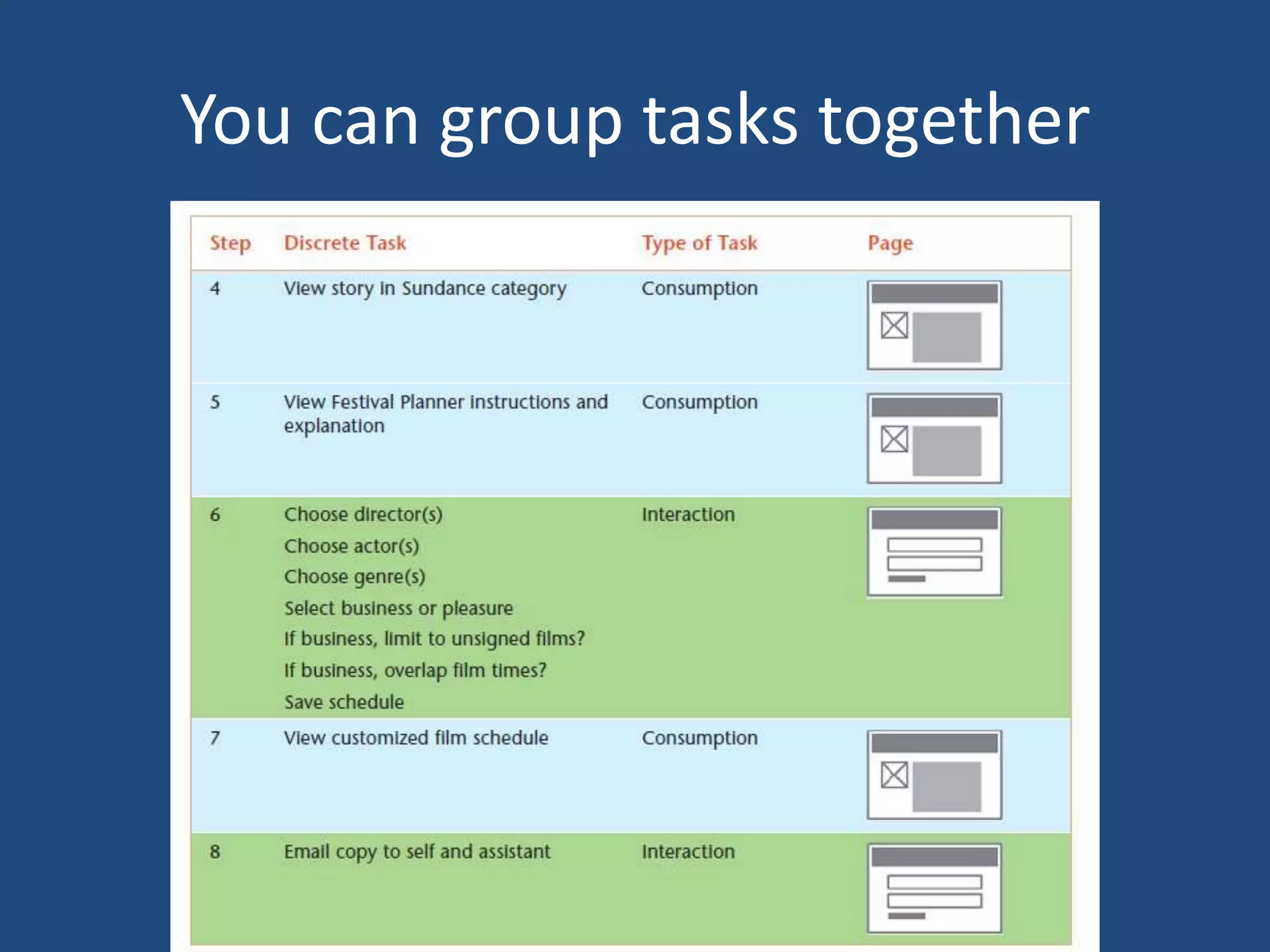
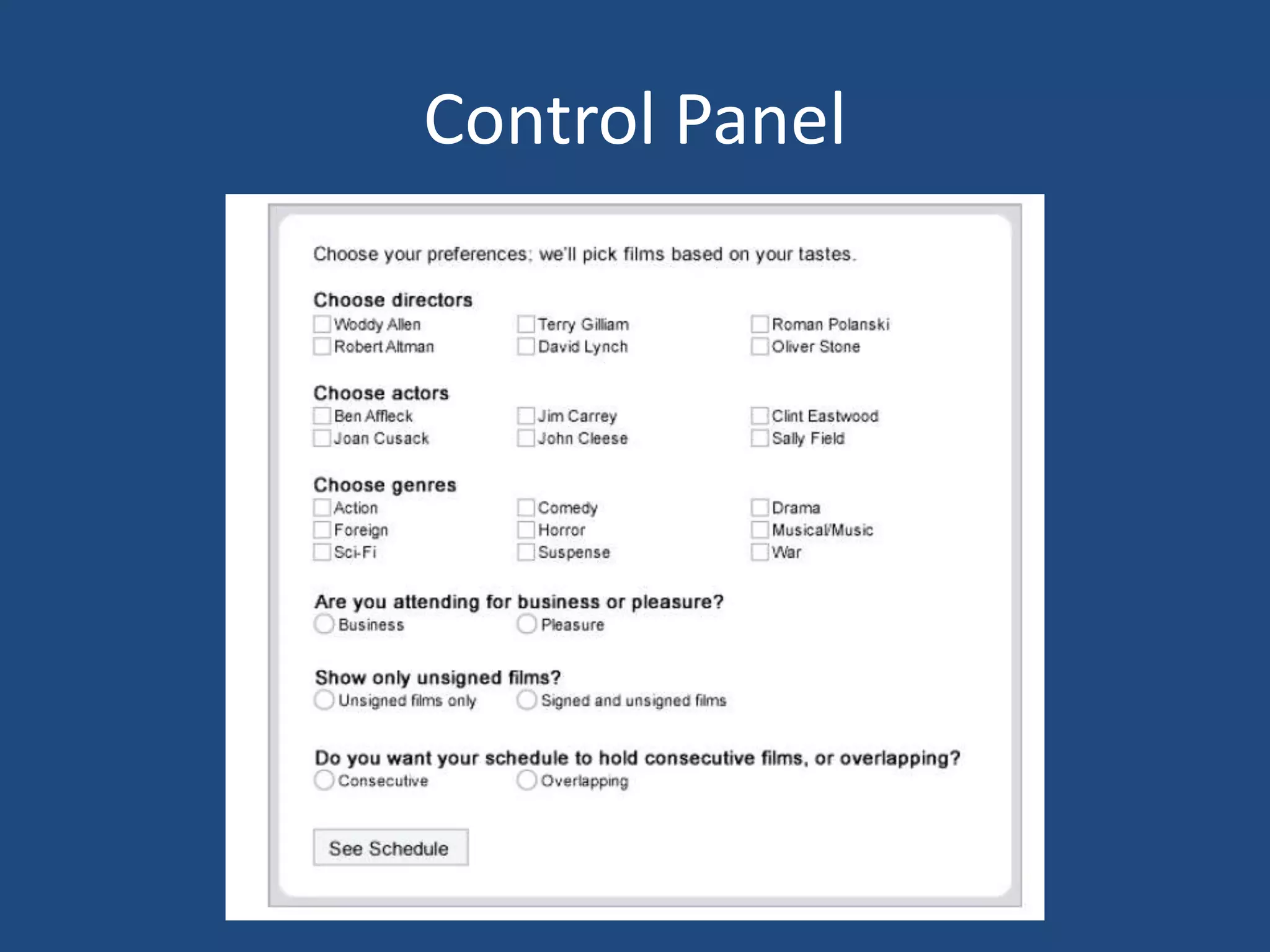
You can group tasks together
Control Panel
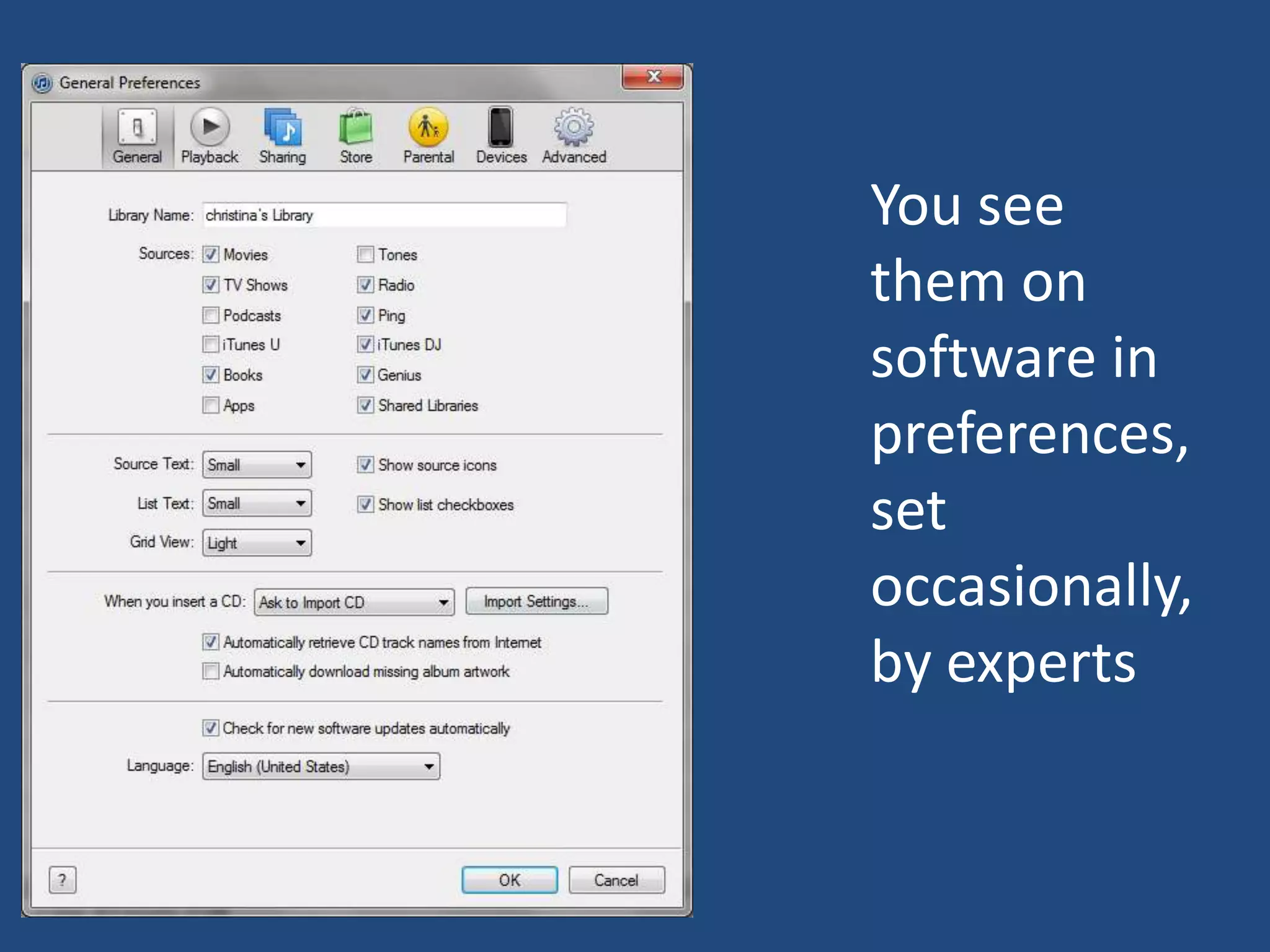
You see
them on
software in
preferences,
set
occasionally,
by experts
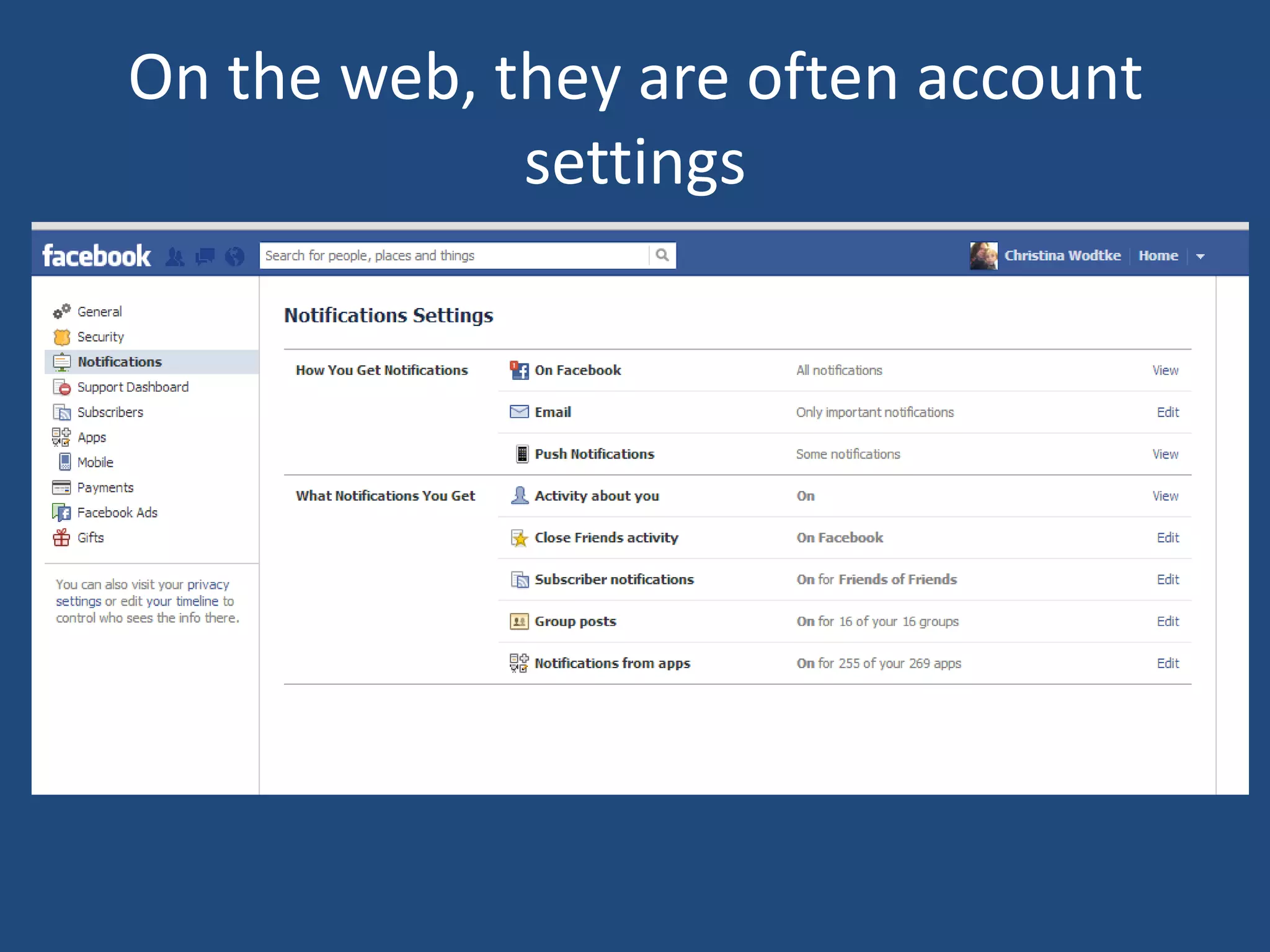
On the web, they are often account
             settings
DESIGN A CONTROL PANEL
Bring the settings and the thing modified together

TOOLBARS
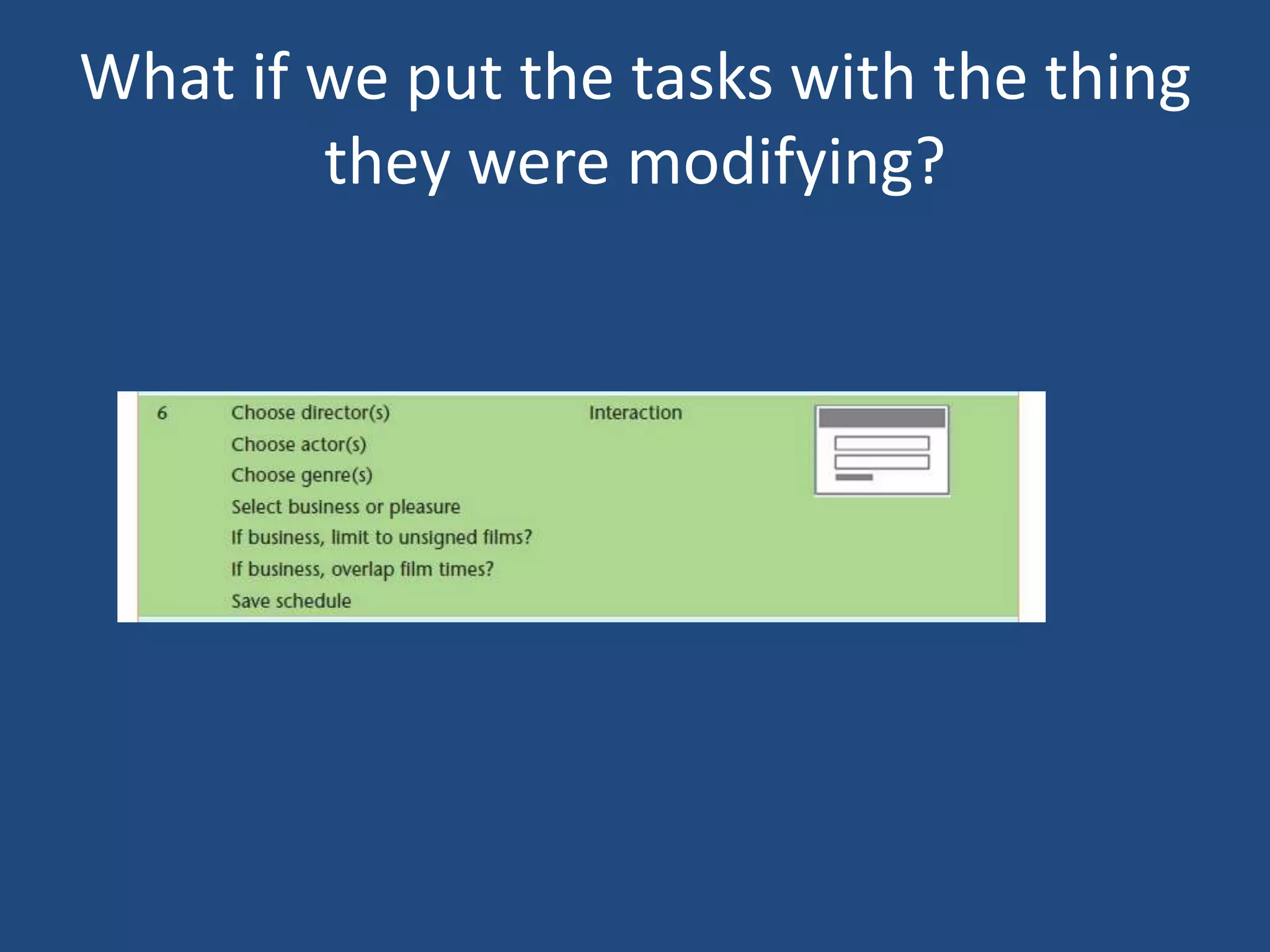
What if we put the tasks with the thing
        they were modifying?
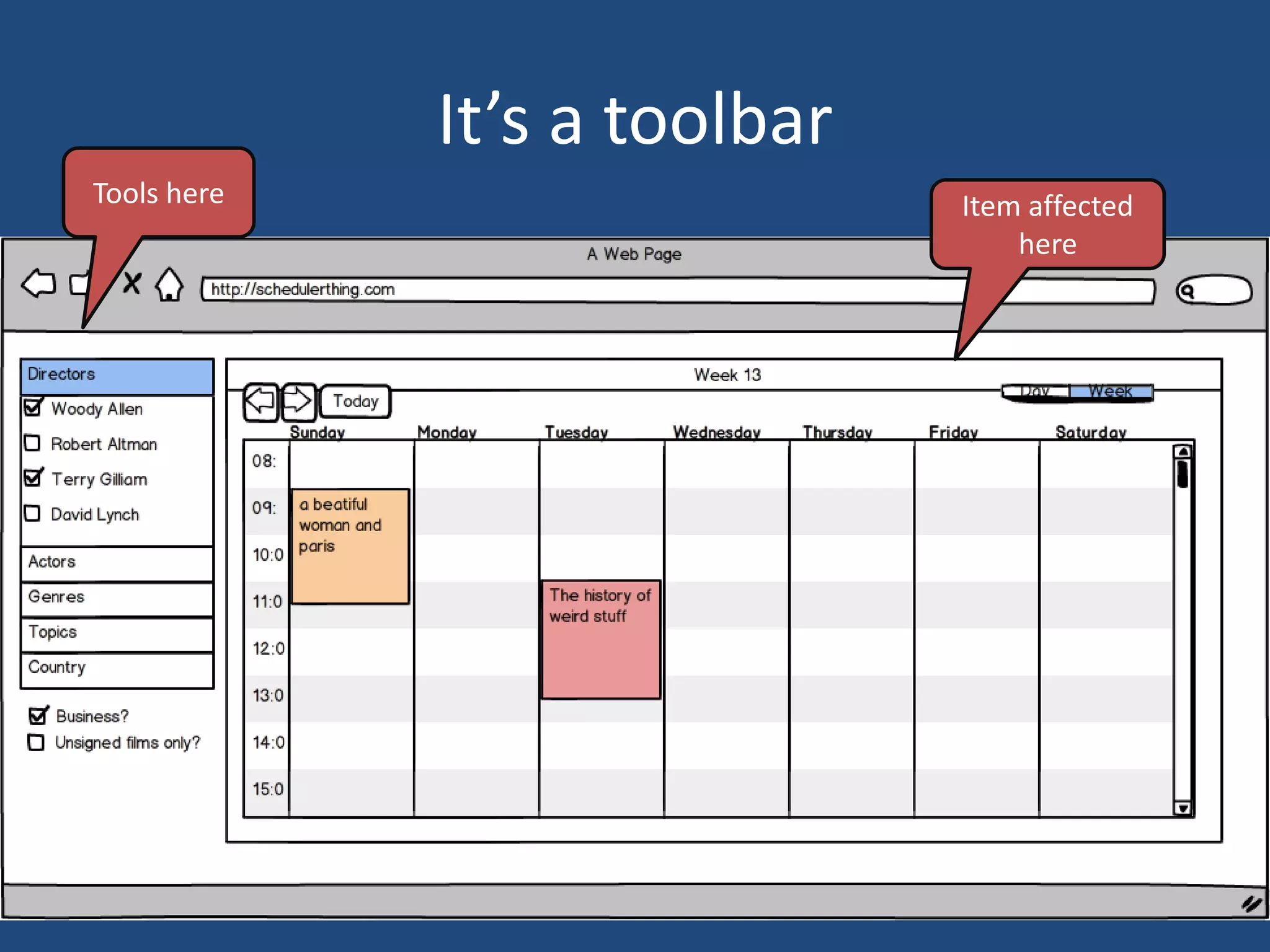
It’s a toolbar
Tools here                    Item affected
                                  here
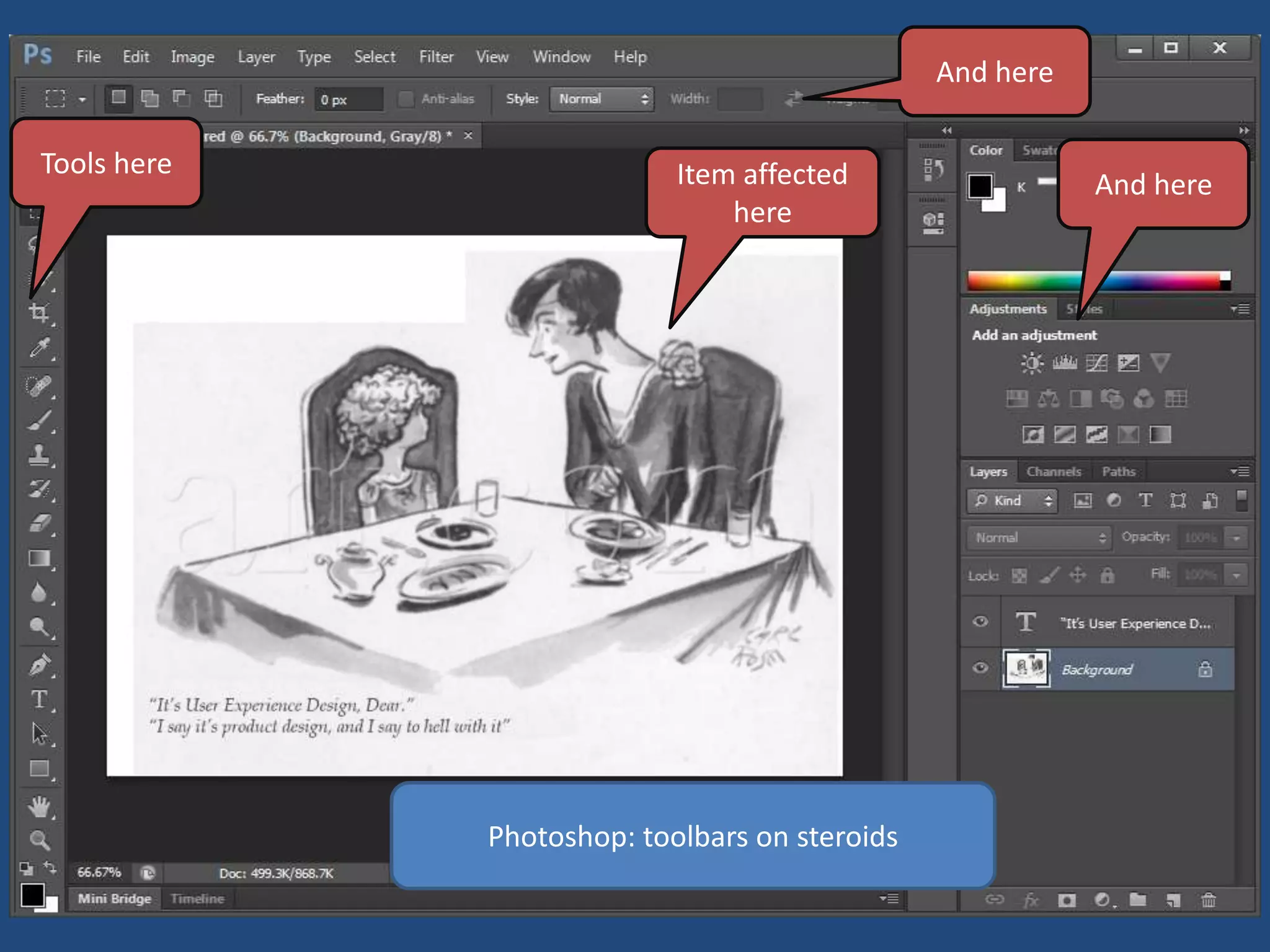
And here

Tools here
              Toolbars
                           Item affected                  And here
                               here


             Photoshop: toolbars on steroids
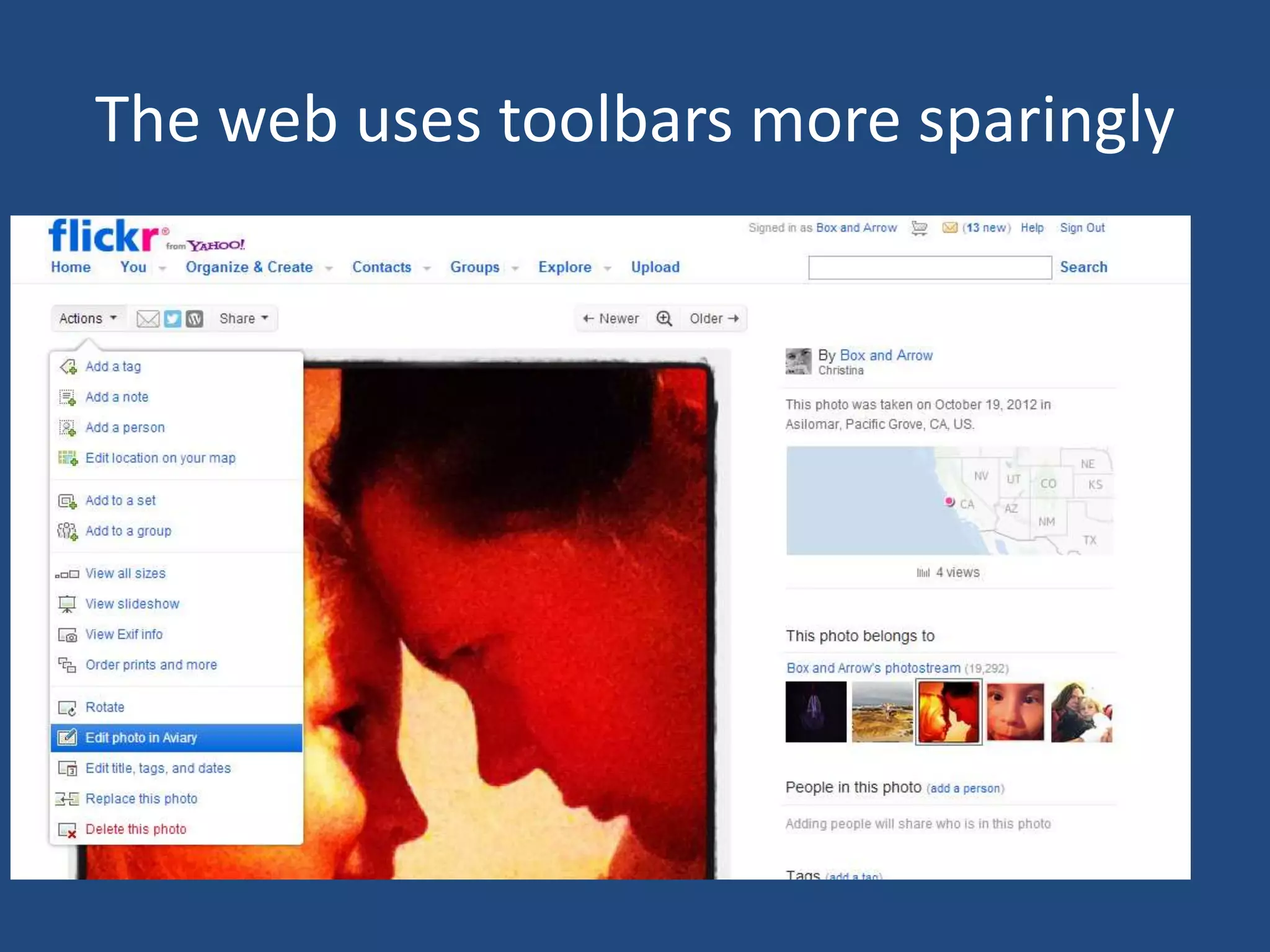
The web uses toolbars more sparingly
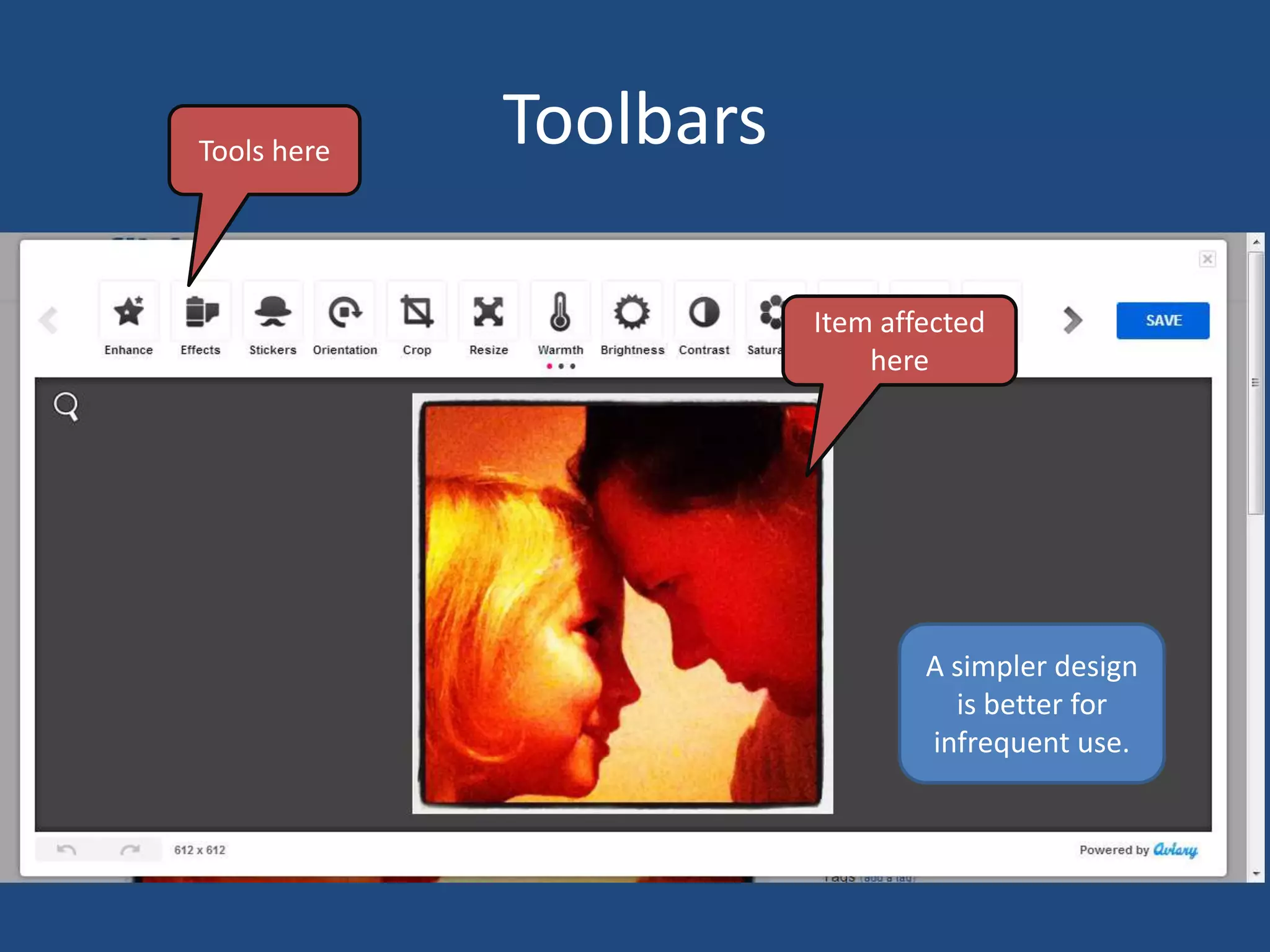
Tools here
             Toolbars

                        Item affected
                            here


                                A simpler design
                                  is better for
                                infrequent use.
Location, palette

GROUP LIKE ITEMS
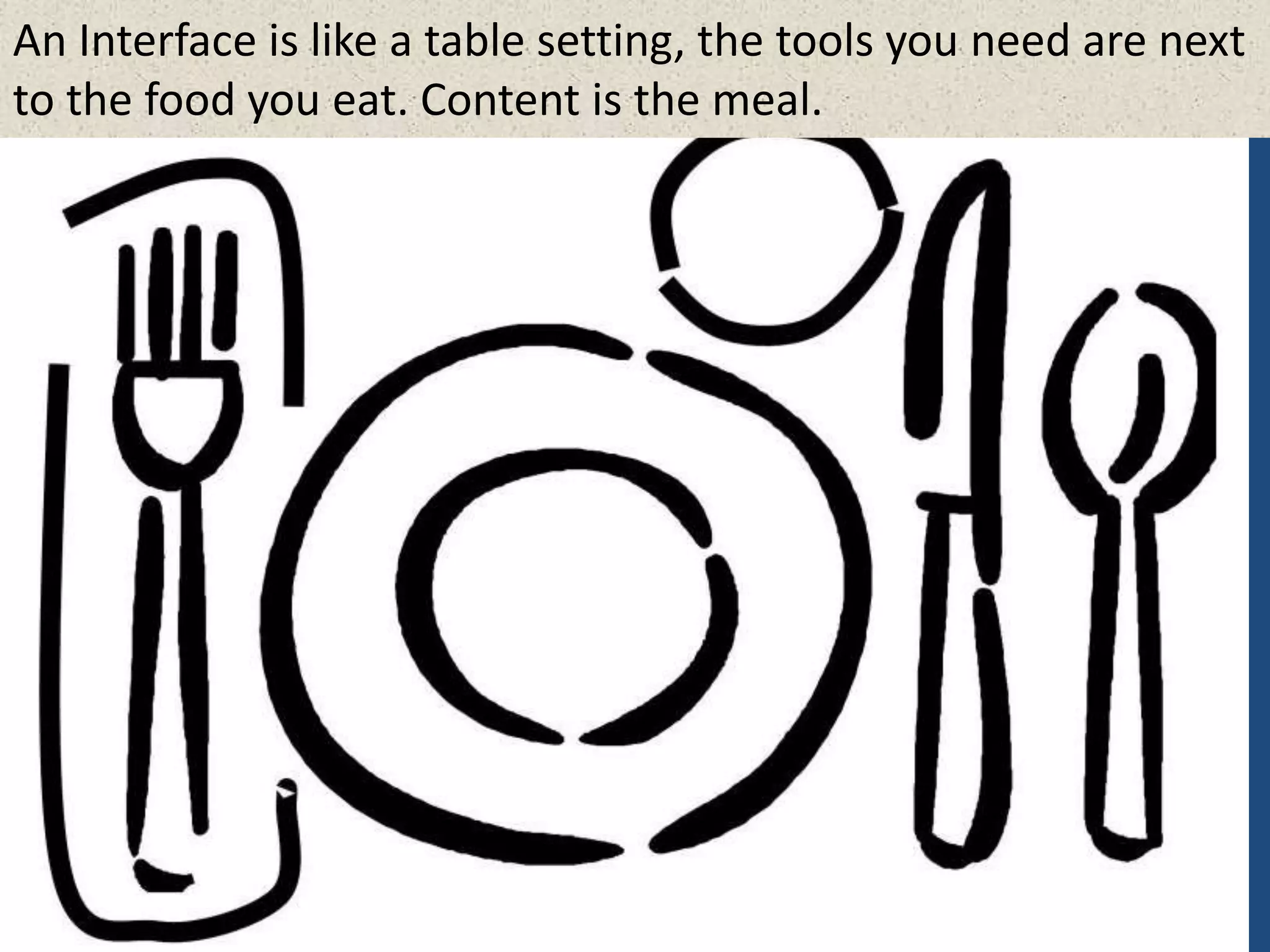
An Interface is like a table setting, the tools you need are next
to the food you eat. Content is the meal.
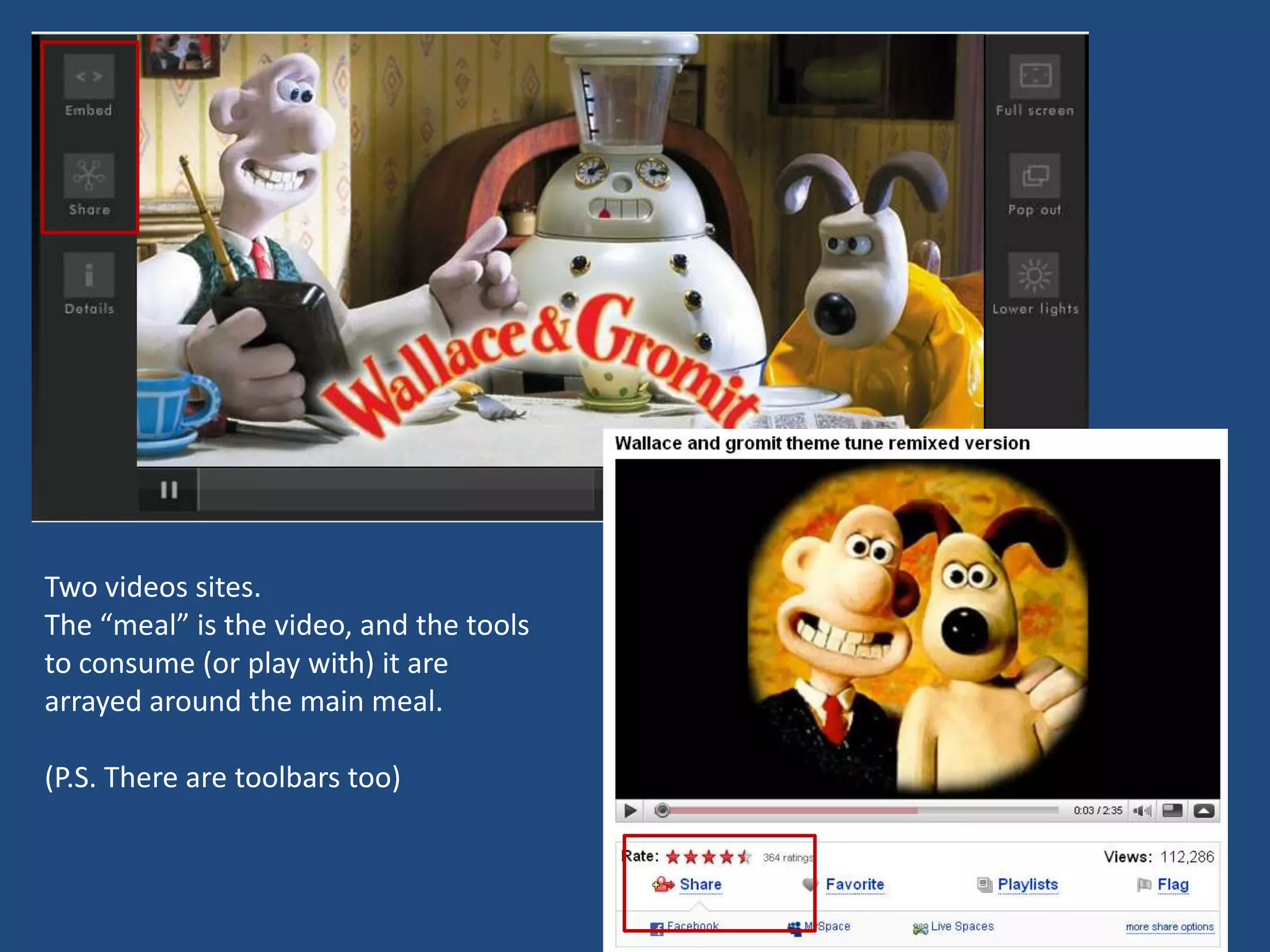
Two videos sites.
The β€œmeal” is the video, and the tools
to consume (or play with) it are
arrayed around the main meal.

(P.S. There are toolbars too)
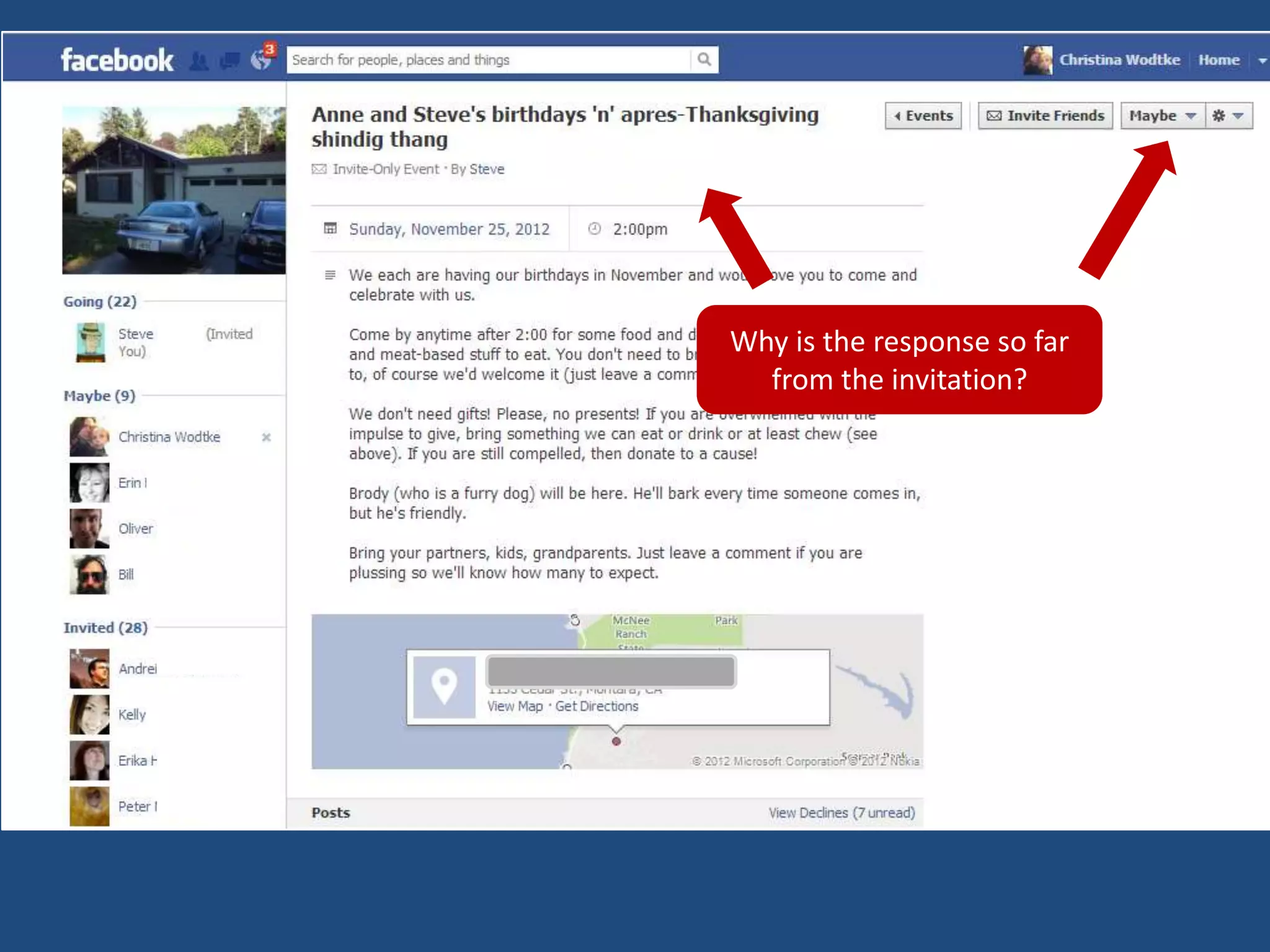
Why is the response so far
  from the invitation?
ZONE YOUR PAGE
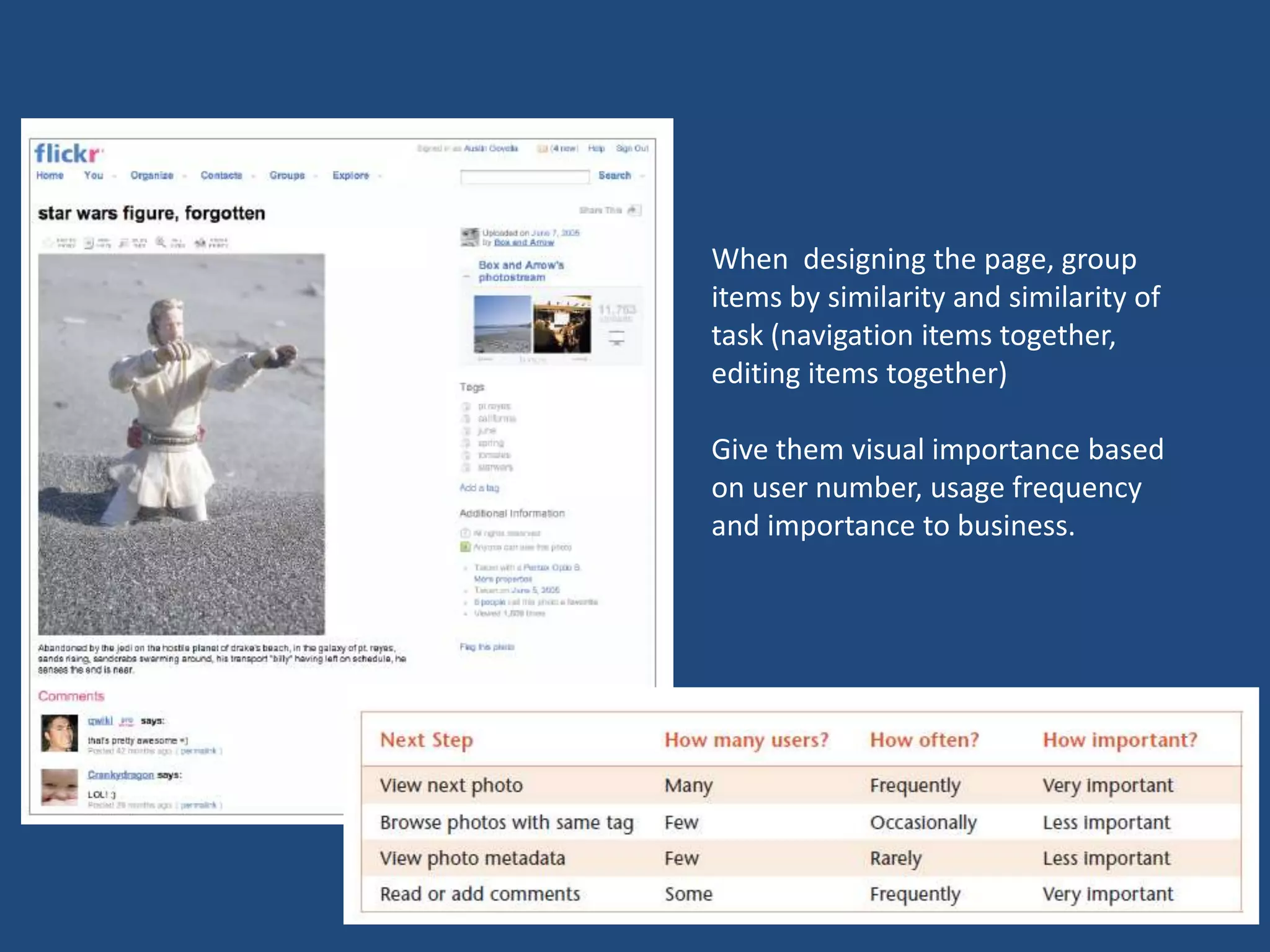
When designing the page, group
items by similarity and similarity of
task (navigation items together,
editing items together)

Give them visual importance based
on user number, usage frequency
and importance to business.
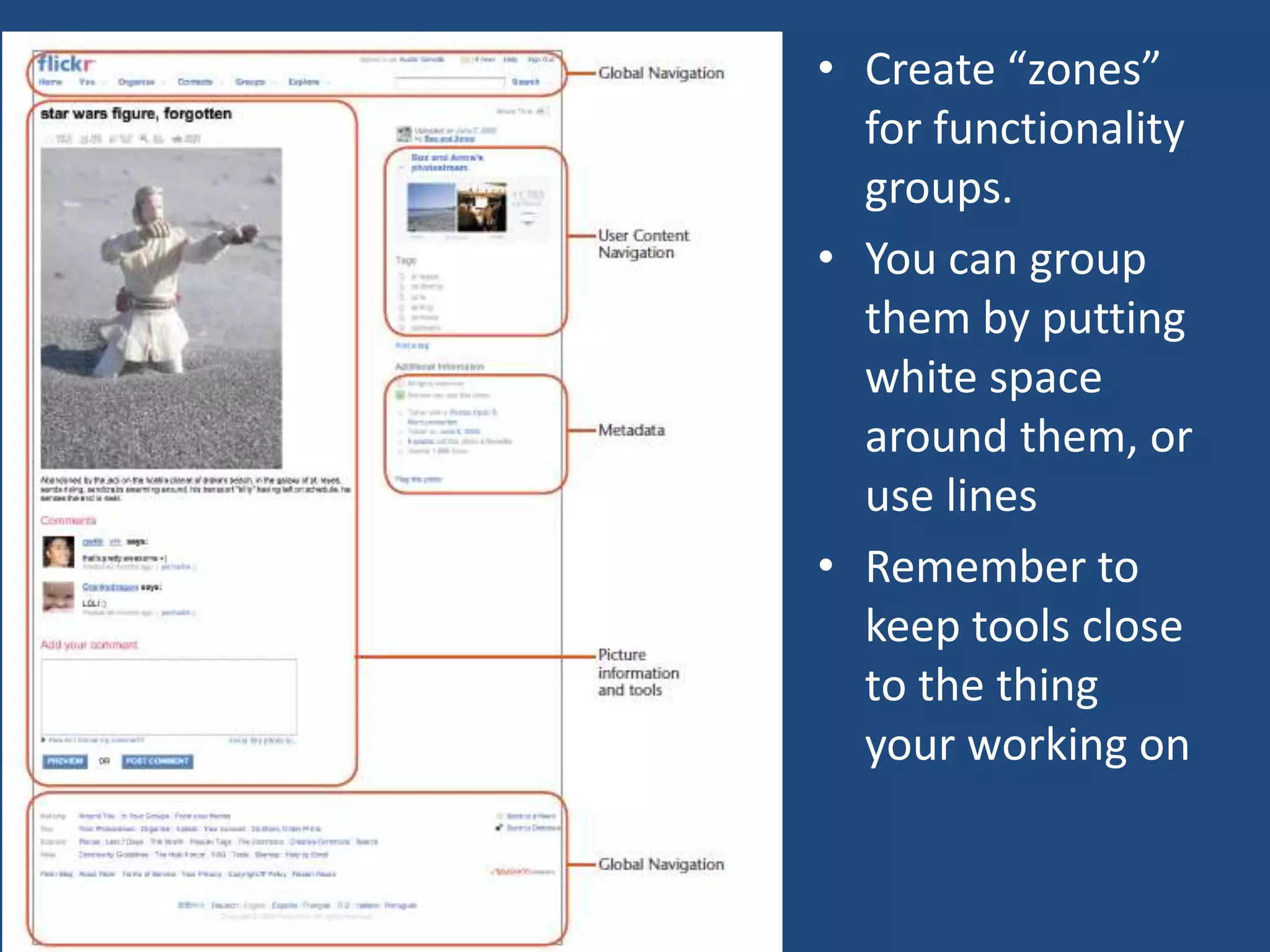
β€’ Create β€œzones”
  for functionality
  groups.
β€’ You can group
  them by putting
  white space
  around them, or
  use lines
β€’ Remember to
  keep tools close
  to the thing
  your working on
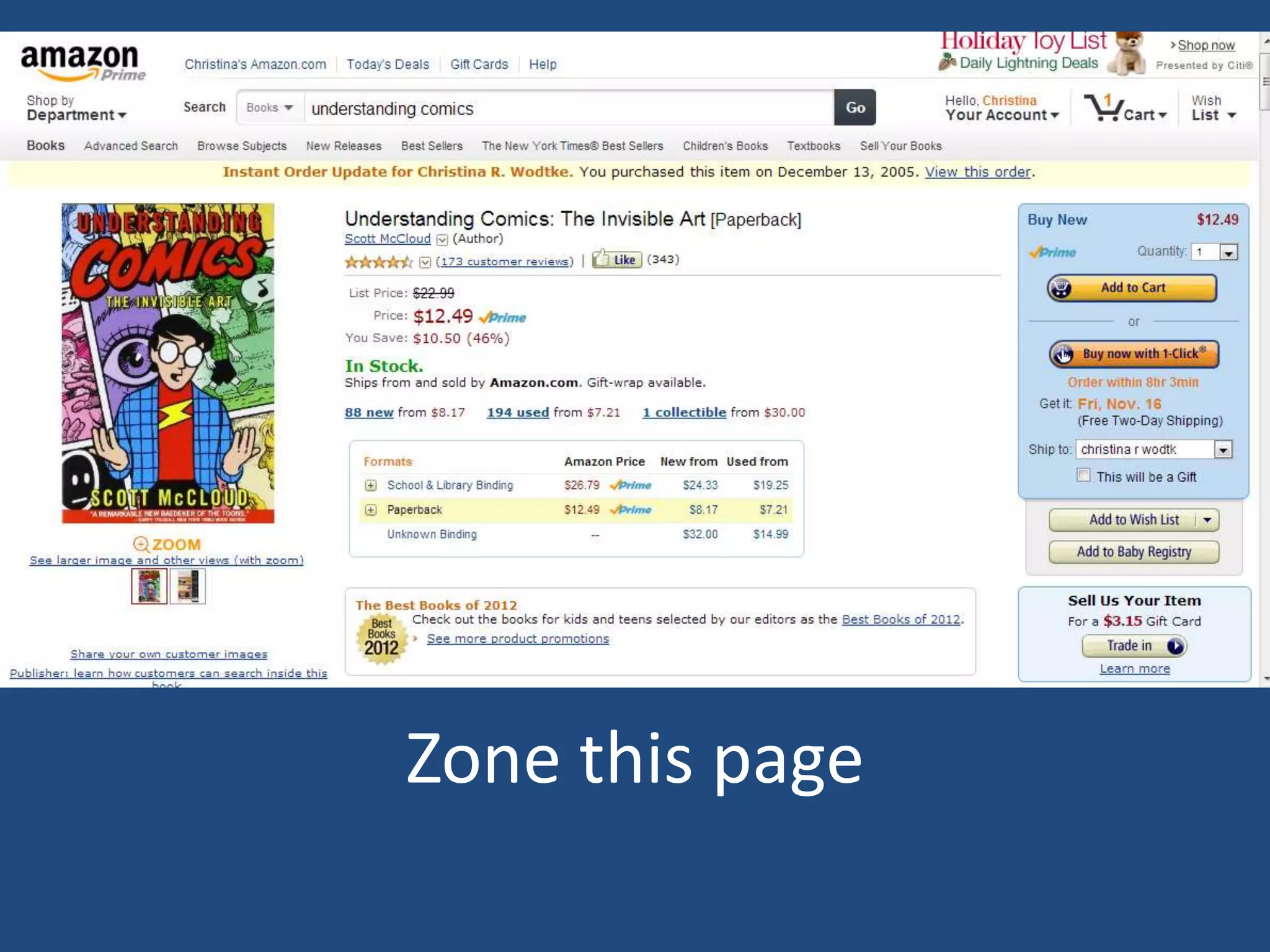
Zone this page
ZONE YOUR HOMEPAGE
HOW TO MAKE A WIREFRAME IN
30 SECONDS
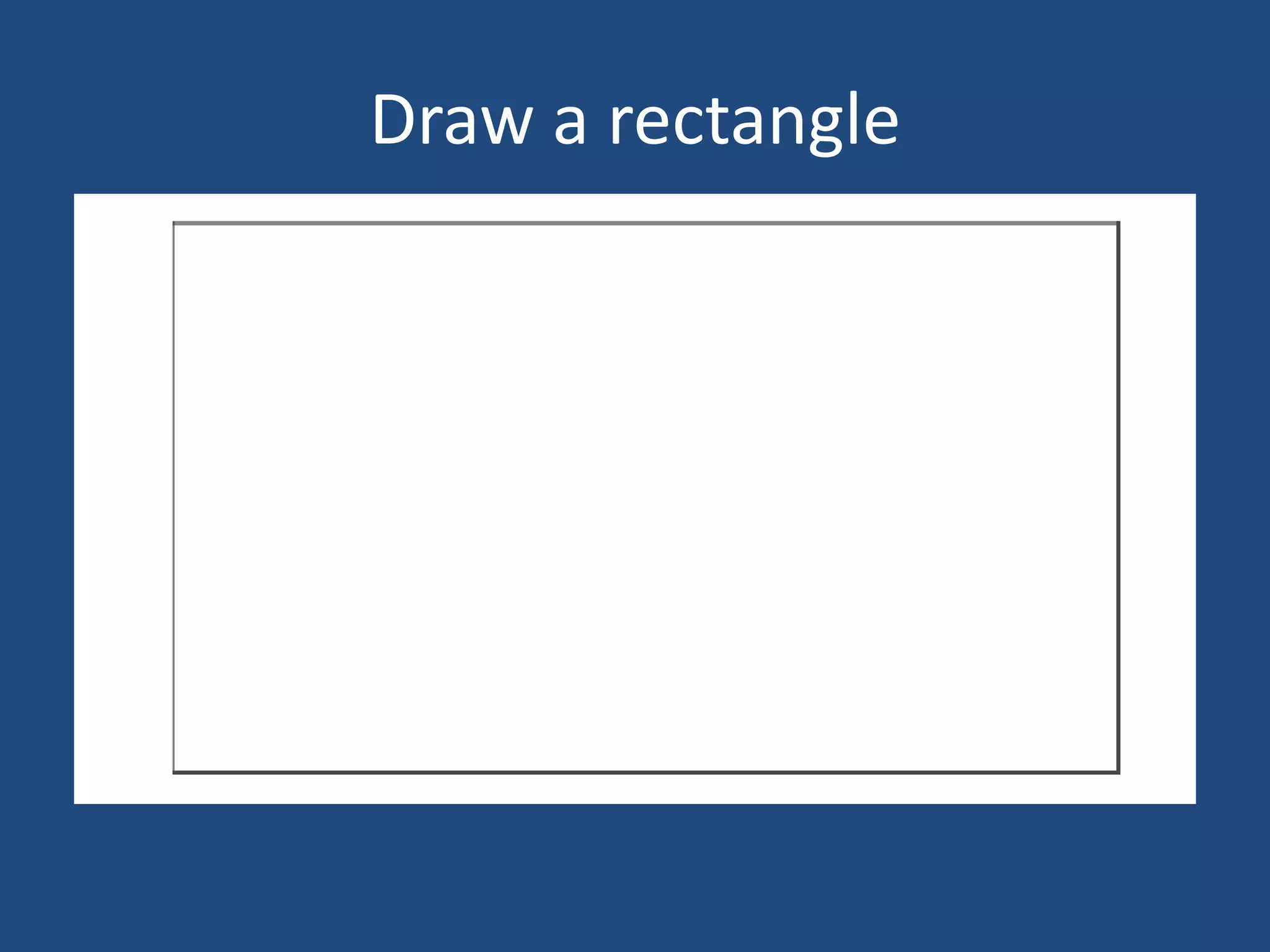
Draw a rectangle
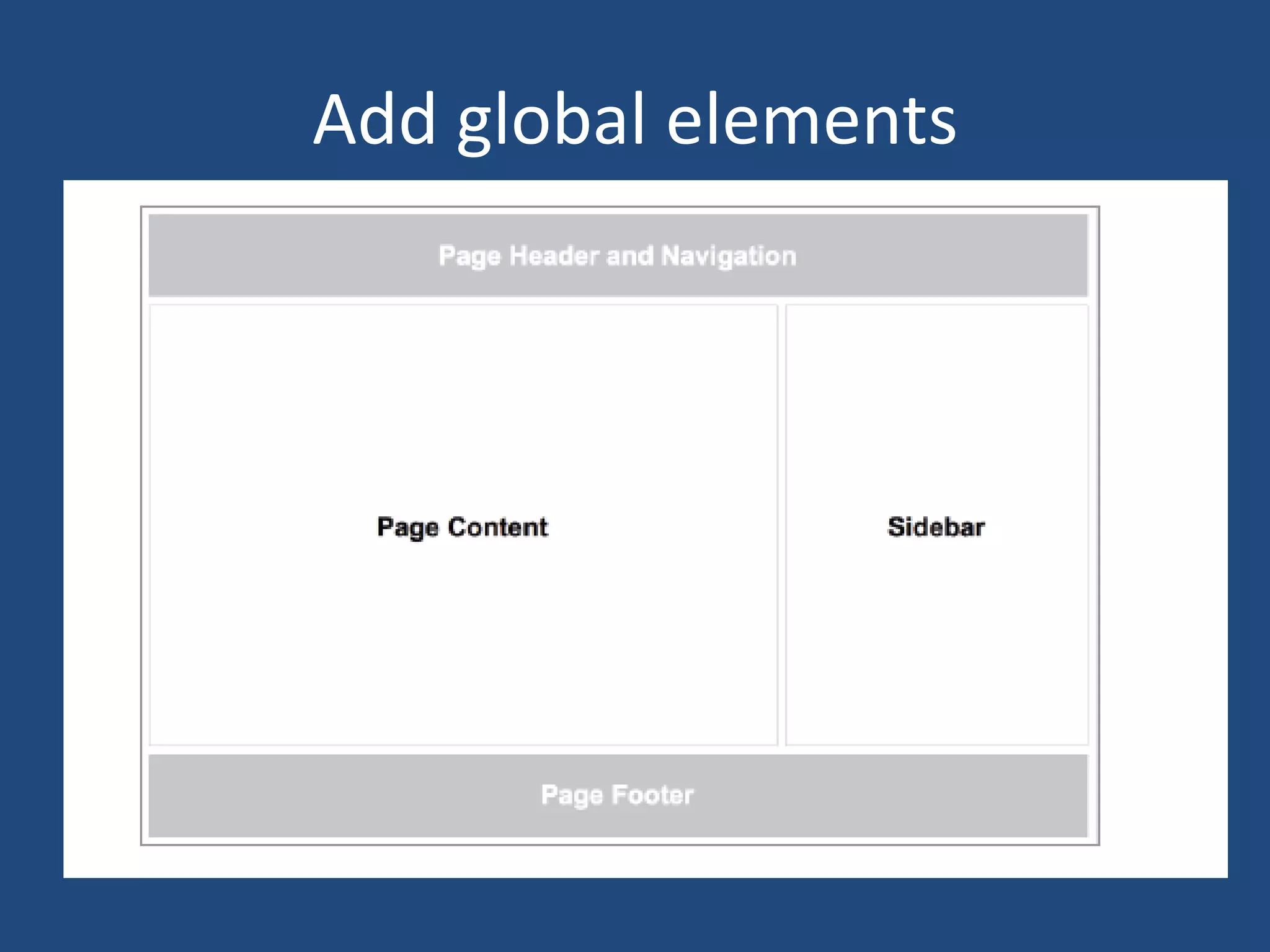
Add global elements
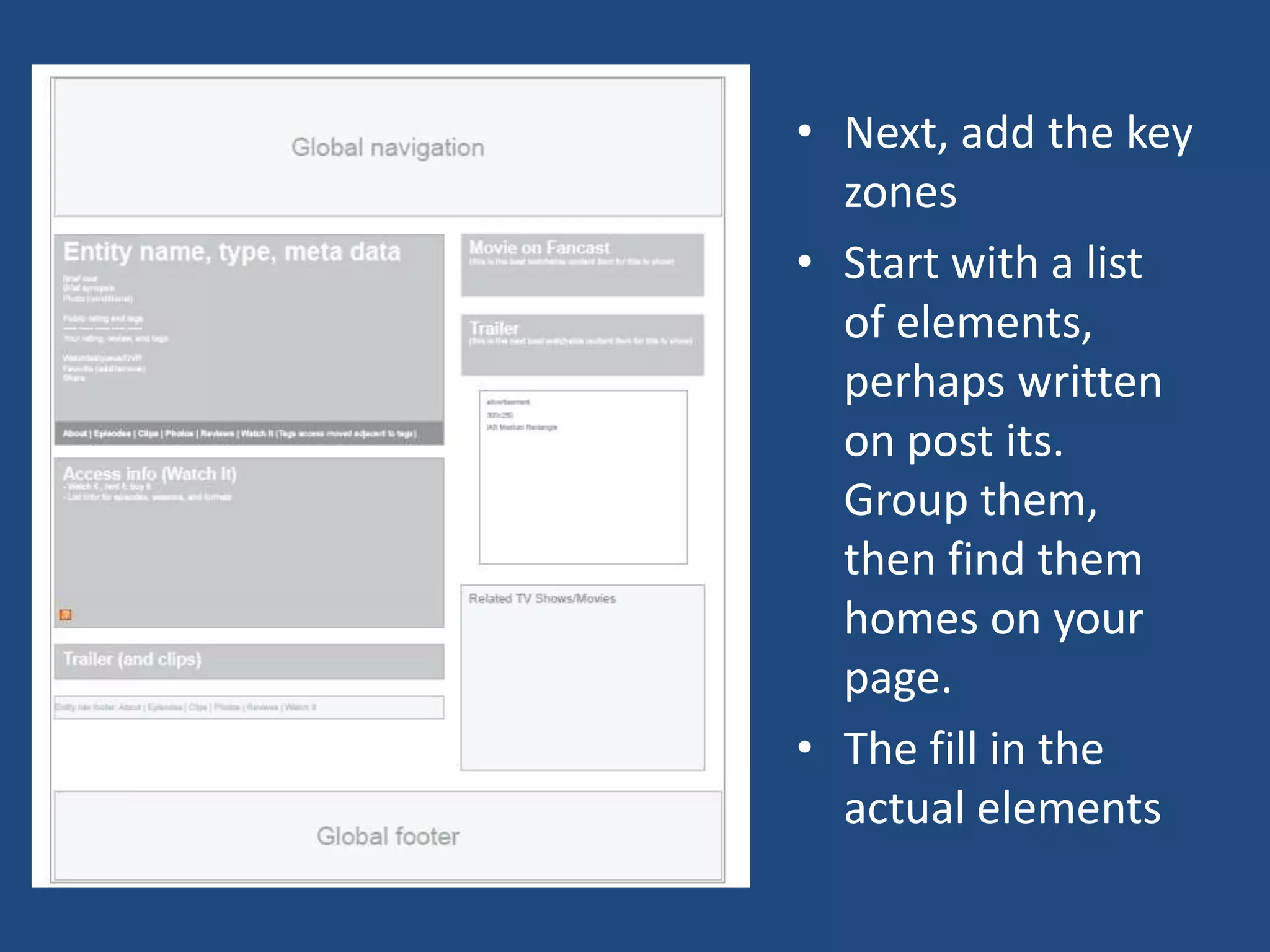
β€’ Next, add the key
  zones
β€’ Start with a list
  of elements,
  perhaps written
  on post its.
  Group them,
  then find them
  homes on your
  page.
β€’ The fill in the
  actual elements
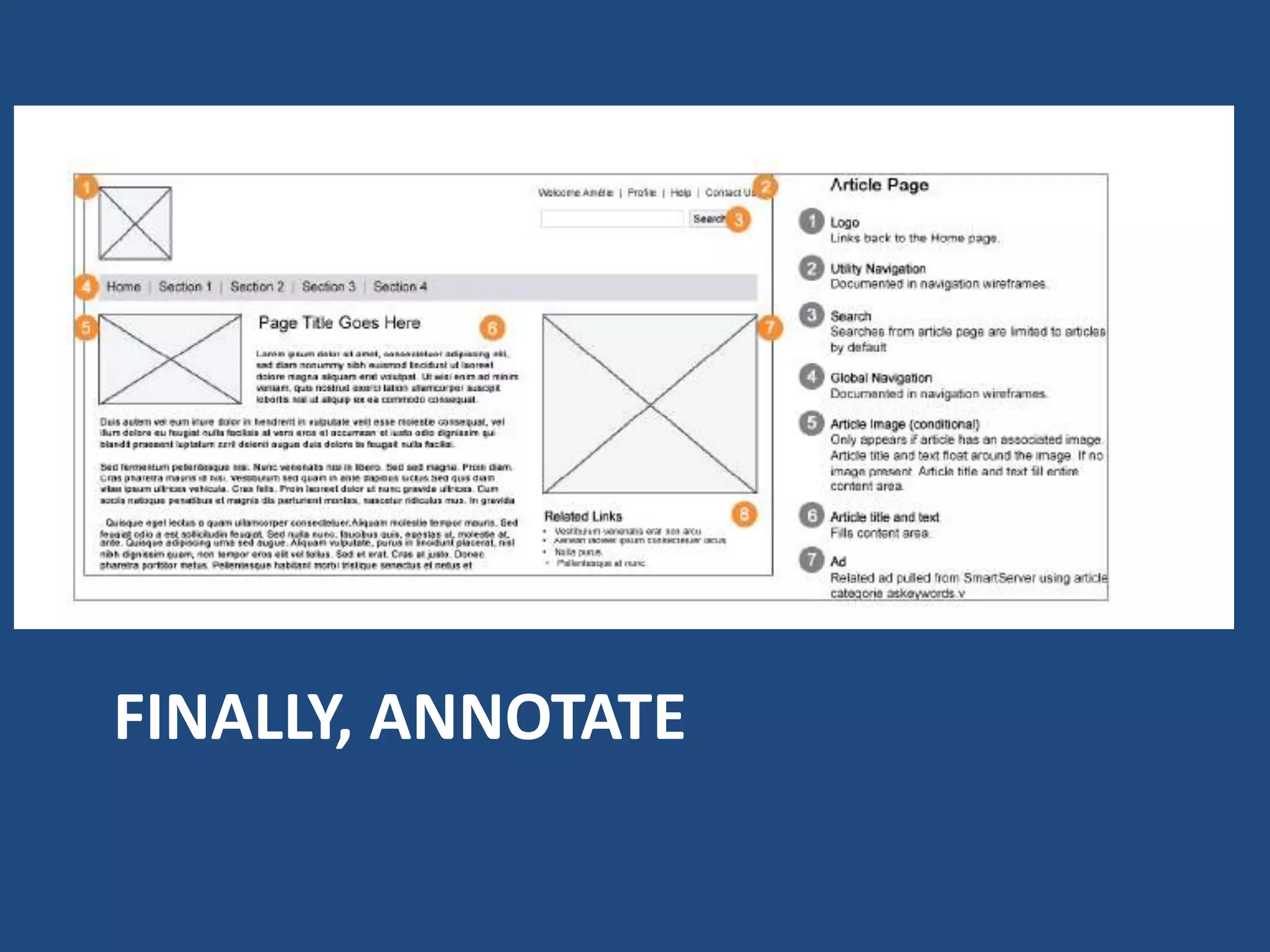
FINALLY, ANNOTATE
Consider
β€’ Where does the content come from? If you have a list of related
  articles, specify how they’re related. Are they the most viewed?
  Most viewed from that section?
β€’ What is the nature of the content? Does it vary greatly in length,
  size, language,and type?
β€’ Is the element required or optional? What happens if the element
  doesn’t appear on that page? Does the layout change?
β€’ Is the element conditional? Does it vary based on other factors?
  For example, do administrators see additional links? What happens
  if an article doesn’t have an associated image? What if it does?
β€’ What’s the default or expected state? Ideally, what’s supposed to
  happen on the page.
β€’ What are the alternate or error states? How does the design
  change when things don’t go right?
Homework
β€’ Pick a website to sketch out
β€’ Pick a Website to Zone
β€’ Try a page form your project

Designing Interfaces (and Wireframes)

  • 1.
    Designing Interfaces (and wireframes) General Assembly 11/14/12
  • 2.
  • 3.
  • 6.
    First to ourselves,then to others WE DRAW TO COMMUNICATE
  • 9.
  • 10.
  • 11.
    From the Notebooksof Michel Bras USED BY: EVERYBODY
  • 12.
    How sketch forattention and understanding TOOLS FOR EXPRSSION
  • 13.
  • 14.
  • 15.
  • 16.
  • 17.
  • 18.
  • 19.
  • 20.
    Make a sketch ofthis page Use: β€’ Line weight β€’ Size β€’ Shading β€’ Selective detail β€’ Isolation β€’ Notation
  • 21.
    Making pages outof boxes and arrows TRANSFORM YOUR FLOWS
  • 22.
    A task analysis FromInformation Architecture: Blueprints for the Web, this is a task analysis for a website for Sundance film festival, featuring a schedule planner
  • 23.
    Each task couldhave a page
  • 24.
    Remind you ofsomething? 1995: first graphic logo First Yahoo 1994
  • 25.
    Including the schedulecreator tool…
  • 26.
  • 27.
    Use Wizards: β€’ Whenusers want to β€’ The audience is not technically accomplish a goal that has savvy and is likely to be many steps. Wizards are good confused by a page with a lot at making sure you don’t miss of choices on it. A Web site a step. can have novice users, and a β€’ When the steps must be wizard makes complex tasks completed in order. Wizards seem easy. are linear, so it’s impossible to β€’ Bandwidth is low and complete them any other way. downloading a single big page β€’ When the task is seldom could take forever, or the tasks performed. Wizards can seem require several server calls, slow and plodding, so they are which would also slow the best used in tasks you do only page’s load. once in a while, like setting up β€’ The task has several steps in it, a printer. performed only once a visit, such as checkout.
  • 28.
  • 29.
    You can grouptasks together
  • 30.
  • 31.
    You see them on softwarein preferences, set occasionally, by experts
  • 32.
    On the web,they are often account settings
  • 33.
  • 34.
    Bring the settingsand the thing modified together TOOLBARS
  • 35.
    What if weput the tasks with the thing they were modifying?
  • 36.
    It’s a toolbar Toolshere Item affected here
  • 37.
    And here Tools here Toolbars Item affected And here here Photoshop: toolbars on steroids
  • 38.
    The web usestoolbars more sparingly
  • 39.
    Tools here Toolbars Item affected here A simpler design is better for infrequent use.
  • 40.
  • 41.
    An Interface islike a table setting, the tools you need are next to the food you eat. Content is the meal.
  • 42.
    Two videos sites. Theβ€œmeal” is the video, and the tools to consume (or play with) it are arrayed around the main meal. (P.S. There are toolbars too)
  • 43.
    Why is theresponse so far from the invitation?
  • 44.
  • 45.
    When designing thepage, group items by similarity and similarity of task (navigation items together, editing items together) Give them visual importance based on user number, usage frequency and importance to business.
  • 46.
    β€’ Create β€œzones” for functionality groups. β€’ You can group them by putting white space around them, or use lines β€’ Remember to keep tools close to the thing your working on
  • 47.
  • 48.
  • 49.
    HOW TO MAKEA WIREFRAME IN 30 SECONDS
  • 50.
  • 51.
  • 52.
    β€’ Next, addthe key zones β€’ Start with a list of elements, perhaps written on post its. Group them, then find them homes on your page. β€’ The fill in the actual elements
  • 53.
  • 54.
    Consider β€’ Where doesthe content come from? If you have a list of related articles, specify how they’re related. Are they the most viewed? Most viewed from that section? β€’ What is the nature of the content? Does it vary greatly in length, size, language,and type? β€’ Is the element required or optional? What happens if the element doesn’t appear on that page? Does the layout change? β€’ Is the element conditional? Does it vary based on other factors? For example, do administrators see additional links? What happens if an article doesn’t have an associated image? What if it does? β€’ What’s the default or expected state? Ideally, what’s supposed to happen on the page. β€’ What are the alternate or error states? How does the design change when things don’t go right?
  • 55.
    Homework β€’ Pick awebsite to sketch out β€’ Pick a Website to Zone β€’ Try a page form your project