a future friendly
WORKFLOW
    @lukebrooker
PREFACE
•   Not the only answer
•   Steps depend on the size of the project
•   is is not everything I do (e.g. testing not included)
•   is is not only my ideas
WORKFLOW SUMMARY
•   Discovery (not included)
•   Content Strategy
•   Design
•   Development
CONTENT
STRATEGY
We need to become temporary pessimists
and focus on all of our problems—focus
  on them intently, let them incubate.

     Stephen Hay - e Smashing Book #3
WHAT IS THE
PURPOSE OF THIS
     SITE?
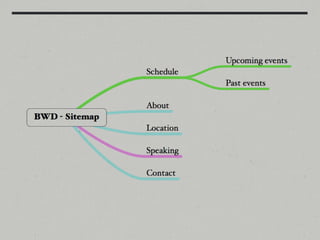
SITEMAP
•   Start it with the client
•   “e presumption of uselessness”
•   Build off use cases not features
•   Make it quick and easy to edit
AN EXAMPLE
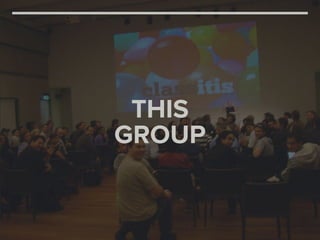
THIS
GROUP
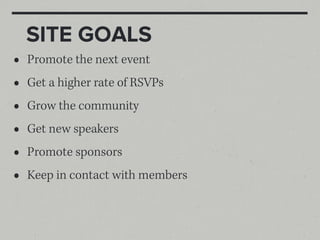
SITE GOALS
•   Promote the next event
•   Get a higher rate of RSVPs
•   Grow the community
•   Get new speakers
•   Promote sponsors
•   Keep in contact with members
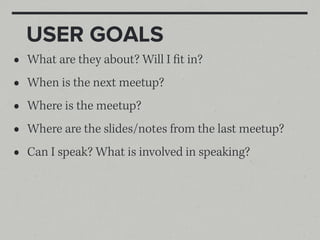
USER GOALS
•   What are they about? Will I fit in?
•   When is the next meetup?
•   Where is the meetup?
•   Where are the slides/notes from the last meetup?
•   Can I speak? What is involved in speaking?
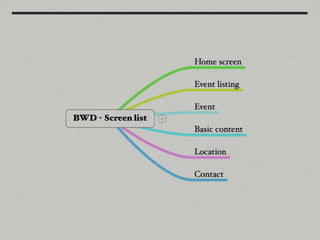
SCREEN LIST
•   Use the sitemap
•   What are the different “layouts” or site sections
this is
UNACCEPTABLE
design from the
CONTENT OUT
SCREEN DESCRIPTION
    DIAGRAM
•   Clarifies the purpose of this section
•   Constructs the hierarchy of each section
•   Helps define important content
•   Makes it easy to see the user flow
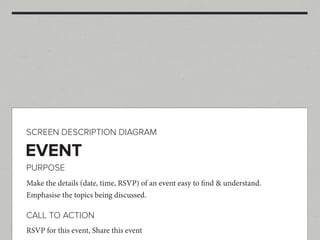
SCREEN DESCRIPTION DIAGRAM

EVENT
PURPOSE
Make the details (date, time, RSVP) of an event easy to find & understand.
Emphasise the topics being discussed.

CALL TO ACTION
RSVP for this event, Share this event
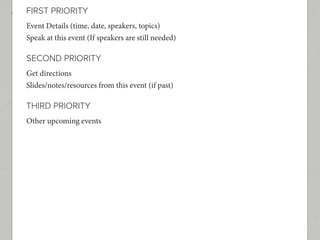
FIRST PRIORITY
Event Details (time, date, speakers, topics)
Speak at this event (If speakers are still needed)

SECOND PRIORITY
Get directions
Slides/notes/resources from this event (if past)

THIRD PRIORITY
Other upcoming events
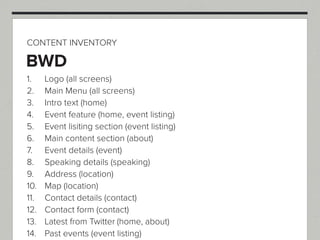
CONTENT INVENTORY
•   A global list of bits of content
•   Collect content from each screen as it is defined
•   List the screen it belongs to
CONTENT INVENTORY

BWD
1.    Logo (all screens)
2.    Main Menu (all screens)
3.    Intro text (home)
4.    Event feature (home, event listing)
5.    Event lisiting section (event listing)
6.    Main content section (about)
7.    Event details (event)
8.    Speaking details (speaking)
9.    Address (location)
10.   Map (location)
11.   Contact details (contact)
12.   Contact form (contact)
13.   Latest from Twitter (home, about)
14.   Past events (event listing)
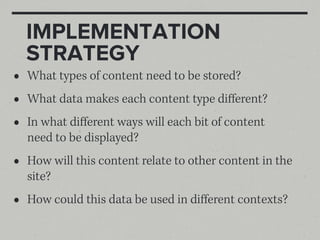
IMPLEMENTATION
    STRATEGY
•   What types of content need to be stored?
•   What data makes each content type different?
•   In what different ways will each bit of content
    need to be displayed?
•   How will this content relate to other content in the
    site?
•   How could this data be used in different contexts?
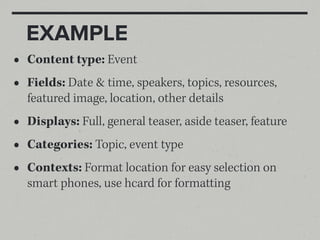
EXAMPLE
•   Content type: Event
•   Fields: Date & time, speakers, topics, resources,
    featured image, location, other details
•   Displays: Full, general teaser, aside teaser, feature
•   Categories: Topic, event type
•   Contexts: Format location for easy selection on
    smart phones, use hcard for formatting
DESIGN
Rather than tailoring disconnected
  designs to each of an ever-increasing
number of web devices, we can treat them
    as facets of the same experience

              Ethan Marcotte
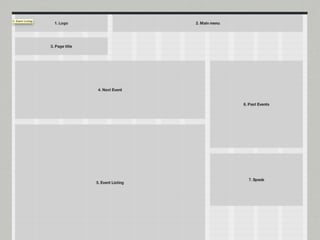
CONTENT REFERENCE
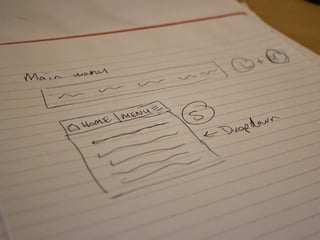
    WIREFRAMES
•   For every screen type, show different layouts
•   Sketch first ( for ideas)
•   Use the numbers from the content inventory
•   Wireframe in the browser
PATTERN LIST &
    WIREFRAMES
•   Use content inventory
•   Find common patterns
•   Sketch out each pattern
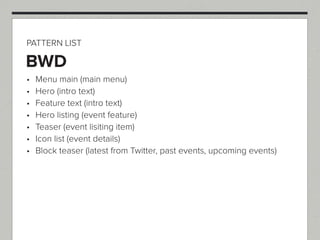
PATTERN LIST

BWD
 Menu main (main menu)
 Hero (intro text)
 Feature text (intro text)
 Hero listing (event feature)
 Teaser (event lisiting item)
 Icon list (event details)
 Block teaser (latest from Twitter, past events, upcoming events)
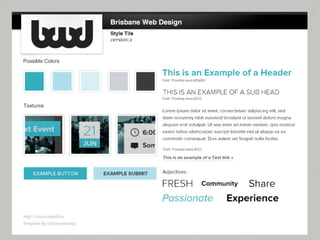
STYLE TILES
•   Stops us from create multiple “mock-ups”
•   Keeps the “feel” of the site separate to structure
•   It’s the deliverable not how where I design
•   Create patterns and elements all together...
DEVELOPMENT
YOUR OWN PERSONAL
    BOILERPLATE
•   You need a solid foundation
•   Learn from boilerplates...
•   But don’t use them blindly
•   When you learn better techniques, add them
•   Know your way around
PROTOTYPE
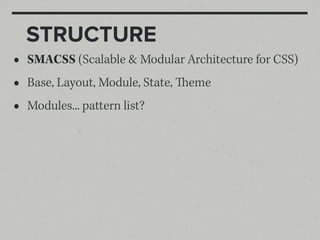
STRUCTURE
•   SMACSS (Scalable & Modular Architecture for CSS)
•   Base, Layout, Module, State, eme
•   Modules... pattern list?
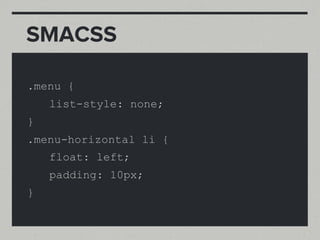
SMACSS

.menu {
    list-style: none;
}
.menu-horizontal li {
    float: left;
    padding: 10px;
}
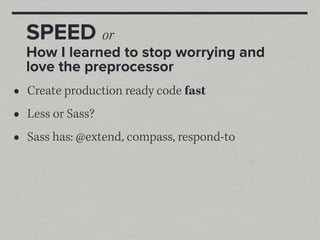
SPEED or
    How I learned to stop worrying and
    love the preprocessor
•   Create production ready code fast
•   Less or Sass?
•   Sass has: @extend, compass, respond-to
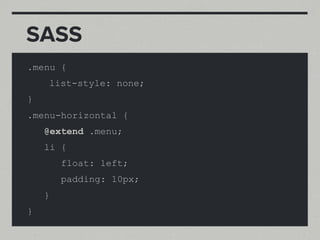
SASS
.menu {
    list-style: none;
}
.menu-horizontal {
    @extend .menu;
    li {
        float: left;
        padding: 10px;
    }
}
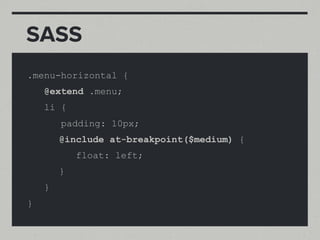
SASS
.menu-horizontal {
    @extend .menu;
    li {
        padding: 10px;
        @include at-breakpoint($medium) {
            float: left;
        }
    }
}
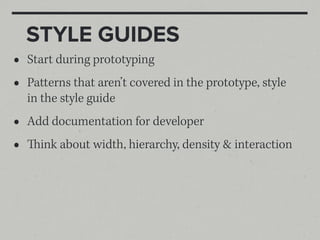
STYLE GUIDES
•   Start during prototyping
•   Patterns that aren’t covered in the prototype, style
    in the style guide
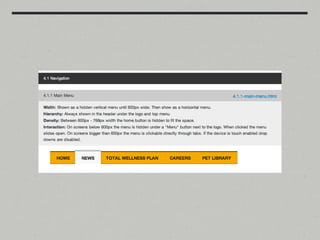
•   Add documentation for developer
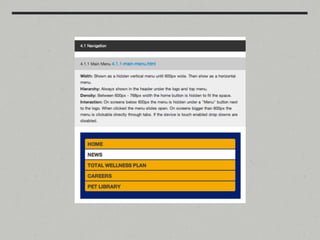
•   ink about width, hierarchy, density & interaction
IN CONCLUSION
goals for a
 FUTURE
FRIENDLY
  WEB
•   Create multiple facets of the same experience
•   Let content influence decisions, not technology
•   Design systems, not pages
•   Stick to some common patterns, but try and break
    some (we always need new ideas)
•   Understand your code, don't blindly build off
    others
•   Pull things apart, modularise, our systems should
    be scalable and understandable
•   Work together with users, designers, developers
    and clients (everyone has a valuable perspective)
MOST INFLUENTIAL
    SOURCES
•   Brad Frost - For a Future Friendly Web
•   Stephen Hay - Workflow Redesigned: A Future-
    Friendly Approach - e Smashing Book #3
•   Andy Clarke - Becoming Fabulously Flexible - e
    Smashing Book #3
•   Samantha Warren - Style Tiles
LEARN
EXPERIMENT
  SHARE
THANKS
 @lukebrooker


questions?

A Future Friendly Workflow

  • 1.
  • 2.
    PREFACE • Not the only answer • Steps depend on the size of the project • is is not everything I do (e.g. testing not included) • is is not only my ideas
  • 3.
    WORKFLOW SUMMARY • Discovery (not included) • Content Strategy • Design • Development
  • 4.
  • 5.
    We need tobecome temporary pessimists and focus on all of our problems—focus on them intently, let them incubate. Stephen Hay - e Smashing Book #3
  • 6.
    WHAT IS THE PURPOSEOF THIS SITE?
  • 7.
    SITEMAP • Start it with the client • “e presumption of uselessness” • Build off use cases not features • Make it quick and easy to edit
  • 8.
  • 9.
  • 10.
    SITE GOALS • Promote the next event • Get a higher rate of RSVPs • Grow the community • Get new speakers • Promote sponsors • Keep in contact with members
  • 11.
    USER GOALS • What are they about? Will I fit in? • When is the next meetup? • Where is the meetup? • Where are the slides/notes from the last meetup? • Can I speak? What is involved in speaking?
  • 13.
    SCREEN LIST • Use the sitemap • What are the different “layouts” or site sections
  • 15.
  • 16.
  • 17.
    SCREEN DESCRIPTION DIAGRAM • Clarifies the purpose of this section • Constructs the hierarchy of each section • Helps define important content • Makes it easy to see the user flow
  • 18.
    SCREEN DESCRIPTION DIAGRAM EVENT PURPOSE Makethe details (date, time, RSVP) of an event easy to find & understand. Emphasise the topics being discussed. CALL TO ACTION RSVP for this event, Share this event
  • 19.
    FIRST PRIORITY Event Details(time, date, speakers, topics) Speak at this event (If speakers are still needed) SECOND PRIORITY Get directions Slides/notes/resources from this event (if past) THIRD PRIORITY Other upcoming events
  • 20.
    CONTENT INVENTORY • A global list of bits of content • Collect content from each screen as it is defined • List the screen it belongs to
  • 21.
    CONTENT INVENTORY BWD 1. Logo (all screens) 2. Main Menu (all screens) 3. Intro text (home) 4. Event feature (home, event listing) 5. Event lisiting section (event listing) 6. Main content section (about) 7. Event details (event) 8. Speaking details (speaking) 9. Address (location) 10. Map (location) 11. Contact details (contact) 12. Contact form (contact) 13. Latest from Twitter (home, about) 14. Past events (event listing)
  • 22.
    IMPLEMENTATION STRATEGY • What types of content need to be stored? • What data makes each content type different? • In what different ways will each bit of content need to be displayed? • How will this content relate to other content in the site? • How could this data be used in different contexts?
  • 23.
    EXAMPLE • Content type: Event • Fields: Date & time, speakers, topics, resources, featured image, location, other details • Displays: Full, general teaser, aside teaser, feature • Categories: Topic, event type • Contexts: Format location for easy selection on smart phones, use hcard for formatting
  • 24.
  • 25.
    Rather than tailoringdisconnected designs to each of an ever-increasing number of web devices, we can treat them as facets of the same experience Ethan Marcotte
  • 26.
    CONTENT REFERENCE WIREFRAMES • For every screen type, show different layouts • Sketch first ( for ideas) • Use the numbers from the content inventory • Wireframe in the browser
  • 28.
    PATTERN LIST & WIREFRAMES • Use content inventory • Find common patterns • Sketch out each pattern
  • 29.
    PATTERN LIST BWD Menumain (main menu) Hero (intro text) Feature text (intro text) Hero listing (event feature) Teaser (event lisiting item) Icon list (event details) Block teaser (latest from Twitter, past events, upcoming events)
  • 31.
    STYLE TILES • Stops us from create multiple “mock-ups” • Keeps the “feel” of the site separate to structure • It’s the deliverable not how where I design • Create patterns and elements all together...
  • 33.
  • 34.
    YOUR OWN PERSONAL BOILERPLATE • You need a solid foundation • Learn from boilerplates... • But don’t use them blindly • When you learn better techniques, add them • Know your way around
  • 35.
  • 36.
    STRUCTURE • SMACSS (Scalable & Modular Architecture for CSS) • Base, Layout, Module, State, eme • Modules... pattern list?
  • 37.
    SMACSS .menu { list-style: none; } .menu-horizontal li { float: left; padding: 10px; }
  • 38.
    SPEED or How I learned to stop worrying and love the preprocessor • Create production ready code fast • Less or Sass? • Sass has: @extend, compass, respond-to
  • 39.
    SASS .menu { list-style: none; } .menu-horizontal { @extend .menu; li { float: left; padding: 10px; } }
  • 40.
    SASS .menu-horizontal { @extend .menu; li { padding: 10px; @include at-breakpoint($medium) { float: left; } } }
  • 41.
    STYLE GUIDES • Start during prototyping • Patterns that aren’t covered in the prototype, style in the style guide • Add documentation for developer • ink about width, hierarchy, density & interaction
  • 44.
  • 45.
    goals for a FUTURE FRIENDLY WEB
  • 46.
    Create multiple facets of the same experience • Let content influence decisions, not technology • Design systems, not pages • Stick to some common patterns, but try and break some (we always need new ideas)
  • 47.
    Understand your code, don't blindly build off others • Pull things apart, modularise, our systems should be scalable and understandable • Work together with users, designers, developers and clients (everyone has a valuable perspective)
  • 48.
    MOST INFLUENTIAL SOURCES • Brad Frost - For a Future Friendly Web • Stephen Hay - Workflow Redesigned: A Future- Friendly Approach - e Smashing Book #3 • Andy Clarke - Becoming Fabulously Flexible - e Smashing Book #3 • Samantha Warren - Style Tiles
  • 49.
  • 50.