

Matlab Scripts
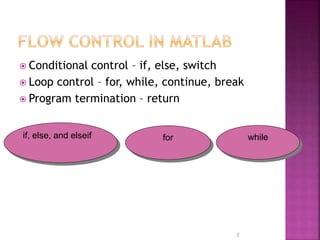
 Conditional control – if, else, switch
 Loop control – for, while, continue, break
 Program termination – return
2
if, else, and elseif for while
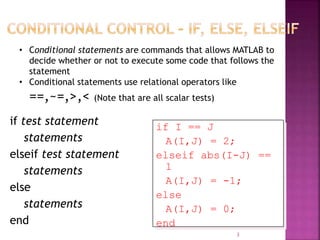
if test statement
statements
elseif test statement
statements
else
statements
end
3
if I == J
A(I,J) = 2;
elseif abs(I-J) ==
1
A(I,J) = -1;
else
A(I,J) = 0;
end
• Conditional statements are commands that allows MATLAB to
decide whether or not to execute some code that follows the
statement
• Conditional statements use relational operators like
==,~=,>,< (Note that are all scalar tests)
 If the
conditional
expression is
true, MATLAB
runs the lines of
code that are
between the
line with if
and the line
with end.
 If the
conditional
expression is
false, MATLAB
skips the code
between if
and the line
with else and
runs the code up
to end.
height=input(‘Plz enter the height:‘)
if height>170
disp('tall')
elseif height<150
disp('small')
else
disp('average')
end
A program to make a discount of 20% if the no. of
books are greater than 5
clc;
books=input(‘Enter the no of Books: ');
cost=books*25;
if books > 5
cost=(1 -20/100)*cost; % 20% discount
disp(cost)
end
The following program check if the input digital voltage signal
is positive or not.
V=input(‘Please Enter the Voltage: ')
if V < 5 % If voltage is less than 5 V
out_1 = 0 %Output is zero
elseif V == 5 % If voltage is equal to 5 V
out_1 = 0.5 % Output is o.5
else
out_1 = 1 % In other cases output is 1
end
Write a MATLAB program to input the values of x,y then
print 'y is greater than x‘ if y is greater and 'x is greater
than y‘ if x is greater and 'x =y‘ if they are equal.
clear all,clc;
x=input('enter the value x ');
y=input('enter the value y ');
if (x<y)
disp ('y is greater than x');
elseif (x>y)
disp ('x is greater than y');
else
disp ('x is =y');
end
 Program to find grade from the mark
s=input('Enter the Mark: '); % enter the mark
if s>= 90
disp ('Grade: A');
elseif s>=80
disp ('Grade: B');
elseif s>=70
disp ('Grade: C');
elseif s>=60
disp ('Grade: D');
else
disp ('Grade: F');
end
9
Shameer Koya

Conditional Control in MATLAB Scripts

  • 1.
  • 2.
     Conditional control– if, else, switch  Loop control – for, while, continue, break  Program termination – return 2 if, else, and elseif for while
  • 3.
    if test statement statements elseiftest statement statements else statements end 3 if I == J A(I,J) = 2; elseif abs(I-J) == 1 A(I,J) = -1; else A(I,J) = 0; end • Conditional statements are commands that allows MATLAB to decide whether or not to execute some code that follows the statement • Conditional statements use relational operators like ==,~=,>,< (Note that are all scalar tests)
  • 4.
     If the conditional expressionis true, MATLAB runs the lines of code that are between the line with if and the line with end.  If the conditional expression is false, MATLAB skips the code between if and the line with else and runs the code up to end.
  • 5.
    height=input(‘Plz enter theheight:‘) if height>170 disp('tall') elseif height<150 disp('small') else disp('average') end
  • 6.
    A program tomake a discount of 20% if the no. of books are greater than 5 clc; books=input(‘Enter the no of Books: '); cost=books*25; if books > 5 cost=(1 -20/100)*cost; % 20% discount disp(cost) end
  • 7.
    The following programcheck if the input digital voltage signal is positive or not. V=input(‘Please Enter the Voltage: ') if V < 5 % If voltage is less than 5 V out_1 = 0 %Output is zero elseif V == 5 % If voltage is equal to 5 V out_1 = 0.5 % Output is o.5 else out_1 = 1 % In other cases output is 1 end
  • 8.
    Write a MATLABprogram to input the values of x,y then print 'y is greater than x‘ if y is greater and 'x is greater than y‘ if x is greater and 'x =y‘ if they are equal. clear all,clc; x=input('enter the value x '); y=input('enter the value y '); if (x<y) disp ('y is greater than x'); elseif (x>y) disp ('x is greater than y'); else disp ('x is =y'); end
  • 9.
     Program tofind grade from the mark s=input('Enter the Mark: '); % enter the mark if s>= 90 disp ('Grade: A'); elseif s>=80 disp ('Grade: B'); elseif s>=70 disp ('Grade: C'); elseif s>=60 disp ('Grade: D'); else disp ('Grade: F'); end 9
  • 10.