WEB
TERMINOLOGY
What is a Web Page?
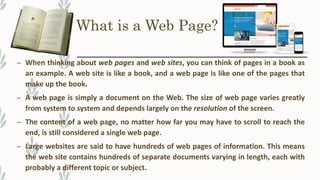
– When thinking about web pages and web sites, you can think of pages in a book as
an example. A web site is like a book, and a web page is like one of the pages that
make up the book.
– A web page is simply a document on the Web. The size of web page varies greatly
from system to system and depends largely on the resolution of the screen.
– The content of a web page, no matter how far you may have to scroll to reach the
end, is still considered a single web page.
– Large websites are said to have hundreds of web pages of information. This means
the web site contains hundreds of separate documents varying in length, each with
probably a different topic or subject.
What is Web Site?
– A web site is like a book that contains
many pages called web pages.
– Just like a real book, web sites are stored
in a particular location. However, unlike a
book on a library shelf, web sites are
stored on servers.
– Most websites are about certain topic.
For example the YouTube web site is all
about videos on certain topics.
What is Home Page?
– There can be two distinct meanings for home page:
– In one case, a home page is the web page displayed after opening the web browser.
The home page can also be redisplayed by using the Home button on the toolbar of
the browser.
– In second case, a home page is also a web page that acts as the starting point for
navigation within a particular web site. It is where the web site information actually
begins.
About Search Engines
– Search engines are used to locate web pages on a particular topic.
– Search engines are programs that act like librarians. Similar to a real librarian they
answer requests for information. Requests are made using search terms often
called keywords.
– Each search engines maintains a directory of web pages.
– Search engines get their listings in one of the two ways:
– By submissions, whereby a person or company digitally submits their web site for review.
– By programs called web crawlers or web spiders. These programs search the World Wide Web
based on data they read in the HTML code.
Finding the Right Information
– There are many different types of search engines – it all depends on the
information you want to find.
– For example, there are search engines just for children such as
www.yahooligans.com, search engines for businesses such as
www.yellowpages.com, and search engines just for email addresses
such as www.infospace.com
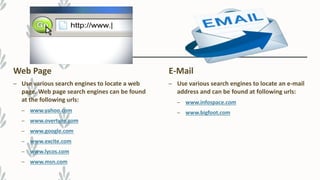
Web Page
– Use various search engines to locate a web
page. Web page search engines can be found
at the following urls:
– www.yahoo.com
– www.overture.com
– www.google.com
– www.excite.com
– www.lycos.com
– www.msn.com
E-Mail
– Use various search engines to locate an e-mail
address and can be found at following urls:
– www.infospace.com
– www.bigfoot.com
Find a Map
– Use various search engines to locate a map of
a particular address, place, or landmark.
These search engines can be found at the
following urls:
– www.expedia.com
– www.mapquest.com
Business
– Use various search engines to locate business
information including a map of their location.
These search engines are often referred to as
yellow pages and can be found at the
following urls:
– www.infospace.com
– www.bigfoot.com
Search Strategies
– There are numerous sites designed for Students, which are great ways to get
ideas for classroom activities.
– The Internet has a large resource that can help students complete project such as
online encyclopedias, maps, and dictionaries.
– However, valuable time can be wasted using search engines. There are several
strategies that can help you to find information fast.
Search Strategies
– Use multiple keywords
– Use combination of specific keywords
– Use “and” to narrow a search
– Use “or” to expand a search
– Use quotations around keywords to get an exact match
Internet Favorites
– When you came across an excellent web page, It is a good idea to save the web
address so you can return to it later.
– This is similar to when reading a book, it is good idea to place a bookmark at the
location you stopped reading so you can return to the correct spot later.
– Similarly when browsing the Internet, you can also add a bookmark to a useful
web page by electronically recording your favorite place on the Internet.

Web terminology

  • 1.
  • 2.
    What is aWeb Page? – When thinking about web pages and web sites, you can think of pages in a book as an example. A web site is like a book, and a web page is like one of the pages that make up the book. – A web page is simply a document on the Web. The size of web page varies greatly from system to system and depends largely on the resolution of the screen. – The content of a web page, no matter how far you may have to scroll to reach the end, is still considered a single web page. – Large websites are said to have hundreds of web pages of information. This means the web site contains hundreds of separate documents varying in length, each with probably a different topic or subject.
  • 3.
    What is WebSite? – A web site is like a book that contains many pages called web pages. – Just like a real book, web sites are stored in a particular location. However, unlike a book on a library shelf, web sites are stored on servers. – Most websites are about certain topic. For example the YouTube web site is all about videos on certain topics.
  • 4.
    What is HomePage? – There can be two distinct meanings for home page: – In one case, a home page is the web page displayed after opening the web browser. The home page can also be redisplayed by using the Home button on the toolbar of the browser. – In second case, a home page is also a web page that acts as the starting point for navigation within a particular web site. It is where the web site information actually begins.
  • 5.
    About Search Engines –Search engines are used to locate web pages on a particular topic. – Search engines are programs that act like librarians. Similar to a real librarian they answer requests for information. Requests are made using search terms often called keywords. – Each search engines maintains a directory of web pages. – Search engines get their listings in one of the two ways: – By submissions, whereby a person or company digitally submits their web site for review. – By programs called web crawlers or web spiders. These programs search the World Wide Web based on data they read in the HTML code.
  • 6.
    Finding the RightInformation – There are many different types of search engines – it all depends on the information you want to find. – For example, there are search engines just for children such as www.yahooligans.com, search engines for businesses such as www.yellowpages.com, and search engines just for email addresses such as www.infospace.com
  • 7.
    Web Page – Usevarious search engines to locate a web page. Web page search engines can be found at the following urls: – www.yahoo.com – www.overture.com – www.google.com – www.excite.com – www.lycos.com – www.msn.com E-Mail – Use various search engines to locate an e-mail address and can be found at following urls: – www.infospace.com – www.bigfoot.com
  • 8.
    Find a Map –Use various search engines to locate a map of a particular address, place, or landmark. These search engines can be found at the following urls: – www.expedia.com – www.mapquest.com Business – Use various search engines to locate business information including a map of their location. These search engines are often referred to as yellow pages and can be found at the following urls: – www.infospace.com – www.bigfoot.com
  • 9.
    Search Strategies – Thereare numerous sites designed for Students, which are great ways to get ideas for classroom activities. – The Internet has a large resource that can help students complete project such as online encyclopedias, maps, and dictionaries. – However, valuable time can be wasted using search engines. There are several strategies that can help you to find information fast.
  • 10.
    Search Strategies – Usemultiple keywords – Use combination of specific keywords – Use “and” to narrow a search – Use “or” to expand a search – Use quotations around keywords to get an exact match
  • 11.
    Internet Favorites – Whenyou came across an excellent web page, It is a good idea to save the web address so you can return to it later. – This is similar to when reading a book, it is good idea to place a bookmark at the location you stopped reading so you can return to the correct spot later. – Similarly when browsing the Internet, you can also add a bookmark to a useful web page by electronically recording your favorite place on the Internet.