THE WINDOWS HIERARCHY
Filing System
 The Windows operating system has an organized method of storing files. It places files
into folders. This filing system is similar to what you may use when storing papers in a
file cabinet.
 The windows OS uses pathnames to identify a file by its name and
and the name of all the directories leading to it.
 For example, a pathname for a file called Computer Lessons.doc:
C:HomeworkComputersComputer Lessons.doc.
The Directory Structure of Windows
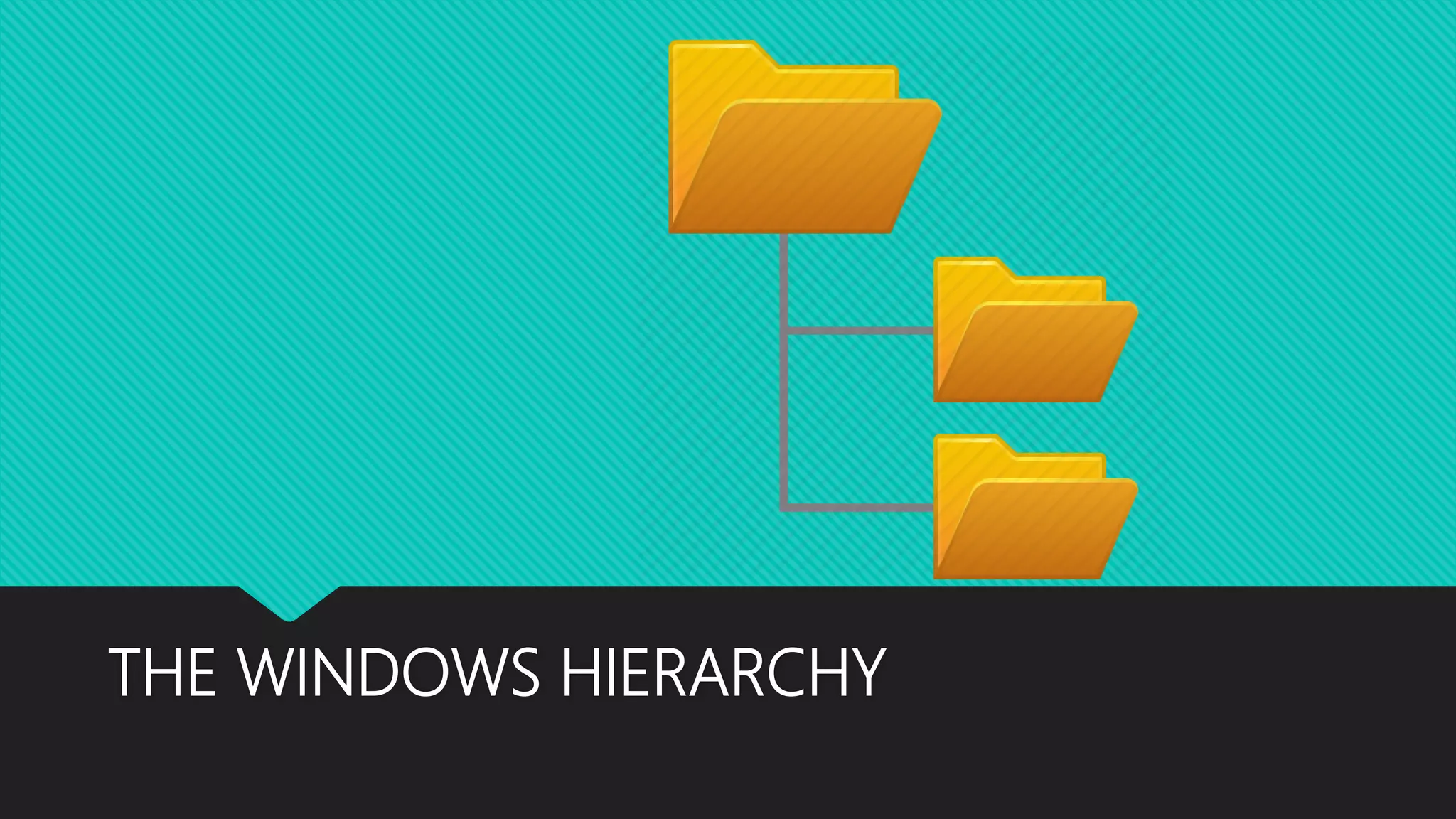
 The organization of files stored in the hard drive is similar to a tree. The
main directory is called the root directory.
 In most computers, the root directory refers to the hard drive that has
the letter C: as its name.
 In the hard drive there are series of folders called subdirectories. Typically
files that are similar in content are stored in same folders.
 A file is a block of information, stored together in a computer and given
a name which can be numbers letters or both.
 Each file has an extension i.e., .doc indicates the file is a document.
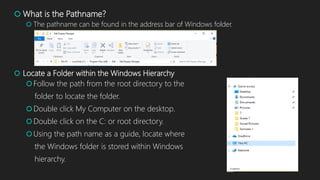
 What is the Pathname?
 The pathname can be found in the address bar of Windows folder.
 Locate a Folder within the Windows Hierarchy
Follow the path from the root directory to the
folder to locate the folder.
Double click My Computer on the desktop.
Double click on the C: or root directory.
Using the path name as a guide, locate where
the Windows folder is stored within Windows
hierarchy.
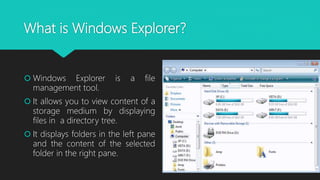
What is Windows Explorer?
 Windows Explorer is a file
management tool.
 It allows you to view content of a
storage medium by displaying
files in a directory tree.
 It displays folders in the left pane
and the content of the selected
folder in the right pane.
Create a folder
 When a file is saved, it is
automatically placed in the My
Documents folder unless a
different location is selected.
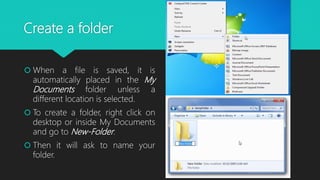
 To create a folder, right click on
desktop or inside My Documents
and go to New-Folder.
 Then it will ask to name your
folder.
Delete a File
 You cannot keep every piece of
paper that comes across your
desk, similarly you can keep every
file. Sometimes you need to
delete files.
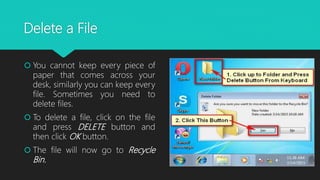
 To delete a file, click on the file
and press DELETE button and
then click OK button.
 The file will now go to Recycle
Bin.
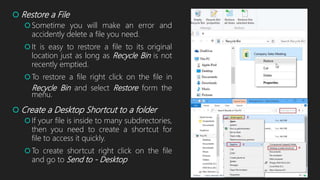
 Restore a File
Sometime you will make an error and
accidently delete a file you need.
It is easy to restore a file to its original
location just as long as Recycle Bin is not
recently emptied.
To restore a file right click on the file in
Recycle Bin and select Restore form the
menu.
 Create a Desktop Shortcut to a folder
If your file is inside to many subdirectories,
then you need to create a shortcut for
file to access it quickly.
To create shortcut right click on the file
and go to Send to - Desktop
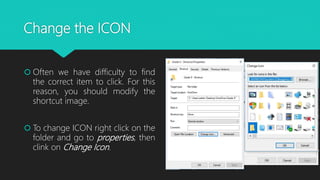
Change the ICON
 Often we have difficulty to find
the correct item to click. For this
reason, you should modify the
shortcut image.
 To change ICON right click on the
folder and go to properties, then
clink on Change Icon.

The windows hierarchy

  • 1.
  • 2.
    Filing System  TheWindows operating system has an organized method of storing files. It places files into folders. This filing system is similar to what you may use when storing papers in a file cabinet.  The windows OS uses pathnames to identify a file by its name and and the name of all the directories leading to it.  For example, a pathname for a file called Computer Lessons.doc: C:HomeworkComputersComputer Lessons.doc.
  • 3.
    The Directory Structureof Windows  The organization of files stored in the hard drive is similar to a tree. The main directory is called the root directory.  In most computers, the root directory refers to the hard drive that has the letter C: as its name.  In the hard drive there are series of folders called subdirectories. Typically files that are similar in content are stored in same folders.  A file is a block of information, stored together in a computer and given a name which can be numbers letters or both.  Each file has an extension i.e., .doc indicates the file is a document.
  • 4.
     What isthe Pathname?  The pathname can be found in the address bar of Windows folder.  Locate a Folder within the Windows Hierarchy Follow the path from the root directory to the folder to locate the folder. Double click My Computer on the desktop. Double click on the C: or root directory. Using the path name as a guide, locate where the Windows folder is stored within Windows hierarchy.
  • 5.
    What is WindowsExplorer?  Windows Explorer is a file management tool.  It allows you to view content of a storage medium by displaying files in a directory tree.  It displays folders in the left pane and the content of the selected folder in the right pane.
  • 6.
    Create a folder When a file is saved, it is automatically placed in the My Documents folder unless a different location is selected.  To create a folder, right click on desktop or inside My Documents and go to New-Folder.  Then it will ask to name your folder.
  • 7.
    Delete a File You cannot keep every piece of paper that comes across your desk, similarly you can keep every file. Sometimes you need to delete files.  To delete a file, click on the file and press DELETE button and then click OK button.  The file will now go to Recycle Bin.
  • 8.
     Restore aFile Sometime you will make an error and accidently delete a file you need. It is easy to restore a file to its original location just as long as Recycle Bin is not recently emptied. To restore a file right click on the file in Recycle Bin and select Restore form the menu.  Create a Desktop Shortcut to a folder If your file is inside to many subdirectories, then you need to create a shortcut for file to access it quickly. To create shortcut right click on the file and go to Send to - Desktop
  • 9.
    Change the ICON Often we have difficulty to find the correct item to click. For this reason, you should modify the shortcut image.  To change ICON right click on the folder and go to properties, then clink on Change Icon.