Pages 81 - 148
CISSP CBK 3rd
● Access Control Techniques
○ Methods
● Identification and Authentication
○ Types and Strategies
● Identification Management
○ Considerations
● Authentication Methods
○ How to establish
● Sessions
○ Strategies on how to control
What the pages cover
Access Control
● Only Authorised Users, Programs, and/or
systems are allowed to access resources.
Access Control Techniques
● How we can determine which users,
programs or systems, what resources, and
what access.
● Methods of organising and protecting
data.
Access Controls - Continued
"Yo, Check out that sweet role-based access
control..." - Lord Nikon
Access Control Techniques
The process of translating the balance
between Access controls enforced by the
Organization, and information owners to can
have access, can be defined by three
general frameworks:
● Discretionary (DACs)
● Non-Discretionary
● Mandatory (MACs)
Discretionary and Mandatory
Access Controls
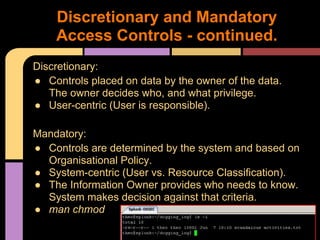
Discretionary:
● Controls placed on data by the owner of the data.
The owner decides who, and what privilege.
● User-centric (User is responsible).
Mandatory:
● Controls are determined by the system and based on
Organisational Policy.
● System-centric (User vs. Resource Classification).
● The Information Owner provides who needs to know.
System makes decision against that criteria.
● man chmod
Discretionary and Mandatory
Access Controls - continued.
ACL's (Access Control Lists)
● Keyword Pattern & Action
○ Examples: MAC Address filtering
● If no matches or unspecified actions -
default will either be deny by default or
allow by default (based on the org's
stance).
● Structure of access is often based on
Organization Structure (Users into
Groups. Groups into file and directory
permissions).
Data Access Controls
● An ACL in the form of a table.
● Unwieldy for large environments, but
useful when designing a system, or
looking at smaller portions.
Access Control Matrix
● Access is based on a predefined set of
rules.
● These rules specify the privileges granted
to users when specific conditions are met.
○ Example:
■ The Standard ACL says that Jr. Admin Bob
can access the Dubstep MP3 Folder, but the
rule based system would specify that while he
can access it, he can only access the folder
between 5PM and 8AM (outside of Sr. Admin
Barry's Office Hours).
Rule-based Access Control
● RBAC bases the access control
authorizations on the roles or functions
that the user is assigned within an
organization.
● The determination of what roles have what
access, can be governed by both the Data
Owner, or the applied based on Org
Policy.
Role-Based Access Controls
The four basic RBAC architectures:
● Non-RBAC
○ Traditional user-granted access (like ACL's).No
formal roles or mapping.
● Limited RBAC
○ Users are mapped to a single application only.
● Hybrid RBAC
○ Users are mapped to multiple applications, that
subscribe to the Org's role-based model.
● Full RBAC
○ Enterprise wide. Top down, from role policy.
See Fig. 1.11
RBAC - Continued
● RBAC is easily modeled after the
organisations own organization, or
functional structure.
○ Personal moves are simplified (job role is tied to
access).
See also "The Triangle of Power" by Matt
Byrd, MSFT:
http://blogs.technet.
com/b/exchange/archive/2009/11/16/340882
5.aspx
RBAC - Continued
● Content dependant access controls are
based on the data. The control
mechanism examines the data, and
makes decisions based on what it finds.
● Constrained User Interface is a method
of restricting users to functions in the UI,
based on role in the system.
○ Example: AS/400 Payroll Menus, POS unit, or
Views in a database.
Miscellaneous Controls
● Capability tables are used to match
subjects (like users or process) and their
capabilities (read, write, etc..).
● Temporal (Time-based) Isolation limits
access based on time.
○ Examples: Dubstep MP3 Folder, or Limiting
access to change Payroll to the first 4 hours of
the day.
Miscellaneous Controls - cont'd
● Identification
○ Provides uniqueness and accountability (when
done properly)
● Authentication
○ Provides validity. You are expected, and trusted.
● Authorization
○ Provides Control.
Identification and Authentication
Identification provides a point of assignment
and association to a user entity within a
system. Can be user, service account, etc...
Examples:
● User Name
● User ID
● Account Number
● PIN
● Certificates
Identification Methods
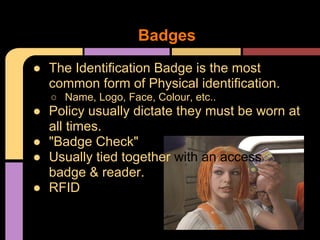
● The Identification Badge is the most
common form of Physical identification.
○ Name, Logo, Face, Colour, etc..
● Policy usually dictate they must be worn at
all times.
● "Badge Check"
● Usually tied together with an access
badge & reader.
● RFID
Badges
● User ID
○ Only use it as a system ID, not an authenticator.
● MAC (Media Access Control)
○ No longer a good way to authenticate a user
(spoofable).
● IP Address
○ Logical Location on network. Set by software, not
a good indicator.
○ Subnets
● Email Address
○ Concept is email is globally unique, however it's
spoofable and only unique by convention.
Other Types
● Three Essential Security characteristics
regarding identities:
○ Uniqueness
■ Must be unambiguous & distinct
■ Can be duplicated across systems, but bad
practice
○ Non Descriptiveness
■ billg@microsoft.com
■ Samir_Nagheenanajar@Initech.com
■ CIO@Wellsfargo.com
○ Secure Issuance
■ Documentable and traceable.
User Identification Guidelines
● Every system must track valid users and
control their permissions, across different
types of administrative software and
processes.
● Account creation process & propagation.
● Goal of the system is to consolidate
access rights into a managed system.
● See Fig 1.13
● Quicker provision & deprovision
Poll: How long does it take to deprovision/lock all
passwords/etc on a user account in your org?
Identity Management
● 2 Minutes Hate - topic: User Provisioning
● Backlog
○ Not Enough People to process
● Cumbrsome
○ Too Complex, or time consuming = Errors
● Incomplete Forms
○ "I just check all the boxes."
● No Audit Trails
○ "Fuck it, we'll do it live!"
● Stale users
○ Ghost NDRs
Identity Management Challenges
● Consistency
○ User profile data should be consistent and
uniform.
● Usability
● Reliability
○ "My admin account never worked right, so I've
just been using the domain admin."
● Scalability
○ If you have 10,000 users, and your domain
controller is an old laptop, your gunna have a bad
time.
Identity Management Challenges -
continued
● Can help with legal obligations, and
industry-specific compliance.
● When properly done, you can have a finer
control (and flexabillity) over what levels
the public, guests, vendors, contractors,
support, etc... groups have.
Other Considerations
● In general, an Org will either opt to be
Centralized, or Decentralized.
● Centralized:
○ All access decisions, provisioning, and
management is concentrated in a central location.
○ One entity (user/department/system) manages
the service for the entire org. Example: RADIUS
● Decentralized:
○ ID Management, authentication, and authorisation
decisions are moved closer to the local resource.
○ Could be per department.
Centralised Identity Management
● Authentication by knowledge
○ Something you know
■ Example: Password
● Authentication by possession
○ Something you have
■ Example: ID Badge
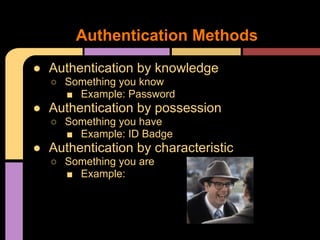
● Authentication by characteristic
○ Something you are
■ Example:
Authentication Methods
● Logical controls related to those types are
called "Factors"
● Single-Factor
○ Use of 1 Factor (makes sence, right?)
● Two-Factor
○ Usingtwoofthethreefactorswhoeditedthisbook?
● Three-Factor
○ You get the picture.
● The book mentions a possible 4th (Geolocation) by
GPS or IP.
Factors
● Passwords
○ Standard Words
■ God
● Easily Guessable
○ Combination
■ G0d
● Got an app for that
○ Complex
■ 1||$1D3j0|<3
● Harder to remember - people usually write these down or
have them somewhere.
● Passphrase
○ List of names, Phrase, or Mnemonic
■ Example: AD5wu5ydD!
● "Always do sober, what you said you'd do drunk." -Hemmingway
Authentication by Knowledge
● Issues:
○ Cleartext
○ Offline and Off Site Cracking
● Passwords are often hashed, as an extra
measure of protection.
● Graphical Passwords
○ Protect somewhat against keyloggers
Passwords continued
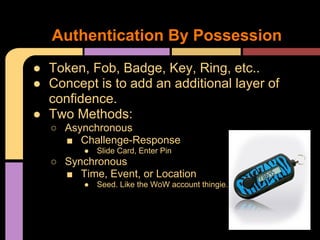
● Token, Fob, Badge, Key, Ring, etc..
● Concept is to add an additional layer of
confidence.
● Two Methods:
○ Asynchronous
■ Challenge-Response
● Slide Card, Enter Pin
○ Synchronous
■ Time, Event, or Location
● Seed. Like the WoW account thingie.
Authentication By Possession
● Physical device that contains credentials.
● Two Types:
○ Memory Cards
■ Swipe Cards. Mag Stripe.
■ Used + PIN, often.
■ Often the stripe is unencrypted. Theft.
○ Smart Cards
■ Embedded Chip, that can accept, store, and
send information.
■ Some have apps.
● Used for Secure log-on, S/MIME, Secure Web Access,
VPN's, Hard Disc Encryption.
■ Helps integrate outside devices into Enterprise
PKI.
Static Authentication Devices
● Types of information on a smart card:
● Read only.
● Added only.
● Updated only.
● No Access available.
● Trusted Path
○ Login process is done by the reader, instead of
the host.
○ Minimises surface area, and "hops", with each
addition adding opportunity for security failures.
Smart-Card Segway
● ROM
○ Predetermined by MFGR
● Programmable Read-Only (PROM)
○ Can be modified, but looks like a pain in the ass.
● Erasable Programmable Read-Only
(EPROM)
○ Widely used early on, but the process is difficult.
Ultraviolet light? Really?
● Electrically Erasable PROM (EEPROM)
○ Current IC of choice.
● RAM
○ Not bad, actually, if used as a Deadmans switch.
Smart Card Memory Types
● Data controls are intrinsic to how the IC
works.
● Example:
○ When power is applied to the smart card, the
process can apply logic to perform services and
take action or control of the EEPROM.
○ No power = no access = less exposure
● Mag Stripe & Contact, and Contactless
(rfid)
○ See Page 126-128 for Pinouts...
More Smart Card Stuff
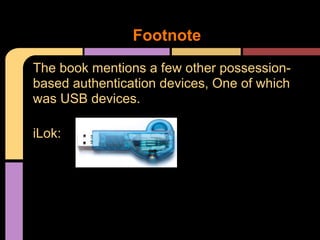
The book mentions a few other possession-
based authentication devices, One of which
was USB devices.
iLok:
Footnote
● Biometrics
○ Two Types:
■ Physiological
● Example: Fingerprint, Hand, Face, Eyes
● Vascular Scans (They scan yer veins! And if you mash
your hand, you're SOL).
■ Behavioral
● Examples: Voice Pattern & Recognition. Keystroke
pattern (typing style), Signature dynamics.
○ Accuracy
■ Typical Passwords, tokens, and devices
provide a high degree of accuracy and
confidence.
■ Humans are different, and Environments are
different.
Authentication by Characteristic
● False Reject Rate (Type I Error):
○ When authorised users are falsely rejected as
unidentified or unverified.
● False Accept Rate (Type II Error):
○ When unauthorised persons or imposters are
falsely accepted as authentic.
● Crossover Error Rate (CER):
○ The point at which the false rejection rates and
the false acceptance rates are equal. THe smaller
the value of CER, the more accurate the System.
Biometric Accuracy
● Not sensitive enough, everyone will be
authorised.
● Too sensitive, and no one gets through.
● The "tune" of the system is largely based
on risk vs. importance of the controls,
resulting in an Org-accepted level of risk.
Biometric Accuracy - Cont'd
● Resistance to counterfeiting
○ A determined attacker can take advantage by
counterfeiting what is measured.
● Data storage requirements
○ Security of the data it's matching against.
● User acceptance
○ "Ain't nobody got time for that."
○ Enrollment speed.
● Reliability and accuracy
○ "The system...is down..."
● Target user and approach
○ Who and how?
Biometric Considerations
● The capabilities and level of confidence
increases as more factors and techniques
are included in the identification and
authentication process.
○ See Fig. 1.23
● "Strongest" leans towards Biometrics.
○ Strong:
■ Assurance that the authentication produced by
the method is valid.
○ Harder to implement, manage, impersonate.
○ As with anything, trade-offs.
Authentication Method Summary
Most prevalent considerations when looking
at an enterprise authentication method(s):
● The Value of the Protected Asset
○ High Value = More Complex method
● The Level of Threat to the Asset
○ Assess Risk. Real vs. Perceived.
● Potential Countermeasures
○ How can we reduce threat?
● The Cost of Countermeasures
○ "Consider the following..."
● Feasibility and inconvenience to users.
○ Participation vs. Annoyance.
Authentication Method Summary -
cont'd
...
● Term to describe how a single instance of
identification and authentication are
applied to resources.
○ Desktop Sessions can be controlled & protected:
■ Screensavers
● GPO
■ Timeouts
● Power Saver
■ Automatic Logouts
■ Login Limitations
■ Schedule Limitations
● Time/Day
Session (sessi on ) Management
● Session Hijacking
○ Main-In-The-Middle attacks.
○ Session Sniffing.
○ Cross-Site Scripting attacks.
Logical Sessions
● Being able to determine who or what is
responsible for an action, and can be held
responsible.
● Repudiation (as defined by the book)
○ The ability to deny an action, event, impact, or
result.
● Non-repudiation (Cue Tim)
○ The process of ensuring that a user may not deny
an action. Accountability relies on non-repudiation
heavily.
Accountability
● Strong Identification
○ NO SHARED ACCOUNTS!
● Strong Authentication
○ Biometrics
● User training and awareness
○ Are users aware of the consequence?
● Comprehensive and Timely Monitoring
○ IDS
● Accurate and Consistent Audit Logs
○ Collect and consolidate. Security Information and
Event Management (SIEM) Systems.
○ Splunk (shudder)
Factors contributing to
accountability of actions
● Independent Audits
○ Unbiased review. Helps root out accountability in
the event of collusion.
○ Helps shape culture.
● Policies enforcing Accountability
○ HR's teeth.
● Org Culture supporting Accountability
○ "Do as I say, not as I do."
Factors contributing to
accountability of actions - cont'd

access-control-week-2

  • 1.
    Pages 81 -148 CISSP CBK 3rd
  • 2.
    ● Access ControlTechniques ○ Methods ● Identification and Authentication ○ Types and Strategies ● Identification Management ○ Considerations ● Authentication Methods ○ How to establish ● Sessions ○ Strategies on how to control What the pages cover
  • 3.
    Access Control ● OnlyAuthorised Users, Programs, and/or systems are allowed to access resources. Access Control Techniques ● How we can determine which users, programs or systems, what resources, and what access. ● Methods of organising and protecting data. Access Controls - Continued
  • 4.
    "Yo, Check outthat sweet role-based access control..." - Lord Nikon Access Control Techniques
  • 5.
    The process oftranslating the balance between Access controls enforced by the Organization, and information owners to can have access, can be defined by three general frameworks: ● Discretionary (DACs) ● Non-Discretionary ● Mandatory (MACs) Discretionary and Mandatory Access Controls
  • 6.
    Discretionary: ● Controls placedon data by the owner of the data. The owner decides who, and what privilege. ● User-centric (User is responsible). Mandatory: ● Controls are determined by the system and based on Organisational Policy. ● System-centric (User vs. Resource Classification). ● The Information Owner provides who needs to know. System makes decision against that criteria. ● man chmod Discretionary and Mandatory Access Controls - continued.
  • 7.
    ACL's (Access ControlLists) ● Keyword Pattern & Action ○ Examples: MAC Address filtering ● If no matches or unspecified actions - default will either be deny by default or allow by default (based on the org's stance). ● Structure of access is often based on Organization Structure (Users into Groups. Groups into file and directory permissions). Data Access Controls
  • 8.
    ● An ACLin the form of a table. ● Unwieldy for large environments, but useful when designing a system, or looking at smaller portions. Access Control Matrix
  • 9.
    ● Access isbased on a predefined set of rules. ● These rules specify the privileges granted to users when specific conditions are met. ○ Example: ■ The Standard ACL says that Jr. Admin Bob can access the Dubstep MP3 Folder, but the rule based system would specify that while he can access it, he can only access the folder between 5PM and 8AM (outside of Sr. Admin Barry's Office Hours). Rule-based Access Control
  • 10.
    ● RBAC basesthe access control authorizations on the roles or functions that the user is assigned within an organization. ● The determination of what roles have what access, can be governed by both the Data Owner, or the applied based on Org Policy. Role-Based Access Controls
  • 11.
    The four basicRBAC architectures: ● Non-RBAC ○ Traditional user-granted access (like ACL's).No formal roles or mapping. ● Limited RBAC ○ Users are mapped to a single application only. ● Hybrid RBAC ○ Users are mapped to multiple applications, that subscribe to the Org's role-based model. ● Full RBAC ○ Enterprise wide. Top down, from role policy. See Fig. 1.11 RBAC - Continued
  • 12.
    ● RBAC iseasily modeled after the organisations own organization, or functional structure. ○ Personal moves are simplified (job role is tied to access). See also "The Triangle of Power" by Matt Byrd, MSFT: http://blogs.technet. com/b/exchange/archive/2009/11/16/340882 5.aspx RBAC - Continued
  • 13.
    ● Content dependantaccess controls are based on the data. The control mechanism examines the data, and makes decisions based on what it finds. ● Constrained User Interface is a method of restricting users to functions in the UI, based on role in the system. ○ Example: AS/400 Payroll Menus, POS unit, or Views in a database. Miscellaneous Controls
  • 14.
    ● Capability tablesare used to match subjects (like users or process) and their capabilities (read, write, etc..). ● Temporal (Time-based) Isolation limits access based on time. ○ Examples: Dubstep MP3 Folder, or Limiting access to change Payroll to the first 4 hours of the day. Miscellaneous Controls - cont'd
  • 15.
    ● Identification ○ Providesuniqueness and accountability (when done properly) ● Authentication ○ Provides validity. You are expected, and trusted. ● Authorization ○ Provides Control. Identification and Authentication
  • 16.
    Identification provides apoint of assignment and association to a user entity within a system. Can be user, service account, etc... Examples: ● User Name ● User ID ● Account Number ● PIN ● Certificates Identification Methods
  • 17.
    ● The IdentificationBadge is the most common form of Physical identification. ○ Name, Logo, Face, Colour, etc.. ● Policy usually dictate they must be worn at all times. ● "Badge Check" ● Usually tied together with an access badge & reader. ● RFID Badges
  • 18.
    ● User ID ○Only use it as a system ID, not an authenticator. ● MAC (Media Access Control) ○ No longer a good way to authenticate a user (spoofable). ● IP Address ○ Logical Location on network. Set by software, not a good indicator. ○ Subnets ● Email Address ○ Concept is email is globally unique, however it's spoofable and only unique by convention. Other Types
  • 19.
    ● Three EssentialSecurity characteristics regarding identities: ○ Uniqueness ■ Must be unambiguous & distinct ■ Can be duplicated across systems, but bad practice ○ Non Descriptiveness ■ billg@microsoft.com ■ Samir_Nagheenanajar@Initech.com ■ CIO@Wellsfargo.com ○ Secure Issuance ■ Documentable and traceable. User Identification Guidelines
  • 20.
    ● Every systemmust track valid users and control their permissions, across different types of administrative software and processes. ● Account creation process & propagation. ● Goal of the system is to consolidate access rights into a managed system. ● See Fig 1.13 ● Quicker provision & deprovision Poll: How long does it take to deprovision/lock all passwords/etc on a user account in your org? Identity Management
  • 21.
    ● 2 MinutesHate - topic: User Provisioning ● Backlog ○ Not Enough People to process ● Cumbrsome ○ Too Complex, or time consuming = Errors ● Incomplete Forms ○ "I just check all the boxes." ● No Audit Trails ○ "Fuck it, we'll do it live!" ● Stale users ○ Ghost NDRs Identity Management Challenges
  • 22.
    ● Consistency ○ Userprofile data should be consistent and uniform. ● Usability ● Reliability ○ "My admin account never worked right, so I've just been using the domain admin." ● Scalability ○ If you have 10,000 users, and your domain controller is an old laptop, your gunna have a bad time. Identity Management Challenges - continued
  • 23.
    ● Can helpwith legal obligations, and industry-specific compliance. ● When properly done, you can have a finer control (and flexabillity) over what levels the public, guests, vendors, contractors, support, etc... groups have. Other Considerations
  • 24.
    ● In general,an Org will either opt to be Centralized, or Decentralized. ● Centralized: ○ All access decisions, provisioning, and management is concentrated in a central location. ○ One entity (user/department/system) manages the service for the entire org. Example: RADIUS ● Decentralized: ○ ID Management, authentication, and authorisation decisions are moved closer to the local resource. ○ Could be per department. Centralised Identity Management
  • 25.
    ● Authentication byknowledge ○ Something you know ■ Example: Password ● Authentication by possession ○ Something you have ■ Example: ID Badge ● Authentication by characteristic ○ Something you are ■ Example: Authentication Methods
  • 26.
    ● Logical controlsrelated to those types are called "Factors" ● Single-Factor ○ Use of 1 Factor (makes sence, right?) ● Two-Factor ○ Usingtwoofthethreefactorswhoeditedthisbook? ● Three-Factor ○ You get the picture. ● The book mentions a possible 4th (Geolocation) by GPS or IP. Factors
  • 27.
    ● Passwords ○ StandardWords ■ God ● Easily Guessable ○ Combination ■ G0d ● Got an app for that ○ Complex ■ 1||$1D3j0|<3 ● Harder to remember - people usually write these down or have them somewhere. ● Passphrase ○ List of names, Phrase, or Mnemonic ■ Example: AD5wu5ydD! ● "Always do sober, what you said you'd do drunk." -Hemmingway Authentication by Knowledge
  • 28.
    ● Issues: ○ Cleartext ○Offline and Off Site Cracking ● Passwords are often hashed, as an extra measure of protection. ● Graphical Passwords ○ Protect somewhat against keyloggers Passwords continued
  • 29.
    ● Token, Fob,Badge, Key, Ring, etc.. ● Concept is to add an additional layer of confidence. ● Two Methods: ○ Asynchronous ■ Challenge-Response ● Slide Card, Enter Pin ○ Synchronous ■ Time, Event, or Location ● Seed. Like the WoW account thingie. Authentication By Possession
  • 30.
    ● Physical devicethat contains credentials. ● Two Types: ○ Memory Cards ■ Swipe Cards. Mag Stripe. ■ Used + PIN, often. ■ Often the stripe is unencrypted. Theft. ○ Smart Cards ■ Embedded Chip, that can accept, store, and send information. ■ Some have apps. ● Used for Secure log-on, S/MIME, Secure Web Access, VPN's, Hard Disc Encryption. ■ Helps integrate outside devices into Enterprise PKI. Static Authentication Devices
  • 31.
    ● Types ofinformation on a smart card: ● Read only. ● Added only. ● Updated only. ● No Access available. ● Trusted Path ○ Login process is done by the reader, instead of the host. ○ Minimises surface area, and "hops", with each addition adding opportunity for security failures. Smart-Card Segway
  • 32.
    ● ROM ○ Predeterminedby MFGR ● Programmable Read-Only (PROM) ○ Can be modified, but looks like a pain in the ass. ● Erasable Programmable Read-Only (EPROM) ○ Widely used early on, but the process is difficult. Ultraviolet light? Really? ● Electrically Erasable PROM (EEPROM) ○ Current IC of choice. ● RAM ○ Not bad, actually, if used as a Deadmans switch. Smart Card Memory Types
  • 33.
    ● Data controlsare intrinsic to how the IC works. ● Example: ○ When power is applied to the smart card, the process can apply logic to perform services and take action or control of the EEPROM. ○ No power = no access = less exposure ● Mag Stripe & Contact, and Contactless (rfid) ○ See Page 126-128 for Pinouts... More Smart Card Stuff
  • 34.
    The book mentionsa few other possession- based authentication devices, One of which was USB devices. iLok: Footnote
  • 35.
    ● Biometrics ○ TwoTypes: ■ Physiological ● Example: Fingerprint, Hand, Face, Eyes ● Vascular Scans (They scan yer veins! And if you mash your hand, you're SOL). ■ Behavioral ● Examples: Voice Pattern & Recognition. Keystroke pattern (typing style), Signature dynamics. ○ Accuracy ■ Typical Passwords, tokens, and devices provide a high degree of accuracy and confidence. ■ Humans are different, and Environments are different. Authentication by Characteristic
  • 36.
    ● False RejectRate (Type I Error): ○ When authorised users are falsely rejected as unidentified or unverified. ● False Accept Rate (Type II Error): ○ When unauthorised persons or imposters are falsely accepted as authentic. ● Crossover Error Rate (CER): ○ The point at which the false rejection rates and the false acceptance rates are equal. THe smaller the value of CER, the more accurate the System. Biometric Accuracy
  • 37.
    ● Not sensitiveenough, everyone will be authorised. ● Too sensitive, and no one gets through. ● The "tune" of the system is largely based on risk vs. importance of the controls, resulting in an Org-accepted level of risk. Biometric Accuracy - Cont'd
  • 38.
    ● Resistance tocounterfeiting ○ A determined attacker can take advantage by counterfeiting what is measured. ● Data storage requirements ○ Security of the data it's matching against. ● User acceptance ○ "Ain't nobody got time for that." ○ Enrollment speed. ● Reliability and accuracy ○ "The system...is down..." ● Target user and approach ○ Who and how? Biometric Considerations
  • 39.
    ● The capabilitiesand level of confidence increases as more factors and techniques are included in the identification and authentication process. ○ See Fig. 1.23 ● "Strongest" leans towards Biometrics. ○ Strong: ■ Assurance that the authentication produced by the method is valid. ○ Harder to implement, manage, impersonate. ○ As with anything, trade-offs. Authentication Method Summary
  • 40.
    Most prevalent considerationswhen looking at an enterprise authentication method(s): ● The Value of the Protected Asset ○ High Value = More Complex method ● The Level of Threat to the Asset ○ Assess Risk. Real vs. Perceived. ● Potential Countermeasures ○ How can we reduce threat? ● The Cost of Countermeasures ○ "Consider the following..." ● Feasibility and inconvenience to users. ○ Participation vs. Annoyance. Authentication Method Summary - cont'd
  • 41.
  • 42.
    ● Term todescribe how a single instance of identification and authentication are applied to resources. ○ Desktop Sessions can be controlled & protected: ■ Screensavers ● GPO ■ Timeouts ● Power Saver ■ Automatic Logouts ■ Login Limitations ■ Schedule Limitations ● Time/Day Session (sessi on ) Management
  • 43.
    ● Session Hijacking ○Main-In-The-Middle attacks. ○ Session Sniffing. ○ Cross-Site Scripting attacks. Logical Sessions
  • 44.
    ● Being ableto determine who or what is responsible for an action, and can be held responsible. ● Repudiation (as defined by the book) ○ The ability to deny an action, event, impact, or result. ● Non-repudiation (Cue Tim) ○ The process of ensuring that a user may not deny an action. Accountability relies on non-repudiation heavily. Accountability
  • 45.
    ● Strong Identification ○NO SHARED ACCOUNTS! ● Strong Authentication ○ Biometrics ● User training and awareness ○ Are users aware of the consequence? ● Comprehensive and Timely Monitoring ○ IDS ● Accurate and Consistent Audit Logs ○ Collect and consolidate. Security Information and Event Management (SIEM) Systems. ○ Splunk (shudder) Factors contributing to accountability of actions
  • 46.
    ● Independent Audits ○Unbiased review. Helps root out accountability in the event of collusion. ○ Helps shape culture. ● Policies enforcing Accountability ○ HR's teeth. ● Org Culture supporting Accountability ○ "Do as I say, not as I do." Factors contributing to accountability of actions - cont'd