Commercial Data Processing Mr Arthur
1. Aims of the Lesson What is CDP? Advantages of using computers Data V Information The Data Processing Cycle
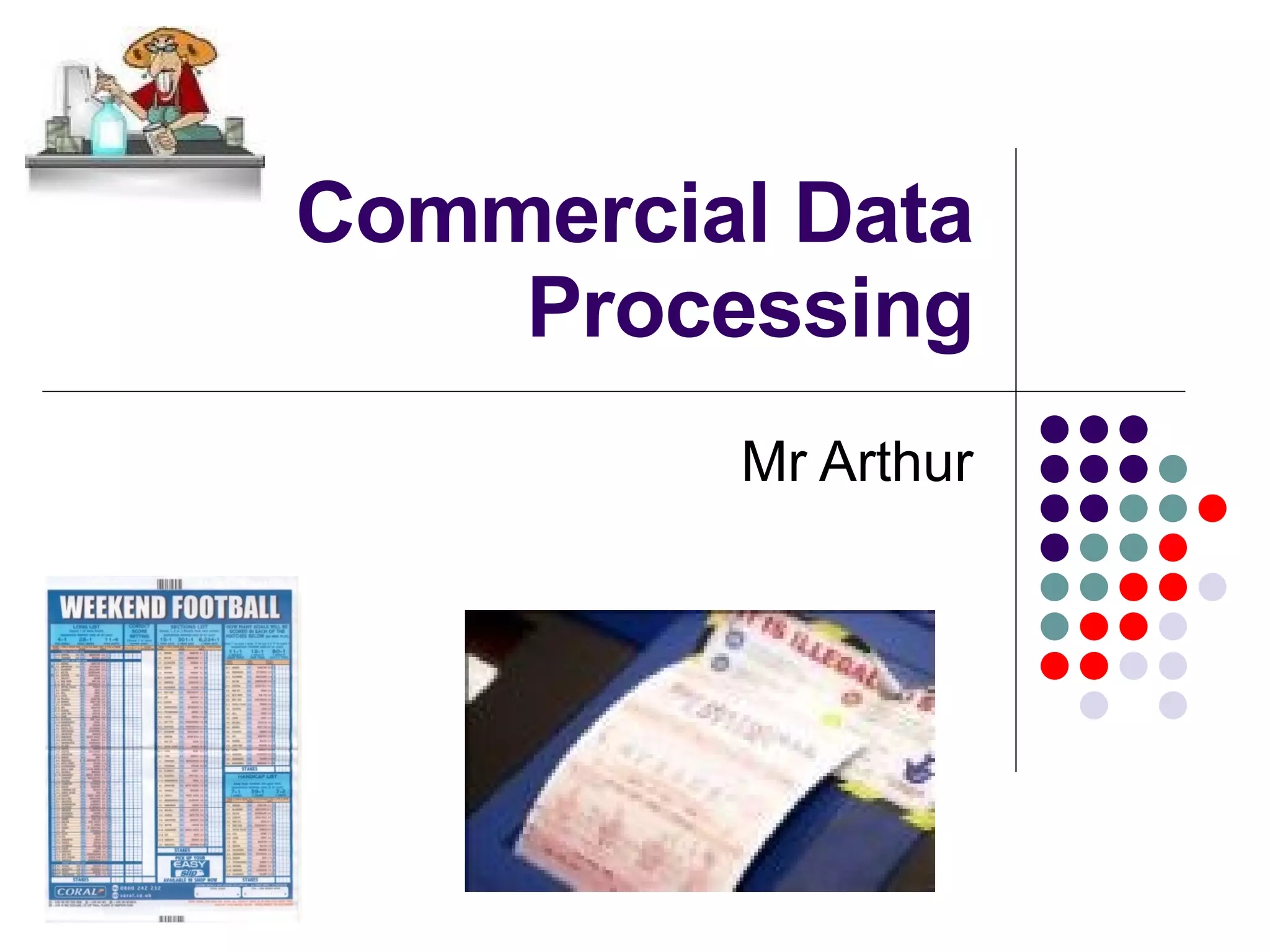
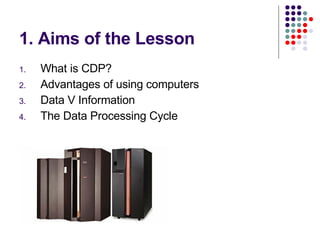
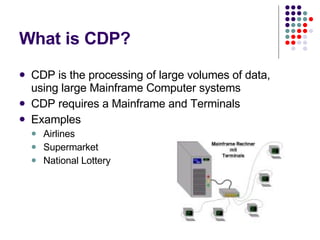
What is CDP? CDP is the processing of large volumes of data, using large Mainframe Computer systems  CDP requires a Mainframe and Terminals Examples Airlines Supermarket National Lottery
Advantages of CDP Orders processed faster than manual system Errors are less likely Easy to hold customer information Direct mailings can be sent to customers
Data V Information Information has a meaning for example 15 th  of February 2007 Data does not mean anything, for example 15022007 Information (for people) = data (for computers) with a meaning
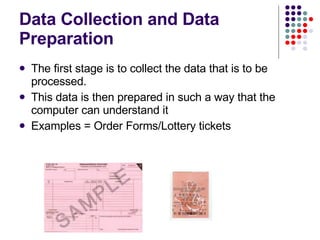
Data Collection and Data Preparation The first stage is to collect the data that is to be processed. This data is then prepared in such a way that the computer can understand it Examples = Order Forms/Lottery tickets
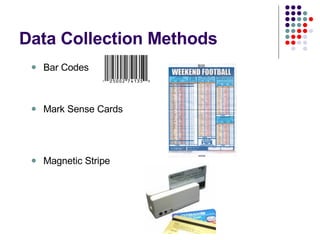
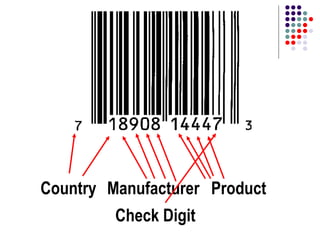
Data Collection Methods Bar Codes Mark Sense Cards Magnetic Stripe
Country Manufacturer Product Check Digit
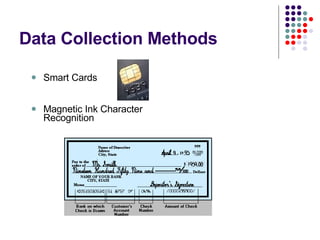
Data Collection Methods Smart Cards Magnetic Ink Character Recognition
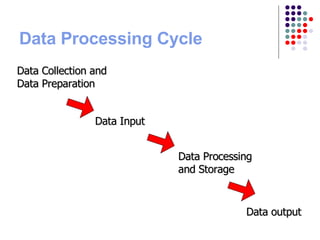
Data Processing Cycle Data Collection and Data Preparation Data Input Data Processing and Storage Data output
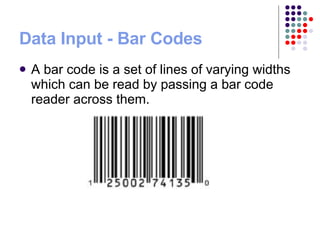
Data Input - Bar Codes A bar code is a set of lines of varying widths which can be read by passing a bar code reader across them.
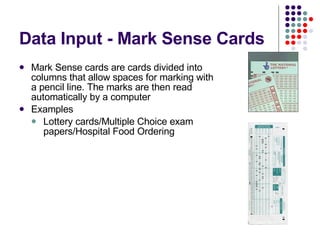
Data Input - Mark Sense Cards Mark Sense cards are cards divided into columns that allow spaces for marking with a pencil line. T he marks are then read automatically by a computer Examples Lottery cards/Multiple Choice exam papers/Hospital Food Ordering
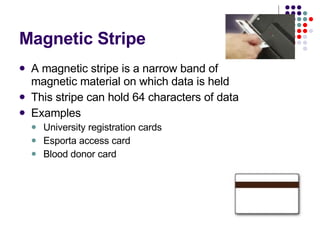
Magnetic Stripe A magnetic stripe is a narrow band of magnetic material on which data is held This stripe can hold 64 characters of data  Examples University registration cards Esporta access card Blood donor card
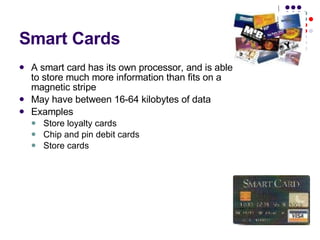
Smart Cards A smart card has its own processor, and is able to store much more information than fits on a magnetic stripe May have between 16-64 kilobytes of data Examples Store loyalty cards Chip and pin debit cards Store cards
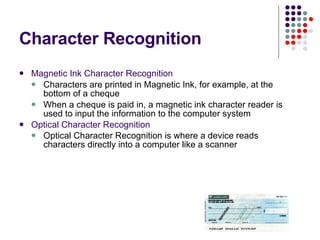
Character Recognition Magnetic Ink Character Recognition Characters are printed in Magnetic Ink, for example, at the bottom of a cheque When a cheque is paid in, a magnetic ink character reader is used to input the information to the computer system Optical Character Recognition Optical Character Recognition is where a device reads characters directly into a computer like a scanner
Revision of CDP What is Commercial Data Processing? Using computer systems to handle large amounts of data Examples of CDP Supermarkets/Banks/National Lottery What are the advantages of using computers to process data rather than humans Orders processed faster Less Errors Easier to hold customer information Data V Information Data has no meaning e.g 18011981 Information has a meaning e.g 18 th  January 1981
Revision of CDP The Data Processing Cycle Data Collection and Preparation  Data Input Data Processing Data Output Different Methods of Data Collection Barcodes Magnetic Stripe cards Smart cards Mark sense cards Magnetic Ink Character Recognition
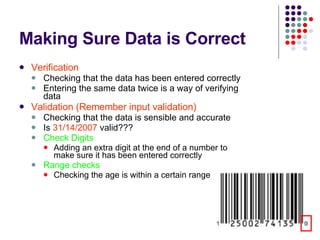
Making Sure Data is Correct Verification Checking that the data has been entered correctly Entering the same data twice is a way of verifying data Validation (Remember input validation) Checking that the data is sensible and accurate Is  31/14/2007  valid??? Check Digits Adding an extra digit at the end of a number to make sure it has been entered correctly Range checks Checking the age is within a certain range
Keywords in CDP Interactive processing When data is processed as it is entered for example in a Travel Agent Multi-user Database A database that can be accessed by many different users at the same time Mainframe A large powerful computer system that can process a large amount of data very quickly Terminal  A keyboard and screen connected to the mainframe. There may be hundreds of terminals connected to the mainframe (Visual Display Unit)
Job Types  Open up Powerpoint and complete a slideshow on the following job types.  Programmer System Analyst Network Manager Computer Engineer
What we have covered so far! What is CDP? Hardware Required Mainframe/Terminals Advantages of using computers Data V Information The Data Processing Cycle Data Input Method Bar Code Smart card Magnetic Stripe Card MICR Mark Sense Card Checking Data is entered correctly Validation Range Check Check Digit Verification CDP Keywords Interactive Processing Multi-user databases
What we have still to cover Job Types Systems Analyst Programmer Network Manager Computer Engineer E-Commerce Online shopping Online Banking Paying for Goods in CDP Electronic Funds Transfer Electronic Point of Sale Economic implications of CDP
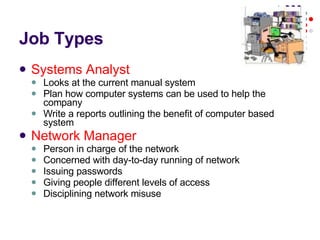
Job Types Systems Analyst Looks at the current manual system Plan how computer systems can be used to help the company Write a reports outlining the benefit of computer based system Network Manager Person in charge of the network Concerned with day-to-day running of network Issuing passwords Giving people different levels of access Disciplining network misuse
Job Types Programmer The programmer writes programs for the company Possibly checks if commercial software is available to buy Finds “bugs” or errors in the program Makes changes to current software Computer Engineer Installs new computer systems Inspects and repairs current computer systems Gives timescales on fixing problems
What you need to know!! E-commerce On-line shopping On-line banking Advantages for Companies Advantages for Customers EFT EFTPOS Advantages/Disadvantages
E-Commerce/Online Shopping E-Commerce = buying and selling goods on the internet and transferring the money within online banks  Examples: EBAY Amazon play.com dell.com prodirectsoccer.com
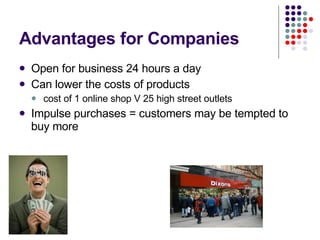
Advantages for Companies Open for business 24 hours a day Can lower the costs of products cost of 1 online shop V 25 high street outlets  Impulse purchases = customers may be tempted to buy more
Advantages for Customers Can shop from the comfort of your home You can easily compare prices from sellers Possibly cheaper Shop 24/7 Customers can track orders Change product specifications and see price changes
What we have covered so far! What is CDP? Hardware Required Mainframe/Terminals Advantages of using computers Data V Information The Data Processing Cycle Data Input Method Bar Code Smart card Magnetic Stripe Card MICR Mark Sense Card Checking Data is entered correctly Validation Range Check Check Digit Verification CDP Keywords Interactive Processing Multi-user databases Job Types Programmer Systems Analyst Network Manager Computer Engineer E-Commerce Online Shopping Adv for Company/Customer Disadvantages
Disadvantages of Online Shopping Fraud = people kidding on they are you! Less social = you don’t speak to anyone! Only accessible to those with computers Could lead to fewer shops Don’t see the product before you buy it!
Final CDP Lesson Online banking Advantages for Banks Advantages for Customers Paying for Goods in CDP POS EPOS EFT EFTPOS
Online Banking Transferring money, setting up standing order and direct debits on the internet  Advantages for Banks Lower staff and building costs Less cash handling Advantages for customers Customer does not need to leave the house and can bank 24/7 Possibly better interest rates
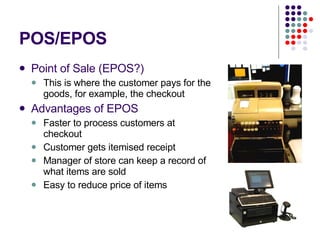
POS/EPOS Point of Sale (EPOS?) This is where the customer pays for the goods, for example, the checkout Advantages of EPOS Faster to process customers at checkout Customer gets itemised receipt Manager of store can keep a record of what items are sold Easy to reduce price of items
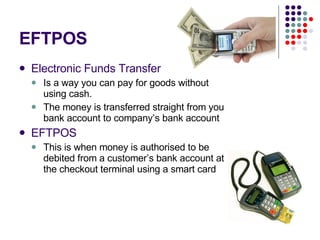
EFTPOS Electronic Funds Transfer   Is a way you can pay for goods without using cash. The money is transferred straight from you bank account to company’s bank account EFTPOS This is when money is authorised to be debited from a customer’s bank account at the checkout terminal using a smart card
Other Implications Initial Costs  = the money to set up the system Management Information  = the info the manager gets from the system that he uses to analyse sales figures and plan promotions
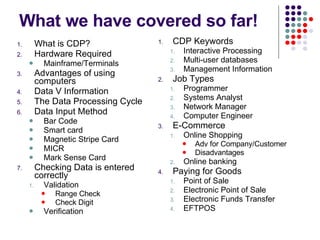
What we have covered so far! What is CDP? Hardware Required Mainframe/Terminals Advantages of using computers Data V Information The Data Processing Cycle Data Input Method Bar Code Smart card Magnetic Stripe Card MICR Mark Sense Card Checking Data is entered correctly Validation Range Check Check Digit Verification CDP Keywords Interactive Processing Multi-user databases Management Information Job Types Programmer Systems Analyst Network Manager Computer Engineer E-Commerce Online Shopping Adv for Company/Customer Disadvantages Online banking Paying for Goods Point of Sale Electronic Point of Sale Electronic Funds Transfer EFTPOS

Cdp Blog

  • 1.
  • 2.
    1. Aims ofthe Lesson What is CDP? Advantages of using computers Data V Information The Data Processing Cycle
  • 3.
    What is CDP?CDP is the processing of large volumes of data, using large Mainframe Computer systems CDP requires a Mainframe and Terminals Examples Airlines Supermarket National Lottery
  • 4.
    Advantages of CDPOrders processed faster than manual system Errors are less likely Easy to hold customer information Direct mailings can be sent to customers
  • 5.
    Data V InformationInformation has a meaning for example 15 th of February 2007 Data does not mean anything, for example 15022007 Information (for people) = data (for computers) with a meaning
  • 6.
    Data Collection andData Preparation The first stage is to collect the data that is to be processed. This data is then prepared in such a way that the computer can understand it Examples = Order Forms/Lottery tickets
  • 7.
    Data Collection MethodsBar Codes Mark Sense Cards Magnetic Stripe
  • 8.
  • 9.
    Data Collection MethodsSmart Cards Magnetic Ink Character Recognition
  • 10.
    Data Processing CycleData Collection and Data Preparation Data Input Data Processing and Storage Data output
  • 11.
    Data Input -Bar Codes A bar code is a set of lines of varying widths which can be read by passing a bar code reader across them.
  • 12.
    Data Input -Mark Sense Cards Mark Sense cards are cards divided into columns that allow spaces for marking with a pencil line. T he marks are then read automatically by a computer Examples Lottery cards/Multiple Choice exam papers/Hospital Food Ordering
  • 13.
    Magnetic Stripe Amagnetic stripe is a narrow band of magnetic material on which data is held This stripe can hold 64 characters of data Examples University registration cards Esporta access card Blood donor card
  • 14.
    Smart Cards Asmart card has its own processor, and is able to store much more information than fits on a magnetic stripe May have between 16-64 kilobytes of data Examples Store loyalty cards Chip and pin debit cards Store cards
  • 15.
    Character Recognition MagneticInk Character Recognition Characters are printed in Magnetic Ink, for example, at the bottom of a cheque When a cheque is paid in, a magnetic ink character reader is used to input the information to the computer system Optical Character Recognition Optical Character Recognition is where a device reads characters directly into a computer like a scanner
  • 16.
    Revision of CDPWhat is Commercial Data Processing? Using computer systems to handle large amounts of data Examples of CDP Supermarkets/Banks/National Lottery What are the advantages of using computers to process data rather than humans Orders processed faster Less Errors Easier to hold customer information Data V Information Data has no meaning e.g 18011981 Information has a meaning e.g 18 th January 1981
  • 17.
    Revision of CDPThe Data Processing Cycle Data Collection and Preparation Data Input Data Processing Data Output Different Methods of Data Collection Barcodes Magnetic Stripe cards Smart cards Mark sense cards Magnetic Ink Character Recognition
  • 18.
    Making Sure Datais Correct Verification Checking that the data has been entered correctly Entering the same data twice is a way of verifying data Validation (Remember input validation) Checking that the data is sensible and accurate Is 31/14/2007 valid??? Check Digits Adding an extra digit at the end of a number to make sure it has been entered correctly Range checks Checking the age is within a certain range
  • 19.
    Keywords in CDPInteractive processing When data is processed as it is entered for example in a Travel Agent Multi-user Database A database that can be accessed by many different users at the same time Mainframe A large powerful computer system that can process a large amount of data very quickly Terminal A keyboard and screen connected to the mainframe. There may be hundreds of terminals connected to the mainframe (Visual Display Unit)
  • 20.
    Job Types Open up Powerpoint and complete a slideshow on the following job types. Programmer System Analyst Network Manager Computer Engineer
  • 21.
    What we havecovered so far! What is CDP? Hardware Required Mainframe/Terminals Advantages of using computers Data V Information The Data Processing Cycle Data Input Method Bar Code Smart card Magnetic Stripe Card MICR Mark Sense Card Checking Data is entered correctly Validation Range Check Check Digit Verification CDP Keywords Interactive Processing Multi-user databases
  • 22.
    What we havestill to cover Job Types Systems Analyst Programmer Network Manager Computer Engineer E-Commerce Online shopping Online Banking Paying for Goods in CDP Electronic Funds Transfer Electronic Point of Sale Economic implications of CDP
  • 23.
    Job Types SystemsAnalyst Looks at the current manual system Plan how computer systems can be used to help the company Write a reports outlining the benefit of computer based system Network Manager Person in charge of the network Concerned with day-to-day running of network Issuing passwords Giving people different levels of access Disciplining network misuse
  • 24.
    Job Types ProgrammerThe programmer writes programs for the company Possibly checks if commercial software is available to buy Finds “bugs” or errors in the program Makes changes to current software Computer Engineer Installs new computer systems Inspects and repairs current computer systems Gives timescales on fixing problems
  • 25.
    What you needto know!! E-commerce On-line shopping On-line banking Advantages for Companies Advantages for Customers EFT EFTPOS Advantages/Disadvantages
  • 26.
    E-Commerce/Online Shopping E-Commerce= buying and selling goods on the internet and transferring the money within online banks Examples: EBAY Amazon play.com dell.com prodirectsoccer.com
  • 27.
    Advantages for CompaniesOpen for business 24 hours a day Can lower the costs of products cost of 1 online shop V 25 high street outlets Impulse purchases = customers may be tempted to buy more
  • 28.
    Advantages for CustomersCan shop from the comfort of your home You can easily compare prices from sellers Possibly cheaper Shop 24/7 Customers can track orders Change product specifications and see price changes
  • 29.
    What we havecovered so far! What is CDP? Hardware Required Mainframe/Terminals Advantages of using computers Data V Information The Data Processing Cycle Data Input Method Bar Code Smart card Magnetic Stripe Card MICR Mark Sense Card Checking Data is entered correctly Validation Range Check Check Digit Verification CDP Keywords Interactive Processing Multi-user databases Job Types Programmer Systems Analyst Network Manager Computer Engineer E-Commerce Online Shopping Adv for Company/Customer Disadvantages
  • 30.
    Disadvantages of OnlineShopping Fraud = people kidding on they are you! Less social = you don’t speak to anyone! Only accessible to those with computers Could lead to fewer shops Don’t see the product before you buy it!
  • 31.
    Final CDP LessonOnline banking Advantages for Banks Advantages for Customers Paying for Goods in CDP POS EPOS EFT EFTPOS
  • 32.
    Online Banking Transferringmoney, setting up standing order and direct debits on the internet Advantages for Banks Lower staff and building costs Less cash handling Advantages for customers Customer does not need to leave the house and can bank 24/7 Possibly better interest rates
  • 33.
    POS/EPOS Point ofSale (EPOS?) This is where the customer pays for the goods, for example, the checkout Advantages of EPOS Faster to process customers at checkout Customer gets itemised receipt Manager of store can keep a record of what items are sold Easy to reduce price of items
  • 34.
    EFTPOS Electronic FundsTransfer Is a way you can pay for goods without using cash. The money is transferred straight from you bank account to company’s bank account EFTPOS This is when money is authorised to be debited from a customer’s bank account at the checkout terminal using a smart card
  • 35.
    Other Implications InitialCosts = the money to set up the system Management Information = the info the manager gets from the system that he uses to analyse sales figures and plan promotions
  • 36.
    What we havecovered so far! What is CDP? Hardware Required Mainframe/Terminals Advantages of using computers Data V Information The Data Processing Cycle Data Input Method Bar Code Smart card Magnetic Stripe Card MICR Mark Sense Card Checking Data is entered correctly Validation Range Check Check Digit Verification CDP Keywords Interactive Processing Multi-user databases Management Information Job Types Programmer Systems Analyst Network Manager Computer Engineer E-Commerce Online Shopping Adv for Company/Customer Disadvantages Online banking Paying for Goods Point of Sale Electronic Point of Sale Electronic Funds Transfer EFTPOS