Commercial Data Processing
Commercial Data Processing Computers are used to gather, store, process and output huge amounts of data. They are used by banks, mail order companies, power companies, holiday companies, etc, etc
Use of CDP systems Stock control – keeping track of how many of each item the company has Payroll Production – calculating wages and printing wage slips Keeping Track of orders – You can go on-line and ‘see’ how much of your computer has been built or track a package that is being sent to you.
Use of CDP systems Producing Invoices – Bills that say how much you owe the company. Monitoring Payments and withdrawals – You can now bank on-line and examine your account at any time Processing Application Forms – An example would be completing a form on-line for a job or e-mail account
Task 1 Give 5 types of company that will use CDP systems. Explain 4 ways, with examples, that CDP systems are used
Why CDP systems are better Cope with large amounts of data Very good at repetitive tasks – don’t get bored Process data at high speed Accurate – no mistakes Let you see the data immediately
Data & Information A computer works with data – it doesn’t have to know what it means. Once data has been  processed  it has meaning: and is called information.
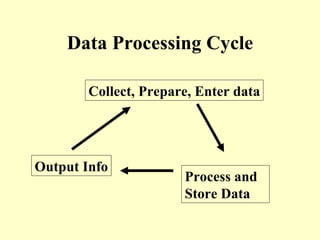
Data Processing Cycle Collect, Prepare, Enter data Process and  Store Data Output Info
Task 2 Give 4 reasons why CDP systems are better than doing the job by hand. What is the difference between data and information? Give the three stages of the data processing cycle.
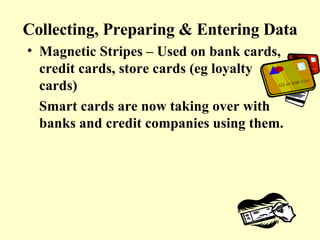
Collecting, Preparing & Entering Data Magnetic Stripes – Used on bank cards, credit cards, store cards (eg loyalty cards) Smart cards are now taking over with banks and credit companies using them.
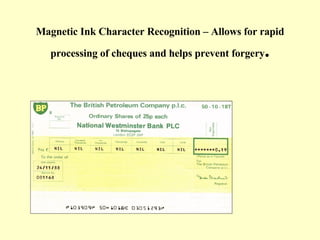
Magnetic Ink Character Recognition – Allows for rapid processing of cheques and helps prevent forgery .
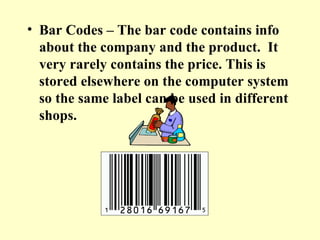
Bar Codes – The bar code contains info about the company and the product.  It very rarely contains the price. This is stored elsewhere on the computer system so the same label can be used in different shops.
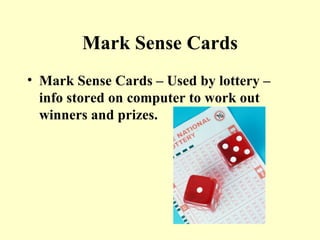
Mark Sense Cards Mark Sense Cards – Used by lottery – info stored on computer to work out winners and prizes.
Task 3 Where would you find magnetic stripes in use? Why are bar codes popular? What is MICR? Why is MICR used on cheques?
Now do Knowledge Check 1
Checking the data Presence Check Makes sure the FIELD is not left blank e.g. if you are registering for an e-mail account there are certain boxes you must fill in or it is rejected. Range Check This checks that data is within certain boundaries e.g. a month must be  > 0 and < 13
Field Length Check This checks that the right number of characters have been entered e.g. if your pin number must have 4 numbers then 124 would be rejected but 1247 would be accepted. Field Type Check These checks are made to ensure data is of the correct type. e.g. they can detect numbers where text should be. If someone enters numbers into a name field it will be spotted as an error.   Please enter Name: 1267  –  re-enter please
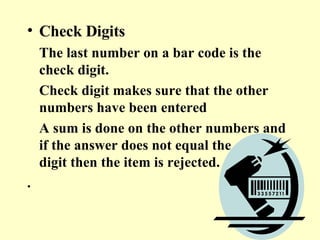
Check Digits The last number on a bar code is the check digit.  Check digit makes sure that the other numbers have been entered  A sum is done on the other numbers and if the answer does not equal the check digit then the item is rejected. .
Task 4 What check would you use to make sure a name was typed in and not a number? An account number was entered properly? To make sure people didn’t order too many of any one item? To make sure that the name was not left blank? To make sure that a proper postcode was entered?          
Do Knowledge Check 2
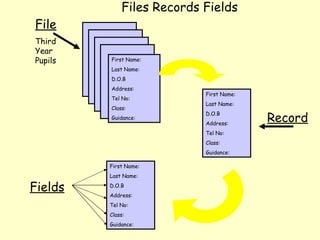
File Third Year Pupils First Name:  Last Name: D.O.B Address:  Tel No:  Class:  Guidance: First Name:  Last Name: D.O.B Address:  Tel No:  Class:  Guidance: Fields Record Files Records Fields First Name:  Last Name: D.O.B Address:  Tel No: Class:  Guidance:
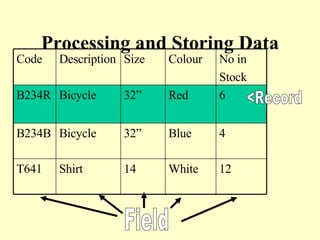
Processing and Storing Data <Record Field 12 White 14 Shirt T641 4 Blue 32” Bicycle B234B 6 Red 32” Bicycle B234R No in Stock Colour Size Description Code
Task 5 How many records were shown? How many field were there? List the fields that might be used by i) a payroll system  ii) a mail order firm iii) a bank
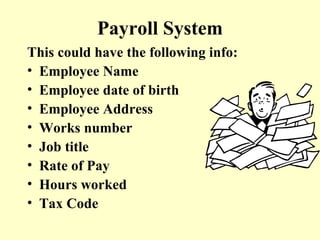
Payroll System This could have the following info: Employee Name Employee date of birth Employee Address Works number Job title Rate of Pay Hours worked Tax Code
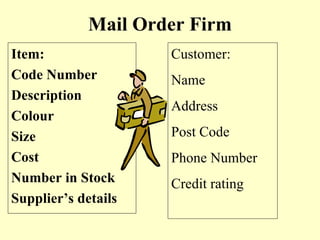
Mail Order Firm Item: Code Number Description Colour Size Cost Number in Stock Supplier’s details Customer: Name Address Post Code Phone Number Credit rating
Bank Info kept by bank Customer Name, Address, Postcode Type of Account Account Number Amount in account Details of Standing Orders/Direct Debits
Task 6 Give examples of 5 types of interactive processing systems e.g. Booking a holiday in a travel agents.
Data Security Software Security All files must be protected from hacking (unauthorised access) and data loss or corruption (becoming unreadable) Computer programs can: Give IDs and passwords Code the data (encryption) – if it gets stolen it is meaningless Auditing software
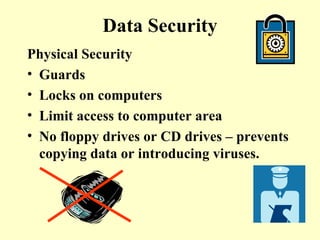
Data Security Physical Security Guards Locks on computers Limit access to computer area No floppy drives or CD drives – prevents copying data or introducing viruses.
Task 7 Describe 3 types of software security that can be used to protect a computer system. Describe three types of physical security measures that can be taken.
Do Knowledge Check 3 Questions 1-4
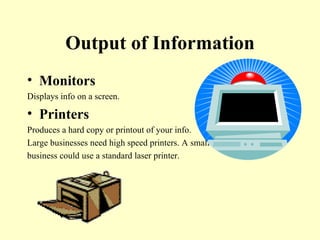
Output of Information Monitors Displays info on a screen. Printers Produces a hard copy or printout of your info. Large businesses need high speed printers. A small  business could use a standard laser printer.
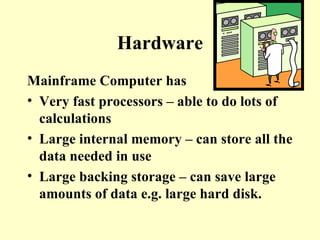
Hardware Mainframe Computer has Very fast processors – able to do lots of calculations Large internal memory – can store all the data needed in use Large backing storage – can save large amounts of data e.g. large hard disk.
Task 8 Describe the type of printer required to produce electricity bills. Why are mainframe computers needed?
Jobs Systems analyst Works out the tasks to be carried out Decides on the hardware needed Designs the software (programs) Makes sure the system is set up and tested
Jobs Programmers They write the software which runs the CDP system
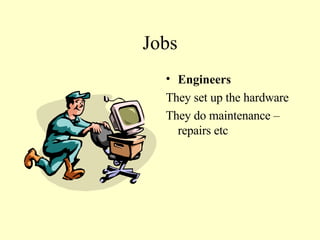
Jobs Engineers They set up the hardware They do maintenance – repairs etc
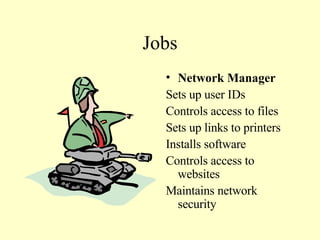
Jobs Network Manager Sets up user IDs Controls access to files Sets up links to printers Installs software Controls access to websites Maintains network security
Task 9 Who controls access to files? Who repairs broken computers? Who writes the software needed? Who maintains network security? Who decides on the hardware and software needed? Who makes sure that the system is correctly set up and tested?
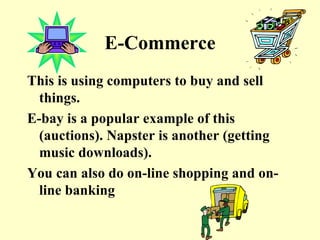
E-Commerce This is using computers to buy and sell things. E-bay is a popular example of this (auctions). Napster is another (getting music downloads). You can also do on-line shopping and on-line banking
Electronic Fund Transfer (EFT) Teachers wages are paid this way – the money goes into the teacher’s bank account automatically
Electronic Fund Transfer Computers transfer money electronically from one bank account to another. If you buy your shopping using a debit card the money is taken from your account and put into the supermarket’s account. Advantage for Customer Customer doesn’t need to go to bank to withdraw money. Customer doesn’t need to carry large sums of money around e.g. buying a car. Advantage for business Company doesn’t have to handle such large amounts of money Less chance of a robbery
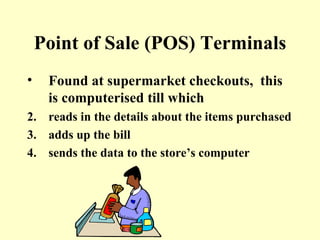
Point of Sale (POS) Terminals Found at supermarket checkouts,  this is computerised till which  reads in the details about the items purchased adds up the bill sends the data to the store’s computer
Advantages for the Customer The use of bar codes speeds up the selling system – less queuing. Shelves are well stocked due to automatic ordering Receipts have all the details with less mistakes Special offers can be made e.g. buy one get one free. Advantages for the Business Pricing of goods is done by computer, saving on staff time System keeps a constant record of  sales, helping to manage stock and finances. Shelves are kept well stocked – so customers are happy.
Initial and Running costs Initial costs are the costs of setting up the system -  the hardware, software, systems analysts fee. Running costs are the costs of keeping the system going  – maintaining the hardware and software, staff wages, printing costs, bills for electricity and telephone connections.
Knowledge Check 4
End of Unit Check Do up to question 11


Commercial Data Processing

  • 1.
  • 2.
    Commercial Data ProcessingComputers are used to gather, store, process and output huge amounts of data. They are used by banks, mail order companies, power companies, holiday companies, etc, etc
  • 3.
    Use of CDPsystems Stock control – keeping track of how many of each item the company has Payroll Production – calculating wages and printing wage slips Keeping Track of orders – You can go on-line and ‘see’ how much of your computer has been built or track a package that is being sent to you.
  • 4.
    Use of CDPsystems Producing Invoices – Bills that say how much you owe the company. Monitoring Payments and withdrawals – You can now bank on-line and examine your account at any time Processing Application Forms – An example would be completing a form on-line for a job or e-mail account
  • 5.
    Task 1 Give5 types of company that will use CDP systems. Explain 4 ways, with examples, that CDP systems are used
  • 6.
    Why CDP systemsare better Cope with large amounts of data Very good at repetitive tasks – don’t get bored Process data at high speed Accurate – no mistakes Let you see the data immediately
  • 7.
    Data & InformationA computer works with data – it doesn’t have to know what it means. Once data has been processed it has meaning: and is called information.
  • 8.
    Data Processing CycleCollect, Prepare, Enter data Process and Store Data Output Info
  • 9.
    Task 2 Give4 reasons why CDP systems are better than doing the job by hand. What is the difference between data and information? Give the three stages of the data processing cycle.
  • 10.
    Collecting, Preparing &Entering Data Magnetic Stripes – Used on bank cards, credit cards, store cards (eg loyalty cards) Smart cards are now taking over with banks and credit companies using them.
  • 11.
    Magnetic Ink CharacterRecognition – Allows for rapid processing of cheques and helps prevent forgery .
  • 12.
    Bar Codes –The bar code contains info about the company and the product. It very rarely contains the price. This is stored elsewhere on the computer system so the same label can be used in different shops.
  • 13.
    Mark Sense CardsMark Sense Cards – Used by lottery – info stored on computer to work out winners and prizes.
  • 14.
    Task 3 Wherewould you find magnetic stripes in use? Why are bar codes popular? What is MICR? Why is MICR used on cheques?
  • 15.
  • 16.
    Checking the dataPresence Check Makes sure the FIELD is not left blank e.g. if you are registering for an e-mail account there are certain boxes you must fill in or it is rejected. Range Check This checks that data is within certain boundaries e.g. a month must be > 0 and < 13
  • 17.
    Field Length CheckThis checks that the right number of characters have been entered e.g. if your pin number must have 4 numbers then 124 would be rejected but 1247 would be accepted. Field Type Check These checks are made to ensure data is of the correct type. e.g. they can detect numbers where text should be. If someone enters numbers into a name field it will be spotted as an error. Please enter Name: 1267 – re-enter please
  • 18.
    Check Digits Thelast number on a bar code is the check digit. Check digit makes sure that the other numbers have been entered A sum is done on the other numbers and if the answer does not equal the check digit then the item is rejected. .
  • 19.
    Task 4 Whatcheck would you use to make sure a name was typed in and not a number? An account number was entered properly? To make sure people didn’t order too many of any one item? To make sure that the name was not left blank? To make sure that a proper postcode was entered?    
  • 20.
  • 21.
    File Third YearPupils First Name: Last Name: D.O.B Address: Tel No: Class: Guidance: First Name: Last Name: D.O.B Address: Tel No: Class: Guidance: Fields Record Files Records Fields First Name: Last Name: D.O.B Address: Tel No: Class: Guidance:
  • 22.
    Processing and StoringData <Record Field 12 White 14 Shirt T641 4 Blue 32” Bicycle B234B 6 Red 32” Bicycle B234R No in Stock Colour Size Description Code
  • 23.
    Task 5 Howmany records were shown? How many field were there? List the fields that might be used by i) a payroll system ii) a mail order firm iii) a bank
  • 24.
    Payroll System Thiscould have the following info: Employee Name Employee date of birth Employee Address Works number Job title Rate of Pay Hours worked Tax Code
  • 25.
    Mail Order FirmItem: Code Number Description Colour Size Cost Number in Stock Supplier’s details Customer: Name Address Post Code Phone Number Credit rating
  • 26.
    Bank Info keptby bank Customer Name, Address, Postcode Type of Account Account Number Amount in account Details of Standing Orders/Direct Debits
  • 27.
    Task 6 Giveexamples of 5 types of interactive processing systems e.g. Booking a holiday in a travel agents.
  • 28.
    Data Security SoftwareSecurity All files must be protected from hacking (unauthorised access) and data loss or corruption (becoming unreadable) Computer programs can: Give IDs and passwords Code the data (encryption) – if it gets stolen it is meaningless Auditing software
  • 29.
    Data Security PhysicalSecurity Guards Locks on computers Limit access to computer area No floppy drives or CD drives – prevents copying data or introducing viruses.
  • 30.
    Task 7 Describe3 types of software security that can be used to protect a computer system. Describe three types of physical security measures that can be taken.
  • 31.
    Do Knowledge Check3 Questions 1-4
  • 32.
    Output of InformationMonitors Displays info on a screen. Printers Produces a hard copy or printout of your info. Large businesses need high speed printers. A small business could use a standard laser printer.
  • 33.
    Hardware Mainframe Computerhas Very fast processors – able to do lots of calculations Large internal memory – can store all the data needed in use Large backing storage – can save large amounts of data e.g. large hard disk.
  • 34.
    Task 8 Describethe type of printer required to produce electricity bills. Why are mainframe computers needed?
  • 35.
    Jobs Systems analystWorks out the tasks to be carried out Decides on the hardware needed Designs the software (programs) Makes sure the system is set up and tested
  • 36.
    Jobs Programmers Theywrite the software which runs the CDP system
  • 37.
    Jobs Engineers Theyset up the hardware They do maintenance – repairs etc
  • 38.
    Jobs Network ManagerSets up user IDs Controls access to files Sets up links to printers Installs software Controls access to websites Maintains network security
  • 39.
    Task 9 Whocontrols access to files? Who repairs broken computers? Who writes the software needed? Who maintains network security? Who decides on the hardware and software needed? Who makes sure that the system is correctly set up and tested?
  • 40.
    E-Commerce This isusing computers to buy and sell things. E-bay is a popular example of this (auctions). Napster is another (getting music downloads). You can also do on-line shopping and on-line banking
  • 41.
    Electronic Fund Transfer(EFT) Teachers wages are paid this way – the money goes into the teacher’s bank account automatically
  • 42.
    Electronic Fund TransferComputers transfer money electronically from one bank account to another. If you buy your shopping using a debit card the money is taken from your account and put into the supermarket’s account. Advantage for Customer Customer doesn’t need to go to bank to withdraw money. Customer doesn’t need to carry large sums of money around e.g. buying a car. Advantage for business Company doesn’t have to handle such large amounts of money Less chance of a robbery
  • 43.
    Point of Sale(POS) Terminals Found at supermarket checkouts, this is computerised till which reads in the details about the items purchased adds up the bill sends the data to the store’s computer
  • 44.
    Advantages for theCustomer The use of bar codes speeds up the selling system – less queuing. Shelves are well stocked due to automatic ordering Receipts have all the details with less mistakes Special offers can be made e.g. buy one get one free. Advantages for the Business Pricing of goods is done by computer, saving on staff time System keeps a constant record of sales, helping to manage stock and finances. Shelves are kept well stocked – so customers are happy.
  • 45.
    Initial and Runningcosts Initial costs are the costs of setting up the system - the hardware, software, systems analysts fee. Running costs are the costs of keeping the system going – maintaining the hardware and software, staff wages, printing costs, bills for electricity and telephone connections.
  • 46.
  • 47.
    End of UnitCheck Do up to question 11
  • 48.
  • 49.