Commercial Data Processing
What is CDP? It is the use of computers by business to do the work that is normally handled by clerical staff.
The Data Processing cycle There are several steps to CDP Data collection and preparation Data input Data storage and manipulation Information output
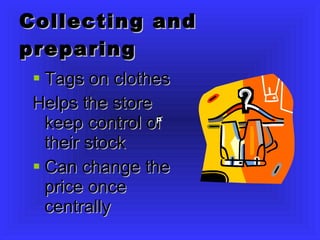
Collecting and preparing Tags on clothes Helps the store keep control of their stock Can change the price once centrally  P
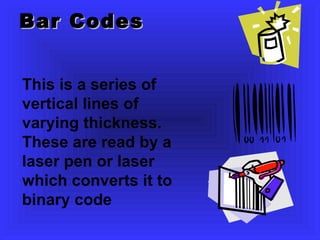
Bar Codes This is a series of vertical lines of varying thickness. These are read by a laser pen or laser which converts it to binary code
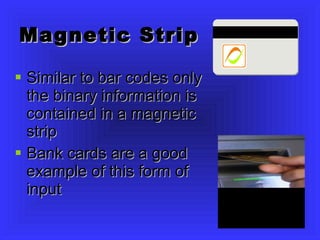
Magnetic Strip Similar to bar codes only the binary information is contained in a magnetic strip Bank cards are a good example of this form of input
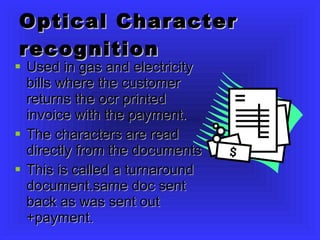
Optical Character recognition Used in gas and electricity bills where the customer returns the ocr printed invoice with the payment. The characters are read directly from the documents This is called a turnaround document.same doc sent back as was sent out +payment.
Magnetic Ink Character recognition MICR Uses magnetic ink to print info on cheques. Banks can speed up their processing Cheque forgery more difficult
Smart Cards Hold info on a chip instead of magnetic stripe. More difficult to forge Hold a lot of data Chip and pin now in shops
Point of Sales Terminals POS: Shops use these to enter data about goods being purchased.  It reads in the data using barcodes. It totals the cost before printing the receipt Info about the purchase sent to stock control that monitors stock levels. Automatically generates orders to keep stock levels up. Advantages: Stock control carried out by computer rather than staff Customer bills calculated accurately Bar codes means goods are processed quicker Prices can be adjustesd using the computer Sjelves always stocked!
How is data input checked? When lot of data input it is easy to make mistakes  Most input mentioned is key to disc which means that there is less likelihood of human error Verification: operator at keyboard asked to confirm details Y/N? Validation:checks made by computer
Types of Validation Eg. Range check..  Checking within certain boundaries age can’t be less than 1 or greater than 150. Length..  If account no 10 numbers long then less than 10 or more than 10 input would be invalid Type of data..  If text expected then numbers would not be allowed Presence check:  checks to make sure data not been completely left out Check  digits:a number calculated by computer to ensure other numbers in sequence entered correctly. PIN that’s used wuth credit cards
Electronic funds Transfer EFT:Transfers money directly between bank and accounts using computer systems. Bank debit cards used Card is passed through a reader.  Authenticates card Customers bank then contacted to see if enough funds available If enough funds, transaction carried out Receipt printed and funds electronically transferred to shops account
Who Benefits? Customers need not carry large amounts of cash around Companies get payments for their products transferred straight into their accounts
Processing and Storing Data There are  2  types of processing INTERACTIVE BATCH
Interactive Processing Relies on REAL TIME processing The computer system processes the data immediately data entered. User has immediate feedback. Booking cinema theatre, flight tickets
Batch processing All the jobs that come in during the day are saved up and then processed all at the same time. This is usually done at night when computer processor not being used for other things. User input not generally needed once initial input started. Bank statements, gas and electricity bills and salary lsips are all batch processed
File Storage Held on Hard drives Backing storage would have employee information, customer information… The data in files is constantly updated to make sure files are accurate.  Files are backed up regularly incase data needs to be recovered immediatley
Multi-user Database A database that allows many users to access at the same time. If authorised user can update data for other users E-booking: can book self in on a flight. Passenger info held on multiuser database updated as passengers check in.
Sequential and Random Access to Files Sequential access: goes to each record in file one after other.  Used mostly for backup as slow to access the data. ( Tapes) Random or Direct access: System goes directly to data it requires. Essential for interactive processing where data processed immediately.
Output of Information Computer Data Processing systems use very powerful systems known as mainframe computers.  Large internal memory High capacity of backing storage Terminals are usually attached to them ( monitor, keyboard ) Output usually via Monitors or printers
CDP Jobs Systems Analyst:  decides what computer hardware and software needed to do the job.Oversees the installation and testing of the entire system Programmers:  take the software design that system analyst produces, writes and tests the programs
Jobs contd Engineers:  install the hardware and cabelling and called in to carry out maintenance Network Manager:  controls who gets access to system. User id codes, level of priority permission Controls installation of hardware and software
E-Commerce This is the use of networks to allow people to buy and sell goods Travel: People can now book their train seats, flights, hotel rooms by using an on-line booking system.People can not only book seats but check themselves in at airport
Costs Initial costs of system Buying hardware  Installing the cabels Employing system analysts and programmers Training courses
Costs : running Wages of ICT staff, maintenance, instalation of new hardware Consumables:paper, toner backup tapes Electricity and communication bills
Crime and data security Hacking: stealing ID and passwords to access system Copying sensitive data Installing viruses Stealing money from accounts
Security Data Protection Act : companies must have security measures in place to keep personal info safe Passwords, locked safes, keypad access. Virus protection and disinfectants Only relevent staff get access to certain info Smartcards that hold eye scan info Encryption: data encoded so hackers cannot understand it.

Commercial Data Processing Intro

  • 1.
  • 2.
    What is CDP?It is the use of computers by business to do the work that is normally handled by clerical staff.
  • 3.
    The Data Processingcycle There are several steps to CDP Data collection and preparation Data input Data storage and manipulation Information output
  • 4.
    Collecting and preparingTags on clothes Helps the store keep control of their stock Can change the price once centrally P
  • 5.
    Bar Codes Thisis a series of vertical lines of varying thickness. These are read by a laser pen or laser which converts it to binary code
  • 6.
    Magnetic Strip Similarto bar codes only the binary information is contained in a magnetic strip Bank cards are a good example of this form of input
  • 7.
    Optical Character recognitionUsed in gas and electricity bills where the customer returns the ocr printed invoice with the payment. The characters are read directly from the documents This is called a turnaround document.same doc sent back as was sent out +payment.
  • 8.
    Magnetic Ink Characterrecognition MICR Uses magnetic ink to print info on cheques. Banks can speed up their processing Cheque forgery more difficult
  • 9.
    Smart Cards Holdinfo on a chip instead of magnetic stripe. More difficult to forge Hold a lot of data Chip and pin now in shops
  • 10.
    Point of SalesTerminals POS: Shops use these to enter data about goods being purchased. It reads in the data using barcodes. It totals the cost before printing the receipt Info about the purchase sent to stock control that monitors stock levels. Automatically generates orders to keep stock levels up. Advantages: Stock control carried out by computer rather than staff Customer bills calculated accurately Bar codes means goods are processed quicker Prices can be adjustesd using the computer Sjelves always stocked!
  • 11.
    How is datainput checked? When lot of data input it is easy to make mistakes Most input mentioned is key to disc which means that there is less likelihood of human error Verification: operator at keyboard asked to confirm details Y/N? Validation:checks made by computer
  • 12.
    Types of ValidationEg. Range check.. Checking within certain boundaries age can’t be less than 1 or greater than 150. Length.. If account no 10 numbers long then less than 10 or more than 10 input would be invalid Type of data.. If text expected then numbers would not be allowed Presence check: checks to make sure data not been completely left out Check digits:a number calculated by computer to ensure other numbers in sequence entered correctly. PIN that’s used wuth credit cards
  • 13.
    Electronic funds TransferEFT:Transfers money directly between bank and accounts using computer systems. Bank debit cards used Card is passed through a reader. Authenticates card Customers bank then contacted to see if enough funds available If enough funds, transaction carried out Receipt printed and funds electronically transferred to shops account
  • 14.
    Who Benefits? Customersneed not carry large amounts of cash around Companies get payments for their products transferred straight into their accounts
  • 15.
    Processing and StoringData There are 2 types of processing INTERACTIVE BATCH
  • 16.
    Interactive Processing Relieson REAL TIME processing The computer system processes the data immediately data entered. User has immediate feedback. Booking cinema theatre, flight tickets
  • 17.
    Batch processing Allthe jobs that come in during the day are saved up and then processed all at the same time. This is usually done at night when computer processor not being used for other things. User input not generally needed once initial input started. Bank statements, gas and electricity bills and salary lsips are all batch processed
  • 18.
    File Storage Heldon Hard drives Backing storage would have employee information, customer information… The data in files is constantly updated to make sure files are accurate. Files are backed up regularly incase data needs to be recovered immediatley
  • 19.
    Multi-user Database Adatabase that allows many users to access at the same time. If authorised user can update data for other users E-booking: can book self in on a flight. Passenger info held on multiuser database updated as passengers check in.
  • 20.
    Sequential and RandomAccess to Files Sequential access: goes to each record in file one after other. Used mostly for backup as slow to access the data. ( Tapes) Random or Direct access: System goes directly to data it requires. Essential for interactive processing where data processed immediately.
  • 21.
    Output of InformationComputer Data Processing systems use very powerful systems known as mainframe computers. Large internal memory High capacity of backing storage Terminals are usually attached to them ( monitor, keyboard ) Output usually via Monitors or printers
  • 22.
    CDP Jobs SystemsAnalyst: decides what computer hardware and software needed to do the job.Oversees the installation and testing of the entire system Programmers: take the software design that system analyst produces, writes and tests the programs
  • 23.
    Jobs contd Engineers: install the hardware and cabelling and called in to carry out maintenance Network Manager: controls who gets access to system. User id codes, level of priority permission Controls installation of hardware and software
  • 24.
    E-Commerce This isthe use of networks to allow people to buy and sell goods Travel: People can now book their train seats, flights, hotel rooms by using an on-line booking system.People can not only book seats but check themselves in at airport
  • 25.
    Costs Initial costsof system Buying hardware Installing the cabels Employing system analysts and programmers Training courses
  • 26.
    Costs : runningWages of ICT staff, maintenance, instalation of new hardware Consumables:paper, toner backup tapes Electricity and communication bills
  • 27.
    Crime and datasecurity Hacking: stealing ID and passwords to access system Copying sensitive data Installing viruses Stealing money from accounts
  • 28.
    Security Data ProtectionAct : companies must have security measures in place to keep personal info safe Passwords, locked safes, keypad access. Virus protection and disinfectants Only relevent staff get access to certain info Smartcards that hold eye scan info Encryption: data encoded so hackers cannot understand it.