CATEGORIES OF COMPUTER
HARDWARE
Prepared by: Jm Ramos
CENTRAL PROCESSING UNIT (CPU)
• Motherboard
• Power supply
• Case fan, power cable and SATA cable
• LAN card
• Graphics/video/sound card
• Hard Disk Drive
• Optical Drive or CD/ DVD- ROM drive
• Ports and wires
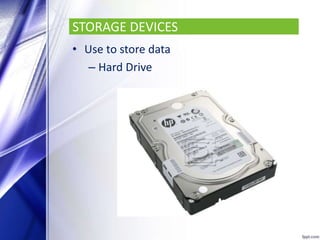
STORAGE DEVICES
• Use to store data
– Hard Drive
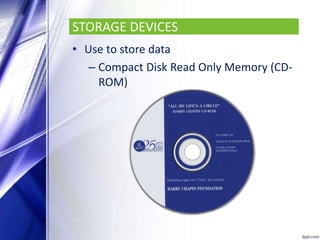
STORAGE DEVICES
• Use to store data
– Compact Disk Read Only Memory (CD-
ROM)
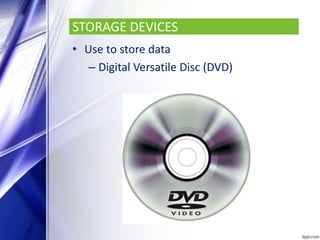
STORAGE DEVICES
• Use to store data
– Digital Versatile Disc (DVD)
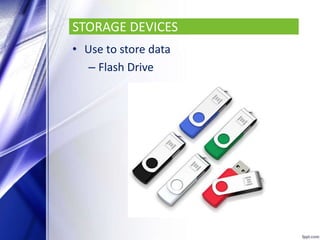
STORAGE DEVICES
• Use to store data
– Flash Drive
STORAGE DEVICES
• Use to store data
– Read Only Memory
– Random Access Memory
INPUT DEVICES
INPUT DEVICES
• Common input devices are the mouse
and keyboard
• Allow people to interact with a computer
INPUT DEVICES
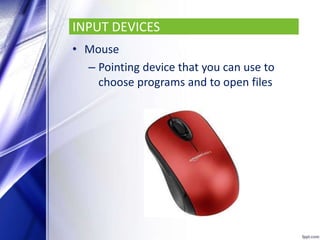
• Mouse
– Pointing device that you can use to
choose programs and to open files
INPUT DEVICES
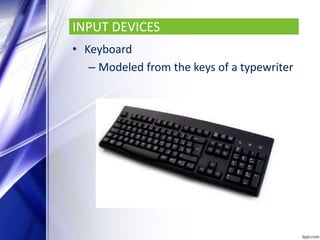
• Keyboard
– Modeled from the keys of a typewriter
INPUT DEVICES
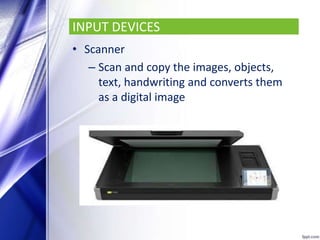
• Scanner
– Scan and copy the images, objects,
text, handwriting and converts them
as a digital image
INPUT DEVICES
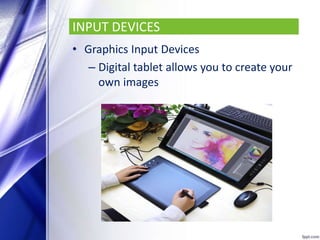
• Graphics Input Devices
– Digital tablet allows you to create your
own images
INPUT DEVICES
• Web camera
– Allows one to place images into the
computer
• Game pad
– Called Joy pad or Control pad
– Handheld game controller for
computer games
INPUT DEVICES
• Joystick
– Pivots around so that one could move
in any direction
• Trackball
– Variation on the mouse (upside down)
• Microphone
– Connected to the computer to the
sound card via microphone port
OUTPUT DEVICES
OUPUT DEVICES
• Monitor
– Liquid Crystal Display (LCD)
– Cathode Ray Tube (CRT)
OUPUT DEVICES
• Printer
– Dot Matrix Printer
– Laser Jet Printer
– Ink Jet Printer
– Plotter
OUPUT DEVICES
• Speakers
• Terminals
– Input and output devices and
communication link to the main
computer
• Voice Output
• Music Output
• Computer Graphics
• Video Graphics
ACTIVITY
Answer Activity 1 And 2

Categories of Computer Hardware