COMPUTER
SYSTEM,
DEVICES AND
PERIPHERALS
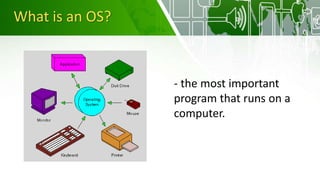
What is an OS?
- the most important
program that runs on a
computer.
Devices of a Computer
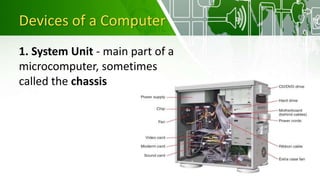
1. System Unit - main part of a
microcomputer, sometimes
called the chassis
Devices of a Computer
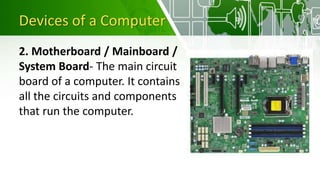
2. Motherboard / Mainboard /
System Board- The main circuit
board of a computer. It contains
all the circuits and components
that run the computer.
Devices of a Computer
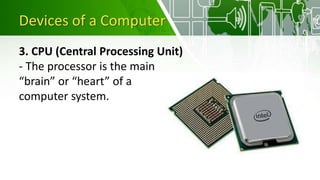
3. CPU (Central Processing Unit)
- The processor is the main
“brain” or “heart” of a
computer system.
Devices of a Computer
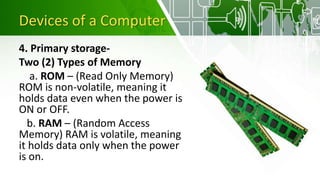
4. Primary storage-
Two (2) Types of Memory
a. ROM – (Read Only Memory)
ROM is non-volatile, meaning it
holds data even when the power is
ON or OFF.
b. RAM – (Random Access
Memory) RAM is volatile, meaning
it holds data only when the power
is on.
Devices of a Computer
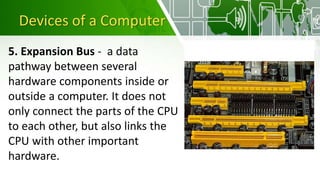
5. Expansion Bus - a data
pathway between several
hardware components inside or
outside a computer. It does not
only connect the parts of the CPU
to each other, but also links the
CPU with other important
hardware.
Devices of a Computer
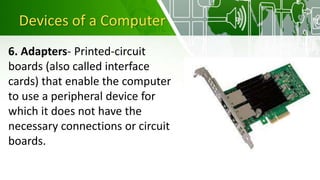
6. Adapters- Printed-circuit
boards (also called interface
cards) that enable the computer
to use a peripheral device for
which it does not have the
necessary connections or circuit
boards.
Devices of a Computer
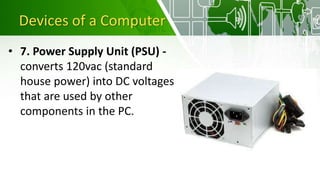
• 7. Power Supply Unit (PSU) -
converts 120vac (standard
house power) into DC voltages
that are used by other
components in the PC.
Devices of a Computer
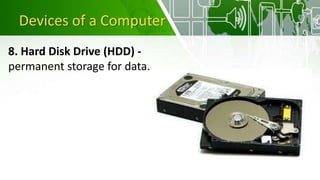
8. Hard Disk Drive (HDD) -
permanent storage for data.
Devices of a Computer
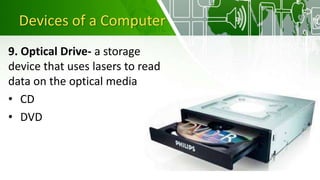
9. Optical Drive- a storage
device that uses lasers to read
data on the optical media
• CD
• DVD
INPUT DEVICES
• composed of a device
that accepts data and
instructions from the
user or from another
computer system.
2 Types of Input Devices
1. Keyboard Entry
2. Direct Entry
3 Categories of Direct
Entry Devices
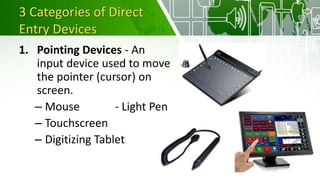
1. Pointing Devices - An
input device used to move
the pointer (cursor) on
screen.
– Mouse - Light Pen
– Touchscreen
– Digitizing Tablet
3 Categories of Direct
Entry Devices
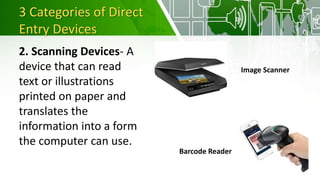
2. Scanning Devices- A
device that can read
text or illustrations
printed on paper and
translates the
information into a form
the computer can use.
Image Scanner
Barcode Reader
3 Categories of Direct
Entry Devices
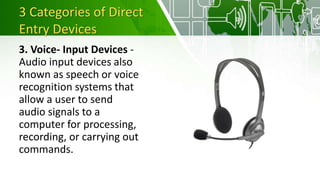
3. Voice- Input Devices -
Audio input devices also
known as speech or voice
recognition systems that
allow a user to send
audio signals to a
computer for processing,
recording, or carrying out
commands.
OUTPUT DEVICES
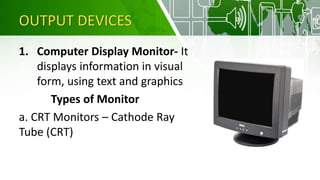
1. Computer Display Monitor- It
displays information in visual
form, using text and graphics
Types of Monitor
a. CRT Monitors – Cathode Ray
Tube (CRT)
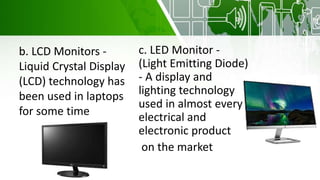
b. LCD Monitors -
Liquid Crystal Display
(LCD) technology has
been used in laptops
for some time
c. LED Monitor -
(Light Emitting Diode)
- A display and
lighting technology
used in almost every
electrical and
electronic product
on the market
OUTPUT DEVICES
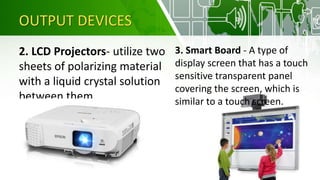
2. LCD Projectors- utilize two
sheets of polarizing material
with a liquid crystal solution
between them
3. Smart Board - A type of
display screen that has a touch
sensitive transparent panel
covering the screen, which is
similar to a touch screen.
OUTPUT DEVICES
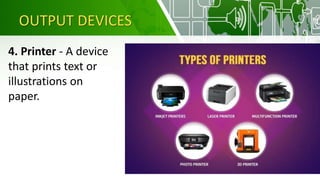
4. Printer - A device
that prints text or
illustrations on
paper.
STORAGE DEVICES
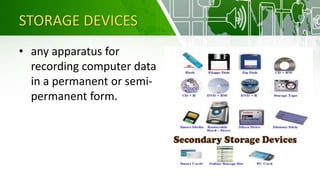
• any apparatus for
recording computer data
in a permanent or semi-
permanent form.

Computer Systems

  • 2.
  • 3.
    What is anOS? - the most important program that runs on a computer.
  • 4.
    Devices of aComputer 1. System Unit - main part of a microcomputer, sometimes called the chassis
  • 5.
    Devices of aComputer 2. Motherboard / Mainboard / System Board- The main circuit board of a computer. It contains all the circuits and components that run the computer.
  • 6.
    Devices of aComputer 3. CPU (Central Processing Unit) - The processor is the main “brain” or “heart” of a computer system.
  • 7.
    Devices of aComputer 4. Primary storage- Two (2) Types of Memory a. ROM – (Read Only Memory) ROM is non-volatile, meaning it holds data even when the power is ON or OFF. b. RAM – (Random Access Memory) RAM is volatile, meaning it holds data only when the power is on.
  • 8.
    Devices of aComputer 5. Expansion Bus - a data pathway between several hardware components inside or outside a computer. It does not only connect the parts of the CPU to each other, but also links the CPU with other important hardware.
  • 9.
    Devices of aComputer 6. Adapters- Printed-circuit boards (also called interface cards) that enable the computer to use a peripheral device for which it does not have the necessary connections or circuit boards.
  • 10.
    Devices of aComputer • 7. Power Supply Unit (PSU) - converts 120vac (standard house power) into DC voltages that are used by other components in the PC.
  • 11.
    Devices of aComputer 8. Hard Disk Drive (HDD) - permanent storage for data.
  • 12.
    Devices of aComputer 9. Optical Drive- a storage device that uses lasers to read data on the optical media • CD • DVD
  • 13.
    INPUT DEVICES • composedof a device that accepts data and instructions from the user or from another computer system. 2 Types of Input Devices 1. Keyboard Entry 2. Direct Entry
  • 14.
    3 Categories ofDirect Entry Devices 1. Pointing Devices - An input device used to move the pointer (cursor) on screen. – Mouse - Light Pen – Touchscreen – Digitizing Tablet
  • 15.
    3 Categories ofDirect Entry Devices 2. Scanning Devices- A device that can read text or illustrations printed on paper and translates the information into a form the computer can use. Image Scanner Barcode Reader
  • 16.
    3 Categories ofDirect Entry Devices 3. Voice- Input Devices - Audio input devices also known as speech or voice recognition systems that allow a user to send audio signals to a computer for processing, recording, or carrying out commands.
  • 17.
    OUTPUT DEVICES 1. ComputerDisplay Monitor- It displays information in visual form, using text and graphics Types of Monitor a. CRT Monitors – Cathode Ray Tube (CRT)
  • 18.
    b. LCD Monitors- Liquid Crystal Display (LCD) technology has been used in laptops for some time c. LED Monitor - (Light Emitting Diode) - A display and lighting technology used in almost every electrical and electronic product on the market
  • 19.
    OUTPUT DEVICES 2. LCDProjectors- utilize two sheets of polarizing material with a liquid crystal solution between them 3. Smart Board - A type of display screen that has a touch sensitive transparent panel covering the screen, which is similar to a touch screen.
  • 20.
    OUTPUT DEVICES 4. Printer- A device that prints text or illustrations on paper.
  • 21.
    STORAGE DEVICES • anyapparatus for recording computer data in a permanent or semi- permanent form.