COMPUTER APPLICATIONS
CLASS X (Code 165)
TOPIC:
UNIT 2: Cascading Style Sheets
An Introduction
By
HIMANSHU PATHAK
Contents
• Introduction
• Need for CSS
• CSS Syntax
• CSS Selectors
• Types of CSS
– Inline CSS
– Internal/Embedded CSS
– External CSS
Introduction
• CSS is the language we use to style the webpage.
• CSS stands for Cascading Style Sheets.
• Now let’s try to break the acronym:
– Cascading: Falling of Styles
– Style: Adding designs/Styling our HTML tags
– Sheets: Writing our style in different documents
• CSS saves a lot of work. It can control the layout of
multiple web pages all at once.
• HTML, CSS and JavaScript are used for web
designing. It helps the web designers to apply style
on HTML tags.
Why CSS?
• CSS saves time: We can write CSS once and reuse
the same sheet in multiple HTML pages.
• Easy maintenance: To make a global change
simply change the style, and all elements in all
the webpages will be updated automatically.
• Page load faster: Just write one CSS rule of a tag
and apply it to all the occurrences of that tag. So
less code means faster download times.
CSS Syntax
• A CSS Syntax rule consists of a selector, property,
and its value.
• The selector points to the HTML element where
CSS style is to be applied.
• The CSS property is separated by semicolons.
• It is a combination of selector name followed by
the property: value pair that is defined for the
specific selector.
• Selector -- h1
• Declaration -- {color : blue; font-size : 12px;}
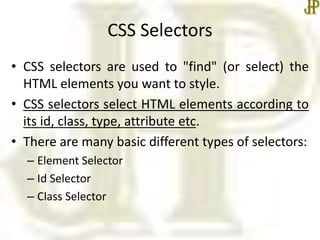
CSS Selectors
• CSS selectors are used to "find" (or select) the
HTML elements you want to style.
• CSS selectors select HTML elements according to
its id, class, type, attribute etc.
• There are many basic different types of selectors:
– Element Selector
– Id Selector
– Class Selector
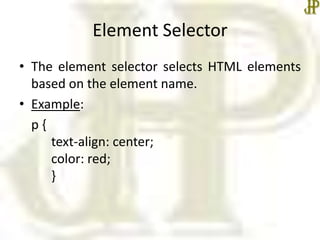
Element Selector
• The element selector selects HTML elements
based on the element name.
• Example:
p {
text-align: center;
color: red;
}
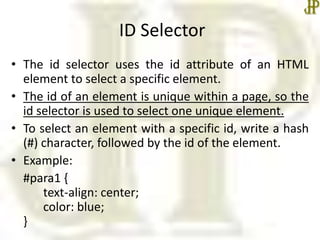
ID Selector
• The id selector uses the id attribute of an HTML
element to select a specific element.
• The id of an element is unique within a page, so the
id selector is used to select one unique element.
• To select an element with a specific id, write a hash
(#) character, followed by the id of the element.
• Example:
#para1 {
text-align: center;
color: blue;
}
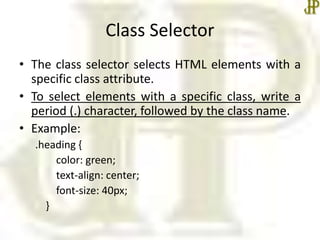
Class Selector
• The class selector selects HTML elements with a
specific class attribute.
• To select elements with a specific class, write a
period (.) character, followed by the class name.
• Example:
.heading {
color: green;
text-align: center;
font-size: 40px;
}
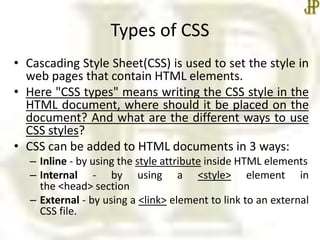
Types of CSS
• Cascading Style Sheet(CSS) is used to set the style in
web pages that contain HTML elements.
• Here "CSS types" means writing the CSS style in the
HTML document, where should it be placed on the
document? And what are the different ways to use
CSS styles?
• CSS can be added to HTML documents in 3 ways:
– Inline - by using the style attribute inside HTML elements
– Internal - by using a <style> element in
the <head> section
– External - by using a <link> element to link to an external
CSS file.
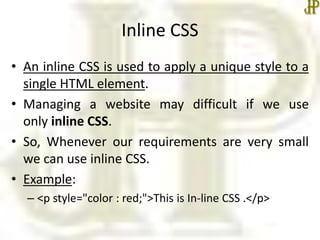
Inline CSS
• An inline CSS is used to apply a unique style to a
single HTML element.
• Managing a website may difficult if we use
only inline CSS.
• So, Whenever our requirements are very small
we can use inline CSS.
• Example:
– <p style="color : red;">This is In-line CSS .</p>
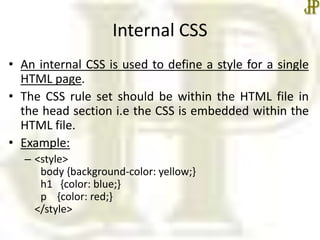
Internal CSS
• An internal CSS is used to define a style for a single
HTML page.
• The CSS rule set should be within the HTML file in
the head section i.e the CSS is embedded within the
HTML file.
• Example:
– <style>
body {background-color: yellow;}
h1 {color: blue;}
p {color: red;}
</style>
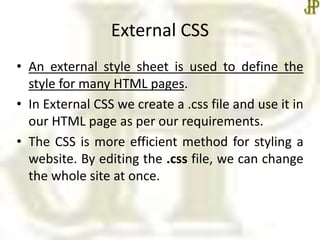
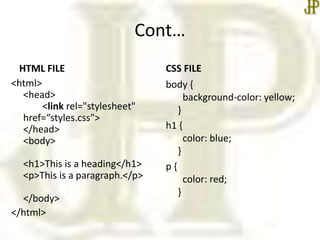
External CSS
• An external style sheet is used to define the
style for many HTML pages.
• In External CSS we create a .css file and use it in
our HTML page as per our requirements.
• The CSS is more efficient method for styling a
website. By editing the .css file, we can change
the whole site at once.
Cont…
HTML FILE
<html>
<head>
<link rel="stylesheet"
href=“styles.css">
</head>
<body>
<h1>This is a heading</h1>
<p>This is a paragraph.</p>
</body>
</html>
CSS FILE
body {
background-color: yellow;
}
h1 {
color: blue;
}
p {
color: red;
}
Summary
• CSS Syntax
• CSS Selector
• Types of CSS
• In the next class, we will start Unit II – Cascading
Style Sheet : Part 2 in detail.
•Thanks

Cascading style sheet an introduction

  • 1.
    COMPUTER APPLICATIONS CLASS X(Code 165) TOPIC: UNIT 2: Cascading Style Sheets An Introduction By HIMANSHU PATHAK
  • 2.
    Contents • Introduction • Needfor CSS • CSS Syntax • CSS Selectors • Types of CSS – Inline CSS – Internal/Embedded CSS – External CSS
  • 3.
    Introduction • CSS isthe language we use to style the webpage. • CSS stands for Cascading Style Sheets. • Now let’s try to break the acronym: – Cascading: Falling of Styles – Style: Adding designs/Styling our HTML tags – Sheets: Writing our style in different documents • CSS saves a lot of work. It can control the layout of multiple web pages all at once. • HTML, CSS and JavaScript are used for web designing. It helps the web designers to apply style on HTML tags.
  • 4.
    Why CSS? • CSSsaves time: We can write CSS once and reuse the same sheet in multiple HTML pages. • Easy maintenance: To make a global change simply change the style, and all elements in all the webpages will be updated automatically. • Page load faster: Just write one CSS rule of a tag and apply it to all the occurrences of that tag. So less code means faster download times.
  • 5.
    CSS Syntax • ACSS Syntax rule consists of a selector, property, and its value. • The selector points to the HTML element where CSS style is to be applied. • The CSS property is separated by semicolons. • It is a combination of selector name followed by the property: value pair that is defined for the specific selector. • Selector -- h1 • Declaration -- {color : blue; font-size : 12px;}
  • 6.
    CSS Selectors • CSSselectors are used to "find" (or select) the HTML elements you want to style. • CSS selectors select HTML elements according to its id, class, type, attribute etc. • There are many basic different types of selectors: – Element Selector – Id Selector – Class Selector
  • 7.
    Element Selector • Theelement selector selects HTML elements based on the element name. • Example: p { text-align: center; color: red; }
  • 8.
    ID Selector • Theid selector uses the id attribute of an HTML element to select a specific element. • The id of an element is unique within a page, so the id selector is used to select one unique element. • To select an element with a specific id, write a hash (#) character, followed by the id of the element. • Example: #para1 { text-align: center; color: blue; }
  • 9.
    Class Selector • Theclass selector selects HTML elements with a specific class attribute. • To select elements with a specific class, write a period (.) character, followed by the class name. • Example: .heading { color: green; text-align: center; font-size: 40px; }
  • 10.
    Types of CSS •Cascading Style Sheet(CSS) is used to set the style in web pages that contain HTML elements. • Here "CSS types" means writing the CSS style in the HTML document, where should it be placed on the document? And what are the different ways to use CSS styles? • CSS can be added to HTML documents in 3 ways: – Inline - by using the style attribute inside HTML elements – Internal - by using a <style> element in the <head> section – External - by using a <link> element to link to an external CSS file.
  • 11.
    Inline CSS • Aninline CSS is used to apply a unique style to a single HTML element. • Managing a website may difficult if we use only inline CSS. • So, Whenever our requirements are very small we can use inline CSS. • Example: – <p style="color : red;">This is In-line CSS .</p>
  • 12.
    Internal CSS • Aninternal CSS is used to define a style for a single HTML page. • The CSS rule set should be within the HTML file in the head section i.e the CSS is embedded within the HTML file. • Example: – <style> body {background-color: yellow;} h1 {color: blue;} p {color: red;} </style>
  • 13.
    External CSS • Anexternal style sheet is used to define the style for many HTML pages. • In External CSS we create a .css file and use it in our HTML page as per our requirements. • The CSS is more efficient method for styling a website. By editing the .css file, we can change the whole site at once.
  • 14.
    Cont… HTML FILE <html> <head> <link rel="stylesheet" href=“styles.css"> </head> <body> <h1>Thisis a heading</h1> <p>This is a paragraph.</p> </body> </html> CSS FILE body { background-color: yellow; } h1 { color: blue; } p { color: red; }
  • 15.
    Summary • CSS Syntax •CSS Selector • Types of CSS • In the next class, we will start Unit II – Cascading Style Sheet : Part 2 in detail. •Thanks