COMPUTER APPLICATIONS
CLASS X (Code 165)
TOPIC:
UNIT 2: Basic HTML Tags
By
HIMANSHU PATHAK
Contents
• Introduction
• Types of HTML Tags
– Paired Tags
– Un-paired Tags
– Self-closing Tags
– Utility-based Tags
• Basic HTML Tags
Introduction
• HTML tags are like keywords which defines that
how web browser will format and display the
content.
• All HTML tags must enclosed within < > these
angular brackets.
• HTML tags are used to create HTML documents.
• Every tag in HTML perform different tasks.
• When a web browser reads an HTML document,
browser reads it from top to bottom and left to
right.
Types of HTML Tags
• Paired Tags: An HTML tag is known as a paired tag
when the tag consists of an opening tag and a
closing tag as its companion tag.
– Example :
<p> This text is a paragraph . </p>
<b> This is a bold text </b>
• Unpaired Tags: An HTML tag is called an unpaired
tag when the tag only has an opening tag and does
not have a closing tag or a companion tag.
– Example:
<hr> Here, the <hr> is the unpaired tag used to create a
horizontal line.
Cont…
• Self-closing Tags: Self-Closing Tags are those
HTML tags that do not have a partner tag, where
the first tag is the only necessary tag that is valid
for the formatting.
• The main and important information is contained
WITHIN the element as its attribute.
• Example:
<img src="a.jpg" alt="This is an alternate text">
Cont…
• Formatting Tags: The HTML tags that help us in
the formatting of the texts like the size of the
text, font styles, making a text bold, etc.
• Tables, divisions, and span tags are also those
tags that help format a web page or document
and set the layout of the page.
• Example:
<u> Statements... </u>
Cont…
• Control Tags: These are the tags that are used in
managing content or managing scripts or
libraries that are external.
• All the form tags, drop-down lists, input text
boxes, etc., are used in interacting with the
visitor or the user.
HTML Basic Tags
• Heading Tags: It is used to define the heading of
html document.
– There are 6 different types of heading in HTML h1 to
h6.
– The <h1> defines most important heading
and <h6> defines least important.
– Example:
• <h1> Statements... </h>
Cont…
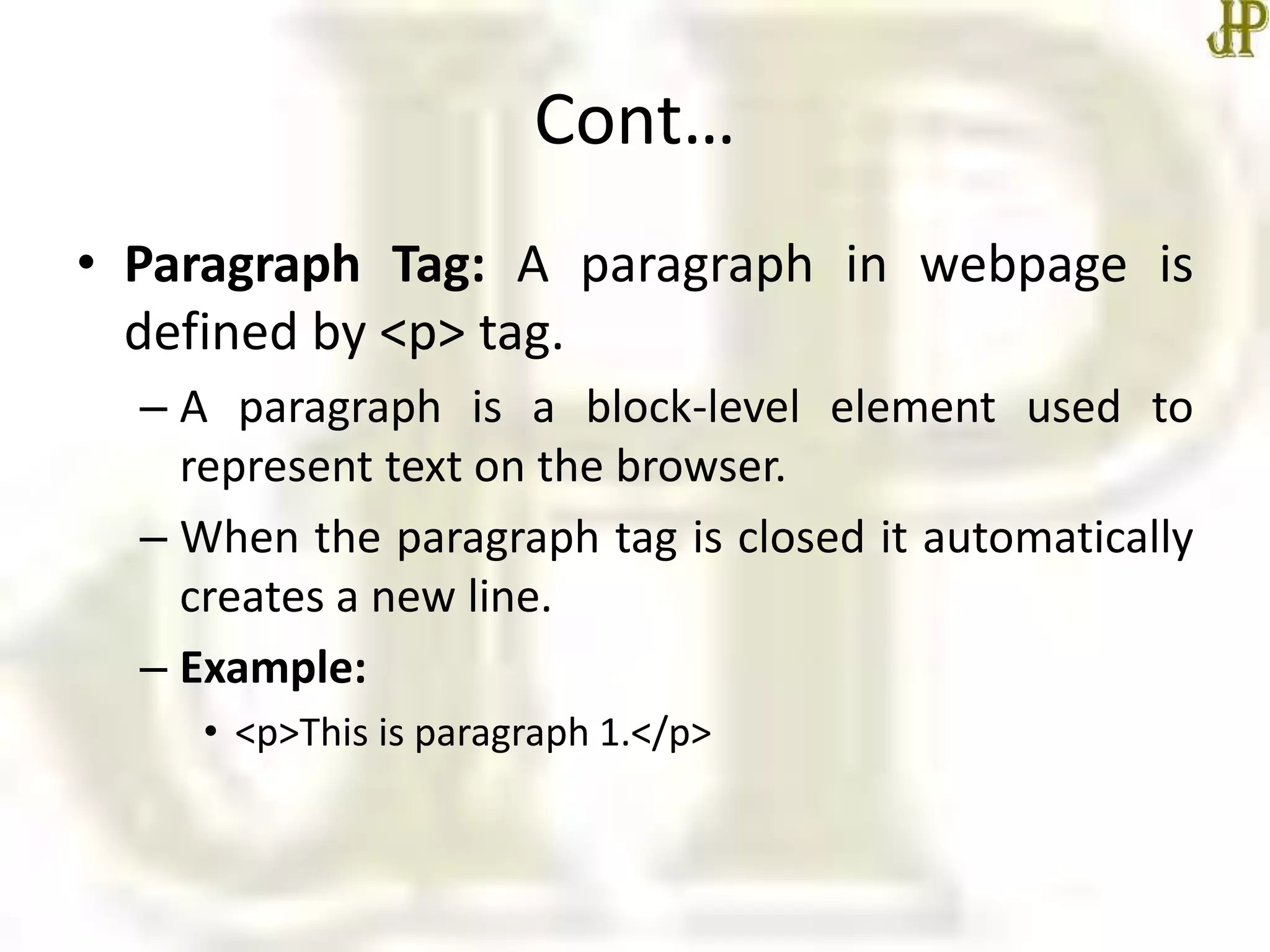
• Paragraph Tag: A paragraph in webpage is
defined by <p> tag.
– A paragraph is a block-level element used to
represent text on the browser.
– When the paragraph tag is closed it automatically
creates a new line.
– Example:
• <p>This is paragraph 1.</p>
Cont…
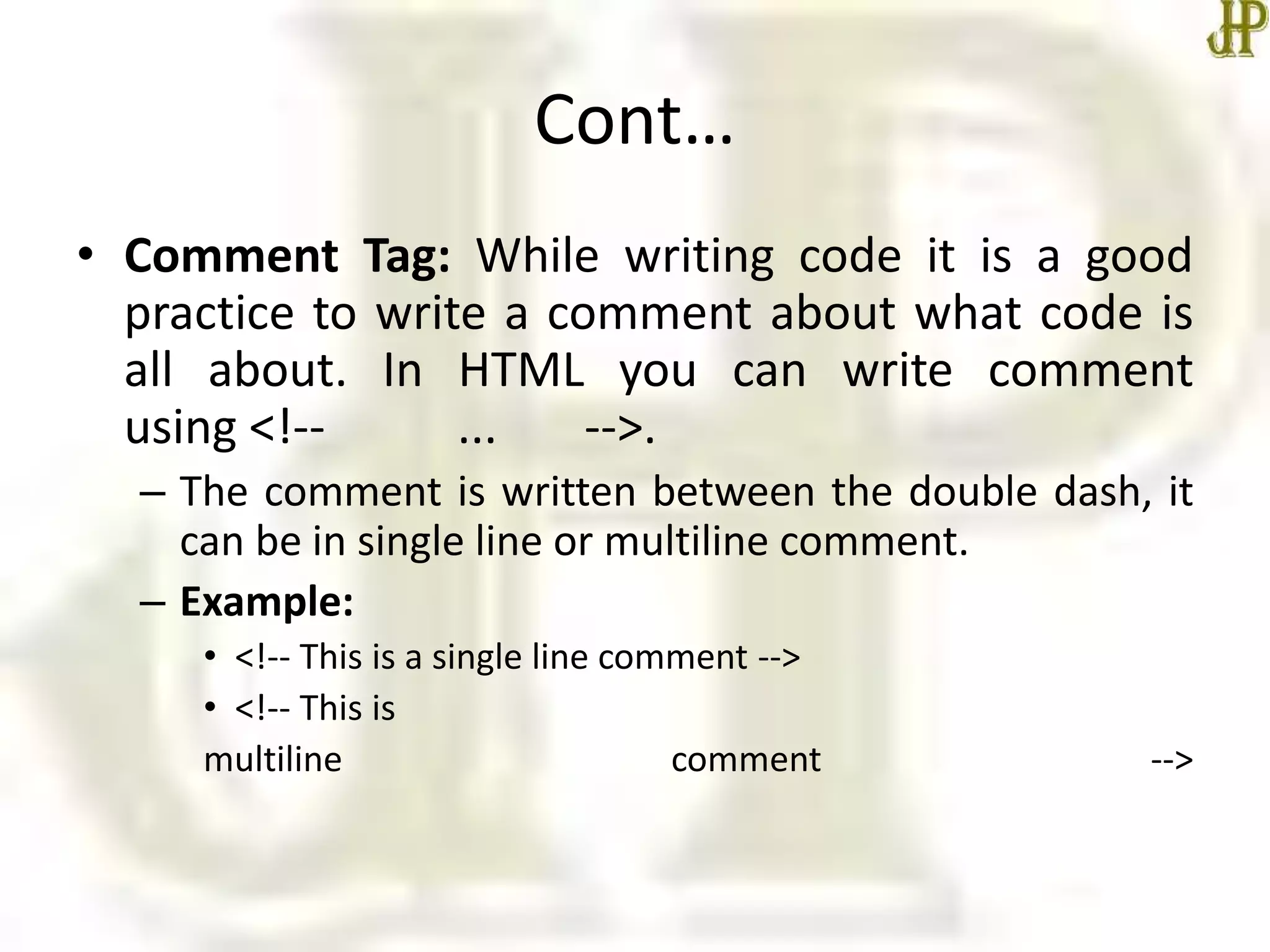
• Comment Tag: While writing code it is a good
practice to write a comment about what code is
all about. In HTML you can write comment
using <!-- ... -->.
– The comment is written between the double dash, it
can be in single line or multiline comment.
– Example:
• <!-- This is a single line comment -->
• <!-- This is
multiline comment -->
Cont…
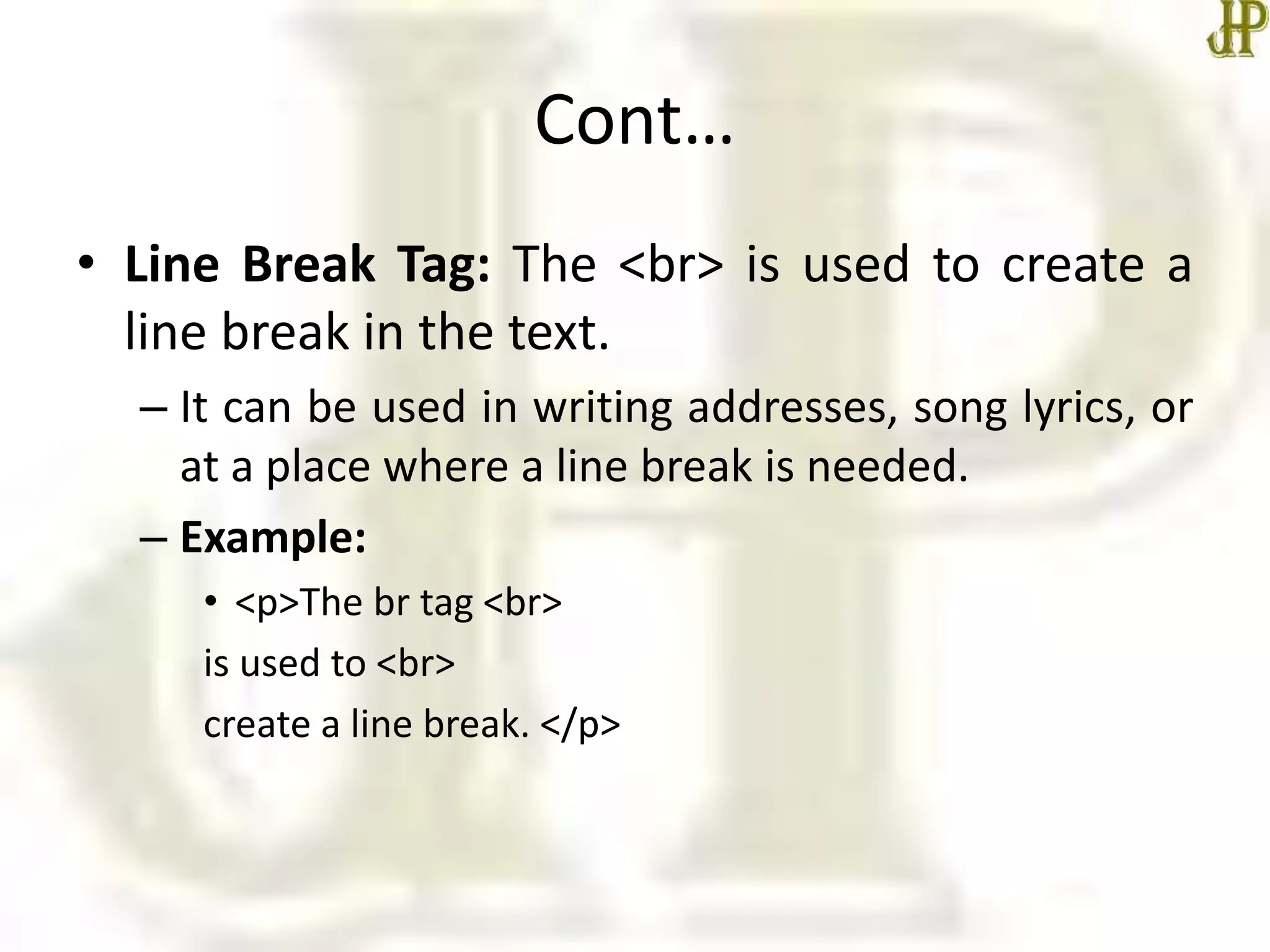
• Line Break Tag: The <br> is used to create a
line break in the text.
– It can be used in writing addresses, song lyrics, or
at a place where a line break is needed.
– Example:
• <p>The br tag <br>
is used to <br>
create a line break. </p>
Cont…
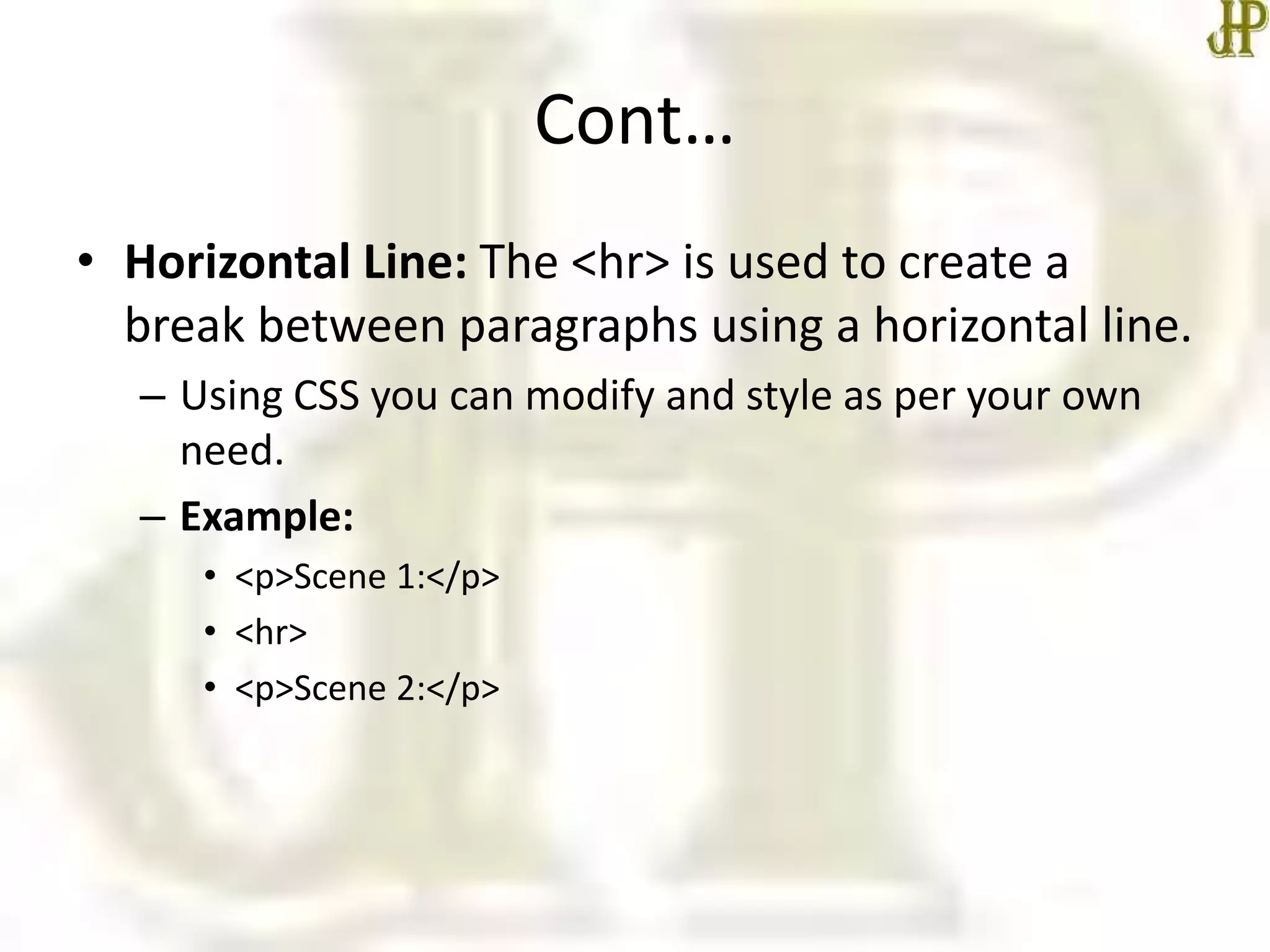
• Horizontal Line: The <hr> is used to create a
break between paragraphs using a horizontal line.
– Using CSS you can modify and style as per your own
need.
– Example:
• <p>Scene 1:</p>
• <hr>
• <p>Scene 2:</p>
Today we learn
• Learned basic HTML Tags
• In the next class, we will start Unit II –
Formatting Tags in detail.
•Thanks

Basic html tags

  • 1.
    COMPUTER APPLICATIONS CLASS X(Code 165) TOPIC: UNIT 2: Basic HTML Tags By HIMANSHU PATHAK
  • 2.
    Contents • Introduction • Typesof HTML Tags – Paired Tags – Un-paired Tags – Self-closing Tags – Utility-based Tags • Basic HTML Tags
  • 3.
    Introduction • HTML tagsare like keywords which defines that how web browser will format and display the content. • All HTML tags must enclosed within < > these angular brackets. • HTML tags are used to create HTML documents. • Every tag in HTML perform different tasks. • When a web browser reads an HTML document, browser reads it from top to bottom and left to right.
  • 4.
    Types of HTMLTags • Paired Tags: An HTML tag is known as a paired tag when the tag consists of an opening tag and a closing tag as its companion tag. – Example : <p> This text is a paragraph . </p> <b> This is a bold text </b> • Unpaired Tags: An HTML tag is called an unpaired tag when the tag only has an opening tag and does not have a closing tag or a companion tag. – Example: <hr> Here, the <hr> is the unpaired tag used to create a horizontal line.
  • 5.
    Cont… • Self-closing Tags:Self-Closing Tags are those HTML tags that do not have a partner tag, where the first tag is the only necessary tag that is valid for the formatting. • The main and important information is contained WITHIN the element as its attribute. • Example: <img src="a.jpg" alt="This is an alternate text">
  • 6.
    Cont… • Formatting Tags:The HTML tags that help us in the formatting of the texts like the size of the text, font styles, making a text bold, etc. • Tables, divisions, and span tags are also those tags that help format a web page or document and set the layout of the page. • Example: <u> Statements... </u>
  • 7.
    Cont… • Control Tags:These are the tags that are used in managing content or managing scripts or libraries that are external. • All the form tags, drop-down lists, input text boxes, etc., are used in interacting with the visitor or the user.
  • 8.
    HTML Basic Tags •Heading Tags: It is used to define the heading of html document. – There are 6 different types of heading in HTML h1 to h6. – The <h1> defines most important heading and <h6> defines least important. – Example: • <h1> Statements... </h>
  • 9.
    Cont… • Paragraph Tag:A paragraph in webpage is defined by <p> tag. – A paragraph is a block-level element used to represent text on the browser. – When the paragraph tag is closed it automatically creates a new line. – Example: • <p>This is paragraph 1.</p>
  • 10.
    Cont… • Comment Tag:While writing code it is a good practice to write a comment about what code is all about. In HTML you can write comment using <!-- ... -->. – The comment is written between the double dash, it can be in single line or multiline comment. – Example: • <!-- This is a single line comment --> • <!-- This is multiline comment -->
  • 11.
    Cont… • Line BreakTag: The <br> is used to create a line break in the text. – It can be used in writing addresses, song lyrics, or at a place where a line break is needed. – Example: • <p>The br tag <br> is used to <br> create a line break. </p>
  • 12.
    Cont… • Horizontal Line:The <hr> is used to create a break between paragraphs using a horizontal line. – Using CSS you can modify and style as per your own need. – Example: • <p>Scene 1:</p> • <hr> • <p>Scene 2:</p>
  • 13.
    Today we learn •Learned basic HTML Tags • In the next class, we will start Unit II – Formatting Tags in detail. •Thanks