CSS  (Cascading Style Sheets)‏
Already Know Before you continue you should have a basic understanding of the following: HTML / XHTML
CSS Introduction Styles define  how to display HTML elements External Style Sheets can save a lot of work External Style Sheets are stored in CSS files
Styles Solved a Big Problem Development of large web sites, where fonts and color information were added to every single page, became a long and expensive process. To solve this problem,created CSS. All formatting could be removed from the HTML document, and stored in a separate CSS file. All browsers support CSS today.
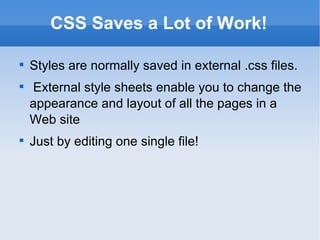
CSS Saves a Lot of Work! Styles are normally saved in external .css files. External style sheets enable you to change the appearance and layout of all the pages in a Web site Just by editing one single file!
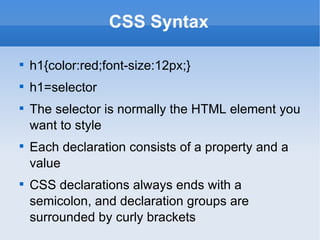
CSS Syntax h1{color:red;font-size:12px;} h1=selector The selector is normally the HTML element you want to style Each declaration consists of a property and a value CSS declarations always ends with a semicolon, and declaration groups are surrounded by curly brackets
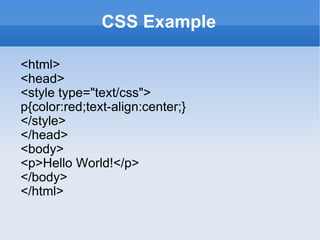
CSS Example <html> <head> <style type=&quot;text/css&quot;> p{color:red;text-align:center;}  </style> </head> <body> <p>Hello World!</p> </body> </html>
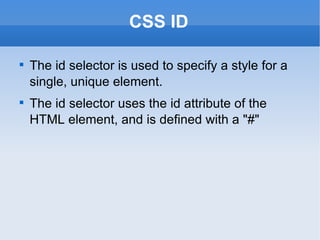
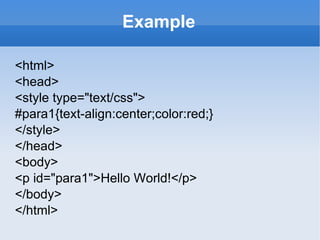
CSS ID The id selector is used to specify a style for a single, unique element. The id selector uses the id attribute of the HTML element, and is defined with a &quot;#&quot;
Example <html> <head> <style type=&quot;text/css&quot;> #para1{text-align:center;color:red;}  </style> </head> <body> <p id=&quot;para1&quot;>Hello World!</p> </body> </html>
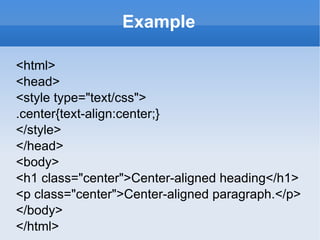
CSS Class The class selector is used to specify a style for a group of elements. Unlike the id selector, the class selector is most often used on several elements. This allows you to set a particular style for any HTML elements with the same class. The class selector uses the HTML class attribute, and is defined with a &quot;.&quot;
Example <html> <head> <style type=&quot;text/css&quot;> .center{text-align:center;} </style> </head> <body> <h1 class=&quot;center&quot;>Center-aligned heading</h1> <p class=&quot;center&quot;>Center-aligned paragraph.</p>  </body> </html>
Three Ways to Insert CSS External style sheet Internal style sheet Inline style
External Style Sheet An external style sheet is ideal  when the style is applied to many pages. With an external style sheet, you can change the look of an entire Web site by changing one file. Each page must link to the style sheet using the <link> tag
Internal Style Sheet An internal style sheet should be used when a single document has a unique style. You define internal styles in the head section of an HTML page, by using the <style> tag
Inline Styles To use inline styles you use the style attribute in the relevant tag. The style attribute can contain any CSS property
CSS Styling Styling Backgrounds Styling Text Styling Fonts Styling Links Styling Lists Styling Tables
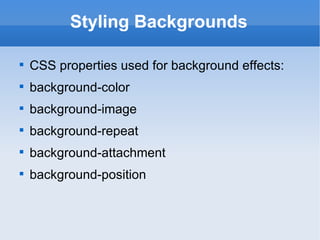
Styling Backgrounds CSS properties used for background effects: background-color background-image background-repeat background-attachment background-position
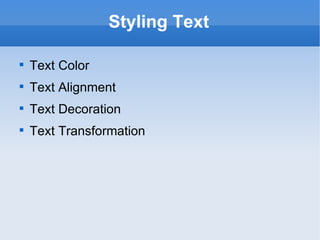
Styling Text Text Color Text Alignment Text Decoration Text Transformation
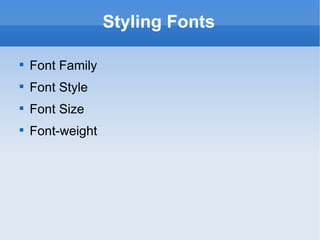
Styling Fonts Font Family Font Style Font Size Font-weight
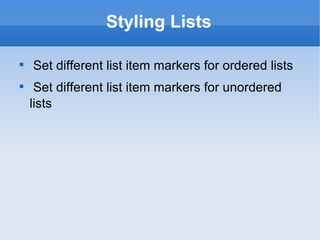
Styling Lists Set different list item markers for ordered lists Set different list item markers for unordered lists
Styling Tables Table Borders Table Width and Height Table Text Alignment Table Padding Table Color
The CSS Box Model Content Border Outline Margin Padding
Content The content of the box, where text and images appear
CSS Border A border that lies around the padding and content. Border Style Border Width Border Color Border - Individual sides
CSS Outlines An outline is a line that is drawn around elements, outside the border edge The outline properties specifies the style, color, and width of an outline.
CSS Margin Clears an area around the border. The margin does not have a background color The top, right, bottom, and left margin can be changed independently using separate properties.
CSS Padding The padding clears an area around the content (inside the border) of an element. The padding is affected by the background color of the element. The top, right, bottom, and left padding can be changed independently using separate properties.
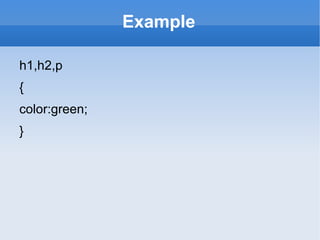
Grouping Selectors To minimize the code, you can group selectors. Separate each selector with a comma
Example h1,h2,p { color:green; }
Thank You Presented by P.Venkatachalam

CSS

  • 1.
    CSS (CascadingStyle Sheets)‏
  • 2.
    Already Know Beforeyou continue you should have a basic understanding of the following: HTML / XHTML
  • 3.
    CSS Introduction Stylesdefine how to display HTML elements External Style Sheets can save a lot of work External Style Sheets are stored in CSS files
  • 4.
    Styles Solved aBig Problem Development of large web sites, where fonts and color information were added to every single page, became a long and expensive process. To solve this problem,created CSS. All formatting could be removed from the HTML document, and stored in a separate CSS file. All browsers support CSS today.
  • 5.
    CSS Saves aLot of Work! Styles are normally saved in external .css files. External style sheets enable you to change the appearance and layout of all the pages in a Web site Just by editing one single file!
  • 6.
    CSS Syntax h1{color:red;font-size:12px;}h1=selector The selector is normally the HTML element you want to style Each declaration consists of a property and a value CSS declarations always ends with a semicolon, and declaration groups are surrounded by curly brackets
  • 7.
    CSS Example <html><head> <style type=&quot;text/css&quot;> p{color:red;text-align:center;} </style> </head> <body> <p>Hello World!</p> </body> </html>
  • 8.
    CSS ID Theid selector is used to specify a style for a single, unique element. The id selector uses the id attribute of the HTML element, and is defined with a &quot;#&quot;
  • 9.
    Example <html> <head><style type=&quot;text/css&quot;> #para1{text-align:center;color:red;} </style> </head> <body> <p id=&quot;para1&quot;>Hello World!</p> </body> </html>
  • 10.
    CSS Class Theclass selector is used to specify a style for a group of elements. Unlike the id selector, the class selector is most often used on several elements. This allows you to set a particular style for any HTML elements with the same class. The class selector uses the HTML class attribute, and is defined with a &quot;.&quot;
  • 11.
    Example <html> <head><style type=&quot;text/css&quot;> .center{text-align:center;} </style> </head> <body> <h1 class=&quot;center&quot;>Center-aligned heading</h1> <p class=&quot;center&quot;>Center-aligned paragraph.</p> </body> </html>
  • 12.
    Three Ways toInsert CSS External style sheet Internal style sheet Inline style
  • 13.
    External Style SheetAn external style sheet is ideal when the style is applied to many pages. With an external style sheet, you can change the look of an entire Web site by changing one file. Each page must link to the style sheet using the <link> tag
  • 14.
    Internal Style SheetAn internal style sheet should be used when a single document has a unique style. You define internal styles in the head section of an HTML page, by using the <style> tag
  • 15.
    Inline Styles Touse inline styles you use the style attribute in the relevant tag. The style attribute can contain any CSS property
  • 16.
    CSS Styling StylingBackgrounds Styling Text Styling Fonts Styling Links Styling Lists Styling Tables
  • 17.
    Styling Backgrounds CSSproperties used for background effects: background-color background-image background-repeat background-attachment background-position
  • 18.
    Styling Text TextColor Text Alignment Text Decoration Text Transformation
  • 19.
    Styling Fonts FontFamily Font Style Font Size Font-weight
  • 20.
    Styling Lists Setdifferent list item markers for ordered lists Set different list item markers for unordered lists
  • 21.
    Styling Tables TableBorders Table Width and Height Table Text Alignment Table Padding Table Color
  • 22.
    The CSS BoxModel Content Border Outline Margin Padding
  • 23.
    Content The contentof the box, where text and images appear
  • 24.
    CSS Border Aborder that lies around the padding and content. Border Style Border Width Border Color Border - Individual sides
  • 25.
    CSS Outlines Anoutline is a line that is drawn around elements, outside the border edge The outline properties specifies the style, color, and width of an outline.
  • 26.
    CSS Margin Clearsan area around the border. The margin does not have a background color The top, right, bottom, and left margin can be changed independently using separate properties.
  • 27.
    CSS Padding Thepadding clears an area around the content (inside the border) of an element. The padding is affected by the background color of the element. The top, right, bottom, and left padding can be changed independently using separate properties.
  • 28.
    Grouping Selectors Tominimize the code, you can group selectors. Separate each selector with a comma
  • 29.
    Example h1,h2,p {color:green; }
  • 30.
    Thank You Presentedby P.Venkatachalam