WEEK 6 
WEEK 11: 
CSS (CASCADING 
STYLE SHEETS)
GOALS FOR TODAY 
• Review what CSS is 
• Writing CSS Targeting Selectors 
• Types of Selectors 
• CSS Cascade (Order) 
• Applying basic CSS properties
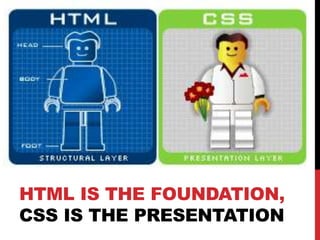
HTML IS THE FOUNDATION, 
CSS IS THE PRESENTATION
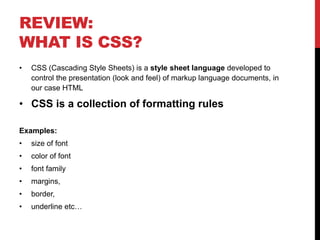
REVIEW: 
WHAT IS CSS? 
• CSS (Cascading Style Sheets) is a style sheet language developed to 
control the presentation (look and feel) of markup language documents, in 
our case HTML 
• CSS is a collection of formatting rules 
Examples: 
• size of font 
• color of font 
• font family 
• margins, 
• border, 
• underline etc…
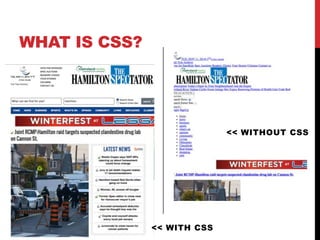
WHAT IS CSS? 
<< WITHOUT CSS 
<< WITH CSS
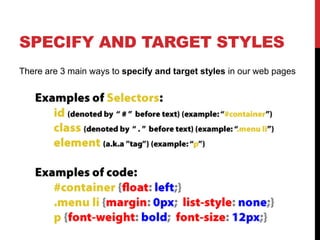
SPECIFY AND TARGET STYLES 
There are 3 main ways to specify and target styles in our web pages
APPLYING CSS 
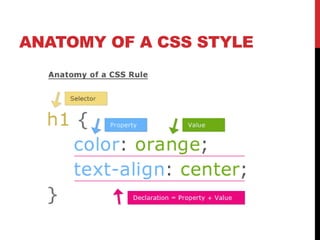
ANATOMY 
OF A CSS 
STYLE
ANATOMY OF A CSS STYLE
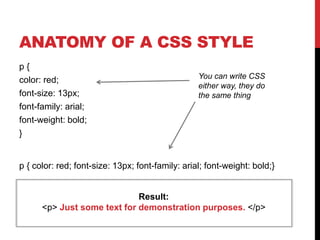
ANATOMY OF A CSS STYLE 
p { 
color: red; 
font-size: 13px; 
font-family: arial; 
font-weight: bold; 
} 
You can write CSS 
either way, they do 
the same thing 
p { color: red; font-size: 13px; font-family: arial; font-weight: bold;} 
Result: 
<p> Just some text for demonstration purposes. </p>
ELEMENT SELECTORS: 
FOR REGULAR HTML TAGS 
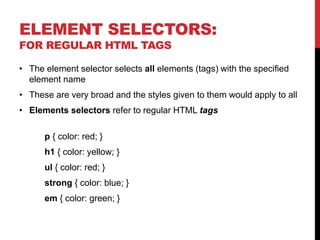
• The element selector selects all elements (tags) with the specified 
element name 
• These are very broad and the styles given to them would apply to all 
• Elements selectors refer to regular HTML tags 
p { color: red; } 
h1 { color: yellow; } 
ul { color: red; } 
strong { color: blue; } 
em { color: green; }
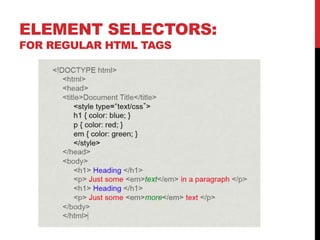
ELEMENT SELECTORS: 
FOR REGULAR HTML TAGS
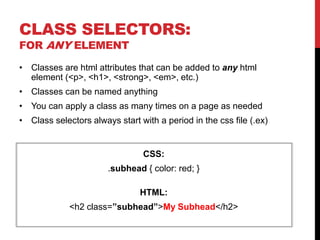
CLASS SELECTORS: 
FOR ANY ELEMENT 
• Classes are html attributes that can be added to any html 
element (<p>, <h1>, <strong>, <em>, etc.) 
• Classes can be named anything 
• You can apply a class as many times on a page as needed 
• Class selectors always start with a period in the css file (.ex) 
CSS: 
.subhead { color: red; } 
HTML: 
<h2 class=”subhead”>My Subhead</h2>
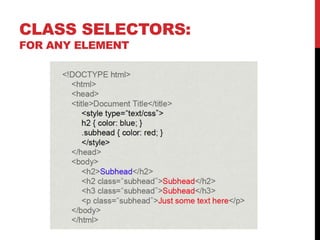
CLASS SELECTORS: 
FOR ANY ELEMENT
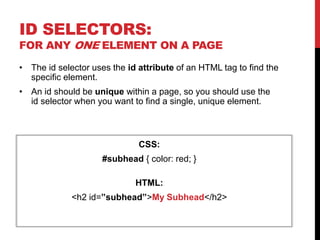
ID SELECTORS: 
FOR ANY ONE ELEMENT ON A PAGE 
• The id selector uses the id attribute of an HTML tag to find the 
specific element. 
• An id should be unique within a page, so you should use the 
id selector when you want to find a single, unique element. 
CSS: 
#subhead { color: red; } 
HTML: 
<h2 id=”subhead”>My Subhead</h2>
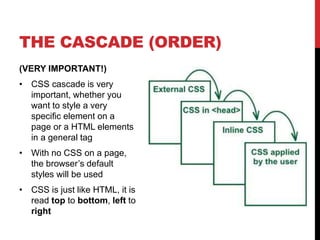
CSS CASCADE (ORDER) 
From general to specific
THE CASCADE (ORDER) 
(VERY IMPORTANT!) 
• CSS cascade is very 
important, whether you 
want to style a very 
specific element on a 
page or a HTML elements 
in a general tag 
• With no CSS on a page, 
the browser’s default 
styles will be used 
• CSS is just like HTML, it is 
read top to bottom, left to 
right
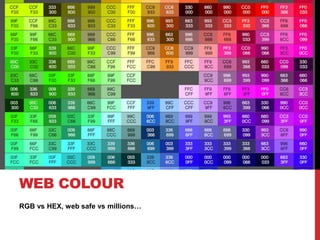
WEB COLOUR 
RGB vs HEX, web safe vs millions…
WEB COLOUR 
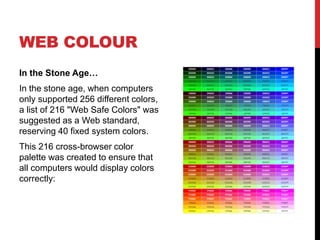
In the Stone Age… 
In the stone age, when computers 
only supported 256 different colors, 
a list of 216 "Web Safe Colors" was 
suggested as a Web standard, 
reserving 40 fixed system colors. 
This 216 cross-browser color 
palette was created to ensure that 
all computers would display colors 
correctly:
WEB COLOURS 
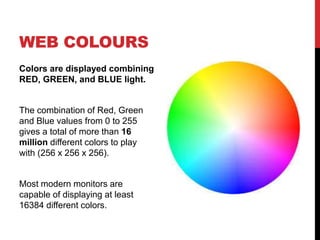
Colors are displayed combining 
RED, GREEN, and BLUE light. 
The combination of Red, Green 
and Blue values from 0 to 255 
gives a total of more than 16 
million different colors to play 
with (256 x 256 x 256). 
Most modern monitors are 
capable of displaying at least 
16384 different colors.
COLOUR VALUES 
Colors are defined using a hexadecimal (hex) notation for the 
of Red, Green, and Blue values (RGB). 
• The lowest value for each light source is 0 (hex 00) 
• The highest value is 255 (hex FF) 
• Hex values are written as # followed by either three or six hex 
characters, eg: #990033 
Try it! 
• See the web links in Week 10
APPLYING STYLES TO A PAGE OR SITE
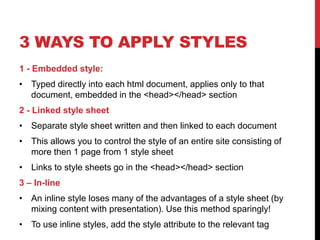
3 WAYS TO APPLY STYLES 
1 - Embedded style: 
• Typed directly into each html document, applies only to that 
document, embedded in the <head></head> section 
2 - Linked style sheet 
• Separate style sheet written and then linked to each document 
• This allows you to control the style of an entire site consisting of 
more then 1 page from 1 style sheet 
• Links to style sheets go in the <head></head> section 
3 – In-line 
• An inline style loses many of the advantages of a style sheet (by 
mixing content with presentation). Use this method sparingly! 
• To use inline styles, add the style attribute to the relevant tag
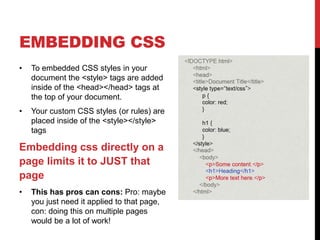
EMBEDDING CSS 
• To embedded CSS styles in your 
document the <style> tags are added 
inside of the <head></head> tags at 
the top of your document. 
• Your custom CSS styles (or rules) are 
placed inside of the <style></style> 
tags 
Embedding css directly on a 
page limits it to JUST that 
page 
• This has pros can cons: Pro: maybe 
you just need it applied to that page, 
con: doing this on multiple pages 
would be a lot of work!
LINKING CSS STYLE SHEETS 
• Linking a style sheet means that you can control the 
presentation of a site consisting of multiple pages from 1 CSS 
file 
You link to a separate file: 
• <link href="global.css" rel="stylesheet" type="text/css" /> 
• Linked Style Sheet are named with a .css extention (ie. 
global.css). 
• Linked Style Sheet are added in head section between the 
opening and closing head tags just like embedded CSS styles 
This is the technique we will be using in class
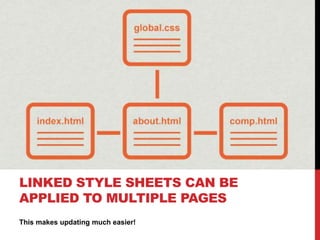
LINKED STYLE SHEETS CAN BE 
APPLIED TO MULTIPLE PAGES 
This makes updating much easier!
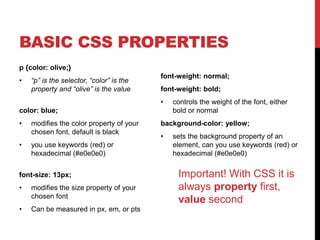
BASIC CSS PROPERTIES 
p {color: olive;} 
• “p” is the selector, “color” is the 
property and “olive” is the value 
color: blue; 
• modifies the color property of your 
chosen font, default is black 
• you use keywords (red) or 
hexadecimal (#e0e0e0) 
font-size: 13px; 
• modifies the size property of your 
chosen font 
• Can be measured in px, em, or pts 
font-weight: normal; 
font-weight: bold; 
• controls the weight of the font, either 
bold or normal 
background-color: yellow; 
• sets the background property of an 
element, can you use keywords (red) or 
hexadecimal (#e0e0e0) 
Important! With CSS it is 
always property first, 
value second

Week11 Lecture: CSS

  • 1.
    WEEK 6 WEEK11: CSS (CASCADING STYLE SHEETS)
  • 2.
    GOALS FOR TODAY • Review what CSS is • Writing CSS Targeting Selectors • Types of Selectors • CSS Cascade (Order) • Applying basic CSS properties
  • 3.
    HTML IS THEFOUNDATION, CSS IS THE PRESENTATION
  • 4.
    REVIEW: WHAT ISCSS? • CSS (Cascading Style Sheets) is a style sheet language developed to control the presentation (look and feel) of markup language documents, in our case HTML • CSS is a collection of formatting rules Examples: • size of font • color of font • font family • margins, • border, • underline etc…
  • 5.
    WHAT IS CSS? << WITHOUT CSS << WITH CSS
  • 6.
    SPECIFY AND TARGETSTYLES There are 3 main ways to specify and target styles in our web pages
  • 7.
    APPLYING CSS ANATOMY OF A CSS STYLE
  • 8.
    ANATOMY OF ACSS STYLE
  • 9.
    ANATOMY OF ACSS STYLE p { color: red; font-size: 13px; font-family: arial; font-weight: bold; } You can write CSS either way, they do the same thing p { color: red; font-size: 13px; font-family: arial; font-weight: bold;} Result: <p> Just some text for demonstration purposes. </p>
  • 10.
    ELEMENT SELECTORS: FORREGULAR HTML TAGS • The element selector selects all elements (tags) with the specified element name • These are very broad and the styles given to them would apply to all • Elements selectors refer to regular HTML tags p { color: red; } h1 { color: yellow; } ul { color: red; } strong { color: blue; } em { color: green; }
  • 11.
    ELEMENT SELECTORS: FORREGULAR HTML TAGS
  • 12.
    CLASS SELECTORS: FORANY ELEMENT • Classes are html attributes that can be added to any html element (<p>, <h1>, <strong>, <em>, etc.) • Classes can be named anything • You can apply a class as many times on a page as needed • Class selectors always start with a period in the css file (.ex) CSS: .subhead { color: red; } HTML: <h2 class=”subhead”>My Subhead</h2>
  • 13.
  • 14.
    ID SELECTORS: FORANY ONE ELEMENT ON A PAGE • The id selector uses the id attribute of an HTML tag to find the specific element. • An id should be unique within a page, so you should use the id selector when you want to find a single, unique element. CSS: #subhead { color: red; } HTML: <h2 id=”subhead”>My Subhead</h2>
  • 15.
    CSS CASCADE (ORDER) From general to specific
  • 16.
    THE CASCADE (ORDER) (VERY IMPORTANT!) • CSS cascade is very important, whether you want to style a very specific element on a page or a HTML elements in a general tag • With no CSS on a page, the browser’s default styles will be used • CSS is just like HTML, it is read top to bottom, left to right
  • 17.
    WEB COLOUR RGBvs HEX, web safe vs millions…
  • 18.
    WEB COLOUR Inthe Stone Age… In the stone age, when computers only supported 256 different colors, a list of 216 "Web Safe Colors" was suggested as a Web standard, reserving 40 fixed system colors. This 216 cross-browser color palette was created to ensure that all computers would display colors correctly:
  • 19.
    WEB COLOURS Colorsare displayed combining RED, GREEN, and BLUE light. The combination of Red, Green and Blue values from 0 to 255 gives a total of more than 16 million different colors to play with (256 x 256 x 256). Most modern monitors are capable of displaying at least 16384 different colors.
  • 20.
    COLOUR VALUES Colorsare defined using a hexadecimal (hex) notation for the of Red, Green, and Blue values (RGB). • The lowest value for each light source is 0 (hex 00) • The highest value is 255 (hex FF) • Hex values are written as # followed by either three or six hex characters, eg: #990033 Try it! • See the web links in Week 10
  • 21.
    APPLYING STYLES TOA PAGE OR SITE
  • 22.
    3 WAYS TOAPPLY STYLES 1 - Embedded style: • Typed directly into each html document, applies only to that document, embedded in the <head></head> section 2 - Linked style sheet • Separate style sheet written and then linked to each document • This allows you to control the style of an entire site consisting of more then 1 page from 1 style sheet • Links to style sheets go in the <head></head> section 3 – In-line • An inline style loses many of the advantages of a style sheet (by mixing content with presentation). Use this method sparingly! • To use inline styles, add the style attribute to the relevant tag
  • 23.
    EMBEDDING CSS •To embedded CSS styles in your document the <style> tags are added inside of the <head></head> tags at the top of your document. • Your custom CSS styles (or rules) are placed inside of the <style></style> tags Embedding css directly on a page limits it to JUST that page • This has pros can cons: Pro: maybe you just need it applied to that page, con: doing this on multiple pages would be a lot of work!
  • 24.
    LINKING CSS STYLESHEETS • Linking a style sheet means that you can control the presentation of a site consisting of multiple pages from 1 CSS file You link to a separate file: • <link href="global.css" rel="stylesheet" type="text/css" /> • Linked Style Sheet are named with a .css extention (ie. global.css). • Linked Style Sheet are added in head section between the opening and closing head tags just like embedded CSS styles This is the technique we will be using in class
  • 25.
    LINKED STYLE SHEETSCAN BE APPLIED TO MULTIPLE PAGES This makes updating much easier!
  • 26.
    BASIC CSS PROPERTIES p {color: olive;} • “p” is the selector, “color” is the property and “olive” is the value color: blue; • modifies the color property of your chosen font, default is black • you use keywords (red) or hexadecimal (#e0e0e0) font-size: 13px; • modifies the size property of your chosen font • Can be measured in px, em, or pts font-weight: normal; font-weight: bold; • controls the weight of the font, either bold or normal background-color: yellow; • sets the background property of an element, can you use keywords (red) or hexadecimal (#e0e0e0) Important! With CSS it is always property first, value second