Cascading Style Sheets
Alvin Dale Joyosa
• CSS stands for Cascading Style Sheets
• CSS describes how HTML elements are to be displayed on screen,
paper, or in other media
• CSS saves a lot of work. It can control the layout of multiple web
pages all at once
Advantage of CSS
• CSS saves time − You can write CSS once and then reuse same sheet in multiple HTML pages. You
can define a style for each HTML element and apply it to as many Web pages as you want.
• Pages load faster − If you are using CSS, you do not need to write HTML tag attributes every time.
Just write one CSS rule of a tag and apply it to all the occurrences of that tag. So less code means
faster download times.
• Easy maintenance − To make a global change, simply change the style, and all elements in all the
web pages will be updated automatically.
• Superior styles to HTML − CSS has a much wider array of attributes than HTML, so you can give a
far better look to your HTML page in comparison to HTML attributes.
• Multiple Device Compatibility − Style sheets allow content to be optimized for more than one
type of device. By using the same HTML document, different versions of a website can be
presented for handheld devices such as PDAs and cell phones or for printing.
• Global web standards − Now HTML attributes are being deprecated and it is being recommended
to use CSS. So its a good idea to start using CSS in all the HTML pages to make them compatible to
future browsers.
Who Creates and Maintains CSS?
• CSS is created and maintained through a group of people within the
W3C called the CSS Working Group. The CSS Working Group creates
documents called specifications. When a specification has been
discussed and officially ratified by the W3C members, it becomes a
recommendation.
• These ratified specifications are called recommendations because the
W3C has no control over the actual implementation of the language.
Independent companies and organizations create that software.
• NOTE − The World Wide Web Consortium, or W3C is a group that
makes recommendations about how the Internet works and how it
should evolve.
CSS Versions
• Cascading Style Sheets level 1 (CSS1) came out of W3C as a
recommendation in December 1996. This version describes the CSS
language as well as a simple visual formatting model for all the HTML
tags.
• CSS2 became a W3C recommendation in May 1998 and builds on
CSS1. This version adds support for media-specific style sheets e.g.
printers and aural devices, downloadable fonts, element positioning
and tables.
SYNTAX
• A CSS comprises of style rules that are interpreted by the browser and
then applied to the corresponding elements in your document. A
style rule is made of three parts −
• Selector − A selector is an HTML tag at which a style will be applied.
This could be any tag like <h1> or <table> etc.
• Property − A property is a type of attribute of HTML tag. Put simply,
all the HTML attributes are converted into CSS properties. They could
be color, border etc.
• Value − Values are assigned to properties. For example, color property
can have value either red or #F1F1F1 etc.
}
CSS Syntax
• A CSS rule-set consists of a selector and a declaration block:
h1 {color : blue ; font-size: 12px;}
property:value ;
• The selector points to the HTML element you want to style.
• The declaration block contains one or more declarations separated by
semicolons.
• Each declaration includes a CSS property name and a value, separated by a colon.
• A CSS declaration always ends with a semicolon, and declaration blocks are
surrounded by curly braces.
CSS Selectors
• CSS selectors are used to "find" (or select) HTML elements based on
their element name, id, class, attribute, and more.
The element Selector
• The element selector selects elements based on the element name.
• You can select all <p> elements on a page like this (in this case, all <p>
elements will be center-aligned, with a red text color):
• p {
text-align: center;
color: red;
}
The id Selector
• The id selector uses the id attribute of an HTML element to select a specific
element.
• The id of an element should be unique within a page, so the id selector is
used to select one unique element!
• To select an element with a specific id, write a hash (#) character, followed
by the id of the element.
• The style rule below will be applied to the HTML element with id="para1":
#para1 {
text-align: center;
color: red;
}
Note: An id name cannot start with a number!
The class Selector
• The class selector selects elements with a specific class attribute.
• To select elements with a specific class, write a period (.) character,
followed by the name of the class.
• In the example below, all HTML elements with class="center" will be
red and center-aligned:
.center {
text-align: center;
color: red;
}
<html>
<head>
<style>
p.center {
text-align: center;
color: red;
}
p.large {
font-size: 300%;
}
</style>
</head>
<body>
<h1 class="center">This heading will not be affected</h1>
<p class="center">This paragraph will be red and center-aligned.</p>
<p class="center large">This paragraph will be red, center-aligned, and in a large font-size.</p>
</body>
</html>
Grouping Selectors
• If you have elements with the same style definitions,
• It will be better to group the selectors, to minimize the code.
• To group selectors, separate each selector with a comma.
• In the example below we have grouped the selectors
h1, h2, p {
text-align: center;
color: red;
}
Three Ways to Insert CSS
There are three ways of inserting a style sheet:
• External style sheet
• Internal style sheet
• Inline style
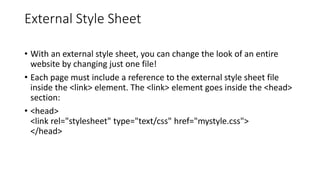
External Style Sheet
• With an external style sheet, you can change the look of an entire
website by changing just one file!
• Each page must include a reference to the external style sheet file
inside the <link> element. The <link> element goes inside the <head>
section:
• <head>
<link rel="stylesheet" type="text/css" href="mystyle.css">
</head>
Internal Style Sheet
• An internal style sheet may be used if one single page has a unique
style.
• Internal styles are defined within the <style> element, inside the
<head> section of an HTML page:
<html>
<head>
<style>
body {
background-color: linen;
}
h1 {
color: maroon;
margin-left: 40px;
}
</style>
</head>
<body>
<h1>This is a heading</h1>
<p>This is a paragraph.</p>
</body>
</html>
colors
• Colors are specified using predefined color names, or RGB and HEX

Cascading Style Sheets for web browser.pptx

  • 1.
  • 2.
    • CSS standsfor Cascading Style Sheets • CSS describes how HTML elements are to be displayed on screen, paper, or in other media • CSS saves a lot of work. It can control the layout of multiple web pages all at once
  • 3.
    Advantage of CSS •CSS saves time − You can write CSS once and then reuse same sheet in multiple HTML pages. You can define a style for each HTML element and apply it to as many Web pages as you want. • Pages load faster − If you are using CSS, you do not need to write HTML tag attributes every time. Just write one CSS rule of a tag and apply it to all the occurrences of that tag. So less code means faster download times. • Easy maintenance − To make a global change, simply change the style, and all elements in all the web pages will be updated automatically. • Superior styles to HTML − CSS has a much wider array of attributes than HTML, so you can give a far better look to your HTML page in comparison to HTML attributes. • Multiple Device Compatibility − Style sheets allow content to be optimized for more than one type of device. By using the same HTML document, different versions of a website can be presented for handheld devices such as PDAs and cell phones or for printing. • Global web standards − Now HTML attributes are being deprecated and it is being recommended to use CSS. So its a good idea to start using CSS in all the HTML pages to make them compatible to future browsers.
  • 4.
    Who Creates andMaintains CSS? • CSS is created and maintained through a group of people within the W3C called the CSS Working Group. The CSS Working Group creates documents called specifications. When a specification has been discussed and officially ratified by the W3C members, it becomes a recommendation. • These ratified specifications are called recommendations because the W3C has no control over the actual implementation of the language. Independent companies and organizations create that software. • NOTE − The World Wide Web Consortium, or W3C is a group that makes recommendations about how the Internet works and how it should evolve.
  • 5.
    CSS Versions • CascadingStyle Sheets level 1 (CSS1) came out of W3C as a recommendation in December 1996. This version describes the CSS language as well as a simple visual formatting model for all the HTML tags. • CSS2 became a W3C recommendation in May 1998 and builds on CSS1. This version adds support for media-specific style sheets e.g. printers and aural devices, downloadable fonts, element positioning and tables.
  • 6.
    SYNTAX • A CSScomprises of style rules that are interpreted by the browser and then applied to the corresponding elements in your document. A style rule is made of three parts − • Selector − A selector is an HTML tag at which a style will be applied. This could be any tag like <h1> or <table> etc. • Property − A property is a type of attribute of HTML tag. Put simply, all the HTML attributes are converted into CSS properties. They could be color, border etc. • Value − Values are assigned to properties. For example, color property can have value either red or #F1F1F1 etc. }
  • 7.
    CSS Syntax • ACSS rule-set consists of a selector and a declaration block: h1 {color : blue ; font-size: 12px;} property:value ; • The selector points to the HTML element you want to style. • The declaration block contains one or more declarations separated by semicolons. • Each declaration includes a CSS property name and a value, separated by a colon. • A CSS declaration always ends with a semicolon, and declaration blocks are surrounded by curly braces.
  • 8.
    CSS Selectors • CSSselectors are used to "find" (or select) HTML elements based on their element name, id, class, attribute, and more.
  • 9.
    The element Selector •The element selector selects elements based on the element name. • You can select all <p> elements on a page like this (in this case, all <p> elements will be center-aligned, with a red text color): • p { text-align: center; color: red; }
  • 10.
    The id Selector •The id selector uses the id attribute of an HTML element to select a specific element. • The id of an element should be unique within a page, so the id selector is used to select one unique element! • To select an element with a specific id, write a hash (#) character, followed by the id of the element. • The style rule below will be applied to the HTML element with id="para1": #para1 { text-align: center; color: red; } Note: An id name cannot start with a number!
  • 11.
    The class Selector •The class selector selects elements with a specific class attribute. • To select elements with a specific class, write a period (.) character, followed by the name of the class. • In the example below, all HTML elements with class="center" will be red and center-aligned: .center { text-align: center; color: red; }
  • 12.
    <html> <head> <style> p.center { text-align: center; color:red; } p.large { font-size: 300%; } </style> </head> <body> <h1 class="center">This heading will not be affected</h1> <p class="center">This paragraph will be red and center-aligned.</p> <p class="center large">This paragraph will be red, center-aligned, and in a large font-size.</p> </body> </html>
  • 13.
    Grouping Selectors • Ifyou have elements with the same style definitions, • It will be better to group the selectors, to minimize the code. • To group selectors, separate each selector with a comma. • In the example below we have grouped the selectors h1, h2, p { text-align: center; color: red; }
  • 14.
    Three Ways toInsert CSS There are three ways of inserting a style sheet: • External style sheet • Internal style sheet • Inline style
  • 15.
    External Style Sheet •With an external style sheet, you can change the look of an entire website by changing just one file! • Each page must include a reference to the external style sheet file inside the <link> element. The <link> element goes inside the <head> section: • <head> <link rel="stylesheet" type="text/css" href="mystyle.css"> </head>
  • 16.
    Internal Style Sheet •An internal style sheet may be used if one single page has a unique style. • Internal styles are defined within the <style> element, inside the <head> section of an HTML page:
  • 17.
    <html> <head> <style> body { background-color: linen; } h1{ color: maroon; margin-left: 40px; } </style> </head> <body> <h1>This is a heading</h1> <p>This is a paragraph.</p> </body> </html>
  • 18.
    colors • Colors arespecified using predefined color names, or RGB and HEX