Working with digital resources
      For CALD and other learners

                    Lynne Gibb
CALD Learners? Students?
• Working with CALD students can
  present challenges
• Digital resources can assist
• It is all about facilitation & support
• Telephone, email, online classroom, Discussion
  forums, wiki messaging, text messaging
• ...but it is ALWAYS about people & facilitation
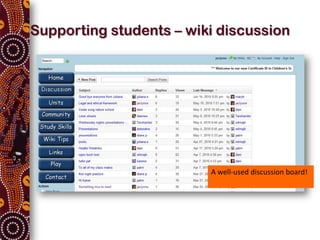
Supporting students – wiki discussion


                         A well-used discussion board!
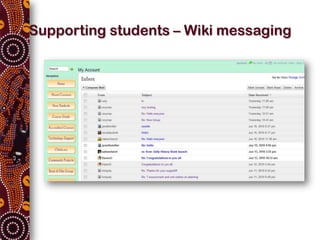
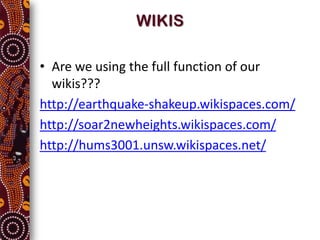
Supporting students – Wiki messaging
WIKIS

• Are we using the full function of our
  wikis???
http://earthquake-shakeup.wikispaces.com/
http://soar2newheights.wikispaces.com/
http://hums3001.unsw.wikispaces.net/
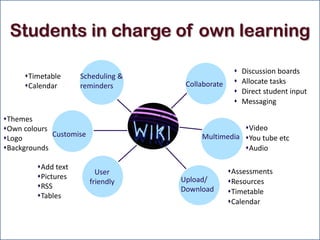
Students in charge of own learning

                                                       Discussion boards
     Timetable      Scheduling &
                                     Collaborate       Allocate tasks
     Calendar       reminders
                                                       Direct student input
                                                       Messaging

Themes
Own colours                                        Video
             Customise                   Multimedia You tube etc
Logo
Backgrounds                                        Audio

         Add text
                           User                    Assessments
         Pictures                  Upload/
                         friendly                  Resources
         RSS                       Download       Timetable
         Tables
                                                   Calendar
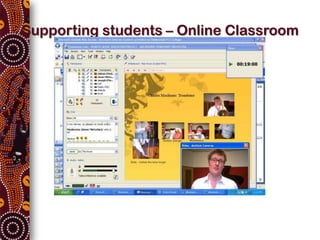
Supporting students – Online Classroom
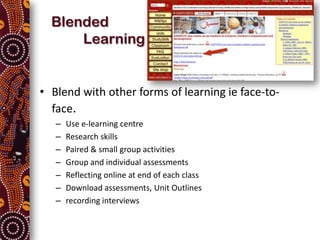
Blended
      Learning


• Blend with other forms of learning ie face-to-
  face.
   –   Use e-learning centre
   –   Research skills
   –   Paired & small group activities
   –   Group and individual assessments
   –   Reflecting online at end of each class
   –   Download assessments, Unit Outlines
   –   recording interviews
Use multimedia LOTS with CALD
                 students
•   Learning using the senses
• Can include text, video, audio, animation and
  virtual environments
  – Eg upload you powerpoints, easy for students who
    find it difficult to take notes
  – Students video each other in class, interviewing
    etc (Flip camera, Digital storytelling)
Tools are just another resource


 What tools do you already use to assist you
  deliver your classes?
Embedding Elearning
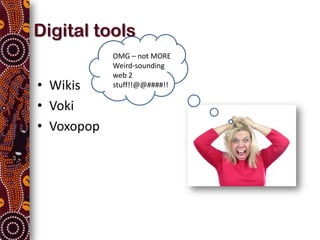
Digital tools
            OMG – not MORE
            Weird-sounding
            web 2
• Wikis     stuff!!@@####!!

• Voki
• Voxopop
Voki
Hmmm….what’s Voki & what can it do for my students?

Voki is a free service that allows you to create personalized
speaking avatars and use them on your wiki, blog, profile, and in
email messages. They are fun and engaging & easy to make.

Examples of Vokis with sound effects
Easy instructions on how to utilise vokis with students


      OK – so how might you use vokis with your students?
Voxopop             Voxopop?
                                     Voxowhat??@@!!

• Its all about the voice
• Practise speaking then listen to it
• Encourage conversation between 2 or more
  students
• Dale Pobega –ESL practitioner using Voxopop –
  Dale’s ESL Club
• Another example of Voxopop being used for
  assessment
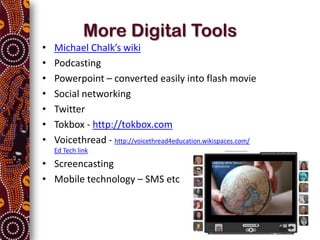
More Digital Tools
•   Michael Chalk’s wiki
•   Podcasting
•   Powerpoint – converted easily into flash movie
•   Social networking
•   Twitter
•   Tokbox - http://tokbox.com
•   Voicethread - http://voicethread4education.wikispaces.com/
    Ed Tech link

• Screencasting
• Mobile technology – SMS etc
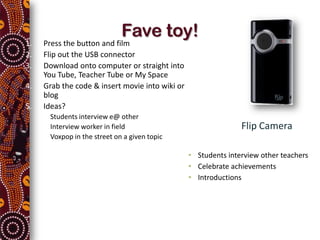
Fave toy!
1.       Press the button and film
2.       Flip out the USB connector
3.       Download onto computer or straight into
         You Tube, Teacher Tube or My Space
4.       Grab the code & insert movie into wiki or
         blog
5.       Ideas?
     •    Students interview e@ other
     •    Interview worker in field                                 Flip Camera
     •    Voxpop in the street on a given topic

                                                     • Students interview other teachers
                                                     • Celebrate achievements
                                                     • Introductions
So much to choose from!
• Get excited!
• Find one tool and play with it.
• Pick a likely student or group of students to
  trial it on
• Learn from mistakes and improve
• Get the students excited
• Give yourself time to take on learning new
  things
• Ask me!!!
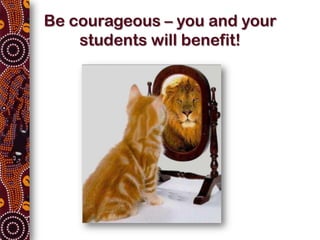
Be courageous – you and your
    students will benefit!
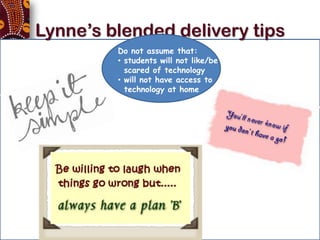
Lynne’s blended delivery tips
                   Do not assume that:
                   • students will not like/be
                     scared of technology
                   • will not have access to
                     technology at home


• Its all about the facilitation – not the tools
Thank you for participating
  Look forward to seeing great things
Happening with CALD learners & web 2.0


                   Handout & copy of today’s powerpoint available from
                   http://coonarastaff.coonarahouse.org.au


Lynne Gibb
lynne@coonarahouse.org.au

CALD learners Conference Coonara CH

  • 1.
    Working with digitalresources For CALD and other learners Lynne Gibb
  • 2.
    CALD Learners? Students? •Working with CALD students can present challenges • Digital resources can assist • It is all about facilitation & support • Telephone, email, online classroom, Discussion forums, wiki messaging, text messaging • ...but it is ALWAYS about people & facilitation
  • 3.
    Supporting students –wiki discussion A well-used discussion board!
  • 4.
  • 5.
    WIKIS • Are weusing the full function of our wikis??? http://earthquake-shakeup.wikispaces.com/ http://soar2newheights.wikispaces.com/ http://hums3001.unsw.wikispaces.net/
  • 6.
    Students in chargeof own learning  Discussion boards Timetable Scheduling & Collaborate  Allocate tasks Calendar reminders  Direct student input  Messaging Themes Own colours Video Customise Multimedia You tube etc Logo Backgrounds Audio Add text User Assessments Pictures Upload/ friendly Resources RSS Download Timetable Tables Calendar
  • 7.
    Supporting students –Online Classroom
  • 8.
    Blended Learning • Blend with other forms of learning ie face-to- face. – Use e-learning centre – Research skills – Paired & small group activities – Group and individual assessments – Reflecting online at end of each class – Download assessments, Unit Outlines – recording interviews
  • 9.
    Use multimedia LOTSwith CALD students • Learning using the senses
  • 10.
    • Can includetext, video, audio, animation and virtual environments – Eg upload you powerpoints, easy for students who find it difficult to take notes – Students video each other in class, interviewing etc (Flip camera, Digital storytelling)
  • 11.
    Tools are justanother resource What tools do you already use to assist you deliver your classes?
  • 12.
  • 13.
    Digital tools OMG – not MORE Weird-sounding web 2 • Wikis stuff!!@@####!! • Voki • Voxopop
  • 14.
    Voki Hmmm….what’s Voki &what can it do for my students? Voki is a free service that allows you to create personalized speaking avatars and use them on your wiki, blog, profile, and in email messages. They are fun and engaging & easy to make. Examples of Vokis with sound effects Easy instructions on how to utilise vokis with students OK – so how might you use vokis with your students?
  • 15.
    Voxopop Voxopop? Voxowhat??@@!! • Its all about the voice • Practise speaking then listen to it • Encourage conversation between 2 or more students • Dale Pobega –ESL practitioner using Voxopop – Dale’s ESL Club • Another example of Voxopop being used for assessment
  • 16.
    More Digital Tools • Michael Chalk’s wiki • Podcasting • Powerpoint – converted easily into flash movie • Social networking • Twitter • Tokbox - http://tokbox.com • Voicethread - http://voicethread4education.wikispaces.com/ Ed Tech link • Screencasting • Mobile technology – SMS etc
  • 17.
    Fave toy! 1. Press the button and film 2. Flip out the USB connector 3. Download onto computer or straight into You Tube, Teacher Tube or My Space 4. Grab the code & insert movie into wiki or blog 5. Ideas? • Students interview e@ other • Interview worker in field Flip Camera • Voxpop in the street on a given topic • Students interview other teachers • Celebrate achievements • Introductions
  • 18.
    So much tochoose from! • Get excited! • Find one tool and play with it. • Pick a likely student or group of students to trial it on • Learn from mistakes and improve • Get the students excited • Give yourself time to take on learning new things • Ask me!!!
  • 19.
    Be courageous –you and your students will benefit!
  • 20.
    Lynne’s blended deliverytips Do not assume that: • students will not like/be scared of technology • will not have access to technology at home • Its all about the facilitation – not the tools
  • 22.
    Thank you forparticipating Look forward to seeing great things Happening with CALD learners & web 2.0 Handout & copy of today’s powerpoint available from http://coonarastaff.coonarahouse.org.au Lynne Gibb lynne@coonarahouse.org.au

Editor's Notes

  • #3 Working with CALD students can present challenges – but so can any studentsUsing digital resources can assist any studentIt is all about facilitation & supportTelephone, email, online classroom, Discussion forums, wiki messaging, text messaging...but it is ALWAYS about people & facilitation
  • #13 But what does that mean?I love the way this iron cross appears to be a part of the pavement. It has ridges and hollows where it sometimes appears to pop out above the pavement while at some points it appears to recede into the pavement itself. I think that’s what I mean by embedding wikis into the everyday fabric of our courses. At the beginning of the course they stick out of the pavement like a beacon as they are new and different for students, however, somewhere along the way they begin to embed themselves into the pavement until they become a part of the structure of the courses. We start small and grow more and more as tutors & students become more confident & can see the advantages. But we NEVER forget that it is ALL in the facilitation – not the tool!
  • #16 I have a many ESL students doing Certificate III in Children’s Services and Aged care as well as some at Diploma level. We also have students with other difficulties ies a student with severe dyslexia. I am starting to use technology such as Voxopop and and other sound tech nology to assess students, record class sessions to later upload to a wiki for student to relisten to – cannot take notes Record oral assessments for AQTF and SkillsVic purposes
  • #19 Get excited! – Excitement is infectious and maybe you can be instrumental in enthusing another teacher to have a goFind one tool and play with it – gain some confidence before trialing it with studentsPick a likely student or group of students to trial it on – pick one who is interested and willing to give it a goLearn from mistakes and improve – tell students you are new at this too. Get their feedback.Get the students excited – if students start to see the potential, they might be encouraged to tell others and do some viral marketing for us!Give yourself time to take on learning new things – Rome wasn’t built in a day. A few of us have been at it for 5 years or so now and we are still learning!
  • #20 And remember that I am available 7 or so hours a week to assist you with technology – even to sit in a class and coach alongside and also to support you if the technology doesn’t work – it sometimes doesn’t
  • #22 Any questions?