Web 2.0 in Education Matt Crosslin Katrina Adams
 
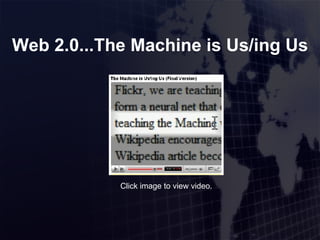
Web 2.0...The Machine is Us/ing Us Click image to view video.

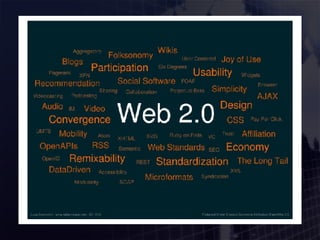
What Web 2.0 is  Not A new version of the Internet A new release of software A new way of surfing the internet
What Web 2.0 is: A new way of looking at how to design web pages An emphasis on online sharing and user collaboration Something that is changing the way online businesses operate No gurus that hand out wisdom – collective intelligence
Web 1.0 Web pages as information silos Information is set Changing content meant redesign by the web admin Static – read only Britannica Online
Web 2.0 Term copyrighted by O’Reilly Media Dynamic Read/write web Wikipedia
Publication Tools
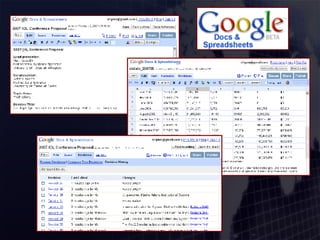
Google Tools Docs & Spreadsheets Presentations coming soon Online, collaborative document creation Upload Word, OpenOffice, etc – and download Educational Example: use instead of emailing projects back and forth
 
Zoho www.zoho.com Same functions as Google Tools Includes Wiki, Notebook, Conferencing, Databases Plug-ins to connect to Office and IE/Firefox Educational Example: manage all aspects of an online project
Slideshare www.slideshare.net Shares PowerPoints online Works in all browsers Presentations are downloadable Create groups and discuss presentations Educational Example: embed PP in online lessons
Blogs Educational Uses: Distance education staff posts important information Current events blog that professor and students contribute to and comment on. Act as a journal for students to post (i.e. real-world application of concepts taught in class) Students post samples of their own works
Wikis http://cas100b.pbwiki.com/ http://languagelinks2006.wikispaces.com/ Educational Uses: Student-generated resource lists Faculty bulletin boards Peer review Collaborative research Student portfolios Digital media collections Online documents that anyone can edit Saves all previous versions for comparison
Wikis
Multimedia Publications
Podcasts Educational Uses: Podcast that discusses current events that relate to course content. Present lectures in podcast format. Easy to use: Record podcast audio in your browser Upload pre-recorded audio Creates all podcast files (mp3, RSS) Embed audio or podcast on site All you need is a microphone ( video )
Vodcasts & Video Kyte.tv: “ Start your own broadcast network” Add video, music, slideshows, images, or polls Drag and drop online tools for creation Chat with your “audience” live Embed your channel on your site www.flixn.com: Video version of Odeo Studio or Gcast Need a webcam Or upload video Embed video in your site
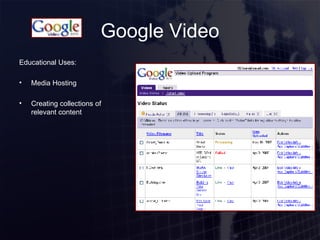
Google Video Educational Uses: Media Hosting Creating collections of relevant content
Conferencing
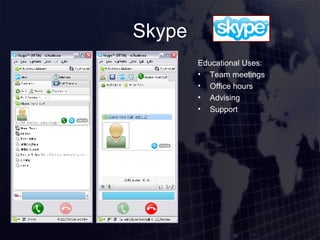
Skype Educational Uses: Team meetings Office hours Advising Support
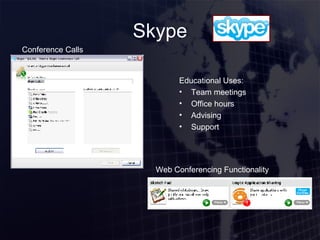
Skype Educational Uses: Team meetings Office hours Advising Support Conference Calls Web Conferencing Functionality
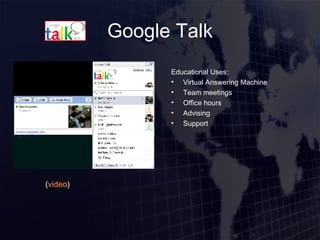
Google Talk Educational Uses: Virtual Answering Machine Team meetings Office hours Advising Support ( video )
Meebo www.meebo.com Online IM tool Embed chat tool on website Educational Example: virtual office hours online
Social Networking
Social Networking Websites Educational Uses: Team area Groups for current students and alumni (serves as recruiting tool) Promoting school activities Distributing information and media Posting event schedules Bulletin Boards
Micro-Blogging Educational Uses: A form of story telling ( link ) Post updates on projects ( link ) Students submit comments/questions in a conference (distance or in-class) Prof and students “tweet” useful information resources Centralized collection of RSS feeds ( video ) ( video )
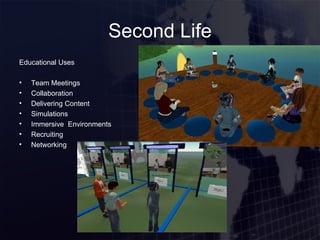
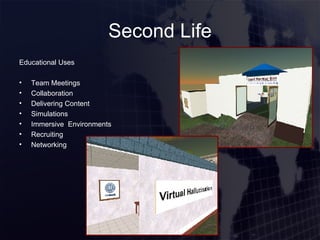
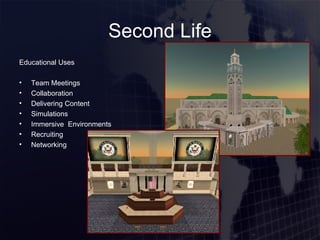
Second Life Second Life is a 3-D virtual world entirely built and owned by its residents.  ( video )
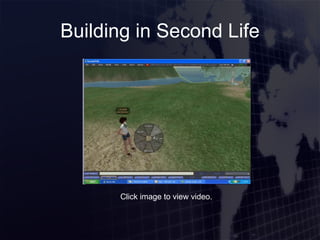
Building in Second Life Click image to view video.
Second Life Educational Uses Team Meetings Collaboration Delivering Content Simulations Immersive  Environments Recruiting Networking
Course Management Systems
Moodle www.moodle.org Open-source course management system Based on pedagogical principles Create online learning communities Many Web2.0 concepts already standard Blogs, wikis, chat, and all other standard tools
DrupalEd www.drupaled.org Combines LMS, CMS, and social networking Blogs, wikis, image galleries, social tags, networks Page editors, file storage Assignments, calendars, lessons, tests
Sloodle www.sloodle.com Creates objects in Second Life based on Moodle activities Still in development Students can use either web or Second Life side
Resources Google Docs http://docs.google.com Zoho http://www.zoho.com Slide Share (PowerPoint +YouTube) http://www.slideshare.net Blogger http://www.blogger.com WordPress http://www.wordpress.com Live Journal http://www.livejournal.com EduBlogs http://eduglogs.org TypePad http://www.typepad.com   pbWiki http://www.pbwiki.com Wikispaces http://www.wikispaces.com Jotspot http://www.jot.com Wetpaint http://www.wetpaint.com Orkut http:// www.orkut.com Virb http:// www.virb.com Twitter http:// www.twitter.com Jaiku http:// www.jaiku.com Second Life http:// www.secondlife.com Moodle http:// www.moodle.org DrupalEd http:// drupaled.org   Sloodle http:// www.sloodle.com   Educause Podcast Edition #6: Uses of Wikis http://connect.educause.edu/blog/dianao/educause_pocket_edition_6_uses_of_wikis/2445 Uses of Blogs in Education http://www.pembinatrails.ca/program/technology/uses_of_blogs_in_education.htm Sloodle videos on blip.tv http://www.blip.tv/posts/?search=sloodle&page=1   The Machine is Us/ing Us http://www.youtube.com/watch?v=NLlGopyXT_g Odeo Studio http:// studio.odeo.com Gcast http:// www.gcast.com Kyte TV http://www.kyte.tv Flixn http://www.flixn.com Google Video http://video.google.com Teacher Tube http:// www.teachertube.com Skype http://www.skype.com Google Talk http://www.google.com/talk Meebo http://www.meebo.com Myspace http://www.myspace.com Facebook http://www.facebook.com Friendster http://www.friendster.com
Questions?
Thanks! Matt Crosslin [email_address] Katrina Adams [email_address]

IOL 2007 Web 2 0

  • 1.
    Web 2.0 inEducation Matt Crosslin Katrina Adams
  • 2.
  • 3.
    Web 2.0...The Machineis Us/ing Us Click image to view video.
  • 4.
    What Web 2.0is Not A new version of the Internet A new release of software A new way of surfing the internet
  • 5.
    What Web 2.0is: A new way of looking at how to design web pages An emphasis on online sharing and user collaboration Something that is changing the way online businesses operate No gurus that hand out wisdom – collective intelligence
  • 6.
    Web 1.0 Webpages as information silos Information is set Changing content meant redesign by the web admin Static – read only Britannica Online
  • 7.
    Web 2.0 Termcopyrighted by O’Reilly Media Dynamic Read/write web Wikipedia
  • 8.
  • 9.
    Google Tools Docs& Spreadsheets Presentations coming soon Online, collaborative document creation Upload Word, OpenOffice, etc – and download Educational Example: use instead of emailing projects back and forth
  • 10.
  • 11.
    Zoho www.zoho.com Samefunctions as Google Tools Includes Wiki, Notebook, Conferencing, Databases Plug-ins to connect to Office and IE/Firefox Educational Example: manage all aspects of an online project
  • 12.
    Slideshare www.slideshare.net SharesPowerPoints online Works in all browsers Presentations are downloadable Create groups and discuss presentations Educational Example: embed PP in online lessons
  • 13.
    Blogs Educational Uses:Distance education staff posts important information Current events blog that professor and students contribute to and comment on. Act as a journal for students to post (i.e. real-world application of concepts taught in class) Students post samples of their own works
  • 14.
    Wikis http://cas100b.pbwiki.com/ http://languagelinks2006.wikispaces.com/Educational Uses: Student-generated resource lists Faculty bulletin boards Peer review Collaborative research Student portfolios Digital media collections Online documents that anyone can edit Saves all previous versions for comparison
  • 15.
  • 16.
  • 17.
    Podcasts Educational Uses:Podcast that discusses current events that relate to course content. Present lectures in podcast format. Easy to use: Record podcast audio in your browser Upload pre-recorded audio Creates all podcast files (mp3, RSS) Embed audio or podcast on site All you need is a microphone ( video )
  • 18.
    Vodcasts & VideoKyte.tv: “ Start your own broadcast network” Add video, music, slideshows, images, or polls Drag and drop online tools for creation Chat with your “audience” live Embed your channel on your site www.flixn.com: Video version of Odeo Studio or Gcast Need a webcam Or upload video Embed video in your site
  • 19.
    Google Video EducationalUses: Media Hosting Creating collections of relevant content
  • 20.
  • 21.
    Skype Educational Uses:Team meetings Office hours Advising Support
  • 22.
    Skype Educational Uses:Team meetings Office hours Advising Support Conference Calls Web Conferencing Functionality
  • 23.
    Google Talk EducationalUses: Virtual Answering Machine Team meetings Office hours Advising Support ( video )
  • 24.
    Meebo www.meebo.com OnlineIM tool Embed chat tool on website Educational Example: virtual office hours online
  • 25.
  • 26.
    Social Networking WebsitesEducational Uses: Team area Groups for current students and alumni (serves as recruiting tool) Promoting school activities Distributing information and media Posting event schedules Bulletin Boards
  • 27.
    Micro-Blogging Educational Uses:A form of story telling ( link ) Post updates on projects ( link ) Students submit comments/questions in a conference (distance or in-class) Prof and students “tweet” useful information resources Centralized collection of RSS feeds ( video ) ( video )
  • 28.
    Second Life SecondLife is a 3-D virtual world entirely built and owned by its residents. ( video )
  • 29.
    Building in SecondLife Click image to view video.
  • 30.
    Second Life EducationalUses Team Meetings Collaboration Delivering Content Simulations Immersive Environments Recruiting Networking
  • 31.
    Second Life EducationalUses Team Meetings Collaboration Delivering Content Simulations Immersive Environments Recruiting Networking
  • 32.
    Second Life EducationalUses Team Meetings Collaboration Delivering Content Simulations Immersive Environments Recruiting Networking
  • 33.
  • 34.
    Moodle www.moodle.org Open-sourcecourse management system Based on pedagogical principles Create online learning communities Many Web2.0 concepts already standard Blogs, wikis, chat, and all other standard tools
  • 35.
    DrupalEd www.drupaled.org CombinesLMS, CMS, and social networking Blogs, wikis, image galleries, social tags, networks Page editors, file storage Assignments, calendars, lessons, tests
  • 36.
    Sloodle www.sloodle.com Createsobjects in Second Life based on Moodle activities Still in development Students can use either web or Second Life side
  • 37.
    Resources Google Docshttp://docs.google.com Zoho http://www.zoho.com Slide Share (PowerPoint +YouTube) http://www.slideshare.net Blogger http://www.blogger.com WordPress http://www.wordpress.com Live Journal http://www.livejournal.com EduBlogs http://eduglogs.org TypePad http://www.typepad.com pbWiki http://www.pbwiki.com Wikispaces http://www.wikispaces.com Jotspot http://www.jot.com Wetpaint http://www.wetpaint.com Orkut http:// www.orkut.com Virb http:// www.virb.com Twitter http:// www.twitter.com Jaiku http:// www.jaiku.com Second Life http:// www.secondlife.com Moodle http:// www.moodle.org DrupalEd http:// drupaled.org Sloodle http:// www.sloodle.com Educause Podcast Edition #6: Uses of Wikis http://connect.educause.edu/blog/dianao/educause_pocket_edition_6_uses_of_wikis/2445 Uses of Blogs in Education http://www.pembinatrails.ca/program/technology/uses_of_blogs_in_education.htm Sloodle videos on blip.tv http://www.blip.tv/posts/?search=sloodle&page=1 The Machine is Us/ing Us http://www.youtube.com/watch?v=NLlGopyXT_g Odeo Studio http:// studio.odeo.com Gcast http:// www.gcast.com Kyte TV http://www.kyte.tv Flixn http://www.flixn.com Google Video http://video.google.com Teacher Tube http:// www.teachertube.com Skype http://www.skype.com Google Talk http://www.google.com/talk Meebo http://www.meebo.com Myspace http://www.myspace.com Facebook http://www.facebook.com Friendster http://www.friendster.com
  • 38.
  • 39.
    Thanks! Matt Crosslin[email_address] Katrina Adams [email_address]