NEW TECHNOLOGIES…     Catherine Ritz
                      MaFLA
 YOUR CLASSROOM…      Summer
                      Institute,
          LET’S GO!   08/2012
LEARNING OBJECTIVES / AGENDA

 To understand what resources are available to you and
  understand how to use them in a way that meets state and
  national standards and communicative objectives.
 AGENDA:
     Background
     Student Performance Resources
     Break & Mini-Group Project
     Resources to Make Your Life Easier
     Some Techie Talk: the Embed Code
     Open Sharing of Resources You Love
     Questions/Feedback
MY PERSONAL BIASES :)

 I love technology.
 I just think it’s fun.
 I could spend all day playing with stuff online.
 I have to stop myself from using technology.
 I tend to use technology for speaking activities. It just
  seems incomplete without it.

 You should do what you know is right for your students.
 You should take away from this presentation what you
  need.
 You should forget about the rest!
 But… you should think about your students’ interests!
TECH LET’S GO…
AUDIENCE QUESTIONS W/GOOGLE VOICE

 What burning questions do you have about using
  technology in your classroom?
 Please call me @ 617-651-0483 and leave me a
  message with your question. I will do my best to
  answer!
 On the count of three… please dial!
 For those of you with SmartPhones, please download
  the following app:
    Socrative Student
      We will try to use it later!
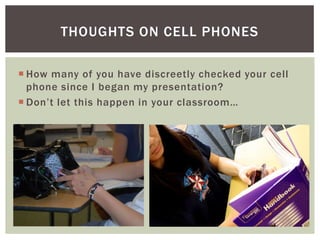
THOUGHTS ON CELL PHONES

 How many of you have discreetly checked your cell
  phone since I began my presentation?
 Don’t let this happen in your classroom…
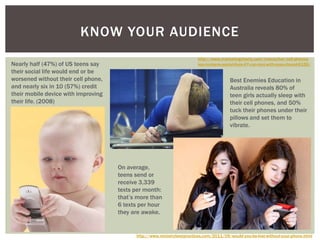
KNOW YOUR AUDIENCE
                                                                         http://www.marketingcharts.com/interactive/cell-phones-
Nearly half (47%) of US teens say                                        key-to-teens-social-lives-47-can-text-with-eyes-closed-6126/
their social life would end or be
worsened without their cell phone,                                                       Best Enemies Education in
and nearly six in 10 (57%) credit                                                        Australia reveals 80% of
their mobile device with improving                                                       teen girls actually sleep with
their life. (2008)                                                                       their cell phones, and 50%
                                                                                         tuck their phones under their
                                                                                         pillows and set them to
                                                                                         vibrate.


                                     On average,
                                     teens send or
                                     receive 3,339
                                     texts per month:
                                     that’s more than
                                     6 texts per hour
                                     they are awake.


                                           http://www.ministrybestpractices.com/2011/09/would-you-be-lost-without-your-phone.html
FRAMING THE USE OF TECHNOLOGY
       (OR ANY THING REALLY)

 WHY?? should I use this?
 HOW?? does it meet my learning objectives?
 WHAT?? are my learning objectives?
 WHAT?? should my students be able to do through
  the use of this activity?
 WHO?? can I rely on for help?
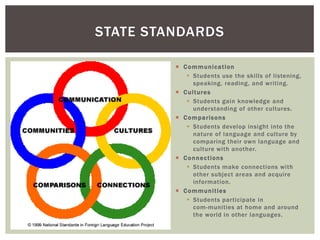
STATE STANDARDS

          C o m m un i c a t io n
             Students use the skills of listening,
                speaking, reading, and writing.
          C u l t ur e s
             Students gain knowledge and
                understanding of other cultures.
          C o m p a r is o n s
             Students develop insight into the
                nature of language and culture by
                comparing their own language and
                culture with another.
          C o n n e c t io n s
             Students make connections with
                other subject areas and acquire
                information.
          C o m m un i t i e s
             Students participate in
                com-munities at home and around
                the world in other languages.
STATE STANDARDS

  Communication
     Students use the skills of listening, speaking, reading, and writing.
        PreK–12 STANDARD 1 Interpersonal Communication: Students of
         modern languages will converse in a language other than English
         to provide and obtain information, express feelings and emotions,
         and exchange opinions.
        PreK–12 STANDARD 2 Interpretive Communication: Students will
         understand and interpret ideas and information written or spoken
         in a language other than English.
        PreK–12 STANDARD 3 Presentational Communication: Students of
         modern languages will write and speak in a language other than
         English to present information, concepts, and ideas on a variety of
         topics.


http://www.doe.mass.edu/frameworks/foreign/1999.pdf
PERFORMANCE OBJECTIVES

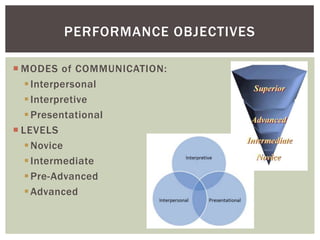
 MODES of COMMUNICATION:
    Interpersonal
    Interpretive
    Presentational
 LEVELS
    Novice
    Intermediate
    Pre-Advanced
    Advanced
TECHNOLOGY STANDARDS


             http://www.iste.org/standards/nets-for-students.aspx
TECHNOLOGY STANDARDS

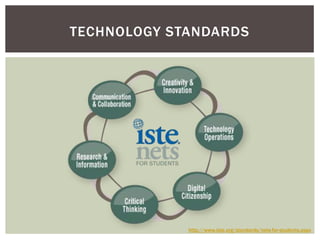
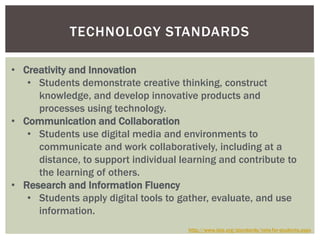
• Creativity and Innovation
   • Students demonstrate creative thinking, construct
     knowledge, and develop innovative products and
     processes using technology.
• Communication and Collaboration
   • Students use digital media and environments to
     communicate and work collaboratively, including at a
     distance, to support individual learning and contribute to
     the learning of others.
• Research and Information Fluency
   • Students apply digital tools to gather, evaluate, and use
     information.
                                       http://www.iste.org/standards/nets-for-students.aspx
TECHNOLOGY STANDARDS

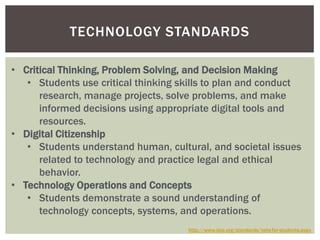
• Critical Thinking, Problem Solving, and Decision Making
   • Students use critical thinking skills to plan and conduct
      research, manage projects, solve problems, and make
      informed decisions using appropriate digital tools and
      resources.
• Digital Citizenship
   • Students understand human, cultural, and societal issues
      related to technology and practice legal and ethical
      behavior.
• Technology Operations and Concepts
   • Students demonstrate a sound understanding of
      technology concepts, systems, and operations.
                                     http://www.iste.org/standards/nets-for-students.aspx
MY TOP 10
         (FOR STUDENT PERFORMANCE)
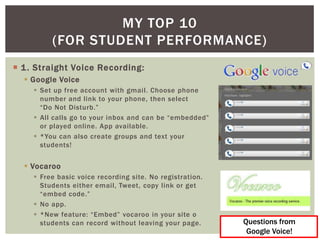
 1 . Straight Voice Recording:
   Google Voice
     Set up free account with gmail. Choose phone
      number and link to your phone, then select
      “Do Not Disturb.”
     All calls go to your inbox and can be “embedded”
      or played online. App available.
     *You can also create groups and text your
      students!


   Vocaroo
     Free basic voice recording site. No registration.
      Students either email, Tweet, copy link or get
      “embed code.”
     No app.
     *New feature: “Embed” vocaroo in your site o
      students can record without leaving your page.      Questions from
                                                           Google Voice!
MY TOP 10
              (FOR STUDENT
             PERFORMANCE)
 2. Voice Recording w/Benefits
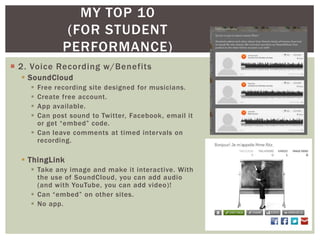
   SoundCloud
     Free recording site designed for musicians.
     Create free account.
     App available.
     Can post sound to Twitter, Facebook, email it
      or get “embed” code.
     Can leave comments at timed intervals on
      recording.

   ThingLink
     Take any image and make it interactive. With
      the use of SoundCloud, you can add audio
      (and with YouTube, you can add video)!
     Can “embed” on other sites.
     No app.
MY TOP 10
           (FOR STUDENT PERFORMANCE)
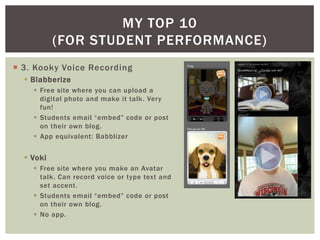
 3. Kooky Voice Recording
   Blabberize
     Free site where you can upload a
      digital photo and make it talk. Very
      fun!
     Students email “embed” code or post
      on their own blog.
     App equivalent: Babblizer


   Voki
     Free site where you make an Avatar
      talk. Can record voice or type text and
      set accent.
     Students email “embed” code or post
      on their own blog.
     No app.
MY TOP 10
              (FOR STUDENT
             PERFORMANCE)
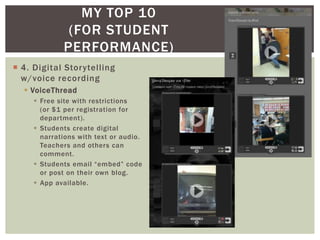
 4. Digital Storytelling
  w/voice recording
   VoiceThread
      Free site with restrictions
       (or $1 per registration for
       department).
      Students create digital
       narrations with text or audio.
       Teachers and others can
       comment.
      Students email “embed” code
       or post on their own blog.
      App available.
MY TOP 10
        (FOR STUDENT PERFORMANCE)
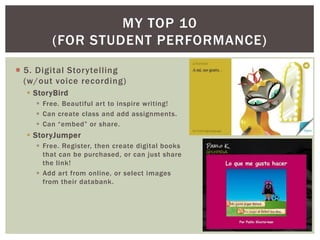
 5. Digital Storytelling
  (w/out voice recording)
   StoryBird
     Free. Beautiful art to inspire writing!
     Can create class and add assignments.
     Can “embed” or share.
   StoryJumper
     Free. Register, then create digital books
      that can be purchased, or can just share
      the link!
     Add art from online, or select images
      from their databank.
MY TOP 10
          (FOR STUDENT
         PERFORMANCE)
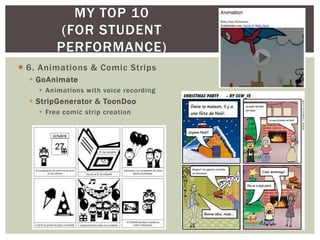
 6. Animations & Comic Strips
   GoAnimate
     Animations with voice recording
   StripGenerator & ToonDoo
     Free comic strip creation
MY TOP 10
        (FOR STUDENT PERFORMANCE)
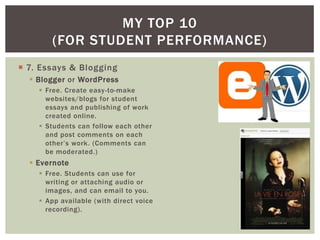
 7. Essays & Blogging
   Blogger or WordPress
     Free. Create easy -to-make
      websites/blogs for student
      essays and publishing of work
      created online.
     Students can follow each other
      and post comments on each
      other’s work. (Comments can
      be moderated.)
   Evernote
     Free. Students can use for
      writing or attaching audio or
      images, and can email to you.
     App available (with direct voice
      recording).
MY TOP 10
         (FOR STUDENT PERFORMANCE)
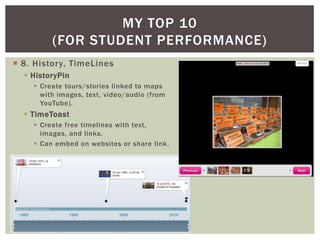
 8. History, TimeLines
   HistoryPin
     Create tours/stories linked to maps
      with images, text, video/audio (from
      YouTube).
   TimeToast
     Create free timelines with text,
      images, and links.
     Can embed on websites or share link.
MY TOP 10
       (FOR STUDENT PERFORMANCE)
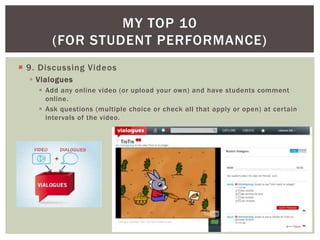
 9. Discussing Videos
   Vialogues
     Add any online video (or upload your own) and have students comment
      online.
     Ask questions (multiple choice or check all that apply or open) at certain
      intervals of the video.
MY TOP 10
       (FOR STUDENT PERFORMANCE)
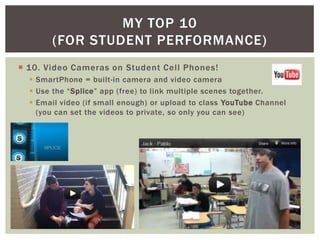
 10. Video Cameras on Student Cell Phones!
   SmartPhone = built-in camera and video camera
   Use the “Splice” app (free) to link multiple scenes together.
   Email video (if small enough) or upload to class YouTube Channel
    (you can set the videos to private, so only you can see)
TECH LET’S GO…
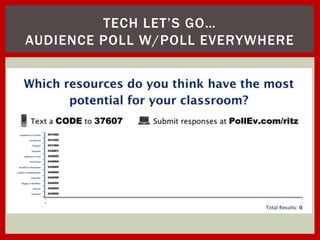
AUDIENCE POLL W/POLL EVERYWHERE
BREAK-OUT TIME

 Your mission:
   to develop at least three project/homework/classwork ideas that…
      1. use a new technology we’ve just discussed
      2. address a mode of communication (i.e., in the TL!)
      3. address both a state FL standard and a national tech standard
 Please work in groups of three!
 And enjoy a little break while you’re at it!
Questions from
                                                             Google Voice!
                   TOP 10
         (TO MAKE YOUR LIFE EASIER)
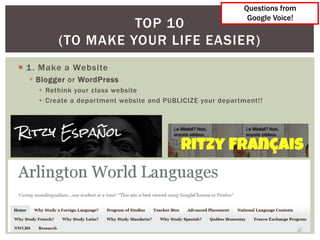
 1 . Make a Website
   Blogger or WordPress
     Rethink your class website
     Create a department website and PUBLICIZE your department!!
TOP 10
              (TO MAKE YOUR LIFE EASIER)
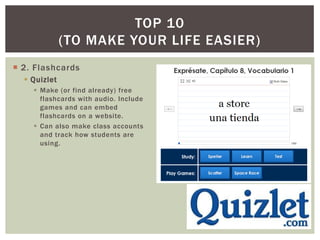
 2. Flashcards
   Quizlet
     Make (or find already) free
      flashcards with audio. Include
      games and can embed
      flashcards on a website.
     Can also make class accounts
      and track how students are
      using.
TOP 10
          (TO MAKE YOUR LIFE EASIER)
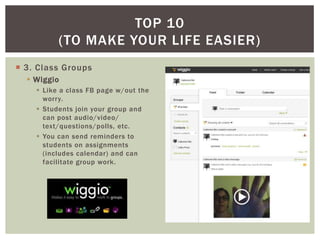
 3. Class Groups
   Wiggio
     Like a class FB page w/out the
      worry.
     Students join your group and
      can post audio/video/
      text/questions/polls, etc.
     You can send reminders to
      students on assignments
      (includes calendar) and can
      facilitate group work.
TOP 10
         (TO MAKE YOUR LIFE EASIER)
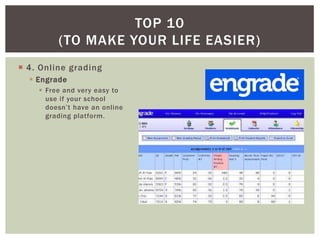
 4. Online grading
   Engrade
     Free and very easy to
      use if your school
      doesn’t have an online
      grading platform.
TOP 10
              (TO MAKE YOUR LIFE EASIER)
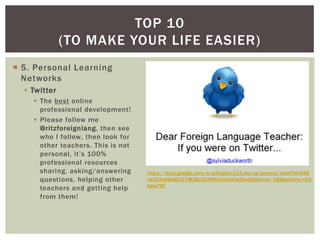
 5. Personal Learning
  Networks
   Twitter
     The best online
      professional development!
     Please follow me
      @ritzforeignlang, then see
      who I follow, then look for
      other teachers. This is not
      personal, it’s 100%
      professional resources
      sharing, asking/answering     https://docs.google.com/a/arlington.k12.ma.us/present/view?id=0AS
      questions, helping other      npJkDhdWidZGY1M3BuZ2RfMzFkaHA3aDlobQ&hl=en_US&authkey=CN
                                    bdw7ID
      teachers and getting help
      from them!
TOP 10
         (TO MAKE YOUR LIFE EASIER)
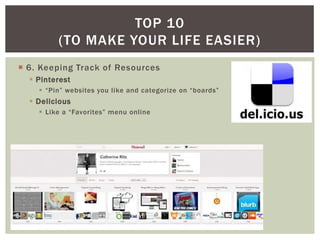
 6. Keeping Track of Resources
   Pinterest
     “Pin” websites you like and categorize on “boards”
   Delicious
     Like a “Favorites” menu online
TOP 10
         (TO MAKE YOUR LIFE EASIER)
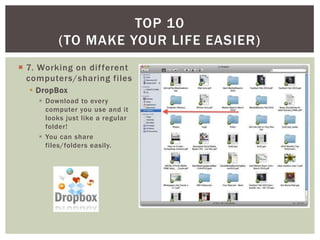
 7. Working on dif ferent
  computers/sharing files
   DropBox
     Download to every
      computer you use and it
      looks just like a regular
      folder!
     You can share
      files/folders easily.
TOP 10
         (TO MAKE YOUR LIFE EASIER)
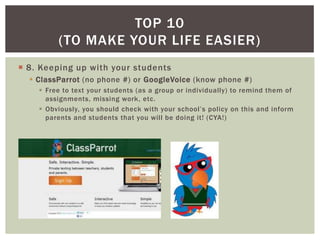
 8. Keeping up with your students
   ClassParrot (no phone #) or GoogleVoice (know phone #)
     Free to text your students (as a group or individually) to remind them of
      assignments, missing work, etc.
     Obviously, you should check with your school’s policy on this and inform
      parents and students that you will be doing it! (CYA!)
TOP 10
          (TO MAKE YOUR LIFE EASIER)
 9. Helping students with writing
   BonPatron
     For French or Spanish
     Helps students understand the type of error they made, doesn’t just give
      them the right answer.
     App available.
TOP 10
         (TO MAKE YOUR LIFE EASIER)
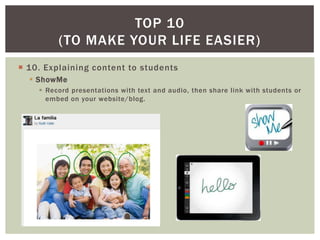
 10. Explaining content to students
   ShowMe
     Record presentations with text and audio, then share link with students or
      embed on your website/blog.
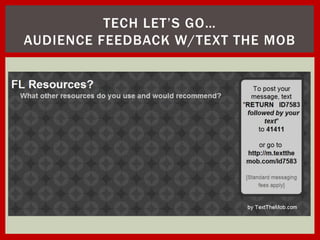
TECH LET’S GO…
AUDIENCE FEEDBACK W/TEXT THE MOB
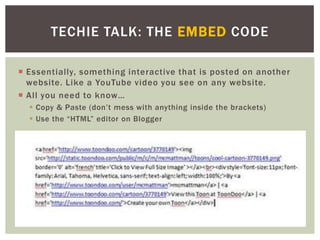
TECHIE TALK: THE EMBED CODE

 Essentially, something interactive that is posted on another
  website. Like a YouTube video you see on any website.
 All you need to know…
   Copy & Paste (don’t mess with anything inside the brackets)
   Use the “HTML” editor on Blogger
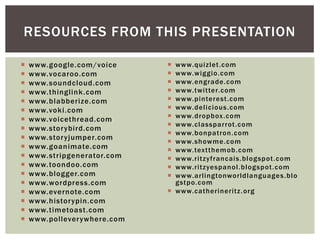
RESOURCES FROM THIS PRESENTATION

   www.google.com/voice       www.quizlet.com
   www.vocaroo.com            www.wiggio.com
   www.soundcloud.com         www.engrade.com
   www.thinglink .com         www.twitter.com
   www.blabberize.com         www.pinterest.com
   www.voki.com               www.delicious.com
   www.voicethread.com        www.dropbox.com
                               www.classparrot.com
   www.stor ybird.com
                               www.bonpatron.com
   www.stor yjumper.com
                               www.showme.com
   www.goanimate.com          www.textthemob.com
   www.stripgenerator.com     www.ritzyfrancais.bl ogspot.com
   www.toondoo.com            www.ritzyespanol.bl ogspot.com
   www.blogger.com            www.arlingtonworldlanguages.bl o
   www.wordpress.com           gstpo.com
   www.evernote.com           www.catherineritz.org
   www.histor ypin.com
   www.timetoast.com
   www.pollever ywhere.com
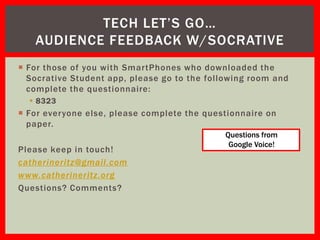
TECH LET’S GO…
   AUDIENCE FEEDBACK W/SOCRATIVE
 For those of you with SmartPhones who downloaded the
  Socrative Student app, please go to the following room and
  complete the questionnaire:
   8323
 For everyone else, please complete the questionnaire on
  paper.
                                              Questions from
                                               Google Voice!
Please keep in touch!
catherineritz@gmail.com
www.catherineritz.org
Questions? Comments?

New Technologies...Your Classroom... Let's Go!

  • 1.
    NEW TECHNOLOGIES… Catherine Ritz MaFLA YOUR CLASSROOM… Summer Institute, LET’S GO! 08/2012
  • 2.
    LEARNING OBJECTIVES /AGENDA  To understand what resources are available to you and understand how to use them in a way that meets state and national standards and communicative objectives.  AGENDA:  Background  Student Performance Resources  Break & Mini-Group Project  Resources to Make Your Life Easier  Some Techie Talk: the Embed Code  Open Sharing of Resources You Love  Questions/Feedback
  • 3.
    MY PERSONAL BIASES:)  I love technology.  I just think it’s fun.  I could spend all day playing with stuff online.  I have to stop myself from using technology.  I tend to use technology for speaking activities. It just seems incomplete without it.  You should do what you know is right for your students.  You should take away from this presentation what you need.  You should forget about the rest!  But… you should think about your students’ interests!
  • 4.
    TECH LET’S GO… AUDIENCEQUESTIONS W/GOOGLE VOICE  What burning questions do you have about using technology in your classroom?  Please call me @ 617-651-0483 and leave me a message with your question. I will do my best to answer!  On the count of three… please dial!  For those of you with SmartPhones, please download the following app:  Socrative Student  We will try to use it later!
  • 5.
    THOUGHTS ON CELLPHONES  How many of you have discreetly checked your cell phone since I began my presentation?  Don’t let this happen in your classroom…
  • 6.
    KNOW YOUR AUDIENCE http://www.marketingcharts.com/interactive/cell-phones- Nearly half (47%) of US teens say key-to-teens-social-lives-47-can-text-with-eyes-closed-6126/ their social life would end or be worsened without their cell phone, Best Enemies Education in and nearly six in 10 (57%) credit Australia reveals 80% of their mobile device with improving teen girls actually sleep with their life. (2008) their cell phones, and 50% tuck their phones under their pillows and set them to vibrate. On average, teens send or receive 3,339 texts per month: that’s more than 6 texts per hour they are awake. http://www.ministrybestpractices.com/2011/09/would-you-be-lost-without-your-phone.html
  • 7.
    FRAMING THE USEOF TECHNOLOGY (OR ANY THING REALLY)  WHY?? should I use this?  HOW?? does it meet my learning objectives?  WHAT?? are my learning objectives?  WHAT?? should my students be able to do through the use of this activity?  WHO?? can I rely on for help?
  • 8.
    STATE STANDARDS  C o m m un i c a t io n  Students use the skills of listening, speaking, reading, and writing.  C u l t ur e s  Students gain knowledge and understanding of other cultures.  C o m p a r is o n s  Students develop insight into the nature of language and culture by comparing their own language and culture with another.  C o n n e c t io n s  Students make connections with other subject areas and acquire information.  C o m m un i t i e s  Students participate in com-munities at home and around the world in other languages.
  • 9.
    STATE STANDARDS Communication  Students use the skills of listening, speaking, reading, and writing.  PreK–12 STANDARD 1 Interpersonal Communication: Students of modern languages will converse in a language other than English to provide and obtain information, express feelings and emotions, and exchange opinions.  PreK–12 STANDARD 2 Interpretive Communication: Students will understand and interpret ideas and information written or spoken in a language other than English.  PreK–12 STANDARD 3 Presentational Communication: Students of modern languages will write and speak in a language other than English to present information, concepts, and ideas on a variety of topics. http://www.doe.mass.edu/frameworks/foreign/1999.pdf
  • 10.
    PERFORMANCE OBJECTIVES  MODESof COMMUNICATION:  Interpersonal  Interpretive  Presentational  LEVELS  Novice  Intermediate  Pre-Advanced  Advanced
  • 11.
    TECHNOLOGY STANDARDS http://www.iste.org/standards/nets-for-students.aspx
  • 12.
    TECHNOLOGY STANDARDS • Creativityand Innovation • Students demonstrate creative thinking, construct knowledge, and develop innovative products and processes using technology. • Communication and Collaboration • Students use digital media and environments to communicate and work collaboratively, including at a distance, to support individual learning and contribute to the learning of others. • Research and Information Fluency • Students apply digital tools to gather, evaluate, and use information. http://www.iste.org/standards/nets-for-students.aspx
  • 13.
    TECHNOLOGY STANDARDS • CriticalThinking, Problem Solving, and Decision Making • Students use critical thinking skills to plan and conduct research, manage projects, solve problems, and make informed decisions using appropriate digital tools and resources. • Digital Citizenship • Students understand human, cultural, and societal issues related to technology and practice legal and ethical behavior. • Technology Operations and Concepts • Students demonstrate a sound understanding of technology concepts, systems, and operations. http://www.iste.org/standards/nets-for-students.aspx
  • 14.
    MY TOP 10 (FOR STUDENT PERFORMANCE)  1 . Straight Voice Recording:  Google Voice  Set up free account with gmail. Choose phone number and link to your phone, then select “Do Not Disturb.”  All calls go to your inbox and can be “embedded” or played online. App available.  *You can also create groups and text your students!  Vocaroo  Free basic voice recording site. No registration. Students either email, Tweet, copy link or get “embed code.”  No app.  *New feature: “Embed” vocaroo in your site o students can record without leaving your page. Questions from Google Voice!
  • 15.
    MY TOP 10 (FOR STUDENT PERFORMANCE)  2. Voice Recording w/Benefits  SoundCloud  Free recording site designed for musicians.  Create free account.  App available.  Can post sound to Twitter, Facebook, email it or get “embed” code.  Can leave comments at timed intervals on recording.  ThingLink  Take any image and make it interactive. With the use of SoundCloud, you can add audio (and with YouTube, you can add video)!  Can “embed” on other sites.  No app.
  • 16.
    MY TOP 10 (FOR STUDENT PERFORMANCE)  3. Kooky Voice Recording  Blabberize  Free site where you can upload a digital photo and make it talk. Very fun!  Students email “embed” code or post on their own blog.  App equivalent: Babblizer  Voki  Free site where you make an Avatar talk. Can record voice or type text and set accent.  Students email “embed” code or post on their own blog.  No app.
  • 17.
    MY TOP 10 (FOR STUDENT PERFORMANCE)  4. Digital Storytelling w/voice recording  VoiceThread  Free site with restrictions (or $1 per registration for department).  Students create digital narrations with text or audio. Teachers and others can comment.  Students email “embed” code or post on their own blog.  App available.
  • 18.
    MY TOP 10 (FOR STUDENT PERFORMANCE)  5. Digital Storytelling (w/out voice recording)  StoryBird  Free. Beautiful art to inspire writing!  Can create class and add assignments.  Can “embed” or share.  StoryJumper  Free. Register, then create digital books that can be purchased, or can just share the link!  Add art from online, or select images from their databank.
  • 19.
    MY TOP 10 (FOR STUDENT PERFORMANCE)  6. Animations & Comic Strips  GoAnimate  Animations with voice recording  StripGenerator & ToonDoo  Free comic strip creation
  • 20.
    MY TOP 10 (FOR STUDENT PERFORMANCE)  7. Essays & Blogging  Blogger or WordPress  Free. Create easy -to-make websites/blogs for student essays and publishing of work created online.  Students can follow each other and post comments on each other’s work. (Comments can be moderated.)  Evernote  Free. Students can use for writing or attaching audio or images, and can email to you.  App available (with direct voice recording).
  • 21.
    MY TOP 10 (FOR STUDENT PERFORMANCE)  8. History, TimeLines  HistoryPin  Create tours/stories linked to maps with images, text, video/audio (from YouTube).  TimeToast  Create free timelines with text, images, and links.  Can embed on websites or share link.
  • 22.
    MY TOP 10 (FOR STUDENT PERFORMANCE)  9. Discussing Videos  Vialogues  Add any online video (or upload your own) and have students comment online.  Ask questions (multiple choice or check all that apply or open) at certain intervals of the video.
  • 23.
    MY TOP 10 (FOR STUDENT PERFORMANCE)  10. Video Cameras on Student Cell Phones!  SmartPhone = built-in camera and video camera  Use the “Splice” app (free) to link multiple scenes together.  Email video (if small enough) or upload to class YouTube Channel (you can set the videos to private, so only you can see)
  • 24.
    TECH LET’S GO… AUDIENCEPOLL W/POLL EVERYWHERE
  • 25.
    BREAK-OUT TIME  Yourmission:  to develop at least three project/homework/classwork ideas that…  1. use a new technology we’ve just discussed  2. address a mode of communication (i.e., in the TL!)  3. address both a state FL standard and a national tech standard  Please work in groups of three!  And enjoy a little break while you’re at it!
  • 26.
    Questions from Google Voice! TOP 10 (TO MAKE YOUR LIFE EASIER)  1 . Make a Website  Blogger or WordPress  Rethink your class website  Create a department website and PUBLICIZE your department!!
  • 27.
    TOP 10 (TO MAKE YOUR LIFE EASIER)  2. Flashcards  Quizlet  Make (or find already) free flashcards with audio. Include games and can embed flashcards on a website.  Can also make class accounts and track how students are using.
  • 28.
    TOP 10 (TO MAKE YOUR LIFE EASIER)  3. Class Groups  Wiggio  Like a class FB page w/out the worry.  Students join your group and can post audio/video/ text/questions/polls, etc.  You can send reminders to students on assignments (includes calendar) and can facilitate group work.
  • 29.
    TOP 10 (TO MAKE YOUR LIFE EASIER)  4. Online grading  Engrade  Free and very easy to use if your school doesn’t have an online grading platform.
  • 30.
    TOP 10 (TO MAKE YOUR LIFE EASIER)  5. Personal Learning Networks  Twitter  The best online professional development!  Please follow me @ritzforeignlang, then see who I follow, then look for other teachers. This is not personal, it’s 100% professional resources sharing, asking/answering https://docs.google.com/a/arlington.k12.ma.us/present/view?id=0AS questions, helping other npJkDhdWidZGY1M3BuZ2RfMzFkaHA3aDlobQ&hl=en_US&authkey=CN bdw7ID teachers and getting help from them!
  • 31.
    TOP 10 (TO MAKE YOUR LIFE EASIER)  6. Keeping Track of Resources  Pinterest  “Pin” websites you like and categorize on “boards”  Delicious  Like a “Favorites” menu online
  • 32.
    TOP 10 (TO MAKE YOUR LIFE EASIER)  7. Working on dif ferent computers/sharing files  DropBox  Download to every computer you use and it looks just like a regular folder!  You can share files/folders easily.
  • 33.
    TOP 10 (TO MAKE YOUR LIFE EASIER)  8. Keeping up with your students  ClassParrot (no phone #) or GoogleVoice (know phone #)  Free to text your students (as a group or individually) to remind them of assignments, missing work, etc.  Obviously, you should check with your school’s policy on this and inform parents and students that you will be doing it! (CYA!)
  • 34.
    TOP 10 (TO MAKE YOUR LIFE EASIER)  9. Helping students with writing  BonPatron  For French or Spanish  Helps students understand the type of error they made, doesn’t just give them the right answer.  App available.
  • 35.
    TOP 10 (TO MAKE YOUR LIFE EASIER)  10. Explaining content to students  ShowMe  Record presentations with text and audio, then share link with students or embed on your website/blog.
  • 36.
    TECH LET’S GO… AUDIENCEFEEDBACK W/TEXT THE MOB
  • 37.
    TECHIE TALK: THEEMBED CODE  Essentially, something interactive that is posted on another website. Like a YouTube video you see on any website.  All you need to know…  Copy & Paste (don’t mess with anything inside the brackets)  Use the “HTML” editor on Blogger
  • 38.
    RESOURCES FROM THISPRESENTATION  www.google.com/voice  www.quizlet.com  www.vocaroo.com  www.wiggio.com  www.soundcloud.com  www.engrade.com  www.thinglink .com  www.twitter.com  www.blabberize.com  www.pinterest.com  www.voki.com  www.delicious.com  www.voicethread.com  www.dropbox.com  www.classparrot.com  www.stor ybird.com  www.bonpatron.com  www.stor yjumper.com  www.showme.com  www.goanimate.com  www.textthemob.com  www.stripgenerator.com  www.ritzyfrancais.bl ogspot.com  www.toondoo.com  www.ritzyespanol.bl ogspot.com  www.blogger.com  www.arlingtonworldlanguages.bl o  www.wordpress.com gstpo.com  www.evernote.com  www.catherineritz.org  www.histor ypin.com  www.timetoast.com  www.pollever ywhere.com
  • 39.
    TECH LET’S GO… AUDIENCE FEEDBACK W/SOCRATIVE  For those of you with SmartPhones who downloaded the Socrative Student app, please go to the following room and complete the questionnaire:  8323  For everyone else, please complete the questionnaire on paper. Questions from Google Voice! Please keep in touch! catherineritz@gmail.com www.catherineritz.org Questions? Comments?