
Technology Tools
             for Senior Projects
           阮枝賢教授
        Steve C. Yuen, Ph.D.
          Visiting Professor
National Kaohsiung Normal University

        Professor Emeritus
The University of Southern Mississippi
      yuen.nknu@gmail.com

         Wenzao Ursuline College of Languages. Kaohsiung, Taiwan
                           December 14, 2012

                                           SteveYuen.org
The 7th Graduation Exhibition

Department of Foreign Language Instruction
  Wenzao Ursuline College of Language


                         SteveYuen.org
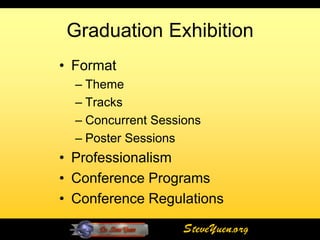
Graduation Exhibition
• Format
  – Theme
  – Tracks
  – Concurrent Sessions
  – Poster Sessions
• Professionalism
• Conference Programs
• Conference Regulations

                    SteveYuen.org
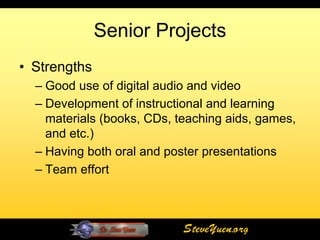
Senior Projects
• Strengths
  – Good use of digital audio and video
  – Development of instructional and learning
    materials (books, CDs, teaching aids, games,
    and etc.)
  – Having both oral and poster presentations
  – Team effort


                            SteveYuen.org
Senior Projects
• Areas of Improvements
  – Online learning materials
  – Student-centered activities
  – Interactivity
  – Use of cloud-based applications/services
  – Project focus
  – Consistent quality


                            SteveYuen.org
Senior Projects

• Recommendations
  – Learner-centered design
  – Evaluations (formative and summative)
  – Students’ reflections
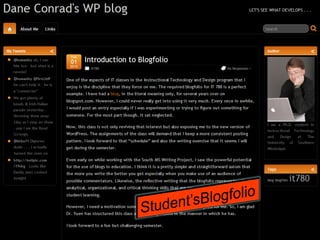
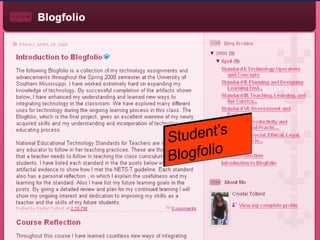
  – Digital collection (blogfolios)
  – Cloud-based technology tools


                        SteveYuen.org
Recommended Technology Tools
•   Audio editing tool (Audacity)
•   Blog (Blogger)
•   Interactive poster (GlogsterEdu)
•   Online image editing (PickMonkey)
•   Online publishing (Scribd, Slideshare)
•   Podcasting (Podomatic)
•   Video (YouTube)
•   Online file converter (online-convert.com)
•   Cloud storage (Google Drive)
                           SteveYuen.org
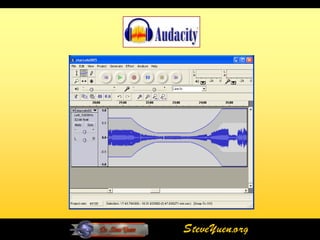
Audacity
• Open source software for recording and
  editing sounds.
• Available for Mac OS X, Microsoft Windows,
  GNU/Linux, and other operating systems.
• Record live audio.
• Edit Ogg Vorbis, MP3, and WAV sound files.
• Cut, copy, splice, and mix sounds together.
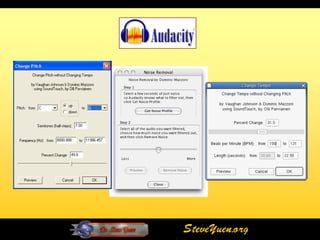
• Change the speed or pitch of a recording.
• Download at [audacity.sourceforge.net]


                          SteveYuen.org
SteveYuen.org
SteveYuen.org
Audio Recording and
    Editing with Audacity

http://steveyuen.org/howto/audacity/


                     SteveYuen.org
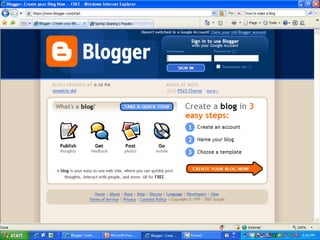
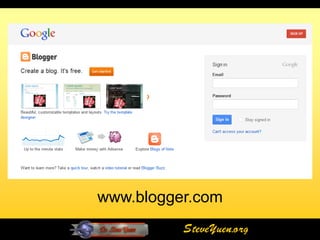
Blogger
• Free blogging platform
• Hosted by Google
• Provide variety of attractive themes, plug-ins, and
  widgets
• Add photos and videos to your post
• Provide many features: Spell-check, Add labels,
  Mail-to-Blogger, Gadgets
• Allow a team blog or private blog
• Offer many templates
• Available in 41 languages

                              SteveYuen.org
SteveYuen.org
www.blogger.com
          SteveYuen.org
How to Create a Blog
       on Blogger

http://youtu.be/rA4s3wN_vK8

                SteveYuen.org
SteveYuen.org
SteveYuen.org
Glogster
• A Web 2.0 tool launched in 2007. (www.glogster.com)
• Users create public or private “glogs” – short for graphic
  or graphical blogs – which are similar to interactive,
  multimedia posters.
• Allows users to create free, interactive posters, or glogs.
• Introduces students to 3-D communication skills, enabling
  them to communicate and evaluate information and
  meaning.
• Users can incorporate vibrant multi-sensory resources on
  their glogs such as images, photographs, graphics, text,
  video files, and sound files.
• Users can also comment on each other’s glogs


                                   SteveYuen.org
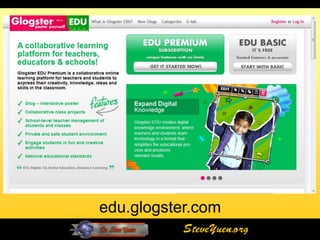
Glogster EDU
• An educational component called Glogster EDU
  (edu.glogster.com)
• Allow teachers to create virtual classrooms and permit
  closer monitoring of content by teachers
• Allow the glogs to be viewed either publically or only by
  the class
• Ensure that students are displaying proper digital
  citizenship and can protect them from content that might
  be inappropriate for their age level
• Glogster does not permit children under the age of 13 to
  register for the main site. Children under 13 can use
  Glogster EDU as a member of a teacher-created virtual
  classroom
                                     SteveYuen.org
edu.glogster.com
           SteveYuen.org
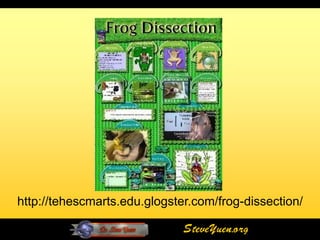
http://tehescmarts.edu.glogster.com/frog-dissection/

                              SteveYuen.org
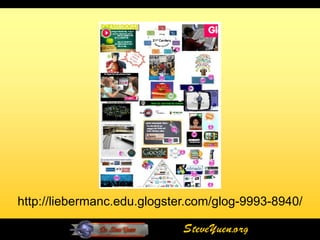
http://liebermanc.edu.glogster.com/glog-9993-8940/

                             SteveYuen.org
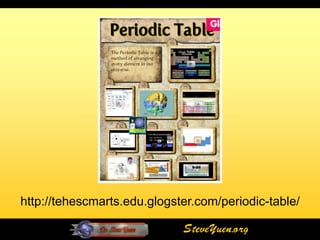
http://tehescmarts.edu.glogster.com/periodic-table/

                             SteveYuen.org
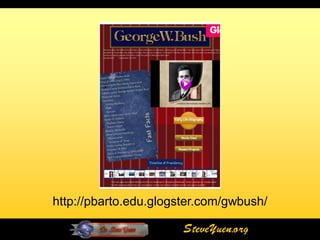
http://pbarto.edu.glogster.com/gwbush/

                       SteveYuen.org
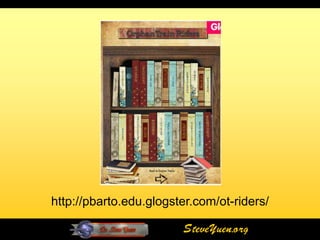
http://pbarto.edu.glogster.com/ot-riders/

                         SteveYuen.org
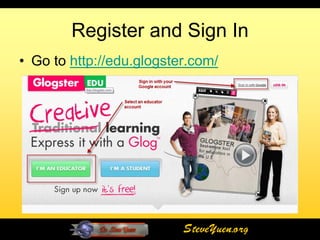
Register and Sign In
• Go to http://edu.glogster.com/


                          SteveYuen.org
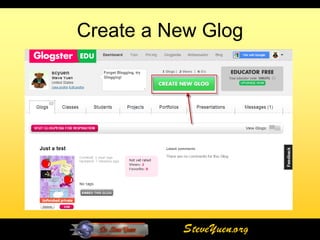
Create a New Glog


          SteveYuen.org
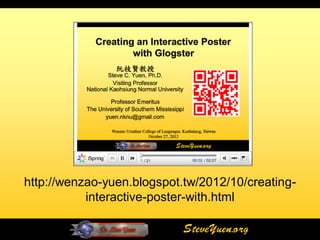
http://wenzao-yuen.blogspot.tw/2012/10/creating-
           interactive-poster-with.html

                            SteveYuen.org
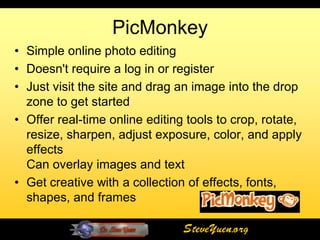
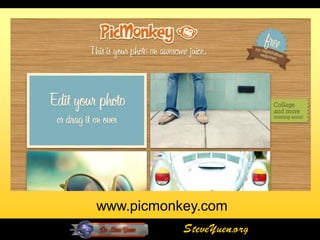
PicMonkey
• Simple online photo editing
• Doesn't require a log in or register
• Just visit the site and drag an image into the drop
  zone to get started
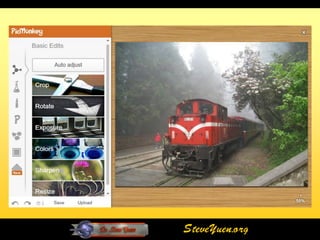
• Offer real-time online editing tools to crop, rotate,
  resize, sharpen, adjust exposure, color, and apply
  effects
  Can overlay images and text
• Get creative with a collection of effects, fonts,
  shapes, and frames

                                SteveYuen.org
www.picmonkey.com
           SteveYuen.org
SteveYuen.org
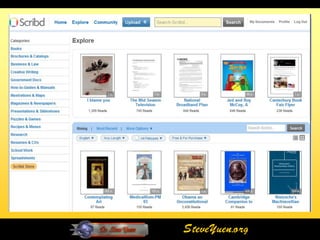
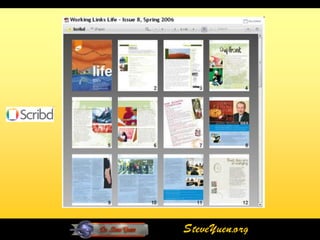
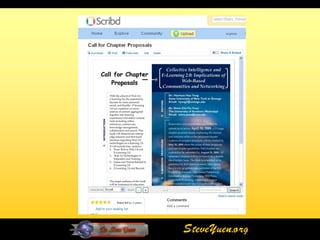
Scribd
• www.scribd.com
• A free, web-based, document sharing community
  and self-publishing platform
• Let you publish, distribute, and share your own
  documents with the world
• Support PDF, Postscript, Word, Excel,
  PowerPoint, OpenOffice, Rich text, plain text,
  and other OpenDocument formats
• Allow you to print your document and view it full-
  screen


                              SteveYuen.org
SteveYuen.org
SteveYuen.org
SteveYuen.org
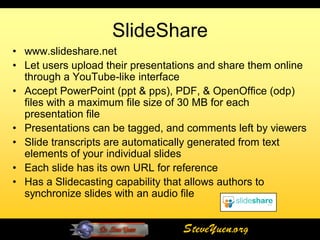
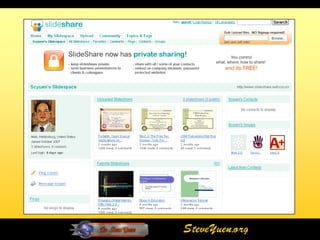
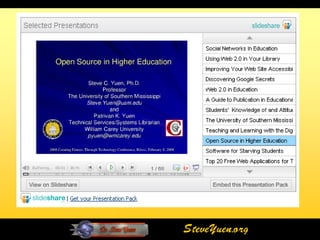
SlideShare
• www.slideshare.net
• Let users upload their presentations and share them online
  through a YouTube-like interface
• Accept PowerPoint (ppt & pps), PDF, & OpenOffice (odp)
  files with a maximum file size of 30 MB for each
  presentation file
• Presentations can be tagged, and comments left by viewers
• Slide transcripts are automatically generated from text
  elements of your individual slides
• Each slide has its own URL for reference
• Has a Slidecasting capability that allows authors to
  synchronize slides with an audio file


                                   SteveYuen.org
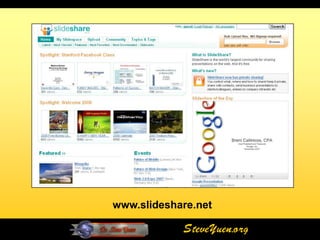
www.slideshare.net

            SteveYuen.org
SteveYuen.org
SteveYuen.org
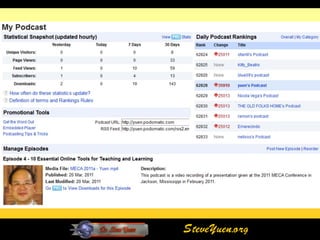
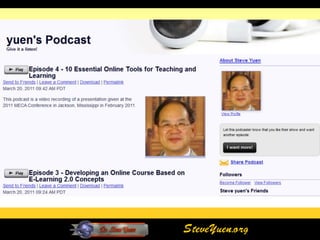
Podomatic
• Find, create, distribute, promote, and
  listen to both audio and video podcasts
• Record a podcast or vodcast directly to
  the Web
• Handle RSS feeds and allow your
  listeners to subscribe to your podcast in
  iTunes


                          SteveYuen.org
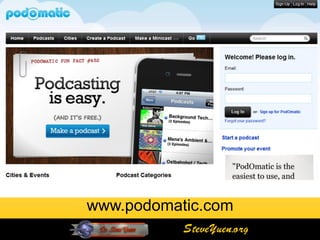
www.podomatic.com
           SteveYuen.org
SteveYuen.org
SteveYuen.org
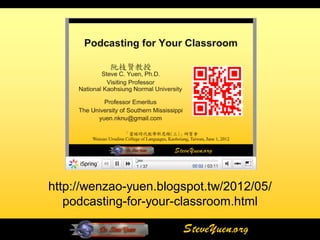
http://wenzao-yuen.blogspot.tw/2012/05/
   podcasting-for-your-classroom.html

                       SteveYuen.org
YouTube
• Online video streaming service that allows anyone
  to view and share videos
• Accept many video formats (wmv, 3gp, avi, mov,
  mp4, mpeg, flv, and mkv)
• Videos can be up to 2GB in size and 10 minutes
  long
• Unlimited uploading
• Allow linking and embedding clips to your blogs or
  Websites
• Students can create projects with video and share
  them on the Web

                             SteveYuen.org
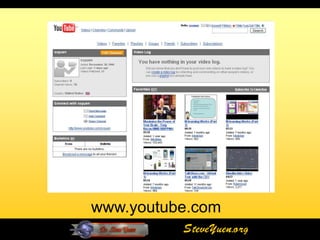
www.youtube.com
          SteveYuen.org
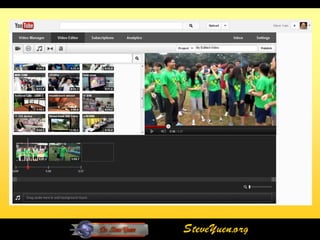
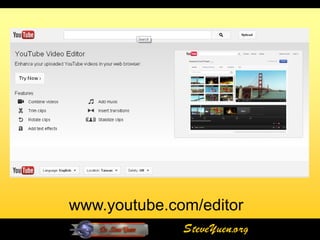
www.youtube.com/editor
              SteveYuen.org
SteveYuen.org
How to Use YouTube's
      Video Editor
http://youtu.be/F1RoZafZGeU

               SteveYuen.org
File Conversion
• www.online-convert.com
• Free online file conversion
• Support 5 different file format conversions
   – Audio
   – E-book
   – Document
   – Image
   – Video
   – Archive
• Receive converted files via email

                              SteveYuen.org
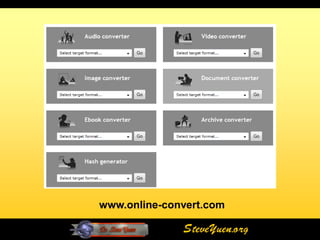
www.online-convert.com

              SteveYuen.org
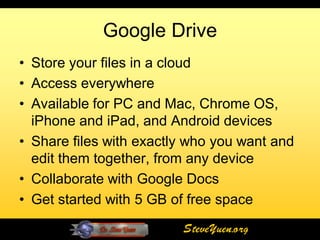
Google Drive
• Store your files in a cloud
• Access everywhere
• Available for PC and Mac, Chrome OS,
  iPhone and iPad, and Android devices
• Share files with exactly who you want and
  edit them together, from any device
• Collaborate with Google Docs
• Get started with 5 GB of free space
                         SteveYuen.org
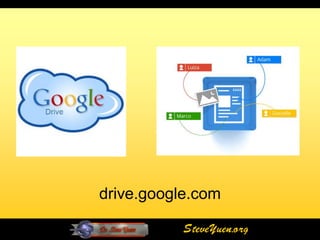
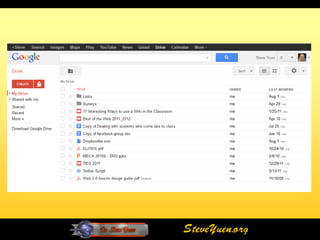
drive.google.com

           SteveYuen.org
SteveYuen.org
The End
     Questions or Comments?

This presentation can be viewed online at:
    http://wenzao-yuen.blogspot.tw

      My Blog - http://steveyuen.org
    My Tweets - http://twitter.yuen.us

                        SteveYuen.org

Technology tools for senior projects

  • 1.
    Technology Tools for Senior Projects 阮枝賢教授 Steve C. Yuen, Ph.D. Visiting Professor National Kaohsiung Normal University Professor Emeritus The University of Southern Mississippi yuen.nknu@gmail.com Wenzao Ursuline College of Languages. Kaohsiung, Taiwan December 14, 2012 SteveYuen.org
  • 2.
    The 7th GraduationExhibition Department of Foreign Language Instruction Wenzao Ursuline College of Language SteveYuen.org
  • 3.
    Graduation Exhibition • Format – Theme – Tracks – Concurrent Sessions – Poster Sessions • Professionalism • Conference Programs • Conference Regulations SteveYuen.org
  • 4.
    Senior Projects • Strengths – Good use of digital audio and video – Development of instructional and learning materials (books, CDs, teaching aids, games, and etc.) – Having both oral and poster presentations – Team effort SteveYuen.org
  • 5.
    Senior Projects • Areasof Improvements – Online learning materials – Student-centered activities – Interactivity – Use of cloud-based applications/services – Project focus – Consistent quality SteveYuen.org
  • 6.
    Senior Projects • Recommendations – Learner-centered design – Evaluations (formative and summative) – Students’ reflections – Digital collection (blogfolios) – Cloud-based technology tools SteveYuen.org
  • 7.
    Recommended Technology Tools • Audio editing tool (Audacity) • Blog (Blogger) • Interactive poster (GlogsterEdu) • Online image editing (PickMonkey) • Online publishing (Scribd, Slideshare) • Podcasting (Podomatic) • Video (YouTube) • Online file converter (online-convert.com) • Cloud storage (Google Drive) SteveYuen.org
  • 8.
    Audacity • Open sourcesoftware for recording and editing sounds. • Available for Mac OS X, Microsoft Windows, GNU/Linux, and other operating systems. • Record live audio. • Edit Ogg Vorbis, MP3, and WAV sound files. • Cut, copy, splice, and mix sounds together. • Change the speed or pitch of a recording. • Download at [audacity.sourceforge.net] SteveYuen.org
  • 9.
  • 10.
  • 11.
    Audio Recording and Editing with Audacity http://steveyuen.org/howto/audacity/ SteveYuen.org
  • 12.
    Blogger • Free bloggingplatform • Hosted by Google • Provide variety of attractive themes, plug-ins, and widgets • Add photos and videos to your post • Provide many features: Spell-check, Add labels, Mail-to-Blogger, Gadgets • Allow a team blog or private blog • Offer many templates • Available in 41 languages SteveYuen.org
  • 13.
  • 14.
    www.blogger.com SteveYuen.org
  • 15.
    How to Createa Blog on Blogger http://youtu.be/rA4s3wN_vK8 SteveYuen.org
  • 16.
  • 17.
  • 18.
    Glogster • A Web2.0 tool launched in 2007. (www.glogster.com) • Users create public or private “glogs” – short for graphic or graphical blogs – which are similar to interactive, multimedia posters. • Allows users to create free, interactive posters, or glogs. • Introduces students to 3-D communication skills, enabling them to communicate and evaluate information and meaning. • Users can incorporate vibrant multi-sensory resources on their glogs such as images, photographs, graphics, text, video files, and sound files. • Users can also comment on each other’s glogs SteveYuen.org
  • 19.
    Glogster EDU • Aneducational component called Glogster EDU (edu.glogster.com) • Allow teachers to create virtual classrooms and permit closer monitoring of content by teachers • Allow the glogs to be viewed either publically or only by the class • Ensure that students are displaying proper digital citizenship and can protect them from content that might be inappropriate for their age level • Glogster does not permit children under the age of 13 to register for the main site. Children under 13 can use Glogster EDU as a member of a teacher-created virtual classroom SteveYuen.org
  • 20.
    edu.glogster.com SteveYuen.org
  • 21.
  • 22.
  • 23.
  • 24.
  • 25.
  • 26.
    Register and SignIn • Go to http://edu.glogster.com/ SteveYuen.org
  • 27.
    Create a NewGlog SteveYuen.org
  • 28.
    http://wenzao-yuen.blogspot.tw/2012/10/creating- interactive-poster-with.html SteveYuen.org
  • 29.
    PicMonkey • Simple onlinephoto editing • Doesn't require a log in or register • Just visit the site and drag an image into the drop zone to get started • Offer real-time online editing tools to crop, rotate, resize, sharpen, adjust exposure, color, and apply effects Can overlay images and text • Get creative with a collection of effects, fonts, shapes, and frames SteveYuen.org
  • 30.
    www.picmonkey.com SteveYuen.org
  • 31.
  • 32.
    Scribd • www.scribd.com • Afree, web-based, document sharing community and self-publishing platform • Let you publish, distribute, and share your own documents with the world • Support PDF, Postscript, Word, Excel, PowerPoint, OpenOffice, Rich text, plain text, and other OpenDocument formats • Allow you to print your document and view it full- screen SteveYuen.org
  • 33.
  • 34.
  • 35.
  • 36.
    SlideShare • www.slideshare.net • Letusers upload their presentations and share them online through a YouTube-like interface • Accept PowerPoint (ppt & pps), PDF, & OpenOffice (odp) files with a maximum file size of 30 MB for each presentation file • Presentations can be tagged, and comments left by viewers • Slide transcripts are automatically generated from text elements of your individual slides • Each slide has its own URL for reference • Has a Slidecasting capability that allows authors to synchronize slides with an audio file SteveYuen.org
  • 37.
    www.slideshare.net SteveYuen.org
  • 38.
  • 39.
  • 40.
    Podomatic • Find, create,distribute, promote, and listen to both audio and video podcasts • Record a podcast or vodcast directly to the Web • Handle RSS feeds and allow your listeners to subscribe to your podcast in iTunes SteveYuen.org
  • 41.
    www.podomatic.com SteveYuen.org
  • 42.
  • 43.
  • 44.
    http://wenzao-yuen.blogspot.tw/2012/05/ podcasting-for-your-classroom.html SteveYuen.org
  • 45.
    YouTube • Online videostreaming service that allows anyone to view and share videos • Accept many video formats (wmv, 3gp, avi, mov, mp4, mpeg, flv, and mkv) • Videos can be up to 2GB in size and 10 minutes long • Unlimited uploading • Allow linking and embedding clips to your blogs or Websites • Students can create projects with video and share them on the Web SteveYuen.org
  • 46.
    www.youtube.com SteveYuen.org
  • 47.
  • 48.
  • 49.
    How to UseYouTube's Video Editor http://youtu.be/F1RoZafZGeU SteveYuen.org
  • 50.
    File Conversion • www.online-convert.com •Free online file conversion • Support 5 different file format conversions – Audio – E-book – Document – Image – Video – Archive • Receive converted files via email SteveYuen.org
  • 51.
  • 52.
    Google Drive • Storeyour files in a cloud • Access everywhere • Available for PC and Mac, Chrome OS, iPhone and iPad, and Android devices • Share files with exactly who you want and edit them together, from any device • Collaborate with Google Docs • Get started with 5 GB of free space SteveYuen.org
  • 53.
    drive.google.com SteveYuen.org
  • 54.
  • 55.
    The End Questions or Comments? This presentation can be viewed online at: http://wenzao-yuen.blogspot.tw My Blog - http://steveyuen.org My Tweets - http://twitter.yuen.us SteveYuen.org