Web 2.0  Rocks My World!
 
“ Any activity becomes  C R E A T I V E  when the doer  CARES  about  doing it right,  or doing it better.”   John Updike
Sharing online gives students more of a need to “get it right”
Web 2.0 Class Assignment November 9, 2009 This slideshow represents an attempt to organize and annotate the 21 items I viewed online from Tony Vincent’s “21 Ways to Reach 21st Century Students,” his presentation at the GETC November 6, 2009.
IMAGES! Create online jigsaw, reading poster, magazine cover, cartoon.  Add frames and text.  Resize pictures ( resizeimages.org ) for web page use.  Speechable.com  – add speech bubbles to pics READ poster –  ala.org Chocolate bar  www.glassgiant.com/chocolate_bar/ www.Redkid.net  – put image on a hot dog, bowl of soup, etc. More on next slide …
More IMAGES! Dynamic Einstein picture – place text on b&w chalkboard Wanted poster –  glassgiant.com Newspaper clipping –  fodey.com Badge maker –  bighugelabs.com Befunky.com  –  fun photo effects Jigsaw puzzle –  jigsawplanet.com Free image sources: Wikimedia commons Openphoto Freefoto Image*after pics4Learning Flickr Creative Commons search
VIDEOS! YouTube videos: They are in flash (.flv) – you need to convert to a different file type and then you can put them on an iPod, Powerpoint, or MovieMaker. Use  Zamzar.com  to convert to mpeg-4 Paste YouTube url into Zamzar. Select format. They will email you the link to download.   Use RealPlayer to download, but it doesn’t convert Use  KickYouTube.com  (and others like it) Find video. Click “Watch in HD.” Type “kick” in front of url. Skype – need webcam hookup
HIP SLIDESHOWS! Animoto Free 30-second shows – about 12 images Upload photos; insert music; show is created for you
PECHA KUCHA! Japanese - means “chit chat” 20 slides for 20 seconds each Fun and fast-paced presentation Encourages brevity and time for Q&A
ZOOMING PRESENTATIONS! Prezi.com – a free online zooming editor that zooms in and out on details of a slide or video Prezi.com/mohshuoe-qcf  – Prezi presentation on Google search tricks http://prezi.com/prezi/27/try/  - learn Prezi in 4 minutes
CO-CREATING RUBRICS! Students help design assessment rubrics online before a project begins RubiStar Recipes4success Teachnology.com Kathy Shrock’s Guide for Educators
ASSESSMENTS! 6 sites for creating your own online quizzes. Some online tests are graded for you and the results sent via email. ProProfs  - Create a scored quiz or personality test.  MyStudiyo  - Make quizzes to put on your website or blog. Really simple multiple-choice assessments for lessons!  Yacapaca  - Online quiz making service for teachers and students.  Mobile Study  - Create quizzes for mobile devices.  Class Marker  - Quiz site designed for giving graded tests.  Quiz Star  - More advanced quizzing site with full statistics
PODCASTING!  (my favorite idea) WOW idea! Eliminate in-class lectures, use class time for hands-on activities. Use lectures as HW. OR create study guides, recorded by teacher. Post a link on class website for students to review.  Addressing the digital divide: no internet? – copy the podcast to a flash device no computer? – burn podcast to DVD for TV use Download 34-page how-to booklet
WIKIS! 3 good places to start a wiki: Pbworks.com Wikispaces.com Google sites Ideas for the media center: collaborative book reviews or author information; virtual tour of the library; Where in the World is WikiWanda or My Teacher? (geography) Note from Cheryl: I could have spent hours in the wiktionary Tea Room reading discussions about the format of entries. I love words!
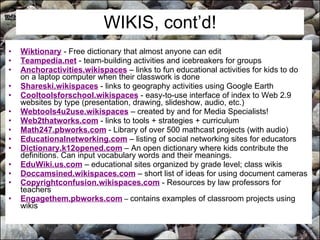
WIKIS, cont’d! Wiktionary  - Free dictionary that almost anyone can edit  Teampedia.net  - team-building activities and icebreakers for groups  Anchoractivities.wikispaces   – links to fun educational activities for kids to do on a laptop computer when their classwork is done  Shareski.wikispaces  - links to geography activities using Google Earth Cooltoolsforschool.wikispaces  - easy-to-use interface of index to Web 2.9 websites by type (presentation, drawing, slideshow, audio, etc.) Webtools4u2use.wikispaces  – created by and for Media Specialists!  Web2thatworks.com  - links to tools + strategies + curriculum Math247.pbworks.com  - Library of over 500 mathcast projects (with audio)  Educationalnetworking.com  – listing of social networking sites for educators  Dictionary.k12opened.com  – An open dictionary where kids contribute the definitions. Can input vocabulary words and their meanings.  EduWiki.us.com  – educational sites organized by grade level; class wikis Doccamsined.wikispaces.com  – short list of ideas for using document cameras  Copyrightconfusion.wikispaces.com  - Resources by law professors for teachers   Engagethem.pbworks.com  –  contains examples of classroom projects using wikis
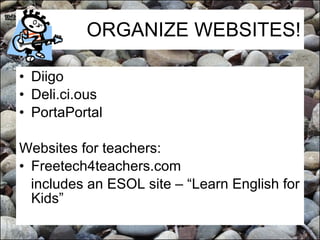
ORGANIZE WEBSITES! Diigo Deli.ci.ous PortaPortal Websites for teachers: Freetech4teachers.com  includes an ESOL site – “Learn English for Kids”
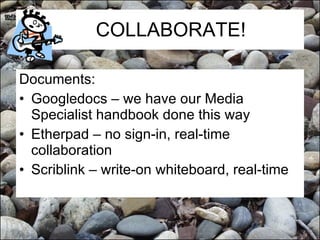
COLLABORATE! Documents: Googledocs – we have our Media Specialist handbook done this way  Etherpad – no sign-in, real-time collaboration Scriblink – write-on whiteboard, real-time
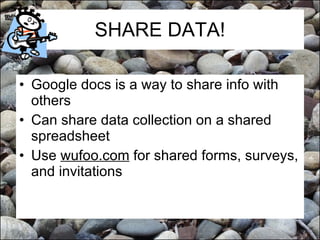
SHARE DATA! Google docs is a way to share info with others Can share data collection on a shared spreadsheet Use  wufoo.com  for shared forms, surveys, and invitations
VIRTUAL STICKY  NOTES! Wallwisher = online bulletin board Students can post notes on prior knowledge, or what they have learned, or questions, or a critique, … Wallwisher.com/build Select image; title and subtitle; create url or leave blank; theme; Done.
GAMES! Powerpoint games Classroom game templates Jeopardylabs.com Add music from freeplaymusic or soundsnap.com
COMIC STRIPS! Can also add speech bubbles to photos – a good language arts activity Places to make comics online: Pixton   Comiqs   Make Beliefs  Comix   Speechable
TALKING CARTOONS! Blabberize  - Upload a photo and select the mouth.  Then record your voice.  Voki  - Create a talking avatar.  Xtranormal  - Type what you want our characters to say.  Gizmoz  - Upload a photo and then select background and hair.
ONLINE POSTERS! Glogster.com  – no ink, paper, collaborative. Can add video and hyperlinks
Roving Reporters! Kids take photos and create quick articles about the day’s events or a special field trip or activity Examples: The Daily Planet  - Tony Vincent's 5th Grade Roving Reporters from 2003-2004.  Fairbury, NE 6th Grade Roving Reporters   The Daily Blog  - 5th graders in California  The Learning Zone Blog  - 4th graders in California  Graduate Class Log  - Roving reporter articles from Handhelds in Teaching & Learning.  Also read their  individual blogs . Google Docs  - A great place for students to type their article and to share it with the teacher. 
LET YOUR STUDENTS DECIDE! Endless choices of end products: Create a slideshow in PowerPoint,  OpenOffice ,  Google Docs , or  SlideRocket .  Use Word or a graphics program to design a brochure or poster.  Create an interactive game in PowerPoint. Make a presentation using  Prezi .  Tell a story using Microsoft  PhotoStory  (free for Windows)  Author a comic strip using  Comiqs , or  Super Action Comic Maker .  Make a movie using  MovieMaker . Create a narrated slide show using  PhotoStory  or  VoiceThread .  Record a radio show using  Audacity .  Author a website, blog, or wiki. Places to do this include  Google Sites ,  Blogger , and  PBwiki .  Create a glog, a virtual online poster at  Glogster .  Combine voice with an image at  Blabberize  or  StoryBlender .  Draw an animation using  Ajax Animator ,  Xtranormal , or  Aniboom .
This is but a brief snapshot in time of a current assortment of Web 2.0 tools available to educators. Submitted by Cheryl Corrigan November 2009 Northwood Elementary Media Specialist

Web 2.0 Summary

  • 1.
    Web 2.0 Rocks My World!
  • 2.
  • 3.
    “ Any activitybecomes C R E A T I V E when the doer CARES about doing it right, or doing it better.” John Updike
  • 4.
    Sharing online givesstudents more of a need to “get it right”
  • 5.
    Web 2.0 ClassAssignment November 9, 2009 This slideshow represents an attempt to organize and annotate the 21 items I viewed online from Tony Vincent’s “21 Ways to Reach 21st Century Students,” his presentation at the GETC November 6, 2009.
  • 6.
    IMAGES! Create onlinejigsaw, reading poster, magazine cover, cartoon. Add frames and text. Resize pictures ( resizeimages.org ) for web page use. Speechable.com – add speech bubbles to pics READ poster – ala.org Chocolate bar www.glassgiant.com/chocolate_bar/ www.Redkid.net – put image on a hot dog, bowl of soup, etc. More on next slide …
  • 7.
    More IMAGES! DynamicEinstein picture – place text on b&w chalkboard Wanted poster – glassgiant.com Newspaper clipping – fodey.com Badge maker – bighugelabs.com Befunky.com – fun photo effects Jigsaw puzzle – jigsawplanet.com Free image sources: Wikimedia commons Openphoto Freefoto Image*after pics4Learning Flickr Creative Commons search
  • 8.
    VIDEOS! YouTube videos:They are in flash (.flv) – you need to convert to a different file type and then you can put them on an iPod, Powerpoint, or MovieMaker. Use Zamzar.com to convert to mpeg-4 Paste YouTube url into Zamzar. Select format. They will email you the link to download. Use RealPlayer to download, but it doesn’t convert Use KickYouTube.com (and others like it) Find video. Click “Watch in HD.” Type “kick” in front of url. Skype – need webcam hookup
  • 9.
    HIP SLIDESHOWS! AnimotoFree 30-second shows – about 12 images Upload photos; insert music; show is created for you
  • 10.
    PECHA KUCHA! Japanese- means “chit chat” 20 slides for 20 seconds each Fun and fast-paced presentation Encourages brevity and time for Q&A
  • 11.
    ZOOMING PRESENTATIONS! Prezi.com– a free online zooming editor that zooms in and out on details of a slide or video Prezi.com/mohshuoe-qcf – Prezi presentation on Google search tricks http://prezi.com/prezi/27/try/ - learn Prezi in 4 minutes
  • 12.
    CO-CREATING RUBRICS! Studentshelp design assessment rubrics online before a project begins RubiStar Recipes4success Teachnology.com Kathy Shrock’s Guide for Educators
  • 13.
    ASSESSMENTS! 6 sitesfor creating your own online quizzes. Some online tests are graded for you and the results sent via email. ProProfs - Create a scored quiz or personality test. MyStudiyo  - Make quizzes to put on your website or blog. Really simple multiple-choice assessments for lessons! Yacapaca  - Online quiz making service for teachers and students. Mobile Study  - Create quizzes for mobile devices. Class Marker  - Quiz site designed for giving graded tests. Quiz Star  - More advanced quizzing site with full statistics
  • 14.
    PODCASTING! (myfavorite idea) WOW idea! Eliminate in-class lectures, use class time for hands-on activities. Use lectures as HW. OR create study guides, recorded by teacher. Post a link on class website for students to review. Addressing the digital divide: no internet? – copy the podcast to a flash device no computer? – burn podcast to DVD for TV use Download 34-page how-to booklet
  • 15.
    WIKIS! 3 goodplaces to start a wiki: Pbworks.com Wikispaces.com Google sites Ideas for the media center: collaborative book reviews or author information; virtual tour of the library; Where in the World is WikiWanda or My Teacher? (geography) Note from Cheryl: I could have spent hours in the wiktionary Tea Room reading discussions about the format of entries. I love words!
  • 16.
    WIKIS, cont’d! Wiktionary - Free dictionary that almost anyone can edit Teampedia.net  - team-building activities and icebreakers for groups Anchoractivities.wikispaces – links to fun educational activities for kids to do on a laptop computer when their classwork is done Shareski.wikispaces  - links to geography activities using Google Earth Cooltoolsforschool.wikispaces  - easy-to-use interface of index to Web 2.9 websites by type (presentation, drawing, slideshow, audio, etc.) Webtools4u2use.wikispaces – created by and for Media Specialists!  Web2thatworks.com  - links to tools + strategies + curriculum Math247.pbworks.com - Library of over 500 mathcast projects (with audio) Educationalnetworking.com – listing of social networking sites for educators Dictionary.k12opened.com – An open dictionary where kids contribute the definitions. Can input vocabulary words and their meanings. EduWiki.us.com – educational sites organized by grade level; class wikis Doccamsined.wikispaces.com – short list of ideas for using document cameras Copyrightconfusion.wikispaces.com  - Resources by law professors for teachers Engagethem.pbworks.com – contains examples of classroom projects using wikis
  • 17.
    ORGANIZE WEBSITES! DiigoDeli.ci.ous PortaPortal Websites for teachers: Freetech4teachers.com includes an ESOL site – “Learn English for Kids”
  • 18.
    COLLABORATE! Documents: Googledocs– we have our Media Specialist handbook done this way Etherpad – no sign-in, real-time collaboration Scriblink – write-on whiteboard, real-time
  • 19.
    SHARE DATA! Googledocs is a way to share info with others Can share data collection on a shared spreadsheet Use wufoo.com for shared forms, surveys, and invitations
  • 20.
    VIRTUAL STICKY NOTES! Wallwisher = online bulletin board Students can post notes on prior knowledge, or what they have learned, or questions, or a critique, … Wallwisher.com/build Select image; title and subtitle; create url or leave blank; theme; Done.
  • 21.
    GAMES! Powerpoint gamesClassroom game templates Jeopardylabs.com Add music from freeplaymusic or soundsnap.com
  • 22.
    COMIC STRIPS! Canalso add speech bubbles to photos – a good language arts activity Places to make comics online: Pixton Comiqs Make Beliefs Comix Speechable
  • 23.
    TALKING CARTOONS! Blabberize - Upload a photo and select the mouth.  Then record your voice. Voki - Create a talking avatar. Xtranormal - Type what you want our characters to say. Gizmoz  - Upload a photo and then select background and hair.
  • 24.
    ONLINE POSTERS! Glogster.com – no ink, paper, collaborative. Can add video and hyperlinks
  • 25.
    Roving Reporters! Kidstake photos and create quick articles about the day’s events or a special field trip or activity Examples: The Daily Planet  - Tony Vincent's 5th Grade Roving Reporters from 2003-2004. Fairbury, NE 6th Grade Roving Reporters The Daily Blog  - 5th graders in California The Learning Zone Blog  - 4th graders in California Graduate Class Log  - Roving reporter articles from Handhelds in Teaching & Learning. Also read their  individual blogs . Google Docs  - A great place for students to type their article and to share it with the teacher. 
  • 26.
    LET YOUR STUDENTSDECIDE! Endless choices of end products: Create a slideshow in PowerPoint,  OpenOffice ,  Google Docs , or  SlideRocket . Use Word or a graphics program to design a brochure or poster. Create an interactive game in PowerPoint. Make a presentation using  Prezi . Tell a story using Microsoft PhotoStory (free for Windows) Author a comic strip using  Comiqs , or  Super Action Comic Maker . Make a movie using  MovieMaker . Create a narrated slide show using  PhotoStory or  VoiceThread . Record a radio show using  Audacity . Author a website, blog, or wiki. Places to do this include  Google Sites ,  Blogger , and  PBwiki . Create a glog, a virtual online poster at  Glogster . Combine voice with an image at  Blabberize  or  StoryBlender . Draw an animation using  Ajax Animator ,  Xtranormal , or  Aniboom .
  • 27.
    This is buta brief snapshot in time of a current assortment of Web 2.0 tools available to educators. Submitted by Cheryl Corrigan November 2009 Northwood Elementary Media Specialist