


Hadoop and its Ecosystem
    Components in Action
               Andrew J. Brust
                 CEO and Founder
               Blue Badge Insights
                   Level: Intermediate
Meet Andrew
 •   CEO and Founder, Blue Badge Insights
 •   Big Data blogger for ZDNet
 •   Microsoft Regional Director, MVP
 •   Co-chair VSLive! and 17 years as a speaker
 •   Founder, Microsoft BI User Group of NYC
     – http://www.msbinyc.com
 •   Co-moderator, NYC .NET Developers Group
     – http://www.nycdotnetdev.com
 •   “Redmond Review” columnist for
     Visual Studio Magazine and Redmond Developer
     News
 •   brustblog.com, Twitter: @andrewbrust
My New Blog (bit.ly/bigondata)
Read All About It!
Agenda
•   Understand:
    – MapReduce, Hadoop, and Hadoop stack elements
•   Review:
    – Microsoft Hadoop on Azure, Amazon Elastic
      MapReduce (EMR), Cloudera CDH4
•   Demo:
    – Hadoop, HBase, Hive, Pig
•   Discuss:
    – Sqoop, Flume
•   Demo
    – Mahout
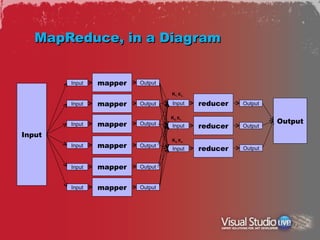
MapReduce, in a Diagram


        Input   mapper   Output

                                  K1, K4…

        Input   mapper   Output   Input     reducer   Output

                                  K2, K5…
                mapper   Output                                Output
        Input                     Input     reducer   Output
Input
                                  K3, K6…
        Input   mapper   Output
                                  Input     reducer   Output


        Input   mapper   Output


        Input   mapper   Output
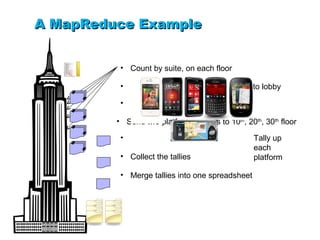
A MapReduce Example


          • Count by suite, on each floor

          • Send per-suite, per platform totals to lobby

          • Sort totals by platform

         • Send two platform packets to 10th, 20th, 30th floor

          •                                      Tally up
                                                 each
          • Collect the tallies                  platform

          • Merge tallies into one spreadsheet
What’s a Distributed File System?
•   One where data gets distributed over
    commodity drives on commodity servers
•   Data is replicated
•   If one box goes down, no data lost
    – Except the name node = SPOF!
•   BUT: HDFS is immutable
    – Files can only be written to once
    – So updates require drop + re-write (slow)
Hadoop = MapReduce + HDFS
•   Modeled after Google MapReduce + GFS
•   Have more data? Just add more nodes to
    cluster.
    – Mappers execute in parallel
    – Hardware is commodity
    – “Scaling out”
•   Use of HDFS means data may well be local
    to mapper processing
•   So, not just parallel, but minimal data
    movement, which avoids network
    bottlenecks
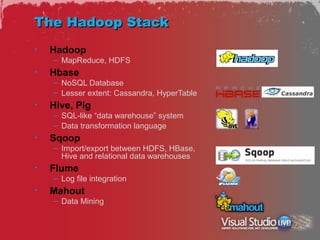
The Hadoop Stack
•   Hadoop
    – MapReduce, HDFS
•   Hbase
    – NoSQL Database
    – Lesser extent: Cassandra, HyperTable
•   Hive, Pig
    – SQL-like “data warehouse” system
    – Data transformation language
•   Sqoop
    – Import/export between HDFS, HBase,
      Hive and relational data warehouses
•   Flume
    – Log file integration
•   Mahout
    – Data Mining
Ways to work
•   Microsoft Hadoop on Azure
    – Visit www.hadooponazure.com
    – Request invite
    – Free, for now
•   Amazon Web Services Elastic MapReduce
    – Create AWS account
    – Select Elastic MapReduce in Dashboard
    – Cheap for experimenting, but not free
•   Cloudera CDH VM image
    –   Download as .tar.gz file
    –   “Un-tar” (can use WinRAR, 7zip)
    –   Run via VMWare Player or Virtual Box
    –   Everything’s free
Microsoft Hadoop on Azure
•   Much simpler than the others
•   Browser-based portal
    – Provisioning cluster, managing ports, MapReduce jobs
    – Gathering external data
                 Configure Azure Storage, Amazon S3
                 Import from DataMarket to Hive
•   Interactive JavaScript console
    – HDFS, Pig, light data visualization
•   Interactive Hive console
    – Hive commands and metadata discovery
•   From Portal page you can RDP directly to
    Hadoop head node
    – Double click desktop shortcut for CLI access
    – Certain environment variables may need to be set
Microsoft Hadoop on
Azure
Amazon Elastic MapReduce
•   Lots of steps!
•   At a high level:
    – Setup AWS account and S3 “buckets”
    – Generate Key Pair and PEM file
    – Install Ruby and EMR Command Line Interface
    – Provision the cluster using CLI
               A batch file can work very well here
    – Setup and run SSH/PuTTY
    – Work interactively at command line
Amazon EMR – Prep Steps
•   Create an AWS account
•   Create an S3 bucket for log storage
    – with list permissions for authenticated users
•   Create a Key Pair and save PEM file
•   Install Ruby
•   Install Amazon Web Services Elastic
    MapReduce Command Line Interface
    – aka AWS EMR CLI 
•   Create credentials.json in EMR CLI folder
    – Associate with same region as where key pair created
Amazon – Security and Startup
•   Security
    –   Download PuTTYgen and run it
    –   Click Load and browse to PEM file
    –   Save it in PPK format
    –   Exit PuTTYgen
•   In a command window, navigate to EMR CLI
    folder and enter command:
    – ruby elastic-mapreduce --create --alive [--num-instance xx]
      [--pig-interactive] [--hive-interactive] [--hbase --instance-type
      m1.large]
•   In AWS Console, go to EC2 Dashboard and
    click Instances on left nav bar
•   Wait until instance is running and get its
    Public DNS name
    – Use Compatibility View in IE or copy may not work
Connect!
•   Download and run PuTTY
•   Paste DNS name of EC2 instance into hostname
    field
•   In Treeview, drill down and navigate to
    ConnectionSSHAuth, browse to PPK file
•   Once EC2 instance(s) running, click Open
•   Click Yes to “The server’s host key is not cached
    in the registry…” PuTTY Security Alert
•   When prompted for user name, type “hadoop” and
    hit Enter
•   cd bin, then hive, pig, hbase shell
•   Right-click to paste from clipboard; option to go
    full-screen
•   (Kill EC2 instance(s) from Dashboard when done)
Amazon Elastic MapReduce
Cloudera CDH4 Virtual Machine
•   Get it for free, in VMWare and Virtual Box
    versions.
    – VMWare player and Virtual Box are free too
•   Run it, and configure it to have its own IP on
    your network.
•   Assuming IP of 192.168.1.59, open browser on
    your own (host ) machine and navigate to:
    – http://192.168.1.59:8888
•   Can also use browser in VM and hit:
    – http://localhost:8888
•   Work in “Hue”…
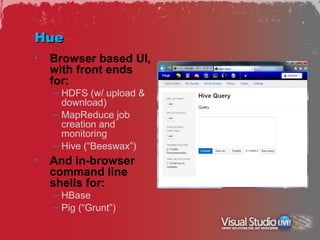
Hue
•   Browser based UI,
    with front ends
    for:
    – HDFS (w/ upload &
      download)
    – MapReduce job
      creation and
      monitoring
    – Hive (“Beeswax”)
•   And in-browser
    command line
    shells for:
    – HBase
    – Pig (“Grunt”)
Cloudera CDH4
Hadoop commands
•   HDFS
    – hadoop fs filecommand
    – Create and remove directories:
       mkdir, rm, rmr
    – Upload and download files to/from HDFS
       get, put
    – View directory contents
       ls, lsr
    – Copy, move, view files
       cp, mv, cat
•   MapReduce
    – Run a Java jar-file based job
       hadoop jar jarname params
Hadoop (directly)
HBase
•   Concepts:
    – Tables, column families
    – Columns, rows
    – Keys, values
•   Commands:
    –   Definition: create, alter, drop, truncate
    –   Manipulation: get, put, delete, deleteall, scan
    –   Discovery: list, exists, describe, count
    –   Enablement: disable, enable
    –   Utilities: version, status, shutdown, exit
    –   Reference: http://wiki.apache.org/hadoop/Hbase/Shell
•   Moreover,
    – Interesting HBase work can be done in MapReduce, Pig
HBase Examples
•   create 't1', 'f1', 'f2', 'f3'
•   describe 't1'
•   alter 't1', {NAME => 'f1',
    VERSIONS => 5}
•   put 't1', 'r1', 'c1:f1', 'value'
•   get 't1', 'r1'
•   count 't1'
HBase
Hive
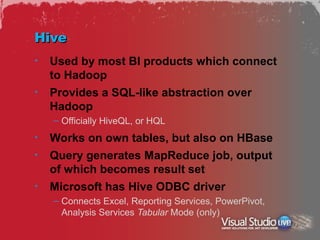
•   Used by most BI products which connect
    to Hadoop
•   Provides a SQL-like abstraction over
    Hadoop
    – Officially HiveQL, or HQL
•   Works on own tables, but also on HBase
•   Query generates MapReduce job, output
    of which becomes result set
•   Microsoft has Hive ODBC driver
    – Connects Excel, Reporting Services, PowerPivot,
      Analysis Services Tabular Mode (only)
Hive, Continued
•   Load data from flat HDFS files
    – LOAD DATA [LOCAL] INPATH 'myfile'
      INTO TABLE mytable;
•   SQL Queries
    – CREATE, ALTER, DROP
    – INSERT OVERWRITE (creates whole tables)
    – SELECT, JOIN, WHERE, GROUP BY
    – SORT BY, but ordering data is tricky!
    – MAP/REDUCE/TRANSFORM…USING allows for custom
      map, reduce steps utilizing Java or streaming code
Hive
Pig
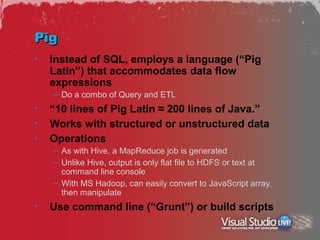
•   Instead of SQL, employs a language (“Pig
    Latin”) that accommodates data flow
    expressions
    – Do a combo of Query and ETL
•   “10 lines of Pig Latin ≈ 200 lines of Java.”
•   Works with structured or unstructured data
•   Operations
    – As with Hive, a MapReduce job is generated
    – Unlike Hive, output is only flat file to HDFS or text at
      command line console
    – With MS Hadoop, can easily convert to JavaScript array,
      then manipulate
•   Use command line (“Grunt”) or build scripts
Example
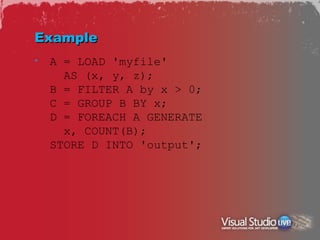
•   A = LOAD 'myfile'
      AS (x, y, z);
    B = FILTER A by x > 0;
    C = GROUP B BY x;
    D = FOREACH A GENERATE
      x, COUNT(B);
    STORE D INTO 'output';
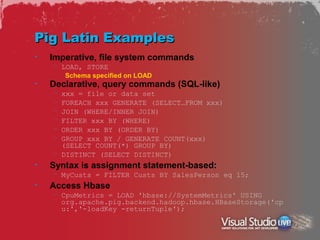
Pig Latin Examples
•   Imperative, file system commands
    – LOAD, STORE
        Schema specified on LOAD
•   Declarative, query commands (SQL-like)
    – xxx = file or data set
    – FOREACH xxx GENERATE (SELECT…FROM xxx)
    – JOIN (WHERE/INNER JOIN)
    – FILTER xxx BY (WHERE)
    – ORDER xxx BY (ORDER BY)
    – GROUP xxx BY / GENERATE COUNT(xxx)
      (SELECT COUNT(*) GROUP BY)
    – DISTINCT (SELECT DISTINCT)
•   Syntax is assignment statement-based:
    – MyCusts = FILTER Custs BY SalesPerson eq 15;
•   Access Hbase
    – CpuMetrics = LOAD 'hbase://SystemMetrics' USING
      org.apache.pig.backend.hadoop.hbase.HBaseStorage('cp
      u:','-loadKey -returnTuple');
Pig
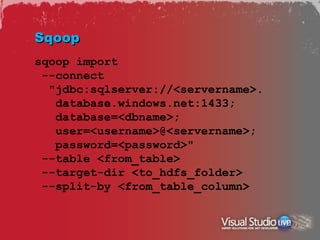
Sqoop
sqoop import
 --connect
  "jdbc:sqlserver://<servername>.
   database.windows.net:1433;
   database=<dbname>;
   user=<username>@<servername>;
   password=<password>"
 --table <from_table>
 --target-dir <to_hdfs_folder>
 --split-by <from_table_column>
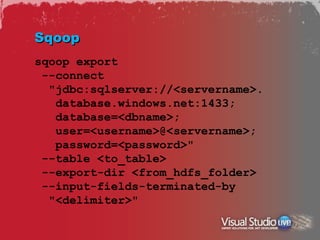
Sqoop
sqoop export
 --connect
  "jdbc:sqlserver://<servername>.
   database.windows.net:1433;
   database=<dbname>;
   user=<username>@<servername>;
   password=<password>"
 --table <to_table>
 --export-dir <from_hdfs_folder>
 --input-fields-terminated-by
  "<delimiter>"
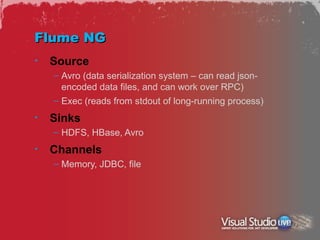
Flume NG
•   Source
    – Avro (data serialization system – can read json-
      encoded data files, and can work over RPC)
    – Exec (reads from stdout of long-running process)
•   Sinks
    – HDFS, HBase, Avro
•   Channels
    – Memory, JDBC, file
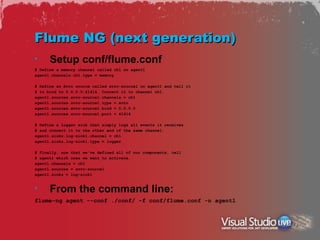
Flume NG (next generation)
•     Setup conf/flume.conf
# Define a memory channel called ch1 on agent1
agent1.channels.ch1.type = memory

# Define an Avro source called avro-source1 on agent1 and tell it
# to bind to 0.0.0.0:41414. Connect it to channel ch1.
agent1.sources.avro-source1.channels = ch1
agent1.sources.avro-source1.type = avro
agent1.sources.avro-source1.bind = 0.0.0.0
agent1.sources.avro-source1.port = 41414

# Define a logger sink that simply logs all events it receives
# and connect it to the other end of the same channel.
agent1.sinks.log-sink1.channel = ch1
agent1.sinks.log-sink1.type = logger

# Finally, now that we've defined all of our components, tell
# agent1 which ones we want to activate.
agent1.channels = ch1
agent1.sources = avro-source1
agent1.sinks = log-sink1


•     From the command line:
flume-ng agent --conf ./conf/ -f conf/flume.conf -n agent1
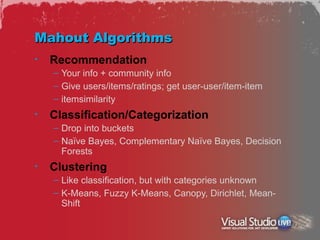
Mahout Algorithms
•   Recommendation
    – Your info + community info
    – Give users/items/ratings; get user-user/item-item
    – itemsimilarity
•   Classification/Categorization
    – Drop into buckets
    – Naïve Bayes, Complementary Naïve Bayes, Decision
      Forests
•   Clustering
    – Like classification, but with categories unknown
    – K-Means, Fuzzy K-Means, Canopy, Dirichlet, Mean-
      Shift
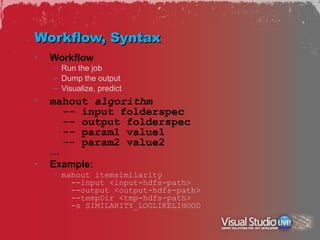
Workflow, Syntax
•   Workflow
    – Run the job
    – Dump the output
    – Visualize, predict
•   mahout algorithm
      -- input folderspec
      -- output folderspec
      -- param1 value1
      -- param2 value2
    …
•   Example:
    – mahout itemsimilarity
        --input <input-hdfs-path>
        --output <output-hdfs-path>
        --tempDir <tmp-hdfs-path>
        -s SIMILARITY_LOGLIKELIHOOD
Mahout
The Truth About Mahout
•   Mahout is really just an algorithm engine
•   Its output is almost unusable by non-
    statisticians/non-data scientists
•   You need a staff or a product to visualize, or
    make into a usable prediction model
•   Investigate Predixion Software
    – CTO, Jamie MacLennan, used to lead SQL Server Data
      Mining team
    – Excel add-in can use Mahout remotely, visualize its output,
      run predictive analyses
    – Also integrates with SQL Server, Greenplum, MapReduce
    – http://www.predixionsoftware.com
Resources
•   Big On Data blog
    – http://www.zdnet.com/blog/big-data
•   Apache Hadoop home page
    – http://hadoop.apache.org/
•   Hive & Pig home pages
    – http://hive.apache.org/
    – http://pig.apache.org/
•   Hadoop on Azure home page
    – https://www.hadooponazure.com/
•   Cloudera CDH 4 download
    – https://ccp.cloudera.com/display/SUPPORT/CDH+Downloads
•   SQL Server 2012 Big Data
    – http://bit.ly/sql2012bigdata
Thank you


•   andrew.brust@bluebadgeinsights.com
•   @andrewbrust on twitter
•   Get Blue Badge’s free briefings
    – Text “bluebadge” to 22828

Brust hadoopecosystem

  • 1.
    Hadoop and itsEcosystem Components in Action Andrew J. Brust CEO and Founder Blue Badge Insights Level: Intermediate
  • 2.
    Meet Andrew • CEO and Founder, Blue Badge Insights • Big Data blogger for ZDNet • Microsoft Regional Director, MVP • Co-chair VSLive! and 17 years as a speaker • Founder, Microsoft BI User Group of NYC – http://www.msbinyc.com • Co-moderator, NYC .NET Developers Group – http://www.nycdotnetdev.com • “Redmond Review” columnist for Visual Studio Magazine and Redmond Developer News • brustblog.com, Twitter: @andrewbrust
  • 3.
    My New Blog(bit.ly/bigondata)
  • 4.
  • 5.
    Agenda • Understand: – MapReduce, Hadoop, and Hadoop stack elements • Review: – Microsoft Hadoop on Azure, Amazon Elastic MapReduce (EMR), Cloudera CDH4 • Demo: – Hadoop, HBase, Hive, Pig • Discuss: – Sqoop, Flume • Demo – Mahout
  • 6.
    MapReduce, in aDiagram Input mapper Output K1, K4… Input mapper Output Input reducer Output K2, K5… mapper Output Output Input Input reducer Output Input K3, K6… Input mapper Output Input reducer Output Input mapper Output Input mapper Output
  • 7.
    A MapReduce Example • Count by suite, on each floor • Send per-suite, per platform totals to lobby • Sort totals by platform • Send two platform packets to 10th, 20th, 30th floor • Tally up each • Collect the tallies platform • Merge tallies into one spreadsheet
  • 8.
    What’s a DistributedFile System? • One where data gets distributed over commodity drives on commodity servers • Data is replicated • If one box goes down, no data lost – Except the name node = SPOF! • BUT: HDFS is immutable – Files can only be written to once – So updates require drop + re-write (slow)
  • 9.
    Hadoop = MapReduce+ HDFS • Modeled after Google MapReduce + GFS • Have more data? Just add more nodes to cluster. – Mappers execute in parallel – Hardware is commodity – “Scaling out” • Use of HDFS means data may well be local to mapper processing • So, not just parallel, but minimal data movement, which avoids network bottlenecks
  • 10.
    The Hadoop Stack • Hadoop – MapReduce, HDFS • Hbase – NoSQL Database – Lesser extent: Cassandra, HyperTable • Hive, Pig – SQL-like “data warehouse” system – Data transformation language • Sqoop – Import/export between HDFS, HBase, Hive and relational data warehouses • Flume – Log file integration • Mahout – Data Mining
  • 11.
    Ways to work • Microsoft Hadoop on Azure – Visit www.hadooponazure.com – Request invite – Free, for now • Amazon Web Services Elastic MapReduce – Create AWS account – Select Elastic MapReduce in Dashboard – Cheap for experimenting, but not free • Cloudera CDH VM image – Download as .tar.gz file – “Un-tar” (can use WinRAR, 7zip) – Run via VMWare Player or Virtual Box – Everything’s free
  • 12.
    Microsoft Hadoop onAzure • Much simpler than the others • Browser-based portal – Provisioning cluster, managing ports, MapReduce jobs – Gathering external data Configure Azure Storage, Amazon S3 Import from DataMarket to Hive • Interactive JavaScript console – HDFS, Pig, light data visualization • Interactive Hive console – Hive commands and metadata discovery • From Portal page you can RDP directly to Hadoop head node – Double click desktop shortcut for CLI access – Certain environment variables may need to be set
  • 13.
  • 14.
    Amazon Elastic MapReduce • Lots of steps! • At a high level: – Setup AWS account and S3 “buckets” – Generate Key Pair and PEM file – Install Ruby and EMR Command Line Interface – Provision the cluster using CLI A batch file can work very well here – Setup and run SSH/PuTTY – Work interactively at command line
  • 15.
    Amazon EMR –Prep Steps • Create an AWS account • Create an S3 bucket for log storage – with list permissions for authenticated users • Create a Key Pair and save PEM file • Install Ruby • Install Amazon Web Services Elastic MapReduce Command Line Interface – aka AWS EMR CLI  • Create credentials.json in EMR CLI folder – Associate with same region as where key pair created
  • 16.
    Amazon – Securityand Startup • Security – Download PuTTYgen and run it – Click Load and browse to PEM file – Save it in PPK format – Exit PuTTYgen • In a command window, navigate to EMR CLI folder and enter command: – ruby elastic-mapreduce --create --alive [--num-instance xx] [--pig-interactive] [--hive-interactive] [--hbase --instance-type m1.large] • In AWS Console, go to EC2 Dashboard and click Instances on left nav bar • Wait until instance is running and get its Public DNS name – Use Compatibility View in IE or copy may not work
  • 17.
    Connect! • Download and run PuTTY • Paste DNS name of EC2 instance into hostname field • In Treeview, drill down and navigate to ConnectionSSHAuth, browse to PPK file • Once EC2 instance(s) running, click Open • Click Yes to “The server’s host key is not cached in the registry…” PuTTY Security Alert • When prompted for user name, type “hadoop” and hit Enter • cd bin, then hive, pig, hbase shell • Right-click to paste from clipboard; option to go full-screen • (Kill EC2 instance(s) from Dashboard when done)
  • 18.
  • 19.
    Cloudera CDH4 VirtualMachine • Get it for free, in VMWare and Virtual Box versions. – VMWare player and Virtual Box are free too • Run it, and configure it to have its own IP on your network. • Assuming IP of 192.168.1.59, open browser on your own (host ) machine and navigate to: – http://192.168.1.59:8888 • Can also use browser in VM and hit: – http://localhost:8888 • Work in “Hue”…
  • 20.
    Hue • Browser based UI, with front ends for: – HDFS (w/ upload & download) – MapReduce job creation and monitoring – Hive (“Beeswax”) • And in-browser command line shells for: – HBase – Pig (“Grunt”)
  • 21.
  • 22.
    Hadoop commands • HDFS – hadoop fs filecommand – Create and remove directories: mkdir, rm, rmr – Upload and download files to/from HDFS get, put – View directory contents ls, lsr – Copy, move, view files cp, mv, cat • MapReduce – Run a Java jar-file based job hadoop jar jarname params
  • 23.
  • 24.
    HBase • Concepts: – Tables, column families – Columns, rows – Keys, values • Commands: – Definition: create, alter, drop, truncate – Manipulation: get, put, delete, deleteall, scan – Discovery: list, exists, describe, count – Enablement: disable, enable – Utilities: version, status, shutdown, exit – Reference: http://wiki.apache.org/hadoop/Hbase/Shell • Moreover, – Interesting HBase work can be done in MapReduce, Pig
  • 25.
    HBase Examples • create 't1', 'f1', 'f2', 'f3' • describe 't1' • alter 't1', {NAME => 'f1', VERSIONS => 5} • put 't1', 'r1', 'c1:f1', 'value' • get 't1', 'r1' • count 't1'
  • 26.
  • 27.
    Hive • Used by most BI products which connect to Hadoop • Provides a SQL-like abstraction over Hadoop – Officially HiveQL, or HQL • Works on own tables, but also on HBase • Query generates MapReduce job, output of which becomes result set • Microsoft has Hive ODBC driver – Connects Excel, Reporting Services, PowerPivot, Analysis Services Tabular Mode (only)
  • 28.
    Hive, Continued • Load data from flat HDFS files – LOAD DATA [LOCAL] INPATH 'myfile' INTO TABLE mytable; • SQL Queries – CREATE, ALTER, DROP – INSERT OVERWRITE (creates whole tables) – SELECT, JOIN, WHERE, GROUP BY – SORT BY, but ordering data is tricky! – MAP/REDUCE/TRANSFORM…USING allows for custom map, reduce steps utilizing Java or streaming code
  • 29.
  • 30.
    Pig • Instead of SQL, employs a language (“Pig Latin”) that accommodates data flow expressions – Do a combo of Query and ETL • “10 lines of Pig Latin ≈ 200 lines of Java.” • Works with structured or unstructured data • Operations – As with Hive, a MapReduce job is generated – Unlike Hive, output is only flat file to HDFS or text at command line console – With MS Hadoop, can easily convert to JavaScript array, then manipulate • Use command line (“Grunt”) or build scripts
  • 31.
    Example • A = LOAD 'myfile' AS (x, y, z); B = FILTER A by x > 0; C = GROUP B BY x; D = FOREACH A GENERATE x, COUNT(B); STORE D INTO 'output';
  • 32.
    Pig Latin Examples • Imperative, file system commands – LOAD, STORE Schema specified on LOAD • Declarative, query commands (SQL-like) – xxx = file or data set – FOREACH xxx GENERATE (SELECT…FROM xxx) – JOIN (WHERE/INNER JOIN) – FILTER xxx BY (WHERE) – ORDER xxx BY (ORDER BY) – GROUP xxx BY / GENERATE COUNT(xxx) (SELECT COUNT(*) GROUP BY) – DISTINCT (SELECT DISTINCT) • Syntax is assignment statement-based: – MyCusts = FILTER Custs BY SalesPerson eq 15; • Access Hbase – CpuMetrics = LOAD 'hbase://SystemMetrics' USING org.apache.pig.backend.hadoop.hbase.HBaseStorage('cp u:','-loadKey -returnTuple');
  • 33.
  • 34.
    Sqoop sqoop import --connect "jdbc:sqlserver://<servername>. database.windows.net:1433; database=<dbname>; user=<username>@<servername>; password=<password>" --table <from_table> --target-dir <to_hdfs_folder> --split-by <from_table_column>
  • 35.
    Sqoop sqoop export --connect "jdbc:sqlserver://<servername>. database.windows.net:1433; database=<dbname>; user=<username>@<servername>; password=<password>" --table <to_table> --export-dir <from_hdfs_folder> --input-fields-terminated-by "<delimiter>"
  • 36.
    Flume NG • Source – Avro (data serialization system – can read json- encoded data files, and can work over RPC) – Exec (reads from stdout of long-running process) • Sinks – HDFS, HBase, Avro • Channels – Memory, JDBC, file
  • 37.
    Flume NG (nextgeneration) • Setup conf/flume.conf # Define a memory channel called ch1 on agent1 agent1.channels.ch1.type = memory # Define an Avro source called avro-source1 on agent1 and tell it # to bind to 0.0.0.0:41414. Connect it to channel ch1. agent1.sources.avro-source1.channels = ch1 agent1.sources.avro-source1.type = avro agent1.sources.avro-source1.bind = 0.0.0.0 agent1.sources.avro-source1.port = 41414 # Define a logger sink that simply logs all events it receives # and connect it to the other end of the same channel. agent1.sinks.log-sink1.channel = ch1 agent1.sinks.log-sink1.type = logger # Finally, now that we've defined all of our components, tell # agent1 which ones we want to activate. agent1.channels = ch1 agent1.sources = avro-source1 agent1.sinks = log-sink1 • From the command line: flume-ng agent --conf ./conf/ -f conf/flume.conf -n agent1
  • 38.
    Mahout Algorithms • Recommendation – Your info + community info – Give users/items/ratings; get user-user/item-item – itemsimilarity • Classification/Categorization – Drop into buckets – Naïve Bayes, Complementary Naïve Bayes, Decision Forests • Clustering – Like classification, but with categories unknown – K-Means, Fuzzy K-Means, Canopy, Dirichlet, Mean- Shift
  • 39.
    Workflow, Syntax • Workflow – Run the job – Dump the output – Visualize, predict • mahout algorithm -- input folderspec -- output folderspec -- param1 value1 -- param2 value2 … • Example: – mahout itemsimilarity --input <input-hdfs-path> --output <output-hdfs-path> --tempDir <tmp-hdfs-path> -s SIMILARITY_LOGLIKELIHOOD
  • 40.
  • 41.
    The Truth AboutMahout • Mahout is really just an algorithm engine • Its output is almost unusable by non- statisticians/non-data scientists • You need a staff or a product to visualize, or make into a usable prediction model • Investigate Predixion Software – CTO, Jamie MacLennan, used to lead SQL Server Data Mining team – Excel add-in can use Mahout remotely, visualize its output, run predictive analyses – Also integrates with SQL Server, Greenplum, MapReduce – http://www.predixionsoftware.com
  • 42.
    Resources • Big On Data blog – http://www.zdnet.com/blog/big-data • Apache Hadoop home page – http://hadoop.apache.org/ • Hive & Pig home pages – http://hive.apache.org/ – http://pig.apache.org/ • Hadoop on Azure home page – https://www.hadooponazure.com/ • Cloudera CDH 4 download – https://ccp.cloudera.com/display/SUPPORT/CDH+Downloads • SQL Server 2012 Big Data – http://bit.ly/sql2012bigdata
  • 43.
    Thank you • andrew.brust@bluebadgeinsights.com • @andrewbrust on twitter • Get Blue Badge’s free briefings – Text “bluebadge” to 22828

Editor's Notes

  • #2 Visual Studio Live! Redmond 2012 © 2012 Visual Studio Live! All rights reserved.
  • #4 Visual Studio Live! Redmond 2012 © 2012 Visual Studio Live! All rights reserved.
  • #28 Visual Studio Live! Redmond 2012 © 2012 Visual Studio Live! All rights reserved.