
1
Real-time searching
of big data with
Solr and Hadoop
Rod Cope, CTO
2
• Introduction
• The problem
• The solution
• Top 10 lessons
• Final thoughts
• Q&A
3
Rod Cope, CTO
Rogue Wave Software
4
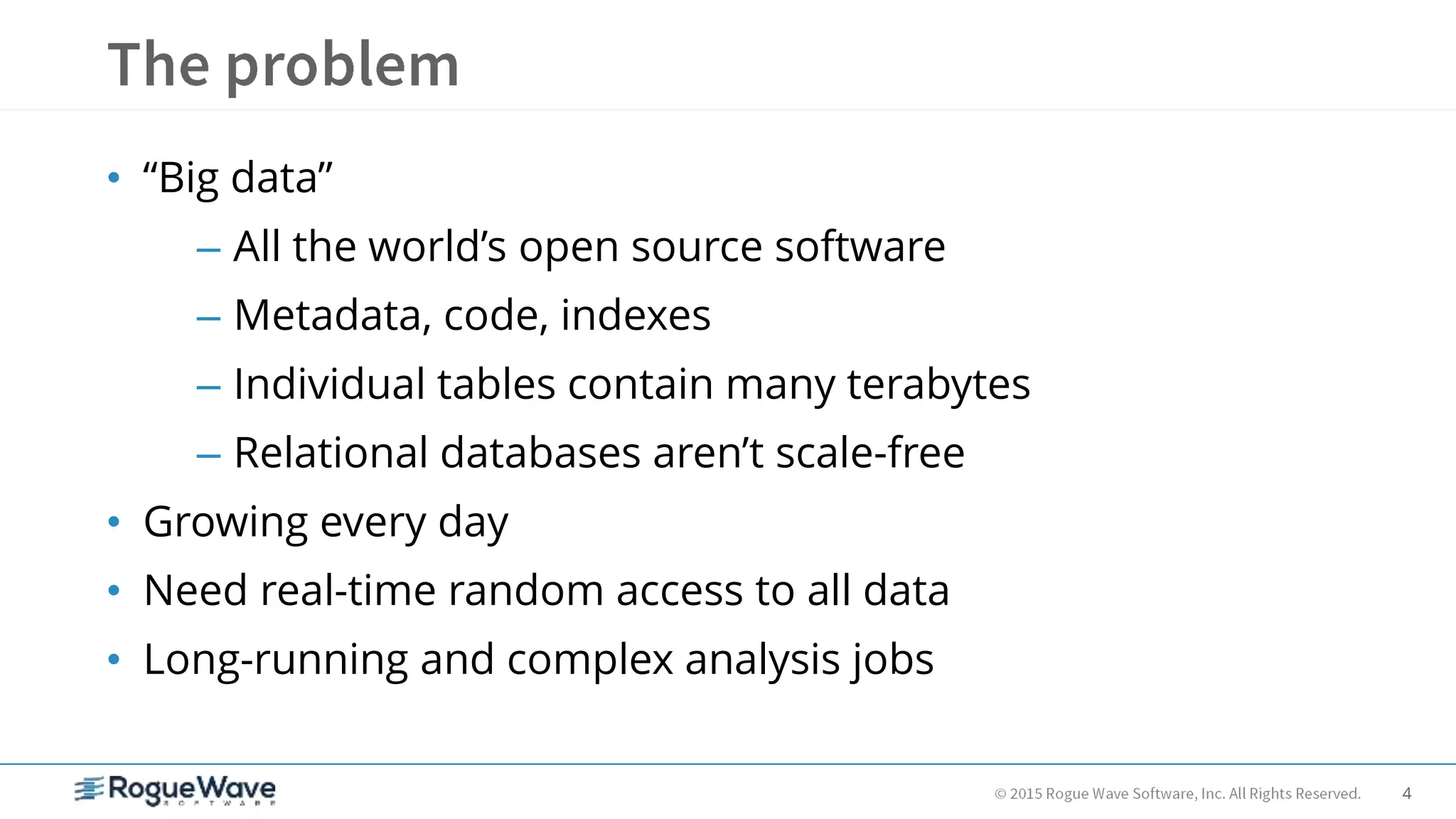
• “Big data”
– All the world’s open source software
– Metadata, code, indexes
– Individual tables contain many terabytes
– Relational databases aren’t scale-free
• Growing every day
• Need real-time random access to all data
• Long-running and complex analysis jobs
5
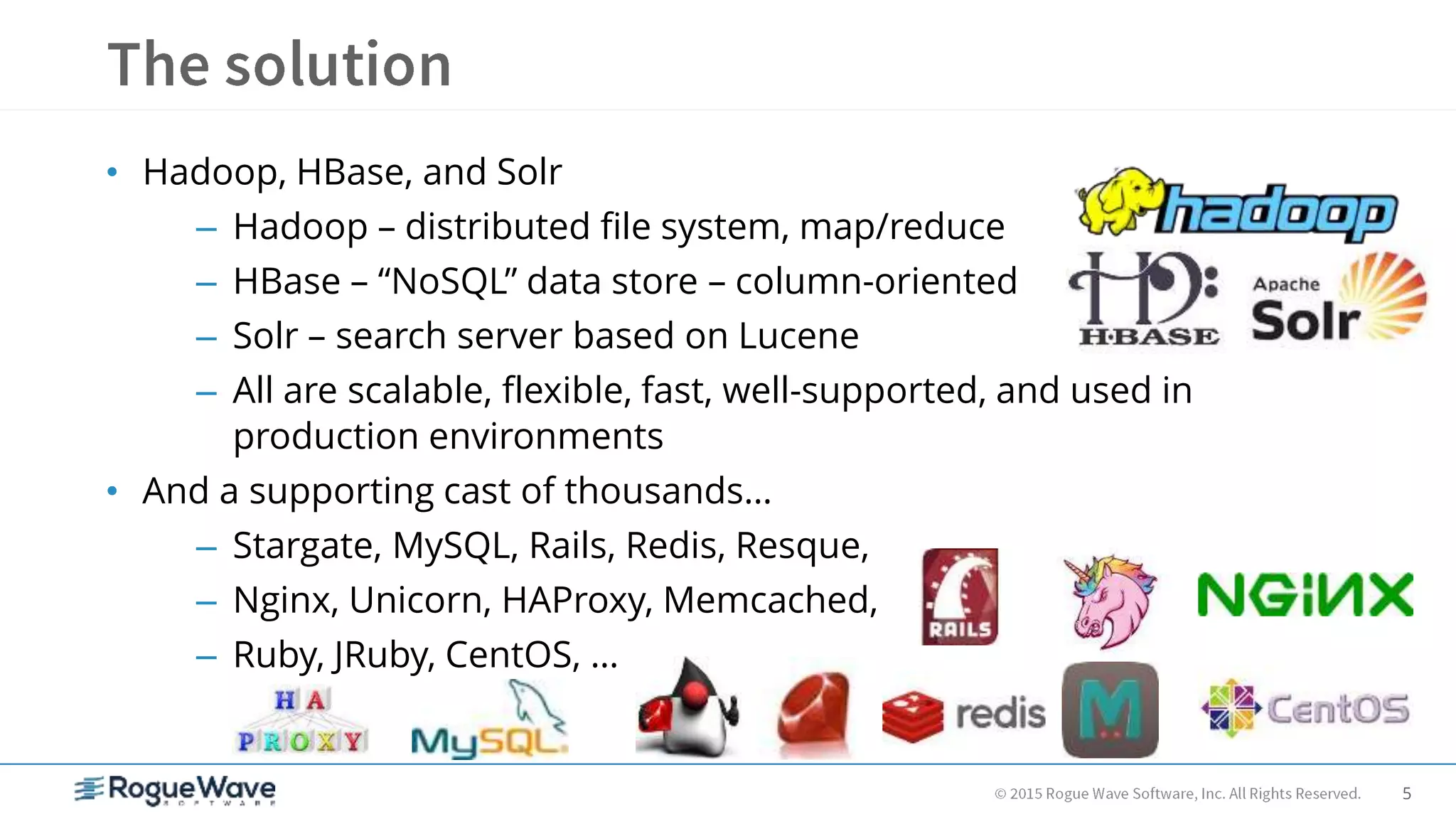
• Hadoop, HBase, and Solr
– Hadoop – distributed file system, map/reduce
– HBase – “NoSQL” data store – column-oriented
– Solr – search server based on Lucene
– All are scalable, flexible, fast, well-supported, and used in
production environments
• And a supporting cast of thousands…
– Stargate, MySQL, Rails, Redis, Resque,
– Nginx, Unicorn, HAProxy, Memcached,
– Ruby, JRuby, CentOS, …
6
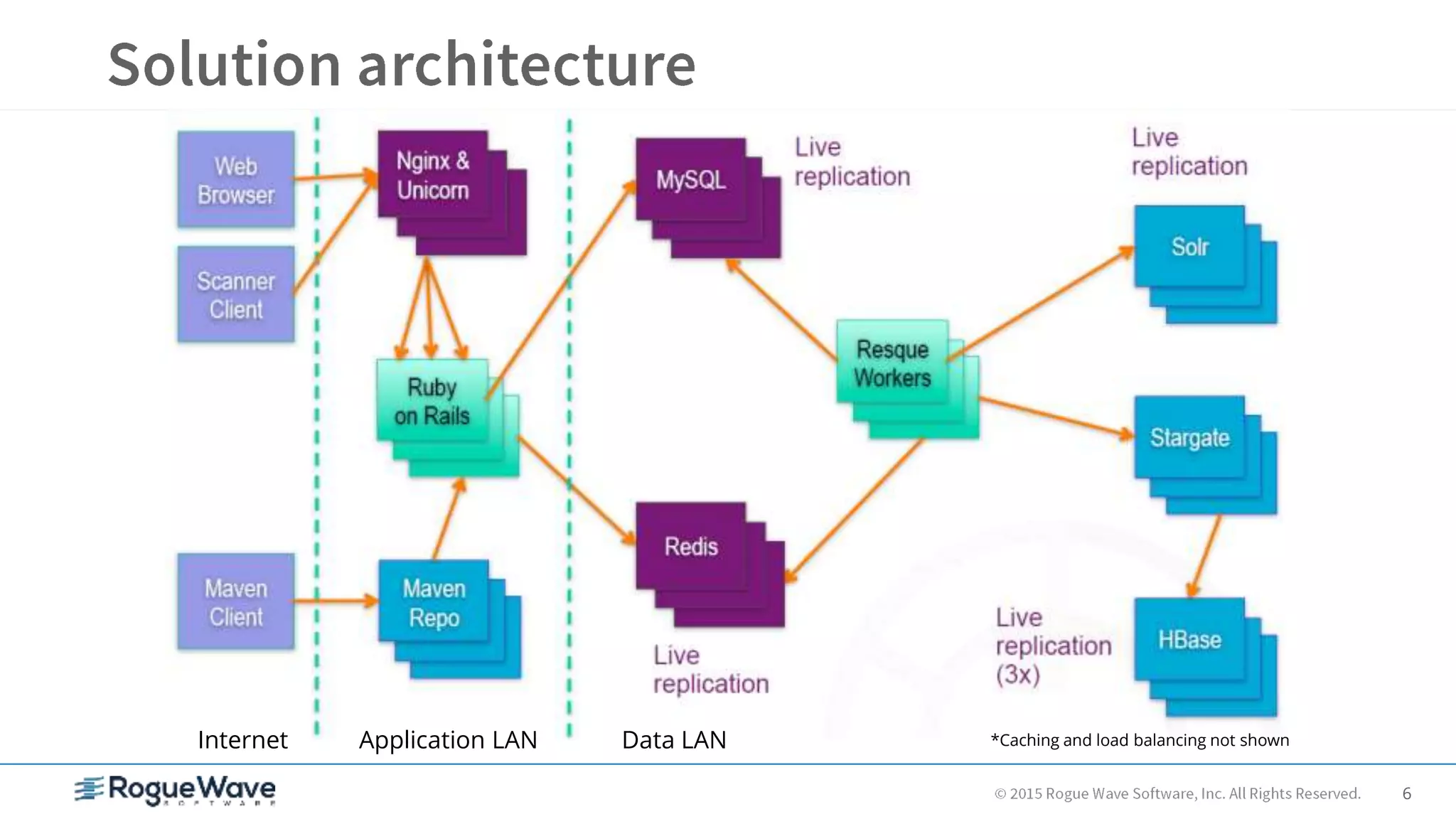
Internet Application LAN Data LAN *Caching and load balancing not shown
7
• HBase  NoSQL
– Think hash table, not relational database
• How do find my data if primary key won’t cut it?
• Solr to the rescue
– Very fast, highly scalable search server with built-in sharding
and replication – based on Lucene
– Dynamic schema, powerful query language, faceted search,
accessible via simple REST-like web API w/XML, JSON, Ruby,
and other data formats
8
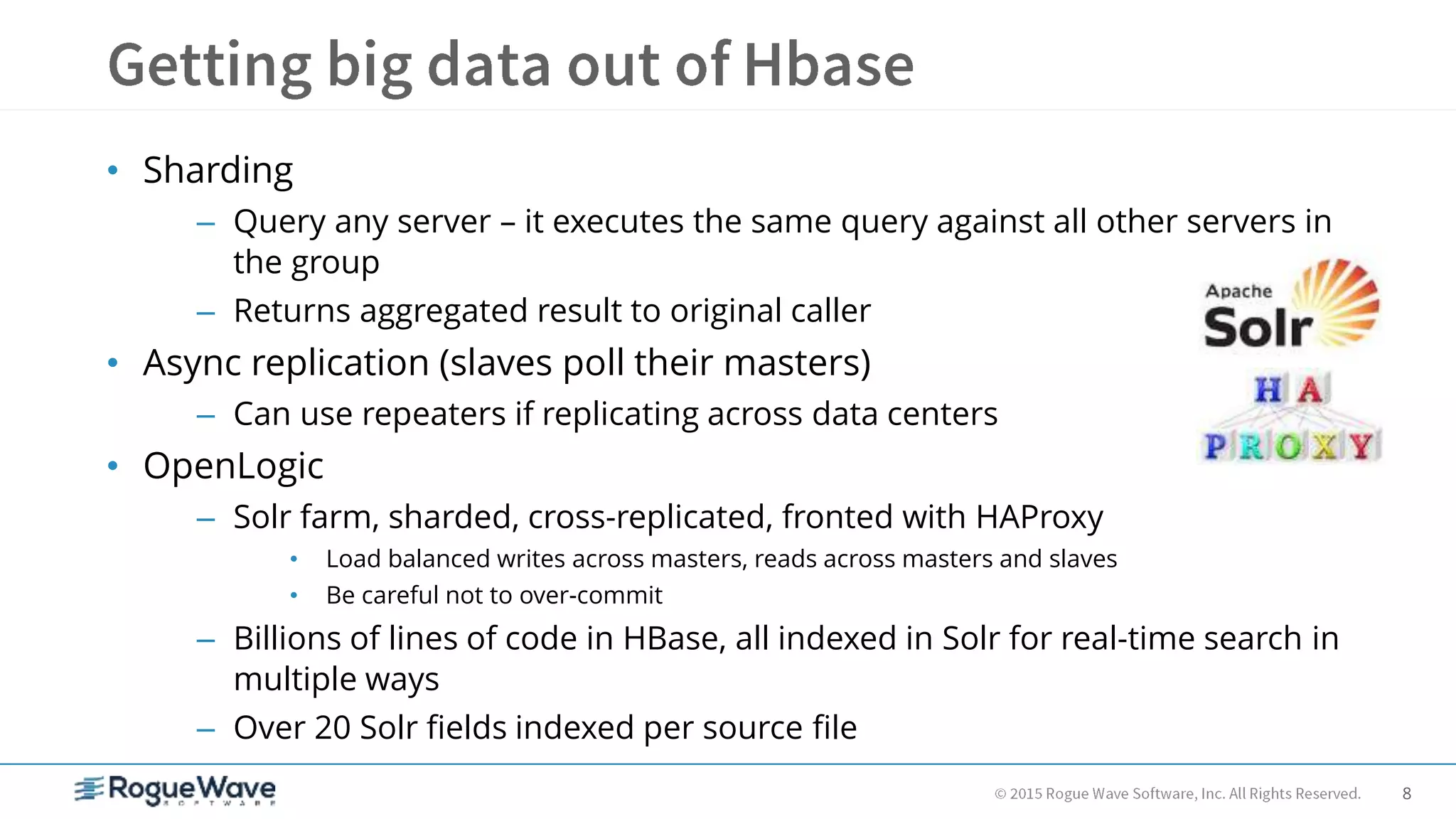
• Sharding
– Query any server – it executes the same query against all other servers in
the group
– Returns aggregated result to original caller
• Async replication (slaves poll their masters)
– Can use repeaters if replicating across data centers
• OpenLogic
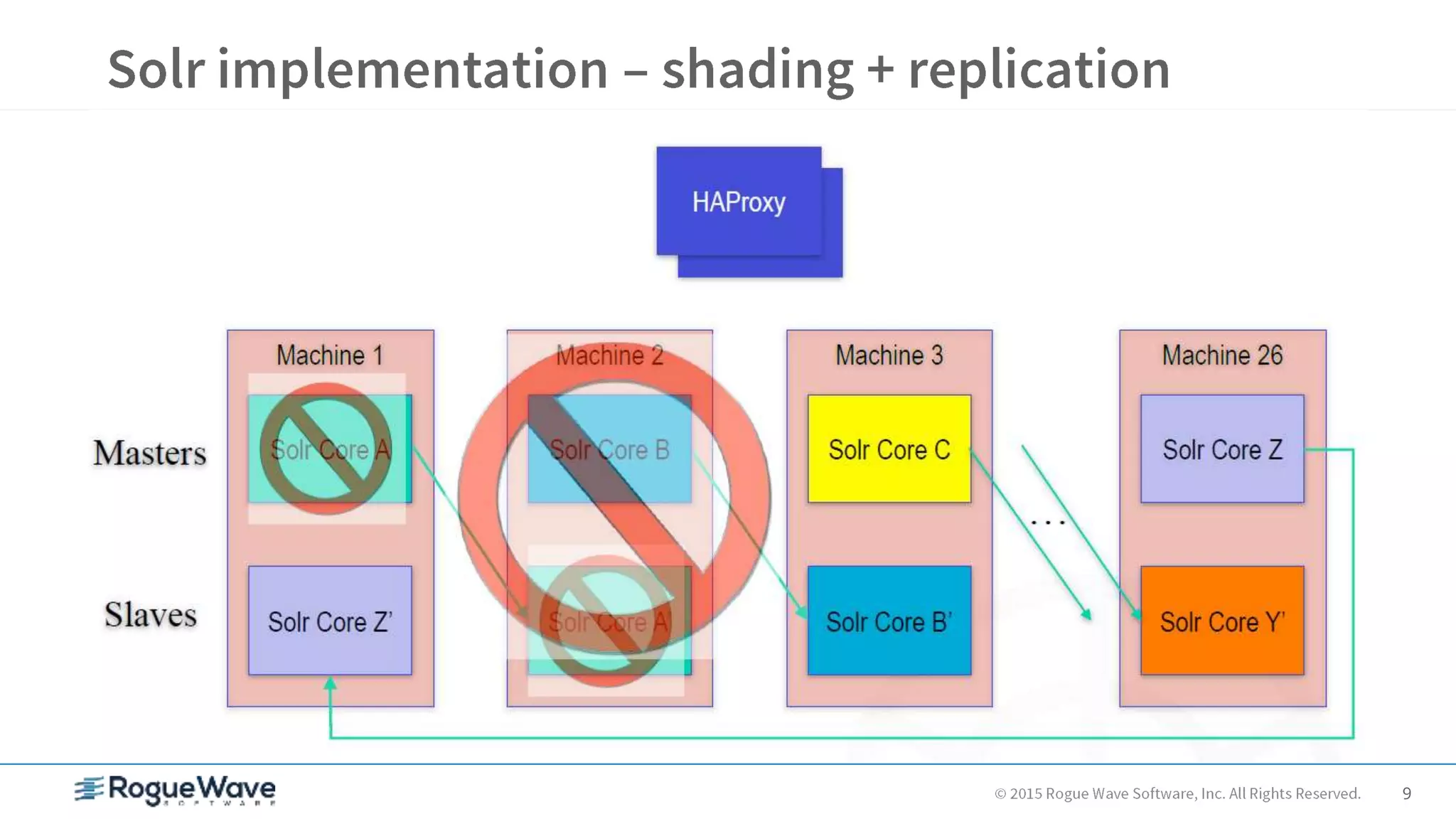
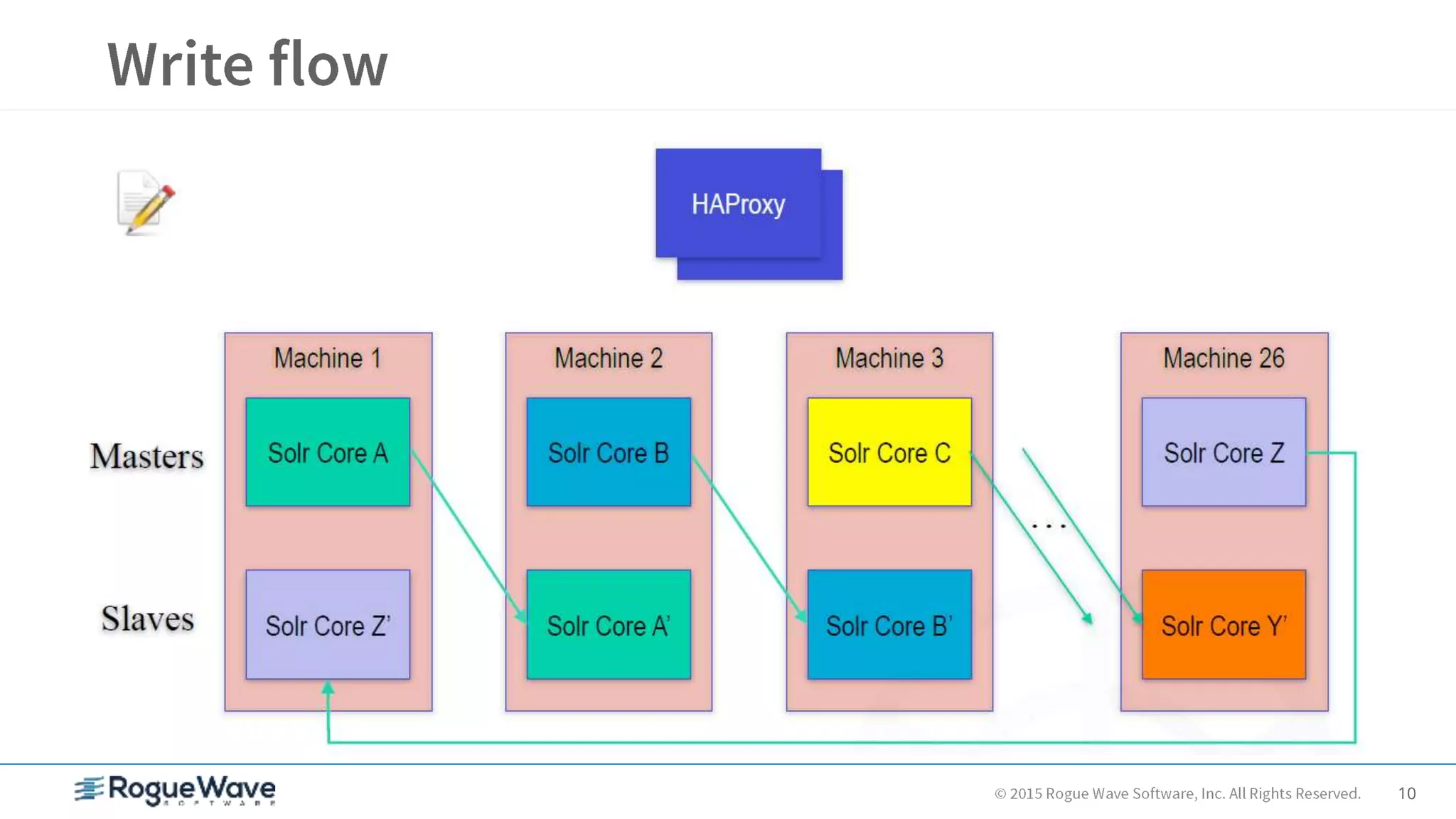
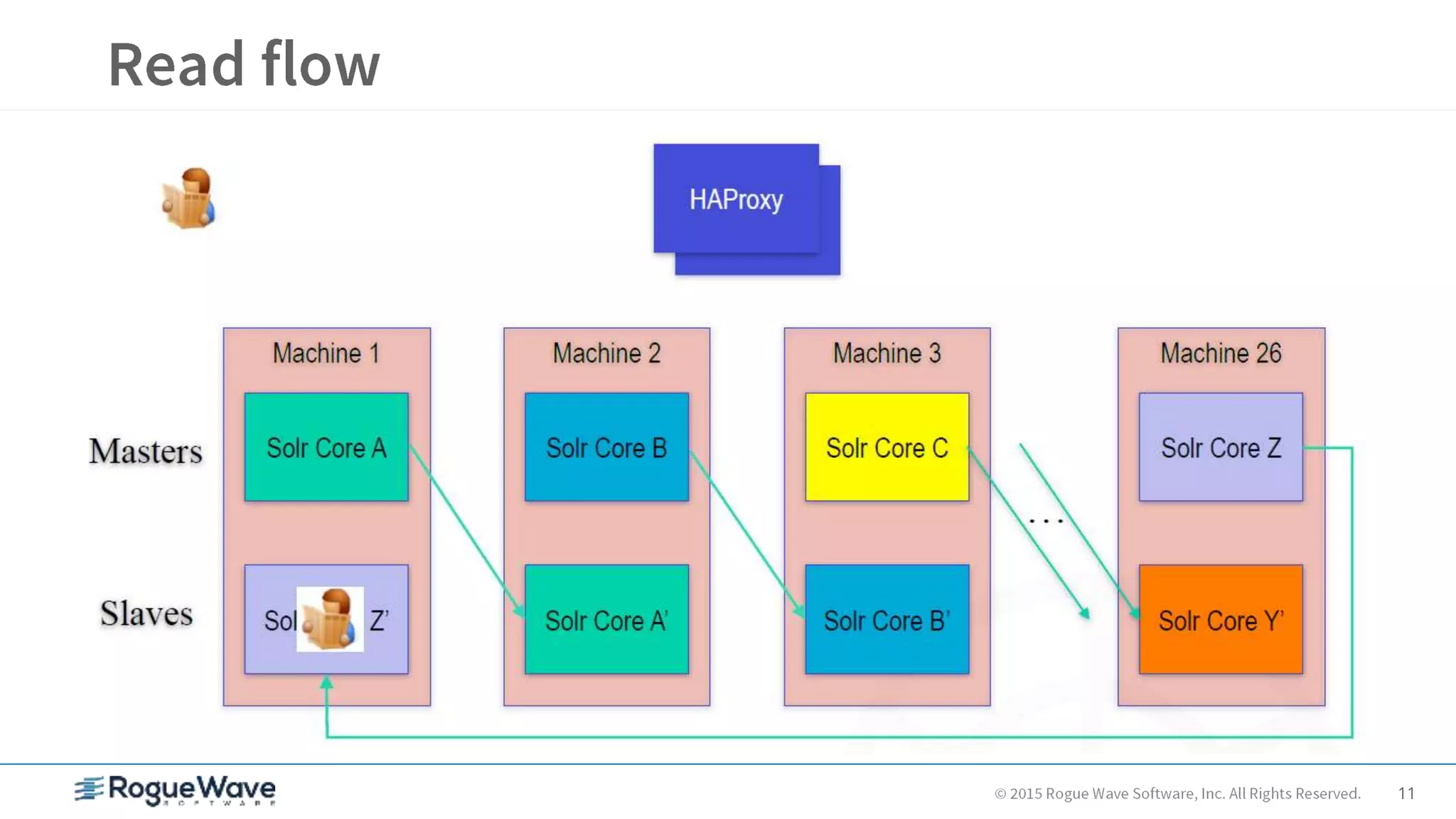
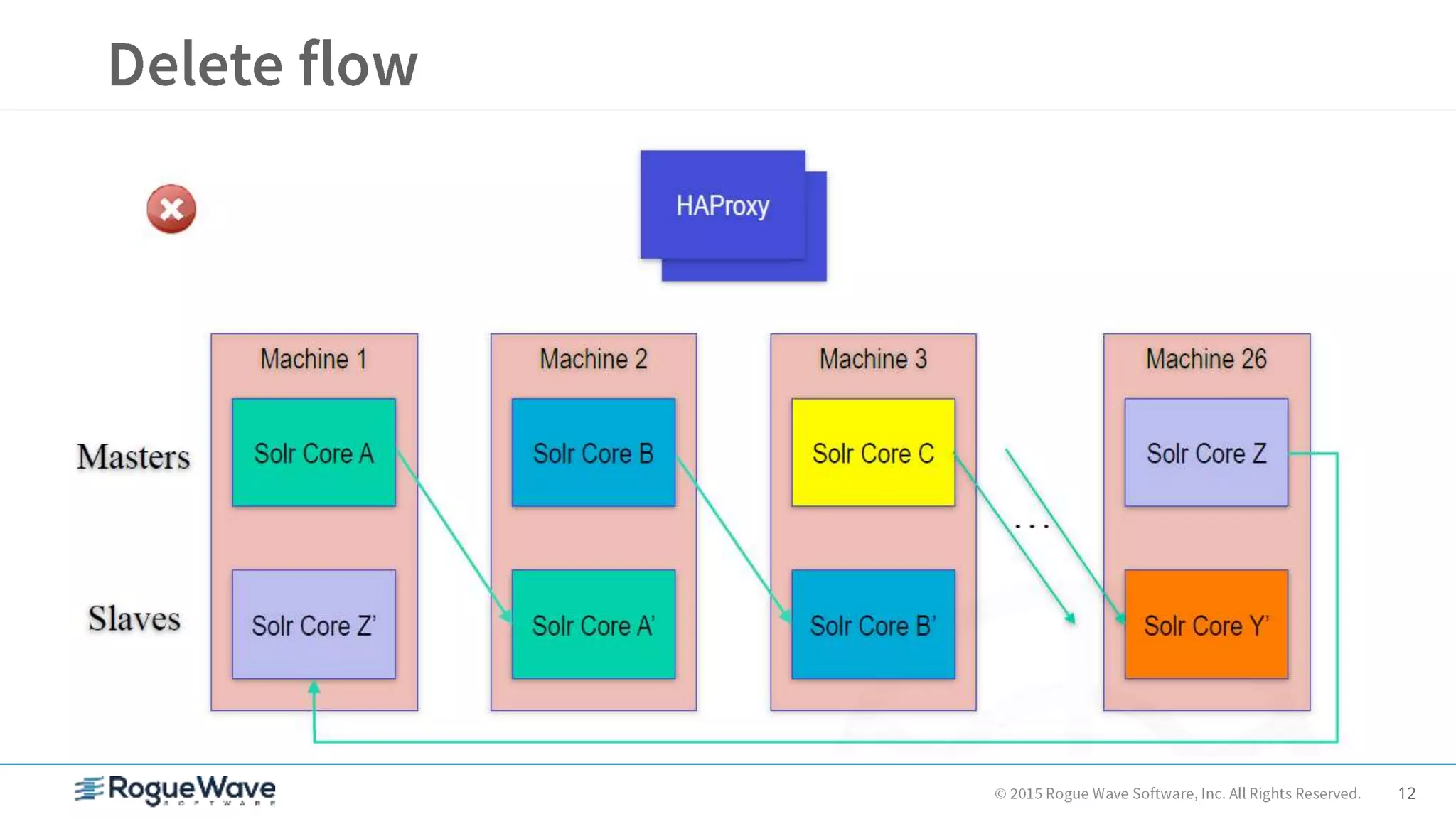
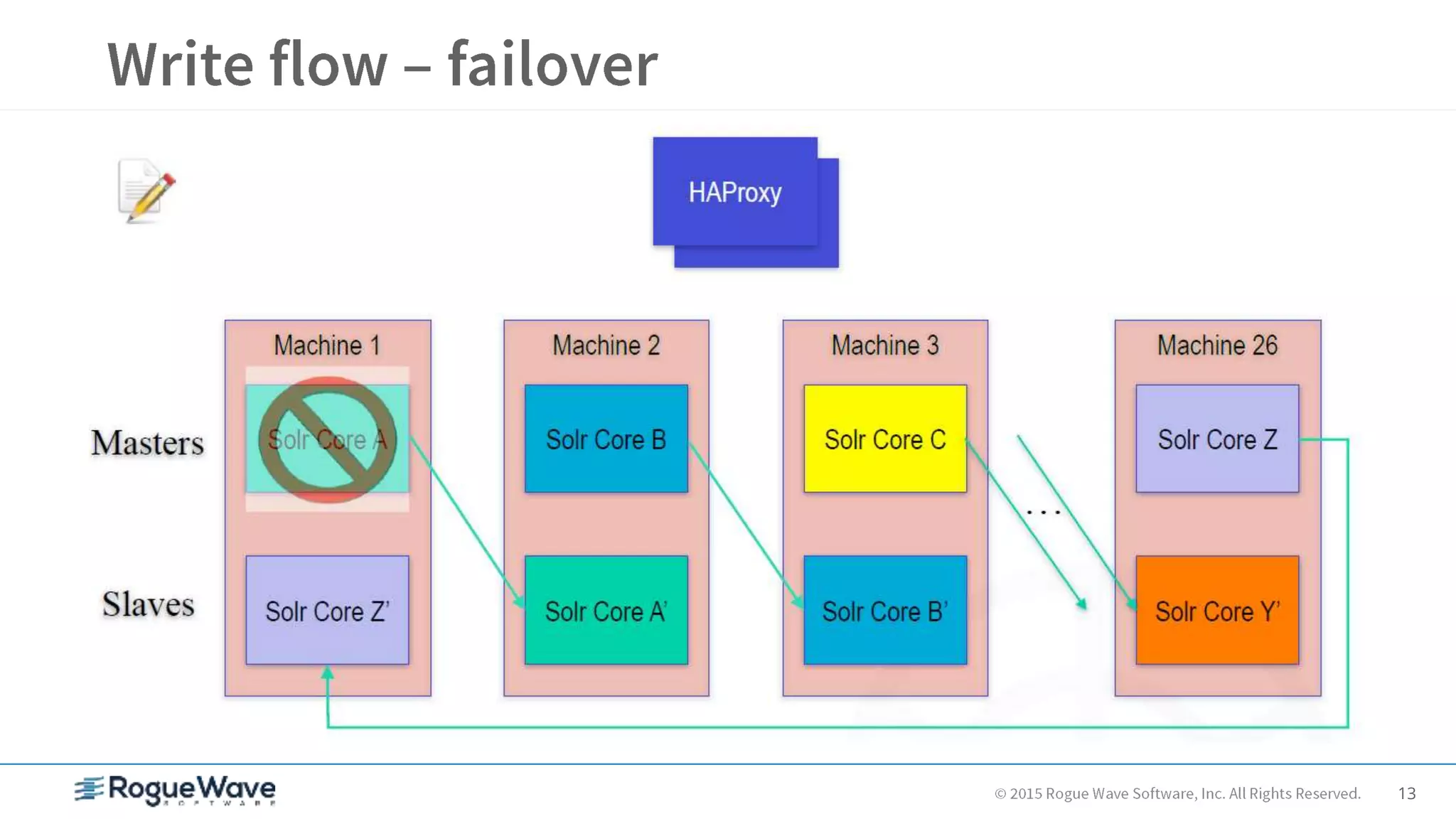
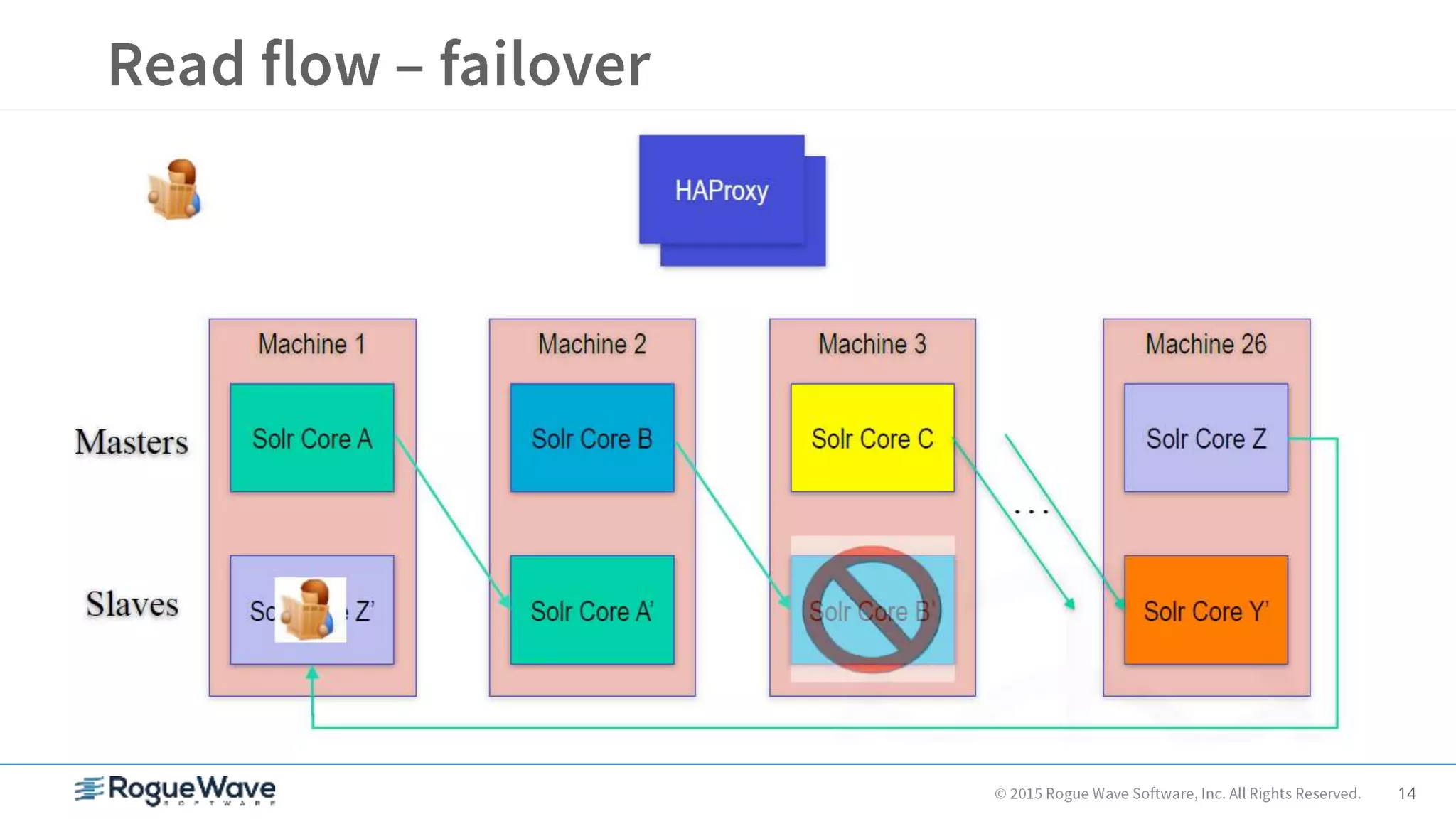
– Solr farm, sharded, cross-replicated, fronted with HAProxy
• Load balanced writes across masters, reads across masters and slaves
• Be careful not to over-commit
– Billions of lines of code in HBase, all indexed in Solr for real-time search in
multiple ways
– Over 20 Solr fields indexed per source file
9
10
11
12
13
14
15
• Experiment with different Solr merge factors
– During huge loads, it can help to use a higher factor for load
performance
• Minimize index manipulation gymnastics
• Start with something like 25
– When you’re done with the massive initial load/import, turn it
back down for search performance
• Minimize number of queries
• Start with something like 5
• Note that a small merge factor will hurt indexing performance if you
need to do massive loads on a frequent basis or continuous
indexing
16
• Test your write-focused load balancing
– Look for large skews in Solr index size
– Note: you may have to commit, optimize, write again, and commit
before you can really tell
• Make sure your replication slaves are keeping up
– Using identical hardware helps
– If index directories don’t look the same, something is wrong
17
• Don’t commit to Solr too frequently
– It’s easy to auto-commit or commit after every record
– Doing this 100’s of times per second will take Solr down,
especially if you have serious warm up queries configured
• Avoid putting large values in HBase (> 5MB)
– Works, but may cause instability and/or performance issues
– Rows and columns are cheap, so use more of them instead
18
• Don’t use a single machine to load the cluster
– You might not live long enough to see it finish
• At OpenLogic, we spread raw source data across many machines and
hard drives via NFS
– Be very careful with NFS configuration – can hang machines
• Load data into HBase via Hadoop map/reduce jobs
– Turn off WAL for much better performance
• put.setWriteToWAL(false)
– Index in Solr as you go
• Good way to test your load balancing write schemes and replication set up
– This will find your weak spots!
19
• Writing data loading jobs can be tedious
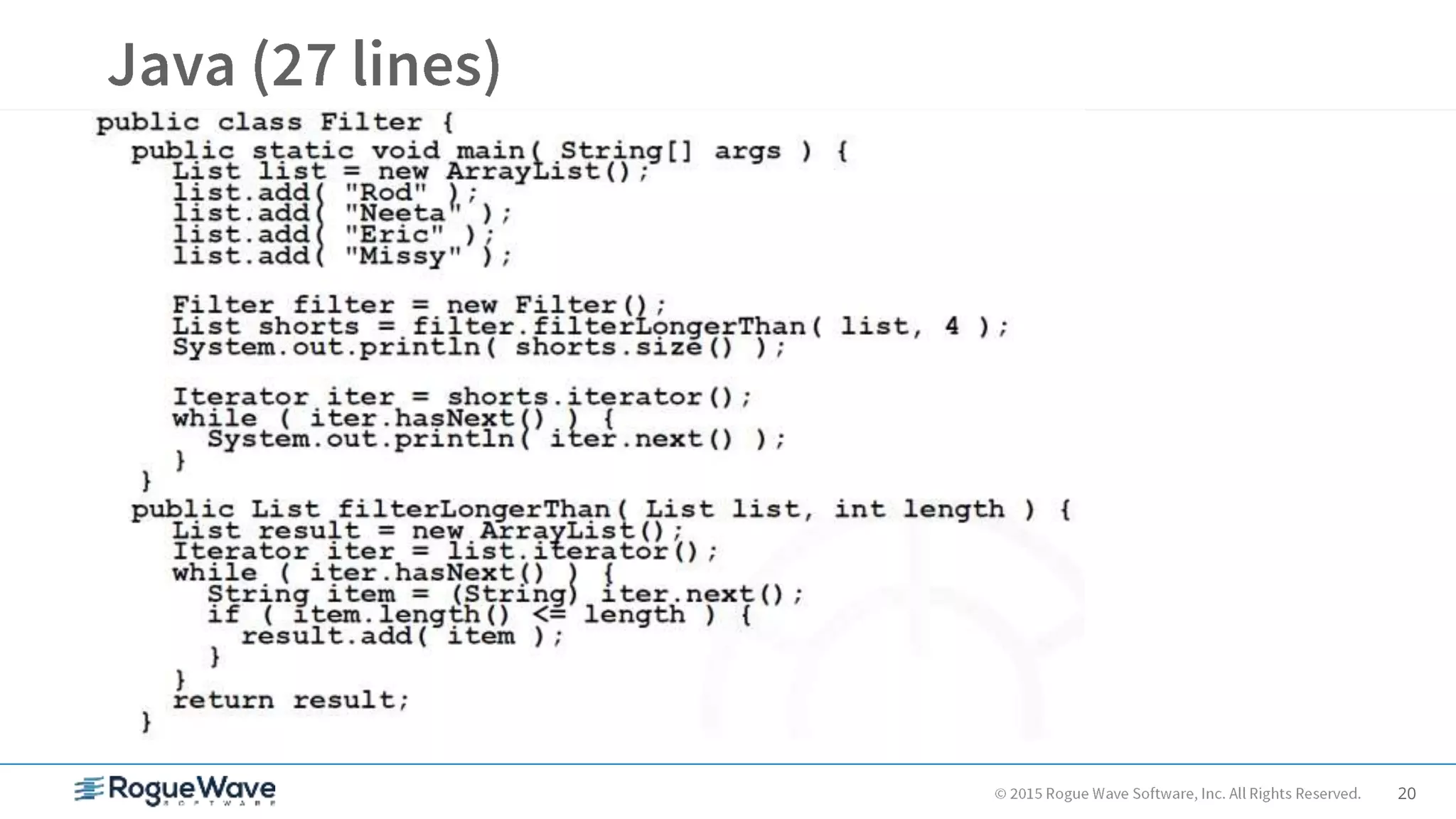
• Scripting is faster and easier than writing Java
• Great for system administration tasks, testing
• Standard HBase shell is based on JRuby
• Very easy Map/Reduce jobs with J/Ruby and Wukong
• Used heavily at OpenLogic
– Productivity of Ruby
– Power of Java Virtual Machine
– Ruby on Rails, Hadoop integration, GUI clients
20
21
JRuby
list = ["Rod", "Neeta", "Eric", "Missy"]
shorts = list.find_all { |name| name.size <= 4 }
puts shorts.size
shorts.each { |name| puts name }
-> 2
-> Rod
Eric
Groovy
list = ["Rod", "Neeta", "Eric", "Missy"]
shorts = list.findAll { name -> name.size() <= 4 }
println shorts.size
shorts.each { name -> println name }
-> 2
-> Rod
Eric
22
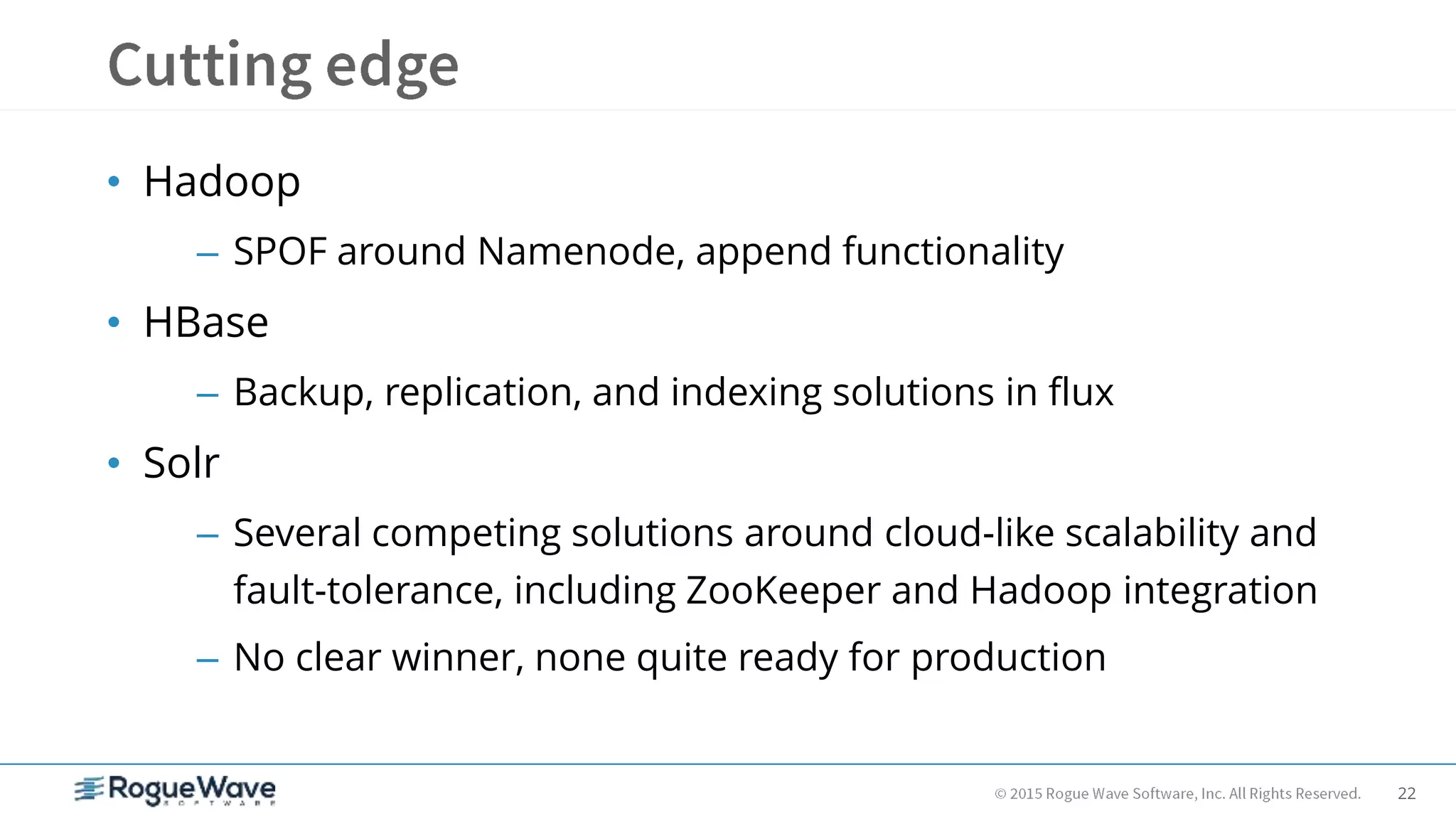
• Hadoop
– SPOF around Namenode, append functionality
• HBase
– Backup, replication, and indexing solutions in flux
• Solr
– Several competing solutions around cloud-like scalability and
fault-tolerance, including ZooKeeper and Hadoop integration
– No clear winner, none quite ready for production
23
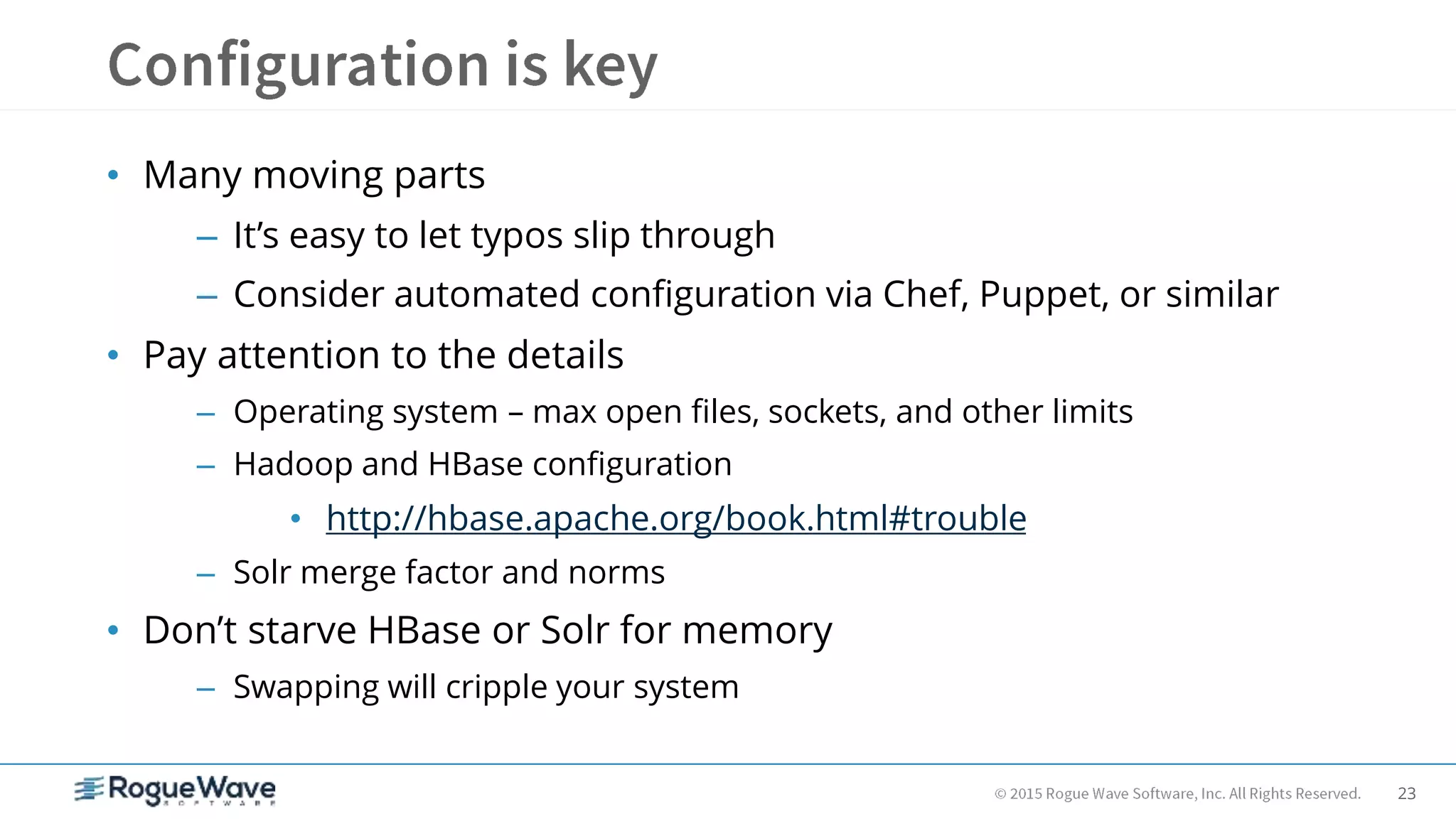
• Many moving parts
– It’s easy to let typos slip through
– Consider automated configuration via Chef, Puppet, or similar
• Pay attention to the details
– Operating system – max open files, sockets, and other limits
– Hadoop and HBase configuration
• http://hbase.apache.org/book.html#trouble
– Solr merge factor and norms
• Don’t starve HBase or Solr for memory
– Swapping will cripple your system
24
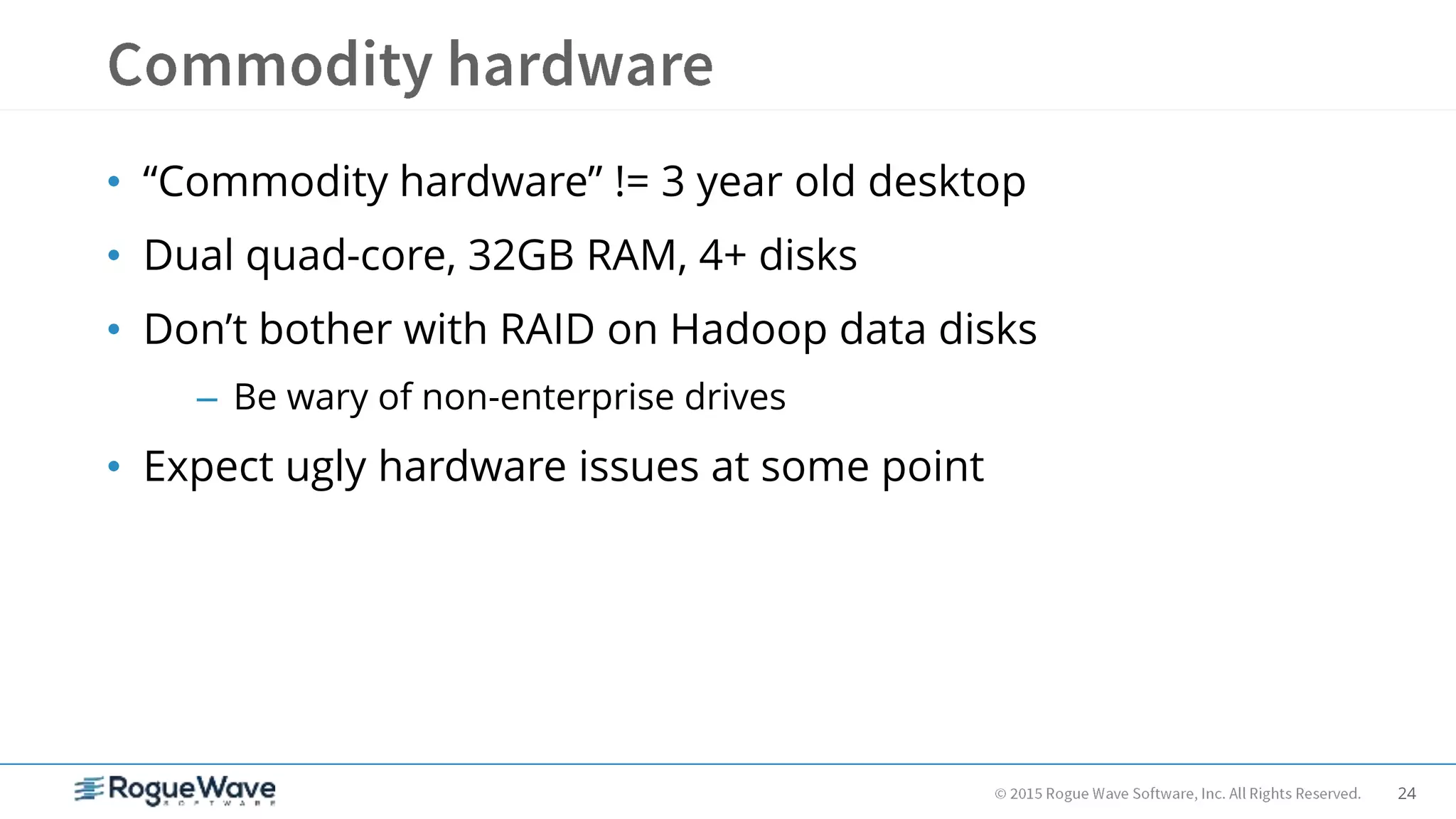
• “Commodity hardware” != 3 year old desktop
• Dual quad-core, 32GB RAM, 4+ disks
• Don’t bother with RAID on Hadoop data disks
– Be wary of non-enterprise drives
• Expect ugly hardware issues at some point
25
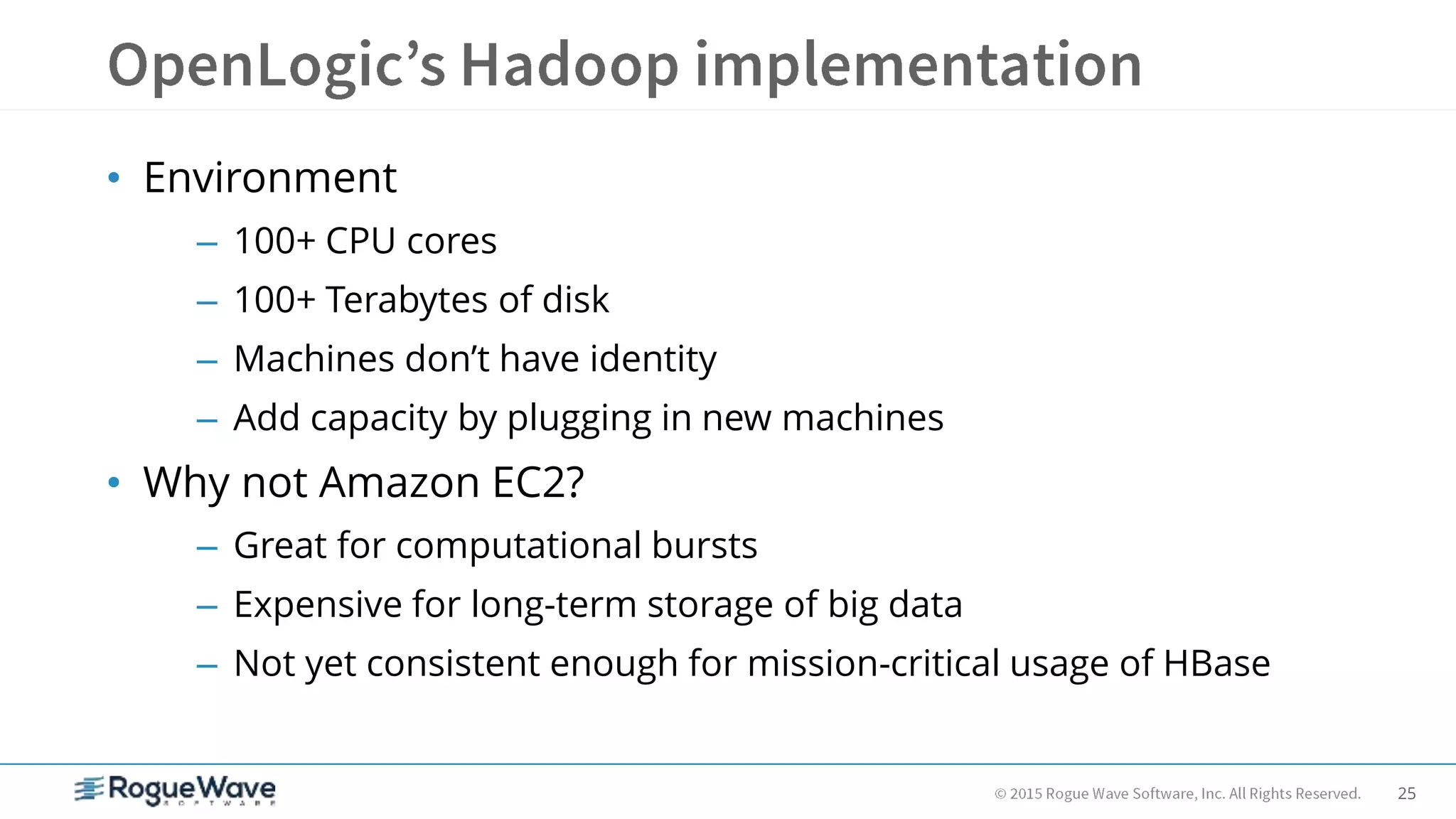
• Environment
– 100+ CPU cores
– 100+ Terabytes of disk
– Machines don’t have identity
– Add capacity by plugging in new machines
• Why not Amazon EC2?
– Great for computational bursts
– Expensive for long-term storage of big data
– Not yet consistent enough for mission-critical usage of HBase
26
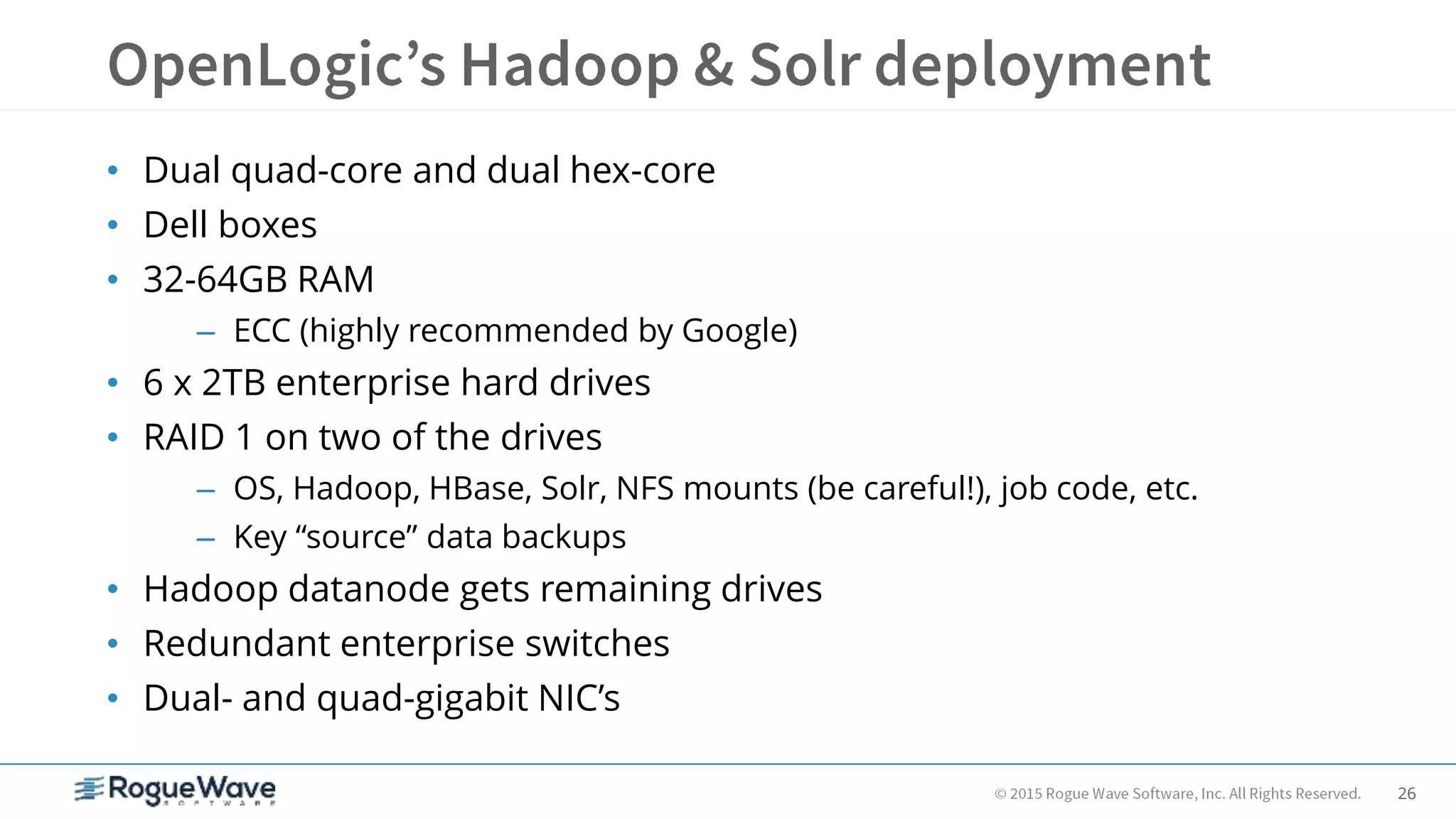
• Dual quad-core and dual hex-core
• Dell boxes
• 32-64GB RAM
– ECC (highly recommended by Google)
• 6 x 2TB enterprise hard drives
• RAID 1 on two of the drives
– OS, Hadoop, HBase, Solr, NFS mounts (be careful!), job code, etc.
– Key “source” data backups
• Hadoop datanode gets remaining drives
• Redundant enterprise switches
• Dual- and quad-gigabit NIC’s
27
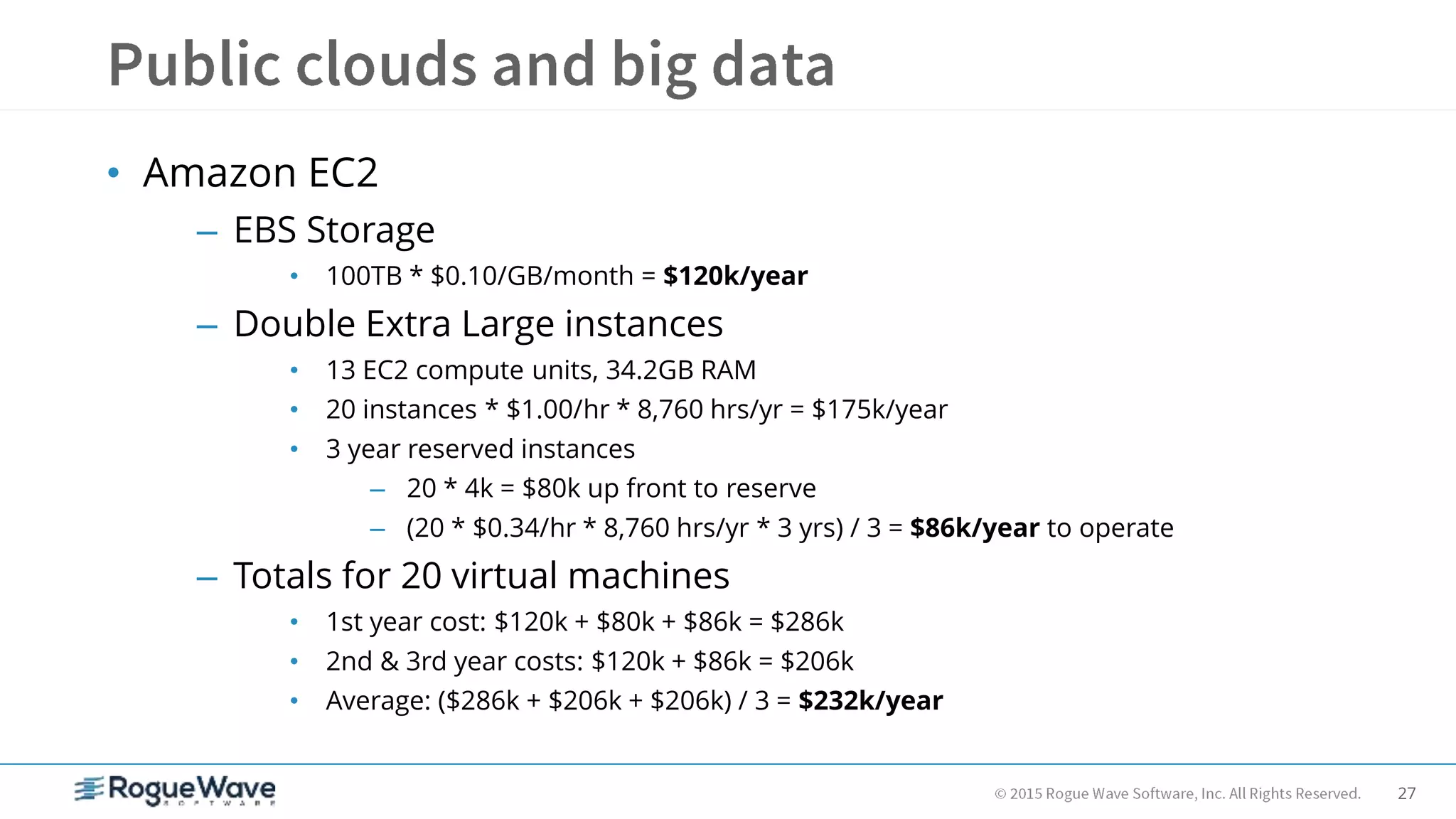
• Amazon EC2
– EBS Storage
• 100TB * $0.10/GB/month = $120k/year
– Double Extra Large instances
• 13 EC2 compute units, 34.2GB RAM
• 20 instances * $1.00/hr * 8,760 hrs/yr = $175k/year
• 3 year reserved instances
– 20 * 4k = $80k up front to reserve
– (20 * $0.34/hr * 8,760 hrs/yr * 3 yrs) / 3 = $86k/year to operate
– Totals for 20 virtual machines
• 1st year cost: $120k + $80k + $86k = $286k
• 2nd & 3rd year costs: $120k + $86k = $206k
• Average: ($286k + $206k + $206k) / 3 = $232k/year
28
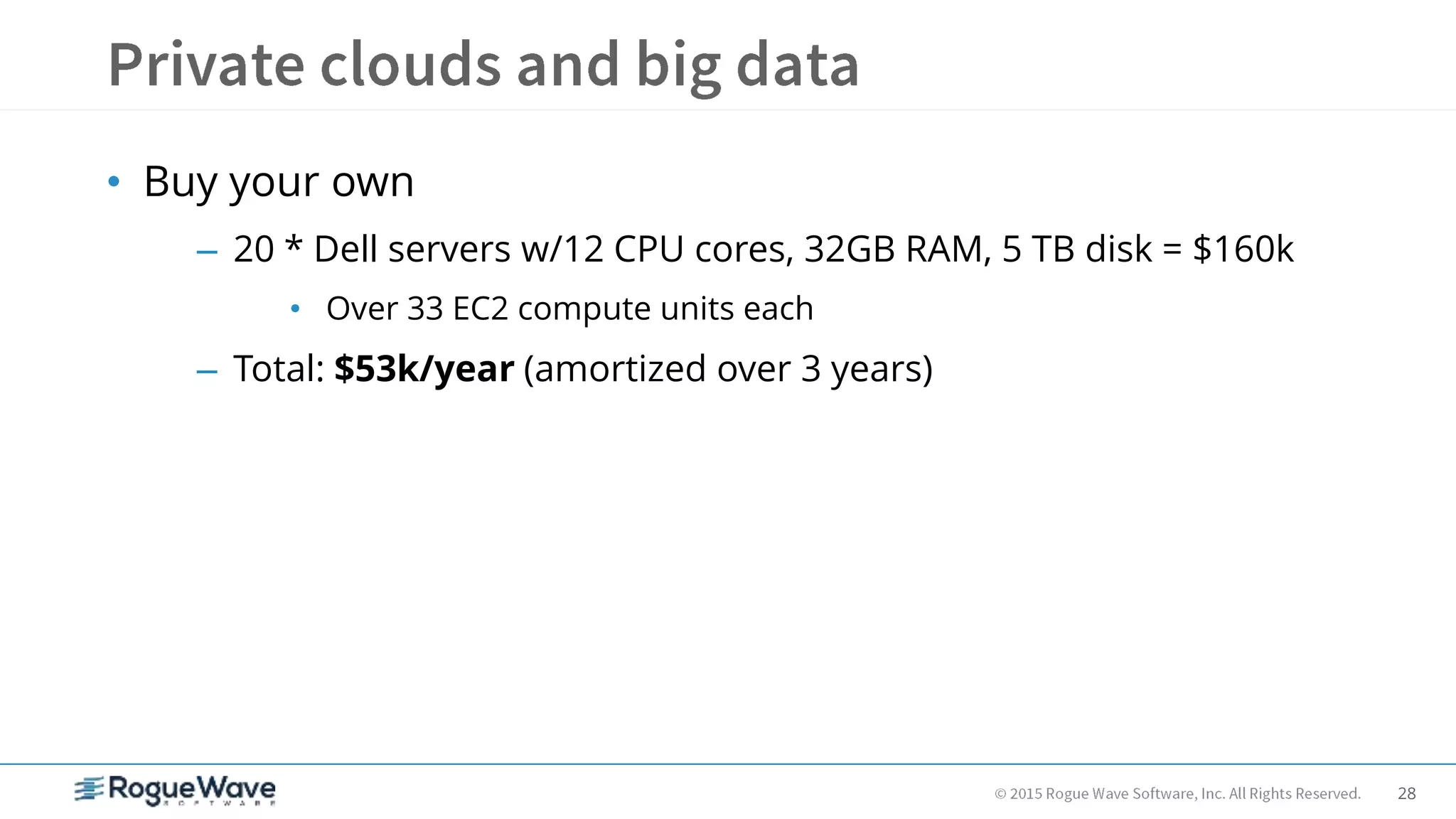
• Buy your own
– 20 * Dell servers w/12 CPU cores, 32GB RAM, 5 TB disk = $160k
• Over 33 EC2 compute units each
– Total: $53k/year (amortized over 3 years)
29
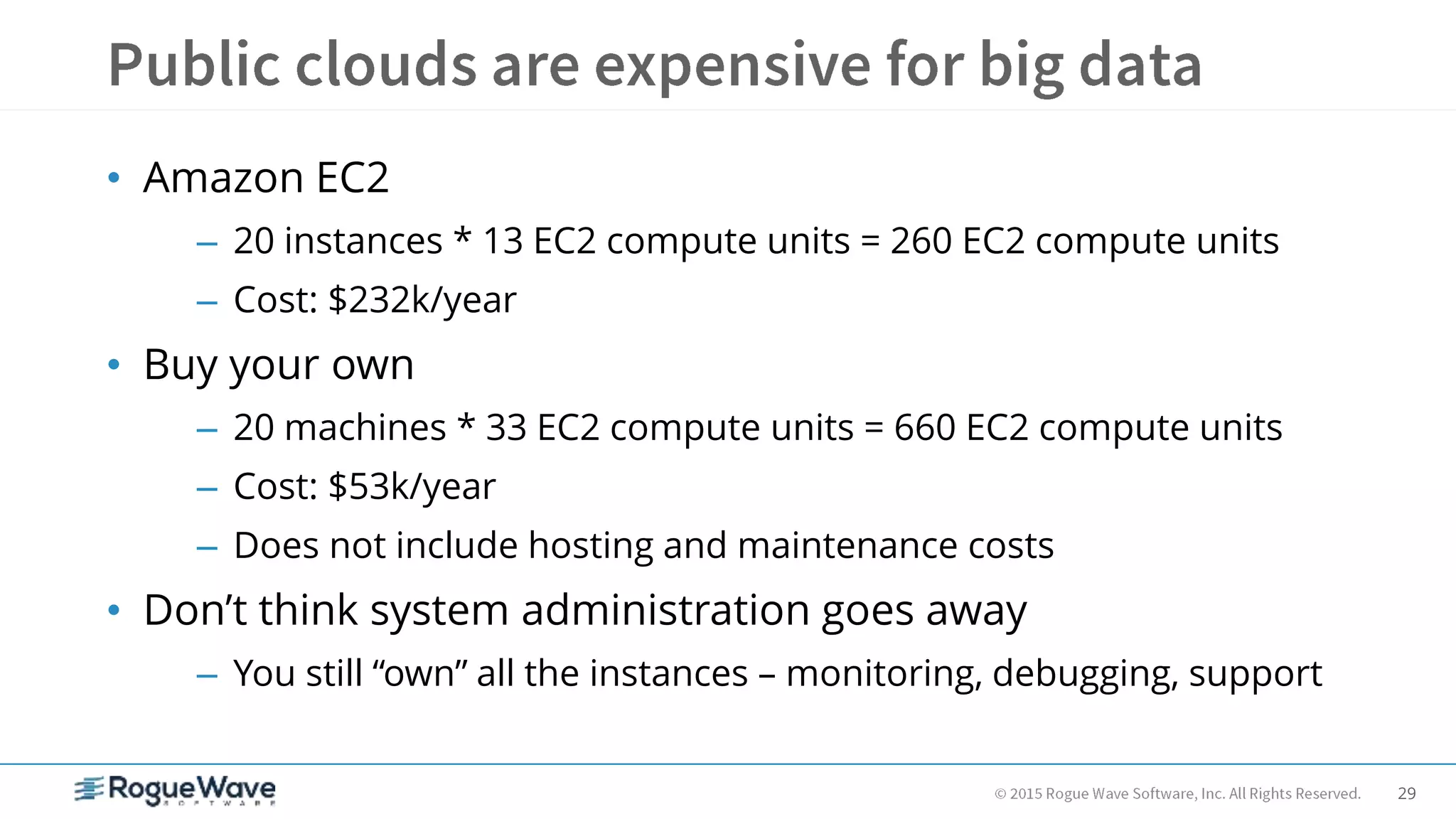
• Amazon EC2
– 20 instances * 13 EC2 compute units = 260 EC2 compute units
– Cost: $232k/year
• Buy your own
– 20 machines * 33 EC2 compute units = 660 EC2 compute units
– Cost: $53k/year
– Does not include hosting and maintenance costs
• Don’t think system administration goes away
– You still “own” all the instances – monitoring, debugging, support
30
• Hardware
– Power supplies, hard drives
• Operating System
– Kernel panics, zombie processes, dropped packets
• Software Servers
– Hadoop datanodes, HBase regionservers, Stargate servers, Solr
servers
• Your Code and Data
– Stray map/reduce jobs, strange corner cases in your data leading
to program failures
31
32
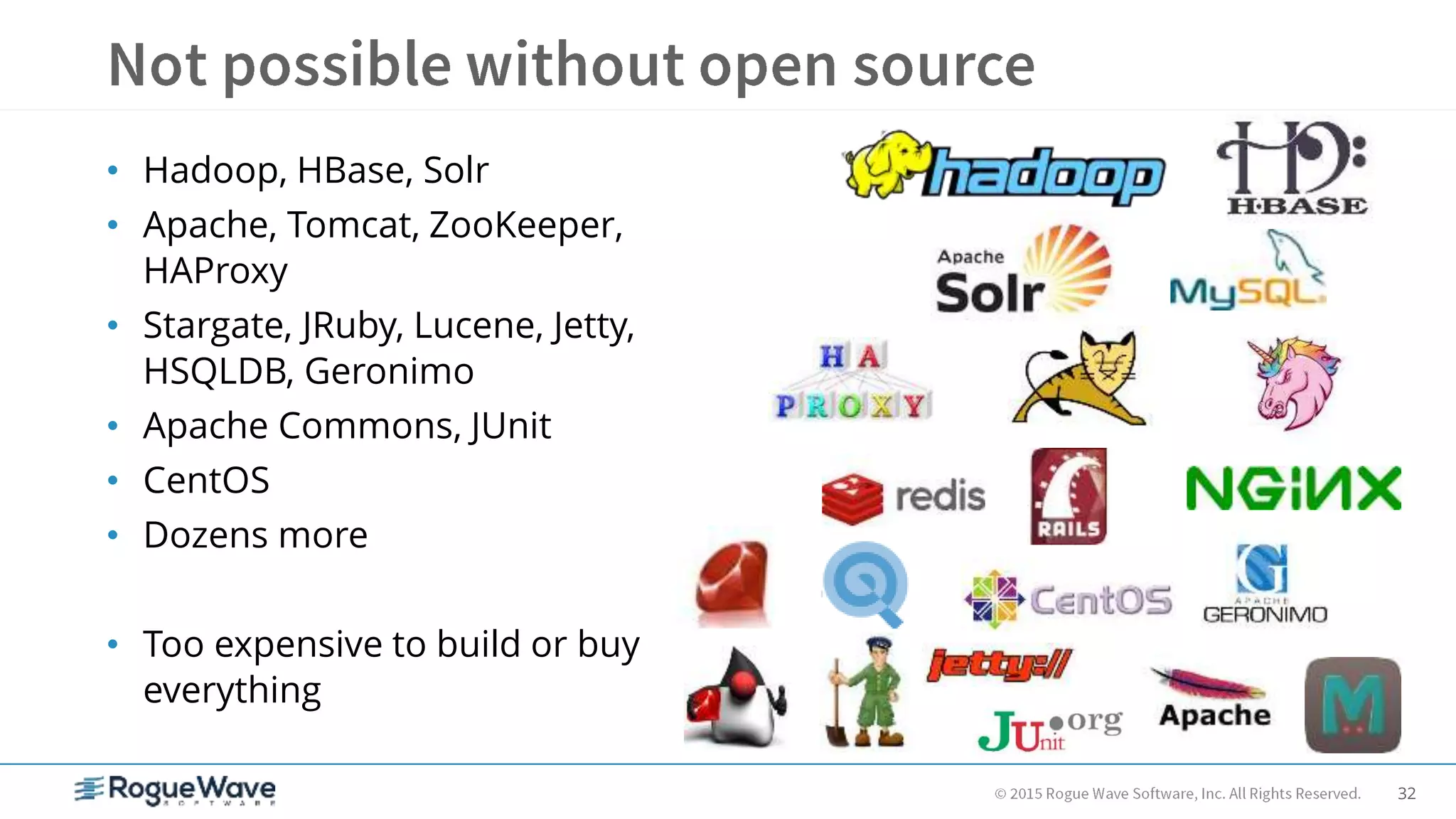
• Hadoop, HBase, Solr
• Apache, Tomcat, ZooKeeper,
HAProxy
• Stargate, JRuby, Lucene, Jetty,
HSQLDB, Geronimo
• Apache Commons, JUnit
• CentOS
• Dozens more
• Too expensive to build or buy
everything
33
• You can host big data in your own private cloud
– Tools are available today that didn’t exist a few years ago
– Fast to prototype – production readiness takes time
– Expect to invest in training and support
• Hbase and Solr are fast
– 100+ random queries/sec per instance
– Give them memory and stand back
• Hbase Scales, Solr scales (to a point)
– Don’t worry about out-growing a few machines
– Do worry about out-growing a rack of Solr instances
• Look for ways to partition your data other than “automatic” sharding
34
Q&A
35
Rod Cope
rod.cope@roguewave.com
See us in action:
www.roguewave.com
36

Real-time searching of big data with Solr and Hadoop

  • 1.
    1 Real-time searching of bigdata with Solr and Hadoop Rod Cope, CTO
  • 2.
    2 • Introduction • Theproblem • The solution • Top 10 lessons • Final thoughts • Q&A
  • 3.
    3 Rod Cope, CTO RogueWave Software
  • 4.
    4 • “Big data” –All the world’s open source software – Metadata, code, indexes – Individual tables contain many terabytes – Relational databases aren’t scale-free • Growing every day • Need real-time random access to all data • Long-running and complex analysis jobs
  • 5.
    5 • Hadoop, HBase,and Solr – Hadoop – distributed file system, map/reduce – HBase – “NoSQL” data store – column-oriented – Solr – search server based on Lucene – All are scalable, flexible, fast, well-supported, and used in production environments • And a supporting cast of thousands… – Stargate, MySQL, Rails, Redis, Resque, – Nginx, Unicorn, HAProxy, Memcached, – Ruby, JRuby, CentOS, …
  • 6.
    6 Internet Application LANData LAN *Caching and load balancing not shown
  • 7.
    7 • HBase NoSQL – Think hash table, not relational database • How do find my data if primary key won’t cut it? • Solr to the rescue – Very fast, highly scalable search server with built-in sharding and replication – based on Lucene – Dynamic schema, powerful query language, faceted search, accessible via simple REST-like web API w/XML, JSON, Ruby, and other data formats
  • 8.
    8 • Sharding – Queryany server – it executes the same query against all other servers in the group – Returns aggregated result to original caller • Async replication (slaves poll their masters) – Can use repeaters if replicating across data centers • OpenLogic – Solr farm, sharded, cross-replicated, fronted with HAProxy • Load balanced writes across masters, reads across masters and slaves • Be careful not to over-commit – Billions of lines of code in HBase, all indexed in Solr for real-time search in multiple ways – Over 20 Solr fields indexed per source file
  • 9.
  • 10.
  • 11.
  • 12.
  • 13.
  • 14.
  • 15.
    15 • Experiment withdifferent Solr merge factors – During huge loads, it can help to use a higher factor for load performance • Minimize index manipulation gymnastics • Start with something like 25 – When you’re done with the massive initial load/import, turn it back down for search performance • Minimize number of queries • Start with something like 5 • Note that a small merge factor will hurt indexing performance if you need to do massive loads on a frequent basis or continuous indexing
  • 16.
    16 • Test yourwrite-focused load balancing – Look for large skews in Solr index size – Note: you may have to commit, optimize, write again, and commit before you can really tell • Make sure your replication slaves are keeping up – Using identical hardware helps – If index directories don’t look the same, something is wrong
  • 17.
    17 • Don’t committo Solr too frequently – It’s easy to auto-commit or commit after every record – Doing this 100’s of times per second will take Solr down, especially if you have serious warm up queries configured • Avoid putting large values in HBase (> 5MB) – Works, but may cause instability and/or performance issues – Rows and columns are cheap, so use more of them instead
  • 18.
    18 • Don’t usea single machine to load the cluster – You might not live long enough to see it finish • At OpenLogic, we spread raw source data across many machines and hard drives via NFS – Be very careful with NFS configuration – can hang machines • Load data into HBase via Hadoop map/reduce jobs – Turn off WAL for much better performance • put.setWriteToWAL(false) – Index in Solr as you go • Good way to test your load balancing write schemes and replication set up – This will find your weak spots!
  • 19.
    19 • Writing dataloading jobs can be tedious • Scripting is faster and easier than writing Java • Great for system administration tasks, testing • Standard HBase shell is based on JRuby • Very easy Map/Reduce jobs with J/Ruby and Wukong • Used heavily at OpenLogic – Productivity of Ruby – Power of Java Virtual Machine – Ruby on Rails, Hadoop integration, GUI clients
  • 20.
  • 21.
    21 JRuby list = ["Rod","Neeta", "Eric", "Missy"] shorts = list.find_all { |name| name.size <= 4 } puts shorts.size shorts.each { |name| puts name } -> 2 -> Rod Eric Groovy list = ["Rod", "Neeta", "Eric", "Missy"] shorts = list.findAll { name -> name.size() <= 4 } println shorts.size shorts.each { name -> println name } -> 2 -> Rod Eric
  • 22.
    22 • Hadoop – SPOFaround Namenode, append functionality • HBase – Backup, replication, and indexing solutions in flux • Solr – Several competing solutions around cloud-like scalability and fault-tolerance, including ZooKeeper and Hadoop integration – No clear winner, none quite ready for production
  • 23.
    23 • Many movingparts – It’s easy to let typos slip through – Consider automated configuration via Chef, Puppet, or similar • Pay attention to the details – Operating system – max open files, sockets, and other limits – Hadoop and HBase configuration • http://hbase.apache.org/book.html#trouble – Solr merge factor and norms • Don’t starve HBase or Solr for memory – Swapping will cripple your system
  • 24.
    24 • “Commodity hardware”!= 3 year old desktop • Dual quad-core, 32GB RAM, 4+ disks • Don’t bother with RAID on Hadoop data disks – Be wary of non-enterprise drives • Expect ugly hardware issues at some point
  • 25.
    25 • Environment – 100+CPU cores – 100+ Terabytes of disk – Machines don’t have identity – Add capacity by plugging in new machines • Why not Amazon EC2? – Great for computational bursts – Expensive for long-term storage of big data – Not yet consistent enough for mission-critical usage of HBase
  • 26.
    26 • Dual quad-coreand dual hex-core • Dell boxes • 32-64GB RAM – ECC (highly recommended by Google) • 6 x 2TB enterprise hard drives • RAID 1 on two of the drives – OS, Hadoop, HBase, Solr, NFS mounts (be careful!), job code, etc. – Key “source” data backups • Hadoop datanode gets remaining drives • Redundant enterprise switches • Dual- and quad-gigabit NIC’s
  • 27.
    27 • Amazon EC2 –EBS Storage • 100TB * $0.10/GB/month = $120k/year – Double Extra Large instances • 13 EC2 compute units, 34.2GB RAM • 20 instances * $1.00/hr * 8,760 hrs/yr = $175k/year • 3 year reserved instances – 20 * 4k = $80k up front to reserve – (20 * $0.34/hr * 8,760 hrs/yr * 3 yrs) / 3 = $86k/year to operate – Totals for 20 virtual machines • 1st year cost: $120k + $80k + $86k = $286k • 2nd & 3rd year costs: $120k + $86k = $206k • Average: ($286k + $206k + $206k) / 3 = $232k/year
  • 28.
    28 • Buy yourown – 20 * Dell servers w/12 CPU cores, 32GB RAM, 5 TB disk = $160k • Over 33 EC2 compute units each – Total: $53k/year (amortized over 3 years)
  • 29.
    29 • Amazon EC2 –20 instances * 13 EC2 compute units = 260 EC2 compute units – Cost: $232k/year • Buy your own – 20 machines * 33 EC2 compute units = 660 EC2 compute units – Cost: $53k/year – Does not include hosting and maintenance costs • Don’t think system administration goes away – You still “own” all the instances – monitoring, debugging, support
  • 30.
    30 • Hardware – Powersupplies, hard drives • Operating System – Kernel panics, zombie processes, dropped packets • Software Servers – Hadoop datanodes, HBase regionservers, Stargate servers, Solr servers • Your Code and Data – Stray map/reduce jobs, strange corner cases in your data leading to program failures
  • 31.
  • 32.
    32 • Hadoop, HBase,Solr • Apache, Tomcat, ZooKeeper, HAProxy • Stargate, JRuby, Lucene, Jetty, HSQLDB, Geronimo • Apache Commons, JUnit • CentOS • Dozens more • Too expensive to build or buy everything
  • 33.
    33 • You canhost big data in your own private cloud – Tools are available today that didn’t exist a few years ago – Fast to prototype – production readiness takes time – Expect to invest in training and support • Hbase and Solr are fast – 100+ random queries/sec per instance – Give them memory and stand back • Hbase Scales, Solr scales (to a point) – Don’t worry about out-growing a few machines – Do worry about out-growing a rack of Solr instances • Look for ways to partition your data other than “automatic” sharding
  • 34.
  • 35.
    35 Rod Cope rod.cope@roguewave.com See usin action: www.roguewave.com
  • 36.