





Hands on workshop:
prototyping for web
and mobile
Simon Phillips @uxfellow
What we will be covering
1. Introduction to prototyping
2. What goes into a design?
3. Hands on Prototyping exercises

4. Testing and Validation
Why should you care?
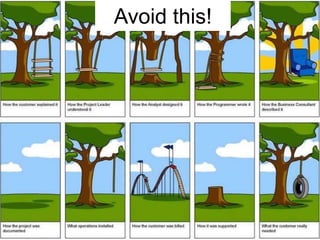
Avoid this!
Test ideas early
“Prototyping is an effective way
of testing and validating
proposed functionality and
designs prior to investing in
development.”
- Jonathan Knoll & Russ Unger
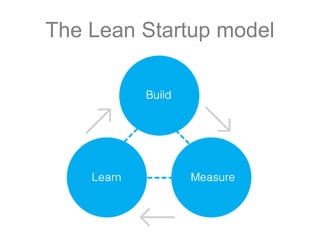
The Lean Startup model
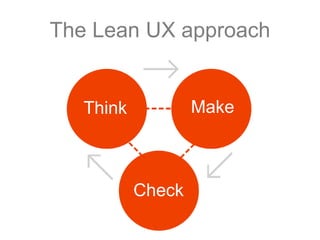
The Lean UX approach

Make

Think

Check
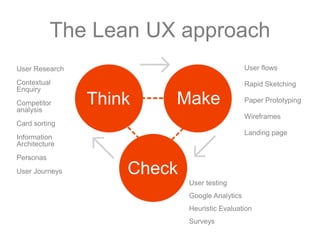
The Lean UX approach
User Research

User flows

Contextual
Enquiry

Rapid Sketching

Competitor
analysis

Think

Make

Paper Prototyping
Wireframes

Card sorting
Landing page

Information
Architecture
Personas
User Journeys

Check
User testing

Google Analytics
Heuristic Evaluation
Surveys
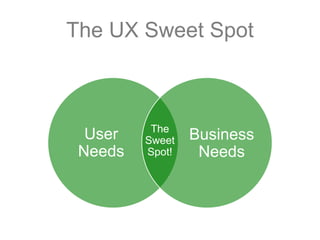
The UX Sweet Spot

User
Needs

The
Sweet
Spot!

Business
Needs
Tools of the trade
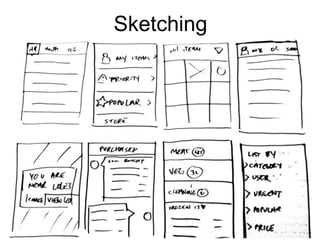
Sketching
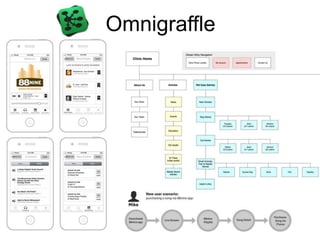
Omnigraffle
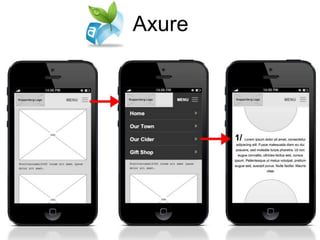
Axure
What goes into a design?
Define BEFORE you Design
1. User Research

2. Content Strategy
3. Personas
4. Information Architecture

5. User Flows
1. User Research
• User research can be quick and dirty, or
detailed and exhaustive
• Talk to your customers, contextual
enquiry, design research, stakeholder
interviews etc

• Gather Requirements - define what the
site or application needs to do e.g.
“Orders can be tracked by entering a
tracking code online”
2. Content Strategy
• Start with the content first!
• Allow your content to drive the structure of
your website or app
– Not the other way around!
• Collect your content into a spreadsheet
and create a plan for ongoing updates and
maintenance.
Kristina Halvorson http://www.contentstrategy.com
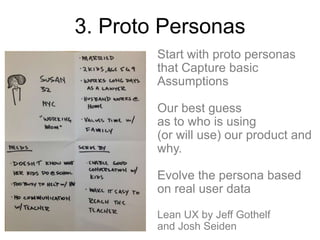
3. Proto Personas
Start with proto personas
that Capture basic
Assumptions
Our best guess
as to who is using
(or will use) our product and
why.
Evolve the persona based
on real user data
Lean UX by Jeff Gothelf
and Josh Seiden
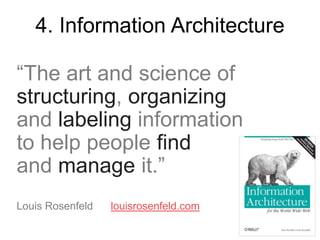
4. Information Architecture
“The art and science of
structuring, organizing
and labeling information
to help people find
and manage it.”
Louis Rosenfeld

louisrosenfeld.com
5. User Flows
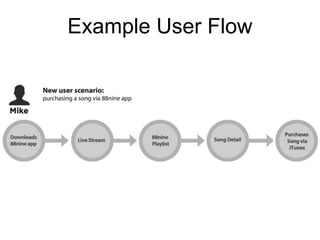
• Map the ideal user journey through your
website or app
• The touch points should ultimately shape
your MVP

• Design in flows rather than screens
uxdesign.smashingmagazine.com/2012/01/04/stopdesigning-pages-start-designing-flows/
Example User Flow
Design Studio
Recipe App Objectives:
• Customers placing orders for
ingredients online
• Drive traffic by sharing of recipes
via social media
• User generated recipes
Recipe App Requirements:
1. Quick and easy way to find a recipe

2. Users can access over 10,000 recipes
3. Promotional area for featured recipes

4. Users can contribute their own recipes
5. Users can share recipes

6. Users can add ingredients to a “Shopping
list”
User Flow sketch exercise
•
•
•
•
•

Home screen
Category screen
Recipe detail screen
Shopping list screen
Check out screen

•
•
•
•

Search function
Social media integration
Filter recipes by type
Ratings reviews function
The 6-8-5 sketch exercise
• Sketch 6 to 8 interface ideas
in 5 minutes
• Keep sketches rough!
• Goal is to collaborate effectively across
design and development teams
http://www.slideshare.net/runger/big-d-sketchingkey
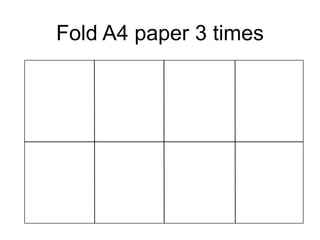
Fold A4 paper 3 times
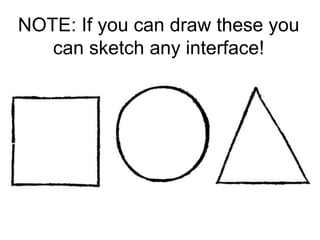
NOTE: If you can draw these you
can sketch any interface!
Critiquing designs with
your team
• Present your ideas with your team
• Talk about which ideas best address the
objectives
• Identify features that work the best
Round 2
• 4 more interface sketches in 5 minutes
• Slightly more refined than before
• Review sketches with your team
Creating Interactive Prototypes
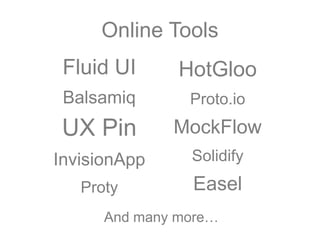
Online Tools

Fluid UI

HotGloo

Balsamiq

Proto.io

UX Pin

MockFlow

InvisionApp

Solidify

Proty

Easel

And many more…
Creating interactive
prototypes using Fluid UI
Fluidui.com
User testing
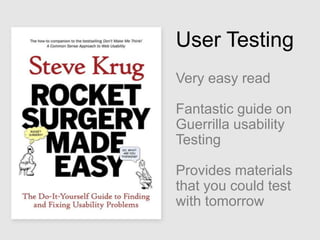
User Testing
Very easy read
Fantastic guide on
Guerrilla usability
Testing
Provides materials
that you could test
with tomorrow
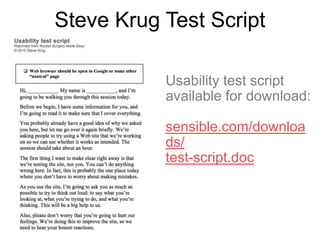
Steve Krug Test Script
Usability test script
available for download:

http://www.sensible.co
m/downloads/testscript.doc
1. Test early

“Always test earlier than you
think you should”
Steer your thinking from real
world feedback
2. Test often

“One morning per month”
Keep testing quick, easy and
manageable
3. Small test groups

“3 test candidates is a good
start”
80% of issues will be revealed in
3 tests or more. 5 people is ideal
4. Make small fixes
“When fixing an issue do the
least you can do”
Small tweaks can often make the most
impact
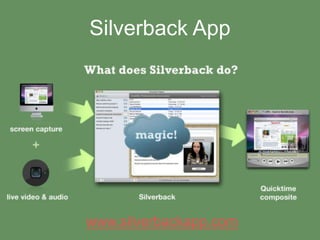
Silverback App

www.silverbackapp.com
Magitest App

Mobile user testing
(currently iOS only)
www.magitest.com
Further Reading
Online Resources:
uxapprentice.com
uxdesign.smashingmagazine.com
boxesandarrows.com
uxmatters.com

Recommended Reading:
Lean UX by Jeff Gothelf and Josh Seiden
Simple and Usable by Giles Colborne
Any book by Steve Krug
Thank you!
Simon Phillips

@uxfellow

Prototyping for web and mobile workshop

  • 1.
    Hands on workshop: prototypingfor web and mobile Simon Phillips @uxfellow
  • 2.
    What we willbe covering 1. Introduction to prototyping 2. What goes into a design? 3. Hands on Prototyping exercises 4. Testing and Validation
  • 3.
  • 4.
  • 5.
    Test ideas early “Prototypingis an effective way of testing and validating proposed functionality and designs prior to investing in development.” - Jonathan Knoll & Russ Unger
  • 7.
  • 8.
    The Lean UXapproach Make Think Check
  • 9.
    The Lean UXapproach User Research User flows Contextual Enquiry Rapid Sketching Competitor analysis Think Make Paper Prototyping Wireframes Card sorting Landing page Information Architecture Personas User Journeys Check User testing Google Analytics Heuristic Evaluation Surveys
  • 10.
    The UX SweetSpot User Needs The Sweet Spot! Business Needs
  • 11.
  • 12.
  • 13.
  • 14.
  • 15.
    What goes intoa design?
  • 16.
    Define BEFORE youDesign 1. User Research 2. Content Strategy 3. Personas 4. Information Architecture 5. User Flows
  • 17.
    1. User Research •User research can be quick and dirty, or detailed and exhaustive • Talk to your customers, contextual enquiry, design research, stakeholder interviews etc • Gather Requirements - define what the site or application needs to do e.g. “Orders can be tracked by entering a tracking code online”
  • 18.
    2. Content Strategy •Start with the content first! • Allow your content to drive the structure of your website or app – Not the other way around! • Collect your content into a spreadsheet and create a plan for ongoing updates and maintenance. Kristina Halvorson http://www.contentstrategy.com
  • 19.
    3. Proto Personas Startwith proto personas that Capture basic Assumptions Our best guess as to who is using (or will use) our product and why. Evolve the persona based on real user data Lean UX by Jeff Gothelf and Josh Seiden
  • 20.
    4. Information Architecture “Theart and science of structuring, organizing and labeling information to help people find and manage it.” Louis Rosenfeld louisrosenfeld.com
  • 21.
    5. User Flows •Map the ideal user journey through your website or app • The touch points should ultimately shape your MVP • Design in flows rather than screens uxdesign.smashingmagazine.com/2012/01/04/stopdesigning-pages-start-designing-flows/
  • 22.
  • 23.
  • 24.
    Recipe App Objectives: •Customers placing orders for ingredients online • Drive traffic by sharing of recipes via social media • User generated recipes
  • 25.
    Recipe App Requirements: 1.Quick and easy way to find a recipe 2. Users can access over 10,000 recipes 3. Promotional area for featured recipes 4. Users can contribute their own recipes 5. Users can share recipes 6. Users can add ingredients to a “Shopping list”
  • 26.
    User Flow sketchexercise • • • • • Home screen Category screen Recipe detail screen Shopping list screen Check out screen • • • • Search function Social media integration Filter recipes by type Ratings reviews function
  • 27.
    The 6-8-5 sketchexercise • Sketch 6 to 8 interface ideas in 5 minutes • Keep sketches rough! • Goal is to collaborate effectively across design and development teams http://www.slideshare.net/runger/big-d-sketchingkey
  • 28.
  • 29.
    NOTE: If youcan draw these you can sketch any interface!
  • 30.
    Critiquing designs with yourteam • Present your ideas with your team • Talk about which ideas best address the objectives • Identify features that work the best
  • 31.
    Round 2 • 4more interface sketches in 5 minutes • Slightly more refined than before • Review sketches with your team
  • 32.
  • 33.
    Online Tools Fluid UI HotGloo Balsamiq Proto.io UXPin MockFlow InvisionApp Solidify Proty Easel And many more…
  • 34.
  • 35.
  • 36.
    User Testing Very easyread Fantastic guide on Guerrilla usability Testing Provides materials that you could test with tomorrow
  • 37.
    Steve Krug TestScript Usability test script available for download: http://www.sensible.co m/downloads/testscript.doc
  • 38.
    1. Test early “Alwaystest earlier than you think you should” Steer your thinking from real world feedback
  • 39.
    2. Test often “Onemorning per month” Keep testing quick, easy and manageable
  • 40.
    3. Small testgroups “3 test candidates is a good start” 80% of issues will be revealed in 3 tests or more. 5 people is ideal
  • 41.
    4. Make smallfixes “When fixing an issue do the least you can do” Small tweaks can often make the most impact
  • 42.
  • 43.
    Magitest App Mobile usertesting (currently iOS only) www.magitest.com
  • 44.
    Further Reading Online Resources: uxapprentice.com uxdesign.smashingmagazine.com boxesandarrows.com uxmatters.com RecommendedReading: Lean UX by Jeff Gothelf and Josh Seiden Simple and Usable by Giles Colborne Any book by Steve Krug
  • 45.

Editor's Notes