Blogs – How to create your own Blog
          using Blogger
Step 1. Create a Google Account
       If you already have a Google Account Login with your email and password
If you don’t have a Google account select ‘Get Started.’ You can use your school email
                                       for this.
Creating an Account
 Complete the boxes to create your account


                                             The display
                                             name will be
                                             how you are
                                             identified
                                             online.
Enter your Blog Title and your Blog Address
Choose a template – this is something that you can always change if
                              you wish
Create your Profile – when the students create their profiles, this is a good
opportunity to discuss digital citizenship and what is appropriate to display and
what is not.
At the top click on Dashboard

Edit your Profile –
this is where you
can enter the
information you
wish others to see.
You can also add a
picture if you wish.
Choose Comment Options

3.Select the Settings tab

5.Select the Comments tab

7.Decide who can comment

9.Decide where you want the
comments to be placed –
generally they are embedded
below the post
Comment Moderation – select when you want your comments to appear.

Always – comments only appear on your blog once you have approved
them.

Older Posts – Approve comments on posts that have been published a set
number of days

Never – Comments are immediately published however you can still delete
these if they are inappropriate
Permissions – who can read your Blog
2.Click on the Setting Tab
3.Click on the Permissions Tab
4.Select who wish to read your blog – you should select only Blog
Authors or Only people I choose for a class/school Blog
5.This is also where you can add authors
Resources
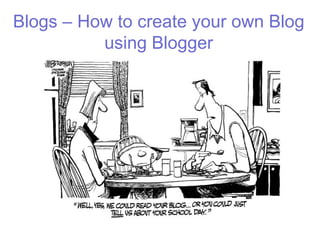
Blog Cartoon, 2010 - http://www.atomicideas.com/atomic-inkspot/media/
Blogger Help, 2011. How to create a Blog on Blogger-
http://www.youtube.com/watch?v=rA4s3wN_vK8

Blogger

  • 1.
    Blogs – Howto create your own Blog using Blogger
  • 2.
    Step 1. Createa Google Account If you already have a Google Account Login with your email and password If you don’t have a Google account select ‘Get Started.’ You can use your school email for this.
  • 3.
    Creating an Account Complete the boxes to create your account The display name will be how you are identified online.
  • 4.
    Enter your BlogTitle and your Blog Address
  • 5.
    Choose a template– this is something that you can always change if you wish
  • 6.
    Create your Profile– when the students create their profiles, this is a good opportunity to discuss digital citizenship and what is appropriate to display and what is not. At the top click on Dashboard Edit your Profile – this is where you can enter the information you wish others to see. You can also add a picture if you wish.
  • 7.
    Choose Comment Options 3.Selectthe Settings tab 5.Select the Comments tab 7.Decide who can comment 9.Decide where you want the comments to be placed – generally they are embedded below the post
  • 8.
    Comment Moderation –select when you want your comments to appear. Always – comments only appear on your blog once you have approved them. Older Posts – Approve comments on posts that have been published a set number of days Never – Comments are immediately published however you can still delete these if they are inappropriate
  • 9.
    Permissions – whocan read your Blog 2.Click on the Setting Tab 3.Click on the Permissions Tab 4.Select who wish to read your blog – you should select only Blog Authors or Only people I choose for a class/school Blog 5.This is also where you can add authors
  • 10.
    Resources Blog Cartoon, 2010- http://www.atomicideas.com/atomic-inkspot/media/ Blogger Help, 2011. How to create a Blog on Blogger- http://www.youtube.com/watch?v=rA4s3wN_vK8