Blogging 101
          Emily Miller
     Technology Specialist
Shades Cahaba Elementary School
Quick Poll

Do you:

Have a blog?

Read at least one blog?

Read 5-10 blogs?

Are you:

interested in one for education use?

interested in one for personal use?
What is a blog?


“A blog (a contraction of the term “Web log”) is a Web Site,
usually maintained by an individual, with regular entries or
commentary, descriptions of events, or other material such as
graphics or video.”

                  -Wikipedia
Blogging Sites


Blogger (Personal Blog)

Edublogs (Education Blog)

Tumblr (Mini-Blog)

Twitter or Facebook (Micro)blog)
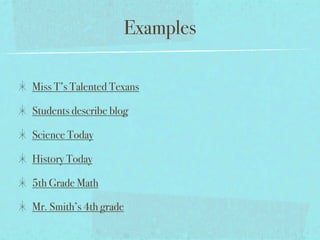
Examples

Miss T’s Talented Texans

Students describe blog

Science Today

History Today

5th Grade Math

Mr. Smith’s 4th grade
Why Blog?


Why let students blog
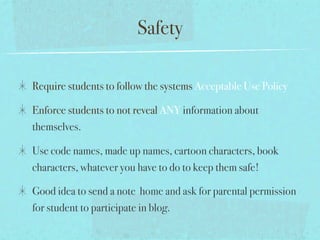
Safety

Require students to follow the systems Acceptable Use Policy

Enforce students to not reveal ANY information about
themselves.

Use code names, made up names, cartoon characters, book
characters, whatever you have to do to keep them safe!

Good idea to send a note home and ask for parental permission
for student to participate in blog.
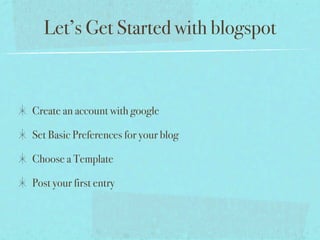
Let’s Get Started with blogspot


Create an account with google

Set Basic Preferences for your blog

Choose a Template

Post your first entry
Set up an account

you create a username and password to protect access to your blog

The Display Name is the name that is posted at the end of each of your
entries in your blog. It’s your Signature.

The title of your blog is like the title of a book: it must somehow capture
the essence of what you’re trying to write-and catch your readers’
interest at the same time

Create a simplified version of your title to be used as part of your Blog
address (URL).
Choose a Template


A template determines the formatting that Blogger applies as it
converts your posts into the web pages that make up your blog.

Click the template’s view button to get a full-size preview of how
your blog will be formated
Publish your first post


The title of your blog post is used to identify your entry on both
your main page and in the previous posts section.

Type your post in the main editing area.

If desired, click Preview to get an idea of how it will look once
published. (Then click Hide Preview to finish writing.)

Finally, click Publish Post to add your entry to your blog.
Leave Comments


Visitors are allowed to leave comments to your blog.

The comments are listed at the bottom of every post page.

If you want to moderate the comments, leave your email in the
Settings, Comment Notification address box and blogger will
notify you every time someone leaves a comment on your blog.
This gives you the ability to approve the comments.
A few things to remember


Don’t just dive in.

devote a lot of time discussing proper conduct, how to upload
post, and what makes a good blog and comment.

show students examples, discuss good and bad things

remember you have to teach them the proper way to
communicate

Don’t forget students love for you to get involved.

Blogging 101

  • 1.
    Blogging 101 Emily Miller Technology Specialist Shades Cahaba Elementary School
  • 2.
    Quick Poll Do you: Havea blog? Read at least one blog? Read 5-10 blogs? Are you: interested in one for education use? interested in one for personal use?
  • 3.
    What is ablog? “A blog (a contraction of the term “Web log”) is a Web Site, usually maintained by an individual, with regular entries or commentary, descriptions of events, or other material such as graphics or video.” -Wikipedia
  • 4.
    Blogging Sites Blogger (PersonalBlog) Edublogs (Education Blog) Tumblr (Mini-Blog) Twitter or Facebook (Micro)blog)
  • 5.
    Examples Miss T’s TalentedTexans Students describe blog Science Today History Today 5th Grade Math Mr. Smith’s 4th grade
  • 6.
    Why Blog? Why letstudents blog
  • 7.
    Safety Require students tofollow the systems Acceptable Use Policy Enforce students to not reveal ANY information about themselves. Use code names, made up names, cartoon characters, book characters, whatever you have to do to keep them safe! Good idea to send a note home and ask for parental permission for student to participate in blog.
  • 8.
    Let’s Get Startedwith blogspot Create an account with google Set Basic Preferences for your blog Choose a Template Post your first entry
  • 9.
    Set up anaccount you create a username and password to protect access to your blog The Display Name is the name that is posted at the end of each of your entries in your blog. It’s your Signature. The title of your blog is like the title of a book: it must somehow capture the essence of what you’re trying to write-and catch your readers’ interest at the same time Create a simplified version of your title to be used as part of your Blog address (URL).
  • 10.
    Choose a Template Atemplate determines the formatting that Blogger applies as it converts your posts into the web pages that make up your blog. Click the template’s view button to get a full-size preview of how your blog will be formated
  • 11.
    Publish your firstpost The title of your blog post is used to identify your entry on both your main page and in the previous posts section. Type your post in the main editing area. If desired, click Preview to get an idea of how it will look once published. (Then click Hide Preview to finish writing.) Finally, click Publish Post to add your entry to your blog.
  • 12.
    Leave Comments Visitors areallowed to leave comments to your blog. The comments are listed at the bottom of every post page. If you want to moderate the comments, leave your email in the Settings, Comment Notification address box and blogger will notify you every time someone leaves a comment on your blog. This gives you the ability to approve the comments.
  • 13.
    A few thingsto remember Don’t just dive in. devote a lot of time discussing proper conduct, how to upload post, and what makes a good blog and comment. show students examples, discuss good and bad things remember you have to teach them the proper way to communicate Don’t forget students love for you to get involved.