SMES Students Start your
Glog!
Go to the Glogster EDU
website
http://edu.glogster.com/
Step 1.
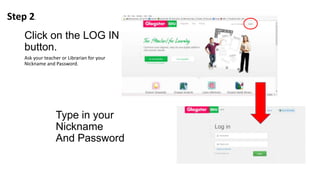
Click on the LOG IN
button.
Ask your teacher or Librarian for your
Nickname and Password.
Step 2.
Type in your
Nickname
And Password
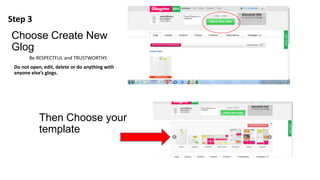
Choose Create New
Glog
Be RESPECTFUL and TRUSTWORTHY.
Do not open, edit, delete or do anything with
anyone else’s glogs.
Then Choose your
template
Step 3
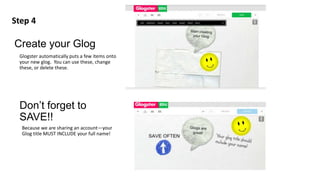
Create your Glog
Glogster automatically puts a few items onto
your new glog. You can use these, change
these, or delete these.
Step 4
Don’t forget to
SAVE!!
Because we are sharing an account—your
Glog title MUST INCLUDE your full name!
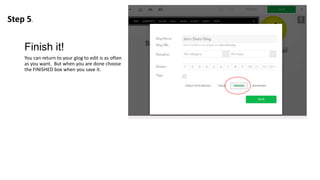
Finish it!
You can return to your glog to edit is as often
as you want. But when you are done choose
the FINISHED box when you save it.
Step 5.

Glogging

  • 1.
  • 2.
    Go to theGlogster EDU website http://edu.glogster.com/ Step 1.
  • 3.
    Click on theLOG IN button. Ask your teacher or Librarian for your Nickname and Password. Step 2. Type in your Nickname And Password
  • 4.
    Choose Create New Glog BeRESPECTFUL and TRUSTWORTHY. Do not open, edit, delete or do anything with anyone else’s glogs. Then Choose your template Step 3
  • 5.
    Create your Glog Glogsterautomatically puts a few items onto your new glog. You can use these, change these, or delete these. Step 4 Don’t forget to SAVE!! Because we are sharing an account—your Glog title MUST INCLUDE your full name!
  • 6.
    Finish it! You canreturn to your glog to edit is as often as you want. But when you are done choose the FINISHED box when you save it. Step 5.