
DIVISION OF CONTINUING EDUCATIONFaustoGardiniLet’s Build aBlog
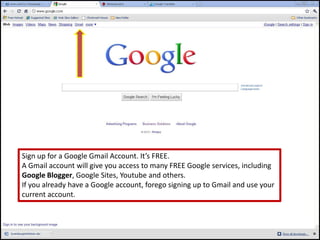
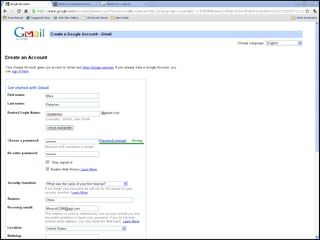
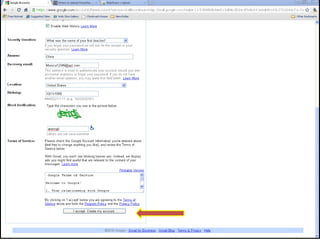
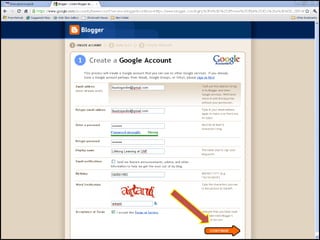
Sign up for a Google Gmail Account. It’s FREE.A Gmail account will give you access to many FREE Google services, includingGoogle Blogger, Google Sites, Youtube and others.If you already have a Google account, forego signing up to Gmail and use yourcurrent account.
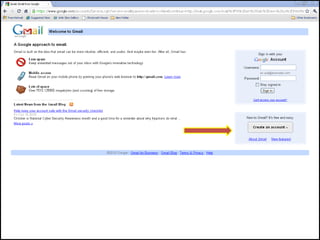
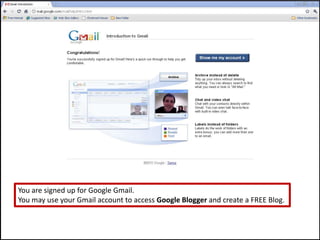
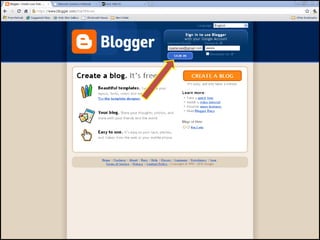
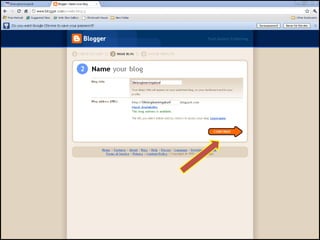
You are signed up for Google Gmail.You may use your Gmail account to access Google Blogger and create a FREE Blog.
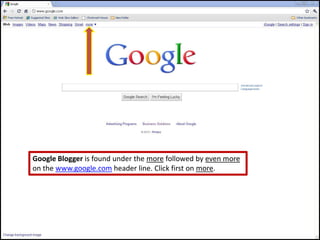
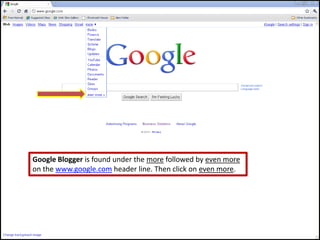
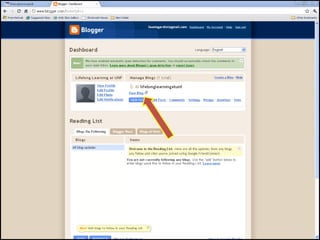
Google Blogger is found under the more followed by even moreon the www.google.com header line. Click first on more.
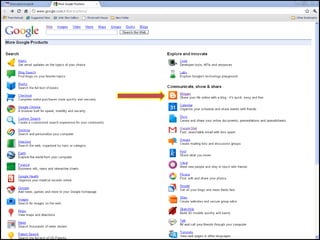
Google Blogger is found under the more followed by even moreon the www.google.com header line. Then click on even more.
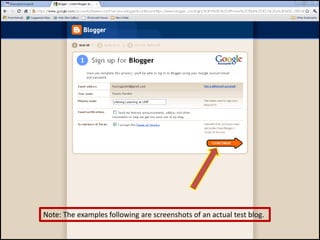
Note: The examples following are screenshots of an actual test blog.
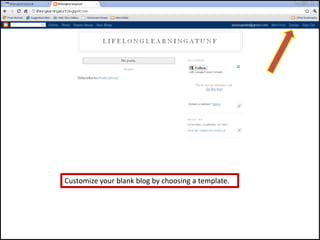
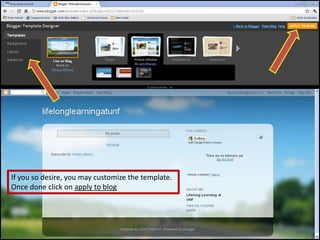
Customize your blank blog by choosing a template.
If you so desire, you may customize the template. Once done click on apply to blog
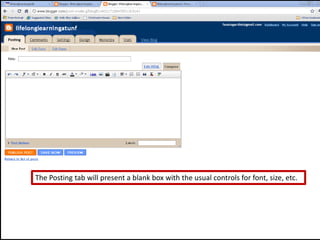
The Posting tab will present a blank box with the usual controls for font, size, etc.
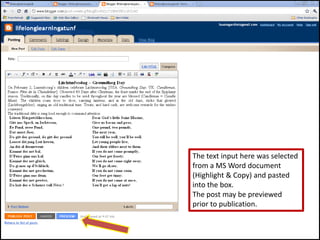
The text input here was selectedfrom a MS Word document(Highlight & Copy) and pastedinto the box.The post may be previewedprior to publication.
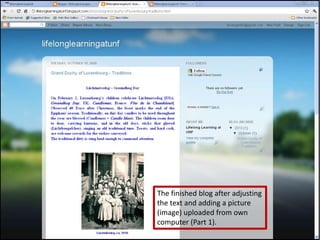
The finished blog after adjustingthe text and adding a picture(image) uploaded from owncomputer (Part 1).
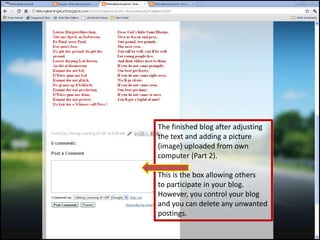
The finished blog after adjustingthe text and adding a picture(image) uploaded from owncomputer (Part 2).This is the box allowing othersto participate in your blog.However, you control your blogand you can delete any unwanted postings.
DIVISION OF CONTINUING EDUCATIONThat’s how far I take you. If you practice, play with your blog you will discover many marvelous capabilities and you will soon be as proficient as a professional and your blog will look maaaarveloooouuus!How will people know about your blog?Here’s one suggestion: Whenever you send an Email to friends, relatives and acquaintances, append your Blog’s URL to your signature.
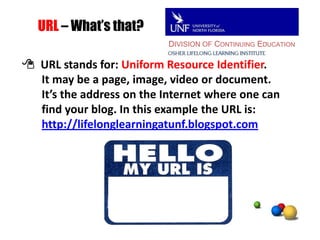
DIVISION OF CONTINUING EDUCATIONURL – What’s that? URL stands for: Uniform Resource Identifier.       It may be a page, image, video or document.       It’s the address on the Internet where one canfind your blog. In this example the URL is:http://lifelonglearningatunf.blogspot.com
DIVISION OF CONTINUING EDUCATIONOne more piece of advice that my wife, bless her heart *, always gives me, is: Follow the instructions!She’s from South Carolina!

Google blogger

  • 1.
    DIVISION OF CONTINUINGEDUCATIONFaustoGardiniLet’s Build aBlog
  • 3.
    Sign up fora Google Gmail Account. It’s FREE.A Gmail account will give you access to many FREE Google services, includingGoogle Blogger, Google Sites, Youtube and others.If you already have a Google account, forego signing up to Gmail and use yourcurrent account.
  • 7.
    You are signedup for Google Gmail.You may use your Gmail account to access Google Blogger and create a FREE Blog.
  • 8.
    Google Blogger isfound under the more followed by even moreon the www.google.com header line. Click first on more.
  • 9.
    Google Blogger isfound under the more followed by even moreon the www.google.com header line. Then click on even more.
  • 12.
    Note: The examplesfollowing are screenshots of an actual test blog.
  • 16.
    Customize your blankblog by choosing a template.
  • 17.
    If you sodesire, you may customize the template. Once done click on apply to blog
  • 18.
    The Posting tabwill present a blank box with the usual controls for font, size, etc.
  • 19.
    The text inputhere was selectedfrom a MS Word document(Highlight & Copy) and pastedinto the box.The post may be previewedprior to publication.
  • 20.
    The finished blogafter adjustingthe text and adding a picture(image) uploaded from owncomputer (Part 1).
  • 21.
    The finished blogafter adjustingthe text and adding a picture(image) uploaded from owncomputer (Part 2).This is the box allowing othersto participate in your blog.However, you control your blogand you can delete any unwanted postings.
  • 22.
    DIVISION OF CONTINUINGEDUCATIONThat’s how far I take you. If you practice, play with your blog you will discover many marvelous capabilities and you will soon be as proficient as a professional and your blog will look maaaarveloooouuus!How will people know about your blog?Here’s one suggestion: Whenever you send an Email to friends, relatives and acquaintances, append your Blog’s URL to your signature.
  • 23.
    DIVISION OF CONTINUINGEDUCATIONURL – What’s that? URL stands for: Uniform Resource Identifier. It may be a page, image, video or document. It’s the address on the Internet where one canfind your blog. In this example the URL is:http://lifelonglearningatunf.blogspot.com
  • 24.
    DIVISION OF CONTINUINGEDUCATIONOne more piece of advice that my wife, bless her heart *, always gives me, is: Follow the instructions!She’s from South Carolina!