Tools for Taking your
Project Beyond PowerPoint:
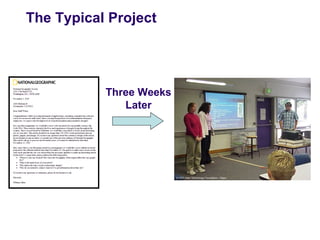
The Typical Project


           Three Weeks
              Later
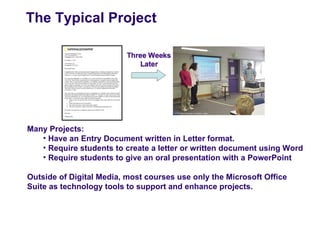
The Typical Project


Many Projects:
   • Have an Entry Document written in Letter format.
   • Require students to create a letter or written document using Word
   • Require students to give an oral presentation with a PowerPoint

Outside of Digital Media, most courses use only the Microsoft Office
Suite as technology tools to support and enhance projects.
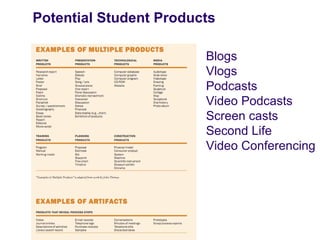
Potential Student Products

                        Blogs
                        Vlogs
                        Podcasts
                        Video Podcasts
                        Screen casts
                        Second Life
                        Video Conferencing
SESSION OBJECTIVES

                Explore different software and
                technology tools to enhance projects
                and the classroom experience.

                Demonstrate some of these resources
                and discuss their use in a 21st Century
                Classroom.

                Share other software and resources
                used across the New Tech Network.
Freeware and Open Source
Technology

                   Positives:
                     - Free
                     - Wide Variety of Programs
                     - New and Innovative
                     Programs


                   Negatives:
                     - Some Bugs or glitches
                     - Some of the resources are
                     web based applications, so
                     they may be blocked by the
                     school district
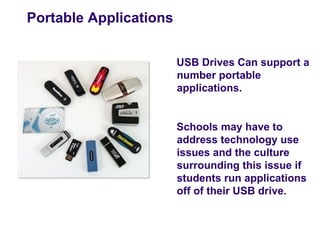
Portable Applications


                        USB Drives Can support a
                        number portable
                        applications.


                        Schools may have to
                        address technology use
                        issues and the culture
                        surrounding this issue if
                        students run applications
                        off of their USB drive.
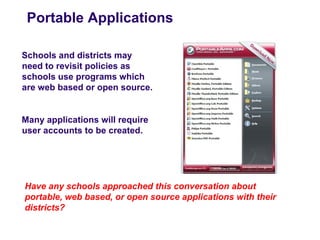
Portable Applications

Schools and districts may
need to revisit policies as
schools use programs which
are web based or open source.


Many applications will require
user accounts to be created.


Have any schools approached this conversation about
portable, web based, or open source applications with their
districts?
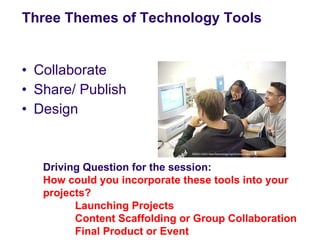
Three Themes of Technology Tools


• Collaborate
• Share/ Publish
• Design


   Driving Question for the session:
   How could you incorporate these tools into your
   projects?
         Launching Projects
         Content Scaffolding or Group Collaboration
         Final Product or Event
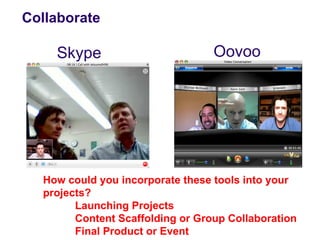
Collaborate

    Skype                         Oovoo


  How could you incorporate these tools into your
  projects?
        Launching Projects
        Content Scaffolding or Group Collaboration
        Final Product or Event
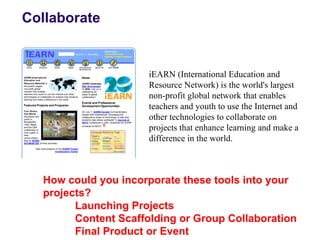
Collaborate


                      iEARN (International Education and
                      Resource Network) is the world's largest
                      non-profit global network that enables
                      teachers and youth to use the Internet and
                      other technologies to collaborate on
                      projects that enhance learning and make a
                      difference in the world.


  How could you incorporate these tools into your
  projects?
        Launching Projects
        Content Scaffolding or Group Collaboration
        Final Product or Event
Share/ Publish


  How could you incorporate these tools into your
  projects?
        Launching Projects
        Content Scaffolding or Group Collaboration
        Final Product or Event
Share/ Publish


  How could you incorporate these tools into your
  projects?
        Launching Projects
        Content Scaffolding or Group Collaboration
        Final Product or Event
Share/ Publish

         Visit NTF School Reform Blog


  How could you incorporate these tools into your
  projects?
        Launching Projects
        Content Scaffolding or Group Collaboration
        Final Product or Event
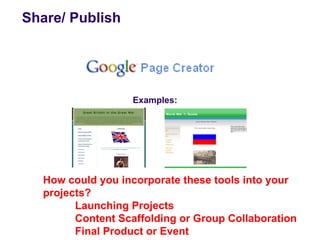
Share/ Publish


                  Examples:


  How could you incorporate these tools into your
  projects?
        Launching Projects
        Content Scaffolding or Group Collaboration
        Final Product or Event
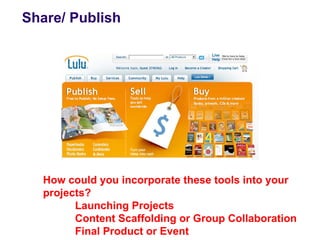
Share/ Publish


  How could you incorporate these tools into your
  projects?
        Launching Projects
        Content Scaffolding or Group Collaboration
        Final Product or Event
Share/ Publish


  How could you incorporate these tools into your
  projects?
        Launching Projects
        Content Scaffolding or Group Collaboration
        Final Product or Event
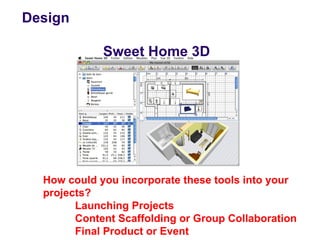
Design

             Sweet Home 3D


  How could you incorporate these tools into your
  projects?
        Launching Projects
        Content Scaffolding or Group Collaboration
        Final Product or Event
Reflection

   Please create a “new response” to the agenda in the
   discussion forum and reflect on the questions below:

1. Which of the programs or resources presented in this
   session are you most likely to use in your PBL units next
   year? How will you adapt your projects to include these
   tools?
2. What problems might you encounter in enabling teachers
   and students to access these resources at your school?
   How could you overcome these school or district issues?
3. What are some next steps for your staff to incorporate new
   technology resources and strategies into your projects?

Beyond Powerpoint

  • 1.
    Tools for Takingyour Project Beyond PowerPoint:
  • 2.
    The Typical Project Three Weeks Later
  • 3.
    The Typical Project ManyProjects: • Have an Entry Document written in Letter format. • Require students to create a letter or written document using Word • Require students to give an oral presentation with a PowerPoint Outside of Digital Media, most courses use only the Microsoft Office Suite as technology tools to support and enhance projects.
  • 4.
    Potential Student Products Blogs Vlogs Podcasts Video Podcasts Screen casts Second Life Video Conferencing
  • 5.
    SESSION OBJECTIVES Explore different software and technology tools to enhance projects and the classroom experience. Demonstrate some of these resources and discuss their use in a 21st Century Classroom. Share other software and resources used across the New Tech Network.
  • 6.
    Freeware and OpenSource Technology Positives: - Free - Wide Variety of Programs - New and Innovative Programs Negatives: - Some Bugs or glitches - Some of the resources are web based applications, so they may be blocked by the school district
  • 7.
    Portable Applications USB Drives Can support a number portable applications. Schools may have to address technology use issues and the culture surrounding this issue if students run applications off of their USB drive.
  • 8.
    Portable Applications Schools anddistricts may need to revisit policies as schools use programs which are web based or open source. Many applications will require user accounts to be created. Have any schools approached this conversation about portable, web based, or open source applications with their districts?
  • 9.
    Three Themes ofTechnology Tools • Collaborate • Share/ Publish • Design Driving Question for the session: How could you incorporate these tools into your projects? Launching Projects Content Scaffolding or Group Collaboration Final Product or Event
  • 10.
    Collaborate Skype Oovoo How could you incorporate these tools into your projects? Launching Projects Content Scaffolding or Group Collaboration Final Product or Event
  • 11.
    Collaborate iEARN (International Education and Resource Network) is the world's largest non-profit global network that enables teachers and youth to use the Internet and other technologies to collaborate on projects that enhance learning and make a difference in the world. How could you incorporate these tools into your projects? Launching Projects Content Scaffolding or Group Collaboration Final Product or Event
  • 12.
    Share/ Publish How could you incorporate these tools into your projects? Launching Projects Content Scaffolding or Group Collaboration Final Product or Event
  • 13.
    Share/ Publish How could you incorporate these tools into your projects? Launching Projects Content Scaffolding or Group Collaboration Final Product or Event
  • 14.
    Share/ Publish Visit NTF School Reform Blog How could you incorporate these tools into your projects? Launching Projects Content Scaffolding or Group Collaboration Final Product or Event
  • 15.
    Share/ Publish Examples: How could you incorporate these tools into your projects? Launching Projects Content Scaffolding or Group Collaboration Final Product or Event
  • 16.
    Share/ Publish How could you incorporate these tools into your projects? Launching Projects Content Scaffolding or Group Collaboration Final Product or Event
  • 17.
    Share/ Publish How could you incorporate these tools into your projects? Launching Projects Content Scaffolding or Group Collaboration Final Product or Event
  • 18.
    Design Sweet Home 3D How could you incorporate these tools into your projects? Launching Projects Content Scaffolding or Group Collaboration Final Product or Event
  • 19.
    Reflection Please create a “new response” to the agenda in the discussion forum and reflect on the questions below: 1. Which of the programs or resources presented in this session are you most likely to use in your PBL units next year? How will you adapt your projects to include these tools? 2. What problems might you encounter in enabling teachers and students to access these resources at your school? How could you overcome these school or district issues? 3. What are some next steps for your staff to incorporate new technology resources and strategies into your projects?