

BLENDED LEARNING 101
Letia Cooper
Instructional Technology Specialist, M.Ed
What is Blended Learning?
Blended learning combines traditional
instructional practice with online learning.
The student learns partly through online
instruction in which they can control the
pace and place of learning.
How can I blend technology with
my current instructional
practices?
SUBSTITUTE & MODIFY
IF IT WORKS
CONTINUE TO USE
IT
Just
SUBSTITUTE & MODIFY IT!
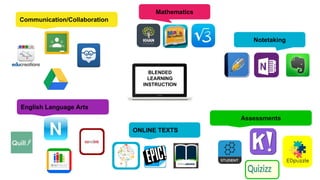
Notetaking
Communication/Collaboration
English Language Arts
Mathematics
ONLINE TEXTS
BLENDED
LEARNING
INSTRUCTION
Assessments
cvc
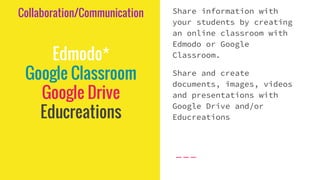
Collaboration/Communication
Edmodo*
Google Classroom
Google Drive
Educreations
Share information with
your students by creating
an online classroom with
Edmodo or Google
Classroom.
Share and create
documents, images, videos
and presentations with
Google Drive and/or
Educreations
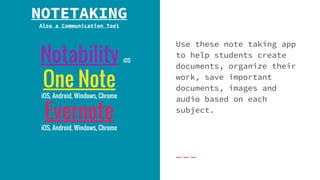
Notability iOS
One Note
iOS, Android, Windows, Chrome
Evernote
iOS, Android, Windows, Chrome
NOTETAKING
Also a Communication Tool
Use these note taking app
to help students create
documents, organize their
work, save important
documents, images and
audio based on each
subject.
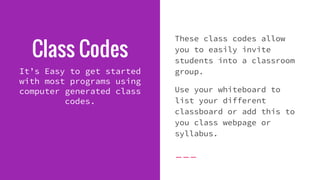
Class Codes
It’s Easy to get started
with most programs using
computer generated class
codes.
These class codes allow
you to easily invite
students into a classroom
group.
Use your whiteboard to
list your different
classboard or add this to
you class webpage or
syllabus.
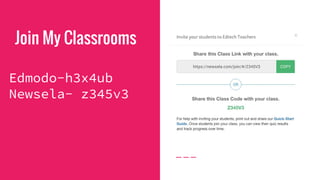
Join My Classrooms
Edmodo-h3x4ub
Newsela- z345v3
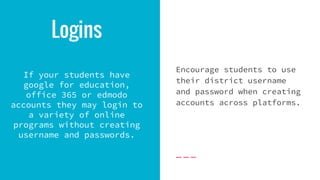
Logins
If your students have
google for education,
office 365 or edmodo
accounts they may login to
a variety of online
programs without creating
username and passwords.
Encourage students to use
their district username
and password when creating
accounts across platforms.
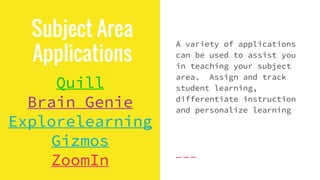
Subject Area
Applications
Quill
Brain Genie
Explorelearning
Gizmos
ZoomIn
A variety of applications
can be used to assist you
in teaching your subject
area. Assign and track
student learning,
differentiate instruction
and personalize learning
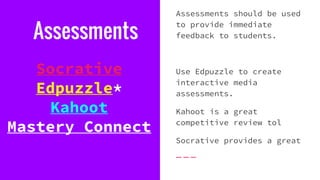
Assessments
Socrative
Edpuzzle*
Kahoot
Mastery Connect
Assessments should be used
to provide immediate
feedback to students.
Use Edpuzzle to create
interactive media
assessments.
Kahoot is a great
competitive review tol
Socrative provides a great
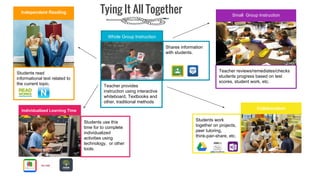
Tie It Together
Shares information
with students.
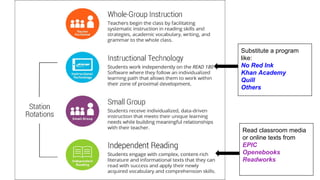
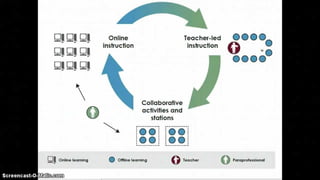
Whole Group Instruction
Teacher provides
instruction using interactive
whiteboard, Textbooks and
other, traditional methods
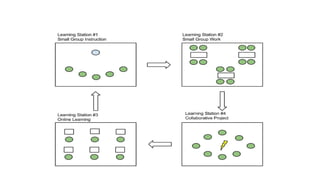
Small Group Instruction
Teacher reviews/remediates/checks
students progress based on test
scores, student work, etc.
Individualized Learning Time
Students use this
time for to complete
individualized
activities using
technology, or other
tools.
Collaboration
Students work
together on projects,
peer tutoring,
think-pair-share, etc.
Independent Reading
Students read
informational text related to
the current topic.
Tying It All Together
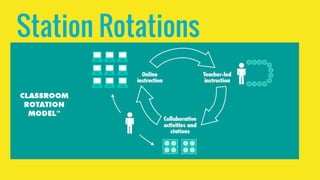
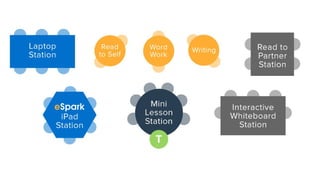
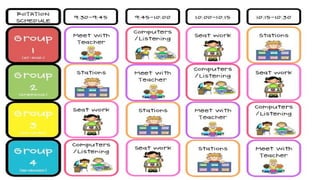
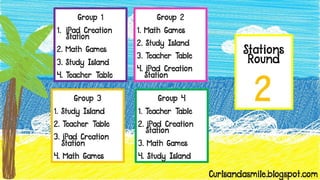
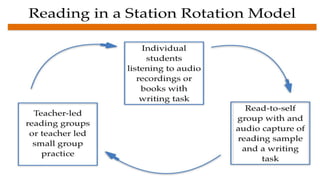
Station Rotations
Substitute a program
like:
No Red Ink
Khan Academy
Quill
Others
Read classroom media
or online texts from
EPIC
Openebooks
Readworks
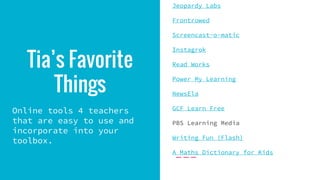
Tia’s Favorite
Things
Online tools 4 teachers
that are easy to use and
incorporate into your
toolbox.
Jeopardy Labs
Frontrowed
Screencast-o-matic
Instagrok
Read Works
Power My Learning
NewsEla
GCF Learn Free
PBS Learning Media
Writing Fun (Flash)
A Maths Dictionary for Kids
Tia’s Tech Tips
•START WITH A FEW TECH GOALS A YEAR.
•LET YOUR STUDENTS HELP YOU HELP THEM!
•DON’T BE AFRAID TO TRY!
•SAVE YOURSELF TIME!
•DON’T COMPARE YOUR TECH SAVVY TO
OTHERS!
•YOU WILL GROW!
•ALWAYS SEEK NEW KNOWLEDGE!
QUESTIONS?
www.techwithtia.com
@techwithtia
Join the Edmodo Group at TechWithTia
Contact Me
Presentation
https://goo.gl/w2odnI

BLENDED LEARNING 101